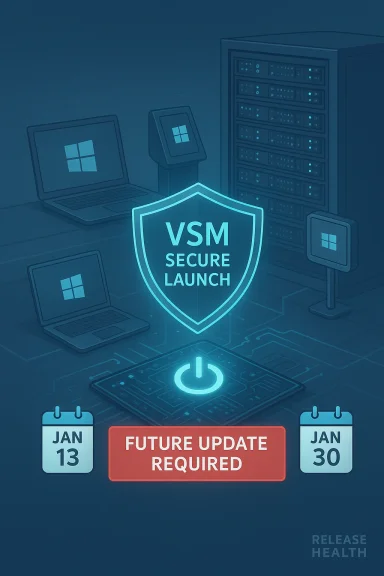
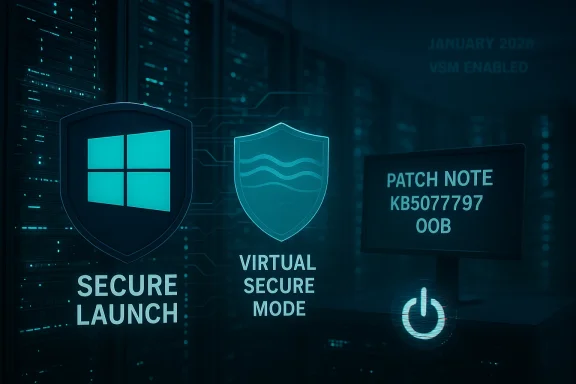
Microsoft has confirmed that the shutdown-and-hibernation regression triggered by January’s Patch Tuesday affects a broader set of enterprise-grade configurations than originally disclosed: an out-of-band fix addressed many Secure Launch cases, but systems using Virtual Secure Mode (VSM) remain at risk pending a future update.
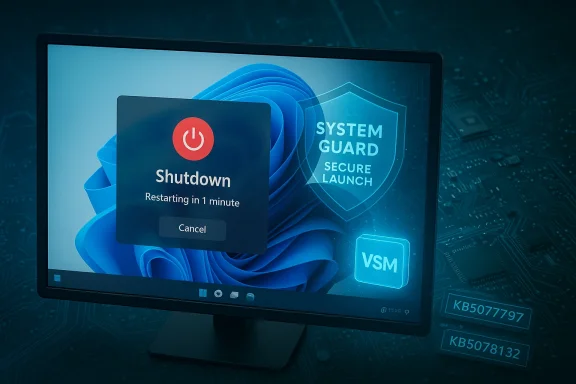
January’s cumulative updates introduced a configuration-dependent regression: some Windows devices were unable to power off or enter hibernation after installing the January security rollup. In affected configurations, attempting Shut down or Hibernate caused the machine to restart (or return to the sign‑in screen) instead of completing the requested power state. Microsoft acknowledged the problem in its Release Health notes and followed with an out‑of‑band (OOB) update intended to fix the issue for many systems.
Initially, the known issue was framed around System Guard Secure Launch on Windows 11, version 23H2. Subsequent updates and advisory revisions expanded the scope to include systems where Virtual Secure Mode (VSM) is enabled — a distinct virtualization-based protection that isolates sensitive system processes. That expansion matters because VSM is often enabled on specialized enterprise images, certain Windows 10 SKUs, and LTSC builds used in embedded/regulated environments. Microsoft’s change logs and update history now explicitly call out VSM in the known‑issues section while confirming Secure Launch cases resolved by the OOB rollout.
For administrators, the immediate priority is correct identification of affected devices, cautious and staged deployment of OOB updates, and clear communication with end users about workarounds and battery risks. For Microsoft, this episode underlines the urgency of improving pre‑release validation across virtualization‑hardened configurations and of giving enterprise customers clearer remediation timetables when advanced security features are implicated.
Monitor Microsoft’s KB and Release Health entries for the VSM resolution and validate any remedial package in a representative pilot ring before mass deployment.
Conclusion: the immediate Secure Launch problem is largely mitigated for many devices thanks to KB5077797, but VSM-enabled systems remain a live risk until Microsoft ships the promised fix — and that requires careful, hardware-aware patch management from IT teams in the meantime.
Source: absolutegeeks.com Microsoft confirms more Windows PCs are affected by shutdown and hibernation bug
 Background / Overview
January’s cumulative updates introduced a configuration-dependent regression: some Windows devices were unable to power off or enter hibernation after installing the January security rollup. In affected configurations, attempting Shut down or Hibernate caused the machine to restart (or return to the sign‑in screen) instead of completing the requested power state. Microsoft acknowledged the problem in its Release Health notes and followed with an out‑of‑band (OOB) update intended to fix the issue for many systems. Initially, the known issue was framed around System Guard Secure Launch on Windows 11, version 23H2. Subsequent updates and advisory revisions expanded the scope to include systems where Virtual Secure Mode (VSM) is enabled — a distinct virtualization-based protection that isolates sensitive system processes. That expansion matters because VSM is often enabled on specialized enterprise images, certain Windows 10 SKUs, and LTSC builds used in embedded/regulated environments. Microsoft’s change logs and update history now explicitly call out VSM in the known‑issues section while confirming Secure Launch cases resolved by the OOB rollout.
What’s changed since the first advisory
- Microsoft published an OOB cumulative update (KB5077797) on January 17, 2026 that resolves many Secure Launch‑related restart-on-shutdown symptoms on Windows 11, version 23H2. The KB entry lists the Secure Launch regression as fixed by the update.
- Later documentation updates and Windows update history entries added a separate known issue for machines with Virtual Secure Mode enabled, noting they might still fail to shut down or hibernate; Microsoft has said it will resolve those cases in a future update.
- Community telemetry and forum threads show real‑world variance: some organizations saw the OOB patch resolve symptoms, while others reported lingering failures on devices using VSM or on certain Windows 10 and LTSC editions.
Technical anatomy: why Secure Launch and VSM can interact with updates
What System Guard Secure Launch does
System Guard Secure Launch is an early‑boot, virtualization‑based protection that enforces a measured launch of firmware and pre‑OS components. It inserts an early virtualization boundary and dynamic root-of-trust checks to make fih harder. That virtualization boundary changes timing and state transitions during boot and shutdown sequences, and it affects how servicing operations (downloads, staging, offline commit phases) preserve the user’s final power intent.What Virtual Secure Mode (VSM) is
Virtual Secure Mode (VSM) leverages virtualization-based security (VBS) to create isolated memory regions for security-critical components, like Credential Guard, Hypervisor-protected Code Integrity, and other isolated processes. VSM runs inside a secure container provided by Hyper‑V’s microvisor to precrets and critical services. Because VSM adds another virtualization boundary and new expectations for power-state transitions, it can create additional corner cases for servicing-stack code and ACPI interactions.Where servicing and power management collide
Windows update servicing frequently uses multi‑phase commit logic: downloads → staging → offline commit → finalize. The offline commit phase often occurs across a reboot or shutdown, requiring the OS and servicing stack to preserve the intended final action (restart vs shutdown vs hibernate) across mode transitions. When virtualization boundaries (Secure Launch, VSM) alter the timing or introduce additional validation steps at boot/shutdown, the orchestrator can misinterpret the final intent and choose a restart as a safe fallback. That is the core technical explanation Microsoft and independent analysts point to for why shutdown or hibernate operations sometimes become restart operations in these specific configurations.Precisely which Windows editions and configurations are affected
Microsoft’s advisory language and its KB entries narrow the condition to configuration-driven scenarios; the practical list of affected platforms includes:- Windows 11, version 23H2 — Enterprise and IoT SKUs where Secure Launch and VSM are more commonly enabled. The January 13, 2026 cumulative update KB5073455 is the originating package tied to the problem.
- Windows 10 flavor updates (including 22H2 and some LTSC builds): Microsoft added the VSM-related known issue to Windows 10 update pages as well, flagging that devices with VSM enabled might fail to shut down or hibernate. That means administrators running Windows 10 22H2 or LTSC images should treat VSM-enabled devices as potentially affected.
- Most consumer Home/Pro systems are unlikely to be affected because Secure Launch and VSM are not typically enabled by default on standard consumer images.
- The problem is configuration-dependent — merely running 23H2 or 22H2 is not sufficient; the device must have Secure Launch or VSM configured and enabled.
Symptoms as observed in the field
Real-world reporting and Microsoft support threads show several consistent patterns:- Attempting Shut down or Hibernate yields a brief blank screen and then a boot back to the sign‑in screen or an immediate reboot.
- Hibernation is particularly unreliable — Microsoft stated there was no workaround for hibernate at the advisory time, and battery-draining overnight behavior was commonly reported for laptops.
- The Command Prompt workaround — run shutdown /s /t 0 — forces a power‑off when the standard UI action fails. Microsoft documented this emergency command while a fix was prepared.
What Microsoft has done and what remains outstanding
Fixed (or mitigated) items
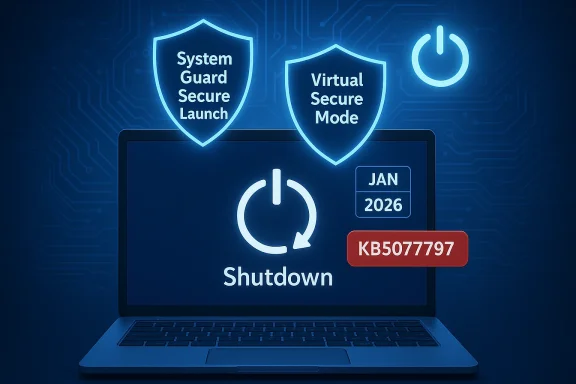
- OOB update KB5077797 (released January 17, 2026) addressed many Secure Launch-related restart-on-shutdown cases for Windows 11 23H2 and was published as a combined SSU+LCU package. Microsoft’s KB explicitly lists Secure Launch restart issues among the items resolved by that package.
Still open / awaiting fixes
- Microsoft’s update history entries were revised to say: Some devices with Virtual Secure Mode enabled might fail to shut down or hibernate — and that remains a known issue scheduled for a future remediation. The vendor has not provided a specific timeline for this VSM-related fix within the public organizations running VSM‑enabled configurations in a holding pattern.
Immediate actions for administrators and power users
If you manage or use devices where Secure Launch or VSM may be enabled, take these practical steps now.1. Inventory and detect exposure
- Check which machines have Secure Launch and VSM enabled (use msinfo32 or your MDM tooling to extract virtualization security state).
- Identify machines with the January 13, 2026 updates installed (KB5073455 and corresponding KBs for Windows 10 branches).
2. Apply mitigations and patches
- For many Secure Launch cases, install KB5077797 (Windows 11 OOB) and the corresponding OOB packages Microsoft published for Windows 10 branches. Validate behavior post-install.
- If as symptoms after the OOB patch, treat it as VSM-exposed and monitor Microsoft’s Release Health for the VSM resolution advisory.
3. Workarounds andTemporary manual shutdown: instruct users to run shutdown /s /t 0 from an elevated command prompt to force a power‑off if the standard UI fails. Make sure staff save work first.
- Avoid relying on hibernation in critical devices until Microsoft publicly confirms VSM cases are resolved.
- Communicate clearly: proactive communications to field technicians and helpdesk staff reduce confused calls and prevent data loss due to unexpected battery drain.
4. Pilot and stage updates
- Do not push updates blindly to high‑risk rings. Use conservative deployment gates and representative hardware diversity in pilotevices with bespoke firmware or third‑party security agents.
Longer-term recommendations for update hygiene
- Maintain a hardware‑aware update playbook: inventory firmware versions, OEM EPROM/BIOS settings, and security features (Secure Launch, VSM, Credential Guard).
- Expand pre‑release validation to include virtualization‑enabled states. Modern endpoint hardening often enables virtualization features by default in enterprise images; if your testing pool lacks that configuration, you will miss regressions.
- Keep Known Issue Rollback (KIR) and targeted mitigations as part of your deployment toolbox — they are less disruptive than a full LCU uninstall.
Critical analysis: strengths, risks, and Microsoft’s response posture
What Microsoft did well
- Quick acknowledgment: Microsoft documented the initial Secure Launch regression in Release Health and provided explicit emergency guidance (shutdown command).
- Rapid OOB deployment: the vendor shipped KB5077797 within days, targeting the most visible Secure Launch cases and Remote Desktop authentication regressions. That speed minimized exposure for many fleets.
Where the process fell short
- Incomplete initial scope: the initial communication focused narrowly on Secure Launch. Subsequent updates widened the scope to include VSM — a change that surprised some administrators and complicated remediation planning. That sequential scope expansion weakens confidence in the initial risk assessment and creates operational churn.
- Lack of a concrete ETA for outstanding VSM fix: affected organizations with VSMeft waiting without a definite window for remediation. That uncertainty complicates maintenance windows, compliance reporting, and device lifecycle planning.
Broader implications for Windows update quality
January’s servicing wave contained multiple high‑impact regressions (shutdown/hibernate, RDP authentication, and reportedly some boot failures in other incidents). The cluster of issues has amplified existing concerns among enterprise IT departments about update verification, OEM coordination, and testing coverage across diverse firmware ecosystems. Microsoft’s public pledge to refocus on reliability, performance, and update stability is a welcome signal, but the operational trust in monthly rollouts will require measurable improvement and transparent timelines for remediation.Decision matrix: when to install vs delay
- If your devices are standard consumer Home/Pro images (no Secure Launch or VSM): proceed with standard update policies; consumer exposure is low.
- If you run Enterprise/IoT/LTSC images with Secure Launch only: install KB5077797 (or the corresponding OOB) in a pilot ring and validate shutdown/hibernate behavior before broad deployment.
- If you run Enterprise/IoT/LTSC images with VSM enabled: delay non‑urgent deployments until Microsoft publishes the VSM fix, or accept elevated test/validation overhead and maintain manual shutdown guidance for end users. Treat these devices as high‑risk for deterministic power‑state operations.
Practical checklist (quick reference)
- Inventory: identify Secure Launch and VSM status across fleet. (msinfo32 / MDM telemetry)
- Patch: install KB5077797 and Windows 10 OOB updates where relevant.
- Validate: confirm shutdown, restart, and hibernate behaviors in a pilot ring.
- Communicate: share emergency shutdown command and battery‑care guidance with users.
- Monitor: watch Microsoft Release Health for the VSM remediation and follow OEM firmware advisories.
Closing assessment
The shutdown/hibernation regression is a narrow but operationally painful example of how advanced security features — Secure Launch and Virtual Secure Mode — can interact unpredictably with complex servicing sequences. Microsoft’s rapid OOB update shows an ability to respond quickly to high‑impact regressions, and the vendor’s updated documentation is more transparent than in some past incidents. At the same time, the expansion of the affected scope to include VSM and the absence of a public ETA for that fix reveal testing and coordination gaps that enterprise IT teams must now plan around.For administrators, the immediate priority is correct identification of affected devices, cautious and staged deployment of OOB updates, and clear communication with end users about workarounds and battery risks. For Microsoft, this episode underlines the urgency of improving pre‑release validation across virtualization‑hardened configurations and of giving enterprise customers clearer remediation timetables when advanced security features are implicated.
Monitor Microsoft’s KB and Release Health entries for the VSM resolution and validate any remedial package in a representative pilot ring before mass deployment.
Conclusion: the immediate Secure Launch problem is largely mitigated for many devices thanks to KB5077797, but VSM-enabled systems remain a live risk until Microsoft ships the promised fix — and that requires careful, hardware-aware patch management from IT teams in the meantime.
Source: absolutegeeks.com Microsoft confirms more Windows PCs are affected by shutdown and hibernation bug