• Thread Author
Microsoft has confirmed that the shutdown-and-hibernation regression triggered by January’s Patch Tuesday affects a broader set of enterprise-grade configurations than originally disclosed: an out-of-band fix addressed many Secure Launch cases, but systems using Virtual Secure Mode (VSM) remain at risk pending a future update.

A futuristic data center showing security shields for Secure Launch and Virtual Secure Mode beside a patch-note display.Background / Overview​

January’s cumulative updates introduced a configuration-dependent regression: some Windows devices were unable to power off or enter hibernation after installing the January security rollup. In affected configurations, attempting Shut down or Hibernate caused the machine to restart (or return to the sign‑in screen) instead of completing the requested power state. Microsoft acknowledged the problem in its Release Health notes and followed with an out‑of‑band (OOB) update intended to fix the issue for many systems.
Initially, the known issue was framed around System Guard Secure Launch on Windows 11, version 23H2. Subsequent updates and advisory revisions expanded the scope to include systems where Virtual Secure Mode (VSM) is enabled — a distinct virtualization-based protection that isolates sensitive system processes. That expansion matters because VSM is often enabled on specialized enterprise images, certain Windows 10 SKUs, and LTSC builds used in embedded/regulated environments. Microsoft’s change logs and update history now explicitly call out VSM in the known‑issues section while confirming Secure Launch cases resolved by the OOB rollout.

What’s changed since the first advisory​

  • Microsoft published an OOB cumulative update (KB5077797) on January 17, 2026 that resolves many Secure Launch‑related restart-on-shutdown symptoms on Windows 11, version 23H2. The KB entry lists the Secure Launch regression as fixed by the update.
  • Later documentation updates and Windows update history entries added a separate known issue for machines with Virtual Secure Mode enabled, noting they might still fail to shut down or hibernate; Microsoft has said it will resolve those cases in a future update.
  • Community telemetry and forum threads show real‑world variance: some organizations saw the OOB patch resolve symptoms, while others reported lingering failures on devices using VSM or on certain Windows 10 and LTSC editions.

Technical anatomy: why Secure Launch and VSM can interact with updates​

What System Guard Secure Launch does​

System Guard Secure Launch is an early‑boot, virtualization‑based protection that enforces a measured launch of firmware and pre‑OS components. It inserts an early virtualization boundary and dynamic root-of-trust checks to make fih harder. That virtualization boundary changes timing and state transitions during boot and shutdown sequences, and it affects how servicing operations (downloads, staging, offline commit phases) preserve the user’s final power intent.

What Virtual Secure Mode (VSM) is​

Virtual Secure Mode (VSM) leverages virtualization-based security (VBS) to create isolated memory regions for security-critical components, like Credential Guard, Hypervisor-protected Code Integrity, and other isolated processes. VSM runs inside a secure container provided by Hyper‑V’s microvisor to precrets and critical services. Because VSM adds another virtualization boundary and new expectations for power-state transitions, it can create additional corner cases for servicing-stack code and ACPI interactions.

Where servicing and power management collide​

Windows update servicing frequently uses multi‑phase commit logic: downloads → staging → offline commit → finalize. The offline commit phase often occurs across a reboot or shutdown, requiring the OS and servicing stack to preserve the intended final action (restart vs shutdown vs hibernate) across mode transitions. When virtualization boundaries (Secure Launch, VSM) alter the timing or introduce additional validation steps at boot/shutdown, the orchestrator can misinterpret the final intent and choose a restart as a safe fallback. That is the core technical explanation Microsoft and independent analysts point to for why shutdown or hibernate operations sometimes become restart operations in these specific configurations.

Precisely which Windows editions and configurations are affected​

Microsoft’s advisory language and its KB entries narrow the condition to configuration-driven scenarios; the practical list of affected platforms includes:
  • Windows 11, version 23H2 — Enterprise and IoT SKUs where Secure Launch and VSM are more commonly enabled. The January 13, 2026 cumulative update KB5073455 is the originating package tied to the problem.
  • Windows 10 flavor updates (including 22H2 and some LTSC builds): Microsoft added the VSM-related known issue to Windows 10 update pages as well, flagging that devices with VSM enabled might fail to shut down or hibernate. That means administrators running Windows 10 22H2 or LTSC images should treat VSM-enabled devices as potentially affected.
Important clarifications:
  • Most consumer Home/Pro systems are unlikely to be affected because Secure Launch and VSM are not typically enabled by default on standard consumer images.
  • The problem is configuration-dependent — merely running 23H2 or 22H2 is not sufficient; the device must have Secure Launch or VSM configured and enabled.

Symptoms as observed in the field​

Real-world reporting and Microsoft support threads show several consistent patterns:
  • Attempting Shut down or Hibernate yields a brief blank screen and then a boot back to the sign‑in screen or an immediate reboot.
  • Hibernation is particularly unreliable — Microsoft stated there was no workaround for hibernate at the advisory time, and battery-draining overnight behavior was commonly reported for laptops.
  • The Command Prompt workaround — run shutdown /s /t 0 — forces a power‑off when the standard UI action fails. Microsoft documented this emergency command while a fix was prepared.

What Microsoft has done and what remains outstanding​

Fixed (or mitigated) items​

  • OOB update KB5077797 (released January 17, 2026) addressed many Secure Launch-related restart-on-shutdown cases for Windows 11 23H2 and was published as a combined SSU+LCU package. Microsoft’s KB explicitly lists Secure Launch restart issues among the items resolved by that package.

Still open / awaiting fixes​

  • Microsoft’s update history entries were revised to say: Some devices with Virtual Secure Mode enabled might fail to shut down or hibernate — and that remains a known issue scheduled for a future remediation. The vendor has not provided a specific timeline for this VSM-related fix within the public organizations running VSM‑enabled configurations in a holding pattern.

Immediate actions for administrators and power users​

If you manage or use devices where Secure Launch or VSM may be enabled, take these practical steps now.

1. Inventory and detect exposure​

  • Check which machines have Secure Launch and VSM enabled (use msinfo32 or your MDM tooling to extract virtualization security state).
  • Identify machines with the January 13, 2026 updates installed (KB5073455 and corresponding KBs for Windows 10 branches).

2. Apply mitigations and patches​

  • For many Secure Launch cases, install KB5077797 (Windows 11 OOB) and the corresponding OOB packages Microsoft published for Windows 10 branches. Validate behavior post-install.
  • If as symptoms after the OOB patch, treat it as VSM-exposed and monitor Microsoft’s Release Health for the VSM resolution advisory.

3. Workarounds andTemporary manual shutdown: instruct users to run shutdown /s /t 0 from an elevated command prompt to force a power‑off if the standard UI fails. Make sure staff save work first.​

  • Avoid relying on hibernation in critical devices until Microsoft publicly confirms VSM cases are resolved.
  • Communicate clearly: proactive communications to field technicians and helpdesk staff reduce confused calls and prevent data loss due to unexpected battery drain.

4. Pilot and stage updates​

  • Do not push updates blindly to high‑risk rings. Use conservative deployment gates and representative hardware diversity in pilotevices with bespoke firmware or third‑party security agents.

Longer-term recommendations for update hygiene​

  • Maintain a hardware‑aware update playbook: inventory firmware versions, OEM EPROM/BIOS settings, and security features (Secure Launch, VSM, Credential Guard).
  • Expand pre‑release validation to include virtualization‑enabled states. Modern endpoint hardening often enables virtualization features by default in enterprise images; if your testing pool lacks that configuration, you will miss regressions.
  • Keep Known Issue Rollback (KIR) and targeted mitigations as part of your deployment toolbox — they are less disruptive than a full LCU uninstall.

Critical analysis: strengths, risks, and Microsoft’s response posture​

What Microsoft did well​

  • Quick acknowledgment: Microsoft documented the initial Secure Launch regression in Release Health and provided explicit emergency guidance (shutdown command).
  • Rapid OOB deployment: the vendor shipped KB5077797 within days, targeting the most visible Secure Launch cases and Remote Desktop authentication regressions. That speed minimized exposure for many fleets.

Where the process fell short​

  • Incomplete initial scope: the initial communication focused narrowly on Secure Launch. Subsequent updates widened the scope to include VSM — a change that surprised some administrators and complicated remediation planning. That sequential scope expansion weakens confidence in the initial risk assessment and creates operational churn.
  • Lack of a concrete ETA for outstanding VSM fix: affected organizations with VSMeft waiting without a definite window for remediation. That uncertainty complicates maintenance windows, compliance reporting, and device lifecycle planning.

Broader implications for Windows update quality​

January’s servicing wave contained multiple high‑impact regressions (shutdown/hibernate, RDP authentication, and reportedly some boot failures in other incidents). The cluster of issues has amplified existing concerns among enterprise IT departments about update verification, OEM coordination, and testing coverage across diverse firmware ecosystems. Microsoft’s public pledge to refocus on reliability, performance, and update stability is a welcome signal, but the operational trust in monthly rollouts will require measurable improvement and transparent timelines for remediation.

Decision matrix: when to install vs delay​

  • If your devices are standard consumer Home/Pro images (no Secure Launch or VSM): proceed with standard update policies; consumer exposure is low.
  • If you run Enterprise/IoT/LTSC images with Secure Launch only: install KB5077797 (or the corresponding OOB) in a pilot ring and validate shutdown/hibernate behavior before broad deployment.
  • If you run Enterprise/IoT/LTSC images with VSM enabled: delay non‑urgent deployments until Microsoft publishes the VSM fix, or accept elevated test/validation overhead and maintain manual shutdown guidance for end users. Treat these devices as high‑risk for deterministic power‑state operations.

Practical checklist (quick reference)​

  • Inventory: identify Secure Launch and VSM status across fleet. (msinfo32 / MDM telemetry)
  • Patch: install KB5077797 and Windows 10 OOB updates where relevant.
  • Validate: confirm shutdown, restart, and hibernate behaviors in a pilot ring.
  • Communicate: share emergency shutdown command and battery‑care guidance with users.
  • Monitor: watch Microsoft Release Health for the VSM remediation and follow OEM firmware advisories.

Closing assessment​

The shutdown/hibernation regression is a narrow but operationally painful example of how advanced security features — Secure Launch and Virtual Secure Mode — can interact unpredictably with complex servicing sequences. Microsoft’s rapid OOB update shows an ability to respond quickly to high‑impact regressions, and the vendor’s updated documentation is more transparent than in some past incidents. At the same time, the expansion of the affected scope to include VSM and the absence of a public ETA for that fix reveal testing and coordination gaps that enterprise IT teams must now plan around.
For administrators, the immediate priority is correct identification of affected devices, cautious and staged deployment of OOB updates, and clear communication with end users about workarounds and battery risks. For Microsoft, this episode underlines the urgency of improving pre‑release validation across virtualization‑hardened configurations and of giving enterprise customers clearer remediation timetables when advanced security features are implicated.
Monitor Microsoft’s KB and Release Health entries for the VSM resolution and validate any remedial package in a representative pilot ring before mass deployment.
Conclusion: the immediate Secure Launch problem is largely mitigated for many devices thanks to KB5077797, but VSM-enabled systems remain a live risk until Microsoft ships the promised fix — and that requires careful, hardware-aware patch management from IT teams in the meantime.

Source: absolutegeeks.com Microsoft confirms more Windows PCs are affected by shutdown and hibernation bug
 

Microsoft’s latest admission that the January hibernation fix still isn’t universal turns what began as a narrow, configuration‑dependent regression into a broader reliability headache for enterprises and device makers alike. On January 30 Microsoft updated its Release Health dashboard to confirm that the shutdown/hibernation regression introduced by the January 13 security updates continues to affect Secure Launch-capable machines that have Virtual Secure Mode (VSM) enabled, and the company now says a full resolution will arrive in a future Windows update rather than as an immediate emergency patch.

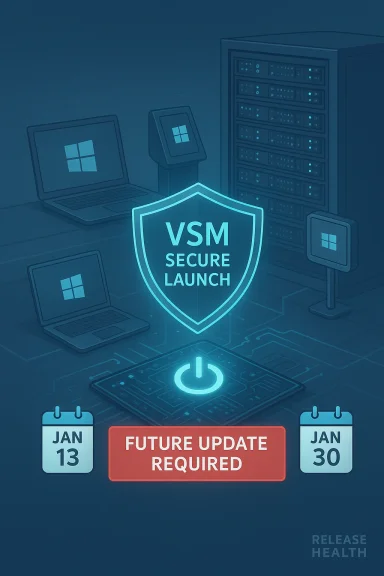
Futuristic data center scene with a glowing VSM Secure Launch shield and a “Future Update Required” alert.Background: what broke, when, and who it hit​

The problems trace back to Microsoft’s Patch Tuesday cumulative updates released on January 13, 2026. Those updates — shipped under several KB numbers depending on OS and servicing channel (for example, KB5073455 for Windows 11 23H2, KB5073724 and KB5073723 for certain Windows 10 servicing branches, and KB5074109 for Windows 11 24H2/25H2) — included security and servicing changes that, in many environments, caused unexpected regressions. Among the most visible was a power‑state regression where some machines with System Guard Secure Launch enabled would restart rather than shut down or enter hibernation when users issued those commands. Microsoft’s own KB and Release Health entries document the symptom and link it to devices with VSM enabled.
Microsoft reacted quickly with out‑of‑band (OOB) updates in mid‑January intended to fix the worst symptoms. Out‑of‑band releases such as KB5077797 (for Windows 11 23H2) and companion OOB packages for other servicing lines were published that explicitly listed fixes for Remote Desktop authentication failures and the Secure Launch shutdown/hibernate regression. Those OOB packages were published the week of January 17 and were effective for many devices, but telemetry and field reports showed a residual population of machines still impacted after installing the emergency updates. Microsoft updated Release Health on January 30 to reflect that the issue is still confirmed for Secure Launch‑capable systems running VSM and that a future update will contain the definitive fix.

Overview: Secure Launch, VSM, and why this matters​

What are Secure Launch and Virtual Secure Mode?​

  • Secure Launch (System Guard Secure Launch) is a boot‑time hardening feature that uses virtualization boundaries to create a measured, trusted early‑boot environment and help protect against firmware‑level attacks.
  • Virtual Secure Mode (VSM) is the hypervisor‑backed environment on which VBS (Virtualization‑based Security) services — like Credential Guard and Device Guard — execute. VSM isolates those security features from the main OS kernel using a lightweight hypervisor. These mechanisms are commonly enabled in enterprise, kiosk, and IoT images but are seldom active by default on consumer Home/Pro machines.
Because Secure Launch and VSM operate at a low layer of the stack — interacting with firmware, early boot, the hypervisor, and power state transitions — any servicing change that touches offline servicing, boot signing, or certificate handling can produce unexpected side effects. When the January updates altered codepaths used during offline update commit or changed certificate handling for Secure Boot, some Secure Launch environments began to handle power transitions incorrectly, producing the observed restart-on-shutdown or failed-hibernate behavior. Microsoft’s Release Health notes and the KB pages explicitly tie the scenario to Secure Launch + VSM systems.

Timeline: key dates and artifacts to verify​

  • January 13, 2026 — Microsoft publishes its January cumulative updates across Windows servicing lines (examples: KB5073455 for Windows 11 23H2; KB5073724/5073723 for several Windows 10 builds; KB5074109 for 24H2/25H2). The updates include security fixes and a set of platform changes.
  • January 15–16, 2026 — Field reports and telemetry flag regressions: shutdown/hibernate failures on certain Secure Launch configurations and authentication/Remote Desktop issues for other branches. Microsoft posts Release Health advisories.
  • January 17, 2026 — Microsoft issues out‑of‑band cumulative updates (for example, KB5077797 for Windows 11 23H2) that attempt to resolve the urgent Remote Desktop and shutdown regression. Many devices receive the patch and recover.
  • January 19–23, 2026 — Additional reports surface that some machines remain affected after the OOB. Microsoft continues to investigate and revises KB pages and advisories. Several outlets report on the ongoing problems and the mixed success of the OOB fixes.
  • January 30, 2026 — Microsoft updates Release Health to explicitly confirm the Secure Launch/VSM‑enabled devices remain impacted and states a future update will deliver a full resolution. This is the admission that the earlier fixes did not fully close the incident for all configurations.
The dates and KB numbers above are documented in Microsoft’s support articles and Release Health entries and were cross‑checked with major technology press coverage at the time.

Technical analysis: probable interaction surface and unknowns​

No public root‑cause postmortem has been published that discloses a single code change or regression point; Microsoft’s official materials describe the symptom and the configuration-dependent condition (Secure Launch + VSM) but do not reveal the exact delta that produced the problem. That lack of specificity creates uncertainty for administrators trying to understand whether the regression stems from:
  • a change in the offline servicing flow that commits updates under a virtualization context;
  • modifications to Secure Boot or certificate handling (Microsoft did roll out a phased Secure Boot certificate handling change in January);
  • a timing or context switch inside the VSM-hosted components that manage ACPI/OS power transitions; or
  • an unforeseen edge case in how the OS transitions to S4 (hibernate) or S5 (shutdown) when a hypervisor is present.
What we can verify: Microsoft’s January KBs mention Secure Boot certificate handling and the removal of legacy modem drivers as part of the updates, and the Release Health entry explicitly links the restart behavior to VSM-enabled Secure Launch devices. Those facts point to a low‑level interaction between the update's servicing/firmware/boot changes and the virtualization‑based security stack, but the specific code change remains unannounced. Until Microsoft publishes a technical root‑cause report, any precise explanation should be treated as informed hypothesis rather than a confirmed fact.

Impact assessment: who is affected and how bad is it?​

The regression’s operational impact depends heavily on the environment. The worst pain points are concentrated in managed fleets where Secure Launch and VSM are intentionally enabled for stronger threat protection. That includes:
  • Enterprise desktops and laptops running Windows 11 23H2 Enterprise and IoT images where Secure Launch is more likely enforced.
  • Kiosk devices, point‑of‑sale terminals, and specialized field equipment that embed Secure Launch in imaging pipelines.
  • Virtualized devices or machines with Credential Guard/Device Guard enabled, since VSM underpins those features.
For affected systems, the symptoms can be nuisance‑level for an end user (shutdown doesn't work as expected) or mission‑critical for operations that rely on reliable power state transitions (battery‑sensitive devices, scheduled remote maintenance, imaging pipelines, and automated patch/maintenance windows). The absence of a reliable hibernation workaround is particularly problematic for mobile devices that rely on hibernate to preserve state and battery life. Microsoft documented a manual shutdown /s /t 0 workaround to forcibly power off an affected device, but there is no workaround for hibernation.
Broader ecosystem risks:
  • Administrators are forced into a painful tradeoff: skip the January security update and remain vulnerable to addressed CVEs, or install the update and risk devices being unable to hibernate or shut down properly until a future fix lands. This dilemma is particularly acute for organizations with regulatory or continuity requirements. Several national cyber authorities and security advisories flagged the risk and encouraged administrators to weigh patching against operational impact.

Immediate mitigations and recommended actions for IT teams​

Short term (apply immediately where appropriate):
  • Identify at‑risk devices:
  • Audit your fleet to find machines with System Guard Secure Launch enabled and VSM active. Focus on Enterprise and IoT images, managed kiosk images, and devices that use Credential Guard or Device Guard.
  • Use inventory tools (SCCM/Intune/MDM) to profile Secure Launch/VSM status and the installed KBs (look for KB5073455, KB5073724/3723, KB5074109).
  • If devices are affected and you must power them down, use the documented manual workaround:
  • Open an elevated Command Prompt and run: shutdown /s /t 0
    This forces an immediate orderly shutdown. It is a manual remedy and must be used whenever you need a guaranteed power‑off; it does not address hibernate.
  • Delay non‑urgent deployments where the patch would create unacceptable disruption:
  • For machines where Secure Launch is required but hibernation/shutdown reliability is critical, consider deferring the January updates for those specific images until Microsoft publishes the definitive fix. If you defer, use compensating security controls (network segmentation, endpoint protection, least privilege) to reduce exposure while unpatched.
  • Prepare recovery procedures:
  • Update runbooks to include the forced shutdown command, remote power management steps, and recovery procedures to restore devices that get stuck in restart loops or encounter boot issues. Ensure helpdesk scripts and scripts for field technicians include the manual steps.
Medium term (next 1–4 weeks):
  • Track Microsoft’s Release Health and KB pages for the specific future update that will carry the fix; when it is released, test it in pilot rings (Insider/Canary/managed pilot groups) before broad deployment. Microsoft’s history in January shows OOB fixes can help most but not all machines — verify in your environment.
  • Review your imaging and update pipelines for Secure Launch and VSM dependencies. If you can temporarily relax Secure Launch on a subset of non‑critical devices to allow patching with less risk, document the exception and tighten compensating controls. Only do this where policy and threat model permit.

What Microsoft has said—and what it hasn’t​

Microsoft’s public posture evolved from a rapid OOB remediation (mid‑January) to an admission late in the month that the first fixes did not fully resolve the condition for a subset of machines. The key public pieces:
  • Official KB and Release Health entries describe the symptom, list affected platforms and servicing packages, and provide the interim manual shutdown workaround. They also identify the issue as confirmed and mention that Microsoft plans to release a resolution in a future update.
  • Microsoft’s out‑of‑band KBs (e.g., KB5077797) explicitly list fixes for the Secure Launch restart and certain Remote Desktop authentication failures, and those OOBs resolved the issue for many devices. But the company’s Release Health notes on January 30 acknowledge that some Secure Launch + VSM devices remain impacted after the OOB.
What Microsoft has not published:
  • A detailed technical root‑cause analysis that explains the single code change or series of interactions that created the regression.
  • A clear timetable for the promised "future Windows update" that will fully fix remaining cases.
  • Fine‑grained guidance on whether any changes to Secure Boot certificate handling or offline servicing behavior specifically triggered the bug (Microsoft’s KBs mention Secure Boot certificate rollouts in January but do not link those changes as the definitive cause). These omissions increase uncertainty for enterprises.
Because the definitive technical explanation is absent, organizations must rely on Microsoft’s KBs, Release Health dashboard updates, and controlled pilots to validate when and how to deploy the eventual fix.

Broader implications: shipping quality, testing, and engineering tradeoffs​

January’s sequence of regressions — multiple OOB updates, remedial KBs, documented known issues, and a follow‑up admission that not all cases were fixed — spotlights systemic pressure points in modern OS servicing:
  • At large scale, updates that touch boot, certificates, or hypervisor interactions are inherently risky; they need deeper integration testing on enterprise, IoT, and OEM images that enable advanced protections like Secure Launch and VSM. The January incident suggests some of those permutations either weren’t sufficiently exercised in pre‑release channels or the risk surface changed between preview and production. Microsoft’s own comments about refocusing on reliability and “swarming” engineering resources under Pavan Davuluri reflect recognition of this problem.
  • The tradeoff between security (installing updates promptly to close CVEs) and operational stability (keeping devices usable) becomes acute when patches can break power states. Admins caught between compliance deadlines and operational continuity face difficult choices, and the lack of a short‑term fix for hibernation makes the choice starker.
  • Communication and trust matter. Release Health updates are the right instrument, but admitting an earlier fix didn’t fully work raises questions about confirmation testing, telemetry signals, and feedback loops between customers, OEMs, and Microsoft. Enterprises will now likely demand stronger assurances and extended pilot phases for updates that interact with early‑boot or virtualization features.

Practical checklist for Windows admins right now​

  • Audit: Inventory devices for Secure Launch/VSM status and the presence of January 13 updates (KB5073455 / KB5073724 / KB5073723 / KB5074109).
  • Pilot: Hold a pilot cohort for any new Windows cumulative or security update that touches boot/certificates/hypervisor layers.
  • Workaround ready: Train helpdesk and provide scripts for the forced shutdown command (shutdown /s /t 0).
  • Contain: If you delay a security patch for operational reasons, document compensating controls and monitor for exploit attempts affecting the CVEs addressed by the patch.
  • Communicate: Alert affected user populations (field devices, kiosks, laptop fleets) and update runbooks to record how to handle failed hibernation scenarios.
  • Monitor: Watch Microsoft Release Health and the KB pages for the promised "future Windows update" and validate fixes in your environment before broad deployment.

What Microsoft should (and could) do differently​

  • Publish a technical postmortem that explains the exact interaction and lists the telemetry signals and mitigations that will prevent recurrence. Transparency reduces speculation and helps large customers validate fixes faster.
  • Provide clearer timelines for the promised fix and, ideally, a verification checklist for admins to confirm a device is no longer affected (specific registry keys, WMI properties, or event log signatures).
  • Expand pre‑release coverage of enterprise/IoT/OEM scenarios for updates that touch boot, certificates, or hypervisor‑related components. This could include an extended validation program with OEMs and enterprise customers for a subset of high‑risk patching scenarios.
  • Offer a KB‑level script or diagnostic that can detect the condition programmatically, allowing admins to quickly discover and triage impacted endpoints at scale.

Final analysis: risk, trust, and the road ahead​

The January hibernation incident is a cautionary tale about the fragility of modern OS servicing when low‑level security features and mass updates collide. Microsoft did the right tactical things — documenting the issue, releasing OOB packages, and updating Release Health — but the company’s public admission on January 30 that the OOB fix was not universally effective underscores a deeper problem: delivering new protections and security fixes without breaking established, widely‑deployed boot and power semantics requires significantly more cross‑cutting validation than we’ve seen during the last update wave.
For administrators, the path forward is practical and cautious: profile your environment, apply emergency fixes where they demonstrably resolve the symptom in your test beds, keep the forced shutdown workaround in your runbooks, and be prepared to roll forward the promised future update only after controlled verification. For Microsoft, this episode should be a nudge to deepen pre‑release testing and to accelerate transparency for enterprise customers who depend on repeatable, predictable behavior from their operating systems.
Trust is earned in small, consistent steps. A single admitted miss for a fix isn’t catastrophic if it leads to process changes, better telemetry, and a smoother experience going forward. What matters now is whether Microsoft’s public commitments — the engineering “swarming” and renewed focus on reliability — actually translate into measurable improvements in update quality and clearer, faster remediation when regressions inevitably appear. If January’s lessons translate into durable process change, Windows will be safer and more reliable. If not, enterprises will continue to treat each Patch Tuesday like a potential minefield rather than a routine maintenance event.

The practical takeaway for Windows admins is straightforward: treat this as a configuration‑driven risk, verify the updates in your environment, use the documented workaround when necessary, and prepare to deploy Microsoft’s eventual definitive fix only after confirming it resolves the remaining cases in your specific fleet.

Source: theregister.com Microsoft admits Windows hibernation fix didn't fully work
 

Microsoft’s January update mess has proven more stubborn than first advertised: the shutdown and hibernation regression that surfaced after the January 13, 2026 cumulative updates is still troubling a subset of Windows installations, and Microsoft’s own release notes now acknowledge the problem affects machines beyond the original Secure Launch cases — specifically systems where Virtual Secure Mode (VSM) is enabled. ttps://www.theregister.com/2026/02/02/windows_hibernation_bug/)

Blue neon security icons—VSM shield and secure launch—over a data center.Background / Overview​

The issue began immediately after Patch Tuesday on January 13, 2026, when Microsoft shipped the usual slate of cumulative security and servicing updates across multiple Windows branches. Administrators and users quickly reported an odd power-state regression: when they selected Shutdown or attempted Hibernate, some devices would instead restart or remain in an active state rather than powering off. Microsoft initially linked the problem to systems running with System Guard Secure Launch enabled and ues advisory tied to the January rollup.
Within days Microsoft released an out‑of‑band (OOB) remedial package intended to correct the regression for many affected devices, and the company advised a temporary workaround — run the explicit command-line shutdown: shutdown /s /t 0 — while engineering worked on a permanent patch. But telemetry and field reports showed the problem persisted for a population of devices running virtualization-based protections like VSM, prompting Microsoft to quietly expand the scope of the advisory on its Release Health dashboard
This article synthesizes the public record, vendor advisories, independent reporting, and community telemetry to explain what happened, who’s affected, how to mitigate exposure today, and what this episode implies about update engineering at scale.

What Microsoft confirmed — the plain facts​

  • The January 13 cumulative updates included servicing changes that, in some configurationsestart instead of shutting down or hibernating. The symptom was observed most commonly on enterprise and IoT images where Secure Launch is enforced.
  • Microsoft shipped an emergency out‑of‑band cumulative update (for example, KB5077797 for Windows 11 23H2) on January 17, 2026 to address many Seailures and other collateral regressions such as Remote Desktop credential prompts. That OOB resolved the problem for many devices.
    -oft updated its Release Health advisory to add that devices with Virtual Secure Mode (VSM) enabled can also be affected, and that VSM-enabled systems are awaiting resolution in a future Windows update. Microsoft has not published a precise ETA for the VSM fix.
  • The shutdown regression is configuration-dependent rather than universal; most consumer systems without virtualization-based protections were not impacted in large numbers. However, a narrow but meaningful slice of enterprise and specialized devices experienced operationally significant failures.
These are the load-bearing public claims that administrators and power users should treat as authoritative until Microsoft publishes further details or a patch.

Technical anatomy — why a shutdown should be simple and why it isn’t​

At first glance, choosing Shutdown or Hibernate feels like an atomic UI action. Behind the scenes it isn’t. Modern Windows servicing involves a multi-phase orchestration:
  • Stage update payloads while the OS is running.
  • Perform one or more offline servicing passes during shutdown or restart to replace components that cannot be swapped while the kernel is running.
  • Preserve the user’s final power intent (restart vs shutdown vs hibernate) across the offline servicing boundary and complete that action after the update commit.
When the servicing pipeline touches components that affect early-boot or virtualization boundaries, any timing or state mismatch can cause the final power intent to be lost or misapplied. System Guard Secure Launch and VSM insert additioneboot and runtime path; these hardening features change assumptions that the servicing stack must respect. On some hardware, firmware, and driver permutations the January servicing change caused that final power intent to be misapplied — producing a restart rather than a power-off.
Put plainly: the bug sits at the intersection of update servicing, early‑boot virtualization, and power‑state management — a brittle place where a sg can have wide operational consequences.

Timeline: key events you need to know​

  • January 13, 2026 — Microsoft ships the monthly cumulative updates (Patch Tuesday). Reports begin to surface of devices restarting instead of shutting down uary 17, 2026 — Microsoft issues out‑of‑band cumulative updates (for example KB5077797 for 23H2 and companion packages) to remediate Secure Launch regressions and several other collateral issues. Many but not all affected systems are fixed.
  • January 30, 2026 — Microsoft updates its Release Health dashboard to broaden the scope: systems with VSM enabled are explicitly listed as still impacted and awaiting a future fix. Microsoft indicates a resolution will ship in a future update but offers no firm ETA.
  • Late January — Parallel to the shutdown issue, Microsoft also acknowledged a serious boot failure producing an UNMOUNTABLE_BOOT_VOLUME stop code for a limited number of physical devices aft This boot issue is distinct but adds to the overall reliability concerns generated by the cycle.

Scope and impact — who’s actually at risk?​

This regression is not a mass-market catastrophe, but it is operationally material where it occurs.
  • Most home users and consumer Windows installations that do not enable Secure Launch or VSM are unlikely to experience the shutdown/hybrid failure.
  • Enterprise, IoT, kiosk, and specialized images that have virtualization-based protections enabled (Secure Launch, VSM) are the primary population at risk. In those environments even a small percentage of affected endpoints can scale into a serious fleet problem.
  • The boot‑failure UNMOUNTABLE_BOOT_VOLUME cases are rarer but more severe, requiring manual WinRE recovery or, in the worst cases reported by community threads, full reinstallation. Microsoft describes those as “limited number of reports,” but the affected users is high.
Administrators should treat this as an operational event: inventory, stage, pilot, and only then deploy. The cost of a single misapplied mass rollout can be measured in drained batteries, interrupted maintenance windows, or even lost productivity.

Microsoft’s response — strenhs​

  • Microsoft acknowledged the regressions quickly and used out‑of‑band updates to remediate high‑impact failures rapidly, rather than waiting for the normal monthly cadence. That demonstrates the c urgent fixes when reliability is materially threatened.
  • The vendor published explicit mitigations and diagnostic guidance (including the forced shutdown command and guidance for using WinRE to uninstall problematic LCUs where necessary), giving admins actionable steps to triage affected devices.
Gaps and risks
  • The expansion of the affected scope to include VSM after an initial OOB fix for Secure Launch suggests gaps in pre‑release testing across virtualization-hardened configurations. That leaves enterprises in a difficult position: a remediation that fixed many cases still left a non-trivial population exposed.
  • Microsoft has not provided a clear ETA for the VSM fix. For organizations that rely on VSM or LTSC builds, the absence of a firm timeline impairs capacity planning and forces interim mitigations.
  • The co-occurrence of separate, high-impact regressions (shutdown/hybrid, RDP credential prompts, and UNMOUNTABLE_BOOT_VOLUME boot failures) in the same update cycle raises questions about test coverage and the complexity of interactions across servicing, security, and authentication subsystems.

The AI angle: coincidence or cause?​

Public reporting and executive comments have overlapped with these incidents in a way that has raised eyebrows. Microsoft’s CEO Satya Nadella previously stated that a sizeable portion of the company’s code is now generated by AI tools — on the ohe company has embraced AI-assisted engineering across many teams. Pavan Davuluri, the Windows chief, has publicly committed to focusing 2026 efforts on performance, e quality after a string of early‑year regressions.
Impor not linked the January update regressions to AI-generated code. Independent outlets and community commentators have speculated that faster development cycles or a heavier reliance on automated coding tools might increat that remains circumstantial. There is no public evidence that AI-assisted code generation caused these specific failures, and Microsoft’s public advproblem to configuration interactions between servicing and virtualization protections rather than to any single authoring technology. Treat assertions about AI’s role with caution until Microsoft publlysis or post‑mortem.

Practical mitigation — what users and adminsministrators (recommended checklist)​

  • Inventory: Determine which devices have the January packages installed and whether they have Secure Launch or VSM enabled. Use msinfo32 and update history checks.
    2.band patches published on or after January 17 are applied to devices where they are targeted (for example, KB5077797 for 23H2). Validate in a pilot ring first.
  • Gate: Pause automatic deployment of January updates to production rings that include devices with Secure Launch or VSM until you’ve validated remediation behaves across representative OEM and firmware permutations.
  • Use KIR where available: Prefer Known Issue Rollback tooling or targeted mitigations over wholesale LCUs uninstalls when Microsoft provides them.
  • Prepare helpdesk scripts: Communicate the forced shutdown command (shutdown /s /t 0) and steps for WinRE recovery for boot-failure cases. Collect telemetry (event logs, msinfo32) for escalatiand home users
  • Check Windows Update and install OOB fixes if they appear for your build. When in doubt, pause updates for machines you rely on heavily until OOB packages appear and are validated.
  • If your device refuses to shut down post-update, save work and use an elevated Command Prompt to run shutdown /s /t 0. Avoid relying on hibernation otil your OS build is confirmed fixed.
  • If your system fails to boot with UNMOUNTABLE_BOOT_VOLUME after a January update, you’ll need to use Windows Recovery Environment to uninstall the latest quality update or perform recovery steps; consider seeking professional help if you’re not comfortable with WinRE.

Operational lessons — why this matters for Windows reliability​

  • Surface area of testing must match the complexity of modern features. As Windows adds virtualization-based hardening and expands AI-assisted development, the set of hardware/firmware permutations to validate grows substantially. Ensuring coverage for Secure Launch, VSM, and OEM-specific firmware combinations requires representative lab rings and telemetry.
  • Rapid fixes are necessary but not sufficient. Microsoft’s OOB releases show the company can act quickly; what remains equally important is ensuring completeness — that a remediation genuinely resolves all affected configurations rather than a subset. The post-OOB expansion to include VSM shows that completeness was not achieved in one pass.
  • Communication and timelines matter to enterprise operators. A promise to “fix in a future update” without a clear ETA forces admins to take conservative operational stances — delaying security patches, gating rollouts, and increasing headcount pressure on support teams. That trade-off between immediate security and availability is painful.
  • AI-assisted development is not a scapegoat — but it does change risk models. Widespread use of AI in code generation and review (as Nadella described) probably improves developer productivity, but it also shifts how regressions surface, how they’re reproduced, and how test automation must evolve to catch edge cases. No direct causal link is public for the January regressions, but organizations should demand greater transparency in post‑mortems when high-risk regressions affect critical infrastructure.

Risk assessment and the short-term outlook​

  • Short-term: Many Secure Launch cases are resolved for devices that applied the January 17 OOB updates; however, VSM-enabled systems remain a live risk until Microsoft ships the promised fix. Administrators of VSM-heavy fleets should maintain a defensive posture: inventory, avoid mass rollouts of January LCUs, and plan to validate any future remedial update in a representative pilot ring.
  • Medium-term: Microsoft’s public pivot to prioritize reliability and “core pain points” in 2026 suggests the company recognizes the structural nature of this problem and will invest engineering attention to reduce recurrence. That prioritization — if executed — should mean shorter incident-to-fix cycles and potentially improved pre-release validation for cross-cutting scenarios.
  • Long-term: The combination of more complex platform hardening features and higher levels of AI-assisted code production requires a rethinking of validation pipelines, regression detection, and transparent post-mortem disclosure. Enterprises must evolve their patch management to include more rigorous pilot rings and richer telemetry to feed vendor triage teams.

Final assessment — what this episode teaches us​

The January 2026 Windows update cycle is a case study in the tension between security hardening, rapid feature/AI-driven development, and the classic operational needs of reliability and predictability. Microsoft’s ability to ship OOB fixes quickly is commendable; however, the late discovery of VSM-exposed cases and the concurrent boot-failure reports expose gaps in pre-release validation for complex, virtualization-hardened configurations.
Practically, organizations should assume that any update touching low-level servicing, authentication, or virtualization subsystems carries non-trivial risk and must be validated across representative firmware and feature combinations. In the absence of a definitive public ETA for the VSM fix, cautious staging and quick operational playbooks remain the best defense.
Microsoft’s public commitment to prioritize reliability and core pain points in 2026 is the right strategic response; execution will matter. For admins, the takeaway is operational: inventory, pilot, communicate, and prefer surgical mitigations (KIR) to blunt uninstalls. For users, the immediate steps are simple but crucial: apply OOB patches where appropriate, use the forced shutdown command if you’re affected, and avoid relying on hibernation on patched but unvalidated systems until Microsoft confirms the VSM case is closed.

In the near term, expect Microsoft to publish further updates and, eventually, a root-cause post‑mortem if the company follows recent practice with high‑visibility regressions. Until then, conservative patch management and clear communication between IT teams and end users offer the most reliable path through this imperfect update cycle.

Source: TechloMedia Microsoft Confirms More Windows PCs Still Cannot Shut Down After January Updates
 

Microsoft has confirmed that a January security update triggered a configuration‑dependent shutdown and hibernation regression on Windows devices, and — while an out‑of‑band (OOB) patch fixed many cases — machines with System Guard Secure Launch that also have Virtual Secure Mode (VSM) enabled remain affected pending a future update.

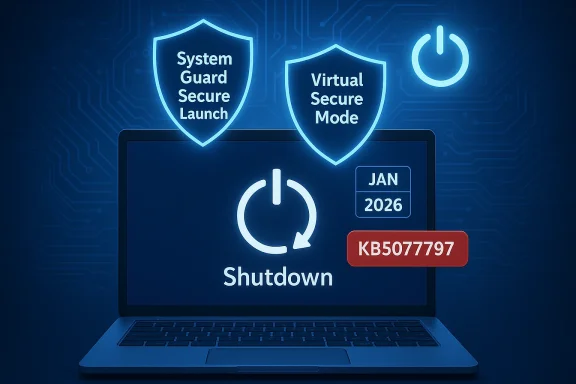
Laptop shows a Shutdown screen with System Guard Secure Launch and Virtual Secure Mode shields.Background / Overview​

The problem first appeared after Microsoft’s Patch Tuesday cumulative updates published on January 13, 2026, which included servicing and platform changes across multiple Windows servicing branches. Administrators began reporting that some systems would restart rather than power off when users chose Shut down or attempted Hibernate. The initial vendor guidance tied the symptom to devices where System Guard Secure Launch was active.
Microsoft reacted quickly with an emergency, out‑of‑band cumulative update released mid‑January (for example, KB5077797 for Windows 11 version 23H2) that resolved the issue for many machines. However, telemetry and follow‑up advisories showed a residual population of devices still experiencing failures — and on January 30 Microsoft updated its Release Health entries to explicitly state that VSM‑enabled systems are still impacted and will require a subsequent update for a full resolution.

What exactly broke​

Symptoms observed​

  • Selecting Shut down from the Start menu or power options caused the device to restart or return to the sign‑in screen instead of powering off.
  • Hibernate attempts were unreliable and, in many cases, failed outright.
  • A forced command‑line shutdown (shutdown /s /t 0) was documented by Microsoft as an immediate, pragmatic workaround to actually power a device off.
These symptoms were most commonly reported on Enterprise, IoT, and specially imaged fleets where Secure Launch and other virtualization‑based protections are deliberately enforced, rather than typical consumer Home/Pro systems.

Timeline — key dates and artifacts​

  • January 13, 2026 — Microsoft ships the January cumulative updates (the initial Patch Tuesday rollup). Several KB numbers were tied to different branches (examples include KB5073455 for Windows 11 23H2).
  • January 17, 2026 — Microsoft issues out‑of‑band updates (for 23H2 this included KB5077797) intended to remediate the shutdown/hibernate regression and other collateral issues such as Remote Desktop sign‑in prompts. Many devices recovered after applying the OOB update.
  • January 30, 2026 — Microsoft updates Release Health to expand the affected scope to include systems with Virtual Secure Mode (VSM) enabled and advises that a future update will deliver the definitive fix.

Technical anatomy — why shutdown is not trivial​

At the surface, Shut down and Hibernate feel like single‑click actions. Under the hood, modern Windows servicing is multi‑phase and tightly coupled with boot and virtualization functionality. Typical servicing logic follows a staging → offline commit → finalize pattern where the OS must preserve the user’s final power intent (restart vs shutdown vs hibernate) across the offline servicing boundary. When servicing touches components that affect early‑boot or virtualization domains, the orchestration must reconcile runtime, offline, and early‑boot states.
Two platform components are central to this incident:
  • System Guard Secure Launch: a virtualization‑based early‑boot hardening feature that establishes a measured launch for firmware and boot components. It inserts a virtualization boundary and imposes new assertions about boot and runtime state.
  • Virtual Secure Mode (VSM): the hypervisor‑backed isolation environment used by VBS features (Credential Guard, hypervisor‑protected code integrity, etc.). VSM isolates sensitive processes and creates additional virtualization boundaries that change timing and power‑state expectations.
When the January servicing changes interacted with Secure Launch/VSM, the servicing stack in some hardware/firmware/driver permutations failed to preserve the final power intent and defaulted to a restart as a safe fallback to guarantee completion of offline commits. This intersection — servicing orchestration, early‑boot virtualization, and ACPI/power‑state transitions — is brittle and explains why the regression is narrow in scope but operationally serious where it occurs.

Which Windows versions and SKUs are affected​

Microsoft’s advisory and community telemetry indicate the issue surfaced most visibly on:
  • Windows 11 version 23H2 (Enterprise and IoT images where Secure Launch is enforced). KB5073455 was the cumulative update associated with the January 13 rollup for 23H2.
  • Residual impact was observed on supported Windows 10 branches, including devices enrolled in Extended Security Updates (ESU), and on other Windows 11 servicing branches where VSM is enabled. Microsoft’s Release Health explicitly expanded the known‑issue scope to include VSM‑enabled devices after the initial OOB rollouts.
Microsoft’s OOB releases (mid‑January) corrected many Secure Launch cases, but the vendor now acknowledges that VSM‑enabled systems remain a live risk until the promised follow‑on update ships. There is currently no universal workaround to restore reliable hibernation on affected VSM systems aside from applying the eventual vendor patch.

Practical detection and immediate mitigations​

How to check if your device is at risk​

  • Confirm your Windows version and build: run winver or open Settings → System → About. Look for the January cumulative package identifiers (for example KB5073455 for 23H2).
  • Check Secure Launch / System Guard and VSM status: run msinfo32 and review the System Summary entries for System Guard / Secure Launch and virtualization‑based security state.
  • Reproduce the symptom safely: save work and attempt a shutdown or hibernate; if the machine restarts or returns to sign‑in instead of powering off, you’re observing the documented regression.

Immediate user mitigation​

  • Use the documented forced shutdown: open an elevated Command Prompt and run shutdown /s /t 0. This is Microsoft’s immediate workaround to power affected devices off. It is pragmatic and often successful but not guaranteed for every edge case. Save work before attempting.

Recommended steps for administrators​

  • Inventory exposure: identify devices with the January update installed that also show Secure Launch/VSM active. Use management tooling or scripts to collect msinfo32 output at scale.
  • Apply the OOB remedial package on representative hardware first (for example, KB5077797 for 23H2) and validate both shutdown and hibernate behavior across OEM firmware variants.
  • Stage deployment: use a pilot → broad test → production ring approach. Validate critical scenarios (kiosk, imaging, remote power cycles) before mass rollout.
  • Avoid blanket disabling of Secure Launch or VSM as a long‑term workaround — this reduces security posture and may violate policy or compliance. Prefer targeted remediation from Microsoft.

The operational tradeoff: security vs availability​

This incident crystallizes a hard operational tradeoff for IT organizations: install the January security updates and risk service regressions on a small but critical subset of systems, or defer security patches and accept exposure to CVEs. The dilemma is particularly acute for regulated or distributed fleets (kiosks, PoS, field devices, healthcare equipment) where both security and reliable power transitions are non‑negotiable.
Key considerations for decision makers:
  • The population at risk is narrow but meaningful: primarily enterprise and specialized images with Secure Launch/VSM. Consumer desktop/laptop fleets without these protections are unlikely to be affected in typical configurations.
  • For mobile or battery‑dependent devices that rely on hibernation, the inability to hibernate can cause real‑world operational failures (drained batteries, lost session state). Validate hibernation explicitly after remediation.
  • Known Issue Rollbacks (KIR) or targeted uninstalls may help in extreme cases, but they carry their own management complexity and are not a preferred posture compared with Microsoft's eventual fix.

Microsoft’s response — strengths and gaps​

Strengths​

  • Microsoft’s initial response was rapid: within days of the January 13 rollout the vendor published an interim guidance and shipped one or more out‑of‑band remedial packages (for 23H2, KB5077797) to address Secure Launch-related restarts and other collateral regressions. That speed helped many organizations and reduced the immediate support burden.
  • Microsoft used its Release Health dashboard to surface the known issue and to update the scope as telemetry warranted. This transparency is operationally valuable for administrators coordinating remediation.

Gaps and risks​

  • The OOB remediation did not fully resolve the class of failures for VSM‑enabled systems, forcing Microsoft to expand the advisory scope and promise a future fix rather than deliver a complete immediate cure. That expansion undercuts the narrative that emergency patches fully remediate high‑impact regressions.
  • The root cause remains opaque in public materials: Microsoft hasn’t published a detailed post‑mortem that names the precise code or subsystem delta that caused the interaction between servicing, Secure Launch, and VSM. That lack of specificity leaves OEMs, ISVs, and admins guessing at whether their firmware, drivers, or imaging pipelines may be factors. Until Microsoft publishes a technical breakdown, organizations must rely on telemetry and local testing rather than a clear corrective checklist.

Broader reliability concerns and context​

This regression follows other near‑concurrent servicing headaches — for example, separate reports of application freezes while saving to cloud storage services and isolated boot failures — that together have raised community concern about the effective reliability of Windows servicing at scale. While each bug has its own technical signature, the accumulation of high‑visibility regressions in a short period erodes confidence in the testing and validation pipeline, especially for virtualization‑hardened configurations.
For many administrators, the practical lesson is to strengthen pre‑release validation rings to include the hardened configurations used in production (Secure Launch, VSM, Credential Guard), and to ensure pilot hardware covers the variety of OEM firmware and driver permutations in the field. Microsoft’s remediation cadence is fast, but the cost of repeated emergency fixes (helpdesk load, operational risk, and staging complexity) is significant.

Recommended long‑term actions for IT teams​

  • Expand patch‑validation rings to explicitly include virtualization‑hardened images and OEM firmware variants. Ensure imaging pipelines exercise power transitions and offline servicing scenarios.
  • Maintain telemetry capture (msinfo32, update history, Event Viewer logs) and automated inventory to rapidly identify devices with Secure Launch and VSM enabled. This speeds triage when similar regressions occur in the future.
  • Build scripted mitigations and helpdesk KBs that include safe shutdown commands, rollback plans, and escalation paths for OEM/vendor engagement when hardware‑specific anomalies appear.
  • Resist permanent disabling of security hardening features as a routine response; prioritize vendor fixes and validated deployment instead. Document any temporary security posture changes and the compensating controls used while a fix is pending.

What remains unverified and what to watch for​

  • Microsoft’s public advisories identify the symptom set and the affected configurations, but the precise code change that produced the regression has not been publicly documented; any narrowly framed technical root‑cause statement that names a single file, driver, or timing condition should be treated as hypothesis until Microsoft publishes an authoritative post‑mortem.
  • The user‑provided reporting that a separate out‑of‑band update caused apps to freeze when saving to cloud storage across Windows 11 25H2/24H2/23H2 is plausible and has been reported by multiple outlets in related coverage; however, that specific claim was not fully present in the set of uploaded advisory extracts we reviewed and should be treated as provisionally reported until you verify Microsoft’s KB or Release Health entry addressing that freeze explicitly. Flag this item for confirmation in vendor advisories.

Bottom line and next steps​

Microsoft’s January 13, 2026 servicing wave produced a configuration‑dependent shutdown/hibernate regression that was promptly mitigated for many systems via an out‑of‑band update, but VSM‑enabled devices remain affected until Microsoft ships a follow‑on fix. Administrators should:
  • Immediately inventory systems for Secure Launch and VSM, and confirm whether the January OOB remedial packages (for example KB5077797 for 23H2) are installed and validated.
  • Use the documented forced shutdown command shutdown /s /t 0 as a temporary user workaround where needed, and advise users to save work before shutdown attempts.
  • Stage any further updates into properly representative pilot rings that include virtualization‑hardened configurations and a diversity of OEM firmware.
This incident is an operational reminder: advanced security hardening increases protection against sophisticated attacks, but it also raises the bar for servicing validation. For administrators, the prudent path is conservative, hardware‑aware deployment combined with close monitoring of Microsoft’s Release Health advisories for the definitive VSM fix.

The immediate Secure Launch problem is largely mitigated for many devices thanks to the January mid‑month out‑of‑band packages, but the persistence of symptoms on VSM‑enabled systems means administrators must continue to validate their fleets and follow Microsoft’s Release Health updates until the vendor publishes a permanent resolution.

Source: Petri IT Knowledgebase Microsoft: Windows Updates Blocking Shutdown on More PCs
 

Microsoft’s January security rollup introduced a startling regression: machines that should have powered off instead sprang back to life, and the problem has proven both widespread and stubborn — now confirmed to affect not only Windows 11 but certain Windows 10 configurations as well.

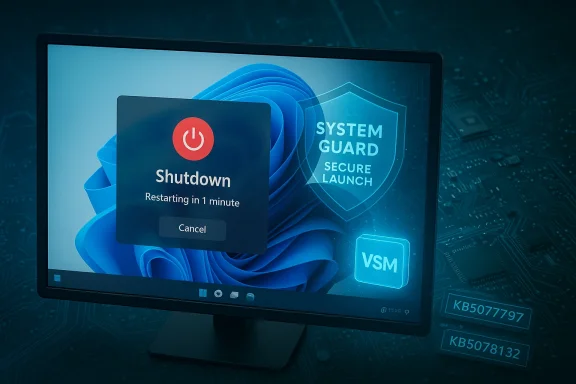
A computer monitor displays a Shutdown dialog with System Guard and Secure Launch shield graphics.Background / Overview​

In mid-January 2026 Microsoft shipped its regular Patch Tuesday updates, including the cumulative package published on January 13 (catalogued as KB5073455) for Windows 11, version 23H2. Within days, administrators and telemetry flagged a serious power-state regression on systems running advanced boot hardening — specifically those with System Guard Secure Launch enabled. Instead of powering off or entering hibernation, affected devices would restart and return to the sign-in screen, breaking deterministic shutdown behavior that IT teams rely on for maintenance windows, power management, and kiosk or IoT deployments.
Microsoft acknowledged the problem, published a known-issue advisory, and supplied out-of-band (OOB) emergency updates on January 17 and January 24, 2026 — among them KB5077797 and KB5078132 (and sibling KBs for other servicing branches). Those updates addressed multiple regressions introduced by the January cycle, including Remote Desktop authentication failures and cloud-backed file I/O problems. Importantly, Microsoft later confirmed that a variant of the shutdown regression also affects certain Windows 10 builds when Virtual Secure Mode (VSM) is enabled, broadening the impact beyond the initial Windows 11 23H2 Enterprise/IoT focus.
This piece summarizes what happened, explains the technical mechanics as we currently understand them, evaluates Microsoft’s remediation path, documents practical workarounds and operational risks, and offers actionable recommendations for enterprise IT teams and power users.

The timeline, in plain terms​

  • January 13, 2026 — Microsoft publishes Patch Tuesday updates including KB5073455 for Windows 11 23H2. Shortly after, field reports surface about machines restarting instead of shutting down when System Guard Secure Launch is enabled.
  • January 16–17, 2026 — Microsoft documents the behavior as a known issue and ships an out-of-band emergency update for Windows 11 23H2: KB5077797 (OS build increment). That OOB patch aims to fix the Secure Launch restart-on-shutdown regression and Remote Desktop sign-in failures.
  • January 24, 2026 — Microsoft rolls a second consolidated OOB update (KB5078132 for Windows 11 23H2 and parallel KBs for other branches) that bundles earlier fixes and addresses additional regressions (cloud-file I/O, Outlook PST hangs, etc.).
  • Late January — Community reporting and enterprise telemetry show mixed results: some devices are fixed while others continue to exhibit the restart-on-shutdown behavior or show different quality issues.
  • Late January — Microsoft’s release-health entries are updated to note that systems with VSM enabled (a hypervisor-protected scenario) may still be affected and that some Windows 10 SKUs (for example, Windows 10 22H2 and certain LTSC editions) show similar symptoms under VSM.
  • As of early February 2026 — remediation is partial for a portion of impacted devices; a fully comprehensive fix for VSM-enabled configurations and some hardware-dependent cases remains pending.

What’s actually failing: the technical anatomy​

To understand why a monthly security rollup could break shutdown semantics, we need to look at two areas where modern Windows has become more complex: early-boot virtualization-based protections and the servicing/offline-commit path used by Windows Update.

System Guard Secure Launch and VSM — what they are​

  • System Guard Secure Launch is a virtualization-based protected boot technology that validates early firmware and boot components to protect against low-level attacks such as bootkits. It creates a hypervisor-enforced boundary during the boot process.
  • Virtual Secure Mode (VSM) is part of Windows’ broader Virtualization-Based Security (VBS) stack. VSM uses isolation to protect secrets and critical components from being tampered with by the main OS.
  • These features are commonly enabled and enforced on Enterprise and IoT images; consumer Home and Pro installations typically do not enable them by default.

Why shutdown can be fragile in these environments​

Windows cumulative updates often perform work in multiple phases: files are staged while the OS is running, an offline servicing step executes during the next shutdown or reboot, and final commits occur when the machine restarts. That orchestration relies on clearly preserving the user’s final power intent — the difference between “shutdown” (no restart) and “restart” (reboot). When Secure Launch and VSM change the timing and boundaries for low-level measurements and virtualization context, they can unexpectedly alter how the servicing stack interprets the shutdown event.
In this instance the January security update introduced changes that caused Secure Launch or VSM interactions to be misinterpreted as an unauthorized or altered state during the servicing/offline commit. The servicing logic, or an early-boot validation layer, acted conservatively and caused the machine to return to a restart path instead of completing the power-off, effectively nullifying the shutdown intent.

Hardware/firmware variability​

The failure mode is hardware-dependent. Different OEM platforms (chipsets, BIOS/UEFI firmware, and firmware settings) influence how Secure Launch and VSM behave. That variability explains why some models — especially those with particular OEM firmware implementations — remained affected even after Microsoft’s OOB fixes, and why IT administrators reported that disabling VBS or toggling certain firmware options produced different outcomes.

Who’s affected — the scope and risk profile​

  • Primarily affected: Windows 11, version 23H2 — Enterprise and IoT editions where System Guard Secure Launch is commonly enabled.
  • Also affected: Microsoft later confirmed that Windows 10 22H2, Windows 10 Enterprise LTSC 2021, and Windows 10 Enterprise LTSC 2019 can exhibit the shutdown restart symptom when VSM is in use after installing certain January updates.
  • Most at risk: Managed fleets, kiosks, point-of-sale devices, IoT deployments, and laptops where overnight shutdown is expected for power savings or battery preservation.
  • Less likely: Windows 11 Home and Pro devices, unless an organization or user explicitly enabled Secure Launch / VBS. Many consumer systems do not run these features by default.
Operationally, the risk is non-trivial:
  • Laptops can drain overnight and suffer battery wear if they appear to be off but remain on.
  • Kiosks and unattended devices can overheat or consume power and maintenance workflows that depend on predictable shutdowns can fail.
  • Automated update sequencing and provisioning pipelines that rely on shutdown/reboot cycles may break, complicating large-scale patching.
  • For enterprises with compliance windows or remote fleets, the inability to reliably shut down or hibernate is a serious disruption.

Microsoft’s response: emergency patches and gaps​

Microsoft’s reaction was appropriately rapid: an OOB fix (KB5077797) arrived on January 17, 2026, followed by a consolidated OOB package (KB5078132) on January 24, 2026 that bundled prior corrections and addressed additional regressions like cloud-backed file I/O and Outlook PST hangs.
What those updates delivered, and what they didn’t:
  • KB5077797 addressed the Secure Launch case for many affected Windows 11 23H2 devices and corrected Remote Desktop authentication failures introduced alongside the January security rollup.
  • KB5078132 consolidated the January 13 and January 17 fixes for Windows 11 23H2, and added a quality fix for cloud-file I/O issues.
  • Microsoft updated its release health dashboard to note that a separate variant tied to VSM remained and would require further work; that variant is the one touching specific Windows 10 editions and some VSM-enabled devices.
Mixed results in the field revealed two key realities:
  • The OOB patches fixed the issue on many machines but not universally. Some administrators reported devices that remained in the restart-on-shutdown state after applying the fixes.
  • For persistent cases, IT teams reported mitigation through firmware (OEM) updates, disabling VBS/Secure Launch, or — as a more drastic step — uninstalling the January updates. Uninstalling security updates is undesirable and can expose systems to vulnerabilities; it’s a last-resort, environment-specific step.
Microsoft has indicated continued collaboration with OEM partners to validate firmware interactions and prioritize fixes for affected hardware families. That coordination is necessary because the root cause straddles OS servicing logic and firmware behavior.

Practical workarounds and what actually works (and what doesn’t)​

If you are managing affected systems, here are the practical options and their trade-offs.
Immediate, documented temporary workaround
  • Run: shutdown /s /t 0 from an elevated Command Prompt to force an immediate shutdown. This bypasses the normal UI path and can deliver a correct power-off on many systems.
  • Trade-offs: It’s manual and bypasses safety prompts and orderly user workflows. Multiple reports show the command works in many but not all cases.
Other mitigation options reported in community channels
  • Ensure the OOB updates (KB5077797 / KB5078132 / corresponding Windows 10 ESU updates) are applied and the device rebooted. These updates are the supported path.
  • If the OOB doesn’t help:
  • Check whether VSM is enabled. Microsoft noted VSM-associated devices may still be affected and that further fixes are planned.
  • In controlled environments, test disabling VBS/Secure Launch via OEM/firmware settings or targeted registry keys. This often resolves the symptom but degrades the security posture and is not recommended for production without risk assessment.
  • If necessary and acceptable, some admins reported uninstalling the problematic January updates until a vetted remediation is available. This carries security risk and should be done only as a last resort with compensating controls.
Caveats and cautionary notes
  • Uninstalling patches or disabling VBS reduces protection. Organizations must weigh operational continuity against increased risk exposure.
  • Community-sourced remediation sequences (registry edits, firmware toggles) vary by OEM and model. Do not apply broad changes without validating on representative hardware.

Operational guidance for IT teams — detection, remediation, and testing​

If you run a managed environment, treat this incident as a case study in rapid triage and careful change control.
  • Inventory and detection
  • Identify devices with Secure Launch or VSM enabled. Query endpoint configuration via management tools, MDM profiles, or by checking specific registry keys and Group Policy settings.
  • Prioritize groups that rely on deterministic shutdowns: laptops, kiosks, IoT images, and any systems in energy-sensitive deployments.
  • Patch management and staging
  • Apply Microsoft’s OOB updates to test rings first (KB5077797 / KB5078132 and Windows 10 equivalents) and validate across hardware families before broad deployment.
  • Maintain a rollback plan and backups for pilots. Given servicing stack (SSU) co-packaging, removal is more complex and may require DISM operations rather than simple wusa uninstall calls.
  • Validation checklist (run these during pilot)
  • Confirm that a GUI shutdown completes without return to the sign-in screen.
  • Validate hibernation behavior where used — note Microsoft initially said hibernate had no workaround and hibernation reliability may still lag.
  • Test secondary user flows: scheduled updates, wake-on-LAN behavior, and overnight power scheduling.
  • Communication and escalation
  • If devices remain affected, log support cases with Microsoft and the OEM. Provide detailed telemetry: OS build, OEM model, firmware version, and VBS/Secure Launch settings.
  • Coordinate firmware updates with OEMs. Some hardware-dependent cases require firmware fixes.
  • Security posture considerations
  • If disabling VBS/Secure Launch is considered, document compensating controls (network segmentation, limited privileged access, endpoint detection and response coverage).

Why this matters beyond the immediate bug​

There are broader implications for enterprise patching and platform hardening:
  • Complexity and test coverage: As Windows adds more low-level protections (Secure Launch, VSM, hypervisor-based attestations), the test matrix for updates grows dramatically across OEM firmware variants. That increases the chance that a monthly update interacts unpredictably with some vendor implementations.
  • The trade-off between security and reliability: Features like Secure Launch increase resilience against sophisticated firmware attacks, but they also make the platform more sensitive to servicing behavior. Enterprises must recognize this trade-off and plan testing and deployment windows accordingly.
  • Patching cadence and trust: Rapid OOB updates are a useful mitigation, but repeated emergency fixes strain IT teams. Organizations with controlled update rings and robust pre-production validation will suffer less disruption, underscoring the value of staged deployments.
  • Vendor coordination: When an issue lives at the intersection of OS and firmware, fixing it may require firmware updates and collaboration across multiple OEMs — adding time and complexity to full remediation.

Critical appraisal: strengths and risks of Microsoft’s response​

Strengths
  • Microsoft followed with out-of-band fixes within days — a rapid, responsible reaction that reflects the severity of the regressions.
  • The second consolidated OOB (January 24) bundled corrections and addressed parallel regressions (cloud-file I/O), simplifying remediation for many administrators.
  • Microsoft’s release‑health transparency — documenting known issues and the affected configurations — gave IT teams a measurable starting point for triage.
Risks and shortcomings
  • The fixes were incomplete for some environments. VSM-affected devices and certain hardware families required additional investigation and coordination with OEMs.
  • The incident highlights how increased platform hardening increases the testing burden; Microsoft’s test and validation pipeline may struggle to cover every OEM/firmware variance, placing more responsibility on enterprise validation.
  • Workarounds like manual shutdown commands or disabling VBS weaken security or require manual work that is impractical at scale.
  • The packaging of SSUs with LCUs, while improving install reliability, makes rollback harder and complicates emergency uninstalls when administrators need a fast mitigation.

Actionable recommendations (concise checklist)​

  • Inventory: Immediately identify devices with Secure Launch or VSM enabled and classify them by business-criticality.
  • Patch: Apply Microsoft’s OOB updates (KB5077797, KB5078132 and corresponding Windows 10 emergency packages) to a representative pilot first, then stage broadly after verification.
  • Validate: Execute a shutdown test on all pilot systems and document results; test hibernation if used.
  • OEM engagement: For persistent cases, open support tickets with OEMs and request firmware validation and updates for affected models.
  • Avoid uninstall unless unavoidable: Only remove January security updates as a last resort and document compensating controls.
  • Document decisions: Record who approved any temporary disablement of VBS/Secure Launch, and set a timeline to re-enable and revalidate once a permanent fix is available.
  • Communicate: Proactively inform stakeholders (users, security/compliance teams, change boards) about the risk, the remediation plan, and any temporary mitigations.

Final analysis and takeaways​

The January 2026 shutdown regression is a reminder that modern endpoint protection and update servicing are deeply intertwined. System Guard Secure Launch and VSM offer meaningful security gains, but they increase the platform’s sensitivity to update-time orchestration and OEM firmware variability. Microsoft’s rapid OOB response mitigated a large share of cases, but the persistent VSM and hardware-dependent variants show that patching for hardened environments requires broader vendor coordination and heavier pre-deployment validation.
For IT teams, this episode reinforces three concrete lessons:
  • Maintain strict testing rings and device inventories that include low-level security configuration (Secure Launch/VSM).
  • Treat emergency OOB updates as essential but validate them carefully — expect partial fixes and be prepared to coordinate with OEMs.
  • Balance security posture and operational resilience: disabling protections like VSM may restore functionality but increases risk; document and limit such trade-offs.
Until a fully comprehensive remediation is available for all hardware and VSM scenarios, administrators should follow Microsoft’s guidance, prioritize OOB deployments to pilot groups, and engage vendor support for stubbornly affected models. Power-state determinism is a basic, foundational requirement for managed fleets — preserving it without surrendering the protections that Secure Launch and VSM provide must be the collective priority for Microsoft, OEMs, and enterprise IT teams alike.

The outage cycle in January 2026 underscores the operational friction that emerges when increasing platform hardening collides with large-scale, monthly servicing. The immediate fixes reduced exposure, but the lingering VSM cases and model-specific failures mean IT teams must stay vigilant: verify the updates on representative hardware, coordinate with vendors, and ensure that safeguards for both security and availability remain in balance.

Source: extremetech.com Windows 11 Shutdown Bug Spreads to Windows 10 PCs
 

Back
Top