

TechRadar’s retrospective on ten Microsoft Build launches traces how products introduced between Build 2011 and Build 2025 moved from keynote demos into Windows, Azure, GitHub, mixed reality, or the corporate graveyard, while Build 2026 is scheduled for June 2–3 at Fort Mason Center in San Francisco. The list is useful because it treats Build not as a parade of announcements, but as a record of Microsoft’s shifting center of gravity. Windows once dominated the show; now AI agents, cloud services, and developer workflows do. The lesson is not that Microsoft always guesses right, but that Build is where the company makes its bets visible before the market has voted.
Microsoft Build has always had a strange dual identity. It is a developer conference, yes, but it is also a corporate weather vane: a place where Microsoft tells programmers which assumptions it wants them to make about the next several years of computing.
That makes TechRadar’s list more revealing than a simple “where are they now?” roundup. Windows 8, Cortana, HoloLens, Azure Functions, WSL, Windows Terminal, GitHub Copilot, Windows Copilot, Copilot+ PCs, and GitHub Copilot’s coding agent do not belong to one neat product category. They are artifacts from different Microsoft eras.
The early entries came from a company trying to defend Windows as the center of personal computing. The middle entries came from a company learning that developers wanted Linux tools, cloud primitives, and open-source workflows more than they wanted another Windows-only platform sermon. The latest entries come from a company trying to turn AI from a feature into a substrate.
Seen that way, Build is less a launchpad than a ledger. It records Microsoft’s ambitions, its corrections, and the sometimes brutal gap between a keynote promise and a product people actually want to use.
The problem was not that Microsoft misunderstood the importance of tablets. The iPad had already changed user expectations, and Windows could not remain frozen in the desktop metaphor forever. The problem was that Microsoft tried to solve its tablet problem by imposing a tablet answer on desktop users who had not asked for one.
Windows 8 became a lesson in the danger of confusing architectural ambition with user consent. The Start button disappeared, the Start screen took over, and the Windows Store arrived without the app gravity needed to justify the disruption. For developers, Microsoft was asking for new apps on a new model; for users, it was asking for patience.
Windows 8.1 softened the blow, and Windows 10 eventually became the apology. But it would be wrong to treat Windows 8 only as a failure. Its technical work, app packaging ideas, and push toward a more modern Windows platform did not vanish; they were absorbed into later versions under a less confrontational interface.
That pattern recurs throughout Build history. Microsoft often announces the future too early, ships it too aggressively, then later reincorporates the useful pieces after the branding has cooled.
But assistants are only as strong as the platforms beneath them. Cortana began on Windows Phone 8.1, and Windows Phone was already losing the developer and consumer battle. By the time Cortana reached Windows 10, Amazon had seized the smart-speaker imagination with Alexa, Google controlled Android distribution, and Apple had Siri embedded across its hardware base.
Microsoft tried to reposition Cortana as a productivity assistant rather than a general-purpose consumer companion. That was rational, but it also revealed the retreat. A digital assistant that cannot follow the user across phone, home, car, and workplace is not really an assistant; it is a feature with a microphone.
The shutdown of the standalone Cortana app in Windows in 2023 and the end of remaining integrations by 2024 completed the arc. Cortana did not fail because Microsoft lacked AI research or brand recognition. It failed because Microsoft did not control the mobile and ambient hardware territory where assistants became habits.
Copilot now occupies the Windows assistant slot, but Cortana’s ghost still matters. It reminds Microsoft that a name, a voice, and a prominent taskbar position do not create daily utility. The assistant must be present where work happens, and it must do more than decorate search.
The device that followed was real, expensive, and technically impressive. The 2016 developer edition cost $3,000, and HoloLens 2 improved the ergonomics, hand tracking, and field of view. For medicine, industrial training, remote assistance, and manufacturing, Microsoft could make a serious enterprise case.
What never arrived was the broad developer market implied by the early theatrics. HoloLens did not become the next Windows platform. It became a specialized tool for organizations with budgets, controlled environments, and workflows where hands-free spatial overlays had obvious value.
That narrowing was not shameful, but it was revealing. Microsoft is often strongest when selling to enterprises that can absorb cost and complexity. It is weaker when it needs consumers and independent developers to invent a market around a new form factor.
The reported winding down of HoloLens hardware development made the original Build excitement look overextended. The idea of mixed reality did not die, and Microsoft’s work in spatial computing influenced later industry thinking. But HoloLens became another example of a Build launch where the demo was easier than the ecosystem.
Serverless was not a gimmick in search of a market. Developers already wanted to wire together cloud events, APIs, queues, and scheduled tasks without provisioning full application stacks. AWS Lambda had shown the demand; Microsoft needed Azure to feel equally natural for that model.
Azure Functions reached general availability quickly and became part of the cloud fabric. Its success was not about winning a keynote, but about becoming a default option in architectures that most users never see. In enterprise computing, that is often the more durable victory.
The service also shows how Build changed as Azure gained weight inside Microsoft. The most important developer announcements were no longer always things users could click on in Windows. They were services that made Azure stickier, lowered operational friction, and gave developers reasons to keep workloads inside Microsoft’s cloud.
Now that Azure Functions can sit inside AI-heavy workflows, including agent triggers and integrations with Microsoft’s AI platform, the 2016 announcement looks less like a standalone product than a foundation stone. The best Build launches are not always the loudest. Sometimes they are the ones that become boring enough to depend on.
WSL did not pretend otherwise. It conceded the point and then tried to make Windows good enough for the workflows developers were already choosing. That concession was more powerful than another attempt to persuade developers that Windows-native tooling should be enough.
The original WSL used a compatibility layer. WSL 2, announced at Build 2019, moved to a real Linux kernel running in a lightweight virtualized environment. That shift mattered because it favored fidelity over purity. Microsoft was no longer trying to simulate Linux just enough to keep developers inside Windows; it was giving them Linux because that was what they needed.
The later decision to decouple WSL updates from the Windows codebase made the product feel less trapped by operating-system release cycles. The open-sourcing of WSL at Build 2025 completed a symbolic arc that began with developer skepticism in 2016. A company once famous for hostility to Linux had made Linux-on-Windows a first-class developer tool.
For WindowsForum readers, WSL may be the single most important Build product on TechRadar’s list. It changed Windows not by adding a flashy consumer feature, but by making the OS less defensive. It let Windows become a better host for other ecosystems, which is a very different kind of platform confidence.
The new Windows Terminal brought tabs, GPU-accelerated rendering, modern text handling, customization, and a single home for multiple shells. It did not ask developers to change their entire stack. It simply removed a source of friction that had made Windows feel behind.
That kind of improvement is easy to underrate from the outside. No CIO buys Windows because the terminal has tabs. But developers form opinions through repeated contact with small tools, and those opinions shape platform preference over time.
Windows Terminal’s first stable release arrived at Build 2020, and it later became the default terminal experience in Windows 11. That path is notable because it represents Microsoft at its best: open-source development, fast iteration through the Store, and a product that solves a practical complaint without grandiose reinvention.
In the long view, Windows Terminal and WSL belong together. One gave Windows the Linux environment developers wanted; the other gave those workflows a modern front end. Neither restored Windows’ old monopoly over developers, but both made Windows harder to dismiss.
That was the genius of the product. Earlier Build launches often required developers to bet on Microsoft’s preferred future: Metro apps, Windows Phone, HoloLens, or a new app model. Copilot asked a simpler question: would you like your editor to autocomplete more than syntax?
The answer, for many, was yes. Subscription growth was fast, and studies suggesting large productivity gains gave Microsoft a clean enterprise sales narrative. Even developers who disliked the hype had to acknowledge that AI-assisted coding had crossed from novelty into working tool.
But Copilot also changed the politics of developer platforms. Once a tool suggests code, summarizes pull requests, reviews changes, and proposes fixes, it is no longer just a convenience. It becomes part of the labor process, part of the security surface, and part of the debate over authorship, licensing, quality, and skill.
That is why Copilot is more consequential than Cortana, even though both are branded as assistants. Cortana tried to create a conversational layer over general computing. Copilot embedded itself inside a high-value professional task and started eating outward from there.
The harder question was what Windows Copilot was uniquely supposed to do. A sidebar assistant can answer questions, summarize content, adjust settings, and launch actions, but those capabilities overlap with browser chat, Office assistants, and web-based AI tools. The risk was that Copilot in Windows would feel less like the brain of the PC and more like another surface for the same cloud service.
Microsoft’s subsequent branding consolidation under the broader Microsoft Copilot name made the original Windows Copilot identity feel transitional. That may be fine. Build often produces names that later get folded into bigger strategies. But it also shows that the Windows team has not yet fully solved the interface problem for AI on the PC.
The OS-level assistant should theoretically have enormous advantages. It can see local context, understand device state, manage settings, coordinate apps, and use hardware capabilities. Yet privacy expectations, security boundaries, and user trust make that far harder than placing a chat box in a browser.
Windows Copilot is therefore still more promise than proof. It represents Microsoft’s desire to make AI native to Windows, but the everyday experience has not yet matched the strategic importance assigned to it.
The logic was sound. If AI features are always cloud-dependent, then the PC becomes a thin client for someone else’s model. On-device AI promises lower latency, better privacy options, offline capability, and differentiation for new hardware. For OEMs and chipmakers, it also creates a reason to sell the next refresh cycle.
But Copilot+ PCs immediately ran into the problem that has haunted Windows platform shifts for decades: the feature story must justify the hardware story. Live captions, image generation, and local AI effects are useful, but they are not yet equivalent to the leap from HDDs to SSDs or from low-resolution displays to Retina-class panels.
Recall sharpened that tension. As a searchable timeline of PC activity, it was exactly the kind of feature that could demonstrate why local AI mattered. It was also exactly the kind of feature that triggered privacy and security alarm bells when users imagined sensitive data being captured, indexed, and retrieved.
Microsoft’s delay and later tightening of Recall was the right move, but it exposed the central dilemma of AI PCs. The most powerful local AI features require deep context, and deep context is where trust becomes the product. Copilot+ PCs will succeed only if Microsoft proves that usefulness and restraint can coexist.
Microsoft and GitHub are careful to frame the agent as auditable and bounded. Actions are logged, developers review the work, and repository protections remain in place. That language is not incidental. It is a response to the obvious fear that autonomous code generation could become a fast way to introduce insecure, unreviewed, or simply mediocre changes at scale.
The comparison Satya Nadella reportedly drew to earlier platform shifts is ambitious, but not absurd. If coding agents become normal, software development workflows will reorganize around task delegation, review, testing, and orchestration. The developer’s job would not disappear, but the center of effort could move.
That said, agentic coding is also where AI hype most risks colliding with production reality. Enterprise codebases are messy. Tests are incomplete. Requirements are ambiguous. Security rules vary. Build pipelines fail for reasons no model can infer from a prompt alone.
The coding agent’s importance is therefore not that it can replace developers. It is that Microsoft wants GitHub to become the place where AI labor is assigned, observed, constrained, and merged. That is a platform play of the highest order.
The agenda points toward developer tools, cloud and data, model training, agents, apps, and the expanding Copilot ecosystem. That is exactly where Microsoft wants attention. The company has spent the last several years turning AI from a research partnership into a product architecture that touches Windows, Azure, GitHub, Microsoft 365, Edge, and Surface-class hardware.
The challenge for Build 2026 is that the easy AI announcements are mostly gone. Microsoft has already shown chat, code completion, agents, local NPUs, AI PCs, and Copilot branding across nearly everything. The next phase needs evidence that these pieces compose into durable workflows rather than parallel demos.
For developers, the practical questions will matter more than the adjectives. Can agents be governed? Can Copilot features be customized to internal code and policy without unacceptable leakage or cost? Can local AI on Windows justify hardware refreshes? Can Azure AI tooling avoid becoming a maze of overlapping services?
Microsoft’s advantage is distribution. It owns Windows, GitHub, Visual Studio, Azure, Office, and a vast enterprise channel. Its risk is that distribution can push features into view before they are good enough to earn trust.
The pattern is not random. Microsoft’s durable Build successes tend to share a trait: they reduce friction in workflows developers already have. Azure Functions fit cloud architecture. WSL fit Linux-based development. Windows Terminal fit daily command-line work. GitHub Copilot fit the editor.
The weaker or more troubled launches asked the market to reorganize around Microsoft’s preferred interface or device category. Windows 8 asked desktop users to accept a tablet-first shell. Cortana asked users to adopt an assistant without a winning mobile platform. HoloLens asked developers to imagine a market that hardware could not yet scale.
This distinction should shape how Windows enthusiasts read Build 2026. The question is not whether Microsoft can produce impressive AI demos. It can. The question is whether those demos remove real friction or merely relocate complexity under a Copilot label.
A few concrete lessons stand out:
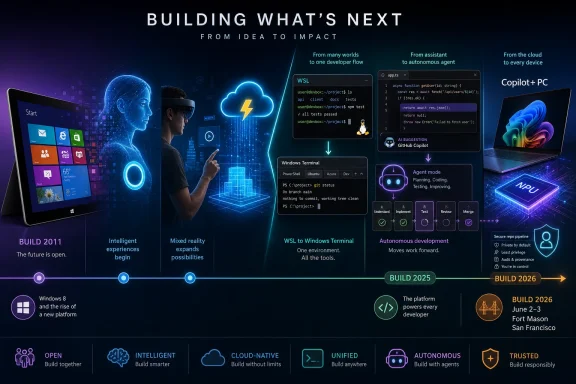 Build Is Microsoft’s Public Draft of the Future
Microsoft Build has always had a strange dual identity. It is a developer conference, yes, but it is also a corporate weather vane: a place where Microsoft tells programmers which assumptions it wants them to make about the next several years of computing.That makes TechRadar’s list more revealing than a simple “where are they now?” roundup. Windows 8, Cortana, HoloLens, Azure Functions, WSL, Windows Terminal, GitHub Copilot, Windows Copilot, Copilot+ PCs, and GitHub Copilot’s coding agent do not belong to one neat product category. They are artifacts from different Microsoft eras.
The early entries came from a company trying to defend Windows as the center of personal computing. The middle entries came from a company learning that developers wanted Linux tools, cloud primitives, and open-source workflows more than they wanted another Windows-only platform sermon. The latest entries come from a company trying to turn AI from a feature into a substrate.
Seen that way, Build is less a launchpad than a ledger. It records Microsoft’s ambitions, its corrections, and the sometimes brutal gap between a keynote promise and a product people actually want to use.
Windows 8 Was the Original Sin and the Necessary Shock
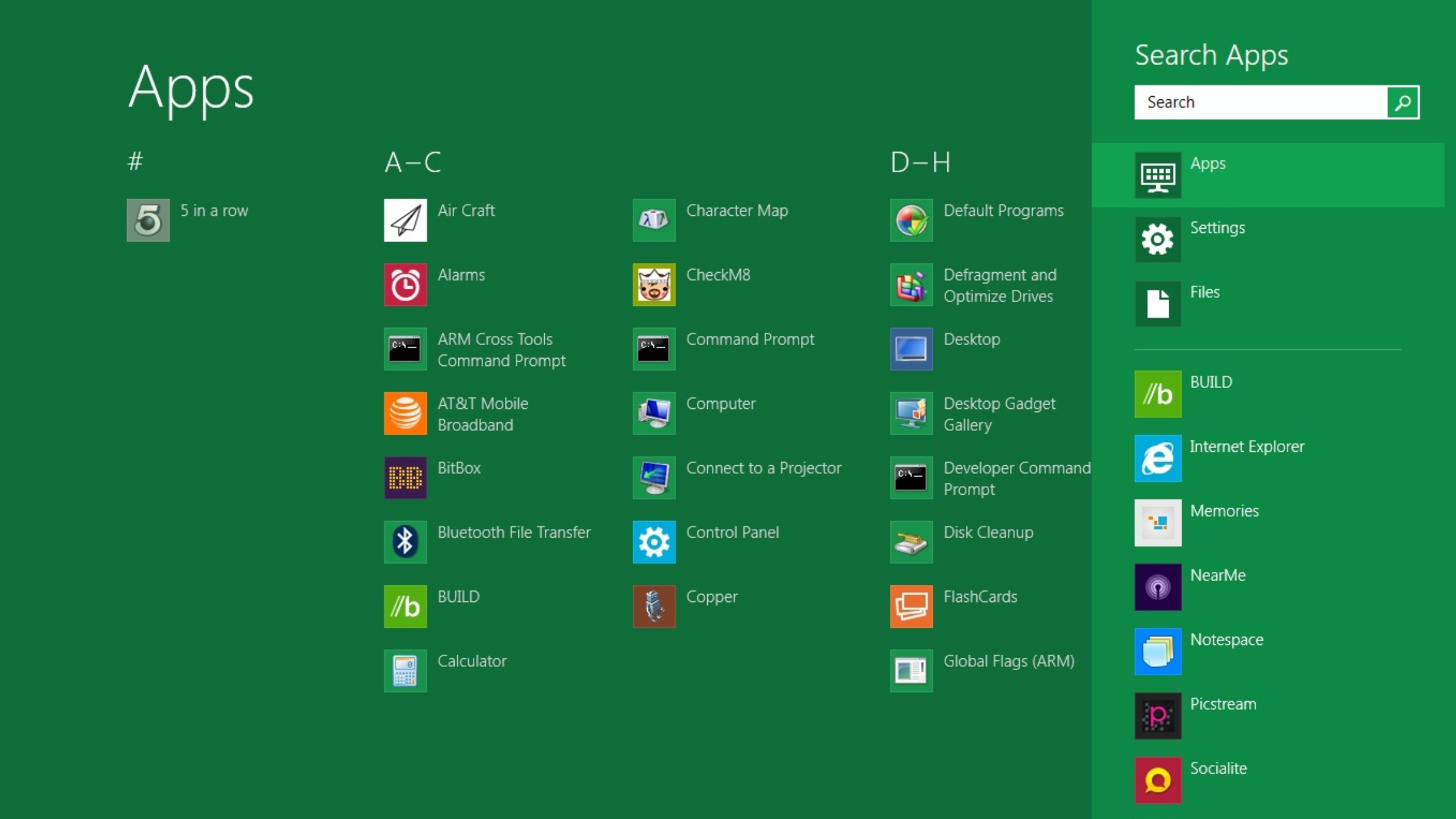
The first Build in 2011 was not subtle. Microsoft brought developers to Anaheim, handed attendees Samsung tablets running a Windows 8 developer preview, and made the Metro interface the center of the company’s story. The message was unmistakable: Windows would become a touch-first platform, and developers needed to follow.The problem was not that Microsoft misunderstood the importance of tablets. The iPad had already changed user expectations, and Windows could not remain frozen in the desktop metaphor forever. The problem was that Microsoft tried to solve its tablet problem by imposing a tablet answer on desktop users who had not asked for one.
Windows 8 became a lesson in the danger of confusing architectural ambition with user consent. The Start button disappeared, the Start screen took over, and the Windows Store arrived without the app gravity needed to justify the disruption. For developers, Microsoft was asking for new apps on a new model; for users, it was asking for patience.
Windows 8.1 softened the blow, and Windows 10 eventually became the apology. But it would be wrong to treat Windows 8 only as a failure. Its technical work, app packaging ideas, and push toward a more modern Windows platform did not vanish; they were absorbed into later versions under a less confrontational interface.
That pattern recurs throughout Build history. Microsoft often announces the future too early, ships it too aggressively, then later reincorporates the useful pieces after the branding has cooled.
Cortana Proved That Personality Cannot Save a Weak Platform
Cortana’s Build 2014 debut had the kind of cultural polish Microsoft rarely achieves. Naming a digital assistant after the Halo AI gave Windows Phone loyalists something to rally around, and the demo placed Microsoft squarely in the race against Siri and Google Now. For a moment, it looked like Microsoft had found a way to make its ecosystem feel less corporate.But assistants are only as strong as the platforms beneath them. Cortana began on Windows Phone 8.1, and Windows Phone was already losing the developer and consumer battle. By the time Cortana reached Windows 10, Amazon had seized the smart-speaker imagination with Alexa, Google controlled Android distribution, and Apple had Siri embedded across its hardware base.
Microsoft tried to reposition Cortana as a productivity assistant rather than a general-purpose consumer companion. That was rational, but it also revealed the retreat. A digital assistant that cannot follow the user across phone, home, car, and workplace is not really an assistant; it is a feature with a microphone.
The shutdown of the standalone Cortana app in Windows in 2023 and the end of remaining integrations by 2024 completed the arc. Cortana did not fail because Microsoft lacked AI research or brand recognition. It failed because Microsoft did not control the mobile and ambient hardware territory where assistants became habits.
Copilot now occupies the Windows assistant slot, but Cortana’s ghost still matters. It reminds Microsoft that a name, a voice, and a prominent taskbar position do not create daily utility. The assistant must be present where work happens, and it must do more than decorate search.
HoloLens Showed Microsoft Could Still Dazzle, Then Could Not Scale the Magic
HoloLens at Build 2015 was one of the rare modern Microsoft demos that felt genuinely futuristic. Developers did not merely watch a video; they saw holographic panels, spatial interfaces, and mixed-reality scenarios that suggested Windows might escape the rectangle. The response was strong because the ambition was clear.The device that followed was real, expensive, and technically impressive. The 2016 developer edition cost $3,000, and HoloLens 2 improved the ergonomics, hand tracking, and field of view. For medicine, industrial training, remote assistance, and manufacturing, Microsoft could make a serious enterprise case.
What never arrived was the broad developer market implied by the early theatrics. HoloLens did not become the next Windows platform. It became a specialized tool for organizations with budgets, controlled environments, and workflows where hands-free spatial overlays had obvious value.
That narrowing was not shameful, but it was revealing. Microsoft is often strongest when selling to enterprises that can absorb cost and complexity. It is weaker when it needs consumers and independent developers to invent a market around a new form factor.
The reported winding down of HoloLens hardware development made the original Build excitement look overextended. The idea of mixed reality did not die, and Microsoft’s work in spatial computing influenced later industry thinking. But HoloLens became another example of a Build launch where the demo was easier than the ecosystem.
Azure Functions Was the Quiet Launch That Actually Became Infrastructure
Azure Functions did not have Cortana’s personality or HoloLens’ stage magic. It entered public preview at Build 2016 as Microsoft’s answer to serverless computing: event-driven code without server management, with billing tied to actual execution. It was a developer plumbing announcement, and that is precisely why it aged well.Serverless was not a gimmick in search of a market. Developers already wanted to wire together cloud events, APIs, queues, and scheduled tasks without provisioning full application stacks. AWS Lambda had shown the demand; Microsoft needed Azure to feel equally natural for that model.
Azure Functions reached general availability quickly and became part of the cloud fabric. Its success was not about winning a keynote, but about becoming a default option in architectures that most users never see. In enterprise computing, that is often the more durable victory.
The service also shows how Build changed as Azure gained weight inside Microsoft. The most important developer announcements were no longer always things users could click on in Windows. They were services that made Azure stickier, lowered operational friction, and gave developers reasons to keep workloads inside Microsoft’s cloud.
Now that Azure Functions can sit inside AI-heavy workflows, including agent triggers and integrations with Microsoft’s AI platform, the 2016 announcement looks less like a standalone product than a foundation stone. The best Build launches are not always the loudest. Sometimes they are the ones that become boring enough to depend on.
WSL Was Microsoft Admitting Developers Had Already Voted
The Windows Subsystem for Linux, announced at Build 2016, was one of the most strategically honest products Microsoft has shipped in the modern era. For years, developers had treated Windows as a compromise environment. If they wanted Unix-like tooling, package managers, shell workflows, and production-like development setups, macOS and Linux often felt more natural.WSL did not pretend otherwise. It conceded the point and then tried to make Windows good enough for the workflows developers were already choosing. That concession was more powerful than another attempt to persuade developers that Windows-native tooling should be enough.
The original WSL used a compatibility layer. WSL 2, announced at Build 2019, moved to a real Linux kernel running in a lightweight virtualized environment. That shift mattered because it favored fidelity over purity. Microsoft was no longer trying to simulate Linux just enough to keep developers inside Windows; it was giving them Linux because that was what they needed.
The later decision to decouple WSL updates from the Windows codebase made the product feel less trapped by operating-system release cycles. The open-sourcing of WSL at Build 2025 completed a symbolic arc that began with developer skepticism in 2016. A company once famous for hostility to Linux had made Linux-on-Windows a first-class developer tool.
For WindowsForum readers, WSL may be the single most important Build product on TechRadar’s list. It changed Windows not by adding a flashy consumer feature, but by making the OS less defensive. It let Windows become a better host for other ecosystems, which is a very different kind of platform confidence.
Windows Terminal Fixed the Front Door Developers Used Every Day
Windows Terminal, announced at Build 2019, was smaller than WSL but emotionally connected to the same shift. Command Prompt, PowerShell, and WSL all existed, but the user experience around them felt fragmented and stale. Developers noticed because terminals are not occasional tools; they are daily workspaces.The new Windows Terminal brought tabs, GPU-accelerated rendering, modern text handling, customization, and a single home for multiple shells. It did not ask developers to change their entire stack. It simply removed a source of friction that had made Windows feel behind.
That kind of improvement is easy to underrate from the outside. No CIO buys Windows because the terminal has tabs. But developers form opinions through repeated contact with small tools, and those opinions shape platform preference over time.
Windows Terminal’s first stable release arrived at Build 2020, and it later became the default terminal experience in Windows 11. That path is notable because it represents Microsoft at its best: open-source development, fast iteration through the Store, and a product that solves a practical complaint without grandiose reinvention.
In the long view, Windows Terminal and WSL belong together. One gave Windows the Linux environment developers wanted; the other gave those workflows a modern front end. Neither restored Windows’ old monopoly over developers, but both made Windows harder to dismiss.
GitHub Copilot Turned Build Into an AI Labor Negotiation
GitHub Copilot’s general availability announcement at Build 2022 now looks like the beginning of Microsoft’s AI era, even if the company did not yet have the full Copilot branding machine in motion. Built with OpenAI and surfaced inside editors developers already used, Copilot avoided the usual platform adoption trap. It did not ask developers to move; it moved into their workflow.That was the genius of the product. Earlier Build launches often required developers to bet on Microsoft’s preferred future: Metro apps, Windows Phone, HoloLens, or a new app model. Copilot asked a simpler question: would you like your editor to autocomplete more than syntax?
The answer, for many, was yes. Subscription growth was fast, and studies suggesting large productivity gains gave Microsoft a clean enterprise sales narrative. Even developers who disliked the hype had to acknowledge that AI-assisted coding had crossed from novelty into working tool.
But Copilot also changed the politics of developer platforms. Once a tool suggests code, summarizes pull requests, reviews changes, and proposes fixes, it is no longer just a convenience. It becomes part of the labor process, part of the security surface, and part of the debate over authorship, licensing, quality, and skill.
That is why Copilot is more consequential than Cortana, even though both are branded as assistants. Cortana tried to create a conversational layer over general computing. Copilot embedded itself inside a high-value professional task and started eating outward from there.
Windows Copilot Was a Sidebar in Search of a Job
Windows Copilot’s Build 2023 announcement made strategic sense and product sense only up to a point. If AI assistants were becoming central to Microsoft 365, Edge, Bing, GitHub, and Azure, Windows could hardly sit outside the story. Putting a chatbot in the operating system was the obvious keynote move.The harder question was what Windows Copilot was uniquely supposed to do. A sidebar assistant can answer questions, summarize content, adjust settings, and launch actions, but those capabilities overlap with browser chat, Office assistants, and web-based AI tools. The risk was that Copilot in Windows would feel less like the brain of the PC and more like another surface for the same cloud service.
Microsoft’s subsequent branding consolidation under the broader Microsoft Copilot name made the original Windows Copilot identity feel transitional. That may be fine. Build often produces names that later get folded into bigger strategies. But it also shows that the Windows team has not yet fully solved the interface problem for AI on the PC.
The OS-level assistant should theoretically have enormous advantages. It can see local context, understand device state, manage settings, coordinate apps, and use hardware capabilities. Yet privacy expectations, security boundaries, and user trust make that far harder than placing a chat box in a browser.
Windows Copilot is therefore still more promise than proof. It represents Microsoft’s desire to make AI native to Windows, but the everyday experience has not yet matched the strategic importance assigned to it.
Copilot+ PCs Made the AI Bet Physical
The Copilot+ PC announcement around Build 2024 was Microsoft’s attempt to turn AI from software branding into hardware taxonomy. The requirement for an NPU capable of at least 40 TOPS gave the category a measurable threshold, and the first Surface devices made the pitch concrete. This was not just “a PC that can run Copilot”; it was supposed to be a new class of Windows machine.The logic was sound. If AI features are always cloud-dependent, then the PC becomes a thin client for someone else’s model. On-device AI promises lower latency, better privacy options, offline capability, and differentiation for new hardware. For OEMs and chipmakers, it also creates a reason to sell the next refresh cycle.
But Copilot+ PCs immediately ran into the problem that has haunted Windows platform shifts for decades: the feature story must justify the hardware story. Live captions, image generation, and local AI effects are useful, but they are not yet equivalent to the leap from HDDs to SSDs or from low-resolution displays to Retina-class panels.
Recall sharpened that tension. As a searchable timeline of PC activity, it was exactly the kind of feature that could demonstrate why local AI mattered. It was also exactly the kind of feature that triggered privacy and security alarm bells when users imagined sensitive data being captured, indexed, and retrieved.
Microsoft’s delay and later tightening of Recall was the right move, but it exposed the central dilemma of AI PCs. The most powerful local AI features require deep context, and deep context is where trust becomes the product. Copilot+ PCs will succeed only if Microsoft proves that usefulness and restraint can coexist.
The Coding Agent Is Microsoft’s Most Aggressive Build Bet Since Windows 8
GitHub Copilot’s autonomous coding agent, announced at Build 2025, is not just an upgrade to autocomplete. It marks a shift from AI that helps while a developer types to AI that accepts a task, changes files, runs tests, fixes errors, and opens a draft pull request. That is a different relationship between developer and tool.Microsoft and GitHub are careful to frame the agent as auditable and bounded. Actions are logged, developers review the work, and repository protections remain in place. That language is not incidental. It is a response to the obvious fear that autonomous code generation could become a fast way to introduce insecure, unreviewed, or simply mediocre changes at scale.
The comparison Satya Nadella reportedly drew to earlier platform shifts is ambitious, but not absurd. If coding agents become normal, software development workflows will reorganize around task delegation, review, testing, and orchestration. The developer’s job would not disappear, but the center of effort could move.
That said, agentic coding is also where AI hype most risks colliding with production reality. Enterprise codebases are messy. Tests are incomplete. Requirements are ambiguous. Security rules vary. Build pipelines fail for reasons no model can infer from a prompt alone.
The coding agent’s importance is therefore not that it can replace developers. It is that Microsoft wants GitHub to become the place where AI labor is assigned, observed, constrained, and merged. That is a platform play of the highest order.
Build 2026 Arrives With Less Room and a Bigger AI Burden
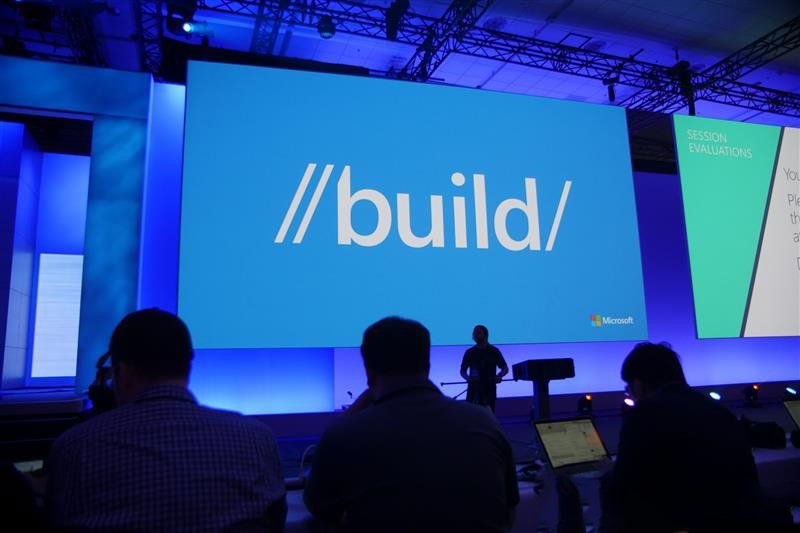
Build 2026 is scheduled for June 2 and 3 at Fort Mason Center in San Francisco, a notable move from the Seattle-centered rhythm that defined recent years. The smaller in-person capacity gives the event a more curated feel, even as online streaming keeps the keynote spectacle broad. The physical conference may be compact, but the strategic expectations are not.The agenda points toward developer tools, cloud and data, model training, agents, apps, and the expanding Copilot ecosystem. That is exactly where Microsoft wants attention. The company has spent the last several years turning AI from a research partnership into a product architecture that touches Windows, Azure, GitHub, Microsoft 365, Edge, and Surface-class hardware.
The challenge for Build 2026 is that the easy AI announcements are mostly gone. Microsoft has already shown chat, code completion, agents, local NPUs, AI PCs, and Copilot branding across nearly everything. The next phase needs evidence that these pieces compose into durable workflows rather than parallel demos.
For developers, the practical questions will matter more than the adjectives. Can agents be governed? Can Copilot features be customized to internal code and policy without unacceptable leakage or cost? Can local AI on Windows justify hardware refreshes? Can Azure AI tooling avoid becoming a maze of overlapping services?
Microsoft’s advantage is distribution. It owns Windows, GitHub, Visual Studio, Azure, Office, and a vast enterprise channel. Its risk is that distribution can push features into view before they are good enough to earn trust.
The Pattern Is Clearer Than the Product Names
TechRadar’s selection works because the ten products do not merely show what Microsoft launched. They show how the company learns in public. Windows 8 overreached, Cortana lost its platform, HoloLens narrowed, Azure Functions endured, WSL conceded reality, Windows Terminal repaired trust, Copilot expanded, and AI agents now test the limits of delegation.The pattern is not random. Microsoft’s durable Build successes tend to share a trait: they reduce friction in workflows developers already have. Azure Functions fit cloud architecture. WSL fit Linux-based development. Windows Terminal fit daily command-line work. GitHub Copilot fit the editor.
The weaker or more troubled launches asked the market to reorganize around Microsoft’s preferred interface or device category. Windows 8 asked desktop users to accept a tablet-first shell. Cortana asked users to adopt an assistant without a winning mobile platform. HoloLens asked developers to imagine a market that hardware could not yet scale.
This distinction should shape how Windows enthusiasts read Build 2026. The question is not whether Microsoft can produce impressive AI demos. It can. The question is whether those demos remove real friction or merely relocate complexity under a Copilot label.
The Build Scorecard Favors Tools Over Theater
The history of Build rewards a skeptical but not cynical reading. Microsoft has shipped failures from that stage, but it has also shipped tools that materially changed how developers use Windows and Azure. The best way to judge the next keynote is to ask which announcements will still make sense after the branding changes.A few concrete lessons stand out:
- Products that meet developers inside existing workflows have aged better than products that ask developers to invent new markets from scratch.
- Windows succeeds as a developer platform when it becomes more permeable, not when it insists on being the only world that matters.
- AI features on the PC will need trust, local control, and clear utility before hardware labels become more than marketing.
- GitHub Copilot’s move from assistant to agent is the most consequential current Microsoft developer bet because it changes workflow ownership, not just code completion.
- Build 2026 will be judged less by how many Copilot announcements appear and more by whether Microsoft can make agents governable, auditable, and useful in real organizations.
References
- Primary source: TechRadar
Published: Wed, 27 May 2026 07:11:52 GMT
10 products that launched at Microsoft Build — and what happened to them
From Windows 8 to Copilot, here’s everything that was born at Buildwww.techradar.com
- Related coverage: techcrunch.com

Microsoft kills Cortana in Windows as it focuses on next-gen AI | TechCrunch
Microsoft's shift to Bing Chat from its first-gen assistant Cortana may be later mirrored by other Big Tech companies. techcrunch.com
- Related coverage: androidauthority.com
It's officially the end of the road for Cortana on Windows
Microsoft has announced that it has effectively killed off Cortana for Windows, directing users to Bing Chat and other Microsoft tools.www.androidauthority.com - Related coverage: thurrott.com

Microsoft Kills its Cortana App on Windows 11
Microsoft has killed its standalone Cortana app on Windows 11. The company previously announced that the app would be discontinued in late 2023. www.thurrott.com
- Related coverage: arstechnica.com

Cortana, once a flagship feature of Windows phones, is slowly being shut down
Cortana will remain in Teams and Outlook, for now, but is going away in Windows. arstechnica.com
- Official source: news.microsoft.com
Microsoft Build 2025 : L’ère des agents IA et le développement du web agentique ouvert Source EMEA
Microsoft Build 2025 : L’ère des agents IA et le développement du web agentique ouvert news.microsoft.com
- Official source: blogs.microsoft.com
Microsoft Build 2025: The age of AI agents and building the open agentic web - The Official Microsoft Blog
TL;DR? Hear the news as an AI-generated audio overview made using Microsoft 365 Copilot. You can read the transcript here. We’ve entered the era of AI agents. Thanks to groundbreaking advancements in reasoning and memory, AI models are now more capable and efficient, and we’re seeing how AI... blogs.microsoft.com
- Related coverage: golem.de
- Related coverage: pcworld.com

RIP Cortana: Microsoft says its Windows AI app will die
Microsoft says that its ongoing AI efforts have made its Cortana AI redundant, and will terminate support for the Cortana app within Windows this fall. www.pcworld.com
- Official source: build.microsoft.com

Microsoft Build
Go deep on real code and real systems with the teams building and scaling AI at Microsoft Build, June 2–3, 2026, in San Francisco and online.build.microsoft.com
- Related coverage: xataka.com
Adiós Cortana: Microsoft ha decidido "matarla" en Windows y ya sabe cuándo le dará el golpe de gracia
Nuevo capítulo en el largo adiós de Cortana, el asistente virtual lanzado por Microsoft hace ya casi una década. Los de Redmond han decidido que antes de 2024...www.xataka.com
- Related coverage: windowscentral.com
BUILD leaving May for June? That’s a plot twist
A leaked asset has seemingly confirmed that Microsoft is moving its Build developer conference out of May and into June, while also changing up its location. www.windowscentral.com
