

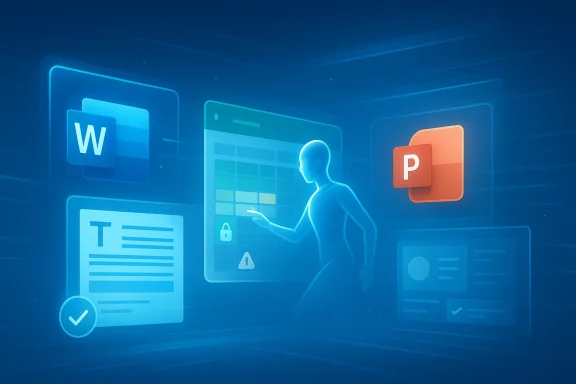
Microsoft’s latest Copilot move marks a turning point for the company’s productivity suite. Word, Excel, and PowerPoint are no longer being positioned as simple canvases where AI helps users draft text or summarize information; they are becoming places where AI can actively carry out multi-step work on behalf of paid Copilot customers. That shift matters because it changes Microsoft 365 from a collection of smart apps into a more agentic environment, one where the software is expected to do, not merely suggest.
The timing is significant too. Microsoft has been steadily expanding Copilot beyond chat and into app-native workflows, and the newest wave of capabilities suggests that the company believes the technology is ready for more consequential tasks. That includes deeper action inside Office documents, tighter coordination across apps, and a stronger premium tiering strategy for commercial users. In practical terms, Microsoft is trying to turn Copilot into a visible productivity layer that can justify its subscription price and strengthen the company’s grip on enterprise workflows.
Microsoft’s Copilot journey began with a fairly familiar promise: make everyday work faster by embedding generative AI inside the tools people already use. Early versions focused on drafting emails, summarizing meetings, generating document text, and helping users interrogate files with natural language. The model was intentionally conservative. It was useful, but it was still mostly a suggestion engine, not an autonomous worker.
Over time, Microsoft started pushing Copilot closer to the actual job of work. Instead of only answering questions, it began to analyze spreadsheets, assist with presentation creation, and operate inside the context of Word, Excel, PowerPoint, Outlook, and Teams. That mattered because the surrounding application context made the output more relevant than a generic chatbot could be. A question in Excel is not the same as a question in Word, and Microsoft’s advantage has been its ability to use that difference to its benefit.
The current shift is different in kind, not just degree. Microsoft’s 2026 Copilot strategy is explicitly moving toward agentic behavior: tasks that are planned, executed, and returned as finished work rather than just suggested steps. In the forum’s recent coverage, that shift has been described as a move from “help me write” to “do it for me,” with deeper workflow integration, stronger governance, and more premium packaging for enterprise buyers.
This transition also reflects broader pressure in the AI market. The novelty phase is fading. Enterprises are asking a harder question now: can AI reliably complete real work inside operational systems? Microsoft is answering that question by making Copilot more useful inside the very applications that define office productivity. That is a strategically important move because it ties AI adoption directly to Microsoft 365 value, not to a separate novelty tool.
There is also a commercial dimension. Microsoft’s pricing and packaging now make it clear that Copilot is not merely an enhancement; it is a monetization layer. The company has been segmenting access across consumer, business, and enterprise plans, with the most powerful features reserved for paid users. That structure creates a strong incentive for organizations to move up the stack if they want the most capable AI tools inside their daily workflow.
The new behavior is important because it reduces the number of manual handoffs between idea, draft, revision, and final output. A user can start with a prompt and end with something closer to a completed artifact. That saves time, but it also raises the stakes, because the AI is now involved earlier and more deeply in the work process. Trust becomes more central than raw fluency.
That matters because the old AI interaction model was fragmented. Users had to ask, review, adjust, and ask again. Agentic features promise a more continuous process, where the system keeps working until the task is closer to done. For office users, that is the difference between a useful assistant and something approaching a junior collaborator.
Key implications include:
That matters for two reasons. First, it keeps the most valuable features aligned with Microsoft’s most lucrative customers. Second, it creates a stronger product ladder: free or lighter experiences can introduce users to Copilot, but the real operational value sits behind the paywall. In other words, Microsoft is using the feature set itself as the conversion engine.
For business buyers, the bigger question is not whether Copilot can be useful. It is whether Copilot can be trusted to operate in a way that reduces labor without increasing risk. That is a much harder bar to clear, and it explains why Microsoft is being careful to frame these features as permissioned and workflow-aware rather than fully autonomous in the consumer sense.
Important distinctions:
That changes the user experience in a subtle but important way. Instead of handing the user a block of text and walking away, Copilot can stay involved longer. It can help refine structure, respond to changes in tone, and potentially work through a document with more persistence. The result is not just less typing; it is less project-management friction.
Still, the limits are obvious. Word documents often require nuance, brand consistency, legal caution, or domain expertise. That means agentic help is only useful if the output is easy to verify and correct. The best case is acceleration; the worst case is a more polished draft that still needs significant human scrutiny. That tension is the whole story.
Practical benefits include:
Agentic behavior in Excel is especially important because data tasks are rarely one-step operations. Users ask questions, refine assumptions, inspect outliers, and compare results before they make a decision. That means Excel is a natural fit for iterative AI, provided the system can remain grounded in the workbook’s actual structure and not hallucinate logic.
But Excel also exposes the biggest risk in agentic AI: confidence without correctness. A spreadsheet that looks polished can still be wrong in subtle ways. Microsoft will need to make review and verification central to the experience, or else the usefulness of Copilot could be undermined by a single bad inference. The interface may feel smarter, but the responsibility remains human.
At the same time, Excel users are among the least tolerant audiences for vague AI behavior. They need traceability, repeatability, and a clear chain from data to conclusion. If Microsoft gets that right, Copilot becomes credible. If it doesn’t, the feature risks being used only for rough exploration.
Key takeaways:
That is an appealing pitch because presentations are a common pain point in office work. Most users are not trying to be graphic designers. They want to turn ideas into a coherent narrative quickly. If Copilot can handle more of the organization and first-pass slide generation, PowerPoint becomes easier to use for people who care more about delivery than design.
Still, PowerPoint is also where style matters. A slide deck is not just content; it is persuasion. If the AI produces something generic, the user still has to do the high-value creative work. So the benefit is not full automation, but reducing the blank-page problem and accelerating the path to something presentable. That is useful, but it is not magic.
Benefits of the new approach:
This is also a competitive move against other AI platforms that are trying to become general-purpose assistants. Microsoft’s advantage is not necessarily that it has the flashiest model. It is that it owns the daily workflow surface where work actually happens. The company is betting that app-native AI will matter more than standalone chat in the long run.
At the same time, Microsoft must avoid the trap of overpromising autonomy. The more an AI tool is allowed to act, the more people will expect transparency, guardrails, and predictable behavior. If Microsoft can thread that needle, it gains a durable advantage. If not, it risks forcing users into a high-friction trust model.
Strategic advantages:
This is the right framing. Enterprises do not want software that merely sounds helpful. They want software that can operate safely inside established policy, compliance, and review structures. If Copilot is going to move from assistant to collaborator, then IT and security teams need visibility into what it can access and how it behaves.
That is why the move toward agentic AI is as much an administrative story as it is a product story. Better automation without better controls is a liability. Microsoft seems to understand that the next phase of AI adoption will be judged not only by output quality but by operational safety. That is where trust will be won or lost.
Governance priorities:
The opportunity is bigger than feature parity. If Microsoft can make Copilot consistently useful in the day-to-day flow of documents, spreadsheets, and presentations, it could redefine what a Microsoft 365 subscription means. That would support both customer retention and premium upsell.
There is also a licensing risk. If Microsoft pushes premium features too aggressively, some users may view Copilot as a paywalled upgrade to tasks they already know how to do manually. That could create resentment if the value is not immediately obvious. The pricing story has to be matched by a clear productivity payoff.
If Microsoft gets the balance right, the company could turn Word, Excel, and PowerPoint into the canonical example of useful enterprise AI. That would have broad implications for the market because it would shift expectations away from generic chat interfaces and toward integrated, task-completing systems. In that sense, the new features are not just a product update; they are a statement about where workplace AI is headed.
Things to watch next:
Source: Thurrott.com Word, Excel, and PowerPoint Add New Agentic AI Features for Paid Copilot Users
The timing is significant too. Microsoft has been steadily expanding Copilot beyond chat and into app-native workflows, and the newest wave of capabilities suggests that the company believes the technology is ready for more consequential tasks. That includes deeper action inside Office documents, tighter coordination across apps, and a stronger premium tiering strategy for commercial users. In practical terms, Microsoft is trying to turn Copilot into a visible productivity layer that can justify its subscription price and strengthen the company’s grip on enterprise workflows.
 Background
Microsoft’s Copilot journey began with a fairly familiar promise: make everyday work faster by embedding generative AI inside the tools people already use. Early versions focused on drafting emails, summarizing meetings, generating document text, and helping users interrogate files with natural language. The model was intentionally conservative. It was useful, but it was still mostly a suggestion engine, not an autonomous worker.Over time, Microsoft started pushing Copilot closer to the actual job of work. Instead of only answering questions, it began to analyze spreadsheets, assist with presentation creation, and operate inside the context of Word, Excel, PowerPoint, Outlook, and Teams. That mattered because the surrounding application context made the output more relevant than a generic chatbot could be. A question in Excel is not the same as a question in Word, and Microsoft’s advantage has been its ability to use that difference to its benefit.
The current shift is different in kind, not just degree. Microsoft’s 2026 Copilot strategy is explicitly moving toward agentic behavior: tasks that are planned, executed, and returned as finished work rather than just suggested steps. In the forum’s recent coverage, that shift has been described as a move from “help me write” to “do it for me,” with deeper workflow integration, stronger governance, and more premium packaging for enterprise buyers.
This transition also reflects broader pressure in the AI market. The novelty phase is fading. Enterprises are asking a harder question now: can AI reliably complete real work inside operational systems? Microsoft is answering that question by making Copilot more useful inside the very applications that define office productivity. That is a strategically important move because it ties AI adoption directly to Microsoft 365 value, not to a separate novelty tool.
There is also a commercial dimension. Microsoft’s pricing and packaging now make it clear that Copilot is not merely an enhancement; it is a monetization layer. The company has been segmenting access across consumer, business, and enterprise plans, with the most powerful features reserved for paid users. That structure creates a strong incentive for organizations to move up the stack if they want the most capable AI tools inside their daily workflow.
What Microsoft Is Changing
The most obvious change is that Word, Excel, and PowerPoint are receiving agentic AI features that go beyond one-shot generation. Rather than asking Copilot to write a paragraph or summarize a deck, users can now expect it to iterate through a task, refine output, and help finish work inside the app. This is not a cosmetic upgrade; it is a redefinition of what the assistant is supposed to be.The new behavior is important because it reduces the number of manual handoffs between idea, draft, revision, and final output. A user can start with a prompt and end with something closer to a completed artifact. That saves time, but it also raises the stakes, because the AI is now involved earlier and more deeply in the work process. Trust becomes more central than raw fluency.
From prompts to workflows
Microsoft’s language around Copilot increasingly suggests that the company wants users to think in workflows rather than prompts. In Word, that means drafting and revising are no longer separate AI interactions. In Excel, it means analysis can evolve into structured action. In PowerPoint, it means a rough concept can become a presentation with less manual glue work in between.That matters because the old AI interaction model was fragmented. Users had to ask, review, adjust, and ask again. Agentic features promise a more continuous process, where the system keeps working until the task is closer to done. For office users, that is the difference between a useful assistant and something approaching a junior collaborator.
Key implications include:
- Fewer repetitive steps between draft and final output.
- More context-aware output inside each app.
- Higher expectations for accuracy and consistency.
- More value concentration in premium Copilot plans.
Why Paid Copilot Users Matter
Microsoft is clearly making these features part of the paid Copilot story, not the free one. That is a deliberate business decision, and it reflects the company’s belief that the most advanced AI capabilities are best monetized as subscription advantages. The forum’s reporting points to a pricing model that already separates consumer experiences from business and enterprise tiers, with premium access tied to deeper integration and more capable tools.That matters for two reasons. First, it keeps the most valuable features aligned with Microsoft’s most lucrative customers. Second, it creates a stronger product ladder: free or lighter experiences can introduce users to Copilot, but the real operational value sits behind the paywall. In other words, Microsoft is using the feature set itself as the conversion engine.
Enterprise versus consumer impact
For consumers, the appeal is convenience. If AI can draft a report, shape a slide deck, or help structure spreadsheet work faster, that is a straightforward productivity gain. But for enterprises, the equation is more complicated because the value of AI is tied to governance, permissions, and confidence that the output meets organizational standards. Microsoft knows this, which is why it is pairing its agentic push with control and context layers.For business buyers, the bigger question is not whether Copilot can be useful. It is whether Copilot can be trusted to operate in a way that reduces labor without increasing risk. That is a much harder bar to clear, and it explains why Microsoft is being careful to frame these features as permissioned and workflow-aware rather than fully autonomous in the consumer sense.
Important distinctions:
- Consumers want speed and convenience.
- Enterprises want control and auditability.
- Finance teams want predictable licensing.
- IT teams want manageable permissions.
- Leadership wants measurable productivity return.
Word Becomes More Than a Writing App
Word is the clearest example of what Microsoft is trying to do. Historically, Word has been the place where AI helped users begin. You asked for a draft, and Copilot gave you something to edit. The new agentic model pushes Word toward a more iterative and contextual role, where the AI can help shape a document more like a live collaborator than a one-time generator.That changes the user experience in a subtle but important way. Instead of handing the user a block of text and walking away, Copilot can stay involved longer. It can help refine structure, respond to changes in tone, and potentially work through a document with more persistence. The result is not just less typing; it is less project-management friction.
Editing, drafting, and revision
The real value in Word is not merely faster prose. It is the elimination of the awkward in-between phase where users know what they want but do not yet have a coherent draft. AI can now bridge that gap more effectively, and that is where the productivity gain becomes visible. Microsoft appears to understand that the market now expects Copilot to behave like part of the editing process, not just a side panel.Still, the limits are obvious. Word documents often require nuance, brand consistency, legal caution, or domain expertise. That means agentic help is only useful if the output is easy to verify and correct. The best case is acceleration; the worst case is a more polished draft that still needs significant human scrutiny. That tension is the whole story.
Practical benefits include:
- Faster first drafts.
- Better document structuring.
- Less back-and-forth between editing passes.
- More consistent formatting and tone.
- Reduced context switching for routine writing work.
Excel Is Where Agentic AI Gets Serious
Excel may be the most consequential beneficiary of the new Copilot direction because spreadsheets are where small errors become expensive quickly. If Microsoft can make Copilot reliably useful in Excel, it strengthens the entire value proposition for business users. The company’s emphasis on file analysis and plain-English data work suggests that this is exactly where it wants to win.Agentic behavior in Excel is especially important because data tasks are rarely one-step operations. Users ask questions, refine assumptions, inspect outliers, and compare results before they make a decision. That means Excel is a natural fit for iterative AI, provided the system can remain grounded in the workbook’s actual structure and not hallucinate logic.
Analysis and decision support
The best version of Copilot in Excel is not a replacement for an analyst. It is a faster way to get from raw data to a credible starting point. That might include summarizing trends, surfacing anomalies, or building a preliminary model that the user can test and validate. In that sense, the feature set is less about automation and more about compression of analysis time.But Excel also exposes the biggest risk in agentic AI: confidence without correctness. A spreadsheet that looks polished can still be wrong in subtle ways. Microsoft will need to make review and verification central to the experience, or else the usefulness of Copilot could be undermined by a single bad inference. The interface may feel smarter, but the responsibility remains human.
What this means for analysts
For analysts, finance teams, and operations staff, the payoff could be substantial if Copilot truly reduces boilerplate work. The ability to produce a first-pass analysis, identify patterns, and help build presentations from spreadsheet data could save hours. That would make Copilot less of a novelty and more of an everyday business utility.At the same time, Excel users are among the least tolerant audiences for vague AI behavior. They need traceability, repeatability, and a clear chain from data to conclusion. If Microsoft gets that right, Copilot becomes credible. If it doesn’t, the feature risks being used only for rough exploration.
Key takeaways:
- Excel is the highest-value proving ground.
- The feature is useful only if it remains traceable.
- AI should speed analysis, not obscure it.
- Finance and ops users will demand verifiability.
- Microsoft’s success here will shape enterprise trust.
PowerPoint and the Presentation Problem
PowerPoint is another natural candidate for agentic AI because presentation work is often a chain of repetitive transformations. Users collect notes, assemble structure, build slides, revise content, and then polish visuals. Copilot can already reduce some of that pain, but the new direction suggests Microsoft wants it to handle more of the process end-to-end.That is an appealing pitch because presentations are a common pain point in office work. Most users are not trying to be graphic designers. They want to turn ideas into a coherent narrative quickly. If Copilot can handle more of the organization and first-pass slide generation, PowerPoint becomes easier to use for people who care more about delivery than design.
Storytelling with less manual work
The promise here is that users can spend more time on message and less time on formatting. That sounds minor, but in business environments it is huge. A manager preparing a board update or a sales leader building a pitch deck may care far more about the argument than about moving boxes around the slide.Still, PowerPoint is also where style matters. A slide deck is not just content; it is persuasion. If the AI produces something generic, the user still has to do the high-value creative work. So the benefit is not full automation, but reducing the blank-page problem and accelerating the path to something presentable. That is useful, but it is not magic.
Benefits of the new approach:
- Faster deck assembly.
- Better narrative scaffolding.
- Less manual slide formatting.
- Quicker transformation from notes to visuals.
- More time spent on message refinement.
The Strategic Logic Behind Agentic Copilot
Microsoft’s strategy is not hard to decode. If Copilot can become the default layer for document creation, data analysis, and presentation building, it becomes deeply embedded in the work lifecycle. That increases switching costs, strengthens Microsoft 365’s value, and makes the subscription harder to replace.This is also a competitive move against other AI platforms that are trying to become general-purpose assistants. Microsoft’s advantage is not necessarily that it has the flashiest model. It is that it owns the daily workflow surface where work actually happens. The company is betting that app-native AI will matter more than standalone chat in the long run.
Competitive implications
For rivals, this raises the bar. It is one thing to build a clever assistant; it is another to integrate one deeply enough into an ecosystem that users rely on it every day. Microsoft’s app-level integration gives Copilot an advantage in context, permissions, and continuity that standalone tools may struggle to match.At the same time, Microsoft must avoid the trap of overpromising autonomy. The more an AI tool is allowed to act, the more people will expect transparency, guardrails, and predictable behavior. If Microsoft can thread that needle, it gains a durable advantage. If not, it risks forcing users into a high-friction trust model.
Strategic advantages:
- Deeper ecosystem lock-in.
- Stronger subscription justification.
- Higher daily usage frequency.
- Better context than standalone AI tools.
- Greater control over the user journey.
Governance, Trust, and the New AI Contract
The moment AI starts acting, governance stops being optional. Microsoft’s recent Copilot direction reflects that reality by pairing agentic features with a stronger contextual and control story. The company has been emphasizing permission-aware behavior, organizational data grounding, and the need for oversight before sensitive actions are taken.This is the right framing. Enterprises do not want software that merely sounds helpful. They want software that can operate safely inside established policy, compliance, and review structures. If Copilot is going to move from assistant to collaborator, then IT and security teams need visibility into what it can access and how it behaves.
Oversight is not optional
The governance issue is especially sharp in Microsoft 365 because the platform is so central to organizational knowledge. Documents, spreadsheets, and slide decks can contain sensitive information, strategic plans, and regulated data. A more capable Copilot therefore increases the need for approval flows, logging, and policy enforcement.That is why the move toward agentic AI is as much an administrative story as it is a product story. Better automation without better controls is a liability. Microsoft seems to understand that the next phase of AI adoption will be judged not only by output quality but by operational safety. That is where trust will be won or lost.
Governance priorities:
- Permission-aware access.
- Clear approval checkpoints.
- Auditability for sensitive actions.
- Role-based controls for IT.
- Strong data context boundaries.
Strengths and Opportunities
Microsoft’s move has several clear strengths. It aligns the most visible AI advances with the company’s most important productivity products, and it gives paid users a reason to see Copilot as more than a chat feature. It also strengthens Microsoft’s enterprise story by making AI feel native to the work surface rather than bolted on afterward.The opportunity is bigger than feature parity. If Microsoft can make Copilot consistently useful in the day-to-day flow of documents, spreadsheets, and presentations, it could redefine what a Microsoft 365 subscription means. That would support both customer retention and premium upsell.
- Better productivity ROI for paid customers.
- Stronger differentiation for Microsoft 365.
- Deeper workflow integration across core Office apps.
- Higher value perception for premium Copilot tiers.
- Improved enterprise stickiness through app-native AI.
- More opportunities for cross-sell into broader Microsoft services.
- A more realistic path from assistant to agent.
Risks and Concerns
The biggest concern is that agentic AI can create a false sense of confidence. A polished draft, a neat chart, or a tidy presentation can still contain errors, and those errors may be harder to spot when the output looks finished. That means Microsoft is asking users to trust a system that is becoming more capable at the exact moment it becomes more consequential.There is also a licensing risk. If Microsoft pushes premium features too aggressively, some users may view Copilot as a paywalled upgrade to tasks they already know how to do manually. That could create resentment if the value is not immediately obvious. The pricing story has to be matched by a clear productivity payoff.
- Hallucinations or subtle errors in generated work.
- Overreliance by users who stop checking output carefully.
- Enterprise governance complexity around permissions and approvals.
- Perception of paywalling core productivity improvements.
- Uneven value across job roles and departments.
- Potential workflow disruption if the AI is too aggressive.
- Trust erosion if the system overpromises and underdelivers.
Looking Ahead
The next phase of this story will depend on whether Microsoft can prove that agentic Copilot is genuinely helpful in real work, not just impressive in demos. The company has already made the conceptual leap: Copilot is supposed to move from assistant to collaborator. What remains is the harder operational question of consistency, transparency, and measurable time savings.If Microsoft gets the balance right, the company could turn Word, Excel, and PowerPoint into the canonical example of useful enterprise AI. That would have broad implications for the market because it would shift expectations away from generic chat interfaces and toward integrated, task-completing systems. In that sense, the new features are not just a product update; they are a statement about where workplace AI is headed.
Things to watch next:
- Broader rollout details for paid Copilot customers.
- How much app-level control users retain over agentic actions.
- Whether Microsoft expands the model to more Office surfaces.
- Enterprise feedback on trust, review, and governance.
- Evidence of real productivity gains versus marketing claims.
Source: Thurrott.com Word, Excel, and PowerPoint Add New Agentic AI Features for Paid Copilot Users
