

Microsoft’s Copilot is no longer just a shiny assistant tucked into Office apps; it is becoming the center of a much bigger productivity strategy. What began as a way to draft emails and summarize meetings inside Word, Excel, PowerPoint, Outlook, and Teams has evolved into a broader push toward agentic workplace AI that can plan, execute, and return finished work. The latest direction signals that Microsoft wants Copilot to feel less like a chatbot and more like a digital teammate, with tighter integration, stronger governance, and a clearer business case. As the forum’s recent coverage shows, the shift is as much about platform control and enterprise monetization as it is about user convenience
Microsoft’s Copilot story began with a simple but ambitious premise: place generative AI directly inside the tools people already use every day. In the early framing, Microsoft 365 Copilot was described as an assistant powered by large language models and Microsoft Graph, able to use business context from calendars, emails, documents, and chats to help people write, analyze, and summarize faster. That original pitch mattered because it was not merely about adding AI; it was about embedding AI into the workflow itself, where switching costs are highest and adoption friction is lowest
The Mashable-era announcement that kicked off this conversation captured the tone perfectly. Microsoft positioned Copilot as a productivity beast for Word, PowerPoint, Excel, Outlook, and Teams, with a separate “Business Chat” layer designed to act like an AI executive assistant across work data. The company’s message was clear: this was not a toy, and it was not a standalone chatbot. It was a work substrate that could pull from business information and operate across the Microsoft ecosystem
Over time, however, the Copilot label expanded much faster than the product architecture underneath it. Copilot started to mean the consumer chatbot, the Microsoft 365 assistant, Windows entry points, developer tools, and specialized business copilots across sales, service, and finance. That broad branding gave Microsoft huge reach, but it also created confusion about what “Copilot” actually includes and which features belong to which license tier. The forum’s analysis notes that Microsoft has had to increasingly distinguish consumer surfaces from enterprise ones, especially as the company refined the story for commercial users and Entra-authenticated organizations
The new phase is more than a branding cleanup. Microsoft is now treating Copilot as a broader platform narrative rather than a single feature set. Recent forum discussions describe a move toward agentic workflows, multi-model support, and a governance layer that can manage AI behavior at enterprise scale. In that framing, Copilot becomes the front door, while identity, permissions, data access, and orchestration become the real differentiators beneath it
That evolution reflects a bigger truth about workplace AI: the market has matured beyond “chat in the sidebar.” Enterprises no longer ask whether AI can generate a paragraph. They ask whether it can retrieve the right context, follow policy, respect permissions, leave an audit trail, and produce something useful without requiring a human cleanup pass. Microsoft’s Copilot strategy is increasingly aimed at those questions, not just at flashy demos
The early Copilot value proposition was time savings. Draft an email faster, summarize a meeting faster, build a presentation faster. The new value proposition is broader and more strategic: delegate a workflow, not just a task. That is a meaningful leap because it shifts the user’s mental model from “help me write” to “handle this for me,” which is exactly where enterprise AI economics become more compelling.
It also means Microsoft can continue monetizing AI even if end users never open a separate AI app. The assistant becomes a feature of the operating environment, not an optional destination. In other words, Copilot is being turned into a distribution engine for AI across the enterprise.
What has changed is the scale of the promise. Microsoft is no longer just saying Copilot can produce a better first draft. It is saying Copilot can participate in the workflow itself, from ingesting context to turning scattered information into something useful. That makes the product more valuable, but it also raises the bar dramatically. If the output is slightly wrong, slightly stale, or slightly incomplete, the whole experience can collapse from magical to frustrating.
That distinction explains why Microsoft keeps separating consumer-facing convenience from business-facing control. The consumer story is about ease. The enterprise story is about governance, compliance, and repeatability.
The productivity argument therefore has two tracks:
That distinction remains important because businesses do not want a chatbot that merely sounds smart. They want one that knows what it is allowed to see, what it should ignore, and how to use organizational context responsibly. Business Chat was an early sign that Microsoft understood the enterprise market would demand a more controlled version of generative AI than the consumer internet did.
The real value is that it can reduce cognitive overhead. Instead of searching across messages, files, and meetings, a user can ask the system to consolidate the relevant pieces. That makes it particularly appealing for managers, project leads, and anyone responsible for tracking multiple workstreams.
But there is a catch. The more useful the assistant becomes, the more pressure there is to trust it with sensitive information. That makes permissioning, data boundaries, and auditability absolutely central to the product’s success.
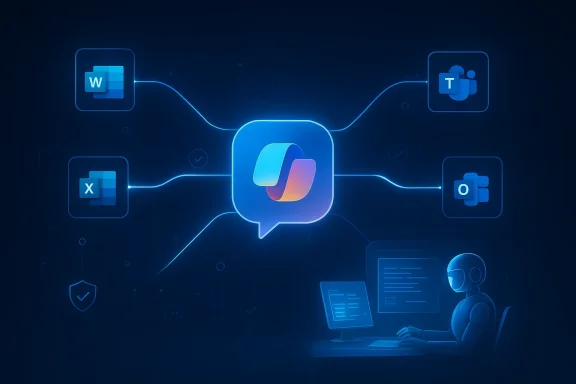
In Word, Copilot can draft reports, proposals, and summaries based on existing business context. In PowerPoint, it can turn notes into slide decks. In Excel, it can analyze data, identify trends, and create explainable summaries. In Outlook and Teams, it can reduce communication overhead by generating recaps and action items. This is where the product stops being a novelty and starts becoming a workflow multiplier.
This also changes competitive dynamics. Rivals may have compelling models, but if they cannot match the level of integration Microsoft has with identity, documents, messaging, and calendars, they are fighting uphill. In enterprise software, convenience often wins over raw intelligence.
The integration strategy also creates a subtle shift in user expectations:
Microsoft has consistently tried to frame its AI stack as enterprise-ready, with data controls and contextual retrieval designed to reassure IT departments. That matters because many organizations are willing to pilot generative AI but hesitate to deploy it broadly unless they can prove it won’t leak information, violate policy, or produce unauthorized outputs. The trust story is therefore not a side issue; it is the main event.
Still, there are unresolved tensions. An AI assistant that can synthesize across data silos is useful precisely because it can cross boundaries. Yet those same boundaries exist to prevent misuse. Microsoft has to balance usefulness and restraint carefully.
Key trust requirements include:
This matters because the economics of AI are expensive. Model inference, orchestration, enterprise controls, and ongoing product development all cost money. By building Copilot into Microsoft 365, Microsoft can spread those costs across a massive installed base while justifying premium subscriptions for customers who want the most capable features.
From a customer perspective, the logic is more complicated. Enterprises need to decide whether productivity gains justify the added per-user cost. They also need to consider training, governance, and process redesign. Copilot can save time, but it can also introduce new review steps if the outputs are not reliable enough to use without human oversight.
A sensible procurement team will ask:
That creates pressure on competitors like Google, Slack ecosystem players, and independent AI startups. If Copilot becomes deeply integrated into Office workflows, then challengers must compete not just on model quality but on workflow relevance, permissions, and habit disruption. That is a much harder fight.
That shift has a few major implications:
The most important takeaway is that Microsoft is trying to make Copilot the default AI layer for work. That is an aggressive strategy, but it is also one of the few that can realistically convert AI excitement into durable enterprise revenue
There is also a broader risk of AI fatigue. If users encounter too many Copilot surfaces with slightly different behavior, they may stop seeing the brand as a coherent promise. In an AI market where expectations are still inflated, consistency may be more valuable than constant expansion.
The most important signals will come from product consistency, enterprise adoption, and how Microsoft handles governance at scale. If the company can keep tightening the relationship between context, permissions, and output quality, Copilot could become a defining layer of modern knowledge work. If it cannot, the product may remain impressive in fragments but disappointing as a whole.
Microsoft has already won the first battle: it made Copilot impossible to ignore. The harder battle is the next one, because the future of workplace AI will be decided by trust, reliability, and day-to-day usefulness more than by demo-day excitement. If Microsoft can make Copilot feel indispensable without making it feel risky or confusing, it will have turned a product launch into a platform shift. If not, the company will still have changed the market—but it may leave the deepest value on the table.
Source: Mashable Meet Copilot, Microsoft's AI tool for work and productivity
 Background
Microsoft’s Copilot story began with a simple but ambitious premise: place generative AI directly inside the tools people already use every day. In the early framing, Microsoft 365 Copilot was described as an assistant powered by large language models and Microsoft Graph, able to use business context from calendars, emails, documents, and chats to help people write, analyze, and summarize faster. That original pitch mattered because it was not merely about adding AI; it was about embedding AI into the workflow itself, where switching costs are highest and adoption friction is lowestThe Mashable-era announcement that kicked off this conversation captured the tone perfectly. Microsoft positioned Copilot as a productivity beast for Word, PowerPoint, Excel, Outlook, and Teams, with a separate “Business Chat” layer designed to act like an AI executive assistant across work data. The company’s message was clear: this was not a toy, and it was not a standalone chatbot. It was a work substrate that could pull from business information and operate across the Microsoft ecosystem
Over time, however, the Copilot label expanded much faster than the product architecture underneath it. Copilot started to mean the consumer chatbot, the Microsoft 365 assistant, Windows entry points, developer tools, and specialized business copilots across sales, service, and finance. That broad branding gave Microsoft huge reach, but it also created confusion about what “Copilot” actually includes and which features belong to which license tier. The forum’s analysis notes that Microsoft has had to increasingly distinguish consumer surfaces from enterprise ones, especially as the company refined the story for commercial users and Entra-authenticated organizations
The new phase is more than a branding cleanup. Microsoft is now treating Copilot as a broader platform narrative rather than a single feature set. Recent forum discussions describe a move toward agentic workflows, multi-model support, and a governance layer that can manage AI behavior at enterprise scale. In that framing, Copilot becomes the front door, while identity, permissions, data access, and orchestration become the real differentiators beneath it
That evolution reflects a bigger truth about workplace AI: the market has matured beyond “chat in the sidebar.” Enterprises no longer ask whether AI can generate a paragraph. They ask whether it can retrieve the right context, follow policy, respect permissions, leave an audit trail, and produce something useful without requiring a human cleanup pass. Microsoft’s Copilot strategy is increasingly aimed at those questions, not just at flashy demos
From Assistant to Platform
The most important change in Copilot’s trajectory is philosophical. Microsoft is no longer marketing it as a smart helper that sits beside productivity apps; it is presenting Copilot as the organizing layer across those apps. That matters because a platform can be priced, governed, extended, and defended in ways a feature cannot. It also means Copilot is becoming harder for rivals to displace once it is embedded in everyday workflowsThe early Copilot value proposition was time savings. Draft an email faster, summarize a meeting faster, build a presentation faster. The new value proposition is broader and more strategic: delegate a workflow, not just a task. That is a meaningful leap because it shifts the user’s mental model from “help me write” to “handle this for me,” which is exactly where enterprise AI economics become more compelling.
Why the Platform Shift Matters
A platform model creates deeper lock-in, but also deeper utility. If Copilot can operate across Word, Excel, Outlook, and Teams using the same identity, permissions, and context layer, then switching away becomes far more disruptive than swapping out a chatbot. That is why Microsoft keeps emphasizing integration rather than novelty.It also means Microsoft can continue monetizing AI even if end users never open a separate AI app. The assistant becomes a feature of the operating environment, not an optional destination. In other words, Copilot is being turned into a distribution engine for AI across the enterprise.
- It lives where the work already happens.
- It uses business context rather than isolated prompts.
- It can support recurring subscription revenue.
- It becomes stickier as more workflows depend on it.
The Productivity Promise
At its core, Copilot still sells the oldest promise in software: reduce toil and increase output. That is what made the original announcements so compelling. In Word, Copilot can help draft and refine copy. In PowerPoint, it can assemble ideas into slides. In Outlook, it can compose and polish email. In Teams, it can summarize meetings, surface action items, and keep track of assignments. Those are not trivial conveniences; they attack the most repetitive parts of knowledge workWhat has changed is the scale of the promise. Microsoft is no longer just saying Copilot can produce a better first draft. It is saying Copilot can participate in the workflow itself, from ingesting context to turning scattered information into something useful. That makes the product more valuable, but it also raises the bar dramatically. If the output is slightly wrong, slightly stale, or slightly incomplete, the whole experience can collapse from magical to frustrating.
Consumer Convenience vs Enterprise Efficiency
For individual users, Copilot’s appeal is immediate. It saves time, shortens blank-page anxiety, and reduces the burden of searching across apps for context. For enterprises, the stakes are different. A company does not buy AI simply because it is impressive; it buys AI because it can produce measurable efficiency, standardize outputs, or reduce operational drag.That distinction explains why Microsoft keeps separating consumer-facing convenience from business-facing control. The consumer story is about ease. The enterprise story is about governance, compliance, and repeatability.
The productivity argument therefore has two tracks:
- Faster drafting and editing for individuals.
- Better workflow orchestration for teams.
- More consistent outputs across departments.
- Less time spent on meeting follow-up and document assembly.
- Improved reuse of organizational knowledge.
Business Chat and the New Assistant Layer
One of the most interesting parts of the original announcement was the separate Business Chat concept. In practical terms, it was framed as a cross-app AI assistant that could use business data to answer questions, summarize activity, and help plan work. The idea echoed consumer chat experiences, but with a crucial twist: it was intended to operate as a work-aware layer over Microsoft 365 rather than a generic internet assistantThat distinction remains important because businesses do not want a chatbot that merely sounds smart. They want one that knows what it is allowed to see, what it should ignore, and how to use organizational context responsibly. Business Chat was an early sign that Microsoft understood the enterprise market would demand a more controlled version of generative AI than the consumer internet did.
The Executive Assistant Analogy
The “executive assistant” framing is useful, but only to a point. A human assistant understands priorities, interpersonal nuance, and the political context of a workplace. AI can imitate some of that behavior, but it still struggles with ambiguity and judgment. That means Business Chat is best understood as a coordination layer, not a replacement for human discretion.The real value is that it can reduce cognitive overhead. Instead of searching across messages, files, and meetings, a user can ask the system to consolidate the relevant pieces. That makes it particularly appealing for managers, project leads, and anyone responsible for tracking multiple workstreams.
But there is a catch. The more useful the assistant becomes, the more pressure there is to trust it with sensitive information. That makes permissioning, data boundaries, and auditability absolutely central to the product’s success.
- Cross-app awareness is the key differentiator.
- Controlled access is more important than clever phrasing.
- Summaries are useful only if the underlying data is current.
- Work-aware AI is more valuable than generic chat.
- Trust is the true product feature.
Integration with Microsoft 365 Apps
Copilot’s deepest advantage is not the model; it is the integration surface. Microsoft owns the everyday productivity stack, which means it can place AI directly into the places where work is created, edited, discussed, and approved. That is a powerful distribution advantage, and it is one of the reasons Copilot continues to dominate the enterprise AI conversationIn Word, Copilot can draft reports, proposals, and summaries based on existing business context. In PowerPoint, it can turn notes into slide decks. In Excel, it can analyze data, identify trends, and create explainable summaries. In Outlook and Teams, it can reduce communication overhead by generating recaps and action items. This is where the product stops being a novelty and starts becoming a workflow multiplier.
Why Embedded AI Beats a Separate App
A standalone chatbot forces users to move data into the chatbot. An embedded assistant works where the data already lives. That reduces friction, improves context, and increases the odds that users will actually adopt the tool regularly. Microsoft understands this better than almost anyone else because its legacy business is built on the very applications Copilot now inhabits.This also changes competitive dynamics. Rivals may have compelling models, but if they cannot match the level of integration Microsoft has with identity, documents, messaging, and calendars, they are fighting uphill. In enterprise software, convenience often wins over raw intelligence.
The integration strategy also creates a subtle shift in user expectations:
- Users expect context to follow them across apps.
- They expect summaries to reflect the latest state of work.
- They expect the assistant to know business terminology.
- They expect the experience to feel native, not bolted on.
- They expect less copying and pasting between tools.
Enterprise Data, Permissions, and Trust
Copilot’s greatest asset is also its greatest risk: access to enterprise data. The system becomes much more useful when it can draw from calendars, email, files, and chats. But that same access raises hard questions about privacy, permission boundaries, and accidental exposure. In enterprise AI, what the system can see matters as much as what it can sayMicrosoft has consistently tried to frame its AI stack as enterprise-ready, with data controls and contextual retrieval designed to reassure IT departments. That matters because many organizations are willing to pilot generative AI but hesitate to deploy it broadly unless they can prove it won’t leak information, violate policy, or produce unauthorized outputs. The trust story is therefore not a side issue; it is the main event.
Security as a Feature, Not an Afterthought
For Microsoft, security messaging is not just defensive rhetoric. It is a product differentiator. The more Copilot can demonstrate that it respects organizational permissions and uses sanctioned business context, the more likely large customers are to buy in. That is especially true in regulated industries where auditability and access control are non-negotiable.Still, there are unresolved tensions. An AI assistant that can synthesize across data silos is useful precisely because it can cross boundaries. Yet those same boundaries exist to prevent misuse. Microsoft has to balance usefulness and restraint carefully.
Key trust requirements include:
- Permission-aware retrieval.
- Data minimization by default.
- Audit trails for AI-generated actions.
- Clear separation of consumer and business accounts.
- Administrator visibility into usage and policies.
Pricing and Monetization Strategy
One of the clearest signals in the Copilot strategy is that Microsoft views AI as a premium monetization layer, not a free feature. The forum’s coverage notes that Microsoft has already treated Copilot as a paid add-on and, in newer discussions, positioned higher-tier enterprise packaging as part of the broader adoption push. That pricing structure tells you exactly how the company sees the market: AI is not just about usage, it is about revenue expansionThis matters because the economics of AI are expensive. Model inference, orchestration, enterprise controls, and ongoing product development all cost money. By building Copilot into Microsoft 365, Microsoft can spread those costs across a massive installed base while justifying premium subscriptions for customers who want the most capable features.
The Premium Subscription Logic
Microsoft’s model is straightforward: deliver a baseline productivity experience broadly, then sell advanced AI capabilities to organizations that can prove ROI. That allows the company to segment the market without making Copilot feel like a separate ecosystem. It also creates a strong incentive for Microsoft to keep the highest-value features locked to business plans.From a customer perspective, the logic is more complicated. Enterprises need to decide whether productivity gains justify the added per-user cost. They also need to consider training, governance, and process redesign. Copilot can save time, but it can also introduce new review steps if the outputs are not reliable enough to use without human oversight.
A sensible procurement team will ask:
- Which tasks does Copilot genuinely improve?
- How much human correction is still needed?
- What data does it require?
- Who can access which features?
- Does the license tier match the actual workload?
Competitive Implications
Microsoft’s Copilot evolution does not happen in a vacuum. It sits in the middle of an intense battle for productivity-software mindshare, where the key question is no longer who has the best model, but who controls the workflow surface. Microsoft’s advantage is that it already owns a vast share of the enterprise desktop and collaboration stack, which gives it a distribution channel most rivals can only envyThat creates pressure on competitors like Google, Slack ecosystem players, and independent AI startups. If Copilot becomes deeply integrated into Office workflows, then challengers must compete not just on model quality but on workflow relevance, permissions, and habit disruption. That is a much harder fight.
The Market Is Shifting from Demos to Infrastructure
The first phase of workplace AI was about excitement: look what the model can generate. The current phase is about infrastructure: can the product become part of how companies actually work? Microsoft’s Copilot strategy suggests the latter is where the money is.That shift has a few major implications:
- Rivals need more than good text generation.
- Workflow integration now matters more than novelty.
- Governance features are becoming sales tools.
- Enterprise buyers expect measurable business outcomes.
- AI platforms are starting to look like operating systems for work.
The most important takeaway is that Microsoft is trying to make Copilot the default AI layer for work. That is an aggressive strategy, but it is also one of the few that can realistically convert AI excitement into durable enterprise revenue
Strengths and Opportunities
Microsoft’s Copilot strategy has a set of advantages that few companies can match. It has distribution, identity infrastructure, productivity apps, enterprise relationships, and a believable path to monetization. More importantly, it is evolving in a way that aligns with how businesses actually adopt new technology: gradually, inside existing tools, with guardrails and procurement logic in place.- Deep app integration across Word, Excel, Outlook, PowerPoint, and Teams gives Copilot immediate relevance.
- Enterprise trust controls make adoption more realistic for regulated and security-conscious organizations.
- Strong distribution through Microsoft 365 reduces user friction and accelerates familiarity.
- Premium monetization creates a clear commercial path for advanced AI features.
- Workflow automation opens the door to more than simple drafting and summarization.
- Brand ubiquity keeps Copilot visible across consumer and business surfaces.
- Platform leverage gives Microsoft a way to bundle AI into the productivity stack rather than sell it as a standalone novelty.
Risks and Concerns
For all of its promise, Copilot also carries the classic risks of enterprise AI: overclaiming, inconsistency, security complexity, and user skepticism. The more Microsoft expands the feature set, the more difficult it becomes to maintain clarity, quality, and trust across every product surface. A platform can be powerful and fragile at the same time.- Hallucinations and inaccuracies can undermine user confidence quickly.
- Permission mistakes could expose sensitive information or generate compliance issues.
- Product confusion may worsen as the Copilot brand spans more services and tiers.
- Licensing complexity can frustrate customers trying to understand what they are actually buying.
- Workflow overreach may create expectations the assistant cannot reliably meet.
- Human verification burden may reduce the time savings Copilot promises.
- Security concerns could slow adoption in conservative enterprises.
There is also a broader risk of AI fatigue. If users encounter too many Copilot surfaces with slightly different behavior, they may stop seeing the brand as a coherent promise. In an AI market where expectations are still inflated, consistency may be more valuable than constant expansion.
What to Watch Next
The next phase of Copilot will be defined less by announcement volume and more by execution quality. Microsoft has already shown that it can place AI inside the productivity stack; now it has to prove that the experience remains coherent, trustworthy, and worth paying for. The real test is whether users begin to rely on Copilot as a routine part of work rather than a novelty they try once and forget.The most important signals will come from product consistency, enterprise adoption, and how Microsoft handles governance at scale. If the company can keep tightening the relationship between context, permissions, and output quality, Copilot could become a defining layer of modern knowledge work. If it cannot, the product may remain impressive in fragments but disappointing as a whole.
Key Things to Monitor
- Whether Microsoft simplifies the Copilot brand across consumer and business products.
- How quickly AI features move from preview status into mainstream enterprise deployment.
- Whether customers report measurable productivity gains rather than anecdotal wins.
- How Microsoft addresses governance, auditability, and admin control for AI actions.
- Whether pricing remains defensible as adoption broadens.
- How rivals respond with integrated productivity AI of their own.
- Whether Copilot becomes more autonomous without becoming less trustworthy.
Microsoft has already won the first battle: it made Copilot impossible to ignore. The harder battle is the next one, because the future of workplace AI will be decided by trust, reliability, and day-to-day usefulness more than by demo-day excitement. If Microsoft can make Copilot feel indispensable without making it feel risky or confusing, it will have turned a product launch into a platform shift. If not, the company will still have changed the market—but it may leave the deepest value on the table.
Source: Mashable Meet Copilot, Microsoft's AI tool for work and productivity
Last edited:
