Microsoft Copilot Cowork Turns Copilot Into a Long-Running Enterprise Execution Layer

  • Thread Author
Microsoft’s Copilot strategy has crossed a meaningful threshold: the company is no longer positioning its assistant as a tool that merely drafts, summarizes, or answers questions, but as a long-running execution layer for enterprise work. The new Copilot Cowork preview, built in close collaboration with Anthropic, is designed to handle multi-step tasks that unfold over time, across Microsoft 365 apps and data sources, with visible progress and enterprise controls. Microsoft says the feature is being tested with a limited set of customers now and will expand through the Frontier program during March 2026, making this one of the clearest signs yet that the productivity suite is evolving into an agentic operating layer rather than a chat interface.

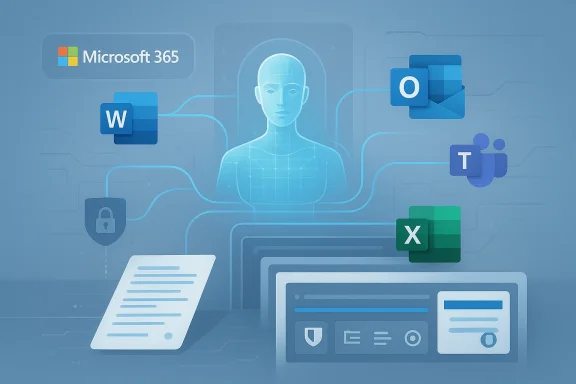
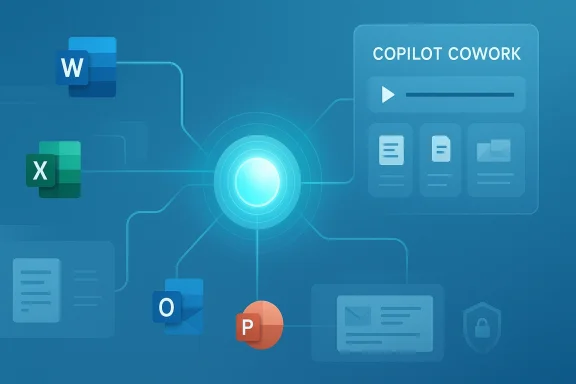
A digital visualization related to the article topic.Background​

Microsoft’s push into AI-assisted productivity began with a familiar promise: make Word, Excel, Outlook, Teams, and PowerPoint faster by embedding generative models into the flow of work. Early Copilot experiences were, in effect, very capable accelerators for drafting and summarizing, but they still required users to orchestrate the workflow manually. That meant the human remained the conductor, and the model stayed closer to a responsive assistant than an active participant. Over time, Microsoft layered in more reasoning capabilities and more integration across the Microsoft 365 ecosystem, laying the groundwork for a broader move toward agents.
The shift to agentic work has been visible in stages. Microsoft has already experimented with reasoning agents such as Researcher and Analyst, and it has been widening model choice inside Copilot surfaces by adding Anthropic’s Claude family to selected experiences. That earlier step matters because it signaled a broader architectural change: Microsoft was willing to move away from a single-model worldview and toward a managed, multi-model platform. Copilot Cowork is the next logical step in that progression, because it is not just about model diversity; it is about granting the system permission to carry work forward over time.
At the center of the announcement is the idea that AI should not merely answer one prompt at a time. Instead, it should understand a task, break it down, use the right sources, and continue working until it produces something usable. Microsoft describes Cowork as a way to handle tasks that can run for minutes or hours, and the company emphasizes that progress can be reviewed, guided, or stopped along the way. That framing is important because it addresses one of the biggest obstacles to enterprise AI adoption: trust is not just about accuracy, but about control, observability, and governance.
This launch also lands in a broader commercial context. Microsoft has been steadily packaging Copilot as a core enterprise platform, and the company’s recent messaging makes clear that it sees AI as a durable operating model for knowledge work, not a bolt-on feature. In parallel, it has been investing in security, identity, governance, and agent management to make enterprise customers more comfortable with autonomous or semi-autonomous systems. Copilot Cowork is therefore not simply a product demo; it is a statement about where Microsoft believes the next generation of workplace software is headed.

What Microsoft Actually Announced​

The headline feature is Copilot Cowork, now in research preview. Microsoft says it is being developed closely with Anthropic and built on the technology that powers Claude Cowork, bringing that agentic capability into Microsoft 365 Copilot for long-running, multi-step work. In plain terms, this means the system is not limited to a single response cycle; it can reason through a task, act across tools, and continue until the job is done or the user intervenes.
The company is also tying the launch to the Frontier program, which serves as its access path for experimental enterprise AI features. Microsoft says Cowork will be available through Frontier in March 2026 after a limited research preview with selected customers. That phased release is consistent with how Microsoft has handled other advanced Copilot capabilities: test in controlled environments first, gather feedback, and only then widen access.

Why the research preview matters​

A research preview is not the same thing as broad commercial availability. It signals that Microsoft believes the capability is promising, but still needs hardening for real-world use. That distinction matters in enterprise software, where a flashy demo is easy and dependable execution under governance is much harder.
The use of a research preview also tells buyers something subtle but important: Microsoft wants early adopters, but it is not yet promising that every workflow will be safe, optimized, or repeatable. In other words, this is the beginning of a product category, not the end state.
The practical implication is that companies should treat Cowork as a sandbox for workflow design rather than a finished replacement for human oversight. That is a sensible posture for a feature that is expected to operate over long durations and across sensitive data sources.
Among the key claims Microsoft makes are that Cowork can work across documents, email, calendars, and other Microsoft 365 data, and that it can remain active while a user does other work. That is a significant step beyond generating a document draft or summarizing a meeting transcript, because it starts to resemble an operational colleague that keeps a project moving. Microsoft’s own messaging frames this as a move from assistance to execution, and that distinction is the core of the announcement.
  • Research preview first, broad rollout later
  • Anthropic technology integrated into Microsoft 365 Copilot
  • Long-running tasks across multiple apps and data sources
  • Human review and interruption built into the workflow
  • Frontier program access for selected customers

The Anthropic Partnership​

One of the most notable parts of the announcement is the collaboration with Anthropic. Microsoft says it is bringing the technology that powers Claude Cowork into Microsoft 365 Copilot, while also continuing to offer Claude in mainline Copilot Chat through the Frontier program. That makes Microsoft’s AI stack look less like a locked garden and more like a model-diverse platform that can select the best engine for the task.
This is strategically important because Anthropic has developed a strong reputation around reasoning-heavy enterprise use cases. By incorporating that capability into Microsoft 365, Microsoft can claim that it is delivering not just broad functionality, but a reasoning layer optimized for long-horizon tasks. The partnership also reflects a pragmatic reality: in enterprise AI, the best model for a job may not be the one built in-house. That is a notable change in tone for a company historically associated with deep platform control.

Model choice as a competitive weapon​

Microsoft’s willingness to mix OpenAI and Anthropic models is more than a technical detail. It is a competitive signal to enterprises that the platform can adapt to different workloads without forcing a single-model dependency. That flexibility could matter to buyers who worry about model drift, vendor concentration, or performance gaps between use cases.
It also raises the stakes for Microsoft’s own orchestration layer. If the platform can route work to different models intelligently, then the value shifts upward into governance, routing, and policy enforcement rather than raw model identity.
The challenge, of course, is integration consistency. A multi-model platform is powerful, but it can also become harder to explain, harder to debug, and harder to govern if the boundaries are not cleanly defined.
Microsoft’s public materials now frame Anthropic not as a side experiment, but as part of a broader enterprise strategy that combines intelligence and trust. That phrasing is deliberate. Microsoft is trying to reassure customers that model diversity will not weaken security posture, and that enterprise controls will remain in place even as the system becomes more autonomous. For large organizations, that reassurance may be as important as the feature set itself.

How Copilot Cowork Changes the Workflow Model​

The biggest conceptual change is that Copilot Cowork is designed to manage work over time, not just generate output in one shot. Microsoft says the system can break down complex requests into steps, reason across tools and files, and carry work forward with visible progress. That is a direct challenge to the old software assumption that a user must explicitly trigger each micro-task.
In practical terms, this could change how teams handle recurring business processes. Meeting prep, market research, spreadsheet creation, status updates, and cross-functional report assembly all become more amenable to delegation if the system can hold context and preserve intent across days or hours. The result is not a full replacement for human work, but a reduction in the amount of repetitive coordination humans must perform.

From chat assistant to execution agent​

The step from chat to agent is bigger than it sounds. A chat assistant is reactive: it waits for a prompt, responds, and stops. An execution agent is proactive: it can plan, continue, and potentially notify the user only when something meaningful changes. That shift creates both value and risk, because the system becomes more useful precisely when it becomes more independent.
This also changes the psychological contract inside the workplace. Employees are no longer just asking an AI for help; they are assigning it work and expecting it to remember the assignment. That is a much heavier trust burden.
The commercial opportunity is obvious. If a system can reliably handle boring but time-consuming work, enterprises may justify higher Copilot adoption, higher seat attachment, and deeper integration into core processes. But the more the system is allowed to act, the more companies will demand auditability and rollback controls.
Microsoft’s emphasis on visible progress, steering, and stop controls is therefore not cosmetic. It is the mechanism that makes long-running automation palatable to enterprises that cannot afford black-box behavior. A system that can be paused or corrected is more likely to survive in regulated and high-stakes environments than one that simply “does the task” in the background.
  • Handles multi-step tasks instead of isolated prompts
  • Works across apps and files, not just one interface
  • Keeps state over time for longer workflows
  • Exposes progress so users can intervene
  • Targets routine coordination work, not just content generation

Enterprise Use Cases Microsoft Is Targeting​

Microsoft is clearly aiming Copilot Cowork at knowledge work that is repetitive, cross-functional, and expensive in human time. The most obvious examples are executive meeting prep, project tracking, market research, and status reporting. These tasks are attractive because they involve synthesizing information from many places, which is exactly where a well-governed agent can add value.
Meeting preparation is a good illustration. An executive assistant or operations lead often spends hours collecting prior notes, scanning email threads, verifying attendee availability, and assembling documents. Cowork is intended to compress that process into a more continuous workflow, gathering context from Microsoft 365 and producing a draft agenda or briefing pack. That does not eliminate judgment, but it could shrink the amount of manual stitching required before a meeting begins.

Market research and synthesis​

Microsoft also highlighted market research as a use case. That matters because research work can benefit from breadth, but it still requires careful verification. If Cowork can ingest news, public filings, and other business sources, then it could accelerate the first pass of competitive intelligence substantially.
The opportunity here is less about replacing analysts than about compressing the time to insight. A team that gets a strong initial synthesis faster can spend more time on interpretation, scenario planning, and decision-making.
Still, analysts will remain essential because synthesis is not the same as truth. AI can gather and organize, but humans will need to validate assumptions and check for missing context.
There is also a potential benefit for internal operations. HR, finance, procurement, and legal teams all deal with long-running administrative workflows that follow recognizable patterns. A permissioned agent that can monitor inputs and prepare outputs could reduce bottlenecks, especially in organizations already standardized on Microsoft 365. The enterprise value proposition is therefore not just productivity in the abstract, but workflow compression inside systems companies already use every day.

Enterprise vs consumer impact​

For enterprise customers, the value is obvious: better throughput, fewer handoffs, and more automation inside governed systems. For consumers, the picture is less immediate because the feature is being framed around organizational data, permissions, and enterprise controls rather than personal productivity alone. That makes Copilot Cowork feel more like a workplace platform than a general-purpose consumer assistant.
  • Executive meeting prep
  • Market and competitive research
  • Project coordination and status tracking
  • Drafting internal reports and briefings
  • Scheduling and calendar-based orchestration

Governance, Security, and Trust​

If Copilot Cowork is going to matter in the enterprise, it will succeed or fail on governance as much as on model quality. Microsoft has made trust a central theme, saying that work is observable, actions are transparent, and progress can be reviewed, guided, or stopped. That design language is meant to reassure security teams that autonomy does not mean opacity.
Microsoft also says the system operates within its security, identity, and governance framework, and that enterprise documents are treated as protected knowledge. That is a critical point because enterprise buyers do not just ask whether an AI can do the work; they ask whether the AI can do the work without leaking data, violating policy, or creating unauthorized access pathways. The answer, at least on paper, is that Cowork is designed to respect existing permission structures rather than bypass them.

Why permissions matter more than prompts​

The strongest AI models in the world are not useful for enterprise work if they cannot be safely constrained. In practice, the real product is often the control system around the model: identity, logging, policy enforcement, and data boundaries. Microsoft understands that better than most, and that is why its launch messaging leans so heavily on enterprise controls.
That does not eliminate risk, but it changes the nature of the risk from “Can the model answer?” to “Can the model act safely?” Those are very different questions.
For regulated sectors, that distinction will determine whether the product is deployable at all. Financial services, healthcare, government contractors, and legal organizations need more than capability; they need proof of compliance and evidence of control.
Microsoft’s broader agent strategy suggests that Copilot Cowork is part of a larger governance story, not an isolated product experiment. The company has also been talking about Agent 365 and security controls for observing and managing agents across an organization, which reinforces the idea that Microsoft sees governance as a platform layer. If that architecture holds up, it could become one of Microsoft’s biggest advantages over smaller AI vendors.
  • Observable actions
  • Reviewable progress
  • Stop-and-steer controls
  • Security and identity integration
  • Permission-aware access to enterprise data
  • No training on public models for enterprise data

Commercial Strategy and Pricing Power​

Although Microsoft is presenting Cowork as a feature preview, the strategic direction is unmistakable: this is part of a larger monetization path for enterprise AI. The company has been expanding Copilot as a platform, and it has repeatedly signaled that advanced capabilities will be tied to premium commercial packaging. That means more of the value is likely to accrue through enterprise subscriptions, upgrades, and higher attachment to Microsoft 365.
The timing is important. Microsoft has been emphasizing Copilot adoption growth and the increasing scale of deployments, which suggests the company is trying to convert usage into sustained commercial momentum. By adding agentic work, Microsoft can justify a stronger value proposition to CFOs and CIOs: not just a helpful assistant, but a labor-amplifying platform. That framing is far more monetizable than a generic productivity chatbot.

Why premium bundles matter​

A premium bundle works when customers believe the added value is tied to measurable output. If Cowork reduces the time spent on recurring workflows, then the business case becomes easier to sell. That is especially true for large organizations where small per-seat improvements can translate into major annual savings.
But premium pricing only works if the system earns trust fast enough. Enterprises are willing to pay for control and capability, not just novelty.
Microsoft appears to be engineering exactly that equation. By combining model diversity, agent management, and security architecture, it is trying to make agentic AI look less like an experiment and more like an enterprise tier of Microsoft 365.
That approach may also help Microsoft defend against competitors that want to position themselves as the “best AI layer” for work. If customers can get model choice, governance, and workflow execution inside one familiar suite, the switching cost becomes much higher. In that sense, Copilot Cowork is not only a product launch; it is a platform retention strategy.
  • Supports Microsoft 365 monetization
  • Strengthens seat expansion logic
  • Creates a premium enterprise value story
  • Improves switching costs
  • Makes AI adoption easier to justify internally

Competitive Implications​

Copilot Cowork raises the bar for rivals because it combines three difficult things at once: enterprise context, long-running task execution, and governance. Many AI vendors can do one of those well, but fewer can do all three inside a sprawling productivity suite with identity, email, calendar, files, and admin controls already in place. That integration moat is one of Microsoft’s most important assets.
The move also puts pressure on other productivity and collaboration platforms to show that they can offer more than copilots that generate text on demand. The next battleground is not whether AI can write a memo. It is whether AI can take responsibility for a workflow, preserve context, and finish the job without a human supervising every step. That is a much harder bar, but it is the bar Microsoft is now setting.

The broader market shift​

The market is moving from prompt response to workflow execution. That transition favors companies that control the surrounding stack: identity, storage, collaboration, admin policy, and app integration. Microsoft fits that description almost perfectly, which is why this announcement matters beyond Microsoft alone.
It also means smaller AI-first firms may need to specialize more aggressively. General-purpose assistant functionality is becoming table stakes, while enterprise-grade orchestration is becoming the premium differentiator.
Anthropic benefits too. Even if the company is not the consumer-facing brand in this story, its technology is now being embedded into one of the largest productivity ecosystems in the world. That is a powerful distribution win, and it could strengthen Anthropic’s profile as the reasoning engine of choice for enterprise agentic work.
At the same time, Microsoft’s multi-model posture may put pressure on OpenAI to differentiate more clearly inside Copilot and adjacent services. A platform that can select among models based on task fit is harder to commoditize, but it also raises expectations across the stack. Competitors will need to respond not only with better models, but with better enterprise workflow design.

Sequential adoption path​

  • Pilot with low-risk, high-repeatability workflows.
  • Validate permissions, logging, and output quality.
  • Expand into meeting prep, research, and reporting.
  • Add more sensitive internal processes only after controls mature.
  • Measure time saved, error rates, and user override frequency.

Strengths and Opportunities​

Microsoft’s launch has real strategic force because it combines the strengths of the Microsoft 365 footprint with a more ambitious AI operating model. If the feature works as advertised, it could meaningfully improve productivity while giving Microsoft a new reason for enterprise customers to deepen their Copilot investment. The opportunity is not just automation; it is the creation of a new default way to move work through an organization.
  • Huge installed base across Microsoft 365 environments
  • Native access to email, calendar, documents, and collaboration data
  • Enterprise-grade controls that make adoption more realistic
  • Model diversity that reduces dependence on a single AI engine
  • Clear productivity narrative for CIOs and business leaders
  • Strong fit for repetitive, multi-step workflows
  • Potential for workflow standardization across departments

Risks and Concerns​

The promise of agentic AI is compelling, but the operational risks are equally real. Long-running systems can drift, misinterpret intent, overstep permissions, or produce outputs that look polished while hiding factual or procedural mistakes. In an enterprise setting, those errors can be expensive, which is why Microsoft’s safeguards will be tested as hard as the model itself.
  • Hallucinated or incomplete outputs in long workflows
  • Permission mistakes if governance is misconfigured
  • Overreliance by employees who may trust polished results too quickly
  • Audit complexity when tasks span multiple apps and days
  • Security concerns around sensitive internal data
  • Workflow fragility if agents depend on inconsistent source material
  • User resistance if autonomy feels too intrusive
The other concern is organizational. A tool like this can create efficiency gains, but it can also blur accountability. If an AI drafts, schedules, summarizes, and prepares material across a project, managers may struggle to define where human responsibility ends and machine assistance begins. That problem will likely become more visible as adoption expands beyond pilot groups. That is the hidden governance tax of autonomy.

Looking Ahead​

The most important thing to watch next is whether Microsoft can convert a promising research preview into a dependable enterprise capability. If Cowork proves itself in early customer environments, it could become a template for a wider class of Microsoft agents that handle increasingly complex business processes. If it stumbles, the company may still have the right strategic idea, but the timeline for broad adoption could stretch out considerably.
The second thing to watch is how Microsoft balances model diversity with platform coherence. The more models and agents it supports, the more critical orchestration becomes. Enterprises will want a simple answer to a hard question: not just which model is used, but who governs the agent, how it is logged, and what happens when it makes a mistake.

What to watch next​

  • Frontier rollout timing and customer eligibility
  • Whether Microsoft expands Cowork beyond initial pilot use cases
  • How strong the governance and audit tooling proves in practice
  • Whether Copilot adoption accelerates after agentic features arrive
  • How Anthropic’s role evolves across the Microsoft 365 stack
Microsoft is trying to redefine workplace software at a moment when many companies are still deciding how much autonomy they want to give AI. Copilot Cowork suggests the company believes the answer is more autonomy, but under strict control and within familiar enterprise boundaries. If that balance holds, the feature could become one of the defining examples of how AI moves from assistant to active participant in the modern office.

Source: Mix Vale https://www.mixvale.com.br/2026/03/...technology-to-automate-business-tasks-en/amp/
 

Microsoft’s Copilot is no longer just a drafting assistant inside Microsoft 365; it is being recast as an execution layer that can plan, act, and return finished work across Office apps. The latest material in the file set points to a broader 2026 strategy shift: agentic Copilot experiences, a new Agent 365 control plane, deeper model diversity, and a premium enterprise bundle framed around long-running workplace tasks rather than simple chat. That makes the beginner tutorial angle more important than ever, because learning Copilot now means learning how to prompt, verify, govern, and collaborate with an AI system that is quietly becoming part of the workflow fabric .

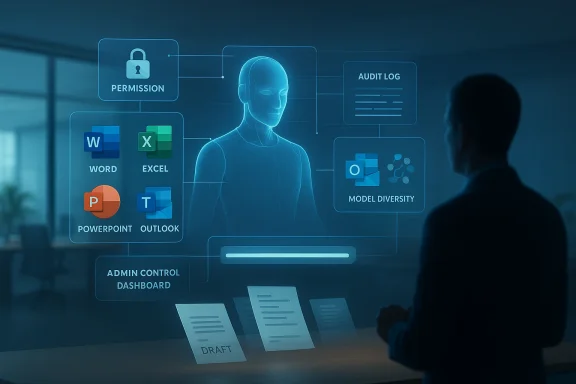
A digital visualization related to the article topic.Background​

Microsoft 365 Copilot began as a productivity promise: a conversational layer embedded across Word, Excel, PowerPoint, Outlook, and Teams that could summarize, draft, rewrite, and search faster than a human starting from scratch. In the earliest phase, the value proposition was simple and easy to explain. Users asked questions in natural language, Copilot responded with first drafts, and the human still did the heavy lifting of checking facts, editing tone, and making final decisions .
That first generation of Copilot fit a familiar software pattern. It reduced friction, but it did not fundamentally change the unit of work. You still wrote the email, built the deck, cleaned the spreadsheet, and managed the meeting notes. Copilot shortened the path, but it remained a helper rather than a teammate. The newer material in the file set suggests Microsoft is deliberately trying to change that relationship, especially in enterprise settings where repeatable tasks, permissions, and governance can be formalized more cleanly .
What is especially notable is the way Microsoft’s own product language has evolved. The company is now leaning toward agentic language, where the system does not merely answer but executes multi-step work. That shift matters because it changes the standard of success. Copilot is no longer judged only by whether it produces a decent paragraph; it is judged by whether it can safely complete a task chain, preserve context, respect policy, and hand back work that requires less cleanup .
The file set also hints at a broader ecosystem change: Microsoft is moving toward model pluralism. Instead of treating one model family as the sole engine of Copilot, the current wave introduces Anthropic’s Claude into specific Microsoft 365 surfaces and agent scenarios, while still keeping Microsoft’s broader platform stack intact. That suggests Microsoft sees the future of workplace AI as orchestration, not dependence on a single model vendor .

What Microsoft 365 Copilot Actually Is​

At its core, Microsoft 365 Copilot is a productivity assistant that sits inside the tools employees already use every day. It is designed to interpret natural-language requests and map them to familiar office work: writing an email, drafting a document, extracting insights from a spreadsheet, summarizing a meeting, or building a presentation. For beginners, that means the interface is less about learning a new app and more about learning a new way to ask for help .

The beginner mental model​

The best way to think about Copilot is as a co-author, not an oracle. It can generate strong first drafts, but it does not absolve the user of judgment. That distinction is crucial because the quality of the output depends heavily on the quality of the request, the permissions available to the system, and the clarity of the task boundaries. Poor prompts produce vague or bloated responses; specific prompts produce cleaner, more useful work products .
For beginners, the practical learning curve is usually about three things. First, learning to ask for outcomes rather than vague assistance. Second, learning to refine outputs with follow-up prompts. Third, learning to review and correct the system when it overreaches or misses context. That pattern is already visible in the way users are being coached to treat Copilot as a productivity amplifier rather than an autopilot .

Why this matters now​

Microsoft’s newer Copilot direction suggests the company wants to move from generation to delegation. That is a major shift in how businesses may use AI. A drafting assistant can be sandboxed mentally; a doing assistant requires trust, governance, and auditability. The beginner guide of 2025 therefore needs to be read not just as “how to use Copilot,” but as “how to supervise a system that is becoming more operational” .
  • Copilot helps with drafting, summarizing, and rewriting.
  • It is strongest when tasks are specific, bounded, and reviewable.
  • It is weakest when the prompt is ambiguous or the user expects perfect autonomy.
  • The enterprise version is increasingly tied to governance and permissions.
  • The consumer expectation of convenience is giving way to a more serious workplace role.

The 2025 Beginner Tutorial: Where Users Start​

A beginner tutorial for Microsoft 365 Copilot in 2025 should start with practical use cases, not abstract AI theory. The most common entry points remain email drafting, meeting recap generation, document summarization, and slide creation. These are the areas where users can see a visible return within minutes, which is why Copilot adoption tends to spread from individual curiosity to departmental habit .

Starting with low-risk tasks​

The smartest first move is to begin with low-risk outputs. Ask Copilot to summarize a long document, turn notes into a project brief, or draft a polite follow-up email after a meeting. These tasks let beginners learn how the assistant responds without risking major factual or legal mistakes. They also reveal the system’s style, speed, and limits in a controlled setting .
A beginner-friendly workflow usually looks like this: ask for a draft, inspect it, revise the request, and then finalize manually. That sequence is not a weakness; it is the operating model. The human remains accountable, and Copilot supplies velocity. In practice, the best users are not the ones who accept the first answer, but the ones who use the first answer as a starting point .

Prompting as a core skill​

The file set repeatedly underscores prompt quality as a real differentiator. Microsoft’s training materials and recent community writing frame prompt crafting as a beginner skill, not an advanced trick. That is a subtle but important message: the barrier to entry is lower than ever, but the ceiling for useful output is still determined by how well the user describes the job .
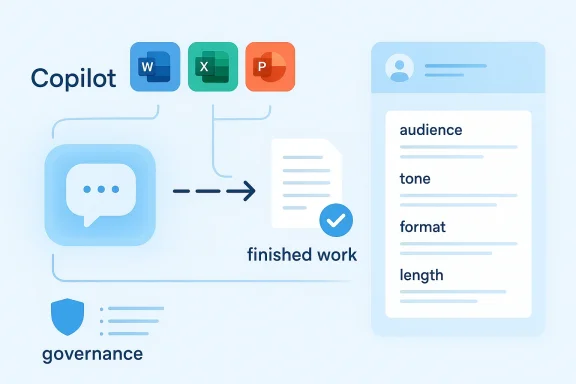
Beginners should think in terms of structure. Specify the audience, tone, format, length, and purpose. A request like “write a summary” is much weaker than “write a 150-word executive summary for a finance director, emphasizing risk, costs, and next steps.” The latter gives Copilot enough information to create something that feels intentional rather than generic. Specificity is the difference between a convenient assistant and a frustrating one.
  • Ask for an outcome, not just an action.
  • Include tone, audience, and format.
  • Use follow-up prompts to narrow or expand.
  • Review for factual accuracy and context.
  • Treat the first draft as a work-in-progress.

Word, Excel, PowerPoint, and Outlook: The Practical Differences​

Copilot is not one tool in the abstract; it behaves differently depending on the app. In Word, it is largely about composition, restructuring, and transformation of existing material. In Excel, it is more about interpretation, pattern-finding, and quick analysis. In PowerPoint, it becomes a deck-building accelerator. In Outlook, it acts as a communication compressor, helping users triage and draft faster .

Word and long-form drafting​

Word is where beginners often feel the most immediate payoff. Copilot can transform rough notes into a readable memo, reshape a document into a more formal tone, or condense a long draft into something shorter and sharper. The tool’s main benefit here is not brilliance; it is momentum. It helps users get from blank page to editable structure quickly, which is often the hardest part of writing at work .

Excel and analytical shortcuts​

In Excel, Copilot is more useful when the question is analytical rather than computational. Users can ask it to explain a trend, identify a likely outlier, or suggest a chart type. It is best understood as a translation layer between plain English and spreadsheet logic. That is useful for beginners because it lowers the intimidation factor of formulas and data exploration, although it does not eliminate the need for verification .

PowerPoint and presentation drafting​

PowerPoint remains one of Copilot’s most compelling beginner use cases, because presentation work is often a combination of structure, narrative, and formatting. The file set includes evidence that Copilot can generate a surprisingly usable deck draft, but also that a human design pass still matters. Theme consistency, image choice, font hierarchy, and bullet trimming often determine whether the output feels polished or merely serviceable .

Outlook and meeting-heavy work​

Outlook is where Copilot can quietly save the most time for busy professionals. Drafting replies, summarizing long email threads, and pulling action items out of conversations are all high-frequency tasks. That is part of why Microsoft continues to position Copilot as a time-saver rather than just a novelty; it is designed to attack friction in the least glamorous but most repetitive parts of the day .
  • Word helps with narrative and document cleanup.
  • Excel helps with interpretation and analysis.
  • PowerPoint helps with structure and first-pass design.
  • Outlook helps with triage, reply drafting, and summarization.
  • Teams helps convert meetings into action items and summaries.

Copilot Chat, Copilot Studio, and Model Choice​

Microsoft’s newer strategy suggests there is no single Copilot experience anymore. There is the general user-facing assistant, there are deeper workplace integrations, and there is the more customizable Copilot Studio layer for building and tailoring agents. In the file set, model choice is now explicitly part of the story, with Anthropic’s Claude appearing in Microsoft 365 Copilot contexts such as Researcher and Copilot Studio .

Why model diversity matters​

For users, model choice is mostly invisible. For IT teams and product planners, it is a major strategic signal. It means Microsoft is increasingly acting as a platform orchestrator rather than a pure model monopolist. That can improve resilience, widen capability coverage, and reduce dependency risk. It also signals that the company believes different workloads may benefit from different model strengths .

What beginners should notice​

Beginners do not need to memorize model names to benefit from this shift, but they should understand its practical implications. Output quality may vary across tasks, and the same assistant can behave differently in different surfaces. That is especially important when a user is moving from basic chat into enterprise features or agent-building tools. The interface may look unified, but the behavior underneath is increasingly layered.
Microsoft’s move also reduces the old assumption that Copilot equals a single AI brain. Instead, it is closer to a managed service stack with different engines, policies, and capabilities behind the curtain. That is a more mature architecture, but it is also more complex to explain to nontechnical users. Beginners will likely experience the benefits first and the complexity later .
  • Model diversity may improve performance on different tasks.
  • The same prompt can yield different behavior across surfaces.
  • Enterprise users need stronger governance and auditability.
  • Beginners should focus on outcomes, not model branding.
  • Platform complexity is rising even as usability improves.

Agent 365 and the Move Toward Long-Running Work​

One of the most significant signals in the file set is the emergence of Agent 365, a control plane designed to manage agents at scale. That tells us Microsoft is not just adding AI features; it is building the operational scaffolding for AI systems that persist over time, work across apps, and require supervision. This is a major leap from one-shot prompt-and-answer interactions .

From assistant to coworker​

The language of “coworker” is not accidental. It suggests a durable role in the workflow, one that can be assigned responsibility for recurring or multi-step tasks. In theory, that could mean scheduling, compiling reports, preparing status updates, or assembling research packets with permissioned access to work data. In practice, it means Microsoft is trying to turn AI into an operational layer that behaves less like a tool and more like a constrained colleague .

Why governance becomes central​

Once an AI system can plan and execute across mail, files, meetings, and spreadsheets, governance stops being a side issue. It becomes the product. That is why a control plane matters: organizations need policy controls, logging, access boundaries, and review workflows. Without those controls, agentic AI would create more risk than productivity. The file set consistently frames Microsoft’s newer Copilot work as a governance-first enterprise proposition, not just a consumer feature update .

What this means for beginners​

For beginners, the practical lesson is that Copilot is becoming more powerful but also more consequential. The user can no longer assume that every request is a harmless drafting exercise. If Copilot can reach across apps and handle multi-step tasks, then users need better habits around permissions, verification, and escalation. Convenience now has an administrative cost.
  • Long-running tasks require oversight.
  • Permissions matter more than ever.
  • Auditability becomes part of the user experience.
  • Misconfiguration can turn productivity into exposure.
  • Beginners should learn governance basics early.

Enterprise Impact vs Consumer Impact​

The enterprise story and the consumer story are diverging. In the enterprise, Copilot is increasingly about control, compliance, model choice, and workflow automation. In consumer or small-team usage, it is still about speed, convenience, and getting started with AI in a low-friction way. That split is one of the clearest markers of Microsoft’s evolving AI strategy .

Enterprise users​

For enterprises, Copilot’s value is tightly tied to measurable time savings, document quality, meeting productivity, and knowledge retrieval. The file set even points to a Department for Work and Pensions trial that measured an average daily saving of 19 minutes per user, suggesting that productivity gains can be real even if they are not revolutionary. More importantly, enterprises care about repeatability and oversight, which is why Microsoft’s governance messaging is gaining weight .

Consumer and small-business users​

For smaller organizations and individual users, the appeal is simpler. Copilot makes it easier to start writing, build slides, and digest information without needing advanced technical skills. The biggest benefit is often psychological: it removes blank-page anxiety and lowers the barrier to finishing routine tasks. But the cost of that simplicity is that users may underestimate the need to fact-check outputs and refine the assistant’s work .

The strategic split​

This bifurcation is important because it explains why Microsoft can keep expanding Copilot without making every feature equally simple. Enterprise buyers are effectively funding the more sophisticated infrastructure layer, while general users benefit from the resulting polish and convenience. That makes Copilot look less like a single product and more like a portfolio of AI experiences held together by Microsoft 365 identity, policy, and data access .
  • Enterprise = governance, compliance, scale.
  • Consumer = speed, ease, accessibility.
  • Small business = practical productivity gains.
  • IT teams = policy and risk management.
  • End users = prompt discipline and verification.

The Competitive Landscape​

Microsoft is not moving in isolation. The Copilot shift reflects competition across the broader AI assistant market, where vendors are racing to turn chatbots into work platforms. Microsoft’s advantage is obvious: it already owns the desktop productivity stack, the cloud identity layer, and much of the enterprise distribution path. That gives Copilot a reach that rivals have to work harder to match .

Why Microsoft has an edge​

Microsoft’s real strength is not simply that it has AI. It is that it can embed AI into the tools where work already happens. That creates a distribution moat. When Copilot is available inside Word, Excel, Outlook, and Teams, the switching cost is not only financial; it is behavioral. Users do not need to leave their workflow to adopt the assistant, which makes it easier for Microsoft to normalize AI usage across organizations .

Where rivals can still challenge​

Rivals can still compete on model quality, specialization, and ease of use. A focused assistant may outperform Microsoft on a specific task, especially if it is designed around one workflow rather than many. But Microsoft’s latest move toward multi-model orchestration and agent governance suggests it is trying to neutralize that argument by making Copilot more adaptable and enterprise-ready .

The market implication​

The broader market implication is that workplace AI is moving from experimentation to procurement. That means buyers will ask less about demos and more about controls, pricing, adoption, and measurable outcomes. Microsoft understands that shift well. It is positioning Copilot not as a flashy add-on, but as the default layer for AI-enabled productivity inside the Microsoft 365 estate. That is a powerful commercial position.
  • Microsoft benefits from default placement.
  • Rivals must win on specialization or simplicity.
  • Enterprise trust is becoming a buying criterion.
  • Pricing and tiering matter more than raw novelty.
  • Workflow integration is now the main battleground.

User Experience, Training, and Adoption​

A beginner’s guide in 2025 has to address something very practical: users rarely fail because the AI is absent; they fail because they do not know how to work with it. Adoption depends on training, expectations, and habit formation. The file set’s recurring emphasis on prompts, workflows, and verification suggests Microsoft’s ecosystem is moving toward a more literate user base, not a more passive one .

Why training matters​

Copilot works best when users understand that they are shaping a task, not submitting a wish. Training helps people learn how to structure requests, set scope, and evaluate outputs. Without that, users are likely to cycle between disappointment and overconfidence. Good training makes the tool feel sharper and safer at the same time .

Habit changes inside organizations​

In organizations, Copilot adoption often changes meeting behavior, document review, and email drafting standards. Teams may start asking for summary notes after every call, or use Copilot to create draft briefs before human editing. That can improve velocity, but it can also create a false sense of completeness if teams stop checking the source material. Speed without verification is just faster error propagation.

The beginner rulebook​

A simple adoption rulebook makes Copilot more effective. Ask for one task at a time. Start with well-defined content. Compare output against source material. Save useful prompts. And remember that style is not substance. The assistant can help with phrasing and organization, but the user owns the substance of the work.
  • Start with summaries and drafts.
  • Use specific prompts with constraints.
  • Check every factual claim.
  • Refine outputs with follow-up prompts.
  • Keep a library of prompts that work.

Strengths and Opportunities​

Microsoft 365 Copilot’s biggest strength is that it sits where the work already happens, which makes adoption far easier than a separate AI app. The newer platform direction also suggests Microsoft is building for durability, with agent controls, model diversity, and enterprise governance all moving into the core story. That gives Copilot a credible chance to become a standard workplace utility rather than a temporary AI novelty.
  • Deep Microsoft 365 integration makes the assistant highly accessible.
  • Strong first-draft generation saves time on repetitive work.
  • Enterprise governance can reduce risk and increase trust.
  • Model diversity may improve flexibility across tasks.
  • Agentic workflows could meaningfully expand productivity.
  • Prompt literacy gives users a simple path to better results.
  • Platform familiarity lowers the adoption barrier for beginners.

Risks and Concerns​

The biggest risk is that users and organizations will confuse convenience with correctness. Copilot can produce polished output quickly, but polished output is not automatically accurate, complete, or compliant. The more Microsoft moves toward long-running agents and permissioned execution, the more the product inherits classic enterprise concerns around access control, audit logs, liability, and human oversight.
  • Hallucinations and errors remain a real concern.
  • Overreliance may reduce careful human review.
  • Permission sprawl could increase security exposure.
  • Governance complexity may overwhelm smaller IT teams.
  • Tier fragmentation could confuse users about what they own.
  • Change management will be hard in conservative organizations.
  • Autonomous behavior raises accountability questions.

Looking Ahead​

The next phase of Microsoft 365 Copilot will likely be defined by how far Microsoft can push from assistance into action without losing trust. If Agent 365 and related governance layers work as intended, Copilot could become a serious operational platform for routine workplace tasks rather than merely an AI writing tool. If those controls lag behind the ambition, however, the result could be a powerful system that enterprises hesitate to let loose.
Another thing to watch is whether the beginner experience stays simple while the backend gets more complex. That balance will be crucial. Microsoft has a history of layering sophistication under familiar interfaces, and Copilot appears to be following that pattern. The more successful the platform becomes, the more important it will be to preserve clarity for ordinary users even as it scales into more advanced, permissioned, and agent-driven work .
  • Watch for broader rollout of agentic Copilot features.
  • Track whether Agent 365 becomes a real governance standard.
  • Monitor how Claude integration changes output quality.
  • Pay attention to pricing and packaging for enterprise buyers.
  • Expect more emphasis on training, prompts, and verification.
Microsoft’s Copilot story in 2025 and beyond is ultimately a story about the changing definition of productivity software. The company is not merely adding AI to Office; it is trying to redefine Office around AI-assisted and eventually AI-executed work. For beginners, that means the lesson is not just how to ask Copilot for help, but how to work alongside a system that is becoming more capable, more embedded, and more consequential with every release.

Source: Fathom Journal Fathom - For a deeper understanding of Israel, the region, and global antisemitism
 

Microsoft’s Copilot strategy just crossed a meaningful line: Copilot Cowork is no longer being positioned as a clever drafting assistant, but as a long-running agentic coworker that can plan, execute, and return finished work across Microsoft 365. The feature is now available through Microsoft’s Frontier program, bringing a more ambitious vision of workplace AI into the hands of early adopters while Microsoft simultaneously doubles down on governance, model diversity, and enterprise controls. In practical terms, this is Microsoft’s clearest signal yet that the future of Copilot is not just chat, but delegated work.

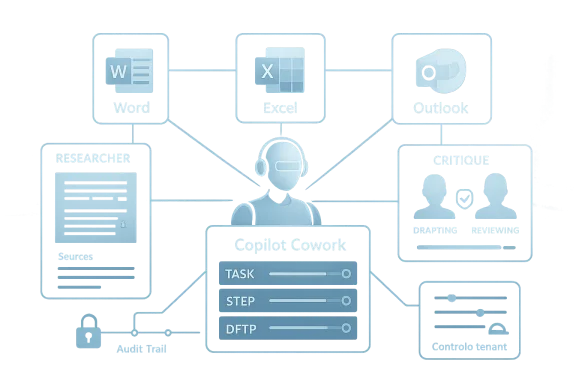
A digital visualization related to the article topic.Overview​

For much of the last two years, Microsoft 365 Copilot has been framed as a productivity layer: a way to summarize meetings, draft documents, and generate faster first passes inside Word, Excel, PowerPoint, Outlook, and Teams. That was already a big shift, but it still preserved the old mental model of software as a tool that responds to prompts. Copilot Cowork changes that framing by allowing the system to break down a request into steps, work across tools and files, and keep moving while users watch progress unfold. Microsoft says this work can continue for minutes or hours, which places Cowork closer to an operational collaborator than a simple assistant. (microsoft.com)
The timing matters. Microsoft has spent the first quarter of 2026 building a broader “Frontier Transformation” narrative around intelligence + trust, pairing new AI capabilities with a tighter enterprise governance story. In its March 9 announcements, Microsoft stressed that Copilot is now “model diverse by design,” highlighted Anthropic’s technology in Copilot, and described Copilot Cowork as a research preview built in close collaboration with Anthropic. That positions the new feature not as an isolated experiment, but as part of a coherent platform shift. (blogs.microsoft.com)
The Frontier framing is also strategic from a product rollout perspective. Microsoft has made a habit of staging ambitious capabilities in limited or preview channels before broadening access, and Cowork fits that pattern. The March 30 update that brought Copilot Cowork into Frontier gives Microsoft a place to test the behavior of long-running agentic workflows under real-world enterprise conditions, where security, auditability, and permission boundaries are nonnegotiable. That is a very different environment from consumer-facing AI demos, and Microsoft knows it. (blogs.microsoft.com)
Just as important, Cowork arrives alongside a more formalized control stack. Microsoft has been talking about Agent 365 as the “control-plane for AI agents,” and its wider Frontier Suite bundles Copilot, Agent 365, Microsoft Entra Suite, and Microsoft 365 E7 into a single enterprise offer. That tells us the company is not merely shipping a new AI feature; it is building the administrative scaffolding that large organizations need before they will let agents do real work. (blogs.microsoft.com)

What Copilot Cowork Actually Changes​

The most important change is conceptual. Microsoft is moving Copilot from the realm of “help me write this” into “do this for me,” and that is a huge jump in both capability and expectation. A drafting assistant can be tolerated if it occasionally makes mistakes, because a human remains the primary author. An agentic coworker, by contrast, is expected to execute a workflow, preserve context, and keep momentum without constant handholding. That creates new value, but it also creates new failure modes. (microsoft.com)
Copilot Cowork is built around long-running, multi-step work rather than one-shot generation. Microsoft describes it as able to break down complex requests into steps, reason across tools and files, and carry work forward with visible progress and opportunities for steering. That matters because a lot of real office work is not a single artifact; it is a chain of activities involving email, calendars, documents, spreadsheets, approvals, and follow-ups. A system that can remain active across that chain is potentially far more useful than one that only produces text on demand. (microsoft.com)

From artifact generation to workflow execution​

The old Copilot model was mostly about generating content. The new model is about orchestration, and that distinction is easy to underestimate. If a user asks for a summary, a deck outline, or a spreadsheet formula, the output is an object. If the user asks for help planning a campaign, assembling research, collecting inputs from colleagues, and packaging the result, the output is a process. Cowork is designed for the second category, and that is where enterprise time savings can become meaningful. (microsoft.com)
Microsoft is also explicit that Cowork is grounded in the organization’s own context through Work IQ, which gives it access to relevant work materials rather than isolated fragments. That is crucial, because enterprise AI systems fail when they are context-poor. The more a system understands how work is actually done, the less brittle it becomes. But that same access is also why governance and visibility have become central to Microsoft’s pitch. (microsoft.com)
At the same time, the feature is still framed as a managed experience rather than a free-roaming agent. Microsoft emphasizes observable work, transparent actions, and the ability to review, guide, or stop progress. That is a subtle but important message to IT teams: the company wants to convince buyers that autonomy does not have to mean opacity. In enterprise software, trust is often the real product. (microsoft.com)
  • Long-running tasks are the headline change.
  • Visible progress gives users a chance to intervene.
  • Cross-app coordination is where the real productivity gains may emerge.
  • Enterprise observability is the difference between a toy and a deployable platform.
  • Human steering remains part of the workflow, not an afterthought.

Why Anthropic matters here​

Microsoft is not pretending this is all homegrown. It says Copilot Cowork was built closely with Anthropic, using the technology that powers Claude Cowork. That should be read as more than a model-selection note. It suggests Microsoft is willing to import outside agentic capability when it sees an advantage, especially if that capability helps it move faster than rivals in the race toward autonomous office workflows. (microsoft.com)
That choice also reinforces Microsoft’s model-diverse positioning. Rather than betting the enterprise future on one provider, Microsoft is making Copilot a managed layer that can surface different frontier models for different tasks. The company argues that this gives customers choice, flexibility, and better performance. More importantly, it reduces the impression that Copilot is a closed box, which may matter to buyers worried about lock-in. (blogs.microsoft.com)
The competitive implication is straightforward: Microsoft wants Copilot to be seen not only as Microsoft’s own AI, but as the best place to consume the best AI. That is a powerful framing in a market where model quality changes quickly and enterprise buyers want options without having to rebuild their stack every quarter. It is also a hedge against the possibility that any single frontier model could be surpassed. (blogs.microsoft.com)

The Frontier Program Strategy​

The Frontier program is Microsoft’s way of packaging experimentation without making it feel chaotic. It gives early access to capabilities that are still evolving, while keeping them within the boundaries of Microsoft’s enterprise posture. For customers, that means getting first look at the future; for Microsoft, it means collecting feedback, controlling expectations, and avoiding the reputational risk of overpromising in a broad release. (microsoft.com)
This approach matters because agentic AI is more fragile than standard assistant workflows. A text generator can be corrected in the moment, but a workflow agent can chain actions, mutate state, or make decisions that have downstream consequences. Frontier lets Microsoft expose that power to serious customers without pretending the product is finished. In that sense, the program is as much a governance mechanism as a distribution channel. (microsoft.com)
Microsoft’s language around Frontier also makes a broader business point: this is not meant to be a niche preview for hobbyists. The company keeps anchoring the discussion in enterprise work, productivity, and security. That is why it keeps pairing Copilot Cowork with Word, Excel, PowerPoint, Outlook, Microsoft Defender, Entra, Purview, and related controls. The message is clear: if AI is going to automate work, it has to live inside the systems that already govern work. (microsoft.com)

Why previews matter more for agents than for chatbots​

With chatbots, preview often means “rough edges.” With agents, preview means something else entirely: behavioral uncertainty. Enterprises need to know whether the system respects permissions, whether it can be audited, whether it can be stopped, and whether the outputs are reproducible enough to trust. Frontier provides the sandbox Microsoft needs to answer those questions before broad rollout. (microsoft.com)
There is also a commercial incentive to sequence the rollout carefully. Microsoft has already shown strong adoption momentum for Copilot, including growth in paid seats and large-scale deployments. By layering Frontier on top of that base, Microsoft can create an upgrade path for organizations that want more automation, more control, and more platform integration. In other words, Frontier is both a testbed and a funnel. (blogs.microsoft.com)
The broader software industry should pay attention. Preview channels for agentic systems are likely to become the norm, not the exception, because vendors need to reconcile rapid innovation with slower enterprise trust cycles. Microsoft is simply the most visible company trying to formalize that tension into a product category. (microsoft.com)
  • Frontier provides controlled access to emerging AI features.
  • It helps Microsoft balance speed and safety.
  • It creates a structured path from preview to enterprise deployment.
  • It gives Microsoft feedback on agent reliability in real work.
  • It turns experimentation into a managed commercial motion.

Work IQ and the Context Problem​

A lot of AI hype collapses once you ask the simplest question: where does the system get its context? Microsoft is clearly trying to answer that with Work IQ, which it describes as an intelligence layer that helps Copilot understand how people work, with whom they work, and the content they collaborate on. That matters because context is what separates a generic model from a useful enterprise system. (blogs.microsoft.com)
Work IQ is significant because it attempts to make the AI system feel native to work rather than attached to work. In a business environment, that difference is critical. A tool that merely reads documents can be helpful; a tool that understands the social and procedural flow around those documents is much more powerful. It can prioritize the right files, infer the right stakeholders, and keep tasks aligned with the way an organization actually operates. (blogs.microsoft.com)
That said, a deeper context layer raises the stakes. The more information an AI system can inspect, the more careful the organization must be about permissions, retention, and output handling. Microsoft’s repeated emphasis on Enterprise Data Protection, security identities, and governance is not marketing fluff; it is the prerequisite for making Work IQ acceptable to regulated or cautious industries. Without those protections, the context layer becomes a liability. (microsoft.com)

Context is what makes agents useful​

Without context, an agent is just an expensive automation script. With context, it can handle ambiguity, choose the right inputs, and adapt as a task evolves. That is why Microsoft keeps saying Cowork can reason across tools and files rather than just respond to prompts. It is trying to build an agent that operates in the reality of office work, not in a vacuum. (microsoft.com)
This is also where the technical challenge becomes product differentiation. Competitors can build chat interfaces, and many can build workflow automations. The hard part is making the system useful across the messy middle where human work actually happens: incomplete requirements, changing documents, partial approvals, and conflicting priorities. Work IQ is Microsoft’s answer to that messy middle. (blogs.microsoft.com)
If Microsoft gets this right, the payoff is large. The company could move Copilot from “helpful” to “indispensable” by making it aware of the organization’s structure, history, and habits. If it gets it wrong, however, users will experience the system as invasive, overconfident, or simply too opaque to trust. That tension will define the next phase of Copilot adoption. (microsoft.com)

Enterprise Control Becomes the Product​

One of the most revealing parts of Microsoft’s current AI strategy is how much emphasis it places on control planes. Agent 365 is not a side feature; it is a pillar of the company’s frontier story. Microsoft says it gives IT and security leaders a single place to observe, govern, manage, and secure agents across the organization. That framing makes sense because once agents can act over time, the governance problem becomes much bigger than simple content filtering. (blogs.microsoft.com)
The company’s security messaging is especially forceful here. Microsoft points to tens of millions of agents in the Agent 365 Registry, more than 500,000 agents visible internally, and substantial employee usage in research, coding, sales intelligence, customer triage, and HR self-service. Those numbers serve two purposes: they show momentum, and they make the case that governance must scale just as fast as innovation. (blogs.microsoft.com)
This is where Microsoft’s pitch gets more mature than the average AI vendor pitch. It is not saying “trust us because the model is smart.” It is saying “trust us because the control stack is real.” That is a very enterprise-native argument, and it is likely to resonate with CIOs who have seen too many AI pilots stall because nobody could explain who did what, when, and why. (microsoft.com)

Governance is no longer optional​

The more autonomous the agent, the more dangerous poor oversight becomes. If a system can interact with email, calendars, files, and workflows, it can also create confusion or exposure if permissions are misconfigured. Microsoft’s answer is to embed governance into the platform itself, not bolt it on later. That is the only realistic approach for large organizations. (microsoft.com)
There is also a cultural dimension. Employees need to know what the agent is doing, managers need to know how output was produced, and security teams need to know whether the work stays within policy. Microsoft’s insistence that work is observable, transparent, and stoppable is an acknowledgment that agency without traceability is unacceptable in most enterprises. (microsoft.com)
That distinction could help Microsoft outpace rivals who are still focused primarily on model performance or user-facing convenience. In enterprise AI, the long-term winners may be the vendors that make autonomy feel boringly governable. Microsoft is trying hard to occupy that lane. (blogs.microsoft.com)
  • Agent 365 is the governance layer that makes the story credible.
  • Transparency is now a feature, not a compliance add-on.
  • Observability will matter as much as model quality.
  • Permissions will determine whether agents are useful or dangerous.
  • Security teams are part of the target audience, not just procurement.

A higher-level commercial bet​

Microsoft’s Frontier Suite and Microsoft 365 E7 packaging show how much it wants to turn governance into a revenue layer. The company says E7 unifies Microsoft 365 E5, Copilot, Agent 365, Entra Suite, and advanced Defender, Intune, and Purview capabilities, with pricing below buying everything separately. That is a strong upsell story for customers who want simplification as much as capability. (blogs.microsoft.com)
This is also a smart way to align procurement with AI maturity. Organizations that just want basic productivity help can stay on cheaper paths, while those that want agentic automation at scale can move into the Frontier Suite. Microsoft is effectively creating a ladder from experimentation to enterprise standardization. (blogs.microsoft.com)
For rivals, this is a warning sign. The market is moving from standalone AI features toward bundled control-and-compliance platforms. Once that happens, it becomes harder for smaller competitors to compete on novelty alone. They will need either superior model performance or superior workflow integration to stay relevant. (blogs.microsoft.com)

Why This Matters for the Competitive Landscape​

Microsoft’s move is important not just because of what it does, but because of what it suggests about the next competitive phase of enterprise AI. The first wave of Copilot competition was about assistant quality: who could summarize better, draft faster, and integrate with documents cleanly. The next wave is about who can safely do the work. That is a much harder standard. (microsoft.com)
If Copilot Cowork delivers in practice, Microsoft can claim a strong advantage in distribution. It already sits where work happens for millions of users, and it controls the surrounding identity, security, and collaboration stack. Adding agentic capabilities on top of that base could make Copilot feel less like an add-on and more like the operating layer for digital work. That is a powerful position to defend. (blogs.microsoft.com)
Anthropic’s presence also complicates the competitive map. Rather than presenting a fully vertically integrated stack, Microsoft is signaling that it can incorporate best-in-class external technology while keeping the customer relationship anchored in Microsoft 365. That could put pressure on model providers that lack comparable distribution, and on software vendors that lack comparable workflow surface area. (blogs.microsoft.com)

The enterprise versus consumer divide​

For consumers, agentic AI often looks magical in demos but inconsistent in daily use. For enterprises, the bar is much higher because the consequences of errors are larger and the environments are more constrained. Microsoft’s Copilot Cowork launch is clearly aimed at the enterprise side of that divide, where permissions, compliance, and traceability can justify premium pricing. (microsoft.com)
That means consumer expectations should not be projected onto this release. This is not a general-purpose personal assistant rollout; it is a governed productivity system for organizations willing to trade some simplicity for more capability and more control. The most relevant question is not whether the agent is clever, but whether it can be deployed responsibly at scale. (microsoft.com)
The competitive takeaway is blunt: enterprise AI is becoming a platform war again, not just a model race. And Microsoft has decided to make Copilot the platform where model, workflow, identity, and governance converge. (blogs.microsoft.com)

Strengths and Opportunities​

Microsoft has several obvious strengths here, and they are the reason Copilot Cowork is more than another preview headline. The company is combining model diversity, workflow context, and enterprise governance into one story, which gives it a credible path from pilot to production. It also has the distribution and installed base to make adoption easier than for most would-be rivals.
  • Deep Microsoft 365 integration makes the feature relevant to real work.
  • Work IQ gives the system richer context than a generic chatbot.
  • Anthropic collaboration adds credible agentic capability.
  • Frontier creates a clean preview-to-deployment path.
  • Agent 365 addresses the governance gap that slows enterprise AI.
  • Bundled pricing may simplify procurement for large customers.
  • Cross-app workflows could deliver tangible time savings in complex knowledge work.
The biggest opportunity is that Microsoft can redefine Copilot from an accessory into infrastructure. If enterprises start treating Copilot as the layer that moves tasks between apps, then Microsoft wins not just on features, but on habit formation. That is how platform power compounds. (blogs.microsoft.com)

Risks and Concerns​

The same features that make Copilot Cowork compelling also make it risky. Long-running agents can create ambiguity, overreach, or hidden errors if the user loses track of what has been delegated. Microsoft knows this, which is why it keeps emphasizing observability and stop controls, but the operational reality will depend on how well those promises hold up outside polished demos.
  • Permission mistakes could expose sensitive data.
  • Workflow errors may compound over time rather than fail fast.
  • User overtrust could lead to unverified outputs being accepted.
  • Complex governance may slow adoption in cautious organizations.
  • Preview instability is normal for Frontier, but still a concern.
  • Model variability could produce inconsistent results across tasks.
  • Change management may be harder than the technology itself.
There is also a subtle product risk. If Microsoft pushes autonomy too aggressively, users may feel the system is acting for them rather than with them. Enterprise AI succeeds when it augments judgment, not when it tries to erase it. The best adoption path is likely to remain a hybrid one, with humans steering and agents executing. (microsoft.com)
A final concern is commercial complexity. The more Microsoft bundles together Copilot, Agent 365, security controls, and higher-tier licensing, the more it risks making the AI story harder to understand. That may be fine for large enterprises, but it can create friction for smaller customers or IT teams trying to determine where value actually begins. (blogs.microsoft.com)

Looking Ahead​

The next phase will be about proof, not promises. Microsoft has set up Copilot Cowork as a meaningful step in its Frontier roadmap, but the real test will be whether customers can use it to complete dependable work with fewer interruptions, lower overhead, and better governance than existing methods. If the answer is yes, the feature could become one of the most consequential changes to Microsoft 365 since Copilot itself launched. (microsoft.com)
The broader market will also be watching how Microsoft balances model diversity with product consistency. If Anthropic-powered agentic workflows outperform Microsoft’s other Copilot experiences in specific contexts, Microsoft may lean further into a multi-model future. If not, the company will have to prove that selection and orchestration matter more than any single model brand. Either way, the direction is now clear: agentic work is becoming the core story.
  • Watch for broader access beyond Frontier.
  • Watch for enterprise case studies that quantify productivity gains.
  • Watch for governance features that reduce rollout friction.
  • Watch for integrations that deepen cross-app task execution.
  • Watch for whether Microsoft keeps expanding model choice.
The real significance of Copilot Cowork is that it reframes the software contract. Microsoft is no longer just promising better assistance; it is promising delegated execution inside a controlled enterprise fabric. If that promise holds, the future of Microsoft 365 will look less like a suite of apps and more like a coordinated system of human intent, AI reasoning, and governed action.

Source: Neowin Microsoft's Copilot Cowork is now available via the Frontier program
Source: SiliconANGLE Microsoft accelerates agentic automation with Copilot Cowork for complex workflows - SiliconANGLE
Source: Microsoft Copilot Cowork: Now available in Frontier | Microsoft 365 Blog
Source: IT Pro Microsoft is rolling out Copilot Cowork to more customers
 

Microsoft’s Copilot strategy has just crossed a meaningful line. With Copilot Cowork now available through the Frontier program, Microsoft is no longer positioning its AI as a drafting aid that suggests text and summarizes meetings; it is framing it as a long-running agent that can plan, execute, and return finished work across Microsoft 365. The move is significant not only because it expands what Copilot can do, but because it shows how Microsoft intends to sell the future of workplace AI: as a governed, permissioned, enterprise-first operating layer rather than a novelty chatbot. That shift is already reshaping how the company talks about productivity, control, and model choice .

A digital visualization related to the article topic.Overview​

For much of the last two years, Microsoft 365 Copilot has been sold as a productivity multiplier. It helped users draft emails, summarize documents, generate slide decks, and extract quick insights from data already inside Microsoft’s ecosystem. That was a substantial change in itself, but the mental model still felt familiar: a human asked, the software answered, and the human remained firmly in charge. Copilot Cowork changes that framing by taking a request and turning it into a sequence of actions that can unfold over minutes or hours, not seconds .
The idea behind agentic AI is that the model does not merely respond to prompts; it decomposes a goal, chooses a path, and carries out steps against the right tools and files. Microsoft’s latest move suggests that it sees this as the next phase of productivity software. Rather than a better autocomplete, the company is aiming at something closer to a digital colleague with enough memory, context, and access to complete multi-step business work. That is a much more ambitious product promise, and also a much riskier one .
The timing matters. The Frontier rollout gives Microsoft a controlled channel for early adopters, which is exactly what a feature like this needs. Long-running workflows are where error handling, permissions, audit trails, and rollback behavior become critical, so Microsoft is wisely staging the feature before any broader public exposure. In practice, Frontier gives the company a laboratory for understanding how enterprises will respond when AI begins doing work instead of just suggesting it .
Just as important, Microsoft is not introducing Copilot Cowork in isolation. It is coupling the experience with a broader governance story that includes Agent 365, a control-plane concept for AI agents, and an expanded enterprise packaging strategy. That matters because the main barrier to agentic AI in the workplace is not raw capability; it is trust. Enterprises will not hand over sensitive workflows unless they can see what the system is doing, constrain its reach, and manage it like any other mission-critical platform .

Why this launch matters now​

Microsoft’s Copilot roadmap has been moving steadily away from the idea of a single assistant. The company has increasingly emphasized model diversity, enterprise governance, and control boundaries. Copilot Cowork is the clearest expression of that strategy so far, because it changes the product from “AI in the workflow” to “AI that can own the workflow,” at least for bounded tasks. That is a profound difference in both user expectation and business value .
  • It raises the ceiling on what Copilot can accomplish.
  • It increases the need for enterprise governance.
  • It deepens Microsoft’s platform lock-in in Microsoft 365.
  • It makes AI adoption easier to justify in terms of labor savings.
  • It also makes failures more visible and more consequential.
The launch also signals a broader market transition. Rivals such as Google, Salesforce, and independent AI vendors are all trying to prove that their assistants can do more than chat. But Microsoft has one major advantage: it already sits inside the daily operating layer of countless organizations. If Copilot Cowork works well, it can become the default place where office work is initiated, tracked, and completed. That is the kind of workflow gravity competitors will struggle to match .

What Copilot Cowork Actually Is​

Copilot Cowork is best understood as Microsoft’s answer to the question, “What happens after chat?” The answer, at least in Microsoft’s telling, is a permissioned AI coworker that can handle multi-step business tasks by accessing approved email, calendar, files, and app context. The emphasis is on execution, not just suggestion. That turns the product into something closer to an operational agent than a conversational assistant .
Microsoft’s own framing suggests that this is designed for work that already spans multiple steps and tools, such as scheduling, research, spreadsheet building, and report generation. Those are the kinds of tasks where humans spend time stitching together context that already exists in Microsoft 365. If Copilot Cowork can reliably assemble that context and move a task forward on its own, the productivity gain could be meaningful. But the usefulness of that gain will depend entirely on how much supervision users still need to apply .

From prompt response to task ownership​

Traditional Copilot interactions are reactive. The user asks for a summary, a draft, a table, or a rewrite, and the model provides a result. Copilot Cowork changes the relationship by accepting a goal and then acting on the user’s behalf. That sounds small on paper, but it is the difference between a tool that helps you think and a tool that begins to do the work for you.
  • It can persist across multiple steps.
  • It can operate over extended timeframes.
  • It can combine context from several Microsoft 365 apps.
  • It can return finished outputs rather than raw suggestions.
  • It can reduce the need to jump between tabs and apps.
This also means the user’s role changes. Instead of prompting and editing every step, the user becomes more like a reviewer, supervisor, or approver. That is a much better fit for recurring work, but it also means the quality of the system’s planning matters far more than its prose style. A polished sentence that leads to the wrong action is not a productivity feature; it is a liability.
The likely best-case scenario is not full autonomy but bounded delegation. In other words, Copilot Cowork is most valuable when it can safely own routine sequences while leaving humans in control of the risky final decisions. That distinction will matter a great deal as enterprises decide whether to trust it with real business processes.

Why Frontier Is the Right Launch Vehicle​

Microsoft’s Frontier program is not just a marketing label. It is a staging mechanism that lets the company expose advanced AI features to early users without claiming they are ready for universal deployment. For a feature like Copilot Cowork, that is the right move. AI agents that can work for long periods need field testing under real enterprise conditions, because the hard problems are almost never visible in a demo .
The Frontier rollout also helps Microsoft manage expectations. Users who enter a Frontier experience are implicitly signing up for experimentation, which gives the company room to refine failure handling, permissions, latency, and reliability. That is especially useful for a feature whose value depends on trust. If the system is too brittle, too verbose, or too opaque, adoption will stall no matter how impressive the demo looks on stage .

A safer place to learn​

The most important thing Frontier buys Microsoft is the ability to learn without immediately overcommitting the whole market. It can observe which tasks users delegate first, where handoffs fail, and what kinds of permissions trigger concern. It can also learn where users want oversight versus autonomy. Those are essential design questions for any AI system that wants to move from assistance to agency.
  • It reduces the risk of a wide-scale bad rollout.
  • It creates a feedback loop with enterprise customers.
  • It lets Microsoft refine guardrails before broader release.
  • It gives IT admins a more predictable adoption path.
  • It supports the company’s “trusted AI” narrative.
Frontier also serves a strategic role in Microsoft’s competitive positioning. By associating Copilot Cowork with an early-access channel, the company can claim both ambition and caution. That combination matters in enterprise sales, where buyers often want innovation but almost never want surprises. Microsoft is essentially saying: this is where the future is going, but you get to test it before you bet your business on it.
There is, however, a subtle downside. The more Microsoft normalizes early-access AI for critical workflows, the more enterprises may come to expect a permanent preview mindset. That may accelerate innovation, but it could also make stability feel optional. For mission-critical environments, preview is not a badge of glamour; it is a warning label.

The Governance Story Behind the Launch​

Copilot Cowork is not being shipped as a lone feature. Microsoft is clearly tying it to a bigger governance narrative centered on Agent 365, which the company has described as a control plane for AI agents. That matters because any system that can independently act in enterprise workflows needs something analogous to identity management, policy enforcement, monitoring, and audit. Without those layers, autonomous AI becomes a security nightmare rather than a productivity tool .
Microsoft’s broader message is that intelligent systems must be paired with trust mechanisms. That is why the company keeps emphasizing enterprise controls, permission boundaries, and model diversity. In practice, this means Copilot Cowork is not just a product launch; it is a governance bet. Microsoft is betting that enterprises will only embrace agentic AI if the management layer is as polished as the model itself .

Why control planes matter​

A control plane is not the glamorous part of AI, but it is often the part that determines whether the product is deployed at all. Enterprises need to know who approved what, which systems were accessed, where a task traveled, and how to revoke access if something goes wrong. If Copilot Cowork is doing real work in Outlook, Teams, Word, Excel, or shared files, the admin story has to be ironclad.
  • Identity and access management must be explicit.
  • Activity logs must be understandable.
  • Permissions need to be granular and revocable.
  • Audit trails must support compliance reviews.
  • Policy boundaries should be visible to users and admins.
The interesting thing here is that Microsoft appears to understand this better than many AI vendors. A consumer AI app can get away with vague assurances. An enterprise AI agent cannot. The product’s reliability is only half the story; the other half is whether administrators feel confident enough to let it touch business data. In that sense, Agent 365 may matter as much as Copilot Cowork itself.
Still, control planes can also create complexity. The more knobs Microsoft adds, the more the platform risks becoming harder to configure than the work it is supposed to simplify. For large organizations, that may be acceptable. For smaller teams, the overhead could reduce the appeal of the whole agentic promise.

Microsoft’s Multi-Model Pivot​

Copilot Cowork also sits inside a broader shift toward model diversity. Microsoft has increasingly signaled that Copilot should not be seen as a one-model, one-vendor system. By bringing Anthropic technology deeper into the Copilot stack, Microsoft is making a point about flexibility as well as quality. The strategy is simple: if different tasks benefit from different models, the platform should be able to route work accordingly .
This is a notable departure from the older narrative around Copilot, which was closely associated with Microsoft’s preferred model stack. A multi-model approach gives Microsoft more room to optimize for reasoning, drafting, enterprise compliance, and agent behavior separately. It also helps the company reduce the perception that Copilot is just a thin wrapper over a single upstream system. That perception matters more than many companies realize.

Why Anthropic matters here​

Anthropic has gained credibility in the enterprise market around structured reasoning, safer agent behavior, and controlled tool use. Microsoft’s decision to build part of this new experience in collaboration with Anthropic therefore reads as both technical and strategic. It suggests that Microsoft is not trying to force every problem through one AI architecture, but instead is selecting the best available component for the job.
  • It strengthens Microsoft’s enterprise AI credibility.
  • It reduces dependence on a single model vendor.
  • It broadens the range of use cases Copilot can support.
  • It signals that model choice is becoming a product feature.
  • It makes the platform more adaptable over time.
The broader implication is that the AI market may be entering a post-monoculture phase. Enterprises increasingly want to know not just which model they are using, but why that model is being used for a particular task. Microsoft’s current posture suggests that it wants to be the orchestrator of that choice. That is a powerful position because orchestration is where platform value tends to accumulate.
Of course, model diversity brings its own problems. It can complicate support, make behavior harder to predict, and create new governance questions. Users may not care which model handles the work as long as the result is good, but IT and compliance teams will care very much. The more flexible the system becomes, the more invisible the underlying complexity may grow.

Enterprise Impact: What Changes for IT and Business Leaders​

For enterprise buyers, Copilot Cowork is more than a shiny feature. It is a signal that Microsoft expects AI to become part of everyday operational workflows, not just a sidecar for productivity. That means CIOs, IT admins, compliance officers, and business leaders will all have to think differently about workflow design, access control, and employee oversight. The product is not merely asking whether AI can help; it is asking where AI should be allowed to act .
That distinction is crucial. A drafting assistant can often be adopted locally by individual teams. An agentic coworker may require enterprise-wide standards because it can touch shared data, produce formal deliverables, and influence business decisions. Once AI starts acting on behalf of an organization, it stops being a convenience feature and starts becoming a managed capability.

Procurement and rollout implications​

The commercial packaging around this rollout suggests Microsoft understands that enterprises buy governance as much as capability. Bundling Copilot with broader control and security layers makes the story more coherent for procurement teams. It also gives Microsoft a way to monetize AI more deeply inside existing customer relationships.
  • AI becomes easier to justify in operational budgets.
  • Security teams get a clearer control story.
  • Admins gain a central place to manage agents.
  • Leadership can tie usage to productivity metrics.
  • Microsoft can upsell from assistant to platform.
This may also change deployment patterns. Instead of small pilot groups experimenting with prompt generation, companies may start by identifying a few repetitive workflows where delegation is safe and measurable. That could lead to faster ROI conversations, but it will also force businesses to define where human review remains mandatory. In many organizations, that line is going to be political as much as technical.
There is a deeper strategic angle as well. Microsoft has long benefited from being the place where work already happens. If Copilot Cowork succeeds, it could make Microsoft 365 not just the place where employees create work, but the place where software conducts work. That is a stronger lock-in story than document storage or office compatibility ever was.

Consumer Impact: The Gap Between Hype and Reality​

For consumers, the impact is more indirect, but still important. Even if Copilot Cowork is aimed squarely at enterprise users, its existence will shape expectations about what AI assistants should do everywhere else. Once people see a workplace assistant that can coordinate multi-step tasks, a plain chatbot begins to feel limited. That effect will bleed into consumer products, support expectations, and even competitor marketing.
At the same time, the consumer side is where hype tends to outrun practical value. Many people do not need an AI that can run a long workflow in the background. They need a faster way to draft a message, organize a calendar, or summarize a document. So while Copilot Cowork may be the leading edge of Microsoft’s AI strategy, the mass-market value proposition will still depend on simpler, more reliable experiences.

What users are likely to notice​

The most obvious change consumers will notice is that workplace AI becomes less like a search box and more like an operations layer. That may sound abstract, but it will affect how office software feels. The user will increasingly expect the system to remember context, act across apps, and stay on task without endless re-prompting.
  • Users may expect fewer manual handoffs.
  • They may become more tolerant of AI drafts, but less tolerant of AI errors.
  • They may rely more heavily on progress tracking.
  • They may start asking for action, not just content.
  • They may expect AI to manage low-value busywork.
There is a psychological shift here too. If AI is doing part of the work, users may feel both relieved and uneasy. Relief comes from saving time. Unease comes from the question of whether the system truly understood the task. That tension is likely to define consumer attitudes toward agentic AI for quite a while.
The challenge for Microsoft is that consumer trust is built on simplicity. A product that feels too enterprise-heavy can intimidate everyday users, even if the underlying technology is impressive. Microsoft will need to prove that the same architecture that makes Copilot Cowork powerful does not make the rest of Copilot feel cumbersome.

Competitive Pressure on Google, Salesforce, and the AI Stack​

Microsoft’s Copilot Cowork move also raises the pressure on its rivals. Google has been pushing AI features across Workspace, but Microsoft’s advantage remains the depth of its enterprise footprint and the breadth of its productivity suite. If Copilot can own long-running work inside the apps people already use all day, the competitive discussion shifts from model quality to workflow control. That is a much harder fight for rivals to win .
Salesforce, ServiceNow, and other enterprise software vendors will also feel the pressure, because Microsoft is now speaking directly to the market for delegated business work. If AI agents can schedule, draft, research, and assemble deliverables inside Microsoft 365, then other software vendors will need to explain what part of the workflow they still own. The more Microsoft stretches Copilot across the workday, the more it threatens to become the default AI layer for knowledge workers.

The platform advantage​

Microsoft’s real strength is not one killer model. It is the combination of identity, storage, productivity apps, admin controls, and distribution. That means Copilot Cowork can be embedded in a place where people already spend time and data already lives. Competitors often have to win by convincing users to go somewhere else. Microsoft can win by making the next step happen where the work already is.
  • Distribution is built in.
  • Data context is already present.
  • Administrators already know the stack.
  • Users already trust the interface.
  • Switching costs are naturally high.
The bigger strategic question is whether rivals can match the governance story. Agentic AI without trust is a demo. Microsoft appears to understand that it must sell not only capability but containment. If it succeeds, the company could establish a template others are forced to copy. If it fails, the market may conclude that the agentic era arrived before the controls were mature enough.
That uncertainty is exactly why the next six months matter so much. The first company to make agentic AI feel boring in the enterprise may also be the company that defines the category.

What the Frontline Experience Will Reveal​

The real story is not whether Copilot Cowork sounds impressive in a product announcement. It is whether it proves useful under the messy conditions of actual office life. Enterprise AI has a tendency to look strongest in controlled demos and weakest in the wild, where documents are inconsistent, permissions are messy, and users ask for outcomes that are more nuanced than the prompt ever suggested. That is where Frontier testing becomes essential .
Microsoft will learn quickly whether users want autonomous execution or guided assistance. Those are not the same thing. Some teams will gladly delegate repetitive workflows, while others will want a more transparent “suggest and wait” model. The success of Copilot Cowork may therefore depend less on raw automation and more on how gracefully it allows humans to remain in the loop.

Practical questions Microsoft still has to answer​

The next phase will reveal whether Microsoft can make agentic work feel safe, understandable, and auditable. That is a higher bar than simple utility. It is also where many AI platforms stumble, because they optimize for novelty first and operational clarity second.
  • How much autonomy will users really allow?
  • How visible will the system’s steps be?
  • How quickly can admins revoke access?
  • How well will it handle ambiguous requests?
  • How often will it need human correction?
These are not peripheral concerns. They are the core product questions. If Microsoft can answer them well, Copilot Cowork could become a meaningful new layer in workplace software. If not, it risks becoming another impressive AI showcase that never quite earns routine trust.
The upside is that Microsoft seems to be approaching the problem with the right instincts. It is staging the feature, pairing it with governance, and tying it to enterprise controls rather than launching it as a standalone experiment. That will not eliminate the risks, but it does suggest the company knows the category will be won on reliability as much as ambition.

Strengths and Opportunities​

Copilot Cowork’s biggest advantage is that it sits at the intersection of distribution, context, and enterprise credibility. Microsoft already owns the daily environment where office work happens, and that gives it a platform rivals can only envy. The new launch also opens the door to a more compelling ROI story, because the value of delegated work is easier to measure than the value of a clever draft.
  • Native Microsoft 365 integration makes adoption easier.
  • Long-running task execution expands Copilot beyond chat.
  • Agent 365-style governance addresses enterprise trust.
  • Model diversity reduces dependence on a single AI vendor.
  • Frontier staging creates a safer launch path.
  • Workflow automation can unlock real labor savings.
  • Platform stickiness may deepen Microsoft 365 loyalty.
There is also an opportunity to make AI feel less like a gimmick and more like a dependable layer of business infrastructure. If Microsoft can make the system predictably useful, it can convert skepticism into routine usage. That is often how platform shifts really happen: not through spectacle, but through repetition.

Risks and Concerns​

The main risk is simple: the more work Copilot Cowork can do, the more damage it can potentially do when it goes wrong. Long-running agentic workflows introduce new failure modes, from misread intent to permission creep to silent errors that only surface after the fact. In enterprise environments, those mistakes can be expensive, embarrassing, or even compliance-threatening.
  • Hallucinations can produce bad outputs with high confidence.
  • Permission sprawl could widen the attack surface.
  • Audit complexity may overwhelm smaller IT teams.
  • Human overreliance may reduce careful review.
  • Product fragmentation could confuse buyers.
  • Preview fatigue may discourage serious deployment.
  • False autonomy could create accountability gaps.
There is also the risk that Microsoft’s control story becomes too complicated for ordinary teams to manage. If every useful AI action requires policy exceptions, admin configuration, and review workflows, the system may lose the very simplicity that made Copilot appealing in the first place. The company must walk a thin line between powerful and approachable.
A final concern is cultural. Many organizations are still working out how much trust to place in generative AI at all. If Microsoft pushes too far too fast, it could trigger a backlash that slows adoption across the category. The lesson of enterprise software is that reliability beats wow factor almost every time.

Looking Ahead​

The next phase of Microsoft’s AI strategy will depend on whether Copilot Cowork proves that delegation can be both useful and safe. That means the coming months should be judged less by launch-day language and more by how the product behaves once real teams start putting it to work. If Microsoft can show that the system can handle routine office tasks without creating governance headaches, it will have something far more valuable than a flashy demo: a new operating model for knowledge work.
The most interesting question is whether the market adopts agentic AI as a broad category or only as a carefully constrained enterprise tool. Microsoft seems to believe that the future of productivity software is not just text generation but task completion, and the company is building the stack to support that bet. But if users and administrators decide that the risks outweigh the convenience, the category could remain niche for much longer than the hype cycle suggests.
What to watch next:
  • broader availability inside the Frontier program
  • how Agent 365 evolves as a control layer
  • whether Microsoft adds more model-routing options
  • how enterprises price the productivity gains
  • whether users trust long-running automation in daily work
Microsoft is trying to redefine Office around AI-assisted and eventually AI-executed work. If Copilot Cowork succeeds, the company will have moved Copilot from a helpful companion to a genuine business operator. If it stumbles, the episode will still matter, because it will show where the boundary lies between AI that assists and AI that truly takes responsibility for work.
For now, the direction is unmistakable. Microsoft is betting that the future of workplace software will not be measured by how well an assistant answers a prompt, but by how confidently it can finish the job.

Source: Neowin Microsoft's Copilot Cowork is now available via the Frontier program
Source: techzine.eu Microsoft Copilot Cowork takes on multi-step AI automation
 

Microsoft’s latest Copilot push signals a clear shift from AI as a drafting tool to AI as a work executor. The company is now pairing its Microsoft 365 Copilot stack with Copilot Cowork, a research-preview agent designed to handle long-running, multistep tasks across apps, files, and workflows, while still keeping a human in the loop. The move comes alongside a broader multi-model strategy that brings Anthropic and OpenAI more tightly into Microsoft’s enterprise AI story, and it could reshape how businesses think about productivity software, governance, and automation.

A digital visualization related to the article topic.Overview​

For much of the last two years, the mainstream conversation around Copilot has centered on generative assistance: summarize this email, draft that document, turn a meeting into notes, or create a presentation from a prompt. That framing was useful, but it also kept AI at the edges of work. Users still had to stitch together the resulting output, move between apps, verify facts, and carry each task over the finish line.
Copilot Cowork changes that premise. Instead of stopping at content generation, it is designed to plan and execute work that unfolds over time. Microsoft says the system can take a user’s stated goal, break it into a sequence, and operate across Microsoft 365 apps and files to complete the workflow. In practical terms, that means the product is moving from “help me write” toward “help me finish,” which is a much larger and more valuable category of automation.
This is not happening in isolation. Microsoft has spent the past year laying a foundation for agentic productivity, especially through Work IQ, Copilot Studio, and the Frontier program. The company’s own language makes the strategy explicit: it wants Copilot to understand not just the file or the prompt, but the broader context of work—who is involved, what the organization is trying to do, and how information flows across the tenant. That context is what makes delegated automation feel less like a chatbot and more like a systems layer.
There is also a strong commercial logic behind the timing. Enterprise customers are no longer evaluating AI only on novelty; they are asking whether it reduces friction, compresses cycle time, and improves throughput without introducing unacceptable risk. Microsoft is betting that if it can combine model choice, enterprise controls, and workflow orchestration, it can make Copilot the default layer for everyday work. That is a bigger ambition than a productivity assistant, and it puts direct pressure on rivals in the same category.

What Microsoft Actually Announced​

The clearest headline is Copilot Cowork itself, but the product should be understood as part of a larger stack. Microsoft describes it as a way to let AI handle long-running, multistep work that previously required constant supervision. Users define the result they want, Copilot builds a plan, and the agent proceeds through the sequence across Microsoft 365 tools rather than asking for constant intervention.
That matters because it introduces a more durable form of automation than a one-shot prompt. A model can draft an email in seconds, but it still leaves the user to schedule meetings, collect references, reconcile documents, and move the work forward. Copilot Cowork is designed to reduce those handoffs. In Microsoft’s telling, the value is not just speed; it is orchestration.

The Frontier Program as a Release Valve​

Microsoft says Copilot Cowork will arrive through the Frontier program, which is essentially its testing ground for early features before general availability. That is a familiar play in enterprise software, but in this case it also signals caution. The company clearly wants customers to experiment with agentic workflows before it commits to broad deployment.
The Frontier approach gives Microsoft room to tune governance, latency, citations, and failure handling before the feature becomes mainstream. It also gives enterprise buyers a way to test whether the product fits their policies and workflows without treating the launch as a full production mandate. In other words, Microsoft is not promising perfection; it is promising controlled progress.

Work IQ as the Differentiator​

Microsoft says Copilot Cowork is based on Work IQ, the company’s intelligence layer for understanding organizational context. That framing is important because it distinguishes Microsoft’s pitch from generic model wrappers. Work IQ is meant to help Copilot understand the user, the job, and the company’s collaboration patterns, which is the substrate agentic systems need if they are going to be useful at scale.
The company’s message is that Work IQ lets Copilot behave less like an outside assistant and more like an embedded colleague. That can be powerful, but it also raises expectations. If the system claims to know the context of your work, then failures in relevance, permissions, or data interpretation become more visible and more costly.
  • Copilot Cowork targets execution, not just generation.
  • Frontier acts as the early-access channel.
  • Work IQ is Microsoft’s context engine for enterprise work.
  • The product is designed for delegated automation, not full autonomy.

Why This Marks a Strategic Shift​

The shift from assistance to execution is not just a product upgrade. It changes the economic role of Copilot inside the Microsoft ecosystem. Generative features are helpful, but they often remain discretionary because users can switch them off without changing how work gets done. Execution-oriented agents, by contrast, become embedded in process design, and that creates stickiness.
For Microsoft, this also expands the addressable market. A drafting assistant competes with consumer chatbots and lightweight productivity tools. A workflow orchestrator competes with business process automation, internal service desks, and workflow platforms. That is a much more strategic category because it touches how organizations actually operate, not just how individuals compose text.

From Prompting to Delegation​

The term Microsoft is leaning on is delegated automation. That phrase captures the new boundary: the user sets the objective, the agent carries out the plan, and the user supervises rather than micromanages. It is not full unsupervised autonomy, and that restraint is probably wise.
The real innovation is that the burden of sequencing shifts away from the worker. Instead of telling Copilot step one, step two, and step three, the worker states the outcome and lets the agent manage the path. In a business setting, that can compress repetitive coordination work, especially when tasks cross email, chat, files, and calendars.

Why This Matters to Knowledge Work​

Many office workflows are not intellectually difficult, but they are operationally tedious. Budget reviews, status reports, meeting prep, contract coordination, and weekly briefings often involve gathering material from several systems, checking for updates, and repeating the same orchestration every cycle. Microsoft is trying to capture that category because it is large, expensive, and frustrating.
If Copilot Cowork works as described, it could reduce the hidden tax of app switching. That may sound mundane, but app switching is where a lot of productivity leakage lives. A system that can carry context across the flow of work could save more time than a flashy generation demo ever will.
  • It reduces coordination overhead.
  • It supports repetitive, repeatable workflows.
  • It shifts labor from manual sequencing to supervisory review.
  • It strengthens Copilot’s role in day-to-day operations.

The Multi-Model Strategy Behind the Scenes​

One of the most important details in Microsoft’s Copilot direction is its embrace of multi-model AI. The company is increasingly explicit that it does not want to bet on a single model family. Instead, it wants a system that can select the right model for the job, whether that comes from OpenAI or Anthropic.
That is a major competitive signal. In the early AI era, vendors often sold a single-model identity as a virtue. Microsoft is now arguing that the enterprise winner will be the platform that can route different work to different models while preserving governance and a consistent user experience. That is a more mature—and arguably more defensible—strategy.

OpenAI and Anthropic in the Same Room​

Microsoft’s own March 9 posts make the point plainly: Copilot is now model diverse by design, and Claude is available in mainline chat through the Frontier program alongside the latest OpenAI models. The company has also rolled Anthropic models into Copilot Studio, where customers can choose Claude Sonnet 4 and Claude Opus 4.1 for orchestration and reasoning scenarios. That is a notable break from the old assumption that one partner would dominate the stack.
In practical terms, model diversity gives Microsoft flexibility. Different models may excel at different tasks, and enterprise buyers care about reliability, cost, latency, and governance as much as raw benchmark scores. A platform that can swap models under the hood may offer a more resilient experience than one that is locked to a single provider.

What Model Choice Means for Enterprises​

For customers, the appeal is control. Organizations want to tailor the AI engine to the use case rather than forcing every workflow through one model family. That matters in legal, finance, research, and compliance-heavy functions where different levels of reasoning and evidence quality are required.
It also reduces lock-in anxiety. Microsoft is signaling that customers do not need to choose between the Microsoft ecosystem and model flexibility. That may help it win enterprise deals against more vertical tools that have a narrower model strategy but less integration depth.
  • Choice matters as much as raw model capability.
  • Routing different tasks to different models can improve outcomes.
  • Enterprises want cost, governance, and quality control.
  • Model diversity can reduce vendor lock-in concerns.

Researcher Gets a Second Layer of Judgment​

Microsoft also updated the Researcher agent, adding a “critique” layer that uses two models in sequence. One model drafts the answer, and another reviews the accuracy and citation quality. That is an important design pattern because it acknowledges a core weakness of generative AI: first drafts are easy, trustworthy synthesis is hard.
This move is especially relevant for enterprise research workflows, where the cost of error can be high. A system that drafts a report but fails to validate claims is useful only up to a point. By introducing a second model as reviewer, Microsoft is trying to improve both factuality and source discipline.

Why the Critique Layer Matters​

A critique layer is not the same thing as perfect verification, but it is a meaningful improvement over single-pass generation. It introduces internal friction, and that friction can catch errors before they reach the user. It also aligns with a broader enterprise desire for answer quality rather than mere answer fluency.
Microsoft says this approach improved the DRACO benchmark score by 13.8 percent. While benchmark claims should always be read cautiously, the underlying point is clear: the company is trying to make research agents more credible by adding structured review.

Swappable Roles and Model Council​

Microsoft also says the roles of the two models can be swapped, and users can compare outputs through a model council feature. That kind of flexibility is valuable because it lets customers see how different models reason about the same problem. It also gives power users a way to inspect divergence instead of accepting one opaque answer.
That transparency is likely to matter in enterprise adoption. If users can compare outputs, they are better positioned to judge confidence. And if an organization can choose which model critiques which, it can adapt the workflow to the kind of task at hand.
  • One model drafts.
  • Another model reviews.
  • Users can compare outputs side by side.
  • The design pushes AI toward auditable reasoning.

The Business Case: Where Copilot Cowork Fits in the Workflow Stack​

The commercial case for Copilot Cowork is not that it replaces workers. It is that it absorbs the least differentiating parts of their day so they can focus on judgment, strategy, and relationship management. That is a compelling pitch for enterprise buyers who are under pressure to do more with the same headcount.
Microsoft is also trying to place Copilot deeper into the stack, not merely as a chat layer but as a workflow fabric. If users begin in Outlook, move through Teams, touch SharePoint, inspect Excel, and end in a document or report without leaving Copilot’s orchestration, Microsoft gains enormous leverage. That is precisely the kind of integration that competitors struggle to replicate quickly.

Enterprise vs Consumer Value​

For consumers, AI productivity still tends to mean personal convenience. For enterprises, it means repeatable process improvement, compliance, auditability, and measurable time savings. Copilot Cowork is clearly aimed at the enterprise end of the spectrum, where ROI needs to show up in workflows rather than novelty.
That distinction matters because enterprise adoption is slower but stickier. Once an organization starts delegating recurring workflows to an AI layer, the switching costs rise. Microsoft understands that and is using Copilot Cowork to deepen the product’s operational role.

Capital Group as an Early Signal​

Microsoft pointed to Capital Group as an early adopter, with an enterprise technology executive describing the system as something that connects steps, orchestrates work, and processes day-to-day workflows end to end. Whether that enthusiasm proves durable will depend on actual deployment experience, but the reference is telling.
Microsoft is trying to show that Copilot Cowork is not just a lab demo. It wants customers to see it as a production-grade way to reduce friction in real business environments. That is the kind of proof point enterprise software needs if it wants to move from pilot to standard operating procedure.
  • It supports enterprise-scale process redesign.
  • It creates more switching costs for customers.
  • It can reduce dependency on manual coordination.
  • It deepens Microsoft’s role in the workflow stack.

Governance, Trust, and the Human-in-the-Loop Model​

The strongest AI products in enterprise are not the most autonomous ones; they are the ones that preserve trust. Microsoft knows this, and Copilot Cowork is deliberately framed as a supervised system rather than a fully hands-off agent. Users can monitor progress and intervene if the flow goes off track, which is the right posture for early-stage delegated automation.
That balance is important because the biggest enterprise risk is not always model failure in the abstract. It is a small error that propagates through a long workflow, touches multiple systems, and creates a bigger downstream mess. By keeping humans in the loop, Microsoft is acknowledging that trust must be earned through visibility and control.

Security and Compliance as Product Features​

Microsoft says Work IQ accounts for security and governance compliance while learning the context of organizational data. That is a critical claim, because enterprise customers will not accept workflow intelligence if it comes at the expense of data boundaries or policy enforcement. The value proposition only works if the model can operate inside approved permissions.
The company’s broader Frontier messaging also ties Copilot to Enterprise Data Protection and the larger Microsoft security stack. That bundling is important because it differentiates Microsoft from vendors that offer impressive AI without comparable governance depth.

Why Supervision Still Matters​

A human-in-the-loop model is not a limitation; it is a bridge. In the current state of enterprise AI, most organizations are still more comfortable with review and approval than with blind delegation. That is especially true for finance, legal, procurement, and executive operations.
Copilot Cowork’s design seems to reflect that reality. It promises meaningful automation while preserving a pathway for correction, which may be the only practical way to scale agentic systems responsibly. The software is trying to move fast without making trust a casualty.
  • Monitoring remains available during execution.
  • Human review reduces the chance of silent failures.
  • Security and governance are part of the pitch, not an afterthought.
  • Supervision makes enterprise adoption more realistic.

Competitive Implications Across the Market​

Microsoft’s move puts pressure on several layers of the AI and productivity market. On one side are the general-purpose model vendors, which want to be the intelligence layer for everyone. On the other side are workflow automation tools, which want to own the orchestration layer. Microsoft is trying to sit in both positions at once.
That is a formidable posture because it combines distribution, data context, and application ownership. Few rivals can match the fact that Microsoft already lives inside the daily work surface of so many enterprises. If Copilot Cowork becomes compelling, Microsoft does not have to convince users to come to a new place; it can meet them where they already work.

Pressure on Pure Chat Interfaces​

Plain chat interfaces are vulnerable when the market begins to value outcomes over dialogue. Users may enjoy talking to an AI, but businesses care about whether work gets done. A system that can complete sequences across apps is more compelling than one that can only produce text on request.
That shift should worry any competitor relying on prompt-based novelty alone. Microsoft is trying to make the interface secondary to the execution engine, and that changes the basis of comparison. The winning product may not be the one with the most elegant chatbot; it may be the one that disappears into the work process.

Pressure on Automation Vendors​

Copilot Cowork also intrudes on the territory of workflow automation and business process platforms. If Microsoft can orchestrate common office routines without forcing users into a separate tool, it reduces the need for another layer of software. That is especially powerful in Microsoft-centric shops where data, identities, documents, and communication already live in the same ecosystem.
This creates a strategic challenge for smaller vendors. They may still win on specialization, but Microsoft can bundle similar capabilities into a broader platform narrative. Bundling is not always elegant, but in enterprise software it is often effective.
  • Microsoft is competing on outcomes, not just interfaces.
  • The company can leverage distribution across Microsoft 365.
  • Workflow vendors face stronger platform competition.
  • The market may shift from chat novelty to execution reliability.

Strengths and Opportunities​

Copilot Cowork has several obvious strengths, and they are all tied to Microsoft’s existing enterprise footprint. The company is not inventing an AI product in a vacuum; it is extending a platform already embedded in the core workflows of many organizations. That gives it a chance to scale faster than standalone tools if the experience proves reliable.
  • It fits naturally into Microsoft 365 workflows.
  • It expands Copilot from assistance into execution.
  • Work IQ gives the platform contextual depth.
  • The Frontier program lowers the barrier to experimentation.
  • Multi-model support improves flexibility and resilience.
  • The human-in-the-loop design should help enterprise trust.
  • Researcher’s critique layer is a useful quality-control pattern.

Risks and Concerns​

The same features that make Copilot Cowork promising also make it risky. Long-running agents can create more value, but they can also compound errors, misunderstand context, or overstep boundaries if governance is weak. Microsoft is wisely keeping the feature in research preview, but the real test will come when organizations rely on it for routine work.
  • Long-running workflows can drift if the plan is wrong.
  • Model diversity can create management complexity.
  • Human oversight may still be too heavy for some use cases.
  • Security and permission errors could undermine trust quickly.
  • Benchmark improvements do not guarantee real-world reliability.
  • Enterprise buyers may move slowly until outcomes are proven.
  • There is always a risk that automation feels smarter than it is.

Looking Ahead​

The next phase will be about proof, not promise. Microsoft has already set the narrative by connecting Copilot Cowork, Work IQ, Agent 365, and the Frontier suite into one broader vision of frontier transformation. The harder part is showing that these concepts translate into measurable savings, cleaner handoffs, and fewer manual steps in real organizations.
Expect Microsoft to keep tightening the loop between model choice, workflow orchestration, and governance. The company’s long-term advantage may not be any single model or feature, but the way it integrates intelligence into the operating fabric of work. If Copilot Cowork succeeds, it could mark the moment Microsoft’s AI strategy stopped being about helping users write faster and started being about helping organizations operate differently.
  • Watch for broader availability beyond Frontier.
  • Monitor how Copilot Cowork performs in repeatable business workflows.
  • Track whether model choice becomes a standard enterprise requirement.
  • Pay attention to how Microsoft measures trust, quality, and speed.
  • Look for competitive responses from other productivity and automation platforms.
The biggest takeaway is that Microsoft is no longer treating AI as a sidecar to productivity software. It is trying to make AI the connective tissue of work itself, with Copilot Cowork as one of the clearest signs yet that the company sees the future in agentic, multi-model, governed automation. If the execution matches the ambition, this could become one of the most consequential shifts in Microsoft 365 since Copilot first arrived.

Source: 디지털투데이 Microsoft unveils Copilot Cowork to expand multimodel AI agents
 

Microsoft’s Copilot strategy just crossed a meaningful line: Copilot Cowork is no longer being positioned as a clever drafting assistant, but as a long-running agentic coworker that can plan, execute, and return finished work across Microsoft 365. The feature is now available through Microsoft’s Frontier program, bringing a more ambitious vision of workplace AI into the hands of early adopters while Microsoft simultaneously doubles down on governance, model diversity, and enterprise controls. In practical terms, this is Microsoft’s clearest signal yet that the future of Copilot is not just chat, but delegated work.

A digital visualization related to the article topic.Overview​

For much of the last two years, Microsoft 365 Copilot has been framed as a productivity layer: a way to summarize meetings, draft documents, and generate faster first passes inside Word, Excel, PowerPoint, Outlook, and Teams. That was already a major shift in how Microsoft wanted people to think about office software, but it still preserved the familiar mental model of software as a tool that responds to prompts. Copilot Cowork changes that framing by allowing the system to break down a request into steps, work across tools and files, and keep moving while users watch progress unfold. Microsoft says that this work can continue for minutes or hours, which places Cowork closer to an operational collaborator than a simple assistant.
The timing matters because Microsoft has been laying the groundwork for a broader Frontier transformation that combines new AI capabilities with stronger trust, governance, and commercial packaging. The company has already emphasized that Copilot is becoming model diverse by design, and the Cowork launch fits that narrative by signaling that Microsoft no longer wants to depend on a single model strategy for its workplace AI stack. That matters not just technically, but strategically: multi-model orchestration gives Microsoft room to optimize for quality, latency, cost, and safety without locking the whole Copilot experience to one provider.
It also matters commercially. The new Microsoft 365 E7 positioning turns Copilot from an add-on experiment into something much closer to a premium enterprise platform. By placing Copilot Cowork alongside a control plane for agents and broader enterprise governance, Microsoft is trying to convince CIOs that this is not a toy feature, but a managed environment for real business workflows. That distinction is crucial because autonomous or semi-autonomous agents only become useful at scale when organizations believe they can observe, govern, and revoke them.
What makes this launch especially notable is that it arrives during a period when the market is still learning what “AI agents” even mean in practice. Plenty of vendors can demo an agent that drafts an email or summarizes a spreadsheet. Far fewer can credibly support long-running, permission-aware, multi-step workflows across a corporate stack. Microsoft’s Frontier release is effectively an argument that the competitive race has moved beyond raw generative output and into orchestration, permissions, and enterprise trust.

Background​

Copilot Cowork did not appear in a vacuum. Microsoft 365 Copilot began as a chat-first assistant, then steadily accumulated more context, more integrations, and more ambition. The original promise was straightforward: let employees ask natural-language questions and receive useful outputs from the data already living inside Microsoft 365. That first phase was about speed and convenience. This new phase is about delegation, which is a much more consequential shift in both product design and user psychology.
That evolution mirrors a broader industry transition from generative AI to agentic AI. Early AI products were mostly about producing text, images, or code snippets on demand. Agentic systems, by contrast, are supposed to reason through a task, maintain state, interact with tools, and continue until a goal is completed. Microsoft’s move to position Copilot as something that can run in the background for long stretches suggests that it views the next competitive battleground as workflow completion, not just content generation.
The broader Copilot story also reflects Microsoft’s long-standing advantage: it owns the productivity substrate where work already happens. Word, Excel, Outlook, Teams, SharePoint, and the surrounding identity and security infrastructure give Microsoft a distribution channel that rivals envy. But that same advantage raises expectations. If Copilot is going to act more independently, then permission boundaries, audit logs, compliance policy, and error recovery stop being nice-to-haves and become core product requirements.
One of the most important signals in the current release cycle is that Microsoft is no longer presenting AI as a monolithic capability. Instead, it is embracing model diversity, which is a significant admission in itself. That shift suggests Microsoft is optimizing for the best available result across different workloads rather than insisting that every problem be solved by one in-house model strategy. For enterprise customers, that can be reassuring; for competitors, it is a warning that the Copilot ecosystem is becoming more adaptable and more defensible at the same time.
The Frontier rollout also reflects Microsoft’s familiar preview philosophy. High-risk, high-impact features are often staged in controlled channels first, where usage can be observed and failures can be studied before broader deployment. That approach makes perfect sense for agentic systems, because the stakes are fundamentally different from those of ordinary autocomplete. A bad paragraph is annoying. A bad agent that sends the wrong file, updates the wrong record, or misunderstands a workflow can become a governance problem.

What Copilot Cowork Actually Is​

At its core, Copilot Cowork is Microsoft’s attempt to turn a conversational assistant into a permissioned worker. Rather than simply answering questions, it is designed to accept a larger task, plan its steps, use the relevant Microsoft 365 surfaces, and return a completed result. That puts it squarely in the emerging category of multi-step AI workflows, where value comes from execution rather than just suggestion.
The practical implication is that users no longer need to string together a dozen prompts to get something done. A good agentic system should be able to infer sub-tasks, preserve context across tools, and manage the sequence of operations needed to reach a finish line. That is why the reporting around Cowork emphasizes scheduling, spreadsheet work, report generation, and research: these are exactly the kinds of jobs that require context switching, not just language generation.

From Drafting to Doing​

Microsoft’s messaging makes a sharp distinction between a tool that helps you write and a tool that helps you complete a workflow. That distinction may sound subtle, but it changes the user relationship entirely. A drafting assistant supports an author; a doing assistant becomes part of the process itself.
The move is powerful because it reduces friction in the places where employees lose time. If Cowork can manage repetitive, multi-step office tasks without constant handholding, then it can save hours across a department rather than minutes for an individual. The catch is that those savings only materialize if the system is reliable enough to trust. That is the central tension of the entire Frontier strategy.
A useful way to think about the feature is this:
  • The user states the objective.
  • Copilot Cowork decomposes it into steps.
  • It interacts with permitted Microsoft 365 resources.
  • It returns a finished or near-finished result.
  • The human reviews, corrects, or approves the output.
That sequence is what separates an agent from a chatbot. It is also why Microsoft is leaning so hard into governance language. The more autonomous the system becomes, the more the company has to convince administrators that the machine can be constrained, monitored, and controlled.
The product name itself is revealing. “Cowork” implies collaboration rather than replacement. Microsoft clearly wants customers to hear partnership, not automation. That framing is sensible from a marketing standpoint, but it also reflects a deeper reality: the first successful workplace agents will probably be those that augment existing teams rather than those that attempt full independence.

Why Frontier Matters​

The Frontier label is more than a preview badge. It is Microsoft’s way of building a controlled environment for experimental AI features that are ambitious enough to matter but risky enough to need guardrails. For enterprise software, that matters immensely because organizations are often willing to pilot something extraordinary, but only if they can contain the blast radius.
Frontier also gives Microsoft a narrative advantage. Instead of launching a half-finished autonomous agent into the mainline product and hoping customers are forgiving, it can frame early access as part of a deliberate, trust-first rollout. That lets the company collect feedback while preserving the impression that it is moving carefully rather than recklessly. In the enterprise AI market, perceived caution can be just as valuable as perceived innovation.

A Controlled Experiment for Real Work​

Because Copilot Cowork works across real business data and real permissions, it cannot be treated like a consumer AI novelty. Microsoft needs to observe how it behaves when faced with messy documents, ambiguous instructions, outdated policy, and inconsistent naming conventions. Those are not edge cases in enterprise computing; they are the daily operating environment.
That makes Frontier a kind of laboratory for the future of work. If Microsoft can prove that agentic workflows can be deployed safely in large organizations, it gains a massive lead not just in features but in credibility. If it cannot, the whole category risks being seen as a demo-friendly idea that still struggles with real-world reliability.
There is also a platform politics angle here. Preview channels help Microsoft shape developer and administrator expectations before broader release. In that sense, Frontier is as much about ecosystem conditioning as it is about testing code. The company is teaching enterprises how to think about agents, permissions, and governance before those concepts become unavoidable.
The pacing is smart. Microsoft knows that if it asks customers to trust agents too quickly, it risks triggering the exact skepticism that has slowed earlier AI rollouts. By keeping the experiment staged, it can make the product feel both progressive and responsible. That combination is hard for rivals to imitate unless they also own the underlying enterprise stack.

The Microsoft 365 E7 Bet​

The reported Microsoft 365 E7 packaging is perhaps the most commercially important part of the story. It signals that Microsoft sees agentic AI not as a low-margin add-on, but as a premium layer worthy of a top-tier enterprise bundle. That is a big pricing and positioning move, because it tells customers this capability belongs in the same strategic category as identity, compliance, and secure collaboration.
The logic is simple. If AI agents are going to touch files, calendars, messages, and workflows, they need enterprise-grade controls around them. By attaching Cowork to a higher tier, Microsoft can bundle governance with intelligence and make the whole offer easier to justify in procurement conversations. It is no accident that the product story repeatedly pairs AI capability with control-plane language.

Enterprise Value Versus Consumer Hype​

For consumers, AI features are often judged by novelty and convenience. For enterprises, the calculus is much stricter. Buyers care about observability, accountability, and policy enforcement, and they tend to be suspicious of “magic” products that obscure what the system is doing behind the curtain.
That makes E7 an attempt to translate AI into an IT purchase. Microsoft is effectively saying that if you want the next generation of workplace automation, you should buy the package that includes security, identity, compliance, and the controls needed to supervise the agents. That is a much easier sell to large organizations than a standalone chatbot subscription.
It also creates a moat. Once companies standardize around a Microsoft-controlled agent layer, moving away becomes harder because the AI logic, admin tooling, and compliance model all become intertwined. In other words, Microsoft is not just selling AI; it is selling a future operating environment for AI.

Why Packaging Matters​

Enterprise software history is full of examples where packaging mattered as much as engineering. By embedding new capabilities into a premium bundle, Microsoft can monetize value faster and reduce customer confusion around fragmented add-ons. That may sound bureaucratic, but in the enterprise world packaging is often the difference between a pilot and a deployment.
The risk is that aggressive bundling can make innovation feel expensive before it feels indispensable. If customers decide they only want the agent capability but not the full suite, Microsoft may face pricing resistance. Still, the company appears to believe the governance story is strong enough that customers will view the bundle as a complete solution rather than a surcharge.

Anthropic’s Role and Model Diversity​

One of the most striking elements of the current Copilot phase is the extent to which Microsoft is leaning on Anthropic. That matters because it shows Microsoft is willing to source intelligence from outside its own model ecosystem when the product experience demands it. For a company that has long emphasized platform control, that is a meaningful shift.
Model diversity is not just a technical preference; it is a strategic hedge. Different models excel at different workloads, and enterprise AI is increasingly about choosing the right engine for the right task. By embracing more than one provider, Microsoft improves its resilience while making its AI stack feel more open and adaptable to customers.

What Multi-Model Means in Practice​

The obvious benefit is quality. If one model is better at reasoning through a workflow, another may be better at summarization or classification, and Microsoft can route tasks accordingly. That gives the company more room to tune for outcomes rather than ideology.
The less obvious benefit is bargaining power. A multi-model architecture reduces dependency on a single vendor and gives Microsoft leverage in product development and commercial negotiations. That can translate into better performance, lower risk, and a more flexible roadmap for enterprise buyers.
But there is a tradeoff. More models mean more complexity, more testing, and more operational ambiguity. Enterprises may like flexibility in theory, yet still ask who is responsible when the agent behaves unexpectedly. That is where Microsoft’s governance story becomes essential, because model diversity without control would be a recipe for confusion.

The Competitive Signal​

Microsoft’s use of Anthropic also sends a message to the broader AI market: model quality is no longer the whole game. Distribution, workflow integration, and enterprise trust are equally important. If Microsoft can wrap a third-party model inside a governed workplace experience, it can compete effectively even without owning every layer of the stack.
That should make rivals nervous. Vendors trying to compete only on model benchmarks may find themselves outflanked by ecosystems that can turn good-enough intelligence into something operationally useful. In enterprise software, usefulness usually beats bragging rights. That is especially true when the buyer has to sign a procurement form.

Agent 365 and the Control Plane Story​

Microsoft is not only shipping an AI feature; it is also building a control plane for agents. That is a crucial distinction because enterprises rarely adopt automation blindly. They need visibility into what agents can access, what they did, and how those permissions can be managed at scale.
The emergence of Agent 365 suggests Microsoft understands that autonomous work cannot be separated from admin tooling. In the same way that identity and endpoint management became essential for modern IT, agent management may become a core discipline for AI-era operations. Microsoft wants to own that layer before someone else defines the category.

Why Governance Is the Product​

Governance is often treated as a compliance afterthought, but in agentic AI it is the product. If a system can move through multiple apps and data sources, then every action must be constrained by policy and traceable afterward. Otherwise, the organization inherits a machine it cannot safely supervise.
That is why Microsoft keeps pairing Cowork with administrative language. The company knows that “AI coworkers” only sound attractive if they can be managed like any other enterprise asset. A control plane turns a flashy demo into something that IT can actually evaluate.
The control plane story also aligns with the larger shift in enterprise software toward orchestration. The value is no longer only in creating a task, but in coordinating identity, permissions, execution, and auditing across a distributed system. Microsoft’s advantage is that it already owns much of that stack.

What This Means for IT Teams​

For administrators, this is both exciting and intimidating. On the one hand, they get a more powerful automation layer inside a familiar ecosystem. On the other, they have to think in new ways about access scopes, retention, exception handling, and operational policy.
That means the next wave of enterprise AI adoption will probably be driven as much by IT governance teams as by end users. The departments that can define safe guardrails will move faster than those that try to improvise controls after deployment. That is a lesson many organizations already learned the hard way with cloud and shadow IT.

Competitive Implications​

Copilot Cowork raises the stakes for every company trying to sell workplace AI. If Microsoft can make long-running, permissioned workflows feel native inside Microsoft 365, competitors will have to overcome not only technical hurdles but also distribution and trust advantages. That is a hard combination to beat.
The most direct challenge is to vendors that are trying to own the AI assistant category without owning the productivity stack. Those companies may have strong model experiences, but they often lack the deep integration with identity, documents, meetings, mail, and admin controls that Microsoft can bundle by default. In enterprise AI, the stack matters as much as the model.

The Race Is Moving Up the Stack​

The competitive conversation is shifting away from “whose model is smartest?” toward “whose system can safely do useful work?” That is a more demanding question, and it favors vendors with robust enterprise infrastructure. Microsoft’s control-plane approach suggests it wants to define that category before rivals do.
This also changes the economics of AI competition. If Microsoft can bundle intelligence, security, and workflow orchestration into one procurement event, it may make standalone AI tools harder to justify. The result could be a market where many firms still provide underlying models or niche capabilities, but Microsoft captures the customer relationship and the workflow layer.
There is still room for rivals, but the bar is rising. A competing product will need to be not only impressive in demos, but dependable in governance, integration, and daily use. That is a much tougher standard than generating a polished paragraph on command.

The Broader Market Signal​

The broader market should read this as confirmation that enterprise AI is entering a second act. The first act was about copilot-style assistance. The second is about agents that can carry work forward with human supervision rather than continuous intervention.
That transition may reshape budgets, vendor relationships, and internal IT roadmaps. Companies that were planning only to experiment with AI writing tools may now need to think about policy, workflow redesign, and operational control. The investment story is no longer just about productivity gains; it is about infrastructure for delegated work.

Strengths and Opportunities​

Microsoft’s current approach has a number of genuine strengths. It combines distribution, enterprise trust, and a growing control story in a way that few competitors can match. Just as importantly, it positions Copilot Cowork as a practical business tool rather than a futuristic science project.
  • Deep Microsoft 365 integration gives Cowork access to the places where work already lives.
  • Frontier staging lets Microsoft test risky features before broad release.
  • Model diversity reduces reliance on a single AI provider and improves flexibility.
  • Enterprise governance makes the product more believable for IT buyers.
  • Premium bundling creates a clearer path to monetization.
  • Workflow automation could save meaningful time in repetitive office tasks.
  • Administrative control planes can become a durable platform moat.
The opportunity is bigger than feature adoption. If Microsoft gets this right, it can define the operating model for enterprise agents in the same way it helped define the modern productivity suite. That is a rare strategic opening, and the company appears determined to take it.

Risks and Concerns​

The biggest risk is that Microsoft may be moving faster than enterprise trust can comfortably follow. Agentic systems are powerful precisely because they can take action, but that same power makes mistakes more consequential. If users encounter failures in the wrong context, confidence could erode quickly.
  • Permission errors could create serious workflow or security problems.
  • Hallucinated steps may be more damaging in agents than in chat.
  • Complex governance could slow adoption inside conservative IT shops.
  • Bundling pressure may make the premium tier feel expensive.
  • Vendor complexity rises as more models and control layers are introduced.
  • User overtrust may lead employees to rely too heavily on unfinished automation.
  • Workflow opacity could frustrate admins who need clear auditability.
There is also a reputational risk. If Microsoft markets Cowork too aggressively as an AI coworker rather than a constrained workflow tool, it could trigger skepticism from buyers who have already seen overpromised AI demos elsewhere. In enterprise software, trust is cumulative and fragile.
The final concern is strategic. By leaning on a more complex multi-model environment and a premium control plane, Microsoft may create a product that is powerful but harder to explain. That is not a fatal flaw, but it does mean the company will need to keep the story clear as it scales from preview to mainstream adoption.

Looking Ahead​

The key question now is whether Copilot Cowork becomes a one-off experiment or the template for Microsoft’s next generation of workplace software. If Frontier users respond well, the company will likely expand the model, deepen the agent stack, and bring more workflows under supervised automation. If adoption is cautious, Microsoft will still have gained a valuable test bed for a future product category it clearly intends to own.
The next phase will also reveal whether enterprises are ready to accept AI as a true participant in business processes. That will depend less on flashy demos than on whether administrators can govern agents cleanly, users can understand what the system is doing, and the outputs remain reliable enough to trust. In other words, the success of Cowork will be judged less by what it can imagine and more by what it can finish.
  • Wider Frontier access and broader pilot programs
  • More detail on Microsoft 365 E7 licensing and packaging
  • Stronger governance, auditing, and policy tooling
  • Additional model-routing and model-choice capabilities
  • Real-world examples of multi-step task completion
  • Feedback from enterprise admins and early adopters
Microsoft’s bet is that the next great productivity revolution will not come from better text generation alone, but from systems that can safely shoulder parts of the work itself. Copilot Cowork is the clearest proof yet that the company wants to lead that transition, and the Frontier rollout suggests it intends to do so with caution, scale, and a very Microsoft-style blend of ambition and control.

Source: Windows Central Copilot Cowork suddenly makes Microsoft 365’s AI‑centric E7 subscription far more compelling
Source: Technology Record https://www.technologyrecord.com/article/microsoft-copilot-cowork-is-now-available-in-frontier/
Source: Windows Report https://windowsreport.com/microsoft-brings-copilot-cowork-to-frontier-with-multi-agent-ai-workflows/
 

Microsoft’s latest Copilot update marks a decisive shift from AI as a drafting helper to AI as an execution layer inside the enterprise. The new wave of capabilities centers on Copilot Cowork, Researcher, and a Critique pattern that Microsoft says is designed to improve reasoning, reliability, and multi-step workflow handling across Microsoft 365. Taken together, the update suggests Microsoft is no longer content to sell Copilot as a chatbot with better formatting. It wants Copilot to become the operating fabric for workplace AI. The uploaded reporting and forum analysis point to the same conclusion: the real story is not just new features, but a new model for how work gets done in Microsoft 365

Futuristic diagram showing a Copilot coworker workflow with Word, Excel, and Outlook tools.Overview​

Microsoft’s Copilot strategy has been evolving in plain sight for the past two years, but the latest update makes the direction unmistakable. Early Copilot messaging focused on assistive tasks: summarize a meeting, draft an email, rewrite a document, or generate a presentation outline. That was useful, but it still treated AI as an add-on that sat beside the work rather than inside it. The new update pushes Copilot toward agentic execution, where the system can plan, coordinate, and carry out work across apps with less constant user intervention
The significance is bigger than a product refresh. Microsoft is building a broader enterprise AI stack that includes model diversity, workflow orchestration, governance, and commercial packaging. In the forum material, Microsoft’s broader March 2026 push is described as a move toward Work IQ, Agent 365, and a more structured Frontier program, all of which are meant to support more durable AI deployment in business settings. That matters because enterprises do not just want clever answers; they want systems that can be trusted, audited, and controlled
The Reuters-style summary in the uploaded source says Copilot Cowork is built to break down long requests into structured plans, then coordinate actions across apps, schedules, and progress checkpoints. That is a meaningful move from content generation to workflow completion. It also shows Microsoft is trying to close the gap between AI outputs and actual business outcomes, which has been a persistent weakness across the industry
There is also a clear competitive signal here. Microsoft is no longer presenting one model family as the answer to every problem. The uploaded forum coverage repeatedly notes that Microsoft is pairing OpenAI and Anthropic systems inside Microsoft 365, especially in Researcher and related enterprise tools. That shift gives Microsoft more flexibility, but it also tells rivals that the future of enterprise AI may be less about model loyalty and more about orchestrated model choice

Background​

Microsoft 365 Copilot launched with a straightforward promise: embed generative AI into the apps employees already use, and let it speed up everyday work. In practice, that meant a conversational layer across Word, Excel, Outlook, PowerPoint, Teams, and related services. The first wave was powerful because it lowered friction. But it still assumed a human would assemble the final deliverable, verify the output, and move the process from one app to the next
Over time, that limitation became obvious. Enterprises discovered that drafting is only one part of work. The harder part is collecting context, comparing sources, keeping projects moving, coordinating stakeholders, and maintaining compliance. That’s why Microsoft’s newer framing emphasizes orchestration rather than simple generation. Copilot is being repositioned as a system that understands tasks, context, and relationships across the tenant, not merely as a text box with a smart model behind it
This shift also reflects broader changes in the AI market. By 2026, the race is no longer just about who has the most impressive model demo. It is about who can combine models, tools, permissions, and review loops into something businesses will actually deploy at scale. Microsoft’s answer is to treat the enterprise as a governed AI environment, where model output is only one ingredient in a larger chain of trust. That is why the company keeps pairing Copilot features with controls, admin policies, and staged rollouts
The uploaded material also suggests a strategic commercial motive. Microsoft is packaging newer AI capabilities into premium enterprise structures, including the Frontier program and higher-tier commercial bundles. That is a classic enterprise software move: make the feature ambitious enough to justify new licensing, but cautious enough to reassure IT teams. The result is a product story that is part innovation, part governance, and part monetization strategy

The evolution from assistant to agent​

The most important conceptual change is that Copilot is no longer being framed as a passive assistant. Instead, it is being positioned as an agentic coworker that can work over time, make progress in stages, and return a finished artifact. That is a profound shift in product philosophy. A drafting tool helps you begin; an agent helps you finish

Why Microsoft is moving now​

Timing matters because enterprise buyers have become more demanding. They want to see measurable impact on throughput, not just novelty. They also want better answers to the basic problems of hallucination, traceability, and permission management. Microsoft’s move suggests it believes the market is ready to pay for AI that is operational rather than decorative

What the market has been missing​

For a long time, enterprise AI tools were good at generating text and poor at managing the real work around the text. The new Copilot update tries to solve that missing middle. It is less about writing faster and more about moving work from intent to completion. That distinction is what makes this release strategically important

Copilot Cowork and the new execution layer​

Copilot Cowork is the headline feature because it pushes Microsoft 365 Copilot into a new category. According to the uploaded coverage, Cowork is designed to take a high-level request, break it into steps, and keep working across apps, files, schedules, and workflows. That means users can delegate multi-step tasks rather than manually chaining them together. It is a far more ambitious promise than “write me a draft”
The practical value is obvious. Many enterprise tasks are not hard because they require deep creativity; they are hard because they require repetitive coordination. A launch plan, executive briefing, competitive summary, or project update often involves scanning emails, pulling files, checking calendars, and stitching together inputs. Copilot Cowork is aimed squarely at that gray zone between automation and judgment

Long-running tasks, not one-shot prompts​

The new model matters because long-running tasks are where enterprise productivity tools often fail. Traditional copilots are good at producing a first pass but weak at carrying work through multiple stages. Cowork’s promise is to hold context over time, pause when needed, and resume later without losing the thread. That is the sort of capability that can move AI from novelty to workflow infrastructure

Human checkpoints still matter​

Microsoft is not claiming full autonomy, and that restraint is important. The uploaded coverage repeatedly notes approval checkpoints and a human-in-the-loop posture. That is not a weakness; it is a necessity. Enterprise AI that can touch files, schedules, and shared workspaces must be bounded by oversight, or it becomes a liability rather than a feature

Why this is more than a UI change​

It would be easy to dismiss Cowork as just another Copilot mode. That would miss the point. Microsoft is introducing a new execution logic for work, one where AI is not just generating content but helping drive the process itself. In enterprise software terms, that is closer to a platform shift than a feature update
  • It reduces app-switching overhead.
  • It turns prompts into workflows.
  • It creates more reusable business processes.
  • It increases the value of Microsoft 365 lock-in.
  • It raises the bar for rival productivity suites.
  • It makes governance part of the product, not an afterthought.

Researcher and the push for verifiable AI​

Researcher is the other important pillar of the update because it shows Microsoft understands that enterprise AI must be able to explain itself. The uploaded material describes Researcher as a synthesis tool that produces detailed reports with citations, which is exactly the kind of feature businesses need when they are using AI for analysis, strategy, or decision support. In that environment, accuracy matters more than fluency
What stands out most is Microsoft’s emphasis on structured outputs and citation-aware research. That tells us the company is not merely adding a search layer. It is trying to turn Copilot into a research engine that can collect sources, weigh them, and present a defensible answer. In enterprise settings, that kind of auditability is often the difference between adoption and rejection

Why citations are becoming a product feature​

Citations used to be a nice-to-have in AI systems. Now they are a competitive requirement. If a model cannot show where an answer came from, it cannot be trusted for serious work. Microsoft appears to be treating citation quality as part of the product promise, which is smart because trust is now a measurable feature, not just a slogan

Research as a workflow, not a query​

The old AI question was “What can it answer?” The new question is “Can it support an evidence chain?” Researcher’s design suggests Microsoft wants to answer yes. Instead of producing a one-off reply, the tool is meant to gather multiple sources, compare them, and return something closer to a report than a response. That is much more aligned with enterprise research habits

The practical value for business users​

For business teams, Researcher can potentially shorten the path from raw information to structured deliverables. That matters in finance, consulting, sales, policy, and operations, where the task is often not writing from scratch but organizing truth from many partial inputs. If Microsoft gets this right, Researcher could become one of the most valuable parts of the Copilot family
  • It can reduce manual source gathering.
  • It can speed up report preparation.
  • It may improve consistency in internal analysis.
  • It creates a stronger foundation for executive briefings.
  • It supports decision-making with more traceable outputs.

Critique and the multi-model trust model​

One of the most interesting ideas in the update is the Critique function, which reportedly uses one model to generate output and another to refine or review it. That is a notable response to the long-running hallucination problem in generative AI. Instead of asking one model to do everything, Microsoft is separating creation from evaluation. That is an important architectural move because it acknowledges that no single model is consistently best at every step
The broader strategic implication is that Microsoft is moving toward a multi-model Copilot environment. The uploaded coverage says Anthropic and OpenAI systems are now being used together inside Microsoft 365 workflows, especially in Researcher and related enterprise surfaces. That means Microsoft is no longer treating model selection as a binary loyalty test. It is treating it as a routing problem: use the right model for the right job

Generation and verification are no longer the same job​

That separation matters because it mirrors how professional work already happens. A first draft is rarely the final draft. Good teams generate, critique, revise, and verify. By building that logic into Copilot, Microsoft is trying to make the product feel more like a real workflow partner and less like a fluent autocomplete engine

Why a second model can improve reliability​

A second model acting as a critic can catch weak reasoning, missing context, or inconsistent claims. That does not eliminate errors, but it can reduce the odds that a single model’s blind spots become the final answer. In enterprise AI, redundancy is a feature when the output influences real decisions

The limits of critique​

There is still a hard ceiling here. If the underlying sources are incomplete or the workflow context is wrong, critique can only improve the answer so much. That means Microsoft’s real challenge is not just adding another model; it is building better context plumbing and governance around the models. Critique helps, but it is not a cure-all
  • It may lower the risk of obvious errors.
  • It can improve structure and clarity.
  • It can support more confident enterprise use.
  • It adds cost and complexity behind the scenes.
  • It does not replace human review for high-stakes work.
  • It makes model orchestration a central product capability.

Frontier, governance, and the enterprise control plane​

The Frontier program is essential to understanding why this update matters. According to the uploaded sources, Microsoft is using Frontier as its early-access and research-preview channel for experimental Copilot capabilities, including Cowork. That approach lets Microsoft move quickly without pretending the features are fully mature. It also gives enterprises a controlled environment for testing agentic workflows before broad rollout
Equally important is the role of Agent 365, which the coverage describes as the control plane for managing AI agents in enterprise environments. That is a subtle but significant move. Microsoft is not just shipping agents; it is shipping the administrative layer required to govern them. In practice, that means permissions, monitoring, and policy become part of the Copilot story

Why governance is now part of product design​

The enterprise AI market has learned a blunt lesson: autonomy without controls is a risk multiplier. By embedding governance into the product narrative, Microsoft is signaling to CIOs that Copilot can be rolled out without turning the workplace into a wild west of unsupervised agents. That message matters as much as the feature itself

Why staged access is strategically smart​

The Frontier approach also protects Microsoft from overpromising. Early access gives the company room to tune task handling, review behavior, and failure recovery before mass adoption. That is especially important for long-running workflows, where a single mistake can ripple across multiple apps and teams

Enterprise buyers will demand admin visibility​

If Copilot is going to touch files, calendars, messages, and reports, admins will want to know exactly what it can access and what it can change. That is why the control plane story is not a footnote. It is the difference between a clever demo and a deployable enterprise platform
  • It supports policy-based rollout.
  • It makes compliance easier to explain.
  • It helps isolate risky workflows.
  • It creates a clearer audit trail.
  • It gives IT teams a reason to trust the platform.
  • It makes enterprise AI management a Microsoft-native problem.

Model diversity and Microsoft’s changing AI alliances​

Perhaps the most strategically important part of the update is Microsoft’s embrace of model diversity. The uploaded analysis repeatedly notes that Microsoft is now using OpenAI and Anthropic systems in different Copilot scenarios, rather than relying on a single vendor. That is a major shift in posture. Microsoft is not abandoning OpenAI, but it is no longer treating OpenAI as the only engine that matters inside Microsoft 365
This matters because enterprise buyers care about more than model fame. They care about quality by task, price, latency, region, compliance, and consistency. A single model family rarely dominates every use case. Microsoft’s answer is to abstract the model layer behind Copilot so customers can benefit from the best available reasoning without having to manage the complexity themselves

Why multi-model beats single-model rhetoric​

The one-model story is emotionally simple, but enterprise reality is messier. Some models are better at long-context reasoning, some at structured critique, and some at tool orchestration. Microsoft’s new posture suggests it understands that the winning product is not necessarily the best model, but the best model manager

Competitive implications for OpenAI and Anthropic​

For OpenAI, the message is clear: Microsoft wants optionality. For Anthropic, the implication is equally important: Microsoft sees value in Claude-style reasoning for business workflows. That could shift competitive dynamics because the enterprise market may begin to reward platforms that combine strengths rather than platforms that promise a single universal model

What this means for customers​

For customers, model diversity should be welcome, but it also makes procurement more complex. IT and legal teams will want to understand where different models are used, how data is handled, and what defaults apply in each region. In other words, model choice is good news only if the governance story remains strong
  • It reduces dependence on one vendor.
  • It may improve task-specific performance.
  • It complicates governance and compliance.
  • It gives Microsoft more negotiating leverage.
  • It aligns Copilot with enterprise procurement realities.
  • It may accelerate competition in business AI.

Consumer impact versus enterprise impact​

The consumer story here is real, but the enterprise story is bigger. For individual users, these Copilot changes mean better planning, richer research, and less repetitive task handling. That could make Microsoft 365 feel more helpful in day-to-day knowledge work. But the practical ceiling for consumer impact is lower because the strongest new capabilities are being introduced through enterprise programs and governed environments
For enterprises, by contrast, the implications are structural. Copilot Cowork and Researcher could reduce time spent assembling reports, coordinating across apps, and verifying sources. More importantly, they could shift where work happens. If Copilot becomes the default orchestration layer for documents, meetings, and workflows, Microsoft strengthens its position at the center of digital work itself

Consumer convenience, enterprise transformation​

The consumer benefit is convenience. The enterprise benefit is throughput, governance, and standardization. Those are very different value propositions, and Microsoft is wisely aiming the most ambitious pieces at the market segment that can pay for them and manage them responsibly

Why enterprises will move first​

Large organizations are better positioned to absorb the complexity of agentic AI because they already have administrative controls, security teams, and change-management processes. That makes them natural early adopters for features like Frontier, Agent 365, and long-running Copilot workflows. Consumers may enjoy the experience later, but enterprise adoption will shape the product’s maturity first

Productivity gains will be uneven​

Not every role will benefit equally. Users who spend a lot of time gathering, summarizing, and coordinating information will likely see the biggest gains. Roles that depend on judgment, negotiation, or external relationships will still need heavy human involvement. That is why Copilot’s value will vary so much across departments
  • Consumers gain convenience and speed.
  • Enterprises gain workflow orchestration.
  • Admins gain controls, but also new responsibility.
  • Knowledge workers gain time, but not total autonomy.
  • Regulated industries will adopt more slowly.
  • Heavy Microsoft 365 users stand to benefit most.

Strengths and Opportunities​

Microsoft’s strongest advantage is that it is not trying to bolt AI onto the side of work; it is trying to rebuild the workflow layer itself. That creates a much larger opportunity than a simple assistant feature. If the company executes well, Copilot can become the default interface for enterprise productivity, research, and orchestration across Microsoft 365
  • Deep Microsoft 365 integration gives Copilot immediate distribution and relevance.
  • Copilot Cowork could reduce repetitive coordination work.
  • Researcher can make AI more trustworthy for business analysis.
  • Critique addresses the industry’s accuracy problem in a practical way.
  • Model diversity reduces dependence on a single provider.
  • Frontier lets Microsoft test advanced features before broad rollout.
  • Agent 365 gives enterprises a control story they can explain to IT and compliance teams.
  • Premium packaging creates a path to monetize advanced AI workloads.
  • Workflow orchestration is a bigger market than text generation.
  • Governed autonomy is likely to appeal to large organizations that want AI without chaos.

Risks and Concerns​

The update is ambitious, but ambition is not the same as reliability. The more Copilot can do, the more damage it can potentially cause if it misreads context, acts on the wrong instruction, or touches the wrong file. That is why the gap between demo quality and operational safety remains the biggest concern
  • Hallucinations are reduced, not eliminated.
  • Agentic errors could be more consequential than simple drafting mistakes.
  • Permission boundaries may be hard to manage at scale.
  • Model diversity complicates governance and support.
  • Preview features may create confusion about what is production-ready.
  • Vendor lock-in may deepen even as model choice improves.
  • Pricing pressure could limit adoption outside large enterprises.
  • User overtrust is a real risk when AI appears confident and helpful.
  • Cross-app automation increases the blast radius of mistakes.
  • Compliance concerns will remain a barrier in regulated sectors.

Looking Ahead​

The next phase will be about proving that Copilot can do useful work repeatedly, not just impress in a demo. Microsoft will need to show that long-running workflows are stable, that citations remain trustworthy, and that enterprises can manage agents without creating new security headaches. If it succeeds, this update may be remembered as the moment Copilot stopped being an assistant and started becoming infrastructure
The more interesting question is whether customers will accept the tradeoff. Better automation always brings more responsibility, and agentic AI is no exception. Enterprises will want clearer answers about auditability, regional availability, data handling, and model behavior before they expand deployment. Microsoft’s layered rollout suggests it understands that trust must be earned incrementally, not demanded all at once

What to watch next​

  • Expanded availability of Copilot Cowork beyond Frontier participants.
  • Further details on Agent 365 controls, audit tools, and admin policies.
  • More clarity on how Researcher chooses between OpenAI and Anthropic models.
  • Real-world enterprise feedback on Critique and source-cited outputs.
  • Whether Microsoft broadens model diversity into more Copilot surfaces.
  • How pricing and licensing affect adoption among mid-market customers.
  • Whether competitors respond with similar workflow-oriented agent stacks.
Microsoft is betting that the future of workplace AI is not a smarter chat window, but a governed execution platform that can help people finish real work. That is a bold bet, and one that could reshape the enterprise software market if it holds up under pressure. The next year will reveal whether Copilot is becoming a true operating layer for business work, or whether the complexity of doing AI at scale will slow the vision down. For now, the direction is clear: Microsoft wants Copilot to move from helping users work to helping work happen.

Source: Digital Watch Observatory New Microsoft Copilot update brings deeper enterprise AI integration | Digital Watch Observatory
 

Back
Top