

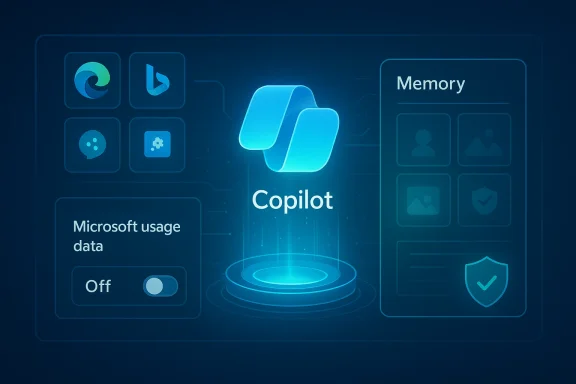
Microsoft’s Copilot has quietly added a toggle that allows the assistant to harvest “Microsoft usage data” from other Microsoft properties — and that toggle appears to be enabled by default for many users, meaning Copilot can seed its Memory and personalization features with signals from Edge, Bing, MSN and related services unless you opt out.
Microsoft introduced Copilot across Windows, Edge, Microsoft 365 and mobile as a unified assistant that can summarize, act and remember context over time. To make Copilot more useful, Microsoft built a Memory system that stores facts, preferences and cross‑session context so the assistant can avoid repeating questions and produce more personalized answers. That Memory system can be populated in multiple ways: things you explicitly tell Copilot, conversation history, and — now explicitly visible in the UI — product usage signals pulled from other Microsoft properties.
In recent hands‑on reporting and community testing, journalists discovered a new toggle in the Copilot settings labeled Microsoft usage data (or worded similarly: “Let Copilot use data from Bing, MSN, Edge, and other Microsoft products you’ve used”). Multiple independent outlets confirmed the discovery and published how‑to steps for disabling the feature. Those tests also found the setting is on by default in many accounts.
The key product claim Microsoft makes publicly is important and often repeated in vendor materials: data collected for personalization and memory is not used to train Microsoft’s foundation models. Microsoft’s Copilot documentation and privacy materials state that prompts, responses and signals used for personalization aren’t automatically folded into training datasets for their public LLMs. That distinction matters — but it is a technical and contractual boundary, not a privacy panacea.
Copilot’s cross‑product memory feature is a classic product trade‑off: more helpful when it knows more about you, and more risky when that knowledge is aggregated without clear, granular disclosure. The immediate, rational step — for any user who did not explicitly opt into this behavior — is to switch the Microsoft usage data toggle off, purge any previously stored memories you don’t want retained, and review Edge’s agentic permissions. For organizations, the imperative is administrative control, mapping Copilot memory into compliance workflows, and insisting on transparency from the vendor about exactly what is being collected and why.
Source: Inbox.lv It's Dangerous: This Windows Feature Should Be Disabled Immediately
 Background / Overview
Microsoft introduced Copilot across Windows, Edge, Microsoft 365 and mobile as a unified assistant that can summarize, act and remember context over time. To make Copilot more useful, Microsoft built a Memory system that stores facts, preferences and cross‑session context so the assistant can avoid repeating questions and produce more personalized answers. That Memory system can be populated in multiple ways: things you explicitly tell Copilot, conversation history, and — now explicitly visible in the UI — product usage signals pulled from other Microsoft properties.In recent hands‑on reporting and community testing, journalists discovered a new toggle in the Copilot settings labeled Microsoft usage data (or worded similarly: “Let Copilot use data from Bing, MSN, Edge, and other Microsoft products you’ve used”). Multiple independent outlets confirmed the discovery and published how‑to steps for disabling the feature. Those tests also found the setting is on by default in many accounts.
The key product claim Microsoft makes publicly is important and often repeated in vendor materials: data collected for personalization and memory is not used to train Microsoft’s foundation models. Microsoft’s Copilot documentation and privacy materials state that prompts, responses and signals used for personalization aren’t automatically folded into training datasets for their public LLMs. That distinction matters — but it is a technical and contractual boundary, not a privacy panacea.
What the new setting actually does (and what it does not show)
The visible UI change
- The Copilot web interface (copilot.microsoft.com) and some client apps now show a Memory or Personalization pane with a switch for Microsoft usage data. Turning the toggle off should stop Copilot from ingesting new cross‑product signals going forward. To remove data already ingested you must also delete or purge memory.
What is meant by “Microsoft usage data”
- According to the UI text and hands‑on reports, the toggle explicitly names Bing, MSN, Edge and then adds “other Microsoft products you’ve used.” That phrasing is intentionally broad: it signals sources (searches, browsing context, product usage telemetry) but does not publish a field‑level catalog of exactly which attributes (timestamps, URLs, titles, cookies, click history) will be ingested. Community testing and product writeups indicate the cross‑product signals are intended to be behavioral and contextual cues that help Copilot remember preferences and reduce repetition.
Browser context, Actions, cookies — the real surface area
- Separate but related: when Copilot operates inside Edge as “Actions” or “Copilot Mode,” it can — with your explicit permission — access the current browser window, open tabs and session cookies to act on your behalf (fill forms, click buttons, follow flows). Those agentic capabilities already require additional, explicit consent; they are not the same as a hidden background scrape. However, cookies and signed‑in sessions are used by Agentic Copilot to behave as if you were already signed in to sites. That technical behavior is why security guidance warns not to let Copilot act on sensitive banking or health pages.
What we do not have conclusive public proof of
- Claims that Copilot is secretly scanning every single visited URL or scraping third‑party cookies from your machine without consent are not substantiated by Microsoft’s published materials or the hands‑on reporting. The public evidence shows Copilot is now explicitly allowed to use product usage signals (Edge/Bing/MSN) and that agentic Features in Edge can access session cookies when you permit Actions — but that is different from a blanket, covert crawl of all browsing history without user controls. Where reporting uses phrases like “secretly collects,” that is editorial; the technical reality is a mix of visible toggles, agentic features that require permission, and a broad UI description that leaves room for vendor interpretation. Where precise data‑field detail is missing, users and admins should treat the omission as a legitimate transparency gap.
Why this matters: benefits and the trade‑offs
The upside — better, less repetitive Copilot
- When Copilot can use product signals, it becomes more useful:
- It can remember preferences (writing style, favorite tools).
- It can provide context‑aware answers that reference recent searches or open tabs.
- It reduces the need for repetitive setup prompts and can surface quicker, more relevant suggestions.
The downside — surprise, scope creep, and auditability gaps
- The risks come from a few predictable places:
- Surprise defaults. Features that are enabled by default create unexpected telemetry flows for users who never open the Copilot settings. That undermines user agency and consent.
- Ambiguous scope. The UI wording — “and other Microsoft products you’ve used” — is broad. Without a published, granular catalog of which fields are collected and how they’re transformed, it’s hard to assess compliance with privacy requirements (GDPR, data minimization, enterprise DPA terms).
- Agentic exposure. When Copilot is granted action permissions in Edge, it can leverage session cookies and the signed‑in state to act as you. The product warns against using this on high‑risk sites, but those caveats are only useful if users understand the mechanics.
- Retention and discoverability. Copilot memory items may be discoverable in enterprise eDiscovery systems and stored as tenant content; organizations need to map these items to retention policies, legal holds and governance workflows.
Step‑by‑step: How to turn the feature off (consumer guide)
If you prefer to stop Copilot from pulling product usage signals into its Memory, follow these steps that multiple independent hands‑on reports validated.- Open your browser and go to the Copilot web experience (copilot.microsoft.com).
- Sign in with the Microsoft account you use for Copilot. (If you use multiple accounts, repeat for each.)
- Click your profile avatar (typically bottom‑left) and choose Settings.
- Open the Memory or Personalization tab.
- Toggle Microsoft usage data (or similarly named switch) to Off to stop future cross‑product signals from being added to Memory.
- Click Delete all memory (or Delete memory) to remove items Copilot has already stored. Turning the usage toggle off does not automatically purge existing memory; deletion is a separate action.
- The Copilot Windows app or Edge panel may expose the same controls in different menu locations (Edge: Settings → Copilot → Privacy → Memory). Mobile Copilot apps locate Memory in the profile menu. If you cannot find the toggle, check the web UI or the particular app’s privacy settings.
Enterprise controls: what IT teams need to do now
For organizations, this is an operational issue, not just a personal one. Microsoft documents tenant‑level and administrative controls that permit IT to restrict or manage Copilot personalization behavior.- Administrators can disable Enhanced personalization or enforce tenant settings so end users cannot opt into Memory features that surface cross‑product data. That is the highest leverage control for organizations that cannot tolerate potential data leakage to Copilot memory.
- Copilot memories are often stored in places that make them discoverable via Microsoft Purview/eDiscovery and Graph APIs. Compliance teams should update mapping, retention and legal‑hold playbooks to include Copilot memory items. If you need to respond to a Data Subject Request, use the documented eDiscovery and Graph‑based tools to find, export, or delete memories.
- Practical immediate steps for IT:
- Audit tenant defaults for personalization and memory.
- Push clear guidance to employees about how to opt out and purge memories.
- If necessary, deploy policy via Intune / Group Policy to disable Copilot features at scale.
Technical and legal context — what Microsoft says (and how to read it)
Microsoft repeatedly states that prompts, responses and data accessed through Microsoft Graph are not used to train foundation models that power Copilot and its hosted LLMs — at least under the documented consumer and commercial protections in current product pages and the corporate privacy statements. Those statements are meaningful: they reduce the risk that your Copilot conversations are dumped into public training sets. But a few caveats remain:- Microsoft’s claim that personalization data is not used for training applies to certain models and services under specific account and tenant conditions. The legal and technical guarantees can differ for consumer vs. commercial accounts and may be governed by contractual DPAs and tenant settings. Always read the specific documentation that applies to your account type.
- Not used for training is not the same as not stored, not analyzed, or not used for product improvement or troubleshooting. Microsoft can and does retain telemetry and diagnostic data for operational reasons. Where model training is a concern, you should review the explicit model‑training toggles (text/voice training on/off) and the retention/deletion controls in the Copilot settings and the account privacy dashboard.
Threat model: practical scenarios and worst‑case outcomes
To make this practical for readers, here are realistic threat scenarios and what they mean:- Scenario A — Convenience vs. exposure:
- You leave Microsoft usage data ON and use Copilot to draft emails and act in Edge. Copilot sues product signals to recommend email templates and recall your preferences. Benefit: faster, contextually accurate replies. Risk: Copilot may suggest content that references a recent, sensitive page unless you explicitly exclude it; those memories live until deleted.
- Scenario B — Agentic action on an authenticated site:
- You enable Copilot Actions in Edge and allow it to book a ticket on a site where you are already signed in. Copilot uses cookies and session state to act as you. Benefit: true automation. Risk: if a malicious page manipulates the flow, the agent might click the wrong element or reveal unwanted information in the conversation history (screenshots and logs may be retained). Microsoft warns users not to use Actions for high‑risk workflows.
- Scenario C — Enterprise compliance surprise:
- An employee uses Copilot at work, and Copilot’s memory stores inferred facts that later become discoverable in an eDiscovery workflow. IT didn’t disable Enhanced personalization tenant‑wide. Outcome: data that should have been subject to governance ends up outside expected retention controls. Mitigation: tenant settings, policies, and updated training.
Recommendations — a practical checklist
If you care about privacy and control, follow this prioritized checklist:- Immediate: Open Copilot web settings and turn Microsoft usage data to Off; then click Delete all memory if you want to remove what Copilot already stored.
- Short term: Review Copilot and Edge settings for Actions / Browser Actions / Page Context. Disable any agentic features you don’t need. Use strict allow/deny lists for sites where the agent may act.
- For sensitive browsing: Use a separate Edge profile (or different browser) for high‑risk work (banking, health). Keep the profile you use with Copilot limited to low‑sensitivity browsing.
- Enterprise: Audit tenant defaults for Enhanced personalization, update acceptable use policies, and deploy admin controls to enforce your organization’s posture. Map Copilot memory to Purview/eDiscovery and retention policies.
- Long term: Demand transparency. Vendors should publish a field‑level telemetry catalog describing exactly which product signals are available to Copilot memory and how they are transformed. Short of that, organizations should require contractual audit rights and DPA language that aligns product behavior with compliance needs.
What to watch next — open questions and unresolved risks
- Will Microsoft publish a precise catalog of the fields and attributes Copilot reads from Edge/Bing/MSN? Right now the UI is broad and the technical details are sketchy. Without a catalog, privacy officers can’t do rigorous data mapping.
- Will the default change? Because the setting shipped enabled for many users, watch for subsequent opt‑in/opt‑out clarifications or changes in tenant defaults in future Microsoft updates. Administrators should monitor tenant release notes and the Copilot product roadmap.
- Are there third‑party audits? Independent audits focused on Copilot’s data flows and retention practices would materially improve trust. Until then, the combination of vendor statements and product toggles is necessary but not sufficient for higher‑risk uses.
Bottom line: what readers should do right now
- If you are privacy‑conscious, turn off Microsoft usage data and delete Copilot memory. That removes the immediate cross‑product seeding of Memory and prevents future product signals from being automatically captured. It also limits surprise telemetry flows.
- If you rely on Copilot’s personalization and are comfortable with Microsoft’s documented controls and the vendor’s statements about model training, you may accept the trade‑off for convenience — but document that consent, especially in a workplace environment. For enterprises, do not wait: update tenant policies, communicate to staff, and use admin controls where necessary.
- Finally, treat claims that the feature is “secretly” scraping everything with caution: reporting shows a broad, enabled‑by‑default toggle and agentic features that access session cookies with permission. Those are important and sometimes surprising design decisions — but the nuance matters. The real issue is not secrecy alone; it is the combination of broad defaults, ambiguous UI language, and insufficient field‑level transparency. Demand better disclosure, obtain contractual guarantees if you’re an organization, and exercise the available privacy controls today.
Appendix: Quick reference — where to find the controls (consolidated)
- Copilot web: Profile avatar → Settings → Memory / Personalization → Toggle Microsoft usage data → optional Delete all memory.
- Edge: Settings → Copilot / Copilot Mode → Privacy or Manage personalization and memory → turn off relevant toggles and disable Browser Actions where present. Use allow/deny lists for agentic behavior.
- Mobile Copilot apps: Profile → Memory → toggle Microsoft usage data or disable personalization.
- Enterprise: Tenant setting for Enhanced personalization (set Off to prevent end‑user opt‑in), Purview/eDiscovery mapping for Copilot memory, and Intune / Group Policy enforcement where needed.
Copilot’s cross‑product memory feature is a classic product trade‑off: more helpful when it knows more about you, and more risky when that knowledge is aggregated without clear, granular disclosure. The immediate, rational step — for any user who did not explicitly opt into this behavior — is to switch the Microsoft usage data toggle off, purge any previously stored memories you don’t want retained, and review Edge’s agentic permissions. For organizations, the imperative is administrative control, mapping Copilot memory into compliance workflows, and insisting on transparency from the vendor about exactly what is being collected and why.
Source: Inbox.lv It's Dangerous: This Windows Feature Should Be Disabled Immediately
