

Microsoft quietly flipped a switch that lets Copilot pull activity signals from other Microsoft services — Edge, Bing, MSN and “other Microsoft products you’ve used” — and left that switch turned on for many users by default, creating a privacy decision some people never knew they were making.
Microsoft’s Copilot is no longer just the chatbox on its own page. Over the last year Microsoft has been folding Copilot deeper into Edge, Bing, Office and Windows, adding features such as Actions, Journeys and richer memory and personalization controls intended to make the assistant feel less like a one‑off tool and more like a persistent helper. Some of those integrations — notably Copilot Actions in Edge — necessarily give Copilot access to browser context, open tabs and cookies when you explicitly allow it to act in your profile. Microsoft documents these behaviors and warns users away from completing sensitive transactions via Actions.
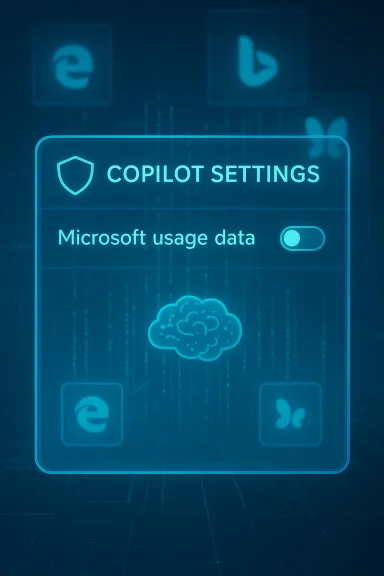
What changed this month is not a brand‑new capability so much as an explicit control for an existing pattern: a toggle labeled Microsoft usage data tucked under Copilot’s Memory or Personalization settings that reads something like, “Let Copilot use data from Bing, MSN, Edge, and other Microsoft products you’ve used.” Reporters and community testers discovered the toggle in the Copilot web interface and in some client apps; it appears to be enabled by default for many accounts.
Microsoft frames the control as a personalization convenience: when enabled, Copilot can seed its memory with signals from your activity across Microsoft properties so it can deliver more relevant answers and fewer repetitive explanations. Microsoft also says product usage signals used for personalization aren’t used to train their public foundational models. Those are meaningful distinctions on paper — but they do not eliminate risk, ambiguity, or user surprise. Microsoft’s own privacy FAQ reiterates that personalization and memory can be on by default and that users can turn personalization off, view and delete saved memories, and manage what Copilot remembers.
Conclusion: Copilot’s cross‑product memory can be very useful — but because Microsoft shipped a broad, default‑on toggle without an itemized inventory of the signals it ingests, you should check the setting and turn it off if you care about privacy or compliance. Then decide deliberately whether the convenience is worth the trade‑off.
Source: AOL.com You Should Disable This Invasive New Microsoft Feature Right Now - Here's Why
 Background / Overview
Microsoft’s Copilot is no longer just the chatbox on its own page. Over the last year Microsoft has been folding Copilot deeper into Edge, Bing, Office and Windows, adding features such as Actions, Journeys and richer memory and personalization controls intended to make the assistant feel less like a one‑off tool and more like a persistent helper. Some of those integrations — notably Copilot Actions in Edge — necessarily give Copilot access to browser context, open tabs and cookies when you explicitly allow it to act in your profile. Microsoft documents these behaviors and warns users away from completing sensitive transactions via Actions.What changed this month is not a brand‑new capability so much as an explicit control for an existing pattern: a toggle labeled Microsoft usage data tucked under Copilot’s Memory or Personalization settings that reads something like, “Let Copilot use data from Bing, MSN, Edge, and other Microsoft products you’ve used.” Reporters and community testers discovered the toggle in the Copilot web interface and in some client apps; it appears to be enabled by default for many accounts.
Microsoft frames the control as a personalization convenience: when enabled, Copilot can seed its memory with signals from your activity across Microsoft properties so it can deliver more relevant answers and fewer repetitive explanations. Microsoft also says product usage signals used for personalization aren’t used to train their public foundational models. Those are meaningful distinctions on paper — but they do not eliminate risk, ambiguity, or user surprise. Microsoft’s own privacy FAQ reiterates that personalization and memory can be on by default and that users can turn personalization off, view and delete saved memories, and manage what Copilot remembers.
What the new toggle actually does — unpacking the wording
The user‑facing description
The UI text is explicit about sources: it lists Bing, MSN, and Edge, and then adds a catch‑all — “and other Microsoft products you’ve used.” That ellipsis is where the uncertainty lives. Early hands‑on reporting and community tests show the toggle can seed Copilot memory with cross‑product signals: recent Bing searches, browsing context and journeys in Edge, and topical signals surfaced by MSN. Turning the toggle off prevents new product usage signals from flowing into Copilot’s memory, but it does not automatically erase what Copilot has already ingested — for that you must also delete memories.Technical surface area (what Copilot can access)
- In Edge, Copilot Actions explicitly has access to the current browser window, screenshots of pages it interacts with, cookies and the open tabs it needs to perform tasks — that’s by design for an assistant that can “act” in pages for you. Microsoft says certain sensitive data (saved passwords, autofill, wallets) are not accessible during Actions, though cookies and signed‑in sessions can be used so Copilot appears logged in where you already are.
- The “Microsoft usage data” toggle is about signals, not necessarily raw content: browsing patterns, search queries, topic interest signals and other telemetry that can inform personalization. Microsoft describes this as powering personalization and memory rather than broad model training, but the exact schema of what is included in “usage data” is not published as a line‑by‑line inventory.
What is uncertain or not yet verifiable
Microsoft’s UI text and public guidance leave two open questions for consumers and administrators:- Does “other Microsoft products” include Windows‑level activity (installed apps, file metadata, local search) for consumer accounts? Early reports suggest Windows itself is not evidently included today, but the phrase allows future expansion. Treat that as an ambiguity, not a false claim; independent testing and corporate disclosures will be required to confirm any expansion.
- What exactly comprises a usage signal? Is it only high‑level metadata (topic tags, frequency counts) or does it include search snippets, cached page fragments, or deeper behavioral traces? Microsoft’s public documentation emphasizes personalization and provides controls, but the absence of a full itemized list is the core transparency gap.
Why Microsoft did this — the product case
There are three simple reasons Microsoft is pushing this capability:- Utility. Cross‑product signals let Copilot remember preferences, contextual tasks and prior searches so the assistant gives more relevant answers without you repeating details each session.
- Competitive parity. Rival products (Google, Perplexity and others) are building multi‑signal personalization. Integrating Bing/Edge signals helps Microsoft keep Copilot useful in day‑to‑day browsing and drafting workflows.
- Engagement. Personalized assistants feel “smarter” and keep users engaged longer, which is important for product adoption and future monetization paths.
Privacy and security concerns — what to be worried about
1) Surprise by default
Defaults matter. Many users never inspect deep product settings; if a cross‑product personalization pipeline is on by default, a lot of user data can be used passively without explicit attention. That’s the situation reporters documented: a buried toggle that many accounts had enabled by default. That choice runs counter to the “explicit opt‑in” model privacy advocates prefer for cross‑service profiling.2) Ambiguity of “usage data”
The lack of a detailed, itemized inventory of what “usage data” contains makes risk assessment difficult. For privacy teams and compliance officers, an ambiguous data category is a red flag: it complicates data mapping, retention policies, subject‑access requests, and contract language. Microsoft’s statement that the signals are used for personalization, not to train foundation models is important — but in enterprise and regulated contexts policy alone is not a substitute for auditable guarantees.3) Attack surface and downstream misuse
There are two relevant security angles:- If Copilot can surface and act on cookies and signed sessions, any automation that executes in that context must be tightly constrained. Microsoft disclaims access to saved passwords and certain sensitive wallet data for Actions, but cookies and signed sessions can still enable powerful automation that, if abused, could expose account data.
- Separately, the broader AI ecosystem has shown that LLMs can be misused to generate malicious code, and threat actors are experimenting with AI‑enabled malware and evasive techniques. That doesn’t mean Copilot will be weaponized in the wild, but it does raise the stakes for any assistant with broad data hooks into personal accounts or browsing sessions. Treat these as systemic risks: LLMs lower the barrier to creating harmful artifacts when misused.
4) Data permanence and portability
Turning off a toggle stops future ingestion but does not necessarily delete what was already gathered. Users must explicitly delete memory to purge stored signals, and enterprise administrators should ensure retention and discovery mechanisms align with compliance obligations. Microsoft provides controls to delete memory, but implementation details and auditability differ between consumer and enterprise offerings.How to check and turn this off (step‑by‑step)
If you are privacy‑minded and want to stop Copilot from seeding its memory with cross‑product signals, follow these general steps. Menu text and locations can vary slightly between the Copilot web UI, Edge, and mobile clients, but the logic is consistent:- Open Copilot in a browser or the Copilot app and sign in with your Microsoft account.
- Click your profile avatar (lower left in the web UI) and select Settings.
- Open the Memory or Personalization tab in Settings.
- Locate the toggle labeled Microsoft usage data (or similar wording). The on‑screen copy usually reads something like: “Let Copilot use data from Bing, MSN, Edge, and other Microsoft products you’ve used.” Switch it off.
- To remove previously collected signals, select Delete all memory (or Delete memory) in the same area and confirm the action. Turning the toggle off alone typically does not erase prior memories.
- Review Microsoft 365 / Intune / Cloud Policy controls for Copilot and optional connected experiences. Administrators can restrict web search and certain connected experiences via policy; for enterprise Copilot there are specific tenant controls and discovery/deletion APIs to meet compliance needs. Microsoft documents these administrative controls in its enterprise guidance.
Trade‑offs — what you lose when you turn it off
- Less personalized assistance. Copilot may forget preferences or stop surfacing context from previous activity, making some multi‑step, cross‑session workflows more manual.
- Reduced proactive value. Features that anticipate follow‑ups or suggest relevant material tied to past browsing may be less helpful.
- Potentially less efficient research. If you rely on Copilot to stitch together browsing history or re‑surface previous searches, turning off usage data will blunt that capability.
Enterprise considerations — governance, auditability and SLAs
Large organizations should not treat a consumer UI toggle as a governance control. If your company uses Microsoft 365 or Copilot for business, request the following from your vendor and procurement teams:- Contractual guarantees or Data Processing Addendum (DPA) language that defines whether and how consumer signals are used for personalization vs model training.
- Audit logs and technical artifacts that show what signals were ingested, where memory is stored, and how deletion requests are honored.
- Administrative policy controls (Intune, Cloud Policy Service) that allow admins to centrally manage Copilot personalization, web search, and connected experiences for tenant accounts. Microsoft documents the policy surfaces and where web search and optional connected experiences are controlled.
Practical mitigations beyond flipping the toggle
Turning off the toggle is the highest‑leverage action for most users. Beyond that, consider these layered protections:- Use separate browser profiles for sensitive work and casual browsing. Keep the profile you use with Copilot limited to non‑sensitive browsing.
- Clear cookies or use strict cookie settings in Edge to limit the passive carry‑over of signed sessions into Copilot Actions. Microsoft documents that cookies use your signed‑in sessions, so cookie hygiene matters.
- For sensitive transactions (banking, health portals), do not allow Copilot to act inside those pages and avoid exposing those workflows to any automated assistant.
- Audit your Copilot memory and delete memories you don’t want stored. Use the “Delete all memory” control if you want a clean slate after disabling the Microsoft usage data toggle.
- For enterprise users, work with IT to understand and, if necessary, block Copilot features via policy (Intune, Cloud Policy, Microsoft 365 admin settings). Microsoft offers admin guidance for web search and optional connected experiences.
Strengths of Microsoft’s approach — why some of this is reasonable
It’s worth acknowledging why Microsoft’s direction makes sense from a design and product standpoint:- Personalization can significantly improve usability. Remembering that you like short bullet points, or that you follow a topic closely, reduces friction across sessions.
- Cross‑product context enables new workflows. Copilot that can surface prior searches or reopen a browsing journey helps with research projects and multi‑step tasks.
- Enterprise controls exist. Microsoft provides different governance and segregation for enterprise Copilot offerings, including tenant‑level controls that are stronger than consumer UI toggles. Those controls are meaningful in regulated settings.
Why you should care — practical takeaways
- If you use Copilot and care about privacy, check your settings now. The toggle is easy to find if you go to Copilot → Settings → Memory and look for Microsoft usage data. Turning it off is a few clicks and will stop future cross‑product signals from seeding Copilot memory. Deleting existing memory is a separate step.
- For organizations: update your onboarding and compliance checklists. Treat Copilot personalization as a cross‑service telemetry source that needs mapping and contractual oversight.
- For security teams: monitor for misuse patterns and coordinate with endpoint teams to control where Copilot Actions are allowed to execute in corporate browsers.
Final analysis and recommendation
Microsoft’s new Microsoft usage data toggle is an important window into how modern AI assistants evolve: convenience and personalization are being stitched to telemetry across multiple products. That has clear benefits. But defaults, opaque categories and the lack of an itemized inventory of what a product‑usage signal contains create legitimate privacy and governance concerns.- If you are privacy‑conscious, turn the toggle off and delete existing memory. It’s the prudent immediate step for personal accounts.
- If you manage devices for an organization, don’t let a consumer control be the only policy: use tenant controls, contractual terms and audit logs to manage Copilot behavior for business accounts. Microsoft documents admin policy surfaces for Copilot and web search that you should review.
- Watch for further disclosures. Ask Microsoft for a clear, itemized list of what constitutes “usage data” and insist on auditable guarantees if your data is subject to regulatory constraints. Policy statements matter, but they ultimately need to be backed by contractual, technical and audit evidence.
Conclusion: Copilot’s cross‑product memory can be very useful — but because Microsoft shipped a broad, default‑on toggle without an itemized inventory of the signals it ingests, you should check the setting and turn it off if you care about privacy or compliance. Then decide deliberately whether the convenience is worth the trade‑off.
Source: AOL.com You Should Disable This Invasive New Microsoft Feature Right Now - Here's Why
