

Microsoft cancelled Microsoft 365 Roadmap ID 501576 on July 2, 2026, ending a planned Copilot Chat feature that would have let users ask for more search results from emails, meetings, calendar items, and files during an ongoing conversation. The feature was small on the surface and revealing underneath. Microsoft is still selling Copilot as the connective tissue of work, but this cancellation shows how hard it remains to make retrieval feel natural, safe, and dependable. The promise of “show me more” ran into the enterprise reality that more is not always better.
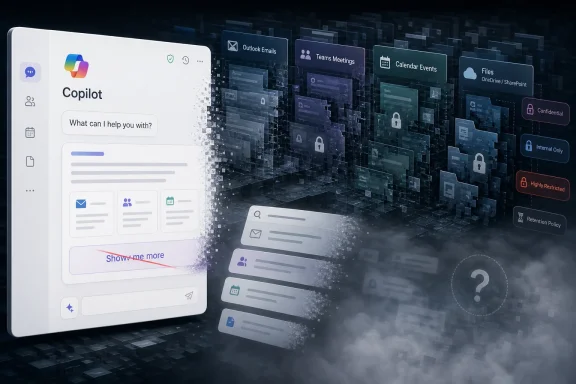
The cancelled feature was easy to understand: if Copilot Chat surfaced a set of relevant work results and the user wanted to keep digging, they could say something like “show me more.” Copilot would continue from where it left off, preserving the conversational context and pulling in additional emails, meetings, calendar entries, and files.
That is exactly the sort of interaction Microsoft wants people to believe AI makes effortless. Users do not want to learn a search syntax, switch filters, or restart the query. They want to talk to the tool as if it remembers the thread, understands the task, and can widen the aperture without losing the plot.
But enterprise search is not a parlor trick. It is permissions, ranking, compliance labels, stale documents, duplicated files, meeting artifacts, mailbox sprawl, and half-remembered project names. The phrase “show me more” sounds harmless until the system has to decide what “more” means, which content is still relevant, and whether the next batch of results increases confidence or simply adds plausible noise.
Microsoft’s roadmap language says the company has “chosen not to move forward” with the feature. That phrasing is corporate-polished, but the implication is blunt: this was not merely delayed. It was cut.
In a traditional search interface, that process is visible. Users can see the result count, sort order, filters, dates, locations, senders, and file types. They can scroll, skim, and backtrack. In a conversational interface, much of that scaffolding disappears behind a pleasant text box.
That is the bargain Microsoft has been asking customers to accept with Copilot: give up some mechanical control in exchange for contextual intelligence. The cancelled “show me more” feature would have pushed that bargain a little further. Instead of issuing a fresh search, the user would rely on Copilot to remember the prior query, infer the intent of “more,” and continue retrieving relevant work data.
The problem is that continuation is not neutral. A second page of results can change the answer, contradict the first summary, expose edge-case content, or pull in older material that looks relevant but is no longer authoritative. In knowledge work, the tenth result is not always just a lesser version of the first result. Sometimes it is the document that proves the first result wrong.
That is why this cancellation matters. It shows that conversational search is not just about getting results into a chat window. It is about preserving the user’s ability to understand why those results appeared and what was left out.
That is why a feature about “more results” deserves more scrutiny than a cosmetic tweak. The work data layer is where Copilot either becomes genuinely useful or dangerously overconfident. Users ask questions like “What did we decide about the renewal?” or “Find the latest deck from the partner meeting” because they expect the system to navigate the messy archive of modern work.
The planned feature would have addressed a real limitation. First answers are often incomplete. The user may want the next few messages in the thread, the older version of a file, the meeting before the meeting, or the calendar invite that explains why the project changed direction. A good assistant should not make the user start over every time the first retrieval pass is too narrow.
Yet the same feature could also magnify Copilot’s weakest moments. If the first answer is based on a fragile interpretation of the query, continuing from that state may compound the mistake. If the ranking model favors recent but shallow artifacts, “show me more” may simply produce a longer list of the wrong kind of evidence. If Copilot cannot clearly distinguish between result expansion and answer revision, users may walk away with a false sense of completeness.
Microsoft is trying to turn the workplace archive into a conversational surface. This cancellation suggests that the surface is still thinner than the marketing implies.
Classic enterprise search already struggled with this. It could index content, respect permissions, and provide filters, but users still had to know what to look for. Copilot changes the interface, but it does not magically clean the corpus. It can summarize the mess, but the mess remains.
The “show me more” feature would have sat directly on top of that old problem. To work well, Copilot would need to know whether “more” means more emails from the same sender, more recent files, older calendar items, related meetings, adjacent Teams chats, or additional items of the same type it already found. It would also need to avoid burying the user in marginally relevant material.
This is especially tricky in Microsoft 365 because work objects are not equivalent. An email, a meeting transcript, a calendar invite, and a PowerPoint file can all describe the same business event from different angles. One may be authoritative, another preliminary, and another obsolete. A conversational assistant that flattens them into “results” risks erasing that hierarchy.
Microsoft’s cancellation does not prove the company cannot solve this. It does suggest that the implementation did not meet the bar for general availability across Android, Desktop, iOS, Mac, Teams and Surface Devices, and the web. When a feature must work everywhere, for everyone, against every tenant’s unique data swamp, “simple” becomes a very expensive word.
A “show me more” command sounds like a convenience feature, but it potentially expands the amount of organizational content brought into the conversation. That raises practical questions for admins. How much content is retrieved? Is it shown as source material, summarized, cached, or used invisibly? Does the interaction become part of chat history? How does the system behave when the additional results include confidential, regulated, or retention-bound material?
The answer cannot be “trust the magic.” Enterprise IT has heard that pitch too many times. If Copilot is going to browse deeper into mailboxes, calendars, meetings, and files on command, administrators need predictable behavior and auditability.
This is the tension at the center of Microsoft’s AI strategy. The more Copilot knows, the more useful it becomes. The more it can retrieve, the more it can accidentally reveal patterns, stale access decisions, or content users did not realize they were authorized to see. Microsoft’s permission model may be technically correct and still produce surprises that feel like data exposure to the humans involved.
That tension does not make Copilot uniquely flawed. It makes it an unusually powerful lens on long-standing governance debt. “Show me more” is only safe when the tenant’s data hygiene can survive being shown more.
AI product failures often come from overstating certainty. A flawed search result page is annoying; a flawed AI answer that appears synthesized and confident is more dangerous. If a user asks Copilot to show more results and the tool returns a curated extension of the prior answer, the presentation itself can imply that the system has thoroughly canvassed the relevant workspace.
That implication matters. A project manager may use the expanded results to brief leadership. A lawyer may use them to reconstruct a decision trail. A security team may use them to investigate an incident. A sales team may use them to prepare for a customer negotiation. In each case, missing the wrong artifact is not a mere UI bug.
Microsoft knows this, even if its marketing sometimes acts as though the future arrived fully formed. The company has been layering Copilot into Microsoft 365 while also tightening licensing, repositioning product names, and clarifying which versions get web grounding, work grounding, file access, or premium models. That product sprawl is not just confusing branding. It reflects unresolved boundaries around what Copilot is allowed to know and do.
The cancelled feature touched one of those boundaries. It was not about whether Copilot could answer a single question. It was about whether Copilot could keep searching without turning context into a trap.
AI has made that roadmap more interesting and less reassuring. Copilot features now appear, shift, rebrand, and sometimes disappear as Microsoft tests how much automation customers will accept. A cancelled roadmap item is not a scandal by itself, but it is evidence of triage. Microsoft is choosing where the Copilot experience can mature quickly and where the underlying complexity still resists productization.
Roadmap ID 501576 had a planned general availability date of October 2025 and was last updated on July 2, 2026. That timeline suggests the idea survived long enough to be considered a real product plan, not a throwaway experiment. Its cancellation after months on the roadmap makes the decision more notable.
The affected platforms were broad: Android, Desktop, iOS, Mac, Teams and Surface Devices, and web. That breadth matters because Copilot is no longer a single app experience. Microsoft wants it to be ambient across the suite. If a conversational retrieval behavior exists in one place but not another, the product feels inconsistent. If it exists everywhere but behaves unpredictably, the risk scales everywhere too.
The roadmap, then, is documenting the real Copilot story: not a straight-line march toward omniscient productivity, but a sequence of bets, revisions, and retreats. That is what enterprise software usually looks like. The difference is that AI marketing has trained buyers to expect something smoother.
But in Copilot Chat, “show me more” is not merely scrolling. It is a request for the system to extend a reasoning-and-retrieval session. It asks the model to preserve intent, manage context, select sources, avoid repetition, maintain relevance, and decide how much additional material belongs in the answer. The user asks for a scroll wheel; Microsoft has to build a judgment engine.
That gap explains much of the frustration around AI assistants in productivity software. Users judge the product by the simplicity of the task they have in mind. Vendors must implement the task across permissions, compliance, latency, ranking, device constraints, licensing tiers, and user expectations. The demo version is always cleaner than the deployed version.
There is also a user experience paradox. If Copilot exposes too much of its retrieval process, it starts to look like old search with a chatbot attached. If it hides too much, users lose confidence and administrators lose control. The ideal interface gives enough transparency to be trusted without forcing users back into manual query construction.
“Show me more” sits exactly at that crossroads. It is a natural command that requires an unnatural amount of system discipline.
If permissions are loose, Copilot will make that looseness more visible. If documents are poorly named, Copilot will struggle to rank them. If meeting titles are generic, calendar grounding will be weaker. If Teams channels duplicate project names, the system may blend contexts. If sensitive labels and DLP policies are inconsistently applied, AI experiences will become another place those gaps surface.
This is where the Copilot conversation often becomes too abstract. Organizations debate whether AI will save employees hours per week, but many have not done the unglamorous work of preparing their information estate. Copilot does not eliminate information architecture. It punishes neglect more elegantly.
The cancellation of “show me more” should encourage admins to ask harder questions before enabling or expanding work-grounded AI features. What content can users actually access? Which SharePoint sites are overexposed? How are retention and sensitivity labels applied? Are meeting recordings and transcripts governed consistently? Are users trained to verify AI-generated summaries against source material?
Those questions are not blockers. They are the cost of making Copilot useful without making it reckless.
That confusion matters because users form expectations from names. If something is called Copilot Chat inside Microsoft 365, many people will assume it can help with Microsoft 365 work content. Sometimes it can. Sometimes it cannot. Sometimes it depends on licensing, location, admin settings, app surface, and whether the user is in a web-grounded or work-grounded mode.
The cancelled feature would have added another expectation: once Copilot starts retrieving work results, it can continue the search conversationally. That is a powerful mental model. It is also dangerous if the model is only partly true.
Microsoft has been trying to turn Copilot into a platform rather than a feature. That shift requires consistency. Users should not have to maintain a private matrix of Copilot capabilities. Admins should not have to decode product language every time a roadmap item lands.
If Microsoft wants Copilot to become the front door to work, it needs to make the door frame visible. Users need to know when they are searching the web, when they are searching work data, when they are summarizing known sources, and when they are asking the model to infer across incomplete evidence. “Show me more” would have blurred those boundaries unless it was designed with unusual care.
The need remains obvious. Users will keep asking follow-up questions. They will keep wanting the next result, the older meeting, the related email, the missing file, and the conversation that explains the decision. The current generation of AI assistants is often good at producing a first pass. The next competitive frontier is whether they can support an investigation.
That is where Microsoft has an advantage and a burden. It owns the productivity stack used by many of the organizations that most want this capability. It also owns the trust problem that comes with placing AI over that stack. A rival chatbot can fail gracefully outside the enterprise archive. Copilot fails inside the filing cabinet.
The most likely future is not that “show me more” disappears forever. It is that Microsoft revisits the capability with narrower constraints, clearer source handling, better admin controls, or a different product name. The company may decide that result expansion belongs in a search-specific Copilot surface rather than general chat, or that it should appear first for certain content types before expanding across mail, meetings, calendar, and files.
That would be the right kind of caution. AI productivity tools will not earn trust by pretending every natural-language command is easy. They will earn it by admitting which commands are simple for humans and hard for systems.
 Microsoft Quietly Pulls a Feature That Explained the Whole Copilot Problem
The cancelled feature was easy to understand: if Copilot Chat surfaced a set of relevant work results and the user wanted to keep digging, they could say something like “show me more.” Copilot would continue from where it left off, preserving the conversational context and pulling in additional emails, meetings, calendar entries, and files.That is exactly the sort of interaction Microsoft wants people to believe AI makes effortless. Users do not want to learn a search syntax, switch filters, or restart the query. They want to talk to the tool as if it remembers the thread, understands the task, and can widen the aperture without losing the plot.
But enterprise search is not a parlor trick. It is permissions, ranking, compliance labels, stale documents, duplicated files, meeting artifacts, mailbox sprawl, and half-remembered project names. The phrase “show me more” sounds harmless until the system has to decide what “more” means, which content is still relevant, and whether the next batch of results increases confidence or simply adds plausible noise.
Microsoft’s roadmap language says the company has “chosen not to move forward” with the feature. That phrasing is corporate-polished, but the implication is blunt: this was not merely delayed. It was cut.
The Smallest Commands Carry the Heaviest Product Burden
The genius of the proposed feature was that it matched how people actually search at work. Rarely does a user know the perfect first query. They start with a vague memory, inspect the first set of results, refine their intent, and then ask for adjacent material.In a traditional search interface, that process is visible. Users can see the result count, sort order, filters, dates, locations, senders, and file types. They can scroll, skim, and backtrack. In a conversational interface, much of that scaffolding disappears behind a pleasant text box.
That is the bargain Microsoft has been asking customers to accept with Copilot: give up some mechanical control in exchange for contextual intelligence. The cancelled “show me more” feature would have pushed that bargain a little further. Instead of issuing a fresh search, the user would rely on Copilot to remember the prior query, infer the intent of “more,” and continue retrieving relevant work data.
The problem is that continuation is not neutral. A second page of results can change the answer, contradict the first summary, expose edge-case content, or pull in older material that looks relevant but is no longer authoritative. In knowledge work, the tenth result is not always just a lesser version of the first result. Sometimes it is the document that proves the first result wrong.
That is why this cancellation matters. It shows that conversational search is not just about getting results into a chat window. It is about preserving the user’s ability to understand why those results appeared and what was left out.
Copilot’s Sales Pitch Depends on Work Data, Not Chat Polish
Microsoft 365 Copilot is differentiated from generic chatbots by its access to work context. The product’s value proposition depends on Microsoft Graph, organizational permissions, and the ability to reach across Outlook, Teams, OneDrive, SharePoint, meetings, calendars, and documents. Without that grounding, Copilot is just another AI assistant wearing an enterprise badge.That is why a feature about “more results” deserves more scrutiny than a cosmetic tweak. The work data layer is where Copilot either becomes genuinely useful or dangerously overconfident. Users ask questions like “What did we decide about the renewal?” or “Find the latest deck from the partner meeting” because they expect the system to navigate the messy archive of modern work.
The planned feature would have addressed a real limitation. First answers are often incomplete. The user may want the next few messages in the thread, the older version of a file, the meeting before the meeting, or the calendar invite that explains why the project changed direction. A good assistant should not make the user start over every time the first retrieval pass is too narrow.
Yet the same feature could also magnify Copilot’s weakest moments. If the first answer is based on a fragile interpretation of the query, continuing from that state may compound the mistake. If the ranking model favors recent but shallow artifacts, “show me more” may simply produce a longer list of the wrong kind of evidence. If Copilot cannot clearly distinguish between result expansion and answer revision, users may walk away with a false sense of completeness.
Microsoft is trying to turn the workplace archive into a conversational surface. This cancellation suggests that the surface is still thinner than the marketing implies.
The Enterprise Search Problem Never Went Away
For all the attention on large language models, the hardest part of workplace AI is often retrieval. Companies have spent decades accumulating files, emails, chats, wiki pages, meeting transcripts, recordings, slide decks, and shadow repositories. The result is not a clean knowledge base. It is an archaeological dig.Classic enterprise search already struggled with this. It could index content, respect permissions, and provide filters, but users still had to know what to look for. Copilot changes the interface, but it does not magically clean the corpus. It can summarize the mess, but the mess remains.
The “show me more” feature would have sat directly on top of that old problem. To work well, Copilot would need to know whether “more” means more emails from the same sender, more recent files, older calendar items, related meetings, adjacent Teams chats, or additional items of the same type it already found. It would also need to avoid burying the user in marginally relevant material.
This is especially tricky in Microsoft 365 because work objects are not equivalent. An email, a meeting transcript, a calendar invite, and a PowerPoint file can all describe the same business event from different angles. One may be authoritative, another preliminary, and another obsolete. A conversational assistant that flattens them into “results” risks erasing that hierarchy.
Microsoft’s cancellation does not prove the company cannot solve this. It does suggest that the implementation did not meet the bar for general availability across Android, Desktop, iOS, Mac, Teams and Surface Devices, and the web. When a feature must work everywhere, for everyone, against every tenant’s unique data swamp, “simple” becomes a very expensive word.
Security Is Not a Sidebar When the Bot Reads the Company Memory
The cancelled roadmap item also lands in a year when Microsoft 365 Copilot’s relationship with sensitive information has been under intense scrutiny. The broader promise of Copilot is permission-aware access: if a user can see a file, Copilot can use it; if they cannot, it should not. That sounds clean until administrators confront the reality of over-permissioned SharePoint sites, inherited access, stale groups, and sensitivity labels that must be interpreted correctly by automated systems.A “show me more” command sounds like a convenience feature, but it potentially expands the amount of organizational content brought into the conversation. That raises practical questions for admins. How much content is retrieved? Is it shown as source material, summarized, cached, or used invisibly? Does the interaction become part of chat history? How does the system behave when the additional results include confidential, regulated, or retention-bound material?
The answer cannot be “trust the magic.” Enterprise IT has heard that pitch too many times. If Copilot is going to browse deeper into mailboxes, calendars, meetings, and files on command, administrators need predictable behavior and auditability.
This is the tension at the center of Microsoft’s AI strategy. The more Copilot knows, the more useful it becomes. The more it can retrieve, the more it can accidentally reveal patterns, stale access decisions, or content users did not realize they were authorized to see. Microsoft’s permission model may be technically correct and still produce surprises that feel like data exposure to the humans involved.
That tension does not make Copilot uniquely flawed. It makes it an unusually powerful lens on long-standing governance debt. “Show me more” is only safe when the tenant’s data hygiene can survive being shown more.
Cancellation Is Better Than Shipping a Confident Half-Answer Machine
There is a cynical reading of the cancellation: Microsoft overpromised a small quality-of-life feature and then quietly retreated. That reading may be true in the narrow sense. But there is a more generous interpretation that should not be dismissed: pulling this feature may be better than shipping it poorly.AI product failures often come from overstating certainty. A flawed search result page is annoying; a flawed AI answer that appears synthesized and confident is more dangerous. If a user asks Copilot to show more results and the tool returns a curated extension of the prior answer, the presentation itself can imply that the system has thoroughly canvassed the relevant workspace.
That implication matters. A project manager may use the expanded results to brief leadership. A lawyer may use them to reconstruct a decision trail. A security team may use them to investigate an incident. A sales team may use them to prepare for a customer negotiation. In each case, missing the wrong artifact is not a mere UI bug.
Microsoft knows this, even if its marketing sometimes acts as though the future arrived fully formed. The company has been layering Copilot into Microsoft 365 while also tightening licensing, repositioning product names, and clarifying which versions get web grounding, work grounding, file access, or premium models. That product sprawl is not just confusing branding. It reflects unresolved boundaries around what Copilot is allowed to know and do.
The cancelled feature touched one of those boundaries. It was not about whether Copilot could answer a single question. It was about whether Copilot could keep searching without turning context into a trap.
The Roadmap Is Becoming a Public Record of AI Triage
Microsoft’s roadmap has always been part promise, part planning document, and part customer signaling. For admins, it is a way to prepare. For journalists, it is an early warning system. For Microsoft, it is a controlled way to tell the market that progress is continuous.AI has made that roadmap more interesting and less reassuring. Copilot features now appear, shift, rebrand, and sometimes disappear as Microsoft tests how much automation customers will accept. A cancelled roadmap item is not a scandal by itself, but it is evidence of triage. Microsoft is choosing where the Copilot experience can mature quickly and where the underlying complexity still resists productization.
Roadmap ID 501576 had a planned general availability date of October 2025 and was last updated on July 2, 2026. That timeline suggests the idea survived long enough to be considered a real product plan, not a throwaway experiment. Its cancellation after months on the roadmap makes the decision more notable.
The affected platforms were broad: Android, Desktop, iOS, Mac, Teams and Surface Devices, and web. That breadth matters because Copilot is no longer a single app experience. Microsoft wants it to be ambient across the suite. If a conversational retrieval behavior exists in one place but not another, the product feels inconsistent. If it exists everywhere but behaves unpredictably, the risk scales everywhere too.
The roadmap, then, is documenting the real Copilot story: not a straight-line march toward omniscient productivity, but a sequence of bets, revisions, and retreats. That is what enterprise software usually looks like. The difference is that AI marketing has trained buyers to expect something smoother.
Users Wanted a Scroll Wheel, Microsoft Had to Build a Judgment Engine
The most revealing thing about this feature is how ordinary the user request is. “Show me more” is the conversational equivalent of scrolling down. Nobody thinks of scrolling as advanced functionality. It is basic table stakes.But in Copilot Chat, “show me more” is not merely scrolling. It is a request for the system to extend a reasoning-and-retrieval session. It asks the model to preserve intent, manage context, select sources, avoid repetition, maintain relevance, and decide how much additional material belongs in the answer. The user asks for a scroll wheel; Microsoft has to build a judgment engine.
That gap explains much of the frustration around AI assistants in productivity software. Users judge the product by the simplicity of the task they have in mind. Vendors must implement the task across permissions, compliance, latency, ranking, device constraints, licensing tiers, and user expectations. The demo version is always cleaner than the deployed version.
There is also a user experience paradox. If Copilot exposes too much of its retrieval process, it starts to look like old search with a chatbot attached. If it hides too much, users lose confidence and administrators lose control. The ideal interface gives enough transparency to be trusted without forcing users back into manual query construction.
“Show me more” sits exactly at that crossroads. It is a natural command that requires an unnatural amount of system discipline.
Admins Should Read This as a Governance Warning, Not a Missing Feature
For WindowsForum’s admin-heavy audience, the practical lesson is not that one convenience feature disappeared. It is that Copilot’s usefulness will increasingly depend on the quality of the Microsoft 365 environment underneath it. Retrieval features expose the tenant as it really is.If permissions are loose, Copilot will make that looseness more visible. If documents are poorly named, Copilot will struggle to rank them. If meeting titles are generic, calendar grounding will be weaker. If Teams channels duplicate project names, the system may blend contexts. If sensitive labels and DLP policies are inconsistently applied, AI experiences will become another place those gaps surface.
This is where the Copilot conversation often becomes too abstract. Organizations debate whether AI will save employees hours per week, but many have not done the unglamorous work of preparing their information estate. Copilot does not eliminate information architecture. It punishes neglect more elegantly.
The cancellation of “show me more” should encourage admins to ask harder questions before enabling or expanding work-grounded AI features. What content can users actually access? Which SharePoint sites are overexposed? How are retention and sensitivity labels applied? Are meeting recordings and transcripts governed consistently? Are users trained to verify AI-generated summaries against source material?
Those questions are not blockers. They are the cost of making Copilot useful without making it reckless.
Microsoft’s AI Ambition Is Outrunning Its Interface Language
One reason this cancellation feels bigger than its feature description is that Microsoft still lacks a stable interface language for Copilot. The company has Copilot Chat, Microsoft 365 Copilot, Copilot in individual apps, agents, grounding modes, premium capabilities, and shifting labels that try to distinguish basic chat from work-aware experiences. Even power users can struggle to explain which Copilot can see which data in which app under which license.That confusion matters because users form expectations from names. If something is called Copilot Chat inside Microsoft 365, many people will assume it can help with Microsoft 365 work content. Sometimes it can. Sometimes it cannot. Sometimes it depends on licensing, location, admin settings, app surface, and whether the user is in a web-grounded or work-grounded mode.
The cancelled feature would have added another expectation: once Copilot starts retrieving work results, it can continue the search conversationally. That is a powerful mental model. It is also dangerous if the model is only partly true.
Microsoft has been trying to turn Copilot into a platform rather than a feature. That shift requires consistency. Users should not have to maintain a private matrix of Copilot capabilities. Admins should not have to decode product language every time a roadmap item lands.
If Microsoft wants Copilot to become the front door to work, it needs to make the door frame visible. Users need to know when they are searching the web, when they are searching work data, when they are summarizing known sources, and when they are asking the model to infer across incomplete evidence. “Show me more” would have blurred those boundaries unless it was designed with unusual care.
The Missing Button Reveals the Future Microsoft Still Wants
None of this means Microsoft is abandoning conversational retrieval. Quite the opposite. The entire direction of Microsoft 365 points toward assistants that can search, reason, summarize, draft, act, and eventually orchestrate workflows across the suite. A cancelled roadmap item is a pause in one implementation, not a reversal of strategy.The need remains obvious. Users will keep asking follow-up questions. They will keep wanting the next result, the older meeting, the related email, the missing file, and the conversation that explains the decision. The current generation of AI assistants is often good at producing a first pass. The next competitive frontier is whether they can support an investigation.
That is where Microsoft has an advantage and a burden. It owns the productivity stack used by many of the organizations that most want this capability. It also owns the trust problem that comes with placing AI over that stack. A rival chatbot can fail gracefully outside the enterprise archive. Copilot fails inside the filing cabinet.
The most likely future is not that “show me more” disappears forever. It is that Microsoft revisits the capability with narrower constraints, clearer source handling, better admin controls, or a different product name. The company may decide that result expansion belongs in a search-specific Copilot surface rather than general chat, or that it should appear first for certain content types before expanding across mail, meetings, calendar, and files.
That would be the right kind of caution. AI productivity tools will not earn trust by pretending every natural-language command is easy. They will earn it by admitting which commands are simple for humans and hard for systems.
The Copilot Feature That Vanished Leaves a Useful Paper Trail
The concrete lesson from Roadmap ID 501576 is not that users lost a revolutionary capability. It is that Microsoft stepped back from a feature that would have made Copilot Chat feel more like a persistent work-search assistant. That decision says something important about the state of the product.- Microsoft cancelled the planned “show me more” capability for Microsoft 365 Copilot Chat after listing it for general availability across major platforms.
- The feature would have let users continue retrieving additional work results from emails, meetings, calendar items, and files without restarting the conversation.
- The cancellation highlights the difficulty of combining conversational context with enterprise search, ranking, permissions, and compliance.
- Administrators should treat work-grounded Copilot features as a test of tenant hygiene, not merely as an AI add-on.
- Users should remain skeptical of any AI answer that feels complete but does not make its source boundaries clear.
- Microsoft’s broader Copilot strategy still points toward deeper work retrieval, but this retreat shows that the safest version of that future may arrive more slowly than the demos suggest.
References
- Primary source: Microsoft 365 Roadmap
Published: 2026-07-02T23:12:48.2177075Z
Microsoft 365 Roadmap | Microsoft 365
The Microsoft 365 Roadmap lists updates that are currently planned for applicable subscribers. Check here for more information on the status of new features and updates.www.microsoft.com
- Related coverage: m365admin.handsontek.net
Microsoft Copilot (Microsoft 365): Show more results in Copilot Chat - M365 Admin
Users can ask for additional search results during a multi-turn conversation by saying things like “show me more.” Copilot continues from where it left off, pulling in remaining relevant results to maintain context and improve accuracy. Product Release phase General Availability Release date...m365admin.handsontek.net - Official source: learn.microsoft.com
Release Notes for Microsoft 365 Copilot | Microsoft Learn
Lists the features that reach General Availability in each release of Microsoft 365 Copilot.learn.microsoft.com - Official source: devblogs.microsoft.com
Microsoft 365 Copilot APIs: What’s New and What’s Next - Microsoft 365 Developer Blog
Discover what’s new in Microsoft 365 Copilot APIs — Retrieval API is now GA, and Chat and Search APIs are in public preview. Learn how these APIs, as part of Work IQ, deliver secure, permission-aware experiences and see real-world examples from SAP, Miro, and other customers.devblogs.microsoft.com - Related coverage: windowscentral.com
Microsoft 365 is paywalling most of Copilot in its Office apps | Windows Central
Commercial customers will soon need a Microsoft 365 Copilot license to use Copilot Chat in Word, Excel, PowerPoint, and OneNote.www.windowscentral.com - Official source: techcommunity.microsoft.com
- Official source: cdn-dynmedia-1.microsoft.com
- Official source: support.microsoft.com
What information does Copilot use to answer my prompt? | Microsoft Support
Learn what information Copilot uses to answer your prompts.support.microsoft.com - Official source: developer.microsoft.com
Microsoft 365 Copilot | Extend and Customize Copilot
Extend, enrich, and customize Microsoft Microsoft 365 Copilot. Explore Copilot extensibility options such as agents, API plugins, and Copilot connectors to expand AI-powered productivity, skills, and creativity.developer.microsoft.com - Related coverage: techradar.com
Microsoft admits an Office bug exposed confidential user emails to Copilot | TechRadar
Copilot was ignoring 'confidential' email flagswww.techradar.com - Related coverage: tomsguide.com
Microsoft confirms Copilot bug let its AI read sensitive and confidential emails | Tom's Guide
Microsoft confirmed a bug in Copilot was letting the AI assistant read and summarize confidential emails.www.tomsguide.com - Related coverage: itpro.com
Microsoft Copilot bug saw AI snoop on confidential emails — after it was told not to | IT Pro
The Copilot bug meant an AI summarizing tool accessed messages in the Sent and Draft folders, dodging policy ruleswww.itpro.com - Related coverage: wa.gov.au
