

Microsoft’s latest Copilot update quietly turns the Copilot app into a browsing surface that docks web pages next to your chat — a small UI change with outsized implications for productivity, privacy, and browser choice.
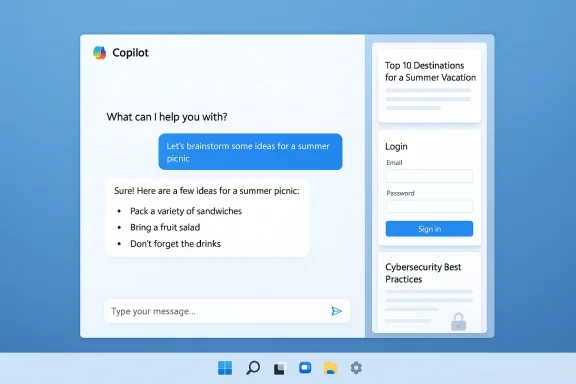
Microsoft announced to Windows Insiders that the Copilot app on Windows will, when you click links inside a Copilot conversation, open those pages in a docked sidepane inside the Copilot window instead of launching a separate browser. The company says the feature is scoped to the conversation, asks for explicit permission before reading page contents, saves tabs with the chat for persistent research, and offers an optional password/form-data sync to let Copilot autofill forms within the sidepane. This rollout is staged to Insiders in Copilot app package builds starting at version 146.0.3856.39.
At first blush the change is a clear productivity play: keep your web pages and AI assistant visible at once, so you can ask follow-up questions, ask Copilot to summarize multiple tabs, or request drafts that reference exact pages without copy‑paste. But the technical design and the optional autofill behavior raise hard questions about where browsing content is rendered, how credentials are handled, and whether this is a convenience-first move that also nudges users toward Microsoft’s browser surface. Independent reporting and community analysis have highlighted both the usefulness and the tradeoffs of the approach.
Benefits Microsoft is touting (and that practical testing confirms):
A few implementation points to keep in mind:
There are two distinct axes here:
Key risks and open questions
Two immediate UX friction points:
Recent Copilot developments and related features include:
The immediate value proposition is strong for personal productivity: faster summarization, cleaner drafting, and persistent research workspaces. The lingering, solvable problems are technical transparency, stronger admin controls, and documented credential‑handling semantics. Until those appear in official documentation, treat the feature as an opt‑in productivity experiment and a capability worth testing, but not a default for regulated or high‑security environments.
Source: Windows Central Microsoft’s new Copilot update is a browser in disguise — but is it useful?
 Background
Microsoft announced to Windows Insiders that the Copilot app on Windows will, when you click links inside a Copilot conversation, open those pages in a docked sidepane inside the Copilot window instead of launching a separate browser. The company says the feature is scoped to the conversation, asks for explicit permission before reading page contents, saves tabs with the chat for persistent research, and offers an optional password/form-data sync to let Copilot autofill forms within the sidepane. This rollout is staged to Insiders in Copilot app package builds starting at version 146.0.3856.39.At first blush the change is a clear productivity play: keep your web pages and AI assistant visible at once, so you can ask follow-up questions, ask Copilot to summarize multiple tabs, or request drafts that reference exact pages without copy‑paste. But the technical design and the optional autofill behavior raise hard questions about where browsing content is rendered, how credentials are handled, and whether this is a convenience-first move that also nudges users toward Microsoft’s browser surface. Independent reporting and community analysis have highlighted both the usefulness and the tradeoffs of the approach.
What exactly changed — features and UX
- Copilot opens clicked links inside a docked sidepane adjacent to your ongoing conversation instead of launching your default browser window. Tabs you open in that sidepane are saved and scoped to the conversation so they reappear when you return to the chat.
- With your explicit permission, Copilot can read the content of those tabs so it can summarize, synthesize, and draft text that references the exact pages you opened. That permission is described as per‑conversation, not global.
- An optional password and form‑data sync can be enabled to permit autofill inside the sidepane, streamlining multi‑step flows that the assistant might perform for you. Microsoft markets this as convenience for tasks like bookings, research, or multi‑page drafting.
- The update also merges other Copilot web features into the app: things like Podcasts and Study/Learn modes (features already present on Copilot.com) and ongoing performance and reliability improvements.
Why Microsoft is doing this: the productivity argument
Context switching is a measurable productivity cost. For many knowledge workflows — comparing multiple product listings, drafting reports from multiple reference pages, or compiling research notes — repeatedly flipping between a browser and a chat box is friction. Embedding web pages inside Copilot reduces that friction by keeping the information and the assistant in one visible workspace.Benefits Microsoft is touting (and that practical testing confirms):
- Faster summarization: open a handful of sources, then ask Copilot to synthesize the key points without copying links or pasting text.
- More accurate, context‑aware drafting: drafts can reference specific web passages you explicitly presented to Copilot.
- Persistent project workspaces: reopen a conversation and return to the same set of reference tabs, saving time and preserving research context.
- Streamlined multi‑step tasks: enabling credential autofill allows Copilot to log in and complete form flows inside the sidepane when you permit it.
The technical plumbing (what Microsoft says and what we infer)
Microsoft’s public notes describe the behavior, consent model, and the user-facing features, but low‑level implementation details remain sparse. Independent reporting and community analysis point to the Copilot sidepane rendering pages with the same engine that powers Microsoft Edge — likely a WebView2 or equivalent embedding of Edge’s rendering stack — which explains why pages render consistently with Edge behavior. However this rendering-engine conclusion is inferred from Microsoft’s broader architecture choices and not explicitly confirmed in the initial announcement. Treat references to WebView2 as plausible but not officially published.A few implementation points to keep in mind:
- Rendering fidelity: using Edge’s rendering stack inside Copilot preserves how modern sites appear and behave, which avoids compatibility surprises.
- Permissions: Copilot will prompt to read the content of tabs you open in a conversation. Microsoft frames this as per‑conversation consent.
- Credential plumbing: Microsoft has not yet published precise technical documentation on which credential store Copilot uses for autofill — Edge’s password vault, Windows Credential Manager, or a distinct Copilot-managed store. Independent analysis suggests reuse of Edge-style encrypted stores, but that remains an inference until Microsoft clarifies. This ambiguity is material for enterprise and security teams.
The competition and the “AI browser” frame
Tech press and browser vendors have been wrestling with the notion of an “AI browser.” OpenAI experimented with a full chat‑first browser concept, and several players are testing browser surfaces that foreground an assistant. Microsoft’s approach is deliberately different: it’s not shipping a new standalone browser but folding Copilot’s assistant and web rendering capabilities into existing surfaces — notably Edge and now the Copilot app.There are two distinct axes here:
- Edge-focused agentic browsing (Copilot Mode) where the browser itself is the assistant.
- Copilot-hosted web rendering (the new sidepane) where the assistant hosts web pages inside a separate app container.
Privacy, governance, and enterprise control — the real tradeoffs
This update sharpens the tradeoff that comes with richer assistant capabilities: convenience vs. control.Key risks and open questions
- Retention and telemetry: saved tabs become persistent artifacts tied to conversation history. That persistence raises questions about how long page content or metadata is retained, whether it leaves telemetry traces, and how recall interacts with Windows-level memory features. Microsoft’s initial notes promise scoped permissions but do not fully document retention policy, telemetry, or how that data is stored and processed. Until Microsoft publishes precise details, organizations should treat saved‑tab behavior cautiously.
- Credential handling ambiguity: optional password and form‑data sync materially change the threat model. Which store is used, what is logged, and how tokens are exchanged are all security questions that organizations need answered before permitting autofill at scale. The lack of a published, explicit credential‑store specification is a legitimate gap.
- Administrative controls: early signals suggest the feature will be managed as a staged capability with some admin-level mitigations, but current enterprise controls appear limited. Large organizations with compliance requirements may need stronger policy primitives (Intune/GPO controls, blocklists, or enforced disablement) to rely on deterministic governance. Microsoft’s staged rollout to Insiders is a positive sign that the company intends to iterate, but enterprises should demand clear documentation and management policies before broad deployment.
- Expanded attack surface: embedding web pages inside an assistant app increases the number of surfaces that can request autofill, run scripts, or be exposed to prompt‑injection attacks. Existing DLP and security monitoring tools may not be prepared to sweep assistant‑driven flows without configuration changes.
- Treat the Copilot sidepane as opt‑in productivity experimentation for personal and non‑regulated workloads.
- Avoid opening highly sensitive sites (banking, medical, HR portals) inside the Copilot sidepane until Microsoft publishes processing and retention guarantees.
- Delay enabling password/form‑data sync on managed endpoints until the credential storage semantics are fully documented and reviewed by security teams.
- Use controlled pilot groups and require documented consent in corporate policies before enabling the feature organization‑wide.
UX and design concerns: convenience that nudges behavior
The new Copilot behavior subtly alters desktop norms. Historically, clicking a link hands off browsing to the system default browser — a user choice that carries preferences, extensions, privacy protections, and an autofill vault. When Copilot opens links inside its own sidepane, that default behavior is effectively superseded for links clicked from the assistant.Two immediate UX friction points:
- Screen real estate: the sidepane reduces available width for content when compared with a full browser window. For layout‑heavy pages or complex web apps, the sidepane experience can feel cramped.
- Browser choice and ecosystem pressure: even if Copilot’s intent is convenience, the effect is attention funneling. Users who adopt the sidepane more often will engage with Microsoft-rendered surfaces, and publishers may see different ad and script behavior depending on whether content is embedded inside Copilot or opened in the system browser. Critics call this a subtle form of competitive pressure that favors Microsoft’s ecosystem. That perception matters to regulators and competitors alike.
How this fits into Copilot’s broader rollout and capabilities
The sidepane is not an isolated change — it’s part of a broader strategy to make Copilot a continuous productivity layer across Windows and Microsoft 365.Recent Copilot developments and related features include:
- Copilot Tasks and deeper integrations into Outlook (for example, features that can suggest or reschedule meetings when conflicts arise). These additions aim to move Copilot from a chat assistant into an active task manager that can act on calendar and email context.
- The Copilot app is getting modes like Podcasts and Study/Learn that align with conversational, voice, and audio learning experiences; bringing these web features into the app unifies the experience between Copilot.com and the Windows app.
- Continued Edge integrations such as Copilot Mode and agentic features that can read and act on web pages when explicitly permitted. The company’s roadmap clearly blends browser and assistant capabilities across surfaces.
Real‑world scenarios: when the sidepane helps and when it hurts
Helpful scenarios- Research and drafting: a writer can open five sources inside a conversation, ask Copilot to summarize or compare them, and then draft a section of an article using those exact references without copy‑paste friction.
- Multi‑step workflows: booking travel that requires searching several sites, filling forms, and comparing options is easier if Copilot can access the pages and autofill forms (when you permit it).
- Persistent project workspaces: students or analysts who revisit a topic over days can pick up a conversation and return to the same set of tabs for continuity.
- Sensitive operations: logging into bank or HR portals inside the sidepane before credential‑store behavior is clarified could expose metadata or create indexing in conversation history that an organization cannot accept.
- Enterprise auditing and DLP: organizations that must log all web activity or enforce DLP may find assistant-hosted browsing difficult to audit if Copilot’s telemetry and retention semantics are unclear.
- Accessibility and layout‑heavy sites: certain web apps and dashboards don’t adapt well to narrow sidepane widths, limiting usability for complex interactions.
A journalist’s verdict — strengths, weaknesses, and what we want to see next
Strengths- The Copilot sidepane addresses a real productivity pain: context switching between a browser and an assistant. For many knowledge workers the feature will be a real time‑saver.
- Consistency with Edge’s rendering stack (likely reuse of WebView2) promises good compatibility with modern web content and reduces rendering surprises.
- The per‑conversation permission model is a useful surface‑level safeguard: scoping access to the specific conversation reduces the risk compared with blanket access to all browsing activity.
- Microsoft’s current public documentation does not fully spell out retention, telemetry, and credential‑store semantics. Those are not minor details — they matter for enterprise compliance and individual privacy. Until clarified, organizations should be cautious.
- Administrative controls for managed environments appear limited today. Enterprises that require deterministic enforcement will need stronger policy tools before rolling out the feature widely.
- The UI change changes desktop norms and, intentionally or not, nudges web usage toward Microsoft-rendered surfaces. That has competitive and regulatory implications the company cannot ignore.
- A detailed technical whitepaper from Microsoft explaining exactly how Copilot renders web pages (which rendering engine), how per-conversation permissions are implemented, and where content is stored or transmitted.
- A clear specification of credential‑store behavior for the optional autofill: which vault is used, what tokens are exchanged, and what telemetry is logged.
- Enterprise‑grade policy primitives (Intune/GPO settings) that let admins enforce or block sidepane browsing and autofill on managed endpoints.
- A transparent retention and data‑processing policy for saved tabs tied to conversation history, and tools to purge or export saved tab data on demand.
Practical takeaways for readers
- If you are an individual knowledge worker or student: try the Copilot sidepane in a controlled way. For non-sensitive browsing it will likely save time and be a useful research tool. Keep password autofill disabled until you understand which store is in use.
- If you are an IT or security professional: treat the preview as an opportunity to test. Enforce conservative policies for credential sync on managed endpoints, pilot with a small set of users, and ask Microsoft for the technical documentation you need to assess compliance.
- If you care about browser choice and ecosystem fairness: recognize that convenience features can create sticky defaults. Pay attention to settings and prompts, and keep your default browser workflows in place if you prefer them.
Conclusion
Microsoft’s Copilot sidepane is a pragmatic attempt to reduce friction between browsing and AI assistance — and for many workflows it will deliver genuine productivity improvements. But the feature sits squarely at the intersection of convenience and control: saved per‑conversation tabs, optional credential autofill, and an embedded rendering surface amplify questions that enterprises, privacy advocates, and regulators will press Microsoft to answer.The immediate value proposition is strong for personal productivity: faster summarization, cleaner drafting, and persistent research workspaces. The lingering, solvable problems are technical transparency, stronger admin controls, and documented credential‑handling semantics. Until those appear in official documentation, treat the feature as an opt‑in productivity experiment and a capability worth testing, but not a default for regulated or high‑security environments.
Source: Windows Central Microsoft’s new Copilot update is a browser in disguise — but is it useful?
