Copilot Studio Adds xAI Grok 4.1 Fast Preview for Enterprise Agents

  • Thread Author
Microsoft’s Copilot Studio now offers xAI’s Grok 4.1 Fast in preview, opening a new lane in the multi‑model ecosystem for enterprise agent builders. The addition—available today in early access environments for United States‑based makers and off by default until an organization administrator opts in—promises a low‑latency, tool‑oriented text model optimized for very large context windows and deep tool integrations. At the same time, Microsoft and xAI emphasize that Grok runs outside Microsoft‑managed hosting and that customer prompts and responses are not retained or used to train xAI’s models, shifting responsibilities for data protection and contractual terms to xAI’s enterprise agreements. This article unpacks what the integration actually changes for Copilot Studio users, verifies the technical claims that matter to IT teams, highlights the operational benefits, and lays out the security, compliance, and governance questions every administrator should answer before enabling Grok inside their tenant.

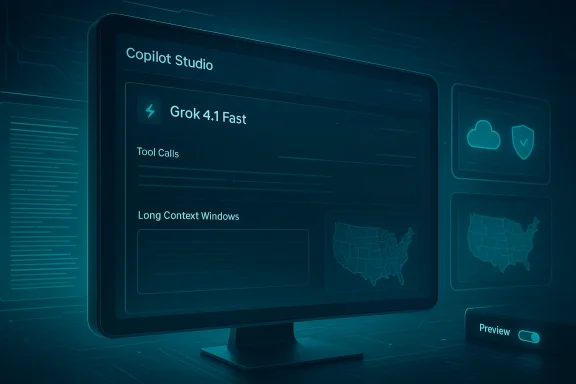
Futuristic monitor displays Copilot Studio UI with Grok 4.1 Fast and map panels.Background / Overview​

Microsoft’s Copilot Studio is positioned as an orchestration and agent‑design surface where enterprise makers can compose prompts, attach tools, test interactions, and deploy agents that connect to internal data sources. Over the past year Microsoft has shifted from a single‑provider model toward a deliberate multi‑model approach—adding Anthropic’s Claude models and broader OpenAI model families—so organizations can choose the model that best fits particular workflows, from creative drafting to deep reasoning.
xAI’s Grok lineage entered the enterprise conversation quickly: the Grok 4 family was added to Microsoft’s Azure AI Foundry, and xAI followed with Grok 4.1 variants that include a Fast mode tuned for low latency, agentic tool use, and very large context windows. Microsoft’s Copilot Studio announcement makes one of these Grok 4.1 variants—Grok 4.1 Fast—available in preview as an additional model option for makers located in the United States, subject to explicit admin opt‑in. The model is text‑generation only (it does not support image or other media generation in this integration) and is presented as complementary to other models in the Copilot Studio model picker.

What Microsoft and xAI are shipping (the essentials)​

  • Availability model: Grok 4.1 Fast is rolled into Copilot Studio as a preview option in early access environments and is off by default. Organization administrators must opt in before makers can select it. Existing agents remain unchanged unless an admin enables the model and a maker deliberately switches the agent’s model.
  • Hosting and contracts: xAI’s models are hosted outside Microsoft‑managed environments. Using Grok through Copilot Studio creates an independent relationship between the customer and xAI that is governed by xAI’s Enterprise Terms of Service and Data Protection Addendum rather than Microsoft’s managed data controls.
  • Data use statement: Microsoft’s messaging for the integration explicitly states that when Grok 4.1 Fast is used inside Copilot Studio, customer data is not retained or used to train xAI’s models. That statement aligns with the enterprise assurances customers now expect from large model vendors, but it also means the contractual promise comes from xAI, not Microsoft.
  • Model focus and limitations: Grok 4.1 Fast is built for fast reasoning and text generation, with capabilities focused on long context processing and accurate tool calling. The integration does not enable image generation or multimodal outputs through Copilot Studio with this model.
  • Regional rollout: Initial availability is limited (U.S. makers in early access). Microsoft states readiness evaluations are underway for other regions, which means global availability may lag and regional privacy boundaries could complicate adoption timelines.
These are the core takeaways organizations need to evaluate before flipping an admin opt‑in switch.

Technical profile: what Grok 4.1 Fast brings to the table​

To judge whether Grok 4.1 Fast is a meaningful addition to your Copilot Studio toolkit, you need to understand three technical vectors where the model claims strength.

1) Large context windows and multi‑turn memory​

Grok 4.1 Fast is designed for extended context. xAI’s public materials and independent reporting indicate that the Fast variant targets extremely large context windows (reports reference a 2,000,000‑token window for the Fast, tool‑oriented variant). That scale changes what you can build: entire codebases, long contracts, multi‑session customer interactions, or lengthy research documents can be processed with fewer external retrieval round trips.
  • Why it matters: fewer context truncations reduce the need for complex retrieval‑and‑stitch orchestration and make it easier to maintain multi‑turn coherence for agents that must reason over long documents.
  • Caveat: very large context windows increase input token costs and can expose more sensitive content in a single prompt; design and governance must keep that in mind.

2) Tool‑calling and agentic workflows​

Grok 4.1 Fast is explicitly tuned for tool use—calling APIs, invoking connectors, and executing deterministic actions as part of a workflow. Reports and model descriptions point to improved function‑calling accuracy and lower latency for tool invocation compared with prior Grok releases.
  • Why it matters: tool correctness is the core differentiator when moving from chat assistants to agents that perform real work—placing orders, querying systems of record, or executing remediation steps.
  • Caveat: tool calling reduces hallucination risk when integrated with properly validated APIs, but the overall system still needs robust guardrails: rate limits, input sanitization, and circuit breakers.

3) Low latency and fast reasoning​

Fast variants trade off depth for latency; Grok 4.1 Fast aims to provide rapid responses with good reasoning for typical agent tasks. Where deeper chain‑of‑thought is required, xAI’s other modes (e.g., higher‑depth “Thinking” variants) remain available outside this Copilot Studio integration.
  • Why it matters: latency matters for interactive UIs, real‑time triage, or services embedded in customer experiences. Fast reasoning helps agents remain responsive while executing multi‑step operations.
  • Caveat: for very complex, multi‑step logical proofs or expert‑level synthesis, the tradeoff may favor a slower reasoning mode—even within a multi‑model strategy you may want to orchestrate a “fast primary, deep secondary” pattern.

How Copilot Studio integrates external models: process and controls​

Copilot Studio’s model picker is evolving into a central control point for enterprise model governance. The Grok addition follows the pattern Microsoft introduced with Anthropic: models hosted externally are made available through the Copilot Studio interface, but activation requires tenant admin consent.
Key operational mechanics:
  • Admin opt‑in: Administrators must explicitly enable Grok 4.1 Fast at the tenant level. This preserves a gate for compliance and procurement workflows.
  • Default behavior: If admins do not opt in, nothing changes—makers continue to use only the models currently available to the tenant. Existing agents remain on their configured model versions.
  • Responsible AI gating: Microsoft performs pre‑rollout security, safety, and quality evaluations for any model added to the Copilot Studio lineup. Those evaluations are intended to be a minimum bar—not a full substitute for an organization’s own risk assessment.
  • Choice in the agent: Once enabled, makers can select Grok 4.1 Fast in the prompt/model drop‑down to power specific agents or tasks, making model choice per‑agent possible.
This approach gives administrators tactical control while enabling developers to iterate—so long as orgs treat the admin opt‑in as a formal policy decision, not a rubber stamp.

Enterprise implications: security, compliance, and contractual shifts​

Bringing a third‑party model into a production‑grade agent ecosystem is not just a technical integration; it is a contractual, compliance, and security event. Here’s what changes substantively.

Data protection and contractual allocation of risk​

  • Grok is hosted outside Microsoft’s managed environment. Microsoft’s announcement makes this explicit: when you use Grok through Copilot Studio, the relationship with xAI becomes independent and is governed by xAI’s Enterprise Terms and Data Protection Addendum.
  • Microsoft and xAI both state that customer data used through Copilot Studio for Grok is not retained for model training. That assurance is meaningful, but it comes from xAI’s policy commitments—enterprises should obtain contractually binding guarantees and audit rights under xAI’s DPA before using the model for regulated workloads.

Auditability and logging​

  • Copilot Studio will surface the model choice and traffic, but the ability to perform tenant‑level exportable audits and to correlate which agent interactions invoked an external model will determine whether the organization can meet regulatory transparency needs.
  • Administrators should verify:
  • What telemetry stays in Microsoft logs versus what is visible to xAI.
  • Retention windows for logs and the ability to obtain those logs for eDiscovery or incident response.

Jurisdiction and data residency​

  • The initial rollout is U.S.‑centric. If your organization operates in the EU/UK/EFTA, regulations such as GDPR and data residency requirements may limit or delay adoption. Microsoft indicated readiness evaluations for other regions are underway; organizations with cross‑border data flows should defer production use until region‑specific compliance assurances are documented.

Supply chain and operational resilience​

  • Adding another provider diversifies risk (less single‑vendor dependency), but it also expands your supply chain. Vet xAI’s operational SLAs, availability, and redundancy plans. Understand how failover works inside Copilot Studio if Grok endpoints are intermittently unavailable.

Strengths: why this matters for makers and IT leaders​

  • Greater model choice for specialized tasks. Developers can use different models tailored to particular workloads—fast tool‑oriented Grok for low‑latency agenting, other models for deep reasoning or creative tasks.
  • Simplified agent experimentation. Copilot Studio’s model picker reduces friction when testing alternate backends—no need to rewire the entire pipeline to trial a new model.
  • Potential cost/performance optimization. Fast variants can be cheaper and faster for high‑throughput, tool‑heavy workloads; teams can allocate expensive, high‑accuracy models for tasks that require them.
  • Competitive vendor diversity. Microsoft’s multi‑model approach reduces the risk of lock‑in and encourages innovation among model providers.
  • Improved tool‑calling fidelity. If Grok’s tool‑calling accuracy is as advertised, tasks that require reliable actions (ticket updates, DB queries, system orchestration) will be simpler to implement.

Risks and open questions​

  • Contractual and legal exposure: Because Grok runs outside Microsoft‑managed zones and is governed by xAI’s contracts, make sure the DPA and Enterprise Terms address data processing, subprocessor use, breach notification timelines, and audit rights. Relying on vendor statements in a blog post is not sufficient for regulated data.
  • Operational visibility: Confirm what telemetry is captured in Microsoft logs versus what xAI receives. Incident response depends on having accessible logs for all steps of an event.
  • Regional compliance and data residency: U.S. availability only means EEA, UK, and other regions may require additional assessments or may be blocked entirely until local guarantees are in place.
  • Model updates and versioning: How will updates to Grok (for example, future Grok 4.2 or Fast patches) be managed inside Copilot Studio? Who decides when an agent switches to a new model version?
  • Security of third‑party hosting: Verify xAI hosting controls, encryption standards, and access lists. External hosting invites additional attack surface considerations.
  • Unverified or evolving specs: Industry reporting cites large token windows and aggressive pricing for Grok 4.1 Fast; treat those numbers as vendor claims that should be validated against current model cards and contractual pricing.
Where claims cannot be independently verified (for instance, exact latency numbers in your environment, or third‑party benchmark claims that vary by dataset), treat them as vendor‑provided guidance and run an internal proof of concept.

Practical on‑ramp: a step‑by‑step adoption checklist for admins and makers​

  • Admin policy decision:
  • Convene security, legal, and procurement stakeholders to review xAI’s Enterprise Terms and DPA.
  • Define acceptable use cases for external models and identify prohibited data classes (e.g., PHI, certain PII).
  • Contractual due diligence:
  • Obtain contract language for data handling, retention, breach notification, subprocessor lists, and audit rights.
  • Verify model training and retention commitments are explicit and enforceable.
  • Pilot and POC:
  • Create a controlled pilot with non‑sensitive data and instrument end‑to‑end telemetry (request/response, tool calls, error rates).
  • Measure latency, tool‑calling accuracy, and hallucination rates against your acceptance criteria.
  • Logging and monitoring:
  • Ensure Copilot Studio logs include model selection per interaction and that logs are exportable into your SIEM.
  • Configure alerts for unusual tool calls or spikes in external model usage.
  • Data minimization and sanitization:
  • Limit what is sent to the model—obfuscate or redact unnecessary PII and adopt summary‑only approaches when feasible.
  • Where possible, pre‑filter or redact sensitive segments before including documents in prompts.
  • Access controls and RBAC:
  • Restrict who can enable external models at the admin level.
  • Use role‑based access to limit which makers can select Grok for production agents.
  • Update and lifecycle governance:
  • Define how model updates are approved and how agents are tested prior to model upgrades.
  • Maintain a model‑inventory with version, purpose, and test evidence.
  • Compliance sign‑off before production:
  • For regulated workloads, get sign‑off from compliance and legal with documented risk treatment plans.
  • If needed, restrict use to named pilot tenants until legal concerns are cleared.

Developer guidance: designing agents with Grok 4.1 Fast​

  • Use a hybrid model design: pick Grok for latency‑sensitive, tool‑heavy sub‑agents and reserve deeper, higher‑accuracy models for complex synthesis steps.
  • Implement a verification layer for any tool‑triggering output. Treat model recommendations as commands to be validated by deterministic checks before executing them.
  • Test edge cases where long context might introduce stale or contradictory information; implement freshness indicators and explicit "context cut" heuristics.
  • Profile token consumption and cost during POC. Large context windows are powerful but can dramatically increase per‑call token usage.
  • Add user consent and explainability surfaces in UI flows for external model usage so end users know when content is processed by a third party.

Responsible AI: safety evaluations and what they mean in practice​

Microsoft states every model added to Copilot Studio undergoes security, safety, and quality evaluations. That is a valuable gate, but organizations must understand the scope:
  • Microsoft’s evaluations focus on a baseline risk profile suited for enterprise deployments and are not a substitute for tenant‑level safety policy checks.
  • Organizations should demand:
  • Access to model cards and documented safety evaluations.
  • Evidence of adversarial testing and mitigation strategies for prompt injection, data exfiltration, and tool misuse.
  • A remediation plan and SLA obligations for model behavior that violates safety expectations.
Responsible deployment includes ongoing monitoring and a rollback plan if a model begins producing unacceptable outputs in production. In the context of Grok—whose early versions in the wild have had controversial outputs in other contexts—this operational vigilance is particularly important.

Final analysis: is this a seismic change or incremental flexibility?​

Adding xAI’s Grok 4.1 Fast to Copilot Studio is significant, but not revolutionary in isolation. It is an expression of Microsoft’s broader multi‑model strategy—a pragmatic move that gives enterprise makers more options and accelerates competition among model vendors. For teams building agentic workflows that depend on rapid tool execution and long‑context reasoning, Grok 4.1 Fast could offer tangible operational advantages.
However, the integration also changes the governance equation: the model is hosted externally and governed by xAI’s terms, so risk and contractual oversight shift. That tradeoff is acceptable for many organizations—provided they perform the contractual due diligence, pilot the model against their acceptance criteria, and apply strict access and data‑minimization controls.
Practical takeaway: treat Grok as another powerful tool in your model toolbox, not a drop‑in replacement for an enterprise model governance program. Use the admin opt‑in as the trigger for a formal, documented pilot that validates tool accuracy, latency, telemetry, and contractual protections. If the pilot checks all critical boxes, Grok 4.1 Fast can be a compelling choice for agentic, low‑latency workloads that demand long context and dependable tool calling.

Conclusion
Microsoft’s addition of xAI Grok 4.1 Fast to Copilot Studio expands the multi‑model landscape and gives makers a new, specialized option for building fast, tool‑oriented agents. The technical promises—large context windows, improved tool calling, and low latency—fit a clear set of enterprise use cases, but adoption brings non‑trivial governance work: contractual signoffs with xAI, auditability requirements, region‑specific data considerations, and operational monitoring. Organizations that proceed methodically—treating the admin opt‑in as the start of a formal risk assessment, piloting with telemetry and verification layers, and keeping sensitive workloads on fully‑managed in‑tenant models until compliance is confirmed—will capture the benefits without accepting unmanaged risk. For Copilot Studio builders, Grok 4.1 Fast is another arrow in the quiver—powerful when used deliberately, risky when treated as a drop‑in convenience.

Source: Microsoft xAI models now available in Microsoft Copilot Studio | Microsoft Copilot Blog
 

Microsoft’s Copilot Studio has added xAI’s Grok 4.1 Fast to its model picker, making a high‑speed, large‑context, tool‑capable text model available in preview for United States‑based builders — but only after organization administrators explicitly opt in. The move expands Copilot Studio’s multi‑model lineup and gives enterprises a new performance‑oriented option for agentic workflows, while underscoring a recurring trade‑off: more model choice means more governance, contractual complexity, and operational questions for IT teams to answer before enabling Grok in production.

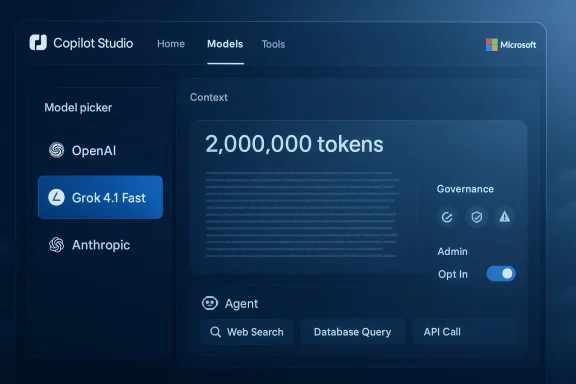
Copilot Studio UI showing a model picker and a 2,000,000-token context with governance controls.Background​

Why this matters now​

Copilot Studio is Microsoft’s low‑code/no‑code environment for building, testing, and governing AI agents that integrate with Microsoft 365, Power Platform, connectors, and enterprise data. By adding third‑party models the platform becomes an orchestration layer where organizations can pick models to suit specific tasks — reasoning, creativity, speed, or privacy — rather than being locked to a single provider. The addition of Grok 4.1 Fast continues that strategy and reflects Microsoft’s broader multi‑model approach that already includes OpenAI and Anthropic models in Copilot experiences.

The lineage: Grok 4 → Grok 4 Fast → Grok 4.1 Fast​

xAI’s Grok family has evolved quickly: Grok 4 established a reasoning‑first architecture; Grok 4 Fast focused on higher throughput and lower cost; and Grok 4.1 Fast is positioned as an agent‑optimized variant of Grok 4 Fast with improved factuality, tool‑calling capabilities, and an enormous context window. xAI’s own release notes and documentation describe Grok 4.1 Fast as tuned specifically for agentic workflows and tool integration. Independent platform providers such as Oracle and cloud catalogs also list Grok 4.1 Fast as available for use in their generative AI services, underlining that this variant is already being deployed in a multi‑cloud world.

What Microsoft announced (short summary)​

  • Availability: Grok 4.1 Fast is available in preview inside Microsoft Copilot Studio for United States‑based makers; the capability is off by default and requires administrator opt‑in.
  • Hosting and data handling: Microsoft states Grok 4.1 Fast runs outside Microsoft‑managed infrastructure; customer data processed by the model is not used to train xAI’s models, and interactions are governed by xAI’s Enterprise Terms of Service and Data Protection Addendum rather than Microsoft’s standard model‑training terms.
  • Model characteristics: xAI positions Grok 4.1 Fast as a fast‑reasoning text generation model engineered for very large context windows and deep tool use — a model suited to agents that must browse, call tools, and reason across long documents. xAI’s briefings and documentation reference a 2,000,000‑token context window and substantial reductions in hallucination rates compared with prior variants.
  • Governance flow: Microsoft says every third‑party model added to Copilot Studio goes through safety, security, and quality evaluations before rollout; even so, the model remains external to Microsoft’s model infrastructure and is subject to the vendor’s terms.
These points form the most load‑bearing claims in Microsoft’s announcement and are independently corroborated by xAI’s own releases and third‑party cloud documentation.

Deep dive: Grok 4.1 Fast technical highlights​

1) Context window and agentic workflows​

xAI advertises Grok 4.1 Fast with a 2,000,000‑token context window, an order‑of‑magnitude increase over most mainstream models. That kind of context enables agents to ingest entire document repositories, long logs, and extended conversational histories without iterative retrieval chunking. For agent designers, this can dramatically simplify prompt engineering and RAG (retrieval‑augmented generation) architectures because the model can reason over much more of the relevant context in a single pass.
Practical implication: longer context windows reduce the engineering overhead of context stitching but do not eliminate the need for retrieval strategies when you must also constrain cost and latency.

2) Tool calling and agent tools API​

Grok 4.1 Fast was released alongside an Agent Tools API that standardizes how models call external functions, run code, or query services. xAI’s docs present example tool stacks — e.g., booking agents that combine internal database lookups, web searches, and service calls — and claim improved tool calling reliability relative to prior models. This is central to Grok’s agent focus: the model is meant to orchestrate multi‑step workflows, not just generate single responses.

3) Speed and accuracy tradeoff​

The “Fast” SKU is explicitly a performance‑optimized variant. xAI’s materials claim substantial reductions in hallucinations (xAI reports up to a two‑ to three‑fold reduction in some internal metrics versus prior versions) while maintaining lower latency and cost per token. Oracle’s generative AI documentation also notes Grok 4.1 Fast’s GA release and cites improved accuracy and speed for agentic tasks. These claims come from vendor benchmarks and should be validated by customer trials before trusting them for mission‑critical workloads.

4) SKUs: reasoning vs non‑reasoning​

xAI publishes two Grok 4.1 Fast SKUs: grok‑4‑1‑fast‑reasoning (for deeper, compute‑intensive reasoning) and grok‑4‑1‑fast‑non‑reasoning (for rapid, low‑latency responses). That split is useful in practice because agents can route tasks: complex planning to the reasoning SKU and routine retrieval or summarization to the non‑reasoning SKU to save cost and time.

How Copilot Studio integrates Grok 4.1 Fast​

Microsoft’s blog post explains the integration is primarily a model choice inside Copilot Studio’s model picker, with organizational admins controlling availability. When enabled:
  • Makers can select Grok 4.1 Fast when authoring agents.
  • Copilot Studio performs its usual safety and security evaluations before listing a third‑party model.
  • The runtime call to Grok is proxied through Copilot Studio but executed on xAI‑hosted instances outside Microsoft’s managed model hosting. Microsoft stresses the vendor‑to‑vendor nature of the relationship: using Grok in Copilot Studio creates a relationship between the customer and xAI governed by xAI’s contracts.
Internal forum research and community threads highlight that Microsoft has been cautious in rollout dynamics — US‑first preview, admin opt‑in, and early access controls — which aligns with Microsoft’s pattern of gating frontier models behind governance controls.

Enterprise benefits: why IT teams will care​

  • Better fit for agentic workflows: Grok 4.1 Fast is designed to orchestrate multi‑step actions — booking seats, querying internal systems, calling downstream APIs — which maps directly to the “Copilot as an agent” vision.
  • Large‑document processing: The 2M token window reduces the need for complex retrieval engineering in scenarios like legal discovery, long‑form research, or codebase analysis.
  • Performance and cost control: The split SKUs let teams tune for latency or depth of reasoning, optimizing for both user experience and budget.
  • Multi‑model flexibility: Adding xAI alongside OpenAI and Anthropic gives architects more levers to select the best model for a task, instead of shoehorning every job into a single model’s strengths.

Risks, caveats, and operational questions​

While the addition is strategically valuable, several risk vectors require explicit handling before broad rollout.

Data handling and contractual boundaries​

Microsoft’s post says Grok runs outside Microsoft‑managed environments and that customer data is not used to train xAI models. However, because calls execute on xAI infrastructure, enterprises must review xAI’s Enterprise Terms of Service and Data Protection Addendum to ensure compliance with their regulatory and data residency obligations. That review should include explicit guarantees on data retention, logging, subprocessors, and avenues for audits.
Red flag: running a model outside your primary cloud tenant introduces a third‑party data flow that auditors and privacy teams will want formally documented.

Safety and content moderation​

Vendor benchmhallucination reduction are encouraging but vendor‑provided metrics can be optimistic. Organizations should:
  • Perform independent red‑team testing using their own prompts and datasets.
  • Validate how the model handles adversarial or safety‑sensitive queries.
  • Assess the agent tools API’s error modes: what happens when a tool call fails or returns inconsistent data?
xAI claims improvements in hallucination rates, but those metrics are context‑dependent and must be verified with representative enterprise workloads.

Latency, reliability, and SLOs​

Because Grok 4.1 Fast calls are executed on xAI infrastructure, enterprises should confirm service‑level expectations, outage handling, retry semantics, and how Copilot Studio surfaces downstream errors in agent workflows. Contracts and operational runbooks should define what happens when the model endpoint becomes unreachable.

Compliance and regulatory risk​

Certain regulated sectors require that data remain within approved providers and geographies. Running an external model may complicate regulatory compliance for finance, healthcare, and government customers. Legal and compliance teams must be involved before enabling the model in production.

Vendor diversification vs vendor proliferation​

Multi‑model ecosystems reduce single‑vendor lock‑in risk but increase procurement and governance complexity. Every additional model introduces different behavior, contractual terms, and update cadences that governance teams must manage. Copilot Studio’s model‑evaluation pipeline helps, but organizations should treat each model addition as a discrete product with its own risk profile.

Recommended evaluation and rollout checklist for IT teams​

  • Obtain governance approval: ensure legal, privacy, and security teams review xAI’s Enterprise Terms and DPA.
  • Start in a sandbox: enable Grok 4.1 Fast only in isolated test tenants or dev environments and restrict maker access.
  • Run functional tests: validate core agent workflows with representative data and metrics for accuracy, hallucination rate, and tool‑call reliability.
  • Security testing: perform red‑team prompts, injection attempts, and data‑exfiltration scenarios.
  • SLA and incident readiness: confirm SLOs with xAI, document retry and fallback logic in Copilot Studio agents.
  • Monitoring and observability: instrument agents for usage, errors, cost, and safety incidents; integrate with SIEM/XDR where applicable.
  • Escalation & rollback playbook: define how to disable the model quickly across the tenant if problems surface.
These steps help translate vendor promises into enterprise readiness.

Comparing Grok 4.1 Fast to the alternatives​

  • OpenAI / GPT‑4 variants: Strong generalist performance and broad ecosystem integrations; often preferred for developer tooling and creative tasks. Microsoft has already been steering specific Copilot experiences to OpenAI and other partners depending on use case.
  • Anthropic Claude family: Positioned for safe reasoning and regulated contexts; Microsoft has added Anthropic models to Copilot in earlier updates, offering another alternative for teams prioritizing safety over raw throughput.
  • Grok 4.1 Fast: Appears tuned for agentic speed and large‑context reasoning, with tool‑calling baked in — a compelling choice for long‑document and multi‑step automation where latency and cost are critical.
Each model category has strengths; the right choice depends on the workload profile (reasoning depth, latency sensitivity, safety requirements, cost envelope).

Realistic use cases where Grok 4.1 Fast adds value​

  • Customer support orchestration: ingest complete conversation histories, knowledge base articles, and ticket metadata to drive multi‑step resolutions and follow‑ups.
  • Legal and compliance assistants: summarize lengthy contracts and produce actionable next steps while preserving context.
  • Developer agent workflows: analyze massive codebases, generate PRs, and run tool‑chain commands that require understanding long dependency graphs.
  • Research and intelligence workflows: synthesize long research reports, cross‑reference sources, and plan multistep investigative tasks.
These scenarios benefit from the model’s large context window and tool‑calling capabilities, but they also demand extensive validation for correctness and safety.

Operational patterns: hybrid hosting and Azure Foundry​

xAI models are increasingly availasts. Microsoft’s Copilot Studio integration runs Grok 4.1 Fast outside Microsoft‑managed model hosting (per Microsoft’s announcement), while Azure AI Foundry and other cloud catalogs have listed Grok 4 variants in their model catalogs for enterprise deployment. That means customers can choose the hosting and contractual path that best fits their controls — either via Copilot Studio’s model picker (with its governance overlays) or directly via cloud providers that have arranged hosting with xAI. Each path has different operational and legal tradeoffs that procurement and security teams should scrutinize.

What’s not yet verified or remains fluid​

  • Vendor headline metrics about hallucination reduction and cost must be validated on representative datasets. Vendor benchmarks are directional but rarely tell the whole story.
  • Regional rollout timelines beyond the United States are described as “readiness evaluations underway”; concrete dates for Europe, APAC, and regulated government clouds were not supplied at announcement time. Enterprises outside the U.S. should assume a phased, regionally gated rollout.
  • Product roadmaps (e.g., rumors of Grok 4.2 or future heavier variants) come from social posts and secondary reporting; until xAI publishes formal release notes those claims remain speculative and should be treated as unverified. Community chatter has noted Elon Musk teasing follow‑ups, but those mentions are not a substitute for vendor timelines or contractual assurances.

Practical guidance for Windows‑focused teams building agents​

  • Use Copilot Studio’s integration to prototype quickly inside Microsoft’s governance surface, but treat the model as an external service in your threat model.
  • Design agents with graceful degradation: implement fallback models or deterministic rule engines if Grok is unreachable or returns unsafe content.
  • Instrument every agent with request/response logging, redaction of sensitive PII before sending to third‑party APIs, and clear audit trails to satisfy compliance auditors.
  • Treat model selection like a feature flag: run A/B tests comparing Grok 4.1 Fast vs. other models on your workload and track accuracy, latency, cost, and user satisfaction.
  • Maintain an up‑to‑date inventory of which agents use which model SKUs, and include those mappings in change management and incident response playbooks.

Final assessment​

Microsoft’s decision to surface xAI Grok 4.1 Fast inside Copilot Studio is a logical extension of its multi‑model strategy: give makers choice and let them pick models tuned for specific workloads. Grok 4.1 Fast brings genuinely interesting capabilities — notably a 2M token context window, agent‑first tool calling, and performance‑focused SKUs — that can materially simplify some enterprise agent designs. These are meaningful technical advances that will make a real difference in long‑document, multi‑step workflows if vendor claims hold up in practice.
At the same time, the offering intensifies the non‑technical work enterprises must do: contract review, privacy assessments, safety verification, and operational playbook updates. For organizations that already standardize on Microsoft tooling, Copilot Studio’s governance layer and admin controls make a cautious preview rollout practical. But because Grok 4.1 Fast runs on xAI infrastructure and is governed by xAI’s terms, adopting it for sensitive or regulated workloads requires explicit approvals and independent validation.
For Windows and enterprise IT teams, the prudent path is a staged evaluation: sandbox testing, red‑team validation, SLA confirmation, and carefully instrumented pilot deployments before enabling the model broadly. If those gates are passed, Grok 4.1 Fast could deliver significant productivity gains for agentic automation — provided teams plan for the added governance complexity and maintain the operational controls necessary to manage a multi‑model future.


Source: marketscreener.com https://www.marketscreener.com/news...in-microsoft-copilot-studio-ce7e5ddcde8bf326/
 

Microsoft’s Copilot Studio has added xAI’s Grok 4.1 Fast to its model picker, delivering a high‑speed, large‑context, tool‑enabled text model into the platform Microsoft uses to build and govern enterprise agents—a move that widens model choice while raising fresh questions about governance, data flows, and operational controls for IT teams.

Analysts monitor a blue Model Marketplace showing Copilot Studio, Grok 4.1 Fast, OpenAI, Claude and a 2M TOKEN.Background​

Copilot Studio is Microsoft’s low‑code/no‑code environment for designing, testing, and deploying AI copilots and agentic workflows across the Power Platform and Microsoft 365 ecosystem. It serves as an orchestration layer that lets creators select underlying foundation models, wire in connectors and tools, and enforce organizational policies during both development and runtime. Microsoft’s explicit strategy in recent quarters has been to diversify the models available inside Copilot—moving from a narrow dependency on a single provider to a multi‑model approach that gives organizations more direct choice about latency, reasoning style, and safety characteristics.
xAI’s Grok 4.1 Fast is a specialized SKU in the Grok family tuned for agentic, tool‑calling workloads. According to xAI, Grok 4.1 Fast dramatically increases context capacity and tool‑calling fidelity compared with predecessors, and is optimized for performance-sensitive scenarios such as live customer support, research assistants, and multi‑step orchestration. Multiple vendor pages and release notes describe a very large context window and dedicated tool integration features for Grok 4.1 Fast.
Microsoft’s Copilot Studio listing confirms the immediate practicalities: Grok 4.1 Fast is available in preview, is off by default, and requires an organizational administrator to opt in before makers in the United States can begin building with it. Microsoft also stresses that Grok runs on xAI’s hosting (outside Microsoft‑managed model hosting), and that customer data processed by Grok in this configuration is not retained for xAI model training, with usage governed by xAI’s enterprise terms and data protection addendum.

What Microsoft and xAI actually shipped​

The product facts (verified)​

  • Grok 4.1 Fast is now selectable inside Copilot Studio for creators in early access environments, off by default and admin opt‑in required.
  • xAI describes Grok 4.1 Fast as a tool‑calling, fast‑reasoning text model with extremely large context support (xAI advertises a 2M token context window for the Fast variant), and explicit tuning for agent workflows. These capabilities are confirmed in xAI’s release notes and product pages.
  • When used through Copilot Studio, Grok’s runtime is proxied by Microsoft but executed on xAI‑hosted instances; data handling and legal relationships are therefore governed by xAI contracts rather than Microsoft’s managed model terms. Microsoft explicitly calls this out in the Copilot Studio documentation.
  • xAI has separate SKUs for reasoning and non‑reasoning Fast variants (for example, grok‑4.1‑fast‑reasoning vs grok‑4.1‑fast‑non‑reasoning), enabling builders to route heavier planning tasks to the reasoning SKU and lower‑latency retrieval tasks to the non‑reasoning SKU to optimize cost and latency. This SKU split appears in product documentation and in community briefings.
  • Grok 4.1 (and the Fast variant) is being made available on multiple cloud platforms beyond xAI’s own hosted offering—Oracle’s OCI and Microsoft’s Azure Foundry both list Grok 4.x family integrations in their catalogs—demonstrating an expanding distribution strategy.

Why these specifics matter​

The combination of (a) a very large context window, (b) built‑in tool calling, and (c) a fast, low‑latency SKU is deliberately aimed at the kinds of multi‑step agent workflows enterprises are trying to automate: read 500,000 words of technical documentation, synthesize the steps, call internal tools or APIs, then propose or take actions. That mix changes the calculus for product and security teams because it permits longer, more stateful interactions—and therefore increases both the opportunity for automation and the surface area for errors or policy violations.

How this fits into Microsoft’s multi‑model strategy​

Microsoft’s broader posture has shifted from single‑provider reliance to a deliberate multi‑model marketplace. Copilot Studio’s model picker already includes OpenAI models and Anthropic’s Claude, and the Grok addition is consistent with Microsoft’s approach of letting customers choose the most appropriate model for the job—and then wrapping that choice in enterprise governance. This helps Microsoft offer a differentiated proposition: vendor choice plus enterprise controls and single‑pane management.
From a product engineering perspective, the advantage for Copilot Studio customers is simple: more options. From a procurement and legal view, the addition complicates relationships—organizations now may need to manage separate contracts, privacy addenda, and compliance proofs with multiple model vendors. Microsoft calls this out: using Grok in Copilot Studio creates a contractual relationship between the customer and xAI in addition to any Microsoft relationship, because Grok is hosted and managed by xAI.

Technical implications for developers and IT​

Developer experience​

  • Makers will see Grok 4.1 Fast in the model picker in Copilot Studio after an admin enables it. The selection works like other models: creators bind connectors and tools, then author agent flows that route specific tasks to the chosen model.
  • The two SKUs model lets builders separate workloads: plan-and-decide workloads to the reasoning SKU; high‑throughput summarization and retrieval to the non‑reasoning SKU. That can materially reduce cost and latency when designed correctly.
  • Tool calling and deep context open new possibilities for contextual agents—agents that keep a long session history or ingest very large documents for analysis. However, these scenarios require careful engineering for session management and context truncation strategies.

IT and security surface​

  • Because the model runs on xAI infrastructure, telemetry and logging behavior will differ from Microsoft‑hosted models. Organizations should expect different logging endpoints, SLAs, and incident response processes when Grok is used. Microsoft documents this separation explicitly.
  • FIPS/DOD/GCC or other regulated environments may not be able to use Grok in its xAI‑hosted form until regional readiness and compliance certifications are completed. Microsoft’s rollout is U.S.‑first with regional readiness work still underway.
  • Admins should treat Grok as a third‑party service integrated into Copilot Studio and apply the same procurement, risk, and technical due diligence they use for other external vendors. Community guides and internal IT threads emphasize gating such models behind policy, monitoring, and runtime enforcement.

Strengths and opportunities​

  • Performance and latency: Grok 4.1 Fast is explicitly optimized for speed, making it well suited for real‑time agentic workflows where responsiveness matters. The availability of a non‑reasoning SKU helps teams tailor for throughput.
  • Huge context windows: With xAI public documentation referencing very large context windows (xAI advertises up to 2M tokens for the Fast agentic SKU in some docs), use‑cases that previously required complex retrievamore practical. This is a major win for document‑heavy verticals such as legal, pharma, and finance.
  • Tool‑calling and agent integration: Grok’s tool API and agent‑first design enable richer, end‑to‑end automation: fetch data, run code, call internal systems. For builders who need agentic orchestration, that means simpler integration patterns.
  • Model choice at scale: For enterprises, the ability to choose Grok alongside other models gives teams a meaningful knob to balance accuracy, cost, latency, and behavioral profile. Microsoft’s Copilot Studio makes this choice explicit and manageable within existing governance frameworks.

Risks, limitations, and real‑world caveats​

  • Third‑party hosting and contractual complexity. Because Grok runs on xAI infrastructure when invoked from Copilot Studio, organizations must manage a separate data protection addendum and enterprise terms with xAI. This introduces an additional legal and compliance review step for IT procurement. Microsoft has been clear about this separation.
  • Region and compliance availability. The Copilot Studio rollout is U.S.‑first; regulated tenants (for example, those requiring strict data locality or government clouds) should not assume immediate availability. Microsoft’s blog notes readiness evaluations for other regions are still underway.
  • Operational complexity of multi‑model agents. Using different models inside the same agent or across agents can produce inconsistent behavior. Responses, hallucination tendencies, and token accounting differ across models; agents that must maintain consistent brand voice or deterministic logic may need heavy orchestration layers to normalize outputs. Community threads and internal briefings already flag this as a non‑trivial engineering challenge.
  • Residual hallucinations and factuality trade‑offs. xAI and third‑party reports suggest Grok 4.1 reduced hallucination rates versus prior versions, but no model is immune. xAI’s own benchmarking won’t substitute for rigorous third‑party validation; organizations should assume they need to validate critical outputs before taking automated actions.
  • Auditability and logging differences. The split hosting model means logs and telemetry may be split between Microsoft and xAI endpoints; ensuring consistent audit trails for regulatory or forensic needs requires integration work and contractually guaranteed retention policies.

Practical recommendations for Windows and Azure admins​

Below is a pragmatic checklist IT teams can follow to safely evaluate and pilot Grok 4.1 Fast inside Copilot Studio.
  • Verify organizational policy: confirm whether contracts with third‑party AI providers are allowed under existing procurement and legal policies.
  • Admin opt‑in: ensure a privileged administrator enables Grok in Copilot Studio in a controlled test tenant or sandbox environment. Grok is off by default.
  • Contractual review: obtain the xAI Enterprise Terms of Service and Data Protection Addendum; request clarifications on data retention, access controls, and security certifications.
  • Create an isolated test harness: deploy agents that route sensitive tasks to Microsoft‑hosted models and exploratory tasks to Grok; validate differences in answers and failure modes.
  • Monitor and log end‑to‑end: integrate both Copilot Studio and xAI telemetry into your SIEM or logging stack to preserve an audit trail across agent decisions.
  • Use SKU routing: route heavy reasoning only to grok‑4.1‑fast‑reasoning; keep high‑volume summarization on grok‑4.1‑fast‑non‑reasoning to control costs and latency.
  • Validate hallucination metrics: construct domain‑specific test suites to quantify hallucinations and factuality for your workloads; do not rely solely on vendor benchmarks.
  • Plan a rollback strategy: define triggers (accuracy thresholds, data leakage incidents, legal escalations) that automatically revert agents to a Microsoft‑hosted default model.
These steps turn a headline integration into manageably scoped technical work—precisely the kind of operational discipline Microsoft expects its enterprise customers to apply when using third‑party frontier models.

Governance patterns that should become standard​

  • Model factsheets: Require a short factsheet for each model used in production listing hosting, retention, context window, known failure modes, and primary training data assertions. This must include proof that the model is covered by a binding Data Processing Addendum if EU/UK data will be processed.
  • Runtime monitors: Use external monitors or gatekeepers that inspect planned agent actions and either approve, alter, or block them in real time—especially for any agent that interfaces with provisioning, payroll, or privileged systems.
  • Token and cost guardrails: Implement per‑agent token budgets and cost alerts to avoid runaway bills when a model has a very large context window.
  • Model‑aware DLP: Data Loss Prevention policies should be model‑aware—classify content that should never be sent to third‑party models and enforce that at the Copilot Studio runtime boundary.
These are not theoretical controls; Microsoft and community contributors have been iterating on such governance approaches for months as Copilot Studio has expanded its model list.

Competitive and strategic takeaways​

  • Microsoft’s decision to add Grok 4.1 Fast is part of a deliberate industry trend: hyperscalers are acting as neutral model distribution layers that package third‑party frontier models with enterprise controls. That reduces friction for customers but increases the vendor and legal complexity enterprises must manage.
  • xAI’s strategy—making Grok available across multiple clouds and offering a Fast agentic SKU—accelerates enterprise adoption by letting organizations match the model to workload requirements rather than the other way around. Oracle’s OCI and other cloud providers adding Grok 4.1 support underscores that distribution strategy.
  • For Microsoft, the benefit is straightforward: Copilot becomes a neutral, enterprise‑grade model orchestration surface where customers can choose the best model and keep data governance in focus. For xAI, the benefit is reach—access to enterprise customers using Microsoft’s management and billing plane. The tradeoffs are legal and operational complexity for customers who now must manage both Microsoft and xAI relationships.

What to watch next​

  • Regional availability: Microsoft says regional readiness checks are ongoing—watch for formal rollouts to non‑U.S. tenants and any compliance certifications that broaden where Grok can be used.
  • SLA and support definitions: compare Copilot Studio behavior when using Microsoft‑hosted models versus xAI‑hosted Grok; differences in latency, error handling, and support SLAs will be important for production adoption.
  • Cost and token accounting: observe how vendors bill for very large context windows and whether the economic model scales for your workloads. Vendors are experimenting with pricing; practical cost controls are non‑negotiable.
  • Third‑party audits and benchmarks: solicit independent, third‑party evaluations of factuality and hallucination rates for Grok 4.1 Fast in your domain; vendor benchmarks are useful but not decisive.

Conclusion​

Microsoft’s inclusion of xAI’s Grok 4.1 Fast in Copilot Studio is a meaningful milestone in the enterprise AI era: it makes a high‑performance, agent‑focused model available to creators inside a familiar governance surface, while also surfacing the practical consequences of a multi‑vendor model ecosystem. For builders, the upside is real—faster, deeper, context‑rich agents are now easier to prototype. For IT leaders, the work has only begun: procurement, contractual review, logging, runtime controls, and domain‑level verification are prerequisites for safe production use.
If you run Copilot Studio in your organization, treat Grok 4.1 Fast as you would any powerful new third‑party service: pilot in isolation, instrument thoroughly, and require clear contractual and technical commitments before you flip the switch for high‑risk workloads. The combination of model choice and enterprise governance that Microsoft offers is powerful—but it rewards those teams that invest the time to measure, control, and manage the risks that come with frontier AI.

Source: Moneycontrol https://www.moneycontrol.com/techno...xpanded-model-push-article-13838104.html/amp/
 

Microsoft has quietly expanded Copilot Studio’s model roster: xAI’s Grok 4.1 Fast is now available in preview inside Microsoft Copilot Studio for select United States–based makers, offering a text‑only, fast‑reasoning option aimed at complex, agentic workflows while bringing fresh operational and governance tradeoffs that IT teams must evaluate carefully.

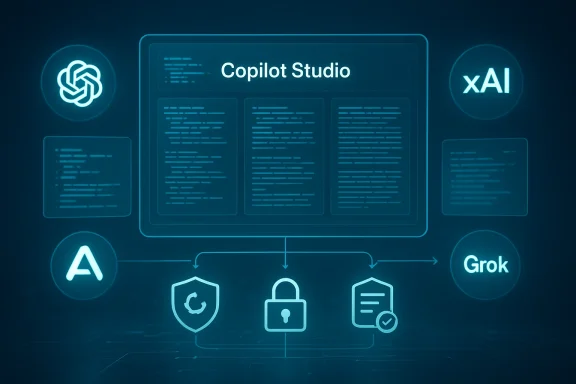
Copilot Studio interface with code panels and security icons.Background​

Microsoft’s Copilot Studio has been evolving from a single‑model orchestration environment into a genuine multi‑model platform where organisations can pick and tune the AI engine that best fits particular tasks. The recent addition of xAI Grok 4.1 Fast continues that trajectory, positioning Copilot Studio as a hub where models from OpenAI, Anthropic and now xAI coexist under a single management plane.
This rollout is explicitly a preview and is currently limited to United States early access environments. The capability is off by default and requires organisation administrators to opt in before makers can use Grok inside Copilot Studio. Microsoft says existing agents and workflows will not be changed automatically; Grok is an optional choice that must be enabled to be used.

What Grok 4.1 Fast brings to Copilot Studio​

Fast, text‑only reasoning focused on agentic tasks​

Grok 4.1 Fast is presented as a fast‑reasoning text generation model that emphasises:
  • handling large text inputs and long context,
  • supporting deep tool use and agentic workflows (models that interact with external tools, APIs, and multi‑step processes),
  • delivering lower latency for interactive scenarios where responsiveness matters.
It is not a multimodal model in this integration: Grok 4.1 Fast does not generate images, video, or other multimedia outputs inside Copilot Studio. That makes it a candidate where rapid, text‑centric reasoning is the priority — for example, summarisation of long documents, multi‑step decision flows, or orchestrating backend tools in conversational agents.

Availability and administrative control​

Key rollout details to note:
  • The preview is available only to United States‑based makers in early access environments.
  • The feature is disabled by default; administrators must opt in and enable Grok at the organisational level.
  • Microsoft emphasises that enabling Grok is non‑destructive — existing agents and model settings remain unchanged unless creators explicitly swap a model.
This admin‑first approach preserves enterprise control and reduces the risk of accidental model substitution in production pipelines.

Hosting and data handling​

A material operational fact for enterprises: Grok models used via Copilot Studio are hosted outside Microsoft‑managed infrastructure. When organisations elect to use Grok 4.1 Fast, the relationship around the model is between the enterprise and xAI, governed by xAI’s enterprise terms and data protection addendum.
Microsoft states that when Grok is used inside Copilot Studio, customer data is not retained or used to train xAI’s systems. However, because hosting and contractual control sit with xAI (not Microsoft), organisations must treat the integration as a third‑party service embedded into Microsoft’s orchestration layer rather than a Microsoft‑hosted capability.

Why Microsoft is taking a multi‑model approach​

Microsoft’s strategy for Copilot Studio has shifted from a model‑centric product to a model‑agnostic orchestration service. Adding Grok to a lineup that already includes models from OpenAI and Anthropic reinforces several strategic themes:
  • Choice and specialisation: Different models excel at different tasks — some are stronger at creative language, others at deterministic reasoning or code generation. Offering choice lets organisations match workload to model characteristics.
  • Competition and resilience: Multi‑provider support avoids over‑reliance on a single supplier and helps businesses negotiate pricing, feature parity, and service level concerns.
  • Orchestration over exclusivity: Microsoft positions Copilot Studio as the control layer — offering governance, safety checks, and routing decisions — while letting enterprises choose which third‑party engines to run their agents on.
  • Responsible AI gating: Microsoft describes a security, safety, and quality evaluation process that models must pass before being added to Copilot Studio; this is central to how enterprises can adopt third‑party engines with confidence.

Cross‑product context: where else Grok is appearing​

xAI’s Grok family has been integrated into several vendor offerings and clouds beyond Copilot Studio, and enterprises should see Microsoft’s move as part of a broader market trend:
  • Grok variants have been made available through cloud partners and developer platforms, sometimes with regional restrictions and specific hosting arrangements.
  • Other Microsoft properties (such as Azure AI Foundry or GitHub integrations) have experimented with or adopted Grok variants for specialized workloads; those prior integrations provide operational lessons about testing, safety controls and contractual boundaries.
These cross‑product presences mean IT teams that adopt Grok in Copilot Studio will likely encounter the same governance, cost and operational patterns across multiple vendor touchpoints.

Practical implications for IT, security and compliance teams​

Adding a third‑party model into an enterprise orchestration system creates a set of discrete responsibilities. Below are the most important operational and compliance points organisations should evaluate.

1. Contracts and data protection​

  • Organisations using Grok inside Copilot Studio will enter an independent contractual relationship with xAI for model access. Legal teams must review and negotiate xAI’s enterprise terms and the Data Protection Addendum.
  • Even where Microsoft asserts customer data is not retained to train xAI models, enterprises should verify data flow diagrams, egress points, and encryption‑in‑transit/at‑rest policies with xAI and Microsoft.
  • For regulated data (healthcare, finance, government), confirm whether data residency, sovereignty, and audit requirements are met given hosting outside Microsoft infrastructure.

2. Security review and model behaviour​

  • All third‑party models require a security and safety review before production use. This includes adversarial testing, prompt injection scenarios, and the model’s behaviour on sensitive or adversarial inputs.
  • Historical context: earlier Grok variants have at times produced problematic outputs under certain prompts; enterprises should include content‑safety and alignment tests in the validation plan.
  • Monitor runtime behaviour and enable logging of model calls and outputs for post‑incident analysis — but balance logging with privacy constraints.

3. Governance and auditability​

  • Maintain a policy that only approved teams and projects can enable Grok in Copilot Studio.
  • Implement change control: require documented sign‑off before any agent is switched to Grok and keep versioning and model‑selection changes in an auditable trail.
  • Establish fallback models and behaviour for out‑of‑spec responses (e.g., route to a different model or human review).

4. Cost, performance and engineering tradeoffs​

  • Test Grok’s latency, throughput and token costs against other models for your target workloads. Fast reasoning models are optimised for responsiveness, but actual cost/performance is workload‑dependent.
  • Build multi‑model routing logic where agents can choose models dynamically based on task — for example, use Grok for long‑context reasoning but switch to a multimodal model when images are needed.

5. Regional availability and business continuity​

  • Currently limited to US early access environments — plan for impact on distributed teams, legal/regulatory constraints and business continuity if broader availability is delayed.
  • Verify SLAs, maintenance windows, and support channels with xAI if you will rely on Grok for production workloads.

Recommended checklist before enabling Grok in your environment​

  • Legal review: Execute or review xAI’s enterprise terms and Data Protection Addendum.
  • Data flow mapping: Confirm which data elements will traverse to xAI and ensure encryption and minimisation.
  • Pilot plan: Run a limited pilot with explicit KPIs for accuracy, latency, hallucinations, and safety metrics.
  • Safety testing: Conduct adversarial tests, bias audits and content‑safety scenarios.
  • Monitoring and logging: Ensure model calls are logged, with alerts for anomalous outputs.
  • Rollback mechanism: Maintain capacity to revert agents to prior models without service disruption.
  • Admin governance: Keep Grok disabled by default; enable only for sanctioned projects and teams.
  • Compliance signoff: Obtain necessary functional and compliance approvals for regulated data use.

Strengths and immediate benefits​

  • Specialised fast reasoning: For text‑intensive, agentic tasks where responsiveness is important, Grok 4.1 Fast appears to be optimised for lower latency and deep tool usage.
  • Expanded model choice: Adding another vendor strengthens Copilot Studio’s position as an orchestration layer that offers pragmatic flexibility to enterprises.
  • Administrative control: Microsoft’s opt‑in, admin‑enabled approach reduces the risk of accidental model swaps and gives IT teams time to vet the model.
  • Separation of responsibilities: Hosting outside Microsoft infrastructure can be positive for organisations that want a direct contractual relationship and separate accountability with a provider.

Risks and open questions​

  • Data residency and control: Hosting outside Microsoft means your data is processed by a third party; legal and compliance teams must be satisfied with xAI’s data handling assurances.
  • Behavioural consistency: Different models have different failure modes. A multi‑model estate increases the complexity of predicting outputs and ensuring uniform user experience.
  • Operational overhead: More models mean more monitoring, more testing, and more contract management. Smaller teams may find the overhead prohibitive.
  • Safety and alignment concerns: Past Grok variants have faced criticism for problematic outputs in certain scenarios. Enterprises must not assume parity with other models; independent safety validation is essential.
  • Regional rollouts and parity: The limited US preview introduces governance and rollout complexity for global organisations — a delayed regional rollout could fragment capabilities across teams.

Developer and engineering considerations​

Integrating Grok into agent workflows​

Developers should treat Grok as a plug‑in model target inside Copilot Studio. Practical engineering patterns include:
  • Model‑selection predicates: Decide which model to call based on task type, expected context size, and need for multimodality.
  • Tooling adapters: Where Grok is used for tool calls, build robust adapters that validate inputs and sanitise outputs before downstream actions.
  • Observability hooks: Integrate telemetry to capture latency, token usage and content‑safety flags for every agent invocation.

Testing and evaluation metrics​

Evaluate Grok using both quantitative and qualitative tests:
  • Latency and throughput under representative loads.
  • Accuracy against labelled datasets for domain tasks.
  • Hallucination rate and factuality tests for knowledge‑intensive operations.
  • Safety tests covering prompt injection, offensive content, and edge cases.
  • Cost per task analysis (input/output tokens and API pricing).

Governance patterns for multi‑model orchestration​

Enterprises should adopt governance patterns suited for an environment where multiple providers may be available inside a single interface.
  • Policy registry: Maintain a central policy registry that maps workloads to approved models and allowed data classes.
  • Model capability catalog: Document each model’s strengths, limitations, known failure modes and tested domains.
  • Approval workflow: Require a documented approval from security, compliance and product owners before any agent is moved to a new model.
  • Audit and periodic review: Re‑evaluate models periodically, including after model updates, to ensure continuing compliance and performance.

Real‑world scenarios where Grok 4.1 Fast makes sense​

  • Long document analysis and summarisation where a large context window and low latency are priority.
  • Agentic automation that must orchestrate multiple APIs and perform multi‑step reasoning with reliable tool calls.
  • Internal knowledge‑base assistants used by enterprise staff for research or troubleshooting, where text output is the core deliverable.
  • Use cases that don’t require images or multimodal outputs but need fast interactive performance.

When to prefer other models​

There are also many scenarios where alternate models remain the better choice:
  • Multimodal workflows: Any task that needs image, video, or audio generation — choose models that support those media types.
  • Creative writing and marketing content: If stylistic creativity and generative flair are priorities, benchmark other models that specialise in creative co‑writing.
  • Specialised safety and alignment needs: Some providers offer models with stronger built‑in safety guardrails for consumer‑facing applications; evaluate these when user safety is paramount.

How to pilot Grok in your organisation (high‑level steps)​

  • Define the pilot scope and success criteria: choose a narrow set of agents and measurable KPIs.
  • Obtain legal and compliance approvals for data flows and contractual terms.
  • Enable Grok for the pilot group via Copilot Studio admin controls and restrict usage.
  • Run functional tests, safety checks, and load tests under representative conditions.
  • Collect telemetry and human reviewer feedback for a defined period (e.g., 4–8 weeks).
  • Decide to expand, roll back, or adjust governance based on pilot outcomes.

Final assessment: a pragmatic tool with governance demands​

The arrival of Grok 4.1 Fast in Microsoft Copilot Studio is an incremental but meaningful development: it expands model choice and gives organisations another specialised tool for text‑heavy, agentic use cases. The technical advantages—fast reasoning, deep tool use, and large‑context handling—are valuable for many enterprise scenarios.
However, this flexibility comes with added governance and operational burdens. Hosting and contractual separation mean legal teams must negotiate with xAI; security teams must vet model behaviour; product and engineering teams must build the orchestration and monitoring necessary to manage a heterogeneous model estate.
For enterprises, the right posture is a balanced one: treat Grok as a powerful new option, not a default. Use it where its strengths match the workload, pilot carefully, and require explicit admin opt‑in, contractual clarity, rigorous safety testing, and continuous monitoring. If you build those controls into the adoption lifecycle, Grok 4.1 Fast can become a useful part of a diverse, resilient Copilot Studio strategy — but without those controls, the risks to compliance, data governance and user trust increase substantially.
In short: Grok 4.1 Fast is worth testing, but only with the governance, legal safeguards, and engineering discipline that complex AI adoption demands.

Source: News9live Grok 4.1 Fast has been added to Microsoft Copilot Studio
 

Back
Top