Microsoft Copilot Tasks: Background Automation that Acts on Your Goals

  • Thread Author
Microsoft has quietly shifted Copilot from being a conversational helper into an assistant that can act on your behalf: Copilot Tasks is a new agentic capability that accepts natural‑language goals, builds multi‑step plans, and executes them in the background using its own cloud‑based compute and a controlled browser environment — with user consent gates for anything that spends money, sends messages, or otherwise takes consequential actions.

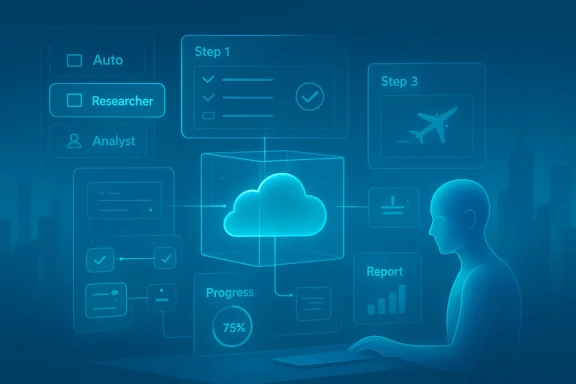
Person at a desk uses holographic dashboards to analyze cloud data.Background​

Microsoft’s Copilot program has been evolving steadily from an answer‑engine into a platform for agentic workflows over the last two years. The company has layered connectors, document export, on‑device acceleration for richer models, and experimental agent controls into Copilot across Windows, Mns. This trajectory set the stage for Tasks: an explicit move to let Copilot do work for you rather than only tell you how to do it.
What Microsoft calls Copilot Tasks was revealed in late February 2026 as a limited research preview with a public waitlist. Early reporting and Microsoft’s own messages describe Tasks as able to handle scheduling, research, price monitoring, follow‑ups, draft creation, and other multi‑step routines by orchestrating across apps, web sites, and permitted connectors. Several independent outlets reported the preview and examples shortly after the announcement.

What Copilot Tasks is — a practical definition​

At its core, Copilot Tasks is:
  • A goal‑to‑plan system: You describe the outcome you want in plain English and Copilot generates a multi‑step plan.
  • An execution engine: Once you approve the plan, Copilot runs the steps using a contained browser and cloud compute environment.
  • Permissioned orchestration: Actions that could affect finances, send messages, or change external systems require explicit consent before execution.
  • Scheduling and recurrence: Tasks can be one‑time, scheduled, or recurring, enabling monitoring or repeated automation.
This is not an ambiguous demo: Microsoft frames Tasks as a controlled, background workflow engine that reports progress, asks for decisions when needed, and delivers completion reports. Early descriptions emphasize a safety‑first stance: meaningful actions need user approval and tasks can be paused or cancelled in flight. That approach mirrors Microsoft’s prior agent work, which added explicit consent steps for buy/booking flows and connectors to external accounts.

How Copilot Tasks works — architecture and user flow​

1. Describe the goal​

Users start with a freeform prompt (for example, “Arrange three client meetings in Boston next month, draft agendas, and book flexible hotel rooms”). Copilot translates that goal into a stepwise plan and shows the plan to the user for review and modification. This proposal step is where the user retains control.

2. Plan approval and execution​

After you approve the plan, Copilot spins up an isolated execution environment — effectively its own cloud PC and browser — where the agent runs. That environment is separate from your machine; it performs web interactions and app orchestration on behalf of the user so the heavy lifting doesn’t load your device. The agent reports progress and can surface clarifying questions during execution.

3. Connectors and data access​

Tasks can use explicit, opt‑in connectors to access calendars, email, OneDrive, and supported third‑party services. With connectors enabled, Copilot can draft Outlook messages, create Office documents, update task lists, compare pricing on travel sites, or monitor listings and rebook when thresholds are met — always subject to the consent gates Microsoft describes.

4. Scheduling and recurrence​

Users can pick one‑time runs, schedule future executions, or set recurring tasks with conditional triggers (for example: “Monitor hotel rates weekly and rebook if the price drops by 15%”). The system returns completion summaries and — if configured — follow‑up drafts or actions for the user to approve.

Modes, agents, and the intelligence stack​

Early reporting uncovered a mode selector and agent types that shape how Tasks approaches a goal:
  • Auto mode: A generalist mode that blends browsing, form‑filling, scheduling, and basic research to run end‑to‑end flows.
  • Researcher: A specialized agent intended for multi‑step web and document investigation, useful when the task requires deep information gathering.
  • Analyst: A data‑centric agent optimized for numerical analysis, spreadsheet work, and tasks that may run code (e.g., Python) for advanced calculations.
These agents map to prior Copilot capabilities — Researcher and Analyst (already present in Microsoft 365 Copilot) — but bring them into a single orchestration surface. The consolidation reduces friction: rather than manually chaining research and scheduling steps, Tasks can pick the right agent and operate autonomously under the user’s supervision.

Real‑world examples and early use cases​

Copilot Tasks’ initial examples are deliberately practical, not flashy:
  • Turn a course syllabus into a complete study plan with practice tests, reading schedules, and calendar‑blocked focus time.
  • Monitor property listings and arrange viewings automatically when new matches appear.
  • Manage an inbox by surfacing urgent messages, drafting replies, and unsubscribing from persistently unused newsletters.
  • Price monitoring and auto‑rebooking for travel: track hotel or flight prices and act when a target threshold is reached.
These scenarios underline the product’s promise: save time on repetitive, multi‑step chores that currently require jumping between apps and tabs.

Strengths and immediate benefits​

  • Time savings on busywork: Tasks addresses a clear productivity gap — repetitive, cross‑service chores that are tedious to orchestrate manually.
  • Unified orchestration: By combining research, scheduling, and document drafting into a single flow, Copilot reduces context switching.
  • Controlled automation: Consent gates and progress reporting strike a balance between autonomy and user control, which is crucial for adoption.
  • Cloud execution: Running tasks in Microsoft’s cloud keeps client devices responsive and enables stronger scaling and isolation of automation runs.
These strengths are pragmatic rather than speculative: multiple outlets and hands‑on reports describe the same core mechanics, which increases confidence that Microsoft is shipping a coherent feature and not merely experimenting with concept demos.

Risks, privacy considerations, and governance​

No agent that acts on your behalf is risk‑free. The biggest concerns fall into three buckets:

1. Data access and scope creep​

Tasks requires access to calendars, messages, and sometimes third‑party accounts to be useful. That creates an attack surface: connectors and permissions must be narrowly scoped with strong auditing, logging, and revocation flows. Microsoft emphasizes opt‑in connectors and approval gates, but enterprise deployments will demand detailed governance controls (policy enforcement, role separation, and audit trails). Enterprises already use Purview, Sentinel, and conditional access to govern AI; those systems will need to integrate tightly with Tasks to be effective at scale.

2. Accuracy and automation errors​

Even with consent gates, partially automated actions create new error modes: a mistaken booking, an incorrect unsubscribe that removes an important account, or a miscalculated hotel rebooking could create real world cost. Copilot’s plan‑preview step mitigates some risk, but users must remain vigilant and companies should adopt staged rollouts and testing for mission‑critical workflows. Early reports note Microsoft’s emphasis on confirmation for “meaningful” actions; still, complexity grows when tasks chain many conditional steps.

3. Security of cloud execution environment​

Running ephemeral cloud PCs and automated browsers is powerful, but it requires robust isolation and threat modeling. Malicious sites, phishing traps, or compromised third‑party services could try to manipulate an unattended agent. Microsoft’s design reportedly uses a contained execution sandbox with logging and human‑decision gates, but independent security reviews and enterprise testing will be essential before widely trusting Tasks for high‑stakes automation. Until those audits are public, cautious adopters should keep sensitive automation manual or tightly supervised.
Flag: Some implementation details — exact isolation guarantees, encryption and storage behaviors, and how long execution artifacts are retained — were not fully disclosed in early reporting. Those remain important, verifiable technical points that enterprises and security teams should demand clarity on before broad adoption.

Governance and enterprise controls — what IT must ask for​

IT and security teams should insist on clear, auditable controls before deploying Copilot Tasks broadly:
  • Granular connector permissions — scope by application and action, not all‑or‑nothing access.
  • Consent and approval workflows — require explicit signoffs for spending, data exports, and external communications.
  • Audit logs and replay — full visibility into what the agent did, when, and in what context.
  • Data residency and retention policies — how long are intermediate artifacts retained in Microsoft’s cloud PC environment?
  • Role‑based policies — allow different risk profiles (e.g., execs vs interns) to have different automation privileges.
Microsoft has been building governance tooling for Copilot in other contexts; enterprise teams should expect similar investments for Tasks. Still, adoption should be phased: pilot with low‑risk workflows and validate auditability before turning on automation for broader teams.

Competitive landscape — who else is doing agentic automation?​

Copilot Tasks arrives into a crowded agent race. Notable comparators include:
  • OpenAI Operator: Operates browsers and external systems to complete tasks; Operator pioneered automated web control models at scale.
  • Anthropic and other agent frameworks: Offer similar agentic automation, sometimes focused on safety primitives or different developer integrations.
  • Shop/Commerce agent efforts: Several players are building in‑chat checkout and booking agents (including integrations Microsoft has explored with PayPal and marketplace partners), which overlaps with Tasks’ commerce and booking scenarios.
What differentiates Microsoft is the deep integration with Microsoft 365 apps, Windows, and enterprise governance tooling — plus the cloud compute model that isolates execution from the end user’s device. That vertical integration may make Tasks more immediately attractive to business customers already embedded in Microsoft’s ecosystem.

UX and human‑in‑the‑loop design​

Copilot’s designers appear to have learned from early agent experiments: Tasks emphasizes a human‑review proposal step, visible progress updates, and the ability to pause or cancel. Those design decisions matter because theends on maintaining user trust when the agent acts on real world systems. The inclusion of mode choices (Auto / Researcher / Analyst) also signals Microsoft’s intent to let tasks take on varying levels of autonomy depending on the problem.

Availability, preview, and roadmap​

As of the announcement, Copilot Tasks entered a limited research preview with a public waitlist on February 26, 2026. Microsoft indicated the feature would expand to more testers over the following weeks before a broader launch, but precise GA dates, licensing, and pricing were not included in the initial disclosures. Early hands‑on reports suggest the product will surface inside Copilot surfaces across Windows, Edge, and Microsoft 365, and will likely be gated behind both experimental opt‑ins and subscription tiers for advanced agent capabilities.
Note of caution: Pricing, enterprise licensing models, and exact availability windows remain unverifiable from public reporting at the time of writing; Microsoft has not published full commercialization details. Organizations should treat early announcements as a roadmap signal rather than a deployment schedule.

Practical advice for early adopters​

If you or your organization want to evaluate Copilot Tasks now, follow a cautious, staged approach:
  • Join the preview/waitlist to get early access and influence design.
  • Pilot low‑risk automations (e.g., monitoring pridocuments) before delegating workflows that touch finances or sensitive data.
  • Define governance rules and map which connectors users can enable.
  • Log and review outputs regularly — set up audit reviews for the first 30–90 days of any new task type.
  • Train users on the plan‑preview step and how to spot noisy or out‑of‑scope runs.
This pragmatic posture balances the clear productivity upside against the new error modes that come with unattended automation.

Why Copilot Tasks matters — a longer view​

Copilot Tasks marks a milestone in mainstreaming agentic AI for everyday productivity. If the feature scales securely and accurately, it promises to reduce time spent on orchestration and let people focus on higher‑value decisions. For Microsoft, Tasks is also a strategic lever: it tightens Copilot’s role as the central orchestration layer across Windows and Microsoft 365, increasing the stickiness of subscriptions and the value of connector ecosystems.
But success is not guaranteed. Adoption will hinge on trustworthy operation: clear permissioning, secure cloud execution, strong auditing, and predictable, debuggable behavior when things go wrong. Organizations that treat Tasks as an enhancement to human workflows — not a replacement of judgment — will realize the benefits fastest. Independent security and compliance reporting will also be decisive for enterprise rollouts.

Final assessment​

Copilot Tasks is a logical and powerful next step in Copilot’s evolution: it brings background automation, cloud isolation, and agent specialization together into a single product surface that targets real productivity problems. Early independent reporting and Microsoft’s own messaging align on the major claims: plan generation, cloud execution, connectors, scheduling, and consented actions — giving credible reason to treat Tasks as a real product rather than an academic experiment.
That said, several critical questions remain open and must be answered before widespread enterprise trust is earned: precise governance capabilities, retention and residency of execution artifacts, the robustness of sandboxing, and the behavior of chained automations under edge conditions. Organizations should pilot selectively, demand auditability, and integrate Tasks into existing compliance tooling where possible.
Copilot Tasks will not eliminate the need for human oversight — but if Microsoft delivers on the safety and governance promises made in early previews, Tasks could materially shift how knowledge workers reclaim hours previously spent on repetitive, cross‑app chores. The AI is learning to do; the question now is whether enterprises and users will trust it to do the right things on their behalf.

Source: Neowin Microsoft introduces Copilot Tasks, a new way to get things done using AI
 

Microsoft today pushed Copilot past conversation and into continuous background work with the public preview of Copilot Tasks — a cloud‑hosted, browser‑driven agent that plans, executes, and reports back on multi‑step workflows you describe in plain English. The feature is rolling out as a limited research preview (joinable by waitlist) and promises to convert everyday busywork — email triage, appointment booking, price monitoring, document generation and more — into scheduled or recurring “to‑do” jobs that run on a Copilot‑owned virtual computer and browser, asking for consent before any material action. (microsoft.com)

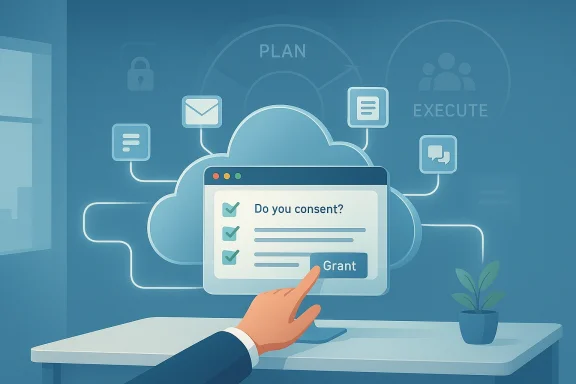
Person taps Grant on a cloud-based consent form amid planning icons and a desk plant.Background / Overview​

Microsoft frames Copilot Tasks as the next chapter of the Copilot story: a shift from answers to actions where the assistant does more than draft and suggest — it executes. The official Copilot team note describes Tasks as a feature that accepts a natural‑language goal, proposes a multi‑step plan, and then carries it out in a controlled cloud environment while giving the user checkpoints and consent gates for meaningful decisions (payments, messages, bookings). The company opened a restricted research preview on February 26, 2026 and plans to expand access over the coming weeks. (microsoft.com)
Why this matters now: a string of recent product moves (Copilot Actions, Connectors, Copilot Vision and agent tooling in Copilot Studio) made it clear Microsoft’s strategy is mature enough to attempt longer‑running, cross‑app automation rather than single‑prompt assistance. Copilot Tasks combines that plumbing — connectors, controlled browsing, identity and consent flows — into a consumer and business‑oriented agent that can run asynchronously on your behalf. Community discussion and early hands‑on coverage already identify the same broad use cases Microsoft highlighted: inbox triage, monitoring listings and prices, automated appointment booking, document transforms (emails → slide decks), and tailored job‑application materials. (microsoft.com)

What Copilot Tasks does — the practical picture​

Copilot Tasks is intentionally broad in scope and deliberately structured in three stages: Plan → Execute → Report. Microsoft’s messaging and early reporting make the mechanics clear.
  • Describe a goal in plain English (single instruction, scheduled trigger, or a recurring cadence).
  • Copilot builds a plan and shows it to you for refinement.
  • When approved, the Task runs inside a Microsoft‑controlled cloud compute instance and a controlled browser, uses permitted connectors to access authorized apps and services, and reports results or requests consent before taking material actions. (microsoft.com)
Everyday examples Microsoft lists (and press outlets have reproduced) include:
  • Evening email triage with draft replies and unsubscribes.
  • Weekly property‑listing monitoring and booking viewings.
  • Turning a course syllabus into a study plan with practice tests and scheduled focus sessions.
  • Monitoring hotel rates and auto‑rebooking when prices drop. (microsoft.com)
Because Copilot runs in the cloud on its own virtual machine, the load is taken off your local device — a usability and performance benefit Microsoft emphasizes. Early reviews note that the model here is agentic automatiiser to act on, but performing the steps that lead to that result. (microsoft.com)

How Microsoft positions safety, control and consent​

Microsoft is explicit: “It’s not autopilot — it’s a copilot.” That marketing line signals the company’s design commitment to human‑in‑the‑loop controls for any action that has real‑world consequences. Copilot Tasks will:
  • Present a plan for user review before execution.
  • Ask for explicit consent before meaningful actions (payments, sending messages, booking).
  • Allow users to pause, cancel or review tasks mid‑flight.
  • Run inside an isolated compute and browser environment, separated from a user’s local machine. (microsoft.com)
Those are important mitigations, but they are safeguards, not cures. The broader community — from Windows admins to security practitioners — has already begun cataloguing what enterprise controls and telemetry will need to look like before large organizations will let Copilot Tasks access mailboxes, calendars, corporate systems, or payment instruments. The forum evidence is clear: IT will require least‑privilege connectors, robust audit trails, and per‑task consent and spend limits before signing off for enterprise deployment.

Strengths: why Copilot Tasks could be transformative​

Copilot Tasks is not incremental — it is architectural. Here are the key strengths:
  • Frictionless automation for repeat work. The most valuable productivity wins come from automating repeatable chores (email triage, price watching, scheduled briefings). By offering scheduling and recurrence natively, Microsoft tackles the tasks that grind time from knowledge workers’ days. (microsoft.com)
  • Platform advantage. Microsoft copntity (Entra), and enterprise management tooling. That combination allows Copilot to orchestrate cross‑app workflows with context few rivals can match. Analysts have noted this as a strategic advantage in the agent race.
  • Lower local device cost. Running automati local CPU, memory and battery. For mobile and low‑power devices, that matters.
  • Iterative, explainable plans. Presenting a plan and asking for refinement aligns with reasonable expectations of transparency and gives users a chance to steer the agent before execution. This iterative UX reduces surprises.
  • Broad use cases from consumer chores to business processes. Microsoft intentionally positions Tasks for everyone: students, planners, s and enterprise teams — widening the product’s market fit. (microsoft.com)

Risks and open questions — what to watch for​

Every technological leap creates new attack surfaces and governance gaps. Copilot Tasks rnovel concerns; many of these are already being discussed by security experts and enterprise communities.

1) Data exposure and scope control​

Copilot’s value depends on deep, contextual access to mail, calendar, files and third‑party services. That same access increases the surface for data leakage and compliance failure. Enterprises will want immutable, machine‑readable audit logs showing actions performed, data accessed, timestamps, and the exact compute instance used. Without that level of traceability, Copilot Tasks will be hard to certify for regulated workloads.

2) Credential safety and lateral movement​

Allowing an agent to sign in to web services on behalf of users creates risk if secrets are mishandled. The community recommends ephutomatic token rotation, and just‑in‑time elevated access for agent sessions. Agents offer a new pivot point for attackers; compromises here threaten multiple services.

3) Web‑based adversarial attacks (prompt injection / malicio click links and submit forms can be manipulated by adversarial web content. Long‑running tasks are attractive targets because they interact across more domains and have more opportunitiesxfiltration or unintended actions. URL allowlists, heuristics for detecting anomalous redirects, and sandboxed test runs can reduce risk but not remove it.​

4) Financial andwith consent gates, complex transactions can cause unintended commitments: double bookings, auto‑renewals, or purchases if merchant sites behave unpredictably. Organizations should enforce pend require supervised approvals for transactions beyond low thresholds.​

5) Over‑automation and loss of context​

Not all decisions should be automated. Agents are good at routine operational tasks, but poor at nuanced legal, HR, or customer‑facing judgement calls. Over‑reliance risks inappropriate or tone‑deaf outputs that harm reputation or cause compliance issues. Microsoft’s consent language is helpful, but human oversight remains essential. (microsoft.com)

Technical and governance checklist for IT teams​

If your organization is evaluating Copilot Tasks, consider the following checklist before pilot deployment:
  • Identity and access
  • Require connector approval workflows and admin‑enforced allowlists for connectors.
  • Enforce least‑privilege scopes for connectors and per‑task credential limits.
  • Auditability and logging
  • Demand machine‑readable action logs with action-level granularity (clicks, file reads/.
  • Ensure logs are exportable to SIEM and retention policies meet compliance obligations.
  • Data residency and handling
  • Verify where Copilot Tasks compute runs and how data is handled, cached, and deleted.
  • Apply Data Loss Prevention (DLP) rules to agent activities.
  • Financial controls
  • Require explicit human sign‑off for any spend above a fixed threshold.
  • Use role‑based approvals for bookings, purchases, or contract signatures.
  • Threat modeling and red‑team testing
  • Simulate prompt injection and malicious web content against agent workflows.
  • Test lateral movement resilience and credential leakage paths.
  • UX and change management
  • Educate users about what Tasks can and cannot do, and publish clear escalation paths for erroneous Task actions.
  • Start with low‑risk pilots (e.g., price monitoring, draft generation) before expanding to financial or privileged tasks.

Enterprise vs Consumer: different risk tolerances​

For consumers, Copilot Tasks will likely provide immediate convenience — auto‑unsubscribing from marketing mail, watching listings, or assembling a study plan. The consumer risk model is largely personal privacy and occasional erroneous bookings, which many users will tolerate for convenience. For enterprises, the calculus is more complex: regulatory compliance, insider risk, and third‑party liability loom larger. The enterprise adoption path will depend on Microsoft exposing admin controls, connector governance, audit logs, and integration witd DLP tools. Forum discussions and early technical commentary stress that these features are not optional for corporate rollout.

Competitive landscape — where Copilot Tasks fits​

Copilot Tasks is part of a rapidly evolving agent wave. Competitors are exploring similar agentic capabilities: Google’s agent experiments with Gemini, Anthropic’s agentic tooling, OpenAI’s Operator/Agent modes, and niche startups offering background automation. Microsoft’s edge is its ecosystem breadth (Windows, Microsoft 365, Entra, Azure) and the pace of integrating Copilot into core workflows. But the market will be won on reliability, security, and predictable governance. Early coverage notes this race and emphasizes Microsoft’s platform advantage — but also warns that dominance will not be automatic if the product fails to meet enterprise trust requirements.

UX and developer implications​

Copilot Tasks is designed to be low‑friction: no coding skills required, plain‑English prompts, and an iterative plan review. That democratizes automation and reduces the need for IT to be the gatekeeper for all automations. For developers and power users, the Trellis is clear:
  • Expect to see new APIs, connectors, and telemetry surfaces for agent observability.
  • Organizations that already invested in low‑code and RPA may need to re‑think governance models; agentic AI can replace many brittle, maintenance‑heavy RPA flows but also introduces novel risks.
  • Security teams will need to own a new blend of app security, credential hygiene, and automated‑workflow monitoring.

Practical first‑step pilots to run now​

If you want to evaluate Copilot Tasks without exposing your critical systems, try these low‑risk pilots first:
  • Price and listing monitoring (rental, used cars, hotels): non‑transactional watching with push notifications.
  • Inbox summarization and draft suggestions: avoid granting send permissions; use drafts for human send‑off.
  • Document transformation tasks (emails → slides): read‑only access to archival mailboxes or test mailboxes.
  • Subscription auditing: flag and notify human owners before attempting cancellations or payments.
These pilots demonstrate value and help surface integration, security and consent fricautomation. Early reporting and community pilots have used the exact same set of examples Microsoft showcased, making them practical starting points. (microsoft.com)

Regulation, privacy and the legal angle​

As agents act on behalf of people and organizations, legal questions follow: who is liable for an agent’s mistake, how are contracts validated when a machine initiates a booking, and what records meet eDiscovery and audit requirements? Regulators are starting to ask similar questions across AI uses — and for agentic systems that can initiate transactions, the bar for transparent logging and human approval trails will be higher. Organizations must document policy around agent delegation, retain auditable approvals, and involve legal/compliance teams before enabling l commitments.

Final analysis — opportunity balanced with caution​

Copilot Tasks is a major product milestone: it takes Microsoft’s Copilot from helpful drafts and context to genuine real‑world work. That transition unlocks real productivity gains for consumers and enterprises, and it positions Microsoft to capitalize on the platform advantage of Windows and Microsoft 365. The feature’s cloud‑hosted design reduces device load and makes complex cross‑service workflows possible without heavy local tooling. (microsoft.com)
But the gains come with new responsibilities. Security and compliance teams are right to demand fine‑grained controls, auditable logs, connector governance, and robust credential protections before scaling Copilot Tasks across organizations. The technical community has already spelled out the threats — prompt injection, credential misuse, undesirable financial commitments, and over‑automation of nuanced decisions — and those issues will determine whether Copilot Tasks is adopted broadly or siloed to low‑risk pilots for the near future.

Practical recommendations for Windows Forum readers​

  • For individual users: try Copilot Tasks for time‑saving, low‑risk chores (study plans, price watches, draft generation) but keep send/payment privileges locked until you trust the outcomes. Start in “notify” or “draft” mode, not “send” or “pay.”
  • For IT decision makers: insist on least‑privilege connectors, machine‑readable audit logs, DLP integration and per‑task spend limits. Pilot with a clear list of acceptable Tasks and measurable success criteria.
  • For security teams: run red‑team exercises that target long‑running agent sessions and test for prompt injection, credential handling, and lateral movement.
  • For policymakers and compliance officers: require providers to publish agent audit guarantees, data handling policies, and explainability commitments so enterprises can comply with existing regulatory regimes.

Copilot Tasks is a defining moment in personal and enterprise AI: an agent that truly tries to do your busywork for you. It is best treated as a powerful new tool — one that can save hours but must be wielded with governance, transparency, and skepticism until its controls and auditability meet enterprise standards. Microsoft has laid out the blueprint and opened a research preview; the next months will show whether Copilot Tasks matures into a trustworthy workhorse or a convenient but risky convenience for the unwary. (microsoft.com)

Source: NDTV Profit https://www.ndtvprofit.com/technolo...-and-does-more-with-background-work-11143316/
 

Microsoft’s Copilot has moved from conversational helper to active worker: with the release of Copilot Tasks as a research preview, Microsoft is piloting an autonomous, cloud‑hosted agent that accepts plain‑English goals, builds multi‑step plans, spins up its own browser and compute environment, and executes workflows on behalf of users — returning progress updates and requiring explicit permission before taking consequential actions.

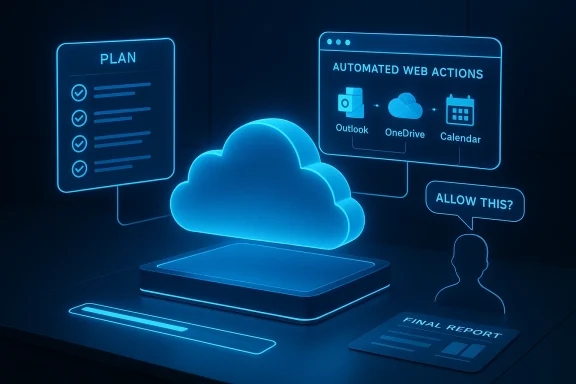
A glowing blue holographic cloud computing dashboard with plan, automated actions, and a final report.Background​

Microsoft’s Copilot program has been evolving for more than two years, gradually expanding from in‑app suggestions and chat‑style assistance into a platform capable of cross‑app automation, multimodal context, and now, agentic execution. The October 2025 wave of Windows and Copilot updates introduced voice activation, Copilot Vision (screen awareness), and early action‑taking features — laying the groundwork for a more agentic Copilot that can see, hear, plan, and act.
On February 26, 2026, Microsoft added a new chapter with the public research preview of Copilot Tasks: a cloud‑hosted assistant that plans and performs multi‑step jobs in an isolated environment, monitors progress, and reports back with the results. The reveal puts Microsoft squarely into the “agent” category — systems that plan and act over time rather than only answer questions.

What Copilot Tasks is — and what it isn’t​

Core idea​

At its core, Copilot Tasks is designed to transform natural language goals into executable workflows. Instead of asking Copilot for a one‑off draft or a summary, you can instruct it to do something — for example, “Find the lowest price for Model X laptop across major retailers, wait for a sub‑$800 price, and then book a purchase or alert me.” Copilot Tasks will generate a multi‑step plan, create an isolated browser/compute instance in Microsoft’s cloud, follow the steps, and keep you informed.

Guardrails Microsoft is emphasizing​

Microsoft presents Copilot Tasks as permissioned and staged: the agent will ask for explicit consent before any consequential action (sending money, making purchases, sending emails on your behalf), and the research preview is limited and opt‑in. The company also emphasizes a separation between the user’s device and the agent’s cloud environment — the task executes remotely and returns a report rather than directly manipulating a user’s local machine.

Important limits and uncertainties​

  • Microsoft’s preview framing indicates Copilot Tasks is research preview software with staged availability; features and behaviors will change through iteration.
  • Microsoft has positioned the agent to request approval before “meaningful” actions, but the precise trigger definitions for what counts as consequential and how consent dialogues are presented are not fully documented in public previews. Treat any current descriptions as indicative rather than definitive.

How Copilot Tasks works (technical overview)​

Planner → executor → reporter model​

Copilot Tasks follows a three‑phase pattern:
  • Plan: Convert a plain‑English goal into a sequenced plan of discrete, verifiable steps. The planning stage reasons about the actions needed, possible branching logic, and preconditions.
  • Execute: Launch an isolated browser and compute environment in Microsoft’s cloud to run steps that may include web interactions, API calls, or transformations of cloud‑hosted content. Execution is designed to be sandboxed from the user’s local desktop.
  • Report: Return progress updates and a final result back to the user. Before the agent performs actions with consequences (sending messages, transacting), it requests explicit user confirmation.

Multimodal context and connectors​

Copilot Tasks is intended to fit into the broader Copilot ecosystem: Copilot Vision provides screen‑level context, Copilot Actions can act inside apps and files (under permission), and existing connectors surface data from OneDrive, Outlook, Gmail, and third‑party cloud services. Together, these layers allow Copilot Tasks to reason with real user data and operate across the desktop and cloud when appropriately authorized.

Cloud‑hosted browser and compute​

A distinct technical characteristic is that Copilot Tasks runs in Microsoft’s cloud, not on the user’s local device. That enables Microsoft to: scale execution, control runtime environments, and instrument workflows for safety monitoring. It also means the agent can interact with public websites and cloud APIs without requiring local automation scripts. However, it raises questions about data exposure, network egress, and the locus of control for executed actions.

Practical use cases: where Copilot Tasks shines​

Copilot Tasks targets workflows that are repetitive, multi‑step, time‑sensitive, or require cross‑service interaction. Some high‑value examples include:
  • Shopping and price monitoring: Track prices across retailers, apply filters, wait for thresholds, and then initiate a purchase or alert the user.
  • Appointment and scheduling workflows: Find availability across calendars, send scheduling messages, and confirm slots — with final action gated by consent.
  • Subscription management: Locate vendor portals, execute cancellation steps per instructions, and report back with confirmation.
  • Research that requires sustained browsing: Crawl multiple sites, extract structured findings, and synthesize a report.
  • Monitoring and alerting tasks for small businesses: Watch listings, job boards, or market signals and notify users when conditions are met.
These use cases reveal where agentic automation can deliver clear time savings by replacing manual multi‑step sequences with delegated automation.

Strengths and potential user benefits​

  • Real efficiency gains: For workflows that require repeated web interactions or cross‑site checks, Copilot Tasks can dramatically reduce manual effort and human error.
  • Lower automation friction: Non‑technical users can create automations using natural language instead of learning scripts or low‑code platforms. That democratizes automation beyond IT teams.
  • Isolated execution for safety: Running tasks in Microsoft’s cloud sandbox helps protect user devices from accidental automation bugs and provides a single surface for monitoring and policy enforcement.
  • Integration with multimodal Copilot features: Combining Tasks with Copilot Vision and Actions can enable complex, context‑rich automations that consider what’s on your screen, your linked cloud documents, and your calendar — producing higher‑quality outcomes.

Risks, privacy concerns, and governance challenges​

While Copilot Tasks offers attractive productivity promises, it introduces new classes of risk that organizations and privacy‑conscious users must manage.

Data exposure and provenance​

When an agent runs web interactions or accesses linked cloud content in the cloud, it necessarily handles credentials, content, and potentially sensitive data outside a user’s local environment. Even though Microsoft frames tasks as permissioned, the act of pulling documents or logging into portals to perform actions means sensitive data will transit and potentially be stored in the cloud execution environment. Organizations should demand clarity on:
  • How long execution logs and scraped content are retained in Microsoft’s systems.
  • Whether and how execution artifacts are used to improve broader models or product telemetry.

Consent granularity and UX pitfalls​

Microsoft says Copilot Tasks will ask for explicit permission before consequential actions, but the devil is in the dialogue design. A poorly presented consent prompt could lead users to grant broader permissions than intended. Enterprises should examine whether consent dialogs are auditable, require multi‑factor confirmation for high‑risk actions, or can be overridden by administrative policy.

Automation correctness and brittleness​

Web UIs and third‑party portals change frequently. Agents operating by scripting a sequence of UI interactions are fragile. Copilot Tasks’ cloud browser approach reduces dependency on a single local environment but does not eliminate brittleness. Operators must expect intermittent failures and ensure the agent’s reporting makes failures visible and safe by default.

Attack surface and social engineering​

Agentic execution creates new attack vectors. Malicious actors could attempt to trick an agent into performing unauthorized actions by poisoning pages, staging social engineering content, or exploiting ambiguous consent flows. Enterprises need to consider threat modeling for automated agents interacting with external sites.

Compliance and auditability​

For regulated industries, the ability to show who authorized what and when is essential. Copilot Tasks must provide robust audit logs, retention policies, and exportable records for compliance teams. Microsoft’s preview messaging emphasizes monitoring and permissioning, but organizations should validate the completeness and portability of audit data before widespread adoption.

Enterprise considerations: governance, controls, and deployment patterns​

Organizations must approach Copilot Tasks as they would any new automation platform — with a layered governance model and clear policies.

Recommended governance pillars​

  • Policy and role‑based controls: Only designated users or groups should be allowed to create tasks that can take consequential actions. Admins should be able to restrict which connectors and resources tasks can access.
  • Approval workflows: For high‑impact tasks (financial transactions, user provisioning), require an approval step that cannot be bypassed through the agent’s UI.
  • Comprehensive logging and retention: Ensure every action the agent performs is logged with a clear chain of custody, including what was accessed, when, and which user authorized it. Logs should be exportable for audits.
  • Data residency and export controls: Clarify where execution artifacts are stored, whether customer data may be processed outside specified geographies, and what controls exist for data deletion.
  • Testing and staging environments: Use controlled test tenants and controlled datasets to validate automations before moving them to production.

Suggested admin checklist before enabling Copilot Tasks broadly​

  • Inventory sensitive systems and data that could be accessed by agents.
  • Define explicit RBAC for task creation and execution.
  • Require multi‑step approvals for any task that performs financial or personnel actions.
  • Validate exportable audit logs for compliance teams.
  • Establish retention windows and deletion procedures for agent artifacts.
  • Create user training and clear consent UX guidelines for end users.

Developer and platform implications​

Copilot Tasks is not only a user feature — it’s a platform signal. If agentic automation becomes a standard interface pattern, developers and IT teams will need to adapt:
  • APIs and connectors will matter more. Sites and services that expose stable APIs will be easier and safer targets for agents than brittle UI scripting; organizations should prioritize API contracts and developer documentation to make automated integration reliable.
  • Authentication best practices are crucial. Agents that need to authenticate to services should use OAuth, scoped tokens, and short‑lived credentials where possible. Enterprises should avoid granting long‑lived, broadly scoped credentials to agent environments.
  • Observable, machine‑readable outcomes. Agents should produce structured artifacts (machine‑readable logs, JSON results, signed receipts) for downstream processing and verification.

User experience: how to design safe, usable consent flows​

A large part of Copilot Tasks’ acceptance will depend on well‑designed consent and feedback flows.
  • Clear, contextual consent: When an agent requests permission, present the exact scope of the action, what data will be accessed, and what the expected outcome is. Ambiguity leads to over‑consent.
  • Granular revocation: Users must be able to revoke a task’s permission mid‑run and to delete past task artifacts. The UI should make revocation simple and auditable.
  • Progress transparency: Long‑running tasks should provide clear progress updates and an accessible history showing what steps completed successfully and where the agent paused for user input.

Comparing Copilot Tasks to other agentic approaches (high level)​

Microsoft’s Copilot Tasks joins a growing set of agentic offerings from major cloud and AI vendors that aim to execute over time, orchestrate multi‑step workflows, and integrate with real services. Microsoft’s distinct features include deep integration with Windows/Copilot surfaces, a cloud browser/compute sandbox, and a staged, permissioned preview rollout designed to test safety patterns. The broader industry is experimenting with different tradeoffs: some agents run locally for data residency, others emphasize developer‑defined deterministic workflows, and many struggle with the same brittle UI‑automation problems Copilot Tasks seeks to reduce.

Adoption scenarios and road map expectations​

For the near term, expect Copilot Tasks to be:
  • Preview‑limited and opt‑in: Microsoft will keep the feature tightly controlled while exploring safety and governance patterns with early users.
  • Focused on low‑risk productivity wins: Early adopters will likely use Copilot Tasks for monitoring, research, summarization, and low‑impact automation rather than high‑stakes financial or legal actions.
  • Incrementally integrated with enterprise controls: Over time, Microsoft will likely expand governance, role controls, and audit features as enterprises provide feedback during preview phases.
Enterprises evaluating Copilot Tasks should run small pilots, validate governance controls, and pair technical testing with policy development.

Practical recommendations: what IT teams and power users should do now​

  • Try the preview with caution: If you’re eligible for the research preview, use it in a test tenant or with non‑production data to understand behavior and failure modes.
  • Define automation guardrails: Create written policies that classify allowed and disallowed agent actions and outline approval workflows.
  • Harden credentials and connectors: Use least privilege OAuth and short‑lived tokens for connectors; avoid embedding long‑lived shared credentials that agents could misuse.
  • Demand auditability: Before deploying Copilot Tasks in production, verify you can obtain complete logs for each task, including accessed resources, inputs, and outputs.
  • Train users: Educate employees on what constitutes a consequential action and how to interpret agent consent prompts. Clear expectations reduce accidental over‑consent.

Final assessment: opportunity tempered by responsibility​

Copilot Tasks represents a major step in the evolution of personal and enterprise AI: shifting from “help me” to “do it for me.” The productivity potential is real — especially for repetitive, multi‑step tasks that currently cost time and incur human error. Microsoft’s preview design choices (cloud sandboxing, explicit consent prompts, staged availability) reflect an awareness of the risks and a desire to evolve agentic features safely.
At the same time, agentic AI introduces complex governance, privacy, and security tradeoffs. Organizations must treat Copilot Tasks like any other enterprise automation platform: require least privilege, insist on auditable logs, pilot cautiously, and codify approvals for high‑risk actions. Failure to do so risks data leakage, compliance violations, and new attack surfaces that can be exploited at scale.
In short: Copilot Tasks is a powerful tool that can liberate users from tedious workflows — but realizing that promise safely will require disciplined governance, careful UX design for consent, and close collaboration between security, compliance, and business teams.

The evolution of Copilot — from a chat companion to an agent that plans, executes, and reports — marks a fundamental inflection point for personal computing and workplace automation. For IT leaders, the immediate task is not only to experiment but to prepare the policies, technical controls, and user training that will let this new category of assistants deliver their benefits without opening unacceptable risks.

Source: BornCity Microsoft Copilot Tasks: KI-Assistent wird zum aktiven Mitarbeiter - BornCity
 

Back
Top