

Microsoft has quietly turned one of the last truly offline ways to activate Windows into an online-only process: the decades‑old telephone activation path now redirects callers to a web portal that requires internet access and a signed‑in Microsoft identity, while recent servicing updates and build changes have also neutralized several popular offline workarounds such as KMS38 and certain OOBE bypasses. This is a consequential shift for hobbyists, privacy‑conscious users and organizations that run air‑gapped or isolated systems, and it deserves a clear, practical read: what changed, why Microsoft likely did it, who is affected, and what administrators and power users can do next.
Microsoft’s product activation architecture historically offered three broad activation patterns: the default online activation that contacts Microsoft activation servers, telephone activation (the offline fallback invoked with slui 4), and enterprise volume‑activation solutions such as KMS and MAK. For many years the telephone flow allowed a completely offline handshake: an Installation ID generated on the target device was read aloud to a Microsoft automated system or agent and the caller received a Confirmation ID to type back on the offline machine — no web browser, no account, no outbound internet required. Recent months have seen two parallel developments that together remove most practical offline activation options: Microsoft’s phone activation routing is now pointing callers to an online Product Activation Portal (aka.ms/aoh), and cumulative servicing updates in late 2025 changed internal setup and migration helpers that enabled community offline activators such as KMS38. Multiple independent outlets and community tests corroborate this pattern.
Microsoft’s move reduces an abuse vector and modernizes the activation experience, but it also closes a pragmatic, low‑bandwidth lifeline that many legitimate use cases depended upon. The balance between anti‑fraud engineering and operational compatibility is delicate; the responsibility now falls to administrators and IT leaders to harden their activation supply chains, update runbooks, and engage Microsoft for sanctioned exceptions where necessary. The era of truly anonymous, always‑offline Windows activation has, for practical purposes, ended — and the industry should adapt with clear, auditable, and secure alternatives.
Source: Letem světem Applem Microsoft made offline activation virtually impossible Windows
 Background
Microsoft’s product activation architecture historically offered three broad activation patterns: the default online activation that contacts Microsoft activation servers, telephone activation (the offline fallback invoked with slui 4), and enterprise volume‑activation solutions such as KMS and MAK. For many years the telephone flow allowed a completely offline handshake: an Installation ID generated on the target device was read aloud to a Microsoft automated system or agent and the caller received a Confirmation ID to type back on the offline machine — no web browser, no account, no outbound internet required. Recent months have seen two parallel developments that together remove most practical offline activation options: Microsoft’s phone activation routing is now pointing callers to an online Product Activation Portal (aka.ms/aoh), and cumulative servicing updates in late 2025 changed internal setup and migration helpers that enabled community offline activators such as KMS38. Multiple independent outlets and community tests corroborate this pattern. What changed — the facts, in plain language
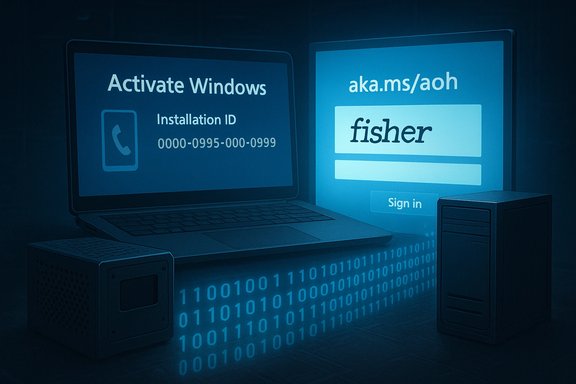
- The telephone activation endpoint that used to complete the Installation ID → Confirmation ID exchange over a voice call frequently plays an automated message directing callers to Microsoft’s Product Activation Portal at aka.ms/aoh. That portal reproduces the numeric exchange in a browser but requires CAPTCHA verification and sign‑in with a supported Microsoft identity. In effect, the phone line has become a redirect, not an offline activation channel.
- Microsoft’s public support documentation still describes “Activate by Phone” and the slui 4 fallback in many pages, creating an operational mismatch between documented steps and real‑world behavior callers now encounter. Community reports trace the redirect to early December 2025, and outlets that tested the flow recorded the redirected message and the portal flow.
- Separately, Microsoft’s servicing changes — rolled into cumulative updates (notably the November 11, 2025 rollups such as KB5068861 and earlier preview packages consolidated into KB5067036) — removed or hardened the legacy install/upgrade helpers (including behaviors around gatherosstate.exe) that community offline activation projects relied upon. The practical result is that the widely used KMS38 trick no longer works on updated systems and has been removed from mainstream community activator releases.
- Microsoft has also been closing OOBE/installation workarounds that let users avoid creating a Microsoft account during Windows 11 setup — the “bypassnro” script and some Shift+F10 tricks have been disabled in Insider builds and subsequently hardened in stable channels, pushing installs to require account sign‑in or more complex unattended provisioning.
Technical mechanics — how phone activation used to work, and what the portal changes
The old phone flow (how it worked)
- On the offline target machine run slui 4 (or open Settings → System → Activation → Activate by Phone).
- The OS displayed a multi‑line Installation ID string.
- The user dialed a regional Microsoft activation number and read the Installation ID to an automated system or support agent.
- The system returned a Confirmation ID to type back on the offline device, completing activation.
The new portal flow (what callers now encounter)
- Callers report an automated voice instructing them: “product activation support has moved online; visit the Product Activation Portal at aka.ms/aoh,” plus a short link or SMS for the portal.
- The portal asks for the Installation ID, a CAPTCHA and an authenticated sign‑in with a supported identity (personal Microsoft account, work/school/Azure AD, Entra ID, or other supported tenant account). After successful verification it issues the Confirmation ID to paste back into the offline device’s activation UI.
- That preserves the numeric exchange but removes the offline, anonymous nature of the interaction.
What Microsoft changed under the hood (relevant to KMS38)
- Community offline activations like KMS38 depended on upgrade/migration helpers (notably behavior around gatherosstate.exe and GenuineTicket migration) to carry crafted activation artifacts across installations. Microsoft’s servicing updates in October/November 2025 deprecated or removed those helpers and tightened validation so the crafted tickets no longer persist or are rejected. The net effect: KMS38 stopped working on updated machines and community tools adjusted accordingly.
Why Microsoft likely made the change — practical and policy motives
- Fraud and abuse mitigation: centralized web flows let Microsoft add CAPTCHA, telemetry, bot detection and account‑level throttling to make large‑scale automated abuse or illicit activation easier to detect and block. This reduces the viability of automated or mass offline activation scripts.
- Simplified support and telemetry: a single, web‑based activation portal standardizes the activation experience across Windows and Office and gives Microsoft richer signals to troubleshoot and enforce licensing policies.
- Security hardening: patching the upgrade/migration plumbing that KMS38 exploited also reduces attack surface. Those internals were not intended to be public APIs, and their removal prevents future exploits that abuse migration tooling.
- Product strategy: Microsoft has been steadily moving toward account‑centric, cloud‑backed licensing and telemetry across its products. Account‑linked digital entitlements offer a unified cross‑device license model that works better with cloud services (though at the cost of anonymity and more degrees of central dependency).
Who is most affected — concrete categories
- Air‑gapped systems: industrial control systems, secure labs, classified networks and other environments that strictly forbid outbound internet will now need an authenticated internet host (a broker or portal machine) to complete activation or must rely on enterprise volume activation methods.
- Field and remote operators: ships, remote research stations, disaster response devices and some embedded setups that previously relied on phone activation will need alternative provisioning plans.
- Privacy‑sensitive users: individuals who deliberately avoid creating or using a Microsoft account to reduce cross‑service linkability lose a convenient anonymous route. The portal may claim that a signed‑in account isn’t “tied” to the license, but account sign‑in increases the theoretical linkage surface.
- Legacy and hobbyist scenarios: people who run Windows 7/10 images in disconnected labs or refurbishers who rely on phone activation for occasional one‑off restores now face extra steps to reactivate hardware. Multiple community posts and walkthroughs document the problem across Windows versions.
- Administrators in constrained environments: organizations that previously used phone activation as an ad‑hoc fallback (outside formal volume licensing) must now standardize on supported enterprise activation models (KMS, MAK, AD based activation) or create secure broker workflows. Microsoft documentation already outlines supported volume‑activation alternatives and VAMT proxy activation for constrained networks.
Alternatives, mitigations and recommended actions
For administrators and technical leads there are practical, supported options to adapt operations. Each option carries tradeoffs.- Volume licensing routes (recommended for orgs)
- KMS (Key Management Service): on‑prem KMS hosts issue periodic 180‑day activation leases that let clients activate without contacting Microsoft directly. Requires meeting KMS activation thresholds (25 clients for Windows client). Suitable when you control the network and have enough hosts.
- Active Directory‑based activation: domain‑joined clients query AD for activation objects; works well for domain‑centric environments and reduces reliance on external connectivity.
- MAK (Multiple Activation Keys) + VAMT proxy: for small or isolated groups, a MAK used with the Volume Activation Management Tool (VAMT) lets an admin collect Installation IDs and perform proxy activation from a secure, connected workstation — useful for highly controlled, air‑gapped deployment processes.
- Brokered portal usage (practical but operationally sensitive)
- Use a dedicated, hardened, internet‑connected “activation broker” workstation in a DMZ that accesses aka.ms/aoh, performs the portal steps and returns the Confirmation ID to offline systems. This preserves the portal path but introduces a transfer step and requires strict auditing and secure handling of the Confirmation IDs.
- Unattended provisioning and imaging tools
- Use unattended.xml, provisioning packages or OEM pre‑provisioning to bake licensing and local account configuration into images. Microsoft’s Windows deployment tooling can automate account and activation flows for large fleets while minimizing manual sign‑in during OOBE. Note: Microsoft has tightened some OOBE bypasses; plan for supported unattended approaches rather than relying on community tricks.
- Contact Microsoft licensing support for exceptions
- For highly regulated or classified systems, engage your Microsoft account team or licensing representative. Microsoft Learn notes token‑based activation for specific isolated scenarios and invites customers to contact Microsoft for support in exceptional cases. Enterprises with formal MS licensing contracts should coordinate with their account team to design compliant activation processes.
- Avoid unsupported community activators
- Community tools and gray‑market activators (MAS/Massgrave, KMS cracks) were already brittle and are now explicitly targeted by servicing changes. Continuing to rely on them increases security risk and operational unpredictability; they are not a safe long‑term plan.
Privacy analysis — the tradeoff in one paragraph
Requiring a signed Microsoft identity as part of the activation flow increases the potential for account‑level linkage: activation events become trivially correlateable to a signed identity, and portal logs or operational telemetry could be associated with accounts or devices. Microsoft’s portal messaging indicates the sign‑in is used to secure the portal transaction and is not “tied” to the product key, yet account authentication inherently increases traceability and potentially expands telemetry surfaces for vendor‑side analysis. For privacy‑sensitive use cases this is a material change in threat model that organizations should evaluate and mitigate through procurement, contractual data assurances, or alternative activation methods under volume licensing.Practical risk assessment for IT teams
- Immediate operational risk: any process that still relies on telephone activation as a fallback must be re‑tested and redesigned; expect failure modes in recovery drills if that assumption remains in place.
- Compliance and legal risk: organizations that require documented auditable activation processes (regulated industries) need to ensure that new activation brokers or proxy flows meet audit and chain‑of‑custody requirements.
- Security risk of brokered solutions: introducing a networked broker workstation that touches the public web increases attack surface; treat it like any internet‑facing asset with hardened OS, restricted accounts and strong logging.
- Reimaging and patching: because Microsoft’s servicing updates disabled KMS38 and similar tricks, ensure that all golden images and deployment ISOs are tested against the latest cumulative updates — older images may behave differently after updates are applied.
How to audit and prepare (a checklist for administrators)
- Inventory: Find all systems that might require offline activation (air‑gapped, factory floors, clinical devices). Document where telephone activation has been used historically.
- Patch & test: Apply November 2025 servicing updates to a test pool and verify activation behavior to confirm KMS38 and other workarounds no longer work on those builds.
- Select a supported activation model:
- If you control the network and meet thresholds: deploy KMS hosts.
- If domain‑centric: use Active Directory‑based activation.
- If isolated: use MAK + VAMT proxy activation or contact Microsoft licensing for token‑based options.
- Design brokered activation securely if required: hardened broker, limited accounts, encrypted transfer channels, auditable logs and periodic rotation of processes.
- Update runbooks and disaster‑recovery plans to remove reliance on phone activation as a guaranteed offline path.
- Engage Microsoft account/lifecycle teams for enterprise exceptions or formal guidance where necessary.
What this means for enthusiasts, refurbishers and hobbyists
- Expect more friction: one‑off activations for legacy devices will need an internet‑connected device or account sign‑in. Community videos show Windows 7 installs being redirected to the portal in practice. For occasional activations, using a temporary brokered web session may be simplest.
- Avoid reliance on gray‑market activators: KMS‑based hacks are increasingly brittle and will break with mainstream servicing, potentially leaving systems unactivated after updates. The safer long‑term approach is to use legitimate keys (retail or volume licensing) or donate time to learn supported deployment tooling.
Critical appraisal — strengths and risks of Microsoft’s approach
Strengths- Centralized web portal simplifies fraud controls and unifies activation telemetry, which strengthens license enforcement and helps detect large‑scale abuse.
- Removing undocumented migration helpers that could be abused also reduces a class of potential security incidents.
- For mainstream consumers who are always‑online, the portal is a consistent, modern experience.
- Operational breakage for air‑gapped, regulated and fielded systems where offline activation was a legitimate, documented fallback.
- Privacy implications for users who relied on anonymous phone activation to avoid account linkage.
- Poor change communication: Microsoft’s public documentation and channel messaging lagged observed behavior for some users, producing confusion for admins who relied on older guidance. The mismatch between support pages and real‑world phone routing exacerbated operational risk.
Conclusion — a pragmatic closing
The practical takeaway is simple: plan for an online‑first activation world. If your operations, recovery plans or end‑user scenarios still assume telephone activation as an offline fallback, update those plans immediately. For organizations, the supported mitigation is to migrate to volume activation (KMS, AD‑based, MAK + VAMT) or to negotiate enterprise options with Microsoft. For privacy‑conscious users and small‑scale hobbyists, a disciplined broker workflow or using legitimate retail keys will be required where offline phone activation once sufficed.Microsoft’s move reduces an abuse vector and modernizes the activation experience, but it also closes a pragmatic, low‑bandwidth lifeline that many legitimate use cases depended upon. The balance between anti‑fraud engineering and operational compatibility is delicate; the responsibility now falls to administrators and IT leaders to harden their activation supply chains, update runbooks, and engage Microsoft for sanctioned exceptions where necessary. The era of truly anonymous, always‑offline Windows activation has, for practical purposes, ended — and the industry should adapt with clear, auditable, and secure alternatives.
Source: Letem světem Applem Microsoft made offline activation virtually impossible Windows
