

Microsoft’s latest Windows update strategy is drawing fresh criticism because it extends a familiar pattern into territory that many users will find hard to ignore: if your PC is running an eligible consumer edition of Windows 11 and falls behind support, the company is increasingly willing to move you forward whether you asked for it or not. In practice, that means Windows 11 25H2 is not just another optional feature update for some Home and Pro users; it is becoming a mandatory maintenance event, with only limited ability to delay the switch. The move underscores a broader shift in Microsoft’s servicing model, where security and standardization are taking precedence over user preference, especially once a version ages out of support. (pcworld.com)
Microsoft has been tightening the Windows update pipeline for years, but the pressure has accelerated as Windows has shifted from occasional big releases to a continuous servicing rhythm. The old model, where users could linger on a version for years and decide for themselves when to move, has given way to a system where support windows, safeguard holds, and staged rollouts increasingly determine what users experience. That shift has been especially visible in Windows 11, where major feature updates are now treated less like optional upgrades and more like compliance milestones. (pcworld.com)
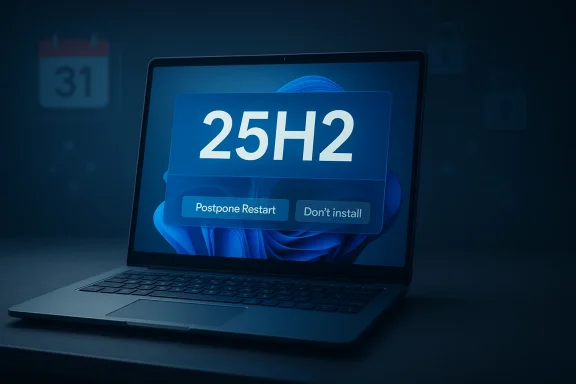
The latest controversy centers on Windows 11 25H2, which Microsoft has begun rolling out more assertively to consumer devices that have fallen behind. PCWorld’s reporting describes the company as forcing the update onto eligible PCs that are no longer on supported releases, with Home and Pro editions the primary targets and managed enterprise systems left alone for now. Microsoft’s own support language, as cited by PCWorld, indicates that devices not managed by IT departments will be moved forward automatically, while users may only postpone the restart rather than refuse the upgrade outright. (pcworld.com)
This is not an isolated change. Microsoft took a similar approach with Windows 11 24H2 earlier, when it reached the final stage of rollout and began automatic delivery to eligible Home and Pro PCs that were not centrally managed. At that point, the company’s wording made clear that the upgrade could be postponed but not permanently rejected. In other words, 25H2 is not a one-off policy shift; it is the next step in a playbook that Microsoft has already used to push the platform’s installed base onto current code. (pcworld.com)
The timing matters because Windows versions now live and die on a schedule that users can no longer safely ignore. When a release nears end of support, Microsoft treats the upgrade path as part of the security posture of the platform, not as a matter of taste. That is why these forced or semi-forced moves are always justified in the language of protection: new patches, reduced exposure, and fewer unsupported machines lingering on the network. The tension, of course, is that many users experience the same policy as coercion rather than care. (pcworld.com)
Microsoft’s reliance on staged rollout is also important. The company typically uses signals such as device readiness, known compatibility issues, and safeguard holds to decide whether a system should receive a feature update. In public-facing language, that process can sound reassuringly cautious. In practice, it can also feel opaque, because users are rarely told exactly why their machine is, or is not, chosen for the next wave. (pcworld.com)
The phrase that keeps drawing attention is machine learning. PCWorld notes that Microsoft describes the update as being intelligently rolled out, and that wording invites skepticism because it offers very little transparency about the decision criteria. If an algorithm is determining readiness, users are left to trust a black box whose outputs they may never be able to inspect. That may be good engineering hygiene, but it is not good consumer communication. (pcworld.com)
But the company is also trying to simplify its support burden. Every additional Windows build in the field creates fragmentation, more diagnostics overhead, and more chances that users encounter bugs on code Microsoft no longer wants to prioritize. A more synchronized installed base is easier to support, easier to patch, and easier to position around new capabilities such as security features and AI-enhanced experiences. That is an enterprise argument disguised as a consumer convenience story. (pcworld.com)
The broader lesson is that Windows updates are no longer a matter of “if” but “when.” In that sense, the forced move to 25H2 is really a reminder that the real control point was always the support boundary. Once users cross it, the system becomes less optional and more prescriptive. That is convenient for Microsoft and irritating for users, but it is also consistent with how modern software platforms are managed. (pcworld.com)
There is also an operational advantage in having fewer outdated consumer devices circulating in the ecosystem. Unsupported PCs create security weak points not only for the owner but for the broader web, because compromised machines often become part of larger abuse patterns. Microsoft knows that a healthier update rate helps the entire platform story, even if it alienates a subset of power users who prefer to sit still. That trade-off is not new; the enforcement is just becoming more visible. (pcworld.com)
PCWorld also reported that safeguard holds could block 24H2 on hardware or software combinations known to cause problems. That is an important reminder that “forced” does not mean “unconditional.” Microsoft still gates delivery when compatibility issues are known, which means the update system is both assertive and selective at the same time. The phrase “machine learning” may be the headline, but compatibility screening is the real engine underneath. (pcworld.com)
The result is a policy that looks hard-edged from the user’s side and highly managed from Microsoft’s side. Users see an update they did not choose; Microsoft sees a controlled rollout constrained by holds, version eligibility, and support status. Both descriptions are true, which is why the debate is so persistent. The company is not removing choice everywhere; it is only removing choice at the point where Microsoft believes choice becomes risk. (pcworld.com)
That tension explains why these rollouts tend to provoke outsized reactions. Windows users remember years of disruptive updates, driver conflicts, unexpected restarts, and feature changes that altered familiar behavior. Once a user has been burned by a bad update, “automatic” stops sounding like a safety net and starts sounding like a liability. Trust, once damaged, is hard to restore with a support memo. (pcworld.com)
There is also a practical issue around timing. Many consumers do not want a major Windows upgrade to coincide with a work deadline, travel, or a household PC that doubles as the family’s shared machine. A restart window may sound harmless in policy language, but in the real world it can still be disruptive. The absence of a true opt-out is what turns a routine maintenance task into a point of friction. (pcworld.com)
That distinction also reveals Microsoft’s confidence in its servicing architecture. The company is effectively saying that its rollout mechanisms are reliable enough for consumers, but still flexible enough to respect enterprise governance. In other words, the policy is not anti-control in general; it is anti-user-control where Microsoft believes user control is most likely to lead to stagnation or risk. (pcworld.com)
Administrators will still worry about the precedent. Once Microsoft normalizes automatic movement for consumer editions, the pressure to widen similar patterns in business settings may grow over time, even if only indirectly. The company’s track record suggests that if a rollout approach works at scale, it often becomes the template for the next wave. That is why IT departments watch consumer policy changes so closely. (pcworld.com)
This is where Microsoft runs into a credibility problem. The company wants users to trust an invisible system that decides whether a major operating system update is safe enough to install, yet it offers almost no explanation beyond a reassuring buzzword. “Machine learning” may be accurate, but it is not an argument by itself. (pcworld.com)
The irony is that better rollout intelligence should reduce complaints, not increase them. If the model is good, Microsoft ought to be able to show that it respects safeguards and minimizes breakage. If it cannot explain even the broad logic, users will assume the worst: that the phrase is mostly a polished wrapper around a blunt enforcement policy. (pcworld.com)
This is also why some users feel cornered. They may not see the difference between “working fine” and “no longer patched,” especially if their machine is isolated or used casually. Microsoft’s position is that software eventually becomes unsafe if it does not move. The user’s position is often that nothing appears broken until the day something is. (pcworld.com)
The update policy becomes even more consequential when vendors, peripherals, or niche software are slow to keep up. If a PC has legacy hardware or specialized applications, a forced jump can create work that the user did not budget for. That is why the support timeline should be read not as administrative fine print, but as a real operational deadline. (pcworld.com)
Hardware vendors are affected as well. A faster Windows upgrade cycle encourages them to certify drivers, firmware, and utilities sooner. That can be good for modernization, but it also compresses the testing window and increases the odds of edge-case breakage. The ecosystem becomes more current, but not necessarily calmer. (pcworld.com)
Consumers may not think about platform power in these terms, but they feel the result in their daily relationship with the PC. The more Microsoft automates the transition, the less the operating system behaves like a personal tool chosen and curated by its owner. It starts to look like a managed service delivered on Microsoft’s timetable. That is a strategic shift, not just a technical one. (pcworld.com)
The deeper question is whether Microsoft can make its update system feel predictable rather than paternalistic. A transparent rollout calendar, clearer eligibility explanations, and better visibility into safeguard holds would go a long way toward making the policy easier to accept. What users object to most is rarely the existence of updates; it is the feeling that the decision was made somewhere they cannot see. (pcworld.com)
Source: PCWorld Microsoft will force-update PCs to Windows 11 25H2. You can't opt out
 Background
Microsoft has been tightening the Windows update pipeline for years, but the pressure has accelerated as Windows has shifted from occasional big releases to a continuous servicing rhythm. The old model, where users could linger on a version for years and decide for themselves when to move, has given way to a system where support windows, safeguard holds, and staged rollouts increasingly determine what users experience. That shift has been especially visible in Windows 11, where major feature updates are now treated less like optional upgrades and more like compliance milestones. (pcworld.com)The latest controversy centers on Windows 11 25H2, which Microsoft has begun rolling out more assertively to consumer devices that have fallen behind. PCWorld’s reporting describes the company as forcing the update onto eligible PCs that are no longer on supported releases, with Home and Pro editions the primary targets and managed enterprise systems left alone for now. Microsoft’s own support language, as cited by PCWorld, indicates that devices not managed by IT departments will be moved forward automatically, while users may only postpone the restart rather than refuse the upgrade outright. (pcworld.com)
This is not an isolated change. Microsoft took a similar approach with Windows 11 24H2 earlier, when it reached the final stage of rollout and began automatic delivery to eligible Home and Pro PCs that were not centrally managed. At that point, the company’s wording made clear that the upgrade could be postponed but not permanently rejected. In other words, 25H2 is not a one-off policy shift; it is the next step in a playbook that Microsoft has already used to push the platform’s installed base onto current code. (pcworld.com)
The timing matters because Windows versions now live and die on a schedule that users can no longer safely ignore. When a release nears end of support, Microsoft treats the upgrade path as part of the security posture of the platform, not as a matter of taste. That is why these forced or semi-forced moves are always justified in the language of protection: new patches, reduced exposure, and fewer unsupported machines lingering on the network. The tension, of course, is that many users experience the same policy as coercion rather than care. (pcworld.com)
What Microsoft is actually forcing
The key point is not that every Windows 11 machine will suddenly jump to 25H2 tomorrow. Rather, Microsoft is using Windows Update to automatically move eligible Home and Pro PCs that are behind on support into the newer release path. According to PCWorld’s report, the automatic behavior applies to devices running older Windows 11 consumer editions, while enterprise-managed PCs remain exempt because administrators may have legitimate reasons to delay or block change. (pcworld.com)Automatic, but not instant
The update mechanism still leaves room for scheduling. Users may be able to choose when the restart happens, and they can postpone the installation for a limited period. What they cannot do is permanently opt out once Microsoft has decided the device is ready for the move. That distinction matters because it changes the user’s role from decision-maker to scheduler, which is a very different kind of control. (pcworld.com)Microsoft’s reliance on staged rollout is also important. The company typically uses signals such as device readiness, known compatibility issues, and safeguard holds to decide whether a system should receive a feature update. In public-facing language, that process can sound reassuringly cautious. In practice, it can also feel opaque, because users are rarely told exactly why their machine is, or is not, chosen for the next wave. (pcworld.com)
The phrase that keeps drawing attention is machine learning. PCWorld notes that Microsoft describes the update as being intelligently rolled out, and that wording invites skepticism because it offers very little transparency about the decision criteria. If an algorithm is determining readiness, users are left to trust a black box whose outputs they may never be able to inspect. That may be good engineering hygiene, but it is not good consumer communication. (pcworld.com)
Why the distinction matters
For everyday users, “automatic update” sounds manageable until they discover that management really means delay, not refusal. Many people think of updates as an event they can skip if they are busy, on metered internet, or worried about breakage. Microsoft’s current approach removes that assumption the moment a system is considered out of support and eligible for movement. (pcworld.com)- Home and Pro PCs are the main targets.
- Enterprise-managed PCs remain exempt for now.
- Education editions are also exempt in the PCWorld report.
- Users can postpone installation, but not block it forever.
- Device readiness appears to be governed by Microsoft’s internal rollout logic.
Why Microsoft is doing this now
The obvious answer is security, and that is not a trivial justification. An unsupported Windows release stops receiving regular security patches, which means newly discovered vulnerabilities can remain open indefinitely. Microsoft has long framed forced feature updates as a way to reduce that risk, especially for consumers who do not monitor support calendars closely. (pcworld.com)But the company is also trying to simplify its support burden. Every additional Windows build in the field creates fragmentation, more diagnostics overhead, and more chances that users encounter bugs on code Microsoft no longer wants to prioritize. A more synchronized installed base is easier to support, easier to patch, and easier to position around new capabilities such as security features and AI-enhanced experiences. That is an enterprise argument disguised as a consumer convenience story. (pcworld.com)
The support lifecycle pressure
Microsoft’s lifecycle model leaves little ambiguity once a version reaches the end date. PCWorld notes that Windows 11 23H2 reached end of support for Home and Pro editions on November 11, which is precisely the kind of cutoff that triggers stronger upgrade behavior. Once support ends, Microsoft can argue that keeping people on the old release is itself a risk. (pcworld.com)The broader lesson is that Windows updates are no longer a matter of “if” but “when.” In that sense, the forced move to 25H2 is really a reminder that the real control point was always the support boundary. Once users cross it, the system becomes less optional and more prescriptive. That is convenient for Microsoft and irritating for users, but it is also consistent with how modern software platforms are managed. (pcworld.com)
There is also an operational advantage in having fewer outdated consumer devices circulating in the ecosystem. Unsupported PCs create security weak points not only for the owner but for the broader web, because compromised machines often become part of larger abuse patterns. Microsoft knows that a healthier update rate helps the entire platform story, even if it alienates a subset of power users who prefer to sit still. That trade-off is not new; the enforcement is just becoming more visible. (pcworld.com)
How this compares with earlier Windows 11 rollouts
This episode feels dramatic because of the phrasing, but the underlying behavior is familiar. Microsoft used a similar playbook with 24H2, first broadening availability and then switching consumer systems to automatic delivery once the rollout matured. PCWorld reported that eligible Home and Pro devices not managed by IT would receive 24H2 automatically, with postponement possible but refusal unavailable. (pcworld.com)24H2 set the template
That earlier rollout matters because it established the expectation that Windows 11 feature updates would increasingly behave like managed transitions rather than elective installs. Once users and administrators accept that the system can move itself forward at the end of a rollout, the jump from 24H2 to 25H2 is not conceptually new. It is simply the next enforcement step. (pcworld.com)PCWorld also reported that safeguard holds could block 24H2 on hardware or software combinations known to cause problems. That is an important reminder that “forced” does not mean “unconditional.” Microsoft still gates delivery when compatibility issues are known, which means the update system is both assertive and selective at the same time. The phrase “machine learning” may be the headline, but compatibility screening is the real engine underneath. (pcworld.com)
The result is a policy that looks hard-edged from the user’s side and highly managed from Microsoft’s side. Users see an update they did not choose; Microsoft sees a controlled rollout constrained by holds, version eligibility, and support status. Both descriptions are true, which is why the debate is so persistent. The company is not removing choice everywhere; it is only removing choice at the point where Microsoft believes choice becomes risk. (pcworld.com)
What users noticed then
When 24H2 became broadly mandatory, the conversation quickly shifted from “Can I install it?” to “Can I keep it from installing?” That is the exact emotional pattern returning now with 25H2. The update itself is less controversial than the loss of control, because people interpret automatic installation as a signal that the platform is no longer theirs to stage on their own terms. (pcworld.com)- 24H2 introduced the precedent for consumer auto-upgrades.
- 25H2 extends the same model to the next version.
- Safeguard holds still matter, but they are exception handling, not user choice.
- Managed devices remain under administrator control.
- The consumer experience is increasingly “defer, don’t decline.”
Consumer impact: why Home users feel singled out
For consumers, the most frustrating part of this policy is not the update itself; it is the asymmetry. Home users generally have less visibility into update cadence, less organizational help, and fewer tools to shape rollout timing. Yet they are the group most likely to be treated as candidates for automatic movement, precisely because Microsoft assumes they are least equipped to manage patch hygiene themselves. (pcworld.com)A trade-off between convenience and autonomy
There is a legitimate case for automatic updates on consumer PCs. Many users never check update settings, postpone everything indefinitely, and then discover too late that they are running unsupported software. For that audience, forcing 25H2 after support lapses can be framed as protection. But the same mechanism also punishes informed users who actively prefer to wait for compatibility reasons or personal workflow stability. (pcworld.com)That tension explains why these rollouts tend to provoke outsized reactions. Windows users remember years of disruptive updates, driver conflicts, unexpected restarts, and feature changes that altered familiar behavior. Once a user has been burned by a bad update, “automatic” stops sounding like a safety net and starts sounding like a liability. Trust, once damaged, is hard to restore with a support memo. (pcworld.com)
There is also a practical issue around timing. Many consumers do not want a major Windows upgrade to coincide with a work deadline, travel, or a household PC that doubles as the family’s shared machine. A restart window may sound harmless in policy language, but in the real world it can still be disruptive. The absence of a true opt-out is what turns a routine maintenance task into a point of friction. (pcworld.com)
What Home users can still do
Microsoft’s model does not leave consumers powerless, but it does narrow the options. Users can usually postpone the restart, watch for safeguard holds, and plan around the upgrade notification rather than being ambushed by a silent reboot. That is some control, but not the kind of control users traditionally associate with owning a PC. (pcworld.com)Enterprise and IT-managed devices are treated differently
The most telling part of the policy is who gets exempted. Microsoft’s reporting makes clear that centrally managed enterprise and education devices are not the immediate target of the forced 25H2 rollout. That exception exists because IT departments often need time to validate applications, hardware peripherals, and security baselines before moving a large fleet to a new release. (pcworld.com)Why Microsoft leaves room for administrators
Enterprises live by change control. A feature update is not just a software patch; it can affect line-of-business applications, imaging processes, device drivers, and support documentation. Forcing that change without administrative approval would be reckless in a managed environment, which is why Microsoft keeps a separate lane for IT-controlled systems. (pcworld.com)That distinction also reveals Microsoft’s confidence in its servicing architecture. The company is effectively saying that its rollout mechanisms are reliable enough for consumers, but still flexible enough to respect enterprise governance. In other words, the policy is not anti-control in general; it is anti-user-control where Microsoft believes user control is most likely to lead to stagnation or risk. (pcworld.com)
Administrators will still worry about the precedent. Once Microsoft normalizes automatic movement for consumer editions, the pressure to widen similar patterns in business settings may grow over time, even if only indirectly. The company’s track record suggests that if a rollout approach works at scale, it often becomes the template for the next wave. That is why IT departments watch consumer policy changes so closely. (pcworld.com)
Enterprise implications in practice
Managed environments may not be forced onto 25H2 right away, but they still need to account for the fact that Microsoft is accelerating consumer turnover. That can affect support expectations, documentation alignment, and the cadence at which hardware vendors certify their software against the newest release. For organizations, the consumer rollout is often the first signal of where the platform is headed next. (pcworld.com)The machine-learning angle is the most opaque part
Microsoft’s use of machine learning in update targeting is unsurprising from a technical standpoint, but the messaging around it is thin. PCWorld notes that the company says the update is being intelligently rolled out, yet it does not explain which signals matter most or how the system decides a device is “ready.” That lack of clarity is what makes the policy feel less like a service and more like an algorithmic decree. (pcworld.com)What the term likely means
In practice, machine learning in update deployment likely helps Microsoft cluster devices by compatibility characteristics, historical failure patterns, hardware classes, and rollout confidence scores. That kind of model can reduce bad deployments and improve success rates. But from the user’s side, the same model can feel arbitrary because there is no easy way to audit the decision. (pcworld.com)This is where Microsoft runs into a credibility problem. The company wants users to trust an invisible system that decides whether a major operating system update is safe enough to install, yet it offers almost no explanation beyond a reassuring buzzword. “Machine learning” may be accurate, but it is not an argument by itself. (pcworld.com)
The irony is that better rollout intelligence should reduce complaints, not increase them. If the model is good, Microsoft ought to be able to show that it respects safeguards and minimizes breakage. If it cannot explain even the broad logic, users will assume the worst: that the phrase is mostly a polished wrapper around a blunt enforcement policy. (pcworld.com)
Why transparency matters
Transparency is not just a philosophical issue. It affects troubleshooting, support expectations, and user confidence. When a system silently decides that a PC is “ready,” users want to know whether readiness means compatibility, telemetry history, hardware class, or merely age of the current install. Without that explanation, the rollout looks less intelligent than it probably is. (pcworld.com)- Machine learning may improve rollout quality.
- The current explanation is too vague for many users.
- Lack of transparency weakens trust even when the policy is sensible.
- Better documentation could reduce backlash.
- Consumers want reasons, not just outcomes.
Support deadlines are driving the urgency
The support cycle is the engine behind the whole story. PCWorld reports that Windows 11 23H2 reached end of support for consumer editions on November 11, which is the practical trigger for stronger upgrade pressure. Once a version stops receiving patches, remaining on it becomes an explicit security gamble rather than a neutral preference. (pcworld.com)End of support changes the math
Support deadlines alter the cost-benefit calculation for everyone involved. Microsoft can justify stronger enforcement because it is no longer simply adding features; it is closing a security gap. Users, meanwhile, are pushed to evaluate stability against exposure, and that is rarely an easy choice when a machine is still functioning well enough for daily use. (pcworld.com)This is also why some users feel cornered. They may not see the difference between “working fine” and “no longer patched,” especially if their machine is isolated or used casually. Microsoft’s position is that software eventually becomes unsafe if it does not move. The user’s position is often that nothing appears broken until the day something is. (pcworld.com)
The update policy becomes even more consequential when vendors, peripherals, or niche software are slow to keep up. If a PC has legacy hardware or specialized applications, a forced jump can create work that the user did not budget for. That is why the support timeline should be read not as administrative fine print, but as a real operational deadline. (pcworld.com)
What end-of-support means in everyday life
For many households, it means one of two things: update now or accept growing risk. There is usually a grace period, and Microsoft often uses staged deployment so that not every machine moves at once. But the direction of travel is fixed, and the moment a version leaves support, the company’s patience with delay shrinks fast. (pcworld.com)The competitive and market implications are bigger than one update
At a surface level, this is a Windows maintenance story. At a deeper level, it is a platform-power story. Microsoft is demonstrating that it can use servicing policy to steer the installed base toward the versions it wants to support, which reinforces its control over the release cadence and the security baseline of the Windows ecosystem. (pcworld.com)What rivals learn from this
Competing platforms watch Windows closely because it sets expectations for software lifecycle management across the PC market. If Microsoft can normalize forced upgrades after support ends, that strengthens the argument for more aggressive servicing everywhere else too. It also makes long-term version pinning harder to defend as a consumer-friendly virtue. (pcworld.com)Hardware vendors are affected as well. A faster Windows upgrade cycle encourages them to certify drivers, firmware, and utilities sooner. That can be good for modernization, but it also compresses the testing window and increases the odds of edge-case breakage. The ecosystem becomes more current, but not necessarily calmer. (pcworld.com)
Consumers may not think about platform power in these terms, but they feel the result in their daily relationship with the PC. The more Microsoft automates the transition, the less the operating system behaves like a personal tool chosen and curated by its owner. It starts to look like a managed service delivered on Microsoft’s timetable. That is a strategic shift, not just a technical one. (pcworld.com)
The reputational risk for Microsoft
There is also a branding dimension. Microsoft wants Windows 11 to feel modern, secure, and smart. But every forced update story also revives memories of bugs, restarts, and administrative overreach. If users feel bullied into an upgrade, they may blame the operating system even when the rollout itself is technically reasonable. (pcworld.com)- Microsoft gains a more consistent support baseline.
- Third-party vendors face tighter certification pressure.
- Consumers lose some autonomy over when major updates arrive.
- The platform looks more managed and less personal.
- Reputation risk grows when forced updates coincide with bug reports.
Strengths and Opportunities
Microsoft’s update policy is not without merit, and it would be unfair to pretend that forcing unsupported devices forward has no upside. The same machinery that irritates enthusiasts can also protect ordinary users who would otherwise sit on unpatched systems for years. The challenge is that the benefits are real even when the experience is unpopular.- Better security hygiene for households that do not track end-of-support dates.
- Fewer unsupported machines lingering on the public internet.
- More predictable servicing for Microsoft and hardware partners.
- A cleaner platform baseline for new security and AI features.
- Reduced fragmentation across Windows 11 versions.
- Lower support overhead for incompatible legacy builds.
- Potentially smoother rollouts if machine learning targeting is accurate.
Risks and Concerns
The risks are mostly about trust, timing, and transparency. Automatic updates are easy to defend in theory, but once users feel they have lost meaningful control, the policy can generate resentment that outlives any single feature release. Microsoft needs the update machine to look intelligent, not merely forceful.- Perceived loss of user control over owned hardware.
- Opaque machine-learning targeting with little explanation.
- Unexpected workflow disruption from forced restarts.
- Compatibility surprises for niche software and peripherals.
- Growing skepticism after years of problematic Windows updates.
- Confusion over who is exempt and why.
- Reputational damage if forced rollout stories amplify bugs.
Looking Ahead
The next phase will be less about whether Microsoft can force updates and more about how gracefully it can do so. If the 25H2 rollout stays smooth, the backlash will fade quickly and the company will treat the episode as proof that stronger servicing works. If the rollout collides with compatibility issues, users will remember that the price of obedience is sometimes extra cleanup work. (pcworld.com)The deeper question is whether Microsoft can make its update system feel predictable rather than paternalistic. A transparent rollout calendar, clearer eligibility explanations, and better visibility into safeguard holds would go a long way toward making the policy easier to accept. What users object to most is rarely the existence of updates; it is the feeling that the decision was made somewhere they cannot see. (pcworld.com)
What to watch next
- How long Microsoft allows postponement before installation becomes unavoidable.
- Whether additional safeguard holds appear for specific hardware or software combinations.
- Whether Microsoft explains the machine-learning targeting in more detail.
- How enterprise administrators respond to the consumer rollout pattern.
- Whether similar enforcement expands to future Windows 11 releases.
Source: PCWorld Microsoft will force-update PCs to Windows 11 25H2. You can't opt out
