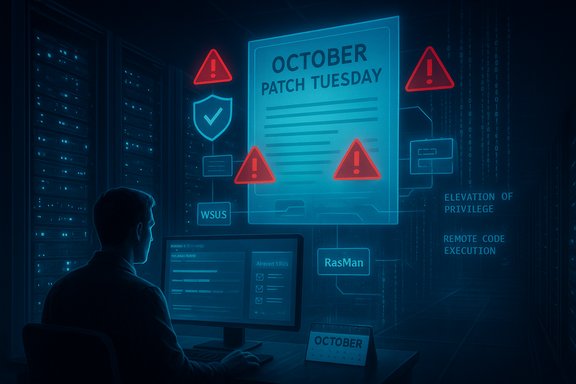
Microsoft Patch Tuesday October 2025: Massive CVEs, Driver Removal, and ESU Pivot

  • Thread Author
Microsoft’s October Patch Tuesday landed as a watershed software-security event: the company shipped fixes for an extraordinarily large set of vulnerabilities — widely reported as between 167 and 175 CVEs in a single cycle — including multiple actively exploited zero‑day elevation‑of‑privilege flaws, a near‑critical remote code execution affecting update infrastructure, and the removal of a legacy modem driver that forces an immediate compatibility trade‑off for affected hardware.

A person sits at a workstation monitoring multiple screens showing security alerts and WSUS status.Background / Overview​

October’s cumulative updates follow Microsoft’s usual Patch Tuesday cadence but are notable for scale and timing. The release bundles security patches across Windows client and server SKUs, .NET/ASP.NET runtimes, Office components, and a wide array of Microsoft server products — arriving on the same calendar date Microsoft ended regular, free security support for Windows 10 consumer editions. That concurrence makes this release both an urgent operational event and a lifecycle milestone for millions of desktops worldwide. Industry trackers and vendor analyses report slightly different headline totals (numbers vary because some outlets include cloud‑only advisories or third‑party product CVEs Microsoft publishes separately), but the practical reality is consistent: this was one of Microsoft’s largest single monthly security rolls in recent memory, and it includes several high‑impact, actively exploited flaws that should top defenders’ priority lists.

What Microsoft fixed — the headline numbers and why they matter​

  • Reported CVE totals for the October bundle range from roughly 167 to 175 depending on inclusion rules; several respected trackers converged on the 172–175 window.
  • The release contains a large volume of Elevation‑of‑Privilege (EoP) items and a smaller but highly consequential set of Remote Code Execution (RCE) and Security Feature Bypass flaws. Many items carry high CVSS scores and some were explicitly marked by Microsoft or vendors as “Exploitation More Likely.”
  • At least two to three zero‑day vulnerabilities were publicly reported as actively exploited in the wild prior to the patch — the Agere modem driver flaw and a RasMan EoP are consistently cited; some outlets also flagged an IGEL‑related Secure Boot bypass as part of the exploited set. Trackers disagree on the exact zero‑day count; treat that figure with caution until your compliance tooling maps CVEs to KBs.
Why this matters: a single, chained attack that begins with a low‑privilege foothold and leverages an EoP (or abuses trusted update channels) can turn a half‑compromised endpoint into full domain compromise. The October fixes include exactly those kinds of components (local escalation, update infrastructure, web framework bypasses), which increases the real‑world urgency of rapid, prioritized patching.

Deep dive: the zero‑days and other critical items​

CVE‑2025‑24990 — Agere modem driver (ltmdm64.sys) — EoP, driver removal, and compatibility fallout​

  • Nature of the bug: an untrusted pointer dereference (elevation of privilege) in a legacy Agere modem driver that historically shipped in the Windows image as ltmdm64.sys. The vulnerability has a CVSS around 7.8 in published vendor reporting and was observed exploited in the wild.
  • Microsoft’s remediation: instead of an in‑place patch, Microsoft removed the driver from the Windows image delivered in the October cumulative update. That step prevents further exploitation via the shipped driver but simultaneously disables modem/fax hardware that still depends on that specific in‑box driver. Administrators were advised to remove dependencies on the hardware or obtain vendor‑supplied, signed drivers if available.
  • Operational trade‑off: removing vulnerable legacy code from the platform is a sound security move — it eliminates a persistent attack surface — but it creates an immediate operational risk for organizations that still rely on fax/modem hardware (common in healthcare, finance, and certain industrial control contexts). Those organizations must triage: delay patching (risky), find alternate firmware/driver suppliers, or plan rapid device replacement.
Technical note: the driver is exploitable even when the modem hardware is not in active use because the vulnerable driver binary is present and loadable by the kernel. That broad presence explains Microsoft’s decision to remove the driver globally rather than ship a complex, potentially brittle patch.

CVE‑2025‑59230 — Remote Access Connection Manager (RasMan) — EoP actively exploited​

  • Nature of the bug: an improper access control (local elevation‑of‑privilege) in the Windows Remote Access Connection Manager service (RasMan). Microsoft confirmed real‑world exploitation prior to the patch. The practical risk: an attacker who already has a low‑privilege foothold can escalate to SYSTEM.
  • Why defenders must care: RasMan is frequently present on client and server SKUs that allow VPN/dial‑up management. EoP bugs in services like RasMan are commonly chained after initial remote compromise to achieve persistent control — so prioritize endpoints with any remote‑access agents or VPN clients.

CVE‑2025‑59287 — WSUS deserialization RCE — infrastructure at risk​

  • Severity and impact: this is a Remote Code Execution vulnerability in Windows Server Update Services (WSUS) rated CVSS 9.8 with Microsoft assessing “Exploitation More Likely.” Successful exploitation of WSUS could let an attacker distribute malicious payloads through trusted update channels — a catastrophic supply‑chain style threat for on‑premises environments.
  • Recommended action: patch WSUS servers immediately, validate WSUS catalog integrity after patching, and consider temporarily restricting WSUS exposure (network ACLs, management VLANs) while installing updates. WSUS should be treated as a top‑tier priority in any remediation playbook for this cycle.

CVE‑2025‑55315 — ASP.NET Core security‑feature bypass — high impact for web apps​

  • Nature and impact: a security‑feature bypass in ASP.NET Core scored near the top of severity scales (reported CVSS around 9.9 in some summaries). Exploitation could expose credentials, alter server‑side files, or crash services. Microsoft’s notes and vendor analyses emphasize that an exploit requires authenticated, low‑privilege credentials in many cases, but the consequences remain severe for internet‑facing applications.
  • Operational guidance: web applications that host ASP.NET Core runtimes must be patched via standard application‑lifecycle channels and owners should block or closely monitor authentication vectors while fixes are applied. Implement short‑term compensating controls — WAF rules, stricter auth throttles, and extra logging — as part of the emergency response.

Cross‑checks, variance in reporting, and unverifiable claims​

Multiple reputable trackers and vendors produced slightly different headline counts for this Patch Tuesday (commonly 167, 172, or 175 CVEs). Those differences stem from inclusion rules (whether to include Azure/cloud‑only advisories, Chromium/Edge items, and third‑party advisories Microsoft publishes separately). For operational triage, rely on Microsoft’s Security Update Guide and your patch management tooling to map exact KB numbers and CVEs to your inventory; treat public headline totals as approximate indicators, not canonical counts. Similarly, the reported number of zero‑days varies across outlets (some report two active zero‑days, others three). That variance matters only for headline journalism — defenders must assume any CVE flagged as “exploited in the wild” or added to authoritative lists (for example, CISA’s Known Exploited Vulnerabilities) requires immediate action. When in doubt, prioritize based on exploit evidence rather than a simple zero‑day tally.

Operational playbook — prioritized remediation (what to do first)​

Apply the following triage and deployment plan across the first 72 hours, then extend to week‑1 stabilization and subsequent hardening.
Emergency triage (first 24–72 hours)
  • Patch WSUS servers and any update‑infrastructure hosts immediately (address CVE‑2025‑59287). If patching is delayed, isolate WSUS from external networks and limit administrative access.
  • Deploy the October cumulatives to endpoint pilot rings that include domain controllers, jump hosts, and critical servers. Focus on hosts likely to be exposed to lateral movement.
  • Identify and remediate systems showing signs of local privilege escalation (hunt for processes spawning as SYSTEM from user contexts, unauthorized scheduled tasks, or new service installs).
Stabilization (first week)
  • Map presence of ltmdm64.sys (Agere modem driver) across images and devices. Communicate to affected business units: applying October updates will remove the driver and break certain modem/fax hardware unless alternate drivers exist. Consider staged rollouts for fax‑dependent groups.
  • Patch ASP.NET Core runtimes and web servers; apply WAF rules and tighten authentication logging to quickly detect anomalous post‑authentication activity.
Medium term (2–6 weeks)
  • Harden update pipelines: validate WSUS catalogs, rotate signing keys where applicable, and restrict who can publish updates. Treat patch management servers as high‑value assets requiring escalated monitoring.
  • Remove or replace legacy drivers and third‑party kernel binaries from golden images where possible. Maintain a documented inventory of kernel drivers and vendor lifecycles to prevent repeat surprises.
Long term hygiene
  • Reassess Windows 10 fleet plans: identify devices eligible for free upgrade to Windows 11, and enroll business‑critical holdouts in Extended Security Updates (ESU) or build isolation plans.

The Agere driver removal: security reasoning and the real cost​

Removing legacy, vulnerable code is a blunt but sometimes necessary approach. Microsoft concluded that the Agere driver’s design and age made safe remediation impractical without continued exposure, so removal neutralized the attack surface immediately. Securitywise, that is a defensible decision: the driver could be exploited even when the physical modem was not in use, and weaponized exploit code had been observed. The cost is operational: organizations with active fax lines or specialized telephony hardware will see devices become nonfunctional on patched systems. That means IT and procurement teams must either acquire vendor‑updated drivers, replace hardware, or postpone patching for affected sub‑fleets — each option carries trade‑offs in risk, budget, and compliance. The right choice depends on business criticality and exposure profile; for most enterprises, replacing or isolating legacy modem hardware is the prudent path rather than leaving systems unpatched.

Lifecycle note: Windows 10 End‑of‑Support and ESU options​

Microsoft’s October rollout coincided with its scheduled end of free security support for Windows 10 (October 14, 2025). That change means unenrolled consumer and many business editions will no longer receive standard monthly security patches unless organizations enroll in the Extended Security Updates (ESU) program or move to Windows 11. Microsoft and several outlets documented enrollment paths and the one‑year consumer ESU bridge through October 2026 under specific conditions. Enterprises that must continue running Windows 10 should immediately evaluate ESU enrollment or aggressive migration plans. Risk reality: unsupported operating systems attract targeted exploits fast. As the patch bundle demonstrates, many high‑impact vulnerabilities affect the core OS and kernel drivers — exactly the components that become exposed when mainstream support ends. Isolation, compensating controls, and ESU enrollment are all valid, temporary mitigation strategies; none replace moving to a supported platform.

Critical analysis — strengths, weaknesses, and residual risks​

Strengths
  • Microsoft’s consolidated cumulative model continues to deliver comprehensive fixes that remove known attack vectors at scale; the removal of the Agere driver is an assertive security decision that reduces a long‑standing kernel attack surface.
  • Patching WSUS and update‑infrastructure flaws quickly mitigates a severe supply‑chain risk; Microsoft’s “Exploitation More Likely” designation on the WSUS RCE underscores the company’s prioritization.
Weaknesses and risks
  • The scale of the release increases operational friction: test windows are compressed, and compatibility fallout (driver removal) forces difficult trade‑off decisions for organizations with legacy hardware dependencies.
  • Variability in external reporting on exact CVE counts and zero‑day tallies creates communication noise for non‑technical stakeholders; this makes it harder for procurement and business teams to understand immediate impact without IT translation.
Residual risks after patching
  • Patching reduces known vulnerability exposure but does not eliminate risk from unknown or undetected exploits. Attackers will continue to search for fresh vectors, and unsupported Windows 10 systems are increasingly attractive targets.
  • The removal of in‑box drivers shifts risk to organizations that cannot replace hardware quickly; if those organizations postpone patching to preserve functionality, they retain exposure to other unrelated but patched vulnerabilities. This creates an operational fork that defenders must manage carefully.

Practical recommendations for administrators and users​

  • Prioritize patching by exploitability and exposure, not solely by CVSS. Start with WSUS and any update distribution points, then internet‑facing services and domain controllers, then endpoints with known RasMan exposure.
  • Inventory and document any devices dependent on ltmdm64.sys; plan hardware replacement or driver sourcing for affected units. Communicate the change to business owners before broad deployment.
  • Harden detection: enable comprehensive PowerShell and Sysmon logging, centralize logs in SIEM/EDR, and run aggressive EDR hunts for local privilege escalation indicators in the days following deployment.
  • For Windows 10 holdouts, enroll eligible systems in ESU or isolate them from high‑risk networks; treat migration to supported SKUs as a strategic security priority.

Conclusion​

October’s Patch Tuesday was both a security wake‑up call and a lifecycle pivot: Microsoft fixed a record‑scale set of vulnerabilities, neutralized legacy kernel code that posed active risk, and simultaneously closed the free‑support window for Windows 10. The technical fixes reduce immediate attack surface — but the large bundle and driver removals force hard operational choices for organizations with legacy dependencies. The practical imperative for IT teams is clear: triage by exploitability, patch update infrastructure first, inventory legacy drivers, and move remaining Windows 10 endpoints onto supported platforms or ESU paths without delay. The safest posture is not only to apply this month’s patches, but to rebuild update discipline and asset inventories so the next unexpectedly large Patch Tuesday becomes less of a scramble and more of a routine maintenance milestone.
Source: Dataconomy Microsoft’s biggest-ever Patch Tuesday fixes 175 bugs
 

Microsoft’s October Patch Tuesday is one of the heaviest and most consequential security rollouts of the year — a sprawling cumulative that fixes roughly 167–175 vulnerabilities across Windows, Office, .NET, SQL Server, Exchange and related components, and includes multiple zero‑day vulnerabilities that make this a “patch now” event for Windows estates.

A security analyst monitors an October Patch Tuesday alert with multiple warning icons.Background / Overview​

October’s security release landed at a lifecycle inflection: it coincided with the formal end of mainstream support for consumer Windows 10 editions, and arrived as Microsoft pushed fixes across client and server SKUs, developer runtimes, and on‑premises infrastructure products. Count methodologies vary, but independent trackers and vendor advisories converge on a very large patch count in the 167–175 range — the exact number depends on whether cloud‑only advisories, third‑party component patches, and bundled Chromium/Edge items are included.
Two operational realities make this Patch Tuesday notable. First, the release contains a high proportion of elevation‑of‑privilege (EoP) fixes by count, which are the kinds of bugs attackers chain after an initial foothold. Second, it patches several vulnerabilities that were already being exploited in the wild — local privilege escalations and infrastructure‑facing remote code execution (RCE) flaws that can dramatically increase blast radius if left unremediated.
The practical takeaway for administrators and security teams is simple: triage, prioritize, and act quickly on a narrow set of high‑risk items while integrating the broader update wave into your standard release process.

What landed this month: headline fixes and the zero‑days​

Scale and categories at a glance​

  • Total patched vulnerabilities (approximate): 167–175 (reporting differences stem from inclusion rules).
  • Dominant class by count: Elevation of Privilege (EoP) — nearly half of the items in some tallies.
  • Notable high‑impact classes: Remote Code Execution (RCE), Information Disclosure, Security‑Feature Bypass.
  • Infrastructure‑critical items: fixes for Windows Server Update Services (WSUS), Remote Access Connection Manager (RasMan), and drivers/hypervisor/TPM implementations.

Zero‑day and actively exploited vulnerabilities you must treat as urgent​

Several vulnerabilities in this cycle were confirmed or widely reported as exploited prior to patching. Administrators should treat these as immediate priorities:
  • Agere soft‑modem driver (ltmdm64.sys) elevation‑of‑privilege — identified by multiple vendors as actively exploited. Microsoft removed the legacy Agere driver from updated Windows images rather than ship an in‑place patch, which closes the attack surface but can break legacy analog modem/fax hardware that depends on the driver.
  • Remote Access Connection Manager (RasMan) elevation‑of‑privilege (local improper access control) — confirmed exploitation in the wild. This is a classic local escalation primitive that attackers commonly combine with a remote foothold to obtain SYSTEM privileges.
  • Trusted Platform Module (TPM 2.0) reference implementation out‑of‑bounds read — affects the TCG reference code and therefore can influence downstream firmware implementations used by OEMs. This is an information‑disclosure / denial‑of‑service risk for TPMs.
  • Additional zero‑day(es) and high‑urgency items affecting update infrastructure and client components — including a near‑critical deserialization RCE in WSUS that carries an outsized operational impact because WSUS can distribute updates to many managed clients.
These items move to the top of any emergency triage list. If you operate WSUS servers, manage VPN/vpn‑capable endpoints, or have legacy fax/modem devices in production, plan immediate remediation and mitigation.

Known issues and functional impacts (what administrators should expect)​

Microsoft documented a small number of known issues tied to recent cumulatives; two items are particularly relevant:
  • Enhanced Video Renderer (EVR) and HDCP/DRM playback on Windows 11: Some applications that use the Enhanced Video Renderer with HDCP enforcement or DRM for digital audio may show copyright‑protection errors, playback interruptions, unexpected stops, or black screens. Microsoft partially addressed this with the October cumulative, but a full resolution may require a follow‑up update next month. Expect occasional media playback regressions on affected Windows 11 desktops until the complete fix ships.
  • Legacy driver removal side effects: the in‑box Agere modem driver (ltmdm64.sys) was removed. Systems that still rely on the driver for analog modem or fax functions will lose that ability unless a vendor‑supplied, signed driver is installed. This is an intentional security trade‑off: remove a persistent kernel attack surface, accept short‑term compatibility pain.
Administrators must plan for these functional impacts during testing and communication phases of their rollout.

Prioritization: what to patch first (urgent triage)​

Not every CVE in this wave requires immediate action. The following prioritized list focuses on items that materially increase the risk of compromise or lateral movement if left unpatched:
  • WSUS servers and update management infrastructure — apply WSUS updates first. A deserialization RCE in WSUS is a supply‑chain‑adjacent risk: compromised WSUS can distribute malicious payloads to managed clients. If WSUS cannot be patched immediately, consider isolating it from broad network access until remediation is complete.
  • Systems where RasMan is present and endpoints that allow local privilege escalation chains — patch endpoints to eliminate the RasMan EoP vector. Hunt for signs of local exploitation and lateral movement on systems where privilege escalation is especially damaging (admin workstations, jump boxes, multi‑user hosts).
  • Hosts that contain or may load the Agere modem driver (ltmdm64.sys) — inventory and communicate with business units that rely on fax/modem hardware. If the hardware is nonessential, apply the update to remove the driver and close the exploit pathway. If the device is essential, secure a vendor driver or plan device replacement.
  • Client and server workloads that parse untrusted documents — Office, Word and Excel RCE patches. Disable preview panes or document metadata rendering in high‑risk mail handling and content‑rendering servers until updates are validated.
  • Hypervisor and confidential compute hosts — patch or coordinate vendor firmware updates for AMD SEV‑SNP and other virtualization boundary fixes. Some disclosures in this cycle affect hypervisor/guest isolation scenarios and require coordinated host/firmware remediation.
  • TPM/firmware and Secure Boot dependencies — track OEM advisories for TPM or firmware updates that flow from the TCG‑reference implementation fixes.
Apply urgent patches in a short test ring, validate stability, then expand to critical production rings before a full estate rollout.

Practical rollout plan: test rings, deployment, and verification​

A controlled, stage‑gated rollout preserves availability while minimizing exposure.
  • Step 1: Inventory and mapping
  • Map CVEs to installed SKUs, KB update IDs, and running services.
  • Use configuration management tools to find presence of ltmdm64.sys and RasMan exposure.
  • Identify WSUS/SCCM servers, document management servers and hypervisor hosts.
  • Step 2: Immediate pilot
  • Create a fast‑track test ring with representative hosts: at least one WSUS server, one domain controller, admin workstations, a hypervisor host, and a set of critical document‑rendering servers.
  • Apply the WSUS and zero‑day patches first in the pilot ring; validate update distribution, server health, and catalog integrity.
  • Step 3: Expand to high‑value systems
  • After successful pilot validation (24–72 hours), push updates to remaining high‑value systems: hypervisors, mail gateways, admin workstations, and remote access hosts.
  • Step 4: Full estate deployment
  • Roll updates to general user endpoints and remaining servers in waves.
  • Maintain a rollback plan with system images or documented configuration backups.
  • Step 5: Post‑deployment verification and hunting
  • Verify WSUS catalogs and update metadata integrity.
  • Run EDR/AV hunts for local privilege‑escalation signs, suspicious RasMan or driver load events, unexpected service restarts, and any indicators described in vendor advisories.
  • Monitor for user reports of media playback issues (EVR/DRM) and unexpected device failures tied to driver removal.
This phased approach balances speed with reliability and reduces the likelihood of rolling out a problematic update at scale.

Detection and compensating controls if you can’t patch immediately​

When immediate patching isn’t possible, implement compensating measures to reduce exposure:
  • Isolate or segment critical infrastructure (WSUS, SCCM, update servers) from untrusted parts of the network.
  • Restrict local logon and remove nonessential accounts from admin/shared machines; enforce least privilege to limit the value of an EoP.
  • Harden mail and file handling: disable preview panes and automatic document rendering in mail gateways and user clients.
  • Tune EDR/SIEM rules to detect suspicious process creation from non‑admin users, repeated service crashes, or attempts to enumerate or load legacy modem drivers.
  • For endpoints where modem functionality is required, consider tightly controlling device access or applying host‑level controls to reduce attack surface (application control, virtualization‑based security features where supported).
Compensating controls are stopgaps; they should not replace prioritized patching for high‑severity items.

Risk analysis: strengths in Microsoft’s approach and the tradeoffs​

Strengths​

  • Removing legacy kernel components (ltmdm64.sys) when upstream maintenance is absent eliminates a persistent, high‑impact attack vector decisively. From a platform security standpoint, removal is often cleaner and safer than shipping brittle in‑place kernel fixes for unmaintained drivers.
  • Fixing WSUS and other update‑channel issues reduces systemic supply‑chain risk. Closing vulnerabilities in update infrastructure requires urgent attention and Microsoft prioritized those fixes.
  • The breadth of coverage — Windows client and server, Office, .NET/ASP.NET, Exchange/SQL Server and telemetry/agent components — simultaneously strengthens many of the most commonly exploited paths.

Tradeoffs and risks​

  • Operational disruption from driver removal is real and concentrated in niche industries: healthcare, finance, courts, and some industrial environments still depend on fax/modem hardware. These organizations face immediate device failures if they apply the cumulative without a replacement driver path.
  • Large, dense patch waves increase regression risk. When hundreds of fixes ship together, the chance of update‑related functional regressions grows. Testing remains essential.
  • WSUS as a single point of trust: the fact that a WSUS RCE exists (or existed) underscores how quickly an attacker could pivot from a single compromise to wide distribution. Until WSUS servers are patched and verified, they remain a high‑value target.
  • TPM and firmware downstream exposure: fixes to reference implementations frequently require OEM firmware updates. Admins must coordinate with hardware vendors to ensure firmware and platform updates are applied after the OS side is patched.
  • Communications and support burden: help desks will field calls about media playback issues and device incompatibility; IT teams must prepare to triage and route these incidents.

Short, actionable checklist (for sysadmins and security teams)​

  • Apply WSUS and update‑distribution patches first; validate catalogs and signing.
  • Patch endpoints to remediate RasMan EoP vulnerabilities immediately.
  • Inventory for ltmdm64.sys and communicate device impacts to stakeholders; obtain vendor drivers or plan replacements where necessary.
  • Disable Office preview panes and document rendering on mail/file servers until Office fixes and test validations complete.
  • Pilot updates in a high‑value test ring for 24–72 hours before broad rollout.
  • Tune EDR/SIEM to detect EoP exploit behaviors, unexpected driver loads, and suspicious local privilege escalation activity.
  • Track OEM firmware advisories for TPM and hypervisor updates; schedule coordinated firmware/host patch windows.
  • Prepare communications for users about potential media playback glitches on Windows 11 and expected compatibility impacts.

What to watch next: follow‑through and unresolved items​

  • Watch for OEM firmware updates that address TPM reference implementation issues — these are critical to complete the mitigation chain for TPM‑adjacent problems.
  • Monitor vendor advisories for replacement drivers for legacy modem hardware. If no vendor driver becomes available, plan equipment replacement or alternate processes for affected workflows.
  • Expect Microsoft to publish additional notes to address the known EVR/DRM playback anomalies; a “partial fix” was included in the October cumulative and a follow‑up patch is possible next month.
  • Keep an eye on threat intelligence and CISA/KEV listings for any CVEs in this cycle that get escalated into high‑confidence exploited statuses or that receive emergency mitigation guidance.

Final assessment and recommended posture​

October’s Patch Tuesday is both a security inflection and an operational stress test. The volume of fixes — and the presence of multiple zero‑days affecting local privilege escalation and update infrastructure — justifies a raised alarm for defenders. The correct posture balances urgency and caution:
  • Treat a small set of items as emergency updates and patch them immediately (WSUS, RasMan, Agere driver removal effects).
  • Validate stability in a fast pilot ring to reduce the risk of mass regressions.
  • Use compensating controls while you complete patch rollouts for systems that cannot be updated instantly.
  • Prepare for coordinated firmware updates, and expect some user‑facing regressions (media playback, legacy device compatibility) that require help‑desk readiness and clear communications.
The month’s release is a reminder that modern endpoint security requires both rapid remediation of active threats and long‑term cleanup of legacy attack surfaces. Removing unmaintained kernel components is a sound security move even when it hurts short‑term compatibility; preventing future escalations is worth the immediate pain when it closes an exploitable kernel vector. Prioritize the high‑impact fixes now, keep testing and monitoring tight, and follow OEM and vendor advisories to complete remediation across firmware and hardware layers.

Conclusion
This month’s cumulative is not one for passive scheduling. While many updates can follow your normal patch cycle after the critical triage is complete, the combination of zero‑day privilege escalations, an update‑channel RCE risk, and platform removal of an in‑box driver requires immediate, prioritized action. Patch WSUS and RasMan first, inventory for the removed Agere driver, coordinate firmware updates for TPM and virtualization hosts, prepare for some Windows 11 media playback anomalies, and maintain a focused hunt and monitoring cadence while you roll out the broader update wave. The operational work is heavy, but measured, prioritized remediation now will prevent costly compromises later.

Source: Computerworld For October’s Patch Tuesday, a scary number of fixes
 

Back
Top