

Microsoft’s latest Copilot move is less a retreat from AI than a correction in how aggressively Windows should advertise it. The company is now reducing unnecessary Copilot entry points in inbox apps such as Notepad, Snipping Tool, Photos, and Widgets, while simultaneously saying it will be more intentional about where Copilot appears across Windows. That distinction matters: Microsoft is not ripping AI out of Windows so much as trying to make it feel less omnipresent, less branded, and less like an operating-system-wide upsell. In practical terms, the company appears to be learning that useful AI and in-your-face AI are not the same thing.
Microsoft’s Copilot story in Windows began as a sweeping platform bet. In 2023, the company framed Copilot as a single assistant experience spanning Windows, Edge, Bing, and Microsoft 365, with the goal of making AI feel native to the desktop rather than bolted on as a separate app. That vision was ambitious and coherent from a branding perspective, but it also set up an inevitable collision between Microsoft’s desire for ubiquity and users’ desire for control.
By 2024 and 2025, Copilot had spread into more familiar Windows surfaces. Microsoft added or expanded AI features in apps like Notepad and Snipping Tool, and it also kept pushing Copilot deeper into the Microsoft 365 experience. For consumers, that created a steady drip of new capabilities. For many Windows veterans, it created feature creep—a sense that every simple utility was slowly becoming a place where Microsoft wanted to start a conversation.
The timing of the new direction is important. Windows 10 support ended on October 14, 2025, which means Microsoft can no longer rely on “wait for the next version” to soothe frustration. Windows 11 now has to stand on its own as the modern default, and that means the company is being judged not just on what AI can do, but on how much friction it adds to daily work. In that environment, even small design choices become political.
Enterprise pressures also matter here. Microsoft has been steadily reshaping Copilot for commercial customers, including moving emphasis toward the Microsoft 365 Copilot app and providing admin controls and recommendations for taskbar and navigation placement. That is a sign that Microsoft understands a basic truth of enterprise software: if IT cannot govern the experience, the experience does not scale.
The current shift, then, is not a random UI tweak. It is the product of two years of aggressive AI placement meeting the realities of Windows as a desktop platform used by consumers, businesses, gamers, schools, and power users alike. Microsoft appears to be moving from an AI everywhere mindset to an AI where it clearly fits model. That is a meaningful strategic change, even if the company stops short of calling it one.
This is not a full removal of AI features. In fact, Microsoft has been adding and refining AI in some of these same apps for some time. Notepad, for example, received summarize and AI-related writing features in 2025, while Snipping Tool got additional capability upgrades. The difference now is presentation and priority, not necessarily capability. Microsoft seems to be moving the AI behind more neutral labels and less intrusive interfaces.
That may sound cosmetic, but UI placement changes perception fast. If a user opens Notepad to jot something down and the app immediately presents a Copilot-branded button, the product stops feeling minimal. If the same feature appears later under a more generic writing-tools label, the experience feels more optional and less promotional. In a desktop OS, those distinctions matter a lot because they shape the emotional tone of the platform.
That mismatch is especially visible in Windows because the operating system is not a single app users can simply uninstall if they dislike the direction. It is the desktop environment, the file system shell, the launcher, and the framework through which people do everything else. When Microsoft adds another prompt or shortcut, it is not just adding convenience; it is changing the rhythm of the workday. That makes every extra surface feel more consequential than it would in a standalone app.
There is also a trust issue. Many people were willing to try Copilot as an optional assistant, but less willing to accept it as a persistent visual presence. Once a feature starts to resemble marketing embedded in the workflow, users begin to question whether the company is designing for them or for adoption metrics. That skepticism has been one of the defining themes of the Windows 11 era.
For many enthusiasts, this also taps into a longer-running frustration with Windows 11 itself. The platform has often been criticized for reducing customization, increasing update friction, and feeling more managed than earlier versions. Copilot became part of that broader complaint because it symbolized a company that seemed eager to set the user’s agenda.
That is why the new label changes matter so much. If Microsoft shifts from a Copilot-marked button to a more generic writing-tools label, it is doing more than cleaning up the UI. It is redefining the contract between the app and the user: the tool remains useful, but the AI no longer announces itself as loudly. That may be the best compromise for a utility that people expect to open and close in seconds.
There is a deeper irony here. Microsoft has been trying to make Notepad more capable for years, but every added feature risks undermining the thing people loved about it in the first place. The more functionality Microsoft adds, the more carefully it has to avoid making the app feel busy. That balancing act is hard, and it explains why these changes are more than cosmetic.
A few practical lessons stand out:
This matters because enterprises care deeply about predictability. IT admins do not want surprise feature rollouts, UI churn, or AI surfaces that appear in places where they complicate support and training. Microsoft’s own guidance has stressed admin control, taskbar pinning, and governance around the Microsoft 365 Copilot app, which is consistent with a more managed enterprise model.
The practical upside is obvious: fewer Copilot entry points inside Windows itself means fewer support tickets about “why is this button here?” or “how do we turn this off?” The broader the AI rollout, the more likely it is to collide with regional policy, licensing differences, and user permissions. Simplifying the surface area can make deployment easier, even if the underlying capability remains the same.
That is a smart move because enterprise AI is easier to justify when it is tied to documents, data, identity, and governance. A taskbar assistant is convenient, but a managed productivity hub is easier for CIOs to approve. Microsoft appears to be learning that where AI lives matters almost as much as what it can do.
At the same time, consumers are still getting the AI features Microsoft believes are valuable. The company has not stopped investing in the assistant or the ecosystem around it. Instead, it is trying to place the features more carefully so they appear when they are genuinely useful rather than when they are merely available.
That compromise may be the right one for a broad audience. Most people do not want to think about AI all the time; they just want the computer to help when needed. A quieter Windows experience is therefore not anti-innovation. It is an acknowledgment that good consumer software often disappears into the background until it is needed.
That is especially important because user patience is finite. Windows 11 has already weathered criticism over customization limits and interface changes. A calmer Copilot strategy may not excite everyone, but it could improve the platform’s reputation in exactly the places where reputation has been fraying.
Apple has generally taken a more conservative approach to systemwide AI, and Google has concentrated much of its AI strategy in services and cloud workflows rather than in a classic desktop shell. That means Microsoft has been trying to do the hardest version of the job: integrating AI into a decades-old operating system with a massive installed base and wildly different user expectations.
In that context, a reduction in visible Copilot branding is not necessarily weakness. It may be maturity. Microsoft may be realizing that the best way to normalize AI is to make it less obvious, not more. If that works, the company will have turned a backlash moment into a stronger product discipline story.
That lesson matters beyond Windows. The industry is full of products that are technically impressive but poorly placed. If Microsoft can pull back without losing the AI narrative, it will have demonstrated a more durable formula: make the assistant available, not unavoidable.
The current changes suggest Microsoft is paying more attention to context. Snipping Tool should stay capture-first. Notepad should stay quick and dependable. Widgets should remain glanceable. Photos should remain about viewing and editing, not opening a dialogue before the task begins. That sounds obvious, but it takes discipline to act on it.
The user-experience upside could be substantial:
It also creates a better enterprise story, because admins can more easily support AI that lives in managed, predictable surfaces. A quieter Windows shell reduces training friction and support noise, while the Microsoft 365 Copilot app becomes the more obvious hub for business usage. That division of labor is more defensible than spreading Copilot thinly across everything.
There is also the possibility of inconsistency. If some Windows apps quietly de-emphasize Copilot while others continue to push it hard, users could end up with a fragmented and confusing experience. That would undermine the very simplification Microsoft is trying to achieve.
Another concern is that Microsoft may not go far enough for users who want a truly minimal desktop. If the AI features stay present but remain hard to disable or fully ignore, the company could face the same “too much noise” complaints in a new form. In that case, the branding would change, but the underlying frustration would not.
What to watch is not just whether Copilot appears less often, but whether Windows feels calmer overall. Microsoft is pairing the AI changes with taskbar flexibility, update reduction, and broader quality-of-life improvements, which suggests the company understands that annoyance is cumulative. If the total effect is a more respectful desktop, the Copilot rollback will be remembered as the moment Microsoft started listening more carefully.
Source: afterdawn.com Microsoft started removing Copilot from Windows apps - but not the AI
 Background
Microsoft’s Copilot story in Windows began as a sweeping platform bet. In 2023, the company framed Copilot as a single assistant experience spanning Windows, Edge, Bing, and Microsoft 365, with the goal of making AI feel native to the desktop rather than bolted on as a separate app. That vision was ambitious and coherent from a branding perspective, but it also set up an inevitable collision between Microsoft’s desire for ubiquity and users’ desire for control.By 2024 and 2025, Copilot had spread into more familiar Windows surfaces. Microsoft added or expanded AI features in apps like Notepad and Snipping Tool, and it also kept pushing Copilot deeper into the Microsoft 365 experience. For consumers, that created a steady drip of new capabilities. For many Windows veterans, it created feature creep—a sense that every simple utility was slowly becoming a place where Microsoft wanted to start a conversation.
The timing of the new direction is important. Windows 10 support ended on October 14, 2025, which means Microsoft can no longer rely on “wait for the next version” to soothe frustration. Windows 11 now has to stand on its own as the modern default, and that means the company is being judged not just on what AI can do, but on how much friction it adds to daily work. In that environment, even small design choices become political.
Enterprise pressures also matter here. Microsoft has been steadily reshaping Copilot for commercial customers, including moving emphasis toward the Microsoft 365 Copilot app and providing admin controls and recommendations for taskbar and navigation placement. That is a sign that Microsoft understands a basic truth of enterprise software: if IT cannot govern the experience, the experience does not scale.
The current shift, then, is not a random UI tweak. It is the product of two years of aggressive AI placement meeting the realities of Windows as a desktop platform used by consumers, businesses, gamers, schools, and power users alike. Microsoft appears to be moving from an AI everywhere mindset to an AI where it clearly fits model. That is a meaningful strategic change, even if the company stops short of calling it one.
What Microsoft Is Actually Changing
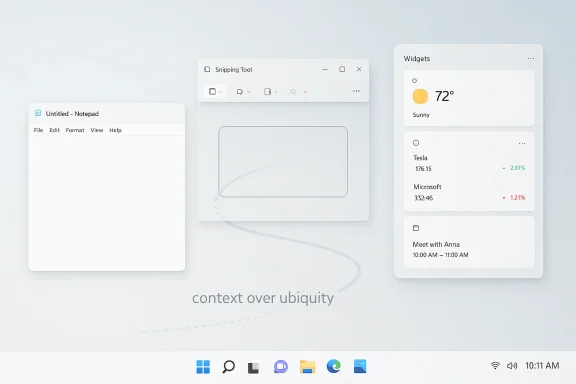
The most concrete change is that Microsoft is reducing unnecessary Copilot entry points in several built-in apps. The Windows Insider blog says the company is starting with Snipping Tool, Photos, Widgets, and Notepad, and it pairs that with a broader message about being more intentional about how and where Copilot integrates across Windows. That wording is careful, but the direction is plain: fewer automatic AI prompts, fewer branded surfaces, and a less aggressive assistant presence.This is not a full removal of AI features. In fact, Microsoft has been adding and refining AI in some of these same apps for some time. Notepad, for example, received summarize and AI-related writing features in 2025, while Snipping Tool got additional capability upgrades. The difference now is presentation and priority, not necessarily capability. Microsoft seems to be moving the AI behind more neutral labels and less intrusive interfaces.
That may sound cosmetic, but UI placement changes perception fast. If a user opens Notepad to jot something down and the app immediately presents a Copilot-branded button, the product stops feeling minimal. If the same feature appears later under a more generic writing-tools label, the experience feels more optional and less promotional. In a desktop OS, those distinctions matter a lot because they shape the emotional tone of the platform.
The shift from branding to context
The biggest underlying move is not technical but philosophical. Microsoft appears to be pulling back from making Copilot the default visual language of Windows and instead treating it as a contextual tool. That is a healthier design principle, because a feature is easiest to accept when it appears only after the user has signaled intent.What users are likely to notice
- Fewer Copilot-branded buttons inside common inbox apps.
- More neutral labels for AI-assisted functions.
- Less visual clutter in lightweight utilities.
- A stronger separation between core app purpose and AI extras.
- A reduced sense that Windows is constantly trying to “sell” AI.
Why Users Pushed Back
Windows users have always been unusually sensitive to interface clutter, and Copilot became a symbol of that concern. The problem was never that AI existed; it was that Microsoft kept surfacing it in places where people expected speed, quiet, and predictability. Notepad is for notes, Snipping Tool is for capture, Photos is for viewing, and Widgets are supposed to be glanceable. Turning those surfaces into AI invitations felt, to many users, like a design mismatch.That mismatch is especially visible in Windows because the operating system is not a single app users can simply uninstall if they dislike the direction. It is the desktop environment, the file system shell, the launcher, and the framework through which people do everything else. When Microsoft adds another prompt or shortcut, it is not just adding convenience; it is changing the rhythm of the workday. That makes every extra surface feel more consequential than it would in a standalone app.
There is also a trust issue. Many people were willing to try Copilot as an optional assistant, but less willing to accept it as a persistent visual presence. Once a feature starts to resemble marketing embedded in the workflow, users begin to question whether the company is designing for them or for adoption metrics. That skepticism has been one of the defining themes of the Windows 11 era.
The complaint wasn’t about AI itself
The most important nuance is that the backlash was not anti-AI in a blanket sense. Users often liked the idea of optional summarization, editing help, or context-aware assistance. What they disliked was the always-on invitation to engage with AI even when they had no need for it. That is why the current rollback matters: it suggests Microsoft finally understands the difference between a helpful feature and a constant nudge.For many enthusiasts, this also taps into a longer-running frustration with Windows 11 itself. The platform has often been criticized for reducing customization, increasing update friction, and feeling more managed than earlier versions. Copilot became part of that broader complaint because it symbolized a company that seemed eager to set the user’s agenda.
Why Notepad Became the Symbol
Notepad is the clearest example of the tension between modernization and restraint. It has long represented the simplest possible Windows tool: quick, lightweight, and out of the way. Microsoft modernized it with features like tabs, spellcheck, autosave, and AI-assisted writing tools, which gave it new power without entirely changing its identity. But once Copilot branding became more visible inside the app, it started to feel like the identity was being rewritten.That is why the new label changes matter so much. If Microsoft shifts from a Copilot-marked button to a more generic writing-tools label, it is doing more than cleaning up the UI. It is redefining the contract between the app and the user: the tool remains useful, but the AI no longer announces itself as loudly. That may be the best compromise for a utility that people expect to open and close in seconds.
The psychology of a simple app
Simple tools carry symbolic weight. When a utility becomes visually heavier, users interpret that as a sign that the entire platform is getting more cluttered. Notepad is therefore not just one app among many; it is a test case for whether Microsoft can preserve the old Windows virtues of speed and low friction while still layering on new capabilities.There is a deeper irony here. Microsoft has been trying to make Notepad more capable for years, but every added feature risks undermining the thing people loved about it in the first place. The more functionality Microsoft adds, the more carefully it has to avoid making the app feel busy. That balancing act is hard, and it explains why these changes are more than cosmetic.
A few practical lessons stand out:
- Lightweight apps need restraint, not just features.
- Branding can overwhelm utility if it appears too often.
- Optional AI is easier to accept than default AI.
- Visual simplicity still matters in 2026.
- Users notice when a familiar tool starts feeling promotional.
The Enterprise Angle
For commercial customers, the shift is even more significant than it is for consumers. Microsoft has been moving Copilot development emphasis toward the Microsoft 365 Copilot app for commercial organizations, which suggests that the company sees the Windows shell as a less central place for enterprise AI going forward. That is a strategic recalibration, not just a product naming exercise.This matters because enterprises care deeply about predictability. IT admins do not want surprise feature rollouts, UI churn, or AI surfaces that appear in places where they complicate support and training. Microsoft’s own guidance has stressed admin control, taskbar pinning, and governance around the Microsoft 365 Copilot app, which is consistent with a more managed enterprise model.
The practical upside is obvious: fewer Copilot entry points inside Windows itself means fewer support tickets about “why is this button here?” or “how do we turn this off?” The broader the AI rollout, the more likely it is to collide with regional policy, licensing differences, and user permissions. Simplifying the surface area can make deployment easier, even if the underlying capability remains the same.
Microsoft 365 Copilot is becoming the anchor
Microsoft’s commercial messaging points in a clear direction. Rather than centering Copilot in the Windows shell, the company is steering businesses toward the Microsoft 365 Copilot app and its associated admin-managed experiences. That suggests a future where Windows remains the platform, but Microsoft 365 becomes the primary AI control plane for work.That is a smart move because enterprise AI is easier to justify when it is tied to documents, data, identity, and governance. A taskbar assistant is convenient, but a managed productivity hub is easier for CIOs to approve. Microsoft appears to be learning that where AI lives matters almost as much as what it can do.
The Consumer Experience
For everyday Windows users, the changes should mostly feel like relief. Fewer Copilot surfaces inside core apps means less clutter, less interruption, and a smaller chance of opening a simple utility only to encounter another AI prompt. That is the kind of quality-of-life adjustment that rarely drives headlines but often improves daily satisfaction.At the same time, consumers are still getting the AI features Microsoft believes are valuable. The company has not stopped investing in the assistant or the ecosystem around it. Instead, it is trying to place the features more carefully so they appear when they are genuinely useful rather than when they are merely available.
That compromise may be the right one for a broad audience. Most people do not want to think about AI all the time; they just want the computer to help when needed. A quieter Windows experience is therefore not anti-innovation. It is an acknowledgment that good consumer software often disappears into the background until it is needed.
A cleaner desktop is still a competitive advantage
Windows has long competed on breadth, not minimalism. But in an era where every major platform is trying to add AI, restraint itself becomes a differentiator. If Microsoft can make Windows feel less intrusive while keeping the AI accessible, it may win back users who have grown tired of being interrupted by feature marketing.That is especially important because user patience is finite. Windows 11 has already weathered criticism over customization limits and interface changes. A calmer Copilot strategy may not excite everyone, but it could improve the platform’s reputation in exactly the places where reputation has been fraying.
Competitive Implications
Microsoft’s move also says something about the wider AI market. By trimming back Copilot’s visibility in Windows, Microsoft is implicitly acknowledging that systemwide AI is harder to execute than chatbot marketing suggests. The company is still committed to AI, but the real-world rollout has exposed the tension between ambition and adoption.Apple has generally taken a more conservative approach to systemwide AI, and Google has concentrated much of its AI strategy in services and cloud workflows rather than in a classic desktop shell. That means Microsoft has been trying to do the hardest version of the job: integrating AI into a decades-old operating system with a massive installed base and wildly different user expectations.
In that context, a reduction in visible Copilot branding is not necessarily weakness. It may be maturity. Microsoft may be realizing that the best way to normalize AI is to make it less obvious, not more. If that works, the company will have turned a backlash moment into a stronger product discipline story.
A lesson for the industry
Other vendors should pay attention to this correction. The temptation in the AI era is to plaster assistants everywhere because every surface looks like an opportunity. But if the placement feels wrong, users do not reward the ambition—they punish the clutter. Microsoft’s recalibration is a reminder that adoption still depends on restraint.That lesson matters beyond Windows. The industry is full of products that are technically impressive but poorly placed. If Microsoft can pull back without losing the AI narrative, it will have demonstrated a more durable formula: make the assistant available, not unavoidable.
The UI and Product Design Lesson
This story is ultimately about product design discipline. Microsoft learned that a powerful feature can become a liability if it shows up at the wrong time, in the wrong app, or with too much branding attached. That is especially true in an operating system, where every visual decision shapes how the entire platform feels.The current changes suggest Microsoft is paying more attention to context. Snipping Tool should stay capture-first. Notepad should stay quick and dependable. Widgets should remain glanceable. Photos should remain about viewing and editing, not opening a dialogue before the task begins. That sounds obvious, but it takes discipline to act on it.
Why context beats ubiquity
Ubiquity is attractive to product teams because it feels like reach. But reach is not the same thing as value. If Copilot is everywhere, users stop appreciating it; if it appears in the right place at the right moment, it feels intelligent. That difference is the heart of Microsoft’s new approach.The user-experience upside could be substantial:
- Better app clarity.
- Less cognitive overload.
- More trust in optional AI tools.
- Fewer interruptions during fast tasks.
- A more mature-feeling Windows shell.
Strengths and Opportunities
The clearest strength in Microsoft’s new approach is that it addresses a real user complaint without abandoning the broader AI roadmap. That gives the company room to preserve its Copilot investment while improving the day-to-day feel of Windows 11. If executed well, this could help Microsoft repair trust with users who were willing to try AI but not eager to have it constantly announced to them.It also creates a better enterprise story, because admins can more easily support AI that lives in managed, predictable surfaces. A quieter Windows shell reduces training friction and support noise, while the Microsoft 365 Copilot app becomes the more obvious hub for business usage. That division of labor is more defensible than spreading Copilot thinly across everything.
- Better user acceptance of optional AI.
- Cleaner app interfaces in everyday tools.
- Stronger enterprise governance and admin control.
- More room for Microsoft 365 Copilot to become the work hub.
- Lower risk of AI fatigue among Windows users.
- A chance to improve Windows 11’s reputation for restraint.
Risks and Concerns
The biggest risk is that Microsoft could be seen as retreating rather than refining. If users interpret the changes as an admission that the company overreached, the Copilot brand may lose momentum even if the features themselves remain strong. In technology, perception can be as important as capability.There is also the possibility of inconsistency. If some Windows apps quietly de-emphasize Copilot while others continue to push it hard, users could end up with a fragmented and confusing experience. That would undermine the very simplification Microsoft is trying to achieve.
Another concern is that Microsoft may not go far enough for users who want a truly minimal desktop. If the AI features stay present but remain hard to disable or fully ignore, the company could face the same “too much noise” complaints in a new form. In that case, the branding would change, but the underlying frustration would not.
- Risk of the move being read as a retreat.
- Possible inconsistency across apps and channels.
- Persistent frustration if AI remains hard to ignore.
- Confusion for enterprise and consumer audiences.
- Brand dilution if Copilot means too many different things.
- Continued skepticism about Microsoft’s product judgment.
Looking Ahead
The next few Windows Insider flights will matter because they will show whether Microsoft is really shifting its design philosophy or just renaming a set of existing features. The company has already said the first changes will preview in builds over the coming weeks and throughout April, which suggests users will get a concrete look at the new direction very soon. That makes this less a theoretical story and more an unfolding product reset.What to watch is not just whether Copilot appears less often, but whether Windows feels calmer overall. Microsoft is pairing the AI changes with taskbar flexibility, update reduction, and broader quality-of-life improvements, which suggests the company understands that annoyance is cumulative. If the total effect is a more respectful desktop, the Copilot rollback will be remembered as the moment Microsoft started listening more carefully.
Key indicators to watch
- Whether Notepad’s AI controls stay neutral and unobtrusive.
- Whether Snipping Tool continues to lose visible Copilot emphasis.
- Whether Photos and Widgets follow the same pattern.
- Whether enterprise guidance shifts further toward Microsoft 365 Copilot.
- Whether Windows 11 feels less cluttered in everyday use.
Source: afterdawn.com Microsoft started removing Copilot from Windows apps - but not the AI
Last edited:
