

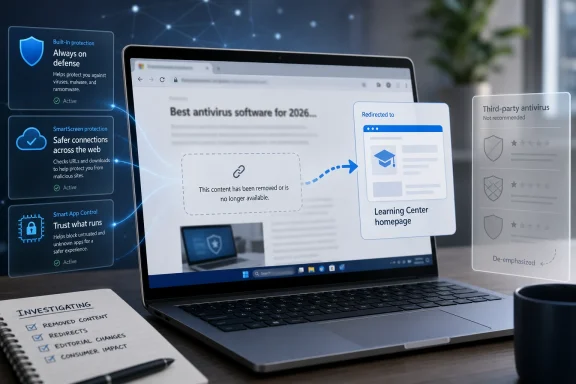
Microsoft appears to have removed an April 9 Windows Learning Center article titled “Best antivirus software for 2026: The built-in Windows protection you need,” after the page argued that many Windows 11 users do not need third-party antivirus software. The vanished page now redirects to Microsoft’s Learning Center homepage, turning what might have been a routine consumer-security explainer into a small but revealing Windows ecosystem story. The important part is not that Microsoft believes Defender is good; everyone knows Microsoft believes that. The important part is that Microsoft briefly said the quiet part loudly, then stopped saying it.
For years, Windows security has been moving in one direction: away from the old model where a clean Windows install was considered incomplete until a third-party antivirus suite was bolted onto it. Microsoft Defender Antivirus is built into Windows, updated through the operating system’s normal servicing machinery, integrated with SmartScreen and reputation checks, and increasingly tied into Microsoft’s broader cloud security stack. On a modern Windows 11 PC, “I just use Defender” is no longer a confession of negligence; it is a mainstream position.
That is what made the now-removed Learning Center article interesting. According to cached copies and contemporaneous reporting, Microsoft framed Windows 11’s built-in protections as sufficient for “many” users, provided they kept the system updated, left default protections enabled, and behaved sensibly around downloads. That is not an extreme claim. It is, in fact, close to the practical advice many IT pros have been giving family members for years.
But the headline and framing mattered. “Best antivirus software for 2026: The built-in Windows protection you need” was not merely a technical statement about Defender’s capabilities. It was marketing copy placed on a Microsoft consumer site, written in a way that made third-party antivirus feel optional at best and redundant at worst. For an ecosystem that still includes major security vendors, OEM bundling deals, retail subscriptions, and enterprise endpoint platforms, that is a much sharper elbow than Microsoft usually throws in public.
The deletion therefore reads less like a correction of a technical error and more like a retreat from a positioning problem. Microsoft did not discover in May that Defender had suddenly become worse. More likely, it discovered that saying “you probably already have what you need” creates friction with partners, regulators, or both.
Independent testing has reflected that shift. Microsoft Defender regularly earns strong scores in major Windows antivirus tests, including recent AV-TEST results where it reached top marks across protection, performance, and usability. AV-Comparatives’ methodology and rankings vary by test, but the broad point is hard to dispute: Defender is no longer a token checkbox. It is a serious endpoint protection component built into the platform.
That does not mean Defender is always the best product for every user. Security software is not a single scoreboard, and different products distinguish themselves with phishing defenses, banking modes, VPN bundles, parental controls, identity monitoring, management consoles, remediation tools, and support models. But the floor has risen. Windows 11’s built-in protection is good enough that the old “install something immediately” reflex deserves retirement.
Microsoft’s deleted article seems to have tried to capture that new reality for ordinary PC owners. It reportedly told users that built-in protection is usually sufficient when Windows 11 is updated, default defenses are enabled, and downloads are deliberate. That is a cautious formulation, but in a market built partly on fear, “usually sufficient” lands like a provocation.
For a single home PC used for browsing, Office documents, streaming, and gaming from reputable stores, Defender plus SmartScreen plus automatic updates is a sensible default. Add a modern browser, a password manager, multifactor authentication, and a user who does not run random installers from search ads, and the biggest risks often move outside the antivirus layer entirely. Credential theft, malicious OAuth consent, tech-support scams, fake invoices, and password reuse are not solved by installing a heavier desktop security suite.
For a family PC, the answer may change. Parents may value web filtering, device-location features, identity alerts, or easier multi-device dashboards. For small businesses, the question changes again, because “antivirus” is no longer just malware blocking; it is reporting, policy enforcement, incident response, compliance evidence, and administrative control. For regulated enterprises, Defender Antivirus may be only one component of Microsoft Defender for Endpoint, or it may coexist with another vendor’s EDR platform depending on procurement, telemetry, and response workflows.
That is why Microsoft’s phrasing mattered. The deleted article reportedly acknowledged that third-party tools may help when users manage multiple devices, share PCs with family members, or want identity monitoring or parental controls. But the gravitational pull of the article was still clear: Windows 11 already includes the protection many people need. That is a consumer-friendly message and a partner-unfriendly one.
The security industry has always had an uneasy relationship with platform vendors. When the operating system improves, standalone utilities lose territory. Disk defragmenters, backup tools, PDF readers, firewalls, screenshot utilities, and archive managers have all felt this pressure. Antivirus is different only because the stakes are higher and the commercial ecosystem is larger.
The less charitable interpretation is that partner politics won. Third-party antivirus companies still matter to Windows. They test against Windows builds, integrate with kernel and browser protections, sell through retail and OEM channels, and serve customers who want vendor diversity rather than an all-Microsoft security stack. A Microsoft-owned consumer education page telling users they usually do not need those products was always going to be noticed.
There is also a regulatory backdrop. Microsoft has spent decades learning that bundling and defaults are never just product decisions. Windows Defender is built in. Edge and SmartScreen are deeply integrated. Microsoft 365 and Defender-branded consumer services sit nearby. Even if the technical case for built-in protection is strong, the optics of the platform owner steering users away from competitors are delicate.
That does not make the deleted article wrong. It makes it commercially radioactive. Microsoft can say Windows is secure by default. It can say Defender is built in and effective. It can say Smart App Control, SmartScreen, ransomware protection, Windows Hello, TPM-backed security, and Secure Boot all improve the platform. What it apparently cannot say for long is that many users therefore do not need to buy someone else’s antivirus.
Microsoft has been pushing “secure by default” as part of its wider Secure Future Initiative and Windows resiliency work. Recent Windows messaging has emphasized Smart App Control, Administrator protection, app consent prompts, runtime integrity safeguards, better driver trust, and clearer user transparency around sensitive resources. In that world, Defender Antivirus is not the whole defense. It is one layer in a system designed to make malicious code harder to download, harder to execute, harder to persist, and harder to hide.
That is the correct direction. Traditional antivirus was built for a world where threats arrived as files and detection engines decided whether those files matched known badness. Modern attacks are messier. They involve stolen credentials, malicious scripts, abused legitimate tools, poisoned search ads, signed-but-shady drivers, compromised update channels, and social engineering that persuades the user to help the attacker. A security model that depends entirely on scanning files is not enough.
Windows 11’s strongest consumer security argument is therefore not “Defender beats product X in test Y.” It is that the platform can coordinate defenses in ways a bolted-on suite cannot. SmartScreen can judge downloaded files and suspicious sites. Smart App Control can restrict untrusted code on supported systems. Memory integrity and hardware-backed protections can raise the cost of exploitation. Controlled folder access can reduce ransomware damage when configured appropriately. Windows Update can service the whole stack without requiring a separate vendor updater.
This is why the deleted article’s core idea will keep returning, even if Microsoft phrases it more carefully. The future of Windows security is less about choosing an antivirus brand and more about deciding how much of the operating system’s security posture you are willing to enable, tolerate, and manage.
But third-party vendors do have real roles. Many provide excellent malware protection, specialized anti-phishing capabilities, password and identity services, cross-platform family controls, and centralized subscription management across Windows, macOS, Android, and iOS. Some users prefer a security vendor whose business is security rather than a platform vendor whose business touches advertising, productivity, cloud, gaming, and AI. That preference is not irrational.
In enterprise environments, the question is even less sentimental. Organizations choose endpoint tools for telemetry, integration, detection logic, response workflow, regulatory fit, staff expertise, and contractual accountability. A company heavily invested in Microsoft 365 E5 may standardize on Defender for Endpoint because the licensing and integration are compelling. Another may choose CrowdStrike, SentinelOne, Sophos, Trend Micro, Bitdefender, ESET, or another platform because it fits its operational model better.
The consumer conversation often collapses all of that into “Do I need antivirus?” But the real question is what security job remains unsolved. If the job is baseline malware protection on a patched Windows 11 PC, Defender is a credible answer. If the job is managing five family devices, monitoring identity exposure, enforcing web rules for children, or generating incident reports for auditors, the answer may be different.
Microsoft’s mistake was not in recognizing Defender’s strength. It was in stepping too close to a simple answer in a market that survives on complicated ones.
That silence invites interpretation. Maybe the page was pulled for legal review. Maybe partner complaints reached the right inbox. Maybe the article was never supposed to be framed as a ranking-style “best antivirus” page. Maybe Microsoft simply decided that consumer marketing copy had outrun official product positioning.
Whatever the reason, the absence of explanation is part of the story. Microsoft’s security messaging is usually deliberate, especially when it involves Defender, Windows 11 requirements, and claims about built-in protection. Pulling an article that had already been noticed by Windows watchers and security testers makes the company look less like it corrected a factual problem and more like it recalibrated a political one.
The irony is that the remaining Microsoft pages still make much of the same argument, just with softer edges. Microsoft continues to describe Defender as built-in antivirus protection for Windows 11. It continues to promote SmartScreen, Smart App Control, ransomware mitigations, TPM, Windows Hello, and hardware-backed security. It continues to tell users that Windows offers protection from the start. The deleted page did not invent Microsoft’s security strategy; it merely said the implication plainly.
That is why this episode will linger. In tech, retractions are often more revealing than announcements. They show where the product truth and the business truth do not quite align.
But “built in” is not the same as “complete.” Security still depends on backups, account hygiene, browser behavior, extension choices, software sources, router updates, and whether you reuse the same password across half the internet. The most dangerous malware in 2026 may not announce itself as malware at all; it may arrive as a fake login page, a malicious ad, a compromised project dependency, or a remote-support scam with a convincing script.
The right answer is therefore boring, which is why it rarely wins marketing copy. Keep Windows updated. Keep Defender enabled unless you intentionally replace it with something reputable. Use multifactor authentication. Back up important files somewhere ransomware cannot easily rewrite. Be suspicious of installers promoted through ads and download portals. Do not treat any antivirus badge as a license to click everything.
If you choose third-party security software, choose it for a feature you actually need, not because a checkout-page warning or OEM trial says your PC is naked without it. And if you remove third-party antivirus, make sure Defender re-enables properly, cloud protection is on, tamper protection is active, and Windows Security is not reporting unresolved problems. Simplifying your setup is good only if the simpler setup is healthy.
 Microsoft Said the Obvious, Then Treated It Like a Problem
For years, Windows security has been moving in one direction: away from the old model where a clean Windows install was considered incomplete until a third-party antivirus suite was bolted onto it. Microsoft Defender Antivirus is built into Windows, updated through the operating system’s normal servicing machinery, integrated with SmartScreen and reputation checks, and increasingly tied into Microsoft’s broader cloud security stack. On a modern Windows 11 PC, “I just use Defender” is no longer a confession of negligence; it is a mainstream position.That is what made the now-removed Learning Center article interesting. According to cached copies and contemporaneous reporting, Microsoft framed Windows 11’s built-in protections as sufficient for “many” users, provided they kept the system updated, left default protections enabled, and behaved sensibly around downloads. That is not an extreme claim. It is, in fact, close to the practical advice many IT pros have been giving family members for years.
But the headline and framing mattered. “Best antivirus software for 2026: The built-in Windows protection you need” was not merely a technical statement about Defender’s capabilities. It was marketing copy placed on a Microsoft consumer site, written in a way that made third-party antivirus feel optional at best and redundant at worst. For an ecosystem that still includes major security vendors, OEM bundling deals, retail subscriptions, and enterprise endpoint platforms, that is a much sharper elbow than Microsoft usually throws in public.
The deletion therefore reads less like a correction of a technical error and more like a retreat from a positioning problem. Microsoft did not discover in May that Defender had suddenly become worse. More likely, it discovered that saying “you probably already have what you need” creates friction with partners, regulators, or both.
Defender Is No Longer the Punchline
The old joke was that Microsoft’s antivirus was the thing you used until you installed the real antivirus. That joke is badly out of date. Defender has spent the past decade moving from baseline protection to a genuinely competitive consumer engine, aided by cloud-delivered protection, behavioral detection, reputation systems, and the simple advantage of being present on hundreds of millions of machines.Independent testing has reflected that shift. Microsoft Defender regularly earns strong scores in major Windows antivirus tests, including recent AV-TEST results where it reached top marks across protection, performance, and usability. AV-Comparatives’ methodology and rankings vary by test, but the broad point is hard to dispute: Defender is no longer a token checkbox. It is a serious endpoint protection component built into the platform.
That does not mean Defender is always the best product for every user. Security software is not a single scoreboard, and different products distinguish themselves with phishing defenses, banking modes, VPN bundles, parental controls, identity monitoring, management consoles, remediation tools, and support models. But the floor has risen. Windows 11’s built-in protection is good enough that the old “install something immediately” reflex deserves retirement.
Microsoft’s deleted article seems to have tried to capture that new reality for ordinary PC owners. It reportedly told users that built-in protection is usually sufficient when Windows 11 is updated, default defenses are enabled, and downloads are deliberate. That is a cautious formulation, but in a market built partly on fear, “usually sufficient” lands like a provocation.
The Word “Enough” Is Where the Fight Starts
The controversy is not really about whether Defender works. It is about what “enough” means.For a single home PC used for browsing, Office documents, streaming, and gaming from reputable stores, Defender plus SmartScreen plus automatic updates is a sensible default. Add a modern browser, a password manager, multifactor authentication, and a user who does not run random installers from search ads, and the biggest risks often move outside the antivirus layer entirely. Credential theft, malicious OAuth consent, tech-support scams, fake invoices, and password reuse are not solved by installing a heavier desktop security suite.
For a family PC, the answer may change. Parents may value web filtering, device-location features, identity alerts, or easier multi-device dashboards. For small businesses, the question changes again, because “antivirus” is no longer just malware blocking; it is reporting, policy enforcement, incident response, compliance evidence, and administrative control. For regulated enterprises, Defender Antivirus may be only one component of Microsoft Defender for Endpoint, or it may coexist with another vendor’s EDR platform depending on procurement, telemetry, and response workflows.
That is why Microsoft’s phrasing mattered. The deleted article reportedly acknowledged that third-party tools may help when users manage multiple devices, share PCs with family members, or want identity monitoring or parental controls. But the gravitational pull of the article was still clear: Windows 11 already includes the protection many people need. That is a consumer-friendly message and a partner-unfriendly one.
The security industry has always had an uneasy relationship with platform vendors. When the operating system improves, standalone utilities lose territory. Disk defragmenters, backup tools, PDF readers, firewalls, screenshot utilities, and archive managers have all felt this pressure. Antivirus is different only because the stakes are higher and the commercial ecosystem is larger.
Microsoft’s Retreat Protects the Ecosystem More Than the User
The most charitable interpretation is that Microsoft removed the page because the article was too broad for a consumer audience. Security advice is context-dependent, and a headline implying that Windows protection is all you need can age badly the moment a user with unusual risk reads it as universal permission to simplify. Microsoft may have decided the safer public line is to praise Defender without appearing to discourage alternatives.The less charitable interpretation is that partner politics won. Third-party antivirus companies still matter to Windows. They test against Windows builds, integrate with kernel and browser protections, sell through retail and OEM channels, and serve customers who want vendor diversity rather than an all-Microsoft security stack. A Microsoft-owned consumer education page telling users they usually do not need those products was always going to be noticed.
There is also a regulatory backdrop. Microsoft has spent decades learning that bundling and defaults are never just product decisions. Windows Defender is built in. Edge and SmartScreen are deeply integrated. Microsoft 365 and Defender-branded consumer services sit nearby. Even if the technical case for built-in protection is strong, the optics of the platform owner steering users away from competitors are delicate.
That does not make the deleted article wrong. It makes it commercially radioactive. Microsoft can say Windows is secure by default. It can say Defender is built in and effective. It can say Smart App Control, SmartScreen, ransomware protection, Windows Hello, TPM-backed security, and Secure Boot all improve the platform. What it apparently cannot say for long is that many users therefore do not need to buy someone else’s antivirus.
The Platform Is Becoming the Security Product
The broader story is that Windows security is no longer a single app sitting in the notification area. It is the operating system’s default posture.Microsoft has been pushing “secure by default” as part of its wider Secure Future Initiative and Windows resiliency work. Recent Windows messaging has emphasized Smart App Control, Administrator protection, app consent prompts, runtime integrity safeguards, better driver trust, and clearer user transparency around sensitive resources. In that world, Defender Antivirus is not the whole defense. It is one layer in a system designed to make malicious code harder to download, harder to execute, harder to persist, and harder to hide.
That is the correct direction. Traditional antivirus was built for a world where threats arrived as files and detection engines decided whether those files matched known badness. Modern attacks are messier. They involve stolen credentials, malicious scripts, abused legitimate tools, poisoned search ads, signed-but-shady drivers, compromised update channels, and social engineering that persuades the user to help the attacker. A security model that depends entirely on scanning files is not enough.
Windows 11’s strongest consumer security argument is therefore not “Defender beats product X in test Y.” It is that the platform can coordinate defenses in ways a bolted-on suite cannot. SmartScreen can judge downloaded files and suspicious sites. Smart App Control can restrict untrusted code on supported systems. Memory integrity and hardware-backed protections can raise the cost of exploitation. Controlled folder access can reduce ransomware damage when configured appropriately. Windows Update can service the whole stack without requiring a separate vendor updater.
This is why the deleted article’s core idea will keep returning, even if Microsoft phrases it more carefully. The future of Windows security is less about choosing an antivirus brand and more about deciding how much of the operating system’s security posture you are willing to enable, tolerate, and manage.
Third-Party Antivirus Still Has a Job, Just Not the Old One
The disappearance of Microsoft’s page should not be read as a vindication of every bloated consumer security suite. Some third-party products still add value; some add noise, nagware, browser extensions, VPN upsells, renewal traps, and performance overhead that do not obviously improve a careful user’s safety. The bad old pattern of turning a new PC into a carnival of expiring trialware deserves no nostalgia.But third-party vendors do have real roles. Many provide excellent malware protection, specialized anti-phishing capabilities, password and identity services, cross-platform family controls, and centralized subscription management across Windows, macOS, Android, and iOS. Some users prefer a security vendor whose business is security rather than a platform vendor whose business touches advertising, productivity, cloud, gaming, and AI. That preference is not irrational.
In enterprise environments, the question is even less sentimental. Organizations choose endpoint tools for telemetry, integration, detection logic, response workflow, regulatory fit, staff expertise, and contractual accountability. A company heavily invested in Microsoft 365 E5 may standardize on Defender for Endpoint because the licensing and integration are compelling. Another may choose CrowdStrike, SentinelOne, Sophos, Trend Micro, Bitdefender, ESET, or another platform because it fits its operational model better.
The consumer conversation often collapses all of that into “Do I need antivirus?” But the real question is what security job remains unsolved. If the job is baseline malware protection on a patched Windows 11 PC, Defender is a credible answer. If the job is managing five family devices, monitoring identity exposure, enforcing web rules for children, or generating incident reports for auditors, the answer may be different.
Microsoft’s mistake was not in recognizing Defender’s strength. It was in stepping too close to a simple answer in a market that survives on complicated ones.
The Removal Says More Because Microsoft Said Nothing
Microsoft could have edited the article. It could have changed the headline, softened the third-party antivirus section, or added a paragraph distinguishing home users from enterprise and family scenarios. Instead, the page reportedly disappeared and redirected to the Learning Center homepage without a public explanation.That silence invites interpretation. Maybe the page was pulled for legal review. Maybe partner complaints reached the right inbox. Maybe the article was never supposed to be framed as a ranking-style “best antivirus” page. Maybe Microsoft simply decided that consumer marketing copy had outrun official product positioning.
Whatever the reason, the absence of explanation is part of the story. Microsoft’s security messaging is usually deliberate, especially when it involves Defender, Windows 11 requirements, and claims about built-in protection. Pulling an article that had already been noticed by Windows watchers and security testers makes the company look less like it corrected a factual problem and more like it recalibrated a political one.
The irony is that the remaining Microsoft pages still make much of the same argument, just with softer edges. Microsoft continues to describe Defender as built-in antivirus protection for Windows 11. It continues to promote SmartScreen, Smart App Control, ransomware mitigations, TPM, Windows Hello, and hardware-backed security. It continues to tell users that Windows offers protection from the start. The deleted page did not invent Microsoft’s security strategy; it merely said the implication plainly.
That is why this episode will linger. In tech, retractions are often more revealing than announcements. They show where the product truth and the business truth do not quite align.
Windows Users Should Not Outsource Judgment to a Deleted Blog Post
For ordinary Windows 11 users, the practical advice has not changed because one Microsoft page vanished. If you are running a supported Windows 11 build, installing updates promptly, using a modern browser, leaving Defender and SmartScreen enabled, and avoiding untrusted downloads, you are not reckless for relying on built-in protection. You are using the platform as Microsoft designed it.But “built in” is not the same as “complete.” Security still depends on backups, account hygiene, browser behavior, extension choices, software sources, router updates, and whether you reuse the same password across half the internet. The most dangerous malware in 2026 may not announce itself as malware at all; it may arrive as a fake login page, a malicious ad, a compromised project dependency, or a remote-support scam with a convincing script.
The right answer is therefore boring, which is why it rarely wins marketing copy. Keep Windows updated. Keep Defender enabled unless you intentionally replace it with something reputable. Use multifactor authentication. Back up important files somewhere ransomware cannot easily rewrite. Be suspicious of installers promoted through ads and download portals. Do not treat any antivirus badge as a license to click everything.
If you choose third-party security software, choose it for a feature you actually need, not because a checkout-page warning or OEM trial says your PC is naked without it. And if you remove third-party antivirus, make sure Defender re-enables properly, cloud protection is on, tamper protection is active, and Windows Security is not reporting unresolved problems. Simplifying your setup is good only if the simpler setup is healthy.
The Deleted Page Leaves a Useful Map Behind
Microsoft may no longer want that specific Learning Center article on the public web, but the episode clarifies the security choices Windows users actually face. The point is not to crown Defender as universally superior. The point is to stop pretending the Windows baseline is still 2006.- Windows 11’s built-in security is credible baseline protection for many home users when updates, Defender, SmartScreen, and default protections remain enabled.
- Third-party antivirus can still make sense when users need family controls, identity monitoring, cross-platform dashboards, specialist features, or enterprise-grade management.
- The strongest Windows security story is now the platform stack, not a single antivirus engine running in isolation.
- Microsoft’s deleted article was controversial less because it was technically outrageous than because it publicly narrowed the perceived need for partner products.
- Users should evaluate security tools by the risks they actually reduce, not by the number of background services, browser extensions, or renewal prompts they add.
References
- Primary source: Neowin
Published: Fri, 29 May 2026 01:52:00 GMT
Microsoft no longer claims that Windows 11 has all the protection that you need - Neowin
Microsoft quietly removed a Windows 11 blog claiming built-in security is enough for most users, possibly after backlash from antivirus partners. www.neowin.net
- Official source: microsoft.com
Windows Learning Center | Microsoft
Whether you’re working, gaming, or just browsing, Windows Learning Center has helpful tips, tricks, and tools to help make the everyday easier.www.microsoft.com
- Related coverage: forbes.com
The Main Street Tech Report: Microsoft Says Third Party Antivirus Software Is No Longer Needed
Weekly small business tech news: AI tools, cybersecurity, ChatGPT ads, Yelp automation, Google AI Studio, and HubSpot pricing—what it means for your business.www.forbes.com - Related coverage: windowscentral.com
Microsoft says Windows 11’s built-in 'Defender' antivirus is "usually sufficient" for most PC users: "I haven't used a 3rd party antivirus since XP" | Windows Central
The company says Defender is enough for most users, provided default protections stay on, and updates are installed regularly.www.windowscentral.com - Related coverage: pcworld.com
Windows is finally fixing a years-old security hole in April | PCWorld
In April 2026, Microsoft is blocking old kernel drivers in Windows, closing a vulnerability that's been exploited for years. Here's what that means for you.www.pcworld.com - Official source: learn.microsoft.com
Microsoft Defender Antivirus in Windows Overview - Microsoft Defender for Endpoint | Microsoft Learn
Learn how to manage, configure, and use Microsoft Defender Antivirus, built-in anti-malware and antivirus protection.learn.microsoft.com
- Related coverage: av-comparatives.org
Microsoft Windows Archive - AV-Comparatives
Das ist die Beschreibung zu Microsoft Windowswww.av-comparatives.org
- Related coverage: techradar.com
'Defender covers everyday risk without requiring additional software': Microsoft says its antivirus is all many Windows 11 users need — but is that right? | TechRadar
A convenient and serviceable optionwww.techradar.com - Official source: blogs.windows.com
Strengthening Windows trust and security through User Transparency and Consent
Today, Windows 11 powers over a billion devices and supports millions of apps across business, creativity, education, gaming and productivity. For decades, our commitment to openness and compatibility, in partnership with our global community of deveblogs.windows.com - Related coverage: fdaytalk.com
Microsoft Says Windows 11 Built-In Antivirus Is Enough
Microsoft says most Windows 11 users no longer need third-party antivirus. See what Windows 11 built-in antivirus covers in 2026, backed by AV-TEST data.www.fdaytalk.com - Related coverage: av-test.org
Test antivirus software for Windows 11 - April 2026 | AV-TEST
The current tests of antivirus software for Windows 11 from April 2026 of AV-TEST, the leading international and independent service provider for antivirus software and malware.www.av-test.org
