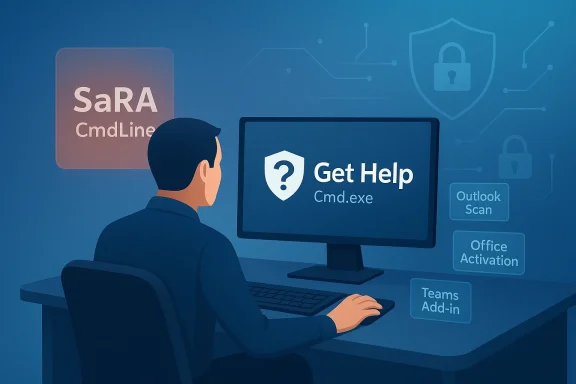
Microsoft’s quiet removal of the SaRA command-line utility is the latest sign that the company is aggressively retiring older troubleshooting paths in favor of Get Help and its newer command-line tooling. The change matters because SaRA was not just another niche admin utility; it was a practical, automation-friendly tool used to diagnose and repair problems across Microsoft 365, Outlook, Office, and Windows. By declaring the utility deprecated and removing it from in-support Windows updates released on and after March 10, 2026, Microsoft is making a clear security and maintenance statement: legacy diagnostic plumbing is no longer acceptable when a hardened replacement exists.
Microsoft has spent the last several years unwinding a long tail of classic Windows support tools that once looked indispensable. The Microsoft Support Diagnostic Tool (MSDT) was first put on the deprecation path, with Microsoft spelling out that legacy inbox troubleshooters would be redirected to Get Help and eventually removed over a staged timeline. SaRA now follows the same playbook, but with a more targeted twist: instead of a broad Windows troubleshooter framework, Microsoft is removing a command-line repair utility that many IT admins and power users quietly relied on for scripted support workflows.
That sequencing is important. MSDT was the umbrella system behind many older troubleshooters, while SaRA was a more focused support instrument for Microsoft productivity apps and related Windows issues. The fact that Microsoft is now cutting SaRA command-line access suggests the company believes the transition away from legacy diagnostics is far enough along that it can enforce a new default. In other words, this is not simply a product cleanup; it is a policy shift about where troubleshooting should live inside the Windows ecosystem.
The timing also aligns with a broader industry trend. Security teams increasingly want support tools to be self-contained, signed, and less dependent on older scripting surfaces that can be abused or misconfigured. Microsoft’s new support article explicitly frames the SaRA CLI removal as a step to “secure and harden your environment,” which places the change in the same category as other modern Windows deprecations that reduce attack surface rather than merely retire old code for cosmetic reasons. That phrasing matters because it signals intent: this is about risk reduction as much as product evolution.
For end users, the immediate effect may be subtle. Most people never launched SaRA from a command line, and many will only encounter the change indirectly when an old help article, repair script, or internal IT playbook no longer works. For administrators, however, the impact is more direct. Scripted troubleshooting is how a lot of enterprise support actually scales, and when a vendor changes the underlying toolchain, the operational consequences tend to show up in ticket queues long before they appear in press releases.
Microsoft has been signaling the shift away from this model for some time. Its documentation already noted that SaRA features have migrated to Get Help, and support pages for older installation paths were updated to point users toward the newer experience. That is consistent with Microsoft’s broader approach to Windows support: move away from standalone utility ecosystems and toward integrated experiences that can be patched, governed, and secured more centrally.
The company’s MSDT retirement roadmap is a useful parallel. In Microsoft’s own deprecation notice, the firm described a three-stage process that began with redirecting troubleshooters to Get Help, then completing the removal of legacy troubleshooters, and finally removing the platform itself. SaRA’s removal follows the same architectural logic, even if the exact mechanism differs. The pattern is obvious: old support surfaces are being absorbed into a more unified platform, and Microsoft is willing to break older automation to make that happen.
That approach has both technical and organizational consequences. Technically, it reduces duplication and gives Microsoft a smaller number of support surfaces to maintain. Organizationally, it centralizes troubleshooting around a single branded experience, which is easier to document and secure but harder to customize for enterprises that have built around older utilities. For large environments, that trade-off can be painful, especially if the replacement is not as script-friendly in practice as the vendor promises on paper.
That means the removal is tied to servicing, not just a single app download disappearing from a website. If you receive a Windows update after that date, the utility is no longer part of the supported platform payload. This is the kind of change that can surprise organizations that assume support tools live outside the operating system lifecycle. In Microsoft’s model, they increasingly do not.
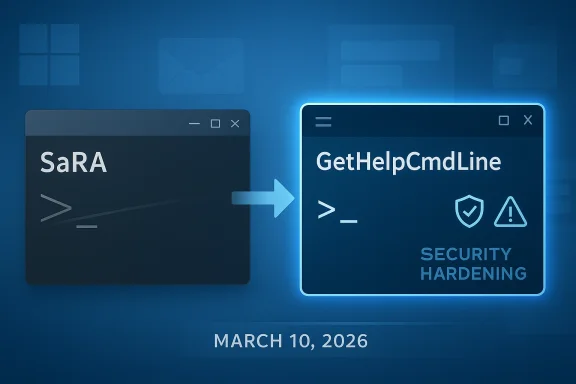
The practical distinction between the old and new models is worth emphasizing. Microsoft says GetHelpCmdLine is the replacement and that it provides similar capabilities. The company also states that all scenarios from SaRACmdLine are supported in GetHelpCmdLine, but with improved infrastructure and security. That is the official promise, and it is the one IT teams will now have to test under real-world conditions.
That explanation is plausible for a utility like SaRA. Command-line support tools often interact with network services, local privileges, installation state, and diagnostic artifacts. Any of those can become a liability if the code base is old or the surrounding infrastructure is not designed for current security expectations. Re-platforming such a utility into a newer execution environment gives Microsoft a chance to rework authentication, logging, packaging, and update handling together rather than patch them piecemeal.
There is also a strategic angle. Microsoft wants administrators to use tools that sit inside a more modern support framework, not a grab bag of one-off executables. By nudging the ecosystem toward Get Help, the company can unify telemetry, reduce duplication, and make support behavior more predictable across Windows editions. That is convenient for Microsoft and potentially better for security governance, but it also places more trust in one platform’s implementation quality.
The most important practical claim is compatibility. Microsoft says all scenarios supported in SaRACmdLine are supported in GetHelpCmdLine as-is. If true, that will reduce the pain of the transition significantly. But “supported” is not the same as “behaviorally identical under every enterprise configuration,” and IT teams should treat the migration as a validation project rather than a mere rename exercise.
There is a user-experience question too. Get Help is built into Windows and is meant to feel more integrated than older standalone utilities. That may work well for home users and smaller organizations, but it can be awkward in enterprise images where the app is removed, blocked, or never fully configured. Community reports have already suggested friction around account sign-in and enterprise deployment behavior, which makes the success of the replacement depend not just on engineering promises but on actual admin experience.
This change is also a reminder that Microsoft support utilities are not guaranteed stable APIs. Many admins treat them that way because they are convenient and vendor-backed, but support tooling lives closer to product lifecycle decisions than to true developer platform contracts. Once Microsoft decides to harden the environment, compatibility can become a secondary concern. That is frustrating, but it is also predictable if you have followed the company’s treatment of other legacy utilities.
The right response is to test early and document aggressively. Organizations that wait until a help desk escalation fails in production will discover the problem at the worst possible moment. The better approach is to inventory every SaRA-driven repair flow, compare it against Get Help, and establish a fallback path for tickets that used to depend on the old tool.
The average home user may actually benefit from this simplification. Older utilities often assumed some degree of comfort with downloads, installers, and support terminology. If Get Help can successfully surface the same repairs inside a guided experience, it removes friction from common tasks like Office repair, activation troubleshooting, or Outlook profile issues. The question is whether the simpler interface also preserves the depth that power users valued.
There is a subtle downside, though. The more Microsoft funnels repair flows through a single app, the more dependent users become on that app’s quality and accessibility. If a particular enterprise image blocks it, or if account sign-in behavior is awkward, the “simplification” can turn into another layer of indirection. That is the perennial trade-off in platform consolidation: fewer paths, but greater dependence on the one path that remains.
That consistency matters because it tells customers how Microsoft thinks about platform evolution. The company is willing to keep old tools around for a transition period, but it does not want long-term parallel stacks. Once a replacement is considered good enough, Microsoft prefers to force convergence rather than indefinitely support both layers. That makes sense from a maintenance and security standpoint, but it can feel abrupt for organizations that treat Microsoft utilities as part of their operational infrastructure.
The policy also reflects a changed relationship between Windows and support. Windows used to ship with a more decentralized troubleshooting philosophy, where many problems could be attacked with small, specialized utilities. The modern model is more platformized, more managed, and more integrated with cloud-era support services. SaRA’s removal is therefore not just about one tool disappearing; it is about Microsoft closing another door on the old Windows repair culture.
For Windows administrators, the practical question is not whether the old tool is gone. It is whether the new one is ready for production use, in their environment, with their policies, their identity model, and their repair scenarios. That is the standard that will determine whether this deprecation feels like progress or just another forced migration.
Source: Neowin Microsoft formally removes a command line tool from Windows 11 25H2, 24H2, 23H2, Windows 10
 Overview
Microsoft has spent the last several years unwinding a long tail of classic Windows support tools that once looked indispensable. The Microsoft Support Diagnostic Tool (MSDT) was first put on the deprecation path, with Microsoft spelling out that legacy inbox troubleshooters would be redirected to Get Help and eventually removed over a staged timeline. SaRA now follows the same playbook, but with a more targeted twist: instead of a broad Windows troubleshooter framework, Microsoft is removing a command-line repair utility that many IT admins and power users quietly relied on for scripted support workflows.That sequencing is important. MSDT was the umbrella system behind many older troubleshooters, while SaRA was a more focused support instrument for Microsoft productivity apps and related Windows issues. The fact that Microsoft is now cutting SaRA command-line access suggests the company believes the transition away from legacy diagnostics is far enough along that it can enforce a new default. In other words, this is not simply a product cleanup; it is a policy shift about where troubleshooting should live inside the Windows ecosystem.
The timing also aligns with a broader industry trend. Security teams increasingly want support tools to be self-contained, signed, and less dependent on older scripting surfaces that can be abused or misconfigured. Microsoft’s new support article explicitly frames the SaRA CLI removal as a step to “secure and harden your environment,” which places the change in the same category as other modern Windows deprecations that reduce attack surface rather than merely retire old code for cosmetic reasons. That phrasing matters because it signals intent: this is about risk reduction as much as product evolution.
For end users, the immediate effect may be subtle. Most people never launched SaRA from a command line, and many will only encounter the change indirectly when an old help article, repair script, or internal IT playbook no longer works. For administrators, however, the impact is more direct. Scripted troubleshooting is how a lot of enterprise support actually scales, and when a vendor changes the underlying toolchain, the operational consequences tend to show up in ticket queues long before they appear in press releases.
Why this is more than a routine deprecation
Microsoft is not just renaming a feature; it is moving an operational workflow. The official article says the scenarios supported by SaRACmdLine have been migrated to GetHelpCmdLine, and that the old scripts no longer work in the SaRA environment. That means organizations cannot simply point old automation at a new executable and expect compatibility. The migration is conceptually simple but operationally disruptive, which is often the real story behind “replacement” announcements.- Old scripts will not keep working unchanged
- Admins must validate replacements before rollout
- Support docs need to be updated in parallel
- Enterprise troubleshooting workflows will need retraining
- Security hardening is being prioritized over backward compatibility
Background
SaRA, short for Microsoft Support and Recovery Assistant, has long occupied a strange but useful spot in Microsoft’s support stack. It automated checks and repairs for common issues involving Office installation, activation, Outlook connectivity, Teams add-ins, and other Microsoft 365 pain points. For many users, it was the easiest way to turn “something is broken” into a guided sequence of diagnosis and repair, especially when the alternative was manually following a long checklist of registry checks, profile resets, or Office repair routines.Microsoft has been signaling the shift away from this model for some time. Its documentation already noted that SaRA features have migrated to Get Help, and support pages for older installation paths were updated to point users toward the newer experience. That is consistent with Microsoft’s broader approach to Windows support: move away from standalone utility ecosystems and toward integrated experiences that can be patched, governed, and secured more centrally.
The company’s MSDT retirement roadmap is a useful parallel. In Microsoft’s own deprecation notice, the firm described a three-stage process that began with redirecting troubleshooters to Get Help, then completing the removal of legacy troubleshooters, and finally removing the platform itself. SaRA’s removal follows the same architectural logic, even if the exact mechanism differs. The pattern is obvious: old support surfaces are being absorbed into a more unified platform, and Microsoft is willing to break older automation to make that happen.
That approach has both technical and organizational consequences. Technically, it reduces duplication and gives Microsoft a smaller number of support surfaces to maintain. Organizationally, it centralizes troubleshooting around a single branded experience, which is easier to document and secure but harder to customize for enterprises that have built around older utilities. For large environments, that trade-off can be painful, especially if the replacement is not as script-friendly in practice as the vendor promises on paper.
The support-stack cleanup pattern
Microsoft has been doing this across Windows for years. The legacy utility model produced many small tools, many of them useful, but also many of them inconsistent in security and lifecycle management. Retiring MSDT, deprecating old inbox troubleshooters, and now removing SaRA command-line access all point to the same architectural end state: fewer legacy components, more modern support entry points, and less tolerance for old command surfaces. That is a rational engineering strategy, even if it frustrates power users.- Reduce legacy code paths
- Consolidate support into Get Help
- Limit script drift across versions
- Improve security posture
- Simplify Microsoft’s maintenance burden
What Microsoft removed
The formal change is narrower than some headlines imply, but it still reaches a broad installed base. Microsoft’s support article says the SaRA command-line utility is deprecated and has been removed from all in-support Windows updates released on or after March 10, 2026. The article’s applicability list includes Windows 10 version 22H2, Windows 11 versions 23H2, 24H2, and 25H2, and multiple Windows Server releases, including Server 2022 and Server 2025.That means the removal is tied to servicing, not just a single app download disappearing from a website. If you receive a Windows update after that date, the utility is no longer part of the supported platform payload. This is the kind of change that can surprise organizations that assume support tools live outside the operating system lifecycle. In Microsoft’s model, they increasingly do not.
The practical distinction between the old and new models is worth emphasizing. Microsoft says GetHelpCmdLine is the replacement and that it provides similar capabilities. The company also states that all scenarios from SaRACmdLine are supported in GetHelpCmdLine, but with improved infrastructure and security. That is the official promise, and it is the one IT teams will now have to test under real-world conditions.
Supported versions affected
Microsoft’s own article makes clear that the removal is not limited to a single Windows release. It touches the current mainstream client releases and a wide server footprint, which suggests the company is trying to eliminate fragmented behavior across consumer and enterprise deployments. That consistency is useful for Microsoft, but it also means no version is likely to remain a safe harbor for the old CLI except perhaps systems already out of support.- Windows 10 22H2
- Windows 11 23H2
- Windows 11 24H2
- Windows 11 25H2
- Windows Server 2022
- Windows Server 2025
Why Microsoft says it is doing this
Microsoft’s stated reason is security. The company says the SaRA command-line utility is deprecated “to help secure and harden your environment,” which is a familiar phrasing in modern Windows lifecycle decisions. In practice, that usually means a tool is either too permissive, too difficult to maintain securely, or too closely tied to older execution patterns that Microsoft no longer wants to support at scale.That explanation is plausible for a utility like SaRA. Command-line support tools often interact with network services, local privileges, installation state, and diagnostic artifacts. Any of those can become a liability if the code base is old or the surrounding infrastructure is not designed for current security expectations. Re-platforming such a utility into a newer execution environment gives Microsoft a chance to rework authentication, logging, packaging, and update handling together rather than patch them piecemeal.
There is also a strategic angle. Microsoft wants administrators to use tools that sit inside a more modern support framework, not a grab bag of one-off executables. By nudging the ecosystem toward Get Help, the company can unify telemetry, reduce duplication, and make support behavior more predictable across Windows editions. That is convenient for Microsoft and potentially better for security governance, but it also places more trust in one platform’s implementation quality.
Security and platform hardening
The security argument is not just marketing gloss. When Microsoft removes older diagnostic layers, it narrows the attack surface that adversaries can potentially abuse. The same logic underpinned earlier deprecations like MSDT, where Microsoft explicitly tied the move to the retirement of legacy troubleshooters and the migration to Get Help. A smaller, better-controlled tool surface is usually easier to defend than a sprawling mix of old and new.- Fewer legacy binaries to maintain
- Lower risk from old execution paths
- More consistent update handling
- Better alignment with modern Windows security design
- Cleaner support lifecycle management
Get Help as the replacement
Microsoft’s replacement path is Get Help, specifically its command-line component. The company says GetHelpCmdLine is a self-contained, enterprise-ready diagnostic tool that can run at a command line or through scripts such as PowerShell. That matters because it preserves the automation story that made SaRA valuable in the first place. Microsoft is not abandoning scripted support; it is trying to relocate it.The most important practical claim is compatibility. Microsoft says all scenarios supported in SaRACmdLine are supported in GetHelpCmdLine as-is. If true, that will reduce the pain of the transition significantly. But “supported” is not the same as “behaviorally identical under every enterprise configuration,” and IT teams should treat the migration as a validation project rather than a mere rename exercise.
There is a user-experience question too. Get Help is built into Windows and is meant to feel more integrated than older standalone utilities. That may work well for home users and smaller organizations, but it can be awkward in enterprise images where the app is removed, blocked, or never fully configured. Community reports have already suggested friction around account sign-in and enterprise deployment behavior, which makes the success of the replacement depend not just on engineering promises but on actual admin experience.
Enterprise reality versus marketing language
Microsoft’s “enterprise-ready” label is encouraging, but enterprises will judge it by deployment friction, policy compatibility, and scripting reliability. A tool is only enterprise-ready if it can be installed, authenticated, launched, and audited in the environments where support staff actually work. That is the bar Get Help now has to clear.- Must work under policy controls
- Must support remote and scripted use
- Must behave predictably in managed images
- Must preserve repair scenarios
- Must be documented clearly enough for help desks
Impact on IT administrators
For IT departments, the biggest issue is not nostalgia. It is process continuity. If your service desk, repair scripts, or runbooks call SaRA directly, those workflows are now broken or at risk of breaking. Microsoft says the old scripts were migrated, but that still means the organization needs to verify which scripts map cleanly, which need revision, and which were relying on undocumented behavior.This change is also a reminder that Microsoft support utilities are not guaranteed stable APIs. Many admins treat them that way because they are convenient and vendor-backed, but support tooling lives closer to product lifecycle decisions than to true developer platform contracts. Once Microsoft decides to harden the environment, compatibility can become a secondary concern. That is frustrating, but it is also predictable if you have followed the company’s treatment of other legacy utilities.
The right response is to test early and document aggressively. Organizations that wait until a help desk escalation fails in production will discover the problem at the worst possible moment. The better approach is to inventory every SaRA-driven repair flow, compare it against Get Help, and establish a fallback path for tickets that used to depend on the old tool.
What admins should do now
A sensible migration plan is straightforward, even if the execution is not. Start by identifying where SaRA appears in scripts, runbooks, knowledge articles, and remote support workflows. Then verify that the equivalent GetHelpCmdLine scenario exists and behaves as expected. Finally, update internal documentation so the help desk is not using a dead tool months after Microsoft has removed it.- Inventory all SaRA references in scripts and documentation.
- Test the matching Get Help command-line scenarios.
- Validate behavior on Windows 10, Windows 11, and Server builds.
- Update training material for help desk and desktop support staff.
- Monitor Microsoft’s support pages for scenario-specific changes.
Consumer impact
For consumers, the change will likely be less visible but still relevant when something goes wrong. A user who previously relied on an article or utility linked to SaRA may now be redirected to Get Help instead. That is not necessarily a bad thing, since Microsoft wants the new path to be simpler and more integrated, but it can feel like one more example of Windows troubleshooting becoming less direct and more app-centric.The average home user may actually benefit from this simplification. Older utilities often assumed some degree of comfort with downloads, installers, and support terminology. If Get Help can successfully surface the same repairs inside a guided experience, it removes friction from common tasks like Office repair, activation troubleshooting, or Outlook profile issues. The question is whether the simpler interface also preserves the depth that power users valued.
There is a subtle downside, though. The more Microsoft funnels repair flows through a single app, the more dependent users become on that app’s quality and accessibility. If a particular enterprise image blocks it, or if account sign-in behavior is awkward, the “simplification” can turn into another layer of indirection. That is the perennial trade-off in platform consolidation: fewer paths, but greater dependence on the one path that remains.
Consumer-facing usability questions
Consumers tend to judge these changes by whether they can fix a problem quickly, not by whether the underlying support architecture is elegant. If Get Help offers clearer prompts and fewer dead ends than SaRA ever did, the transition will feel invisible. If it does not, users will simply experience the loss of a familiar tool without appreciating the rationale behind it.- Potentially easier guided repairs
- Fewer separate utilities to download
- More app-centric troubleshooting
- Possible sign-in and account friction
- Reduced access to older workflows
The broader Microsoft pattern
This announcement fits a larger Microsoft pattern that is easy to miss if you only look at one utility in isolation. The company has been steadily removing older support and management surfaces whenever there is a newer platform that can absorb the job. MSDT was deprecated, legacy inbox troubleshooters were redirected, WMIC was retired, and now SaRA command-line support is being removed in favor of a more modern replacement.That consistency matters because it tells customers how Microsoft thinks about platform evolution. The company is willing to keep old tools around for a transition period, but it does not want long-term parallel stacks. Once a replacement is considered good enough, Microsoft prefers to force convergence rather than indefinitely support both layers. That makes sense from a maintenance and security standpoint, but it can feel abrupt for organizations that treat Microsoft utilities as part of their operational infrastructure.
The policy also reflects a changed relationship between Windows and support. Windows used to ship with a more decentralized troubleshooting philosophy, where many problems could be attacked with small, specialized utilities. The modern model is more platformized, more managed, and more integrated with cloud-era support services. SaRA’s removal is therefore not just about one tool disappearing; it is about Microsoft closing another door on the old Windows repair culture.
Comparing SaRA, MSDT, and WMIC
Each of these retirements has a similar signature. A utility becomes widely used, then its security or maintenance cost rises, and Microsoft introduces a more modern path before eventually cutting the old one off. That timeline creates an illusion of permanence that is almost always temporary. The lesson is simple: if a Microsoft utility is essential to your workflow, plan for its retirement before Microsoft announces it.- MSDT showed the model
- WMIC reinforced the pattern
- SaRA is now following the same arc
- Get Help is the consolidation point
- Backward compatibility is no longer the default assumption
Strengths and Opportunities
Microsoft’s move is not without merit. If GetHelpCmdLine truly preserves SaRA’s scenario coverage while improving security, the company gains a cleaner and safer support platform, and enterprises gain a more modern foundation for automation. The opportunity is real, especially if Microsoft uses the transition to standardize documentation and reduce the confusion that often surrounds legacy repair tools.- Improved security posture
- Cleaner tooling for administrators
- Better alignment with current Windows support strategy
- Fewer legacy dependencies
- Potentially simpler user workflows
- More consistent troubleshooting across versions
- Reduced long-term maintenance overhead
Risks and Concerns
The downside is equally clear: migrations can fail in the real world even when the vendor says feature parity exists. Organizations with old scripts, custom images, restricted app policies, or fragile help desk workflows may discover that the replacement behaves differently enough to cause support delays. The risk is not only technical breakage but also the erosion of trust when a familiar repair path vanishes without much warning.- Old scripts may break
- Enterprise images may block the new path
- Help desk training may lag behind the change
- Compatibility claims may not hold in every environment
- Users may be confused by redirected support flows
- The replacement could become a single point of failure
- Microsoft’s documentation may not keep pace with edge cases
Looking Ahead
The next phase will be less about the announcement and more about the adoption curve. If Microsoft’s replacement tool is genuinely robust, the SaRA removal will fade into the background as another routine platform transition. If not, the change could become one more example of Microsoft asking customers to trust a new support layer before that layer has fully proven itself in enterprise conditions.For Windows administrators, the practical question is not whether the old tool is gone. It is whether the new one is ready for production use, in their environment, with their policies, their identity model, and their repair scenarios. That is the standard that will determine whether this deprecation feels like progress or just another forced migration.
- Watch for updated Microsoft documentation
- Test GetHelpCmdLine in enterprise labs
- Audit scripts for SaRA references
- Monitor support desks for recurring failures
- Track whether Microsoft publishes scenario-by-scenario migration notes
Source: Neowin Microsoft formally removes a command line tool from Windows 11 25H2, 24H2, 23H2, Windows 10