

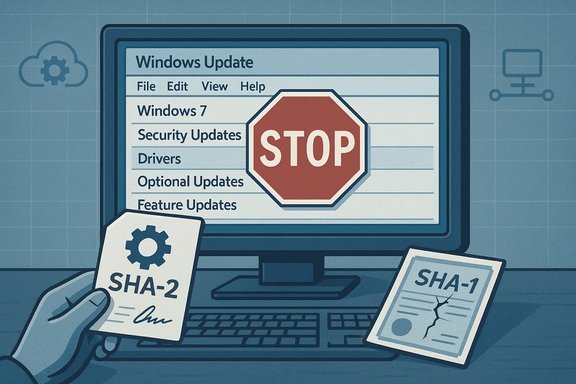
Microsoft quietly ended the publication of Windows 7 drivers to Windows Update on June 17, 2021, a move designed to avoid breaking unpatched systems after the expiration of legacy SHA‑1 signing infrastructure — but the decision has cascading implications for consumers, small businesses and managed estates that still run the decade‑old OS.
Windows 7 reached its end of mainstream support on January 14, 2020, leaving only Extended Security Updates (ESU) options for organizations that paid to remain patched beyond that date. Microsoft subsequently changed the certificate and signing landscape for updates and drivers: the SHA‑1 Trusted Root Certificate Authority used for some legacy signing expired in May 2021, and Microsoft moved increasingly to SHA‑2‑only signing. To prevent incompatible SHA‑2 signed drivers from being published to Windows Update where unpatched Windows 7 clients might encounter them and fail integrity checks, Microsoft discontinued publishing drivers that target Windows 7 SP1, Windows Server 2008 and Windows Server 2008 R2 to Windows Update on June 17, 2021. This change was explicitly framed as a measure to protect unpatched devices from "code integrity failures" that could cause degraded functionality or render systems unbootable when a SHA‑2 signed driver was installed on a machine lacking the necessary SHA‑2 verification updates. Microsoft also clarified that customers enrolled in ESU programs could continue to deploy signed drivers by other supported methods such as Windows Server Update Services (WSUS).
Both examples emphasize that driver distribution is manageable when treated as an asset and not as a side‑effect of Windows Update.
Source: BetaNews Microsoft has stopped offering Windows 7 drivers via Windows Update
 Background
Windows 7 reached its end of mainstream support on January 14, 2020, leaving only Extended Security Updates (ESU) options for organizations that paid to remain patched beyond that date. Microsoft subsequently changed the certificate and signing landscape for updates and drivers: the SHA‑1 Trusted Root Certificate Authority used for some legacy signing expired in May 2021, and Microsoft moved increasingly to SHA‑2‑only signing. To prevent incompatible SHA‑2 signed drivers from being published to Windows Update where unpatched Windows 7 clients might encounter them and fail integrity checks, Microsoft discontinued publishing drivers that target Windows 7 SP1, Windows Server 2008 and Windows Server 2008 R2 to Windows Update on June 17, 2021. This change was explicitly framed as a measure to protect unpatched devices from "code integrity failures" that could cause degraded functionality or render systems unbootable when a SHA‑2 signed driver was installed on a machine lacking the necessary SHA‑2 verification updates. Microsoft also clarified that customers enrolled in ESU programs could continue to deploy signed drivers by other supported methods such as Windows Server Update Services (WSUS). What Microsoft actually announced (clear summary)
- On June 17, 2021 Microsoft stopped publishing drivers to Windows Update that target Windows 7 SP1, Windows Server 2008 and Windows Server 2008 R2.
- The change came after the SHA‑1 Trusted Root Certificate Authority for those OSes expired (May 9, 2021), and because partners could publish SHA‑2 signed drivers that older, unpatched systems could not validate.
- Volume licensing customers with ESU entitlements retained the ability to deploy drivers via WSUS and other supported enterprise channels; Microsoft said WHCP (Windows Hardware Compatibility Program) submissions would continue to be available through January 2023 for ESU customers.
- Microsoft advised partners to resubmit driver packages after removing unsupported OS targets if their packages previously targeted Windows 7 or the end‑of‑support server SKUs.
Technical context: SHA‑1 vs SHA‑2, driver signing and code integrity
Why hashes and signatures matter
Digital signatures protect drivers and updates from tampering and ensure the identity and integrity of the publisher. Over the last decade the industry shifted from SHA‑1 (now considered weak) to SHA‑2 family algorithms for signing code and certificates.- SHA‑1 is deprecated: SHA‑1 is no longer considered secure for new code signing and many Microsoft services and partner programs retired SHA‑1 in favor of SHA‑2. The expiration of SHA‑1 Trusted Root certificates removed a legacy verification path for some older Windows components.
- SHA‑2 requires platform support: Devices must have specific updates installed to validate SHA‑2 signatures correctly. Microsoft published updates (notably KB4474419 and servicing stack updates such as KB4490628) to add or improve SHA‑2 code‑signing support on legacy platforms. Without those updates, installing a SHA‑2 signed driver can trigger kernel code integrity verification failures.
Code integrity and kernel protections
Windows enforces digital signature checks for kernel‑mode code and many drivers. If a driver’s signature cannot be validated (for example, because the OS lacks the newer SHA‑2 signing support or the root certificates do not chain properly), the operating system may refuse to load the driver or, in some cases, fail to boot cleanly — a problem Microsoft sought to avoid by preventing the publication of potentially incompatible SHA‑2 signed drivers to Windows Update for unpatched Windows 7 devices.Who this affects and how badly
Consumers and enthusiast users
For most home users still running Windows 7, the practical effect was straightforward: Windows Update stopped offering new device drivers. That means the normal, convenient path many relied on to refresh graphics, audio, network and peripheral drivers was effectively removed. Users must now:- Obtain drivers directly from device or OEM vendor support pages
- Use the Microsoft Update Catalog to download specific driver packages manually
- Fall back to in‑box generic drivers where available (often with reduced functionality)
Small businesses and unmanaged fleets
Businesses without ESU contracts face the same practical limits as consumers: Windows Update will no longer provide driver updates for Windows 7 endpoints. Where IT staff previously accepted Windows Update as a convenient source of driver packages, they now need to inventory hardware, obtain drivers from OEMs, and distribute them through existing software distribution tooling (SCCM, Intune, manual scripts, or third‑party tools).Enterprise and ESU customers
Organizations enrolled in Microsoft’s Extended Security Update program retained additional deployment paths. Microsoft stated that ESU customers could continue to deploy drivers using WSUS and other supported methods (which was necessary for many larger organizations that had contractual reasons to remain on Windows 7). Microsoft also committed to keeping WHCP submissions available through January 2023 to support ESU customers. Those carve‑outs were intended to limit disruption for enterprises with long migration timelines. Operational note: WSUS itself has evolved and Microsoft’s update‑management strategy has continued to shift toward cloud management tooling over time, requiring administrators to rethink long‑term maintenance strategies. Community discussions and planning documents flagged later WSUS driver synchronization deprecations as an additional operational challenge for admins managing older estates.Step‑by‑step mitigation and recommended actions
The remainder of this guide offers practical steps for technicians, enthusiasts and IT administrators to minimize risk while maintaining devices that still run Windows 7.For every user (quick checklist)
- Confirm whether the device must stay on Windows 7 or can be upgraded; prioritize migration to a supported OS.
- If migration is not immediately possible, ensure SHA‑2 support updates (KB4474419 and related servicing stack updates) are installed where possible. These updates add the ability to validate SHA‑2 signatures on Windows 7 SP1 and related server SKUs.
- Obtain drivers directly from OEM/board/chipset vendors rather than relying on Windows Update.
- Create local driver archives and checksum them; maintain a clean golden image with the required driver set.
For IT administrators (detailed steps)
- Inventory and classify your estate. Use hardware‑inventory tooling to map device models, current drivers, and driver sources. Prioritize devices with critical roles and those with known vendor support.
- Patch to SHA‑2 readiness (where feasible). Ensure devices that must remain on Windows 7 have the SHA‑2 code signing updates and servicing stack updates installed (for example, KB4474419 and KB4490628 for Windows 7 SP1). Validate restarts and reliability in a test cohort.
- Use vendor driver packages and prestage drivers into images. For large fleets, maintain a driver repository that SCCM/Intune or other distribution tooling can pull from; test drivers on representative hardware before broad rollout.
- Retire or isolate legacy hardware that cannot be patched. Devices that cannot validate SHA‑2 signatures or that run unsupported firmware should be considered for replacement or network isolation to reduce attack surface.
- If enrolled in ESU: document deployment paths. ESU customers could use WSUS and other supported publishing mechanisms; keep clear records of the delivery channels and the sequence required for driver publishing and device readiness.
- Validate recovery and rollback. Before deploying potentially risky driver changes, ensure that recovery media, system restore points and image backups are tested and available.
Tools and commands worth knowing
- Use pnputil to manage driver packages in the driver store.
- Use DISM to service offline images and add driver packages to golden images.
- Maintain copies of critical INF/driver files and store cryptographic checksums for future verification.
Risks, trade‑offs and what can go wrong
- Boot failures and bricking risk: Installing a driver with a signature the OS cannot validate may prevent kernel modules from loading — in worst cases leading to unbootable machines. Microsoft framed the June 17 change primarily to avoid precisely that outcome.
- Security exposure: Windows 7 no longer receives regular public security updates; any attempt to keep devices running longer increases the attack surface. A working driver is not a substitute for platform security. Independent reporting reiterated that moving to a supported OS remains the only durable security fix.
- Vendor support limits: Many OEMs eventually stop publishing drivers for old OSes. Finding correct, signed drivers may become harder over time, or require using archived pages and community mirrors with attendant integrity concerns.
- Operational complexity: The administrative burden of manually sourcing, testing and deploying drivers is real — especially in heterogeneous fleets with combination of legacy printers, specialized hardware and bespoke peripherals.
The bigger picture: Microsoft’s lifecycle strategy and what’s next
The Windows 7 driver publication change was not an isolated policy tweak; it reflects a broader lifecycle and security posture shift by Microsoft:- Microsoft steadily removed SHA‑1 usage and moved services and update signing to SHA‑2, creating a technical impetus for legacy cleanup.
- The company has also been tightening Windows Update and driver publishing rules and increasingly steering enterprises toward cloud management tooling (Intune, Windows Update for Business, Windows Autopatch) and away from legacy on‑prem mechanisms. Community analysis has flagged additional WSUS changes and deprecations that affect driver distribution, reinforcing the need to modernize update strategies.
- For device manufacturers and ISVs, the policy forced an operational change: driver packages that had previously multi‑targeted older SKUs needed to be reissued with deprecated OS targets removed, a process Microsoft required partners to complete for re‑publishing.
Practical case studies (short examples)
Case: Small office with legacy printers and mixed desktops
A small practice with five Windows 7 desktops and two network printers discovered that after June 2021 Windows Update no longer offered print drivers for a model introduced in 2012. The IT contact downloaded the last vendor driver from the OEM site, preinstalled it on a test machine (after installing SHA‑2 support updates), then uploaded the driver package to the organization’s local software distribution server. The team verified printing, image quality and accounting before staging the rollout. The recommended pattern: test, stage, document, and preserve the driver package and checksums.Case: University lab with imaging and golden images
A university imaging team updated golden images to include KB4474419 and the appropriate servicing stack update, then integrated vetted vendor drivers directly into the master WIM using DISM. This allowed students and staff to image new machines with known good drivers, avoiding reliance on Windows Update. The team retained driver archives and documented rollback steps.Both examples emphasize that driver distribution is manageable when treated as an asset and not as a side‑effect of Windows Update.
Strengths and limitations of Microsoft’s decision
Strengths- Risk‑avoidance for unpatched systems: By preventing potentially incompatible SHA‑2 drivers from flowing to unpatched Windows 7 devices, Microsoft reduced the risk of immediate, catastrophic failures (boot issues, loss of critical peripherals).
- Encourages modernization: The policy nudges organizations and users toward supported OS versions and modern management tooling, which is better for security long term.
- Enterprise carve‑outs: Preserving WSUS/ESU delivery channels for volume licensing customers bought time for complex migrations.
- Short‑term friction: Consumers and SMBs that relied on Windows Update for drivers faced immediate inconvenience and extra work.
- Not a migration subsidy: The policy does not fix the root problem — Windows 7 remains unsupported and insecure; driver availability is only one of many moving parts in migration planning.
- Dependency on vendor responsiveness: Where OEMs stop publishing drivers or remove legacy assets, users face increased maintenance costs and risk.
Final assessment and recommendations
Microsoft’s June 17, 2021 decision to discontinue driver publication to Windows Update for Windows 7 and certain server SKUs was a pragmatic engineering decision anchored in cryptographic realities: the end of SHA‑1 root authority and a transition to SHA‑2 signing. That decision prioritized device integrity and prevented a class of painful failures on unpatched systems, but it also accelerated a practical maintenance burden for users and administrators who remain on Windows 7. For anyone still running Windows 7, the clear, defensible strategy is:- Treat Windows 7 as end‑of‑life: plan and prioritize migration to a supported OS.
- If migration cannot happen immediately, harden devices: install SHA‑2 updates (e.g., KB4474419 and servicing stack updates), assemble a vetted driver repository, and test drivers in controlled environments.
- For enterprises: invest in inventory, update‑management modernization (Intune, Autopatch, WUfB) and, if needed, ESU/volume licensing while viewing ESU as a finite bridge, not a long‑term strategy. Community and operational discussions warn that WSUS and other on‑prem paths are being refocused over time, and administrators should plan accordingly.
Source: BetaNews Microsoft has stopped offering Windows 7 drivers via Windows Update
