

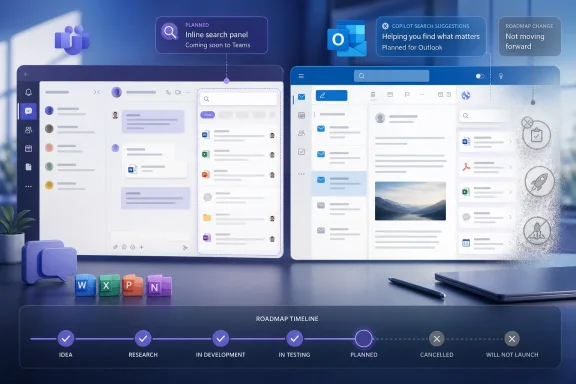
Microsoft has cancelled two planned Microsoft 365 improvements that were intended to make everyday work in Teams and Outlook feel more immediate: a richer inline content search experience inside the Teams compose box, and Copilot-powered suggestions in Outlook search. Neither capability had reached general availability, but both represented the kind of low-friction assistance Microsoft has increasingly promised across its productivity suite. Their removal is a useful reminder that the Microsoft 365 roadmap is a planning tool, not a delivery guarantee—and that even seemingly straightforward AI and search enhancements can raise difficult questions around relevance, privacy, reliability, and product value.
The two cancelled roadmap items affect different Microsoft 365 applications, yet they are connected by a common goal: helping users find the right work content without interrupting the task currently in front of them.
In Microsoft Teams, the planned feature would have expanded the familiar
In Microsoft Outlook, the proposed update would have brought Copilot suggestions into the search menu. The objective was broader and more AI-centric: guide users toward useful searches or likely next actions related to their inbox and calendar, rather than relying entirely on conventional keyword queries and filters.
Microsoft has now marked both initiatives as not moving forward at this time. The company has not publicly supplied a detailed technical explanation for either decision, so it would be premature to treat the cancellations as proof of a particular bug, privacy concern, licensing decision, or strategic retreat. Still, the choices are notable because they remove two planned examples of Microsoft’s ongoing effort to make search and Copilot assistance more ambient across Windows, Teams, Outlook, and Microsoft 365.
Inline search was intended to extend
The cancelled Teams capability was listed as Microsoft Teams: Inline search in compose box, with a planned rollout beginning in September 2026 for Teams on Windows desktop, Mac, and the web.
The central idea was intuitive. In Teams today, typing
The proposed expansion would have treated
A lightweight inline search surface could have reduced a familiar collaboration tax: context switching. The user would not need to leave the compose box to search globally, inspect results, return to the target conversation, and paste the appropriate link.
The potential benefits were substantial:
This is not a catastrophic loss. Teams already supports searching for messages, people, files, and channels, while individual chats and channels provide their own contextual search options. Users can also share files through the compose area and use links to reference conversations, documents, channels, and meetings.
However, the cancelled feature was not trying to replace those functions. It was intended to remove the distance between finding content and inserting it into an active message. That distinction matters. A feature can be technically redundant while still making a meaningful difference to daily productivity.
Its purpose was to place Copilot-generated suggestions in the Outlook search menu. In theory, that would help people search more effectively across their email and calendar data by offering relevant prompts, likely queries, or guided paths to the information they need.
Outlook search is crucial because email remains the record of many business decisions. A user may need to find an approval from months ago, a document attached to a message, a customer commitment, a meeting invitation, a recurring operational update, or a conversation with a specific group of people.
Traditional search depends heavily on the user’s ability to remember the right sender, keyword, date range, subject line, attachment name, or Outlook search operator. A Copilot suggestion layer could have lowered that barrier by helping translate vague goals into more useful searches.
Consider several ordinary Outlook tasks:
Microsoft 365 search is governed by permissions; a user should only see content to which that user already has access. But permission boundaries are not the only concern. The presentation of suggestions can affect user trust.
An AI-generated prompt that looks surprising, irrelevant, or overly personal can immediately feel intrusive even when it is technically permission-compliant. If a search menu proposes an unexpected topic based on calendar activity or message content, users may question how much the product is inferring about their work.
That makes relevance especially important. A poor suggestion in a consumer search engine is an annoyance. A poor suggestion in a work inbox can be distracting, embarrassing, or interpreted as evidence that sensitive information is being surfaced too aggressively.
Microsoft regularly adds, revises, delays, removes, and cancels items as engineering, security, compliance, customer feedback, performance testing, regional deployment needs, or product priorities evolve. A feature that appears headed for a specific month can change before it reaches even a targeted release audience.
This is especially true for capabilities spanning multiple clients. A feature planned for Windows, Mac, web, iOS, and Android is not merely a user-interface update. It needs dependable behavior across varied platforms, account types, organization policies, accessibility requirements, network conditions, and release channels.
For IT teams, the practical takeaway is simple: do not build training plans, business processes, internal documentation, or purchasing assumptions around an in development roadmap entry.
Even so, the nature of the two capabilities points to several plausible challenges.
For Teams inline content insertion, that means knowing whether the user wants a particular file, a meeting chat, a team channel, or an older one-to-one conversation. The platform would need to prioritize relevance while accounting for recency, permissions, duplicate names, shared documents, deleted content, renamed channels, and potentially large collaboration histories.
For Outlook Copilot suggestions, the standard is arguably higher. Users would expect suggestions to be useful without being repetitive, too broad, irrelevant, or distracting. A recommendation system that continually suggests searches users do not need could create more friction than it removes.
A Teams compose-box search feature would need to respect those boundaries perfectly while presenting content in a fast, intuitive way. It also would have to avoid confusing users about what happens when they reference a private conversation or sensitive file inside a wider channel.
Similarly, Outlook Copilot suggestions need a clearly understood content scope. Users may have multiple accounts, shared mailboxes, calendars, archive mailboxes, delegated access, and mobile clients with different capabilities. Keeping suggestions consistent, useful, and privacy-conscious across all of those conditions is a difficult engineering task.
Microsoft has spent years adding Copilot entry points across Microsoft 365. The company’s challenge is no longer only how to make AI available. It is how to make it available without turning every workflow into a sequence of prompts, recommendations, badges, and assistant panels.
Cancelling a feature can sometimes be a sign of healthy product restraint. If an experience cannot meet a high standard for clarity and usefulness, keeping it out of the shipping product may be better than introducing another feature that users immediately learn to ignore.
Yet pervasive AI does not guarantee that every proposed integration will remain on the roadmap. The cancelled Outlook search suggestions feature demonstrates that Microsoft is still testing the boundaries of where Copilot belongs and where it provides enough practical value to justify its complexity.
That is a positive sign if it leads to more focused implementation. The best AI assistance is often not the most visible AI assistance. It is the feature that appears when it solves a meaningful problem, provides a clear result, preserves user control, and disappears when it is not needed.
Microsoft’s Copilot strategy will be strongest when it treats these features as productivity tools rather than decorative intelligence. That means emphasizing:
But the quality bar for such features is high. Teams needs content discovery that is fast, permission-aware, and unambiguous. Outlook needs AI assistance that is useful without being distracting or unsettling. If Microsoft could not yet deliver those experiences with sufficient reliability, holding them back is preferable to shipping unfinished convenience features into environments where users depend on accuracy.
For now, the important correction is that these were planned enhancements, not withdrawn live features. Teams users are not losing a broadly deployed inline content-search tool, and Outlook users are not seeing an established Copilot search experience removed from their inboxes. Instead, Microsoft has chosen not to proceed with two proposed additions before they became part of the everyday Microsoft 365 experience.
That distinction may offer limited comfort to users who were looking forward to faster Teams sharing or smarter Outlook discovery. Still, it reinforces a valuable principle for Microsoft 365 customers: roadmap ambition matters, but dependable shipping features matter more.
 Overview
The two cancelled roadmap items affect different Microsoft 365 applications, yet they are connected by a common goal: helping users find the right work content without interrupting the task currently in front of them.In Microsoft Teams, the planned feature would have expanded the familiar
@mention concept beyond people. While drafting a chat or channel message, users would have been able to search for and insert references to files, chats, channels, and meetings directly from the compose box. It was designed to reduce the need to leave a message draft, run a separate search, locate content manually, copy a link, and return to the original conversation.In Microsoft Outlook, the proposed update would have brought Copilot suggestions into the search menu. The objective was broader and more AI-centric: guide users toward useful searches or likely next actions related to their inbox and calendar, rather than relying entirely on conventional keyword queries and filters.
Microsoft has now marked both initiatives as not moving forward at this time. The company has not publicly supplied a detailed technical explanation for either decision, so it would be premature to treat the cancellations as proof of a particular bug, privacy concern, licensing decision, or strategic retreat. Still, the choices are notable because they remove two planned examples of Microsoft’s ongoing effort to make search and Copilot assistance more ambient across Windows, Teams, Outlook, and Microsoft 365.
The Teams Feature That Will Not Arrive
Inline search was intended to extend @mentions
The cancelled Teams capability was listed as Microsoft Teams: Inline search in compose box, with a planned rollout beginning in September 2026 for Teams on Windows desktop, Mac, and the web.The central idea was intuitive. In Teams today, typing
@ commonly begins a people-mention workflow. A user can tag a colleague, alert that person to a message, and create a direct connection between the conversation and the individual being referenced.The proposed expansion would have treated
@ as a broader contextual insertion mechanism. Instead of only locating people, it would have enabled a user to find and embed relevant collaboration objects while writing, including:- Files stored or shared in Microsoft 365
- Chats containing relevant discussions
- Channels where work is taking place
- Meetings connected to a project, decision, or follow-up
Why the idea was attractive
Teams has accumulated several places where work artifacts can live: one-to-one chats, group chats, meeting chats, channels, files, shared tabs, recordings, notes, and linked Microsoft 365 content. This flexibility is one of the platform’s greatest strengths, but it also means that finding the authoritative item can be slow.A lightweight inline search surface could have reduced a familiar collaboration tax: context switching. The user would not need to leave the compose box to search globally, inspect results, return to the target conversation, and paste the appropriate link.
The potential benefits were substantial:
- Faster sharing of relevant files and discussions
- Better preservation of project context inside Teams conversations
- Less dependency on manual link copying
- Fewer interruptions during drafting
- More consistent use of Teams as a hub for work
- A more discoverable way to reference material that already exists
The cancellation preserves existing workflows
With the inline search feature no longer moving forward, Teams users will continue to rely on the tools already available in their clients. That means standard Teams search, channel navigation, chat search, the attachment workflow, file sharing controls, copied links, and existing search filters remain the practical routes to content.This is not a catastrophic loss. Teams already supports searching for messages, people, files, and channels, while individual chats and channels provide their own contextual search options. Users can also share files through the compose area and use links to reference conversations, documents, channels, and meetings.
However, the cancelled feature was not trying to replace those functions. It was intended to remove the distance between finding content and inserting it into an active message. That distinction matters. A feature can be technically redundant while still making a meaningful difference to daily productivity.
Outlook Loses a Planned Copilot Search Layer
Copilot suggestions were meant to guide search behavior
The second cancelled feature, Outlook: Copilot Search Suggestions for Outlook, had been tracked from April 2026. It was planned for Outlook across major endpoints, including web, desktop-oriented experiences, Mac, iOS, and Android.Its purpose was to place Copilot-generated suggestions in the Outlook search menu. In theory, that would help people search more effectively across their email and calendar data by offering relevant prompts, likely queries, or guided paths to the information they need.
Outlook search is crucial because email remains the record of many business decisions. A user may need to find an approval from months ago, a document attached to a message, a customer commitment, a meeting invitation, a recurring operational update, or a conversation with a specific group of people.
Traditional search depends heavily on the user’s ability to remember the right sender, keyword, date range, subject line, attachment name, or Outlook search operator. A Copilot suggestion layer could have lowered that barrier by helping translate vague goals into more useful searches.
The promise of better discovery
The attraction of AI search assistance is not simply that it can answer a question. It is that it can help users express intent when they do not know the best way to query their data.Consider several ordinary Outlook tasks:
- Finding the last message containing a customer’s pricing request
- Locating the meeting where a particular decision was discussed
- Identifying the most recent document sent by a colleague
- Reviewing messages connected to an upcoming project milestone
- Recovering an email thread when the exact subject line is forgotten
Why Outlook search requires caution
Search assistance becomes much more sensitive when it operates in a mailbox. Email often includes confidential project details, personal information, financial discussions, HR topics, customer correspondence, legal material, and internal negotiations.Microsoft 365 search is governed by permissions; a user should only see content to which that user already has access. But permission boundaries are not the only concern. The presentation of suggestions can affect user trust.
An AI-generated prompt that looks surprising, irrelevant, or overly personal can immediately feel intrusive even when it is technically permission-compliant. If a search menu proposes an unexpected topic based on calendar activity or message content, users may question how much the product is inferring about their work.
That makes relevance especially important. A poor suggestion in a consumer search engine is an annoyance. A poor suggestion in a work inbox can be distracting, embarrassing, or interpreted as evidence that sensitive information is being surfaced too aggressively.
Microsoft’s Roadmap Is Not a Product Commitment
“In development” does not mean guaranteed
The cancellations underscore an important point for IT administrators and Windows enthusiasts who track Microsoft 365 changes closely: roadmap listings are statements of intent, not binding release commitments.Microsoft regularly adds, revises, delays, removes, and cancels items as engineering, security, compliance, customer feedback, performance testing, regional deployment needs, or product priorities evolve. A feature that appears headed for a specific month can change before it reaches even a targeted release audience.
This is especially true for capabilities spanning multiple clients. A feature planned for Windows, Mac, web, iOS, and Android is not merely a user-interface update. It needs dependable behavior across varied platforms, account types, organization policies, accessibility requirements, network conditions, and release channels.
For IT teams, the practical takeaway is simple: do not build training plans, business processes, internal documentation, or purchasing assumptions around an in development roadmap entry.
What organizations should do instead
A stronger Microsoft 365 change-management process separates announced plans from features that are actually available to users.- Treat roadmap items as early visibility.
They are useful for understanding direction and preparing for possible change, but they should not be treated as deployment confirmation. - Monitor the Microsoft 365 admin center.
Message Center posts, tenant-specific notifications, and official release communications are more actionable than a general roadmap listing. - Validate availability in a test tenant or pilot group.
A feature can behave differently by platform, release ring, license, region, or configuration. - Avoid promising unshipped capabilities to business stakeholders.
Product teams and help desks should describe roadmap features as planned rather than imminent. - Keep support documentation focused on current workflows.
If a planned enhancement disappears, users should still have clear instructions for completing the task with existing tools.
Why Microsoft May Have Pulled Back
No official cause has been confirmed
Microsoft has not published a detailed explanation for the cancellation of the Teams inline search feature or the Outlook Copilot search suggestion feature. Any firm claim that the changes were halted because of bugs, privacy issues, licensing, customer backlash, low adoption, or cost controls would therefore go beyond the available evidence.Even so, the nature of the two capabilities points to several plausible challenges.
Search quality can make or break the experience
Both features depend on a basic but demanding requirement: returning the right result quickly enough that users trust the system.For Teams inline content insertion, that means knowing whether the user wants a particular file, a meeting chat, a team channel, or an older one-to-one conversation. The platform would need to prioritize relevance while accounting for recency, permissions, duplicate names, shared documents, deleted content, renamed channels, and potentially large collaboration histories.
For Outlook Copilot suggestions, the standard is arguably higher. Users would expect suggestions to be useful without being repetitive, too broad, irrelevant, or distracting. A recommendation system that continually suggests searches users do not need could create more friction than it removes.
Permissions and content scope are difficult
Microsoft 365 is designed around granular access controls. The same organization can contain private teams, shared channels, external collaborators, sensitivity labels, retention requirements, restricted mailboxes, confidential files, and delegated calendar access.A Teams compose-box search feature would need to respect those boundaries perfectly while presenting content in a fast, intuitive way. It also would have to avoid confusing users about what happens when they reference a private conversation or sensitive file inside a wider channel.
Similarly, Outlook Copilot suggestions need a clearly understood content scope. Users may have multiple accounts, shared mailboxes, calendars, archive mailboxes, delegated access, and mobile clients with different capabilities. Keeping suggestions consistent, useful, and privacy-conscious across all of those conditions is a difficult engineering task.
Minimal interfaces have value
There is also a product-design issue. Both Teams and Outlook are already dense applications. Every new intelligent menu, prompt, icon, or suggestion can make the interface feel more capable—but also busier.Microsoft has spent years adding Copilot entry points across Microsoft 365. The company’s challenge is no longer only how to make AI available. It is how to make it available without turning every workflow into a sequence of prompts, recommendations, badges, and assistant panels.
Cancelling a feature can sometimes be a sign of healthy product restraint. If an experience cannot meet a high standard for clarity and usefulness, keeping it out of the shipping product may be better than introducing another feature that users immediately learn to ignore.
The Broader Copilot Question
AI integration is becoming more selective
The Outlook cancellation draws attention because Copilot has become central to Microsoft’s modern productivity narrative. Copilot is positioned across Microsoft 365 apps for drafting, summarizing, analyzing, retrieving information, preparing for meetings, and automating work.Yet pervasive AI does not guarantee that every proposed integration will remain on the roadmap. The cancelled Outlook search suggestions feature demonstrates that Microsoft is still testing the boundaries of where Copilot belongs and where it provides enough practical value to justify its complexity.
That is a positive sign if it leads to more focused implementation. The best AI assistance is often not the most visible AI assistance. It is the feature that appears when it solves a meaningful problem, provides a clear result, preserves user control, and disappears when it is not needed.
Trust depends on predictable behavior
For business users, AI features are judged less by demo appeal than by reliability. A search suggestion must lead toward useful information. A Teams content picker must retrieve the right material. A summary must not omit a critical caveat. A drafting aid must not introduce an incorrect claim into customer-facing correspondence.Microsoft’s Copilot strategy will be strongest when it treats these features as productivity tools rather than decorative intelligence. That means emphasizing:
- Transparent scope for what Copilot can access
- Clear permission boundaries for work data
- Predictable licensing and availability
- Relevant results over aggressive prompting
- Easy dismissal and control for users
- Strong administrative governance for organizations
What Teams and Outlook Users Can Use Today
Teams alternatives for sharing context
Teams users still have several practical ways to reference work without the planned compose-box inline search:- Use the main Teams search field to locate messages, files, people, channels, and chats.
- Copy a link to a Teams message, chat, channel, meeting, or file and paste it into the active conversation.
- Use the attachment controls in the compose box to share files directly.
- Navigate to a channel or meeting chat and use its built-in contextual search.
- Use Teams filters and quick views to narrow attention to mentions, unread items, meeting conversations, or followed threads.
- Keep project files in consistently named SharePoint and Teams locations to make them easier to retrieve.
Outlook alternatives for faster discovery
Outlook users can continue to rely on existing search methods and mailbox organization techniques:- Search by sender, recipient, subject keywords, and attachment names.
- Narrow results with date ranges and message filters.
- Use folder structure and categories consistently where appropriate.
- Flag messages that require follow-up rather than expecting search to reconstruct every task.
- Use focused calendar titles with meaningful keywords.
- Save or pin critical messages and documents where supported.
- Use existing Copilot experiences only where they are enabled and licensed in the organization.
A Sensible Pause, Not Necessarily a Failure
There is a temptation to view every cancelled roadmap entry as a failure. That is too simplistic. The Teams and Outlook features addressed genuine problems, and their concepts remain sound. Referencing content from inside a Teams message and discovering relevant mailbox information through better search assistance are both worthwhile goals.But the quality bar for such features is high. Teams needs content discovery that is fast, permission-aware, and unambiguous. Outlook needs AI assistance that is useful without being distracting or unsettling. If Microsoft could not yet deliver those experiences with sufficient reliability, holding them back is preferable to shipping unfinished convenience features into environments where users depend on accuracy.
For now, the important correction is that these were planned enhancements, not withdrawn live features. Teams users are not losing a broadly deployed inline content-search tool, and Outlook users are not seeing an established Copilot search experience removed from their inboxes. Instead, Microsoft has chosen not to proceed with two proposed additions before they became part of the everyday Microsoft 365 experience.
That distinction may offer limited comfort to users who were looking forward to faster Teams sharing or smarter Outlook discovery. Still, it reinforces a valuable principle for Microsoft 365 customers: roadmap ambition matters, but dependable shipping features matter more.
References
- Primary source: Neowin
Published: 2026-07-24T20:58:01+00:00
Loading…
www.neowin.net - Related coverage: windowscentral.com
Microsoft is moving another Outlook feature behind a Copilot paywall | Windows Central
Meeting Insight is being retired in favor of a paid Copilot experience, continuing a frustrating trend for Microsoft 365 users.www.windowscentral.com - Official source: support.microsoft.com
Copilot buttons are missing in classic Outlook for Windows | Microsoft Support
This article describes the issue regarding Copilit buttons missing in classic Outlook for Windowssupport.microsoft.com - Related coverage: windowsforum.com
Microsoft Teams Cancels Inline @ Search for Files and Chats | Windows Forum
Microsoft Teams will not move forward with a planned inline search experience that would have expanded the familiar @ mention workflow inside the compose...windowsforum.com - Official source: techcommunity.microsoft.com
Loading…
techcommunity.microsoft.com - Official source: adoption.microsoft.com
