

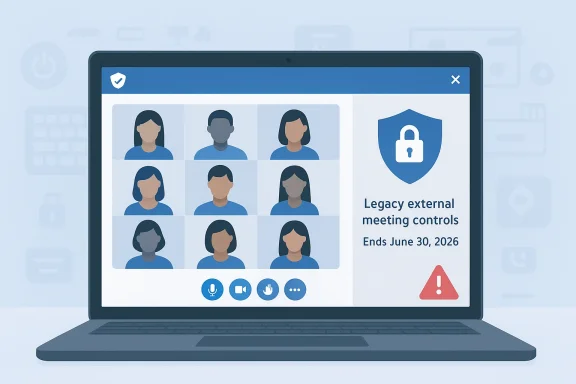
Microsoft’s latest Teams cleanup is another sign that Redmond is actively pruning older client-side integrations in the name of security, even when those integrations were genuinely useful to power users and administrators. The company has confirmed that legacy external meeting controls integration in the desktop Teams client for Windows and Mac will be retired on June 30, 2026, cutting off the external pathway that some hardware shortcuts and automation tools have used to drive meeting actions. Microsoft says the change is about security, reliability, and long-term maintainability, and it arrives just as the company is also removing the SaRA command-line utility from supported Windows builds and tightening privacy handling around EXIF data in Teams-shared images. (support.microsoft.com)
Microsoft Teams has been on a long transition from “anything that works” interoperability toward a more controlled, policy-driven platform. That shift is visible in the retirement of the classic Teams client, which reached end of availability on July 1, 2025, and in the push toward supported APIs and sanctioned client surfaces. Microsoft’s own guidance makes the distinction explicit: end of support means fewer updates and no help resolving issues, while end of availability means the legacy client simply stops working. (learn.microsoft.com)
The meeting-controls retirement fits neatly into that broader story. For years, Teams has supported a mix of native controls, meeting policies, Graph-backed integrations, and older client-side hooks that made it easier for accessories and third-party tools to trigger actions like mute, camera toggle, reactions, or leaving a call. Those kinds of integrations were convenient, but they also sat close to the client itself, which is precisely where Microsoft has become more cautious.
That caution is not happening in isolation. Microsoft is also deprecating the SaRA command-line utility on Windows, with the company stating it is doing so to secure and harden the environment, while pointing admins to the newer Get Help command-line replacement. Microsoft says that utility still covers the same scenarios, but with improved security infrastructure. The pattern is unmistakable: older utilities and integrations are being replaced by more tightly governed equivalents, not because the old tools were useless, but because they no longer match Microsoft’s current security posture. (support.microsoft.com)
At the same time, Microsoft is also rolling out a privacy-centric Teams change that automatically strips EXIF metadata from images shared in chats and channels. The company says the visible image remains unchanged, but hidden data such as GPS coordinates, camera model, and manufacturer information will be removed. This matters because it shows the company is not just thinking about admin-managed enterprise security, but also about accidental data leakage in everyday collaboration. (mc.merill.net)
The practical upshot is that Teams is becoming more predictable for the vendor and more opinionated for everyone else. If you want a supported path forward, Microsoft increasingly expects you to use native controls, official meeting policy settings, or published services such as Graph. If you want to stay on a legacy hook, the message is becoming clearer: that path will eventually disappear.
That list of meeting actions is broad enough to matter in real deployments. The integration could be used to leave meetings, mute or unmute audio, raise a hand, toggle the camera, blur or unblur the background, and send reactions. In other words, this was not a toy feature; it was a usable bridge between Teams and external control surfaces.
That matters because these kinds of integrations often live in the background long after they were first configured. Users may not even realize their device control logic depends on a Teams pathway that is no longer officially supported until the day it breaks. That is exactly the kind of failure mode Microsoft appears to be trying to eliminate.
From a security standpoint, client-side control surfaces are inherently risky. They expand the attack surface, complicate privilege boundaries, and can become difficult to validate across fast-moving Teams releases. If Microsoft cannot guarantee that a given external control path will remain safe, stable, and compatible, it has a strong incentive to remove it before it becomes a liability. (support.microsoft.com)
There is also a broader product-design lesson embedded in this move. Microsoft would rather support a smaller number of well-defined surfaces than keep legacy hooks alive simply because they are popular with niche hardware or automation vendors. That tends to improve maintainability, but it also means the ecosystem must adapt on Microsoft’s schedule rather than its own.
Microsoft also says supported integration frameworks remain unaffected, including published APIs such as the Microsoft Graph API. That distinction is critical. It means the company is not turning its back on extensibility, but it is demanding that extensibility move through surfaces it can document, govern, and secure more effectively.
That makes the retirement feel less like a blanket shutdown and more like a migration trigger. The old path is going away, but Microsoft is leaving room for organizations to re-engineer around official building blocks. In practice, that still means work, but it is a different kind of work: more migration planning, less outright reinvention.
The biggest risk is silent breakage. If a collaboration keyboard, touch panel, or automation macro has been used for months or years without incident, users may assume it is dependable. When the underlying API route disappears, the failure may only surface during a live meeting, which is exactly when IT wants the fewest surprises.
There is a useful parallel here with the classic Teams retirement. Microsoft already established a precedent for moving customers off an older client and onto a modern one with stricter rules. The pattern is not subtle: if an integration depends on older client behavior, assume it is provisional. (learn.microsoft.com)
The impact is especially noticeable for people who rely on frictionless meeting control during presentations. One of the selling points of those external controls is that they let a presenter mute, react, or leave a call without hunting through the Teams interface. The convenience is small in a demo, but it is huge when you are juggling slides, cameras, and notes at the same time.
The challenge is that “native controls” is not always a real substitute for “external control.” The former assumes the user can interact comfortably with the app’s UI; the latter may have been built specifically to reduce cognitive load or physical effort. That difference is why these retirements land harder than product managers sometimes expect. A feature can be technically niche and still operationally important.
The same thinking is visible in Teams image handling. The automatic EXIF-stripping change is framed as a privacy enhancement, but it also removes a category of hidden data from casual user sharing. In practice, that reduces the chance that location or device metadata travels farther than intended. Microsoft is clearly trying to make collaboration safer by default, even if that means stripping away layers of historical flexibility. (mc.merill.net)
It is also worth noting that Microsoft is not just closing doors; it is opening more formal ones. Graph remains central, policy controls remain available, and Teams continues to expose a broad set of documented resources for administrators and developers. The company wants integration, but on terms that are easier to enforce and audit.
At the same time, Microsoft has to be careful not to overcorrect. The collaboration market is full of organizations that choose platforms partly because they can be extended in practical ways. If Teams becomes too restrictive too quickly, it risks pushing specialized workflows toward competitors or toward custom middleware that sits outside the mainstream support model.
For Microsoft, that is probably acceptable. The company has spent years consolidating Teams into a more coherent platform, and coherence is often a competitive asset in large deployments. Enterprises tend to reward products that are boring in the right places and extensible in the approved places. That is what this retirement is really about. (learn.microsoft.com)
The key question is whether Microsoft will make the migration story easier for the organizations that actually have to live with the consequences. If the company documents replacements well, keeps Graph and policy-based controls stable, and gives vendors enough lead time, then these moves may age well. If not, they risk joining the long list of “security improvements” that were technically correct but operationally painful.
Source: Neowin Microsoft drops support for a Windows 11, Mac Teams feature and is removing it soon
 Background
Microsoft Teams has been on a long transition from “anything that works” interoperability toward a more controlled, policy-driven platform. That shift is visible in the retirement of the classic Teams client, which reached end of availability on July 1, 2025, and in the push toward supported APIs and sanctioned client surfaces. Microsoft’s own guidance makes the distinction explicit: end of support means fewer updates and no help resolving issues, while end of availability means the legacy client simply stops working. (learn.microsoft.com)The meeting-controls retirement fits neatly into that broader story. For years, Teams has supported a mix of native controls, meeting policies, Graph-backed integrations, and older client-side hooks that made it easier for accessories and third-party tools to trigger actions like mute, camera toggle, reactions, or leaving a call. Those kinds of integrations were convenient, but they also sat close to the client itself, which is precisely where Microsoft has become more cautious.
That caution is not happening in isolation. Microsoft is also deprecating the SaRA command-line utility on Windows, with the company stating it is doing so to secure and harden the environment, while pointing admins to the newer Get Help command-line replacement. Microsoft says that utility still covers the same scenarios, but with improved security infrastructure. The pattern is unmistakable: older utilities and integrations are being replaced by more tightly governed equivalents, not because the old tools were useless, but because they no longer match Microsoft’s current security posture. (support.microsoft.com)
At the same time, Microsoft is also rolling out a privacy-centric Teams change that automatically strips EXIF metadata from images shared in chats and channels. The company says the visible image remains unchanged, but hidden data such as GPS coordinates, camera model, and manufacturer information will be removed. This matters because it shows the company is not just thinking about admin-managed enterprise security, but also about accidental data leakage in everyday collaboration. (mc.merill.net)
Why this matters now
The timing is important. Microsoft is not making a one-off decision about one obscure integration. It is drawing a line under a whole class of old assumptions about client extensibility. That has consequences for users who built workflows around those assumptions, but it also reduces the number of places where an app can reach into another app in ways that may be harder to secure, audit, or maintain. (support.microsoft.com)The practical upshot is that Teams is becoming more predictable for the vendor and more opinionated for everyone else. If you want a supported path forward, Microsoft increasingly expects you to use native controls, official meeting policy settings, or published services such as Graph. If you want to stay on a legacy hook, the message is becoming clearer: that path will eventually disappear.
What Microsoft Is Retiring
The feature in question is legacy external meeting controls integration inside the Teams desktop client. Microsoft’s published wording frames it as an unsupported pathway for external applications or devices to trigger meeting actions from outside Teams, and the company says it will be permanently removed from the Windows and Mac desktop clients on June 30, 2026. The corresponding privacy setting under Teams settings will also disappear.That list of meeting actions is broad enough to matter in real deployments. The integration could be used to leave meetings, mute or unmute audio, raise a hand, toggle the camera, blur or unblur the background, and send reactions. In other words, this was not a toy feature; it was a usable bridge between Teams and external control surfaces.
What disappears
The removal will hit several adjacent behaviors at once. Microsoft says the external integration path will stop functioning entirely, which means previously configured third-party tools that depended on it should no longer work. The setting that allowed the behavior will also be removed from the client, so there will not be a hidden toggle to restore it after the cutoff date.That matters because these kinds of integrations often live in the background long after they were first configured. Users may not even realize their device control logic depends on a Teams pathway that is no longer officially supported until the day it breaks. That is exactly the kind of failure mode Microsoft appears to be trying to eliminate.
- The retirement date is June 30, 2026.
- The change applies to Teams desktop clients for Windows and Mac.
- The legacy setting will be removed from Settings > Privacy.
- External apps and devices depending on the pathway will stop functioning.
- Native Teams controls remain available inside the app.
Why Microsoft Is Making the Cut
Microsoft’s official explanation is straightforward: the integration is no longer being maintained and does not meet the company’s security and platform standards. That is the sort of statement Microsoft tends to use when a feature has become more expensive to defend than to keep. It is also a signal that the feature likely existed in a gray zone between convenience and compliance.From a security standpoint, client-side control surfaces are inherently risky. They expand the attack surface, complicate privilege boundaries, and can become difficult to validate across fast-moving Teams releases. If Microsoft cannot guarantee that a given external control path will remain safe, stable, and compatible, it has a strong incentive to remove it before it becomes a liability. (support.microsoft.com)
Security versus convenience
The trade-off here is familiar to anyone who manages enterprise software. Convenience features are often the first to break when platform owners tighten their security model, because those features usually depend on looser assumptions about trust. Microsoft’s bet is that the long-term value of a tighter platform outweighs the short-term pain of losing a shortcut. That is a reasonable argument, but it does not soften the operational impact for organizations that have automated around the old behavior.There is also a broader product-design lesson embedded in this move. Microsoft would rather support a smaller number of well-defined surfaces than keep legacy hooks alive simply because they are popular with niche hardware or automation vendors. That tends to improve maintainability, but it also means the ecosystem must adapt on Microsoft’s schedule rather than its own.
- Security hardening is the central justification.
- Platform consistency is another major factor.
- Reliability matters because legacy hooks can fail in subtle ways.
- Maintainability becomes harder when a feature depends on client internals.
- Supportability improves when Microsoft can point customers to a single approved path. (support.microsoft.com)
What Still Works
The good news is that Microsoft is not breaking the entire Teams meeting-control model. Native controls within Teams will continue to function normally, so the basic user experience for muting, camera toggling, reactions, and hand raising remains intact inside the app itself. The company is drawing a line between supported in-client behavior and older external control channels.Microsoft also says supported integration frameworks remain unaffected, including published APIs such as the Microsoft Graph API. That distinction is critical. It means the company is not turning its back on extensibility, but it is demanding that extensibility move through surfaces it can document, govern, and secure more effectively.
Supported versus legacy paths
This is the part many admins will want to understand first. If your workflow uses an official API, policy, or documented app framework, you are likely in a much safer position than if you are relying on direct client control behavior. Microsoft’s messaging suggests that the supported route remains supported precisely because it fits the company’s current security model.That makes the retirement feel less like a blanket shutdown and more like a migration trigger. The old path is going away, but Microsoft is leaving room for organizations to re-engineer around official building blocks. In practice, that still means work, but it is a different kind of work: more migration planning, less outright reinvention.
- Native Teams controls remain available.
- Microsoft Graph and other supported frameworks remain available.
- The retirement targets an old external pathway, not core meeting functions.
- Organizations can still build around documented APIs and policy controls.
Enterprise Impact
For enterprise administrators, the headline is not simply that Teams is changing. It is that unmanaged integration debt is coming due. Hardware vendors, meeting-room ecosystems, accessibility tools, and automation scripts that leaned on the old pathway must now be audited before the June 2026 cutoff. Microsoft has given more than 30 days’ notice, but in enterprise terms that is really a migration window, not a grace period.The biggest risk is silent breakage. If a collaboration keyboard, touch panel, or automation macro has been used for months or years without incident, users may assume it is dependable. When the underlying API route disappears, the failure may only surface during a live meeting, which is exactly when IT wants the fewest surprises.
Operational planning
Smart organizations will treat this like any other platform deprecation: inventory, test, remediate, and communicate. That means identifying every endpoint, accessory, and workflow that uses Teams meeting controls externally, then validating whether an official alternative exists. It also means checking whether the workflow is needed at all, because some old automations exist more out of habit than necessity.There is a useful parallel here with the classic Teams retirement. Microsoft already established a precedent for moving customers off an older client and onto a modern one with stricter rules. The pattern is not subtle: if an integration depends on older client behavior, assume it is provisional. (learn.microsoft.com)
- Audit all Teams-related devices and scripts.
- Verify whether each workflow uses a supported API.
- Test meeting-room hardware after the retirement date.
- Update help desk documentation before users hit the change.
- Build a fallback plan for accessibility and accessibility-adjacent devices.
Consumer and Power-User Impact
Consumers may feel this change less directly, but power users are another matter. Anyone using Stream Deck-style shortcuts, custom macros, or controller devices to manage Teams meetings can end up with a dead control path once the legacy integration disappears. Microsoft’s acknowledgment that hardware shortcuts and automation tools may be affected is basically an admission that some users built genuine productivity around the feature.The impact is especially noticeable for people who rely on frictionless meeting control during presentations. One of the selling points of those external controls is that they let a presenter mute, react, or leave a call without hunting through the Teams interface. The convenience is small in a demo, but it is huge when you are juggling slides, cameras, and notes at the same time.
Accessibility and workflow continuity
There is also an accessibility dimension that should not be ignored. For some users, external shortcuts are not a luxury; they are how the app becomes usable in practice. When Microsoft removes a control path like this, it should make sure the supported alternatives are discoverable, reliable, and fast enough to substitute for the old workflow.The challenge is that “native controls” is not always a real substitute for “external control.” The former assumes the user can interact comfortably with the app’s UI; the latter may have been built specifically to reduce cognitive load or physical effort. That difference is why these retirements land harder than product managers sometimes expect. A feature can be technically niche and still operationally important.
- Custom shortcut users may lose one-step meeting actions.
- External control devices may require firmware or software changes.
- Some accessibility workflows may need redesign.
- Presenter workflows may become more cumbersome without a replacement.
- Users who depended on the old setting will need to re-learn the new path.
Microsoft’s Security-First Pattern
What makes this announcement more interesting than a routine deprecation is how closely it matches Microsoft’s recent behavior elsewhere in the Windows and Microsoft 365 stack. The company is removing the SaRA command-line utility because it no longer fits its security model, and it is replacing it with an enterprise-ready Get Help command-line alternative. That is not a retreat from support tooling; it is a reshaping of support tooling around hardened infrastructure. (support.microsoft.com)The same thinking is visible in Teams image handling. The automatic EXIF-stripping change is framed as a privacy enhancement, but it also removes a category of hidden data from casual user sharing. In practice, that reduces the chance that location or device metadata travels farther than intended. Microsoft is clearly trying to make collaboration safer by default, even if that means stripping away layers of historical flexibility. (mc.merill.net)
A narrower but safer platform
That strategy has a cost. A narrower platform can feel less magical, because it lets fewer third-party tools hook into the product in clever ways. Yet the upside is easier governance, fewer support ambiguities, and a smaller chance that a hidden integration becomes a security problem nobody noticed until after the fact. (support.microsoft.com)It is also worth noting that Microsoft is not just closing doors; it is opening more formal ones. Graph remains central, policy controls remain available, and Teams continues to expose a broad set of documented resources for administrators and developers. The company wants integration, but on terms that are easier to enforce and audit.
- SaRA is being replaced by Get Help command-line. (support.microsoft.com)
- Teams is removing legacy external meeting controls.
- Teams is also stripping EXIF metadata from shared images. (mc.merill.net)
- Microsoft is favoring documented surfaces over client internals.
- The direction is clearly toward hardening, not expansion of legacy hooks. (support.microsoft.com)
The Competitive Implications
This kind of change is not just about Teams. It is also about Microsoft competing on trust, especially in the enterprise collaboration market where security, compliance, and manageability can matter more than flashy features. By trimming unsupported control paths, Microsoft can claim a cleaner platform story against rivals that may tolerate a broader set of plugins or client-side tricks.At the same time, Microsoft has to be careful not to overcorrect. The collaboration market is full of organizations that choose platforms partly because they can be extended in practical ways. If Teams becomes too restrictive too quickly, it risks pushing specialized workflows toward competitors or toward custom middleware that sits outside the mainstream support model.
Ecosystem pressure
Vendors in the accessories and meeting-room space are the most exposed. If their products were built around the deprecated client pathway, they now need to prove they can work with supported APIs or with native Teams behaviors only. That may be feasible for some products, but others may simply lose the differentiator that made them compelling.For Microsoft, that is probably acceptable. The company has spent years consolidating Teams into a more coherent platform, and coherence is often a competitive asset in large deployments. Enterprises tend to reward products that are boring in the right places and extensible in the approved places. That is what this retirement is really about. (learn.microsoft.com)
- Cleaner security posture can help in regulated industries.
- Fewer legacy hooks can reduce support complexity.
- Some niche hardware partners may lose value.
- Official APIs become more strategically important.
- Microsoft can position Teams as more governable than less curated rivals.
Strengths and Opportunities
Microsoft is making a defensible bet here: less legacy coupling should mean fewer weird failures, tighter security, and a clearer support boundary for administrators. If the company executes the transition well, the ecosystem may end up more stable even if it becomes less flexible in the short term. The opportunity is to push teams and vendors toward better engineering rather than brittle hacks.- Improved security posture across the Teams desktop client.
- Clearer support boundaries for admins and vendors.
- Better long-term maintainability for Microsoft and customers.
- Reduced attack surface from legacy external controls.
- Encouragement to use official APIs such as Microsoft Graph.
- More predictable behavior across Windows and Mac clients.
- Potentially stronger privacy defaults as seen with EXIF removal.
Risks and Concerns
The obvious risk is breakage, but the deeper issue is trust. Users and admins can tolerate change when they understand the migration path; they become frustrated when useful features disappear without an equally capable replacement. Microsoft is offering official alternatives, but the real-world gap between “supported” and “equivalent” can still be wide.- Automation tools may stop working without warning to end users.
- Meeting-room hardware may need firmware or software updates.
- Accessibility workflows could become harder to sustain.
- Help desk load may rise around June 2026 cutovers.
- Third-party vendors may need expensive reengineering.
- Feature fragmentation could increase if replacements are uneven.
- User confusion is likely if settings vanish before adoption is complete.
Looking Ahead
The most likely next phase is not a dramatic new Teams feature, but a series of quieter, more opinionated retirements and replacements. Microsoft has already shown that it is willing to sunset tools and pathways that do not align with its current standards, and this Teams change fits that larger strategy perfectly. The company seems to believe that the value of a cleaner platform outweighs the political cost of removing old conveniences.The key question is whether Microsoft will make the migration story easier for the organizations that actually have to live with the consequences. If the company documents replacements well, keeps Graph and policy-based controls stable, and gives vendors enough lead time, then these moves may age well. If not, they risk joining the long list of “security improvements” that were technically correct but operationally painful.
- Inventory all Teams automation and accessory dependencies now.
- Test supported alternatives before June 30, 2026.
- Update internal documentation for meeting-control workflows.
- Watch for additional deprecations in the Teams desktop client.
- Treat Microsoft Graph and other official APIs as the default future path.
Source: Neowin Microsoft drops support for a Windows 11, Mac Teams feature and is removing it soon
Last edited:
