

Microsoft’s latest consumer pitch is that it wants to “win back fans” across Windows, Xbox, Bing, and Edge after years of eroding goodwill, but the everyday apps bundled around Windows 11 still make that promise feel unfinished. The problem is not that Microsoft lacks engineering talent, cloud scale, or product history. It is that the company keeps treating consumer trust as something that can be regained through strategy decks, AI branding, and subscription bundles rather than through the dull, daily excellence of apps people actually want to open.
That is why PCMag’s list of ten “broken” Microsoft apps lands harder than an ordinary preference rant. Edge, Word, Teams, Outlook, To Do, OneNote, OneDrive Photos, Phone Link, Copilot, and Xbox are not obscure utilities hiding in the corners of Windows. They are the front doors through which Microsoft asks ordinary users to re-enter its ecosystem — and too often, each door sticks.
For years, the standard defense of Windows was that the operating system did not need to be lovely; it needed to be compatible. Windows won because it ran the software, supported the hardware, joined the domain, played the games, and tolerated the weird printer in the corner. The surrounding Microsoft app experience could be uneven because the platform’s gravity was enough.
That bargain has weakened. Many of the tasks that once anchored people to native Windows software now happen in a browser, on a phone, or inside cross-platform services. Documents live in Google Docs, messages in Signal or Discord, photos in Google Photos or iCloud, notes in Obsidian or Keep, and games in Steam libraries that increasingly treat Windows as only one possible client.
Microsoft knows this, which is why Nadella’s “win back fans” language matters. It is an admission that consumer affection cannot be assumed simply because Windows remains dominant on traditional PCs. The trouble is that the apps meant to rebuild that affection often feel like the residue of Microsoft’s internal priorities: enterprise collaboration, cloud attachment, AI distribution, subscription retention, and account capture.
That tension is visible in nearly every product PCMag names. The company has plenty of software that is powerful on paper, deeply integrated in theory, and strategically important to Microsoft’s balance sheet. But user loyalty is earned in narrower moments: a browser that does not nag, a notes app that syncs instantly, a phone bridge that reconnects without ceremony, a photo app that feels designed for photographs rather than files.
Then the stuffing began. Shopping features, sidebar widgets, rewards prompts, Copilot positioning, default-browser nudges, and an increasingly busy interface turned Edge from a focused browser into a container for Microsoft’s growth experiments. The product may still be fast, standards-compatible, and administratively useful, but the feeling changed. It stopped behaving like a browser trying to earn trust and started behaving like distribution real estate.
That is a dangerous place for a browser to be. Browsers are intimate software. They hold passwords, sessions, medical portals, banking tabs, private searches, and the texture of daily life. When users feel a browser is being used to steer them toward services rather than protect their intent, the trust deficit compounds.
The recent controversy over Edge loading saved passwords into memory in plaintext sharpened that concern. Microsoft’s technical argument may be more nuanced than the online outrage suggests, because any password manager must eventually decrypt credentials to use them. But the optics are terrible for a browser already perceived as too pushy. In security, as in interface design, Microsoft does not get the benefit of the doubt simply because it can explain the implementation.
Firefox’s appeal, by contrast, is not that it has more features. It is that it gives a certain kind of user fewer reasons to suspect the product’s motives. In 2026, that may be the more valuable browser feature.
But PCMag’s criticism is not really about whether Word can do more than Google Docs. Of course it can. The issue is that many people no longer need the thing Word is best at, and the things they do need — fast collaboration, low-friction sharing, browser-native access, and zero-cost personal use — are where Google Docs trained the market.
Microsoft’s web Office apps reduce that gap, but they do not erase the perception. Word still carries the aura of the formal document, the desktop install, the subscription, the ribbon, the file. Google Docs carries the aura of a link. That distinction sounds small until you observe how people actually work: they share links in chats, edit in tabs, comment asynchronously, and assume the document is already online.
The subscription question reinforces the shift. Microsoft 365 Family remains a strong value if you use the full bundle, especially with OneDrive storage and desktop Office. But if the user only wants to write a collaborative document, Microsoft is asking them to evaluate a suite. Google is offering a blank page.
That is the consumer trap Microsoft keeps falling into. It bundles power, but users increasingly reward immediacy. Word is better at being Word than Google Docs is, but for many people Google Docs is better at being the document app they now need.
Microsoft tried to make Teams personal. Windows 11 shipped with a taskbar Chat experience powered by Teams personal accounts, a move that looked on paper like a revival of the MSN Messenger instinct. The attempt never felt organic. Users already had iMessage, WhatsApp, Discord, Signal, Telegram, SMS, Google Chat, and a pile of social DMs before Microsoft arrived with a work-shaped chat tool pinned to the taskbar.
The retirement of Skype in favor of Teams Free makes the story more poignant. Skype once had real consumer meaning. It was a verb, a default for long-distance calls, and one of the few Microsoft-owned products that non-enterprise users voluntarily associated with personal communication. Microsoft’s inability to turn that inheritance into a beloved modern messenger is one of the great quiet failures of its consumer software era.
Teams may be the correct successor from Microsoft’s platform-management perspective. It consolidates infrastructure, identities, and development. But consumers do not care that a migration is architecturally tidy. They care whether the app feels like a place their friends would choose to be.
It does not.
That question becomes sharper for Gmail users. Microsoft’s new Outlook can connect to Gmail, but the experience involves syncing mail through Microsoft’s cloud. There are technical and feature reasons for that architecture, but it feels strange to users who simply want a desktop shell around a Google account. If the path to reading Gmail in Outlook is to copy Gmail into Microsoft’s service layer, the simpler answer is to open Gmail.
This is where Microsoft’s cloud reflex collides with consumer intuition. The company often behaves as though integration means bringing external accounts into Microsoft’s substrate. Users often think integration means letting them use their chosen service without extra conceptual baggage.
Mozilla Thunderbird, for all its quirks, benefits from this contrast. It is not trying to be the future of Microsoft 365 engagement. It is trying to be a mail client. That clarity has value, especially for users who have grown wary of apps that appear to transform every local task into a cloud relationship.
Outlook is not broken in the sense that it cannot manage mail. It is broken in the more modern sense: it asks users to accept Microsoft’s model of the world before it solves their immediate problem.
The calendar gap is the tell. Tasks and calendars are not separate mental categories for normal people. A reminder to call the dentist, renew a license, buy a gift, or finish a form belongs somewhere in the same temporal fabric as meetings and events. Google Tasks is not a richer product than Microsoft To Do, but its integration with Google Calendar makes the whole system feel more obvious.
Microsoft’s answer is more fragmented. To Do connects with Outlook tasks, Planner exists for teams, Loop lurks in the collaboration stack, and Outlook itself has task surfaces. There is logic here for organizations, but for individuals the experience can feel like a set of overlapping product jurisdictions.
This is a recurring Microsoft pattern: the company is strongest when a workflow maps cleanly onto enterprise roles, permissions, and licensing. It is weaker when the workflow is personal, informal, and emotional. A grocery list is not a compliance object. It is a thing you need to appear on your phone in the store.
To Do does not need to become a Notion competitor. It needs to become unavoidable in the good sense — the task layer that makes Windows, Outlook, widgets, reminders, and mobile devices feel like one personal system. Instead, it still feels like a pleasant app Microsoft forgot to make central.
But quick notes are unforgiving. The best quick-note app is the one that opens instantly, captures the thought, syncs reliably, and gets out of the way. If a user has ever lost faith in OneNote sync across devices, the feature checklist stops mattering. A note app without sync trust is a diary with a faulty lock.
Google Keep wins not because it is more ambitious but because it is less ambitious in exactly the right way. It is sticky notes with search, reminders, labels, and fast mobile access. For many people, that is enough. More importantly, it feels predictable.
Obsidian wins a different slice of the market by leaning into local files, Markdown, extensibility, and user control. That, too, is instructive. The note-taking world has split between ultra-simple cloud capture and deeply personal knowledge systems. OneNote sits somewhere in the middle, rich but not always reassuring, familiar but not fashionable, powerful but not always frictionless.
Microsoft should be able to dominate this category. It has Windows pen hardware, Office integration, OneDrive sync, mobile apps, and decades of productivity credibility. The fact that users still bounce to Keep for groceries and Obsidian for serious notes says something uncomfortable: capability is not the same as confidence.
Google Photos understood this earlier and better. Its interface is organized around the way people remember and rediscover images, not around the storage system underneath. Search, automatic organization, editing tools, and browsing performance all contribute to the sense that photos are the product rather than an accessory to cloud storage.
Microsoft’s photo experience feels split across OneDrive, the Windows Photos app, and File Explorer’s Gallery. Each piece can be useful, but the whole does not feel like a modern consumer photo ecosystem. It feels like Microsoft has the storage entitlement — especially through Microsoft 365’s 1TB OneDrive benefit — but not the emotional layer that makes users want to entrust their camera roll to it.
This is not a small miss. Photos are among the stickiest consumer cloud workloads. A user who trusts a company with years of family pictures is less likely to churn, more likely to pay for storage, and more likely to accept that company’s apps on every device. Google and Apple understand that photos are ecosystem glue.
Microsoft has treated them more like a storage feature. That is the wrong level of ambition.
When Phone Link works, it can feel like the future Microsoft keeps promising. Copying a one-time SMS code from the PC, replying to a message with a full keyboard, or checking a recent phone photo without emailing it to yourself are exactly the kinds of small conveniences that make a platform feel thoughtfully integrated.
The problem is reliability. Connection drops, pairing weirdness, notification delays, inconsistent device behavior, and vendor-specific differences turn delight into caution. Once users learn that a bridge may not be there when needed, they route around it. Google Messages for Web does less, but it does the one thing many users want — texting from a computer — with less drama.
That comparison should sting. Microsoft has the native OS position, the Android partnerships, the Windows notification surface, and the motivation to make phone-PC integration a reason to stay. Yet a browser tab from Google can feel more dependable for the core job.
The future of Windows as a consumer platform depends heavily on cross-device experience. The PC is no longer the sole computing hub; it is one screen among several. Phone Link is Microsoft’s chance to make the Windows screen feel indispensable in that mesh. It cannot do that if users treat it as a pleasant surprise rather than a utility they can count on.
The challenge is that AI assistants ask for a level of trust Microsoft has not yet earned in the consumer space. A spellchecker can be useful without knowing your life. A chatbot with memory, identity, proactive suggestions, and cross-app reach is a different bargain. It asks users to believe that the company placing ads in the Start menu, nudging Edge defaults, and bundling services into every surface will suddenly become a careful steward of personal context.
Mustafa Suleyman’s vision of Copilot developing a persistent identity and long-term presence may appeal to users who want an AI companion. But for others, it confirms the worry that Microsoft’s AI roadmap is emotionally and behaviorally more intrusive than they want from an operating system vendor. The more human Copilot is positioned to become, the more important consent, control, memory management, and exit become.
Microsoft’s instinct has been to distribute Copilot widely and rapidly. That may be rational in a platform race against OpenAI, Google, Anthropic, Apple, and others. But ubiquity does not equal affection. The history of Windows is filled with features users learned to disable before they learned to love.
The better path is not to make Copilot unavoidable. It is to make Copilot obviously useful, transparently bounded, and easy to mistrust safely. If Microsoft wants AI to become part of Windows’ identity, it must stop treating user skepticism as a messaging problem. It is a product requirement.
That credibility has been strained. Game Pass was once framed as the best deal in gaming: a large library, first-party day-one releases, and a sense that Microsoft was building a consumer-friendly alternative to à la carte purchasing. Over time, price increases, tier reshuffling, questions about ownership, and uncertainty around Microsoft’s broader gaming strategy have made the value proposition feel less stable.
Steam benefits from the opposite perception. It is also a platform with its own lock-in, economics, and power, but PC gamers tend to experience it as a library rather than a rental shelf. Steam Workshop, Proton, Steam Deck compatibility, sales, community features, and a long history of user investment make Steam feel like the place where PC gaming lives.
The Xbox app on Windows has improved, but it still has to fight that accumulated reality. Many PC gamers do not want their purchases tied to Microsoft’s store layer if the Steam version has broader device flexibility, better mod support, or a more trusted library experience. Even when Microsoft offers value, Steam offers continuity.
This is the larger Xbox lesson for Windows. Subscriptions can create revenue, but fandom is built through durable ownership, predictable access, and a sense that the platform is on the user’s side. If every beloved thing becomes a monthly entitlement subject to plan changes, users eventually stop feeling like fans and start feeling like accounts.
Edge is a browser, an AI surface, a shopping assistant, a rewards funnel, and a default-setting battleground. Outlook is a mail client, a Microsoft 365 endpoint, and a cloud synchronization architecture. Teams is a work hub trying to wear casual clothes. OneDrive Photos is a storage service trying to behave like a memories app. Copilot is an assistant, a platform strategy, a Bing rehabilitation plan, and a Windows interface experiment.
Users feel those mixed motives. They may not describe them in analyst language, but they notice when a product seems to want something from them before it helps them. They notice when the interface is shaped around engagement rather than task completion. They notice when the app that came with the OS is the one they replace first.
Apple’s default apps are not always best-in-class, and Google’s ecosystem has plenty of abandoned products and privacy tradeoffs. But both companies have clearer consumer stories in key areas. Apple sells continuity and polish across devices. Google sells web-native speed and services that feel native to Android and Chrome. Microsoft sells productivity, but on consumer Windows that productivity often arrives wrapped in enterprise assumptions and monetization scaffolding.
The result is that Windows remains essential while many Microsoft apps feel optional. That is a precarious distinction. A platform can survive for a long time as the place where better third-party apps run. It cannot easily rebuild consumer love if its own apps are treated as uninstall candidates.
But enterprise habits leak. Admin control, account identity, compliance architecture, cross-sell surfaces, subscription packaging, and service consolidation are rational in business software. In personal software, they can feel heavy. The home user does not want to feel like the endpoint in a tenant.
This is why Microsoft’s best consumer utilities often succeed when they are modest. Snipping Tool, Notepad’s recent improvements, PowerToys, Windows Terminal, and even parts of File Explorer appeal because they solve recognizable PC problems without demanding an ecosystem conversion. They feel like tools.
The criticized apps often feel like relationships. Sign in, sync, subscribe, accept AI, move data into the cloud, use our identity, try our assistant, adopt our store, stay in our plan. Some users are happy to do that if the experience is excellent. But when the experience is merely adequate, the relationship feels extractive.
Microsoft has to relearn a consumer truth that smaller developers understand instinctively: affection begins before monetization. The app has to be good enough that users would miss it. Too many Windows-adjacent Microsoft apps are not there.
Edge should become calmer and more respectful of user choice. Outlook should make third-party account handling feel less like surrendering data to a Microsoft-shaped middle layer. To Do should become a first-class calendar citizen. OneNote should make sync trust its north star. OneDrive Photos should decide whether it wants to compete with Google Photos or stop pretending. Phone Link should be boringly reliable. Copilot should earn presence through restraint.
The company also needs to distinguish between integration and coercion. Good integration makes the user feel powerful because the pieces work together. Bad integration makes the user feel cornered because every path leads back to the vendor’s preferred service. Microsoft has too often confused the two.
For sysadmins and IT pros, this consumer malaise matters more than it may appear. Employee expectations are shaped at home. If users associate Microsoft apps with nagging, bloat, or unreliable sync in their personal lives, that sentiment follows them into workplace rollouts. The boundary between consumer annoyance and enterprise resistance is thinner than procurement departments like to think.
Windows itself still has enormous strengths. Hardware choice, backward compatibility, gaming reach, business manageability, and developer flexibility remain formidable. But the default app layer is the emotional surface of the platform. It is where users decide whether Windows feels cared for.
Microsoft’s path back is not mysterious, but it is humbling. Build calmer apps. Make sync boring. Respect defaults. Stop shipping consumer products that feel like enterprise portals with friendlier icons. Give users clear controls before asking for deeper trust. If Microsoft does that, Windows can still become more than the place where everyone installs someone else’s better idea; if it does not, “winning back fans” will remain a line from an earnings call rather than a feeling on the taskbar.
Source: PCMag UK Microsoft Wants You Back. These 10 Broken Windows Apps Say Otherwise
That is why PCMag’s list of ten “broken” Microsoft apps lands harder than an ordinary preference rant. Edge, Word, Teams, Outlook, To Do, OneNote, OneDrive Photos, Phone Link, Copilot, and Xbox are not obscure utilities hiding in the corners of Windows. They are the front doors through which Microsoft asks ordinary users to re-enter its ecosystem — and too often, each door sticks.
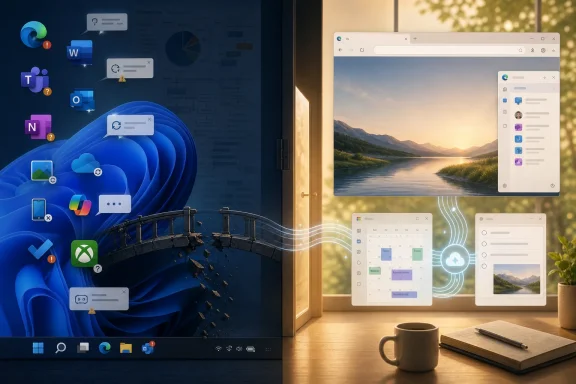 Microsoft’s Consumer Problem Is No Longer Windows Alone
For years, the standard defense of Windows was that the operating system did not need to be lovely; it needed to be compatible. Windows won because it ran the software, supported the hardware, joined the domain, played the games, and tolerated the weird printer in the corner. The surrounding Microsoft app experience could be uneven because the platform’s gravity was enough.That bargain has weakened. Many of the tasks that once anchored people to native Windows software now happen in a browser, on a phone, or inside cross-platform services. Documents live in Google Docs, messages in Signal or Discord, photos in Google Photos or iCloud, notes in Obsidian or Keep, and games in Steam libraries that increasingly treat Windows as only one possible client.
Microsoft knows this, which is why Nadella’s “win back fans” language matters. It is an admission that consumer affection cannot be assumed simply because Windows remains dominant on traditional PCs. The trouble is that the apps meant to rebuild that affection often feel like the residue of Microsoft’s internal priorities: enterprise collaboration, cloud attachment, AI distribution, subscription retention, and account capture.
That tension is visible in nearly every product PCMag names. The company has plenty of software that is powerful on paper, deeply integrated in theory, and strategically important to Microsoft’s balance sheet. But user loyalty is earned in narrower moments: a browser that does not nag, a notes app that syncs instantly, a phone bridge that reconnects without ceremony, a photo app that feels designed for photographs rather than files.
Edge Shows How a Good Browser Becomes a Corporate Billboard
Edge is the cleanest example because Microsoft actually had a second chance. The original Spartan-era Edge was not successful enough to dislodge Chrome, but it had a coherent idea: a lighter, modern Windows browser that could shed the baggage of Internet Explorer. The Chromium-based Edge later solved the compatibility problem and, for a while, looked like one of Microsoft’s better consumer pivots.Then the stuffing began. Shopping features, sidebar widgets, rewards prompts, Copilot positioning, default-browser nudges, and an increasingly busy interface turned Edge from a focused browser into a container for Microsoft’s growth experiments. The product may still be fast, standards-compatible, and administratively useful, but the feeling changed. It stopped behaving like a browser trying to earn trust and started behaving like distribution real estate.
That is a dangerous place for a browser to be. Browsers are intimate software. They hold passwords, sessions, medical portals, banking tabs, private searches, and the texture of daily life. When users feel a browser is being used to steer them toward services rather than protect their intent, the trust deficit compounds.
The recent controversy over Edge loading saved passwords into memory in plaintext sharpened that concern. Microsoft’s technical argument may be more nuanced than the online outrage suggests, because any password manager must eventually decrypt credentials to use them. But the optics are terrible for a browser already perceived as too pushy. In security, as in interface design, Microsoft does not get the benefit of the doubt simply because it can explain the implementation.
Firefox’s appeal, by contrast, is not that it has more features. It is that it gives a certain kind of user fewer reasons to suspect the product’s motives. In 2026, that may be the more valuable browser feature.
Word Is Still Mighty, but the Center of Gravity Moved
Microsoft Word remains one of the great software products: dense, mature, scriptable, familiar, and capable of handling documents that would make lighter editors collapse. In legal, academic, publishing, government, and enterprise contexts, Word is not merely an app but an infrastructure layer. Any argument that Word is “dead” is unserious.But PCMag’s criticism is not really about whether Word can do more than Google Docs. Of course it can. The issue is that many people no longer need the thing Word is best at, and the things they do need — fast collaboration, low-friction sharing, browser-native access, and zero-cost personal use — are where Google Docs trained the market.
Microsoft’s web Office apps reduce that gap, but they do not erase the perception. Word still carries the aura of the formal document, the desktop install, the subscription, the ribbon, the file. Google Docs carries the aura of a link. That distinction sounds small until you observe how people actually work: they share links in chats, edit in tabs, comment asynchronously, and assume the document is already online.
The subscription question reinforces the shift. Microsoft 365 Family remains a strong value if you use the full bundle, especially with OneDrive storage and desktop Office. But if the user only wants to write a collaborative document, Microsoft is asking them to evaluate a suite. Google is offering a blank page.
That is the consumer trap Microsoft keeps falling into. It bundles power, but users increasingly reward immediacy. Word is better at being Word than Google Docs is, but for many people Google Docs is better at being the document app they now need.
Teams Never Escaped the Office
Teams is one of Microsoft’s most commercially successful products, but its success may be exactly why it struggles as a consumer app. It feels like work because it was forged in work. Channels, meetings, tenants, calendars, presence, file tabs, compliance, and organizational identity are not incidental to Teams; they are its center of gravity.Microsoft tried to make Teams personal. Windows 11 shipped with a taskbar Chat experience powered by Teams personal accounts, a move that looked on paper like a revival of the MSN Messenger instinct. The attempt never felt organic. Users already had iMessage, WhatsApp, Discord, Signal, Telegram, SMS, Google Chat, and a pile of social DMs before Microsoft arrived with a work-shaped chat tool pinned to the taskbar.
The retirement of Skype in favor of Teams Free makes the story more poignant. Skype once had real consumer meaning. It was a verb, a default for long-distance calls, and one of the few Microsoft-owned products that non-enterprise users voluntarily associated with personal communication. Microsoft’s inability to turn that inheritance into a beloved modern messenger is one of the great quiet failures of its consumer software era.
Teams may be the correct successor from Microsoft’s platform-management perspective. It consolidates infrastructure, identities, and development. But consumers do not care that a migration is architecturally tidy. They care whether the app feels like a place their friends would choose to be.
It does not.
Outlook’s New Shape Reveals Microsoft’s Cloud Reflex
Outlook has a similar problem of identity. The old desktop Outlook is heavyweight, powerful, and deeply woven into Exchange-based work. The new Outlook for Windows aims for a more unified, web-powered future, but for many users it has triggered a different question: why use this instead of the webmail and calendar service I already trust?That question becomes sharper for Gmail users. Microsoft’s new Outlook can connect to Gmail, but the experience involves syncing mail through Microsoft’s cloud. There are technical and feature reasons for that architecture, but it feels strange to users who simply want a desktop shell around a Google account. If the path to reading Gmail in Outlook is to copy Gmail into Microsoft’s service layer, the simpler answer is to open Gmail.
This is where Microsoft’s cloud reflex collides with consumer intuition. The company often behaves as though integration means bringing external accounts into Microsoft’s substrate. Users often think integration means letting them use their chosen service without extra conceptual baggage.
Mozilla Thunderbird, for all its quirks, benefits from this contrast. It is not trying to be the future of Microsoft 365 engagement. It is trying to be a mail client. That clarity has value, especially for users who have grown wary of apps that appear to transform every local task into a cloud relationship.
Outlook is not broken in the sense that it cannot manage mail. It is broken in the more modern sense: it asks users to accept Microsoft’s model of the world before it solves their immediate problem.
To Do Is the Ghost of Wunderlist Still Waiting for a Calendar
Microsoft’s acquisition of Wunderlist in 2015 should have been an easy consumer win. Wunderlist was friendly, focused, and beloved by users who wanted shared lists and lightweight task management without enterprise ceremony. Microsoft To Do inherited some of that simplicity, but it never became the center of a truly compelling personal productivity system.The calendar gap is the tell. Tasks and calendars are not separate mental categories for normal people. A reminder to call the dentist, renew a license, buy a gift, or finish a form belongs somewhere in the same temporal fabric as meetings and events. Google Tasks is not a richer product than Microsoft To Do, but its integration with Google Calendar makes the whole system feel more obvious.
Microsoft’s answer is more fragmented. To Do connects with Outlook tasks, Planner exists for teams, Loop lurks in the collaboration stack, and Outlook itself has task surfaces. There is logic here for organizations, but for individuals the experience can feel like a set of overlapping product jurisdictions.
This is a recurring Microsoft pattern: the company is strongest when a workflow maps cleanly onto enterprise roles, permissions, and licensing. It is weaker when the workflow is personal, informal, and emotional. A grocery list is not a compliance object. It is a thing you need to appear on your phone in the store.
To Do does not need to become a Notion competitor. It needs to become unavoidable in the good sense — the task layer that makes Windows, Outlook, widgets, reminders, and mobile devices feel like one personal system. Instead, it still feels like a pleasant app Microsoft forgot to make central.
OneNote Has the Features, but Keep Has the Moment
OneNote is another Microsoft product that can inspire genuine affection from power users. Its freeform canvas, pen support, sections, notebooks, audio features, and deep Office heritage make it far more capable than minimalist note tools. In schools, research workflows, and meeting-heavy jobs, it can be excellent.But quick notes are unforgiving. The best quick-note app is the one that opens instantly, captures the thought, syncs reliably, and gets out of the way. If a user has ever lost faith in OneNote sync across devices, the feature checklist stops mattering. A note app without sync trust is a diary with a faulty lock.
Google Keep wins not because it is more ambitious but because it is less ambitious in exactly the right way. It is sticky notes with search, reminders, labels, and fast mobile access. For many people, that is enough. More importantly, it feels predictable.
Obsidian wins a different slice of the market by leaning into local files, Markdown, extensibility, and user control. That, too, is instructive. The note-taking world has split between ultra-simple cloud capture and deeply personal knowledge systems. OneNote sits somewhere in the middle, rich but not always reassuring, familiar but not fashionable, powerful but not always frictionless.
Microsoft should be able to dominate this category. It has Windows pen hardware, Office integration, OneDrive sync, mobile apps, and decades of productivity credibility. The fact that users still bounce to Keep for groceries and Obsidian for serious notes says something uncomfortable: capability is not the same as confidence.
OneDrive Photos Treats Memories Like Files
OneDrive is a good cloud storage product. OneDrive Photos is a less convincing photo product. That distinction matters because photographs are not just files with thumbnails. They are memories, timelines, faces, places, duplicates, edits, searches, shares, and rituals.Google Photos understood this earlier and better. Its interface is organized around the way people remember and rediscover images, not around the storage system underneath. Search, automatic organization, editing tools, and browsing performance all contribute to the sense that photos are the product rather than an accessory to cloud storage.
Microsoft’s photo experience feels split across OneDrive, the Windows Photos app, and File Explorer’s Gallery. Each piece can be useful, but the whole does not feel like a modern consumer photo ecosystem. It feels like Microsoft has the storage entitlement — especially through Microsoft 365’s 1TB OneDrive benefit — but not the emotional layer that makes users want to entrust their camera roll to it.
This is not a small miss. Photos are among the stickiest consumer cloud workloads. A user who trusts a company with years of family pictures is less likely to churn, more likely to pay for storage, and more likely to accept that company’s apps on every device. Google and Apple understand that photos are ecosystem glue.
Microsoft has treated them more like a storage feature. That is the wrong level of ambition.
Phone Link Is the Windows Feature That Should Be Unbeatable
Phone Link ought to be one of Windows 11’s signature advantages. The basic idea is excellent: let a PC user handle texts, notifications, calls, photos, and clipboard-adjacent phone tasks without picking up the phone. For Android users especially, Windows has an opening that Apple will not give it inside the iPhone-Mac ecosystem.When Phone Link works, it can feel like the future Microsoft keeps promising. Copying a one-time SMS code from the PC, replying to a message with a full keyboard, or checking a recent phone photo without emailing it to yourself are exactly the kinds of small conveniences that make a platform feel thoughtfully integrated.
The problem is reliability. Connection drops, pairing weirdness, notification delays, inconsistent device behavior, and vendor-specific differences turn delight into caution. Once users learn that a bridge may not be there when needed, they route around it. Google Messages for Web does less, but it does the one thing many users want — texting from a computer — with less drama.
That comparison should sting. Microsoft has the native OS position, the Android partnerships, the Windows notification surface, and the motivation to make phone-PC integration a reason to stay. Yet a browser tab from Google can feel more dependable for the core job.
The future of Windows as a consumer platform depends heavily on cross-device experience. The PC is no longer the sole computing hub; it is one screen among several. Phone Link is Microsoft’s chance to make the Windows screen feel indispensable in that mesh. It cannot do that if users treat it as a pleasant surprise rather than a utility they can count on.
Copilot Is a Trust Test Masquerading as a Feature
Copilot is not merely another app in this debate. It is Microsoft’s chosen layer for the next era of computing, and that makes its consumer reception unusually important. If users reject Copilot, they are not just rejecting a chatbot; they are rejecting Microsoft’s preferred interface for Windows, Office, Edge, Bing, and perhaps Xbox.The challenge is that AI assistants ask for a level of trust Microsoft has not yet earned in the consumer space. A spellchecker can be useful without knowing your life. A chatbot with memory, identity, proactive suggestions, and cross-app reach is a different bargain. It asks users to believe that the company placing ads in the Start menu, nudging Edge defaults, and bundling services into every surface will suddenly become a careful steward of personal context.
Mustafa Suleyman’s vision of Copilot developing a persistent identity and long-term presence may appeal to users who want an AI companion. But for others, it confirms the worry that Microsoft’s AI roadmap is emotionally and behaviorally more intrusive than they want from an operating system vendor. The more human Copilot is positioned to become, the more important consent, control, memory management, and exit become.
Microsoft’s instinct has been to distribute Copilot widely and rapidly. That may be rational in a platform race against OpenAI, Google, Anthropic, Apple, and others. But ubiquity does not equal affection. The history of Windows is filled with features users learned to disable before they learned to love.
The better path is not to make Copilot unavoidable. It is to make Copilot obviously useful, transparently bounded, and easy to mistrust safely. If Microsoft wants AI to become part of Windows’ identity, it must stop treating user skepticism as a messaging problem. It is a product requirement.
Xbox Shows the Cost of Turning Fandom Into a Subscription Funnel
The Xbox complaint in PCMag’s list is slightly different because it is not a default Windows productivity app. But it belongs in the argument because Xbox is one of Microsoft’s few consumer brands with real emotional history. Halo, Xbox Live, Game Pass, backward compatibility, and the early Xbox 360 era all gave Microsoft credibility with players that Windows productivity apps could never generate.That credibility has been strained. Game Pass was once framed as the best deal in gaming: a large library, first-party day-one releases, and a sense that Microsoft was building a consumer-friendly alternative to à la carte purchasing. Over time, price increases, tier reshuffling, questions about ownership, and uncertainty around Microsoft’s broader gaming strategy have made the value proposition feel less stable.
Steam benefits from the opposite perception. It is also a platform with its own lock-in, economics, and power, but PC gamers tend to experience it as a library rather than a rental shelf. Steam Workshop, Proton, Steam Deck compatibility, sales, community features, and a long history of user investment make Steam feel like the place where PC gaming lives.
The Xbox app on Windows has improved, but it still has to fight that accumulated reality. Many PC gamers do not want their purchases tied to Microsoft’s store layer if the Steam version has broader device flexibility, better mod support, or a more trusted library experience. Even when Microsoft offers value, Steam offers continuity.
This is the larger Xbox lesson for Windows. Subscriptions can create revenue, but fandom is built through durable ownership, predictable access, and a sense that the platform is on the user’s side. If every beloved thing becomes a monthly entitlement subject to plan changes, users eventually stop feeling like fans and start feeling like accounts.
The App Gap Is Really a Coherence Gap
PCMag frames the issue as an app gap, and that is fair. But underneath the individual complaints is a coherence gap. Microsoft’s consumer software too often feels like it was assembled from separate strategic mandates rather than designed as one everyday experience.Edge is a browser, an AI surface, a shopping assistant, a rewards funnel, and a default-setting battleground. Outlook is a mail client, a Microsoft 365 endpoint, and a cloud synchronization architecture. Teams is a work hub trying to wear casual clothes. OneDrive Photos is a storage service trying to behave like a memories app. Copilot is an assistant, a platform strategy, a Bing rehabilitation plan, and a Windows interface experiment.
Users feel those mixed motives. They may not describe them in analyst language, but they notice when a product seems to want something from them before it helps them. They notice when the interface is shaped around engagement rather than task completion. They notice when the app that came with the OS is the one they replace first.
Apple’s default apps are not always best-in-class, and Google’s ecosystem has plenty of abandoned products and privacy tradeoffs. But both companies have clearer consumer stories in key areas. Apple sells continuity and polish across devices. Google sells web-native speed and services that feel native to Android and Chrome. Microsoft sells productivity, but on consumer Windows that productivity often arrives wrapped in enterprise assumptions and monetization scaffolding.
The result is that Windows remains essential while many Microsoft apps feel optional. That is a precarious distinction. A platform can survive for a long time as the place where better third-party apps run. It cannot easily rebuild consumer love if its own apps are treated as uninstall candidates.
Enterprise Strength Has Become Consumer Baggage
Microsoft’s enterprise success is the backdrop to all of this. Azure, Microsoft 365, Entra, Defender, Teams, Dynamics, GitHub, and the company’s AI infrastructure ambitions have made Microsoft one of the most consequential technology companies in the world. From a shareholder perspective, the consumer app grumbling can look small.But enterprise habits leak. Admin control, account identity, compliance architecture, cross-sell surfaces, subscription packaging, and service consolidation are rational in business software. In personal software, they can feel heavy. The home user does not want to feel like the endpoint in a tenant.
This is why Microsoft’s best consumer utilities often succeed when they are modest. Snipping Tool, Notepad’s recent improvements, PowerToys, Windows Terminal, and even parts of File Explorer appeal because they solve recognizable PC problems without demanding an ecosystem conversion. They feel like tools.
The criticized apps often feel like relationships. Sign in, sync, subscribe, accept AI, move data into the cloud, use our identity, try our assistant, adopt our store, stay in our plan. Some users are happy to do that if the experience is excellent. But when the experience is merely adequate, the relationship feels extractive.
Microsoft has to relearn a consumer truth that smaller developers understand instinctively: affection begins before monetization. The app has to be good enough that users would miss it. Too many Windows-adjacent Microsoft apps are not there.
Nadella’s Promise Will Be Judged in Boring Places
If Microsoft is serious about winning back fans, the work will not be glamorous. It will not be proved by another Copilot key, another Start menu experiment, another Teams rebrand, or another bundle tier. It will be proved in boring places where users have been trained to expect friction.Edge should become calmer and more respectful of user choice. Outlook should make third-party account handling feel less like surrendering data to a Microsoft-shaped middle layer. To Do should become a first-class calendar citizen. OneNote should make sync trust its north star. OneDrive Photos should decide whether it wants to compete with Google Photos or stop pretending. Phone Link should be boringly reliable. Copilot should earn presence through restraint.
The company also needs to distinguish between integration and coercion. Good integration makes the user feel powerful because the pieces work together. Bad integration makes the user feel cornered because every path leads back to the vendor’s preferred service. Microsoft has too often confused the two.
For sysadmins and IT pros, this consumer malaise matters more than it may appear. Employee expectations are shaped at home. If users associate Microsoft apps with nagging, bloat, or unreliable sync in their personal lives, that sentiment follows them into workplace rollouts. The boundary between consumer annoyance and enterprise resistance is thinner than procurement departments like to think.
Windows itself still has enormous strengths. Hardware choice, backward compatibility, gaming reach, business manageability, and developer flexibility remain formidable. But the default app layer is the emotional surface of the platform. It is where users decide whether Windows feels cared for.
The Ten-App Warning Microsoft Should Not Dismiss
The important lesson from this list is not that every user should switch to Google, Mozilla, Valve, or Anthropic. The lesson is that Microsoft is losing voluntary usage in categories it should be able to contest. That is more serious than losing a benchmark because it means users are making small daily votes against the ecosystem.- Edge needs less promotional ambition and more browser humility.
- Word remains powerful, but Microsoft must accept that collaboration speed now beats feature depth for many personal workflows.
- Teams cannot inherit Skype’s consumer role simply because Microsoft says it does.
- Outlook, To Do, OneNote, and OneDrive Photos show that sync and integration only matter when they match the way people actually live.
- Phone Link is a potentially defining Windows feature that will remain niche until reliability becomes its identity.
- Copilot and Xbox reveal the same trust problem from different angles: users resist when Microsoft turns assistance and entertainment into systems they feel they cannot control.
Microsoft’s path back is not mysterious, but it is humbling. Build calmer apps. Make sync boring. Respect defaults. Stop shipping consumer products that feel like enterprise portals with friendlier icons. Give users clear controls before asking for deeper trust. If Microsoft does that, Windows can still become more than the place where everyone installs someone else’s better idea; if it does not, “winning back fans” will remain a line from an earnings call rather than a feeling on the taskbar.
Source: PCMag UK Microsoft Wants You Back. These 10 Broken Windows Apps Say Otherwise
