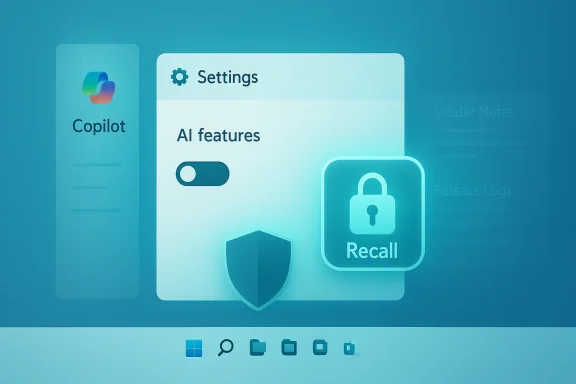
Microsoft’s sudden course correction on visible Windows 11 AI features marks a rare — and consequential — pivot from an all‑in AI rollout toward a more measured, user‑centric approach, with Microsoft reportedly pulling back on Copilot placements in system apps and reassessing the controversial Windows Recall timeline amid privacy, reliability, and user‑experience blowback.
Microsoft spent 2024 and 2025 aggressively integrating AI into the Windows 11 shell, marketing Copilot and a family of related experiences as the next evolution of the desktop. The company tied this strategy to new Copilot+ hardware that includes NPUs for on‑device inference, and it promoted features such as Click to Do, Copilot Vision, and the ambitious Windows Recall — a continuous, searchable timeline of screenshots and text intended to let users “rewind” their PC activity.
But that ambition collided with three recurring problems: privacy and security concerns around features that capture user activity, widespread perception of feature clutter as nudge or upsell behavior, and real reliability regressions tied to rapid release cadence. The combination created mounting public criticism from power users, admins, and security researchers, culminating in visible blowback after senior Windows leadership framed the OS’s direction in “agentic” terms — a phrase that many interpreted as foretelling an overreaching, autonomous assistant baked into everything.
In response, reporting indicates Microsoft has begun an internal review of the most visible Copilot integrations and the Recall experience itself. The objective appears to be simple: keep the platform’s AI investments that matter, but reduce intrusive, low‑value UI surfaces that harm trust. That work includes pausing additional Copilot buttons in built‑in apps, re‑branding or quietly shifting some Copilot‑branded features toward contextual tooling, and reimagining Recall’s implementation or name. These moves are reported, not fully confirmed by public Microsoft statements, and should be treated as an ongoing internal pivot rather than a formal road‑map change.
This reported pivot suggests Microsoft heard the critique: it’s not abandoning AI, but it is rethinking where AI should surface in the desktop experience. If the company follows through — shipping clearer defaults, fewer spammy buttons, and stronger administrative controls — the result will be an OS that uses AI in service of productivity rather than as a branding layer everywhere.
That will require discipline, transparency, and measurable improvements in stability and privacy. It’s a difficult path, but one that’s necessary if Microsoft wants to maintain Windows as the default productivity platform for both consumers and enterprises.
Whether this moment becomes a durable change depends on execution. Microsoft must translate pauses into concrete product updates: tightened privacy defaults, simplified admin controls, and fewer half‑baked Copilot surfaces. If it succeeds, Windows 11 can still lead on practical, trustworthy AI on the PC. If it fails to deliver, the backlash that forced this course correction will be repeated — and trust, once lost at platform scale, is slow to rebuild.
Source: gHacks Technology News Microsoft Starts Dialing Back Windows 11 AI Features After User Backlash - gHacks Tech News
 Background / Overview
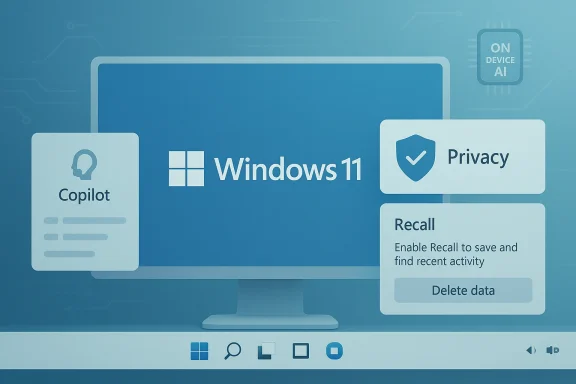
Microsoft spent 2024 and 2025 aggressively integrating AI into the Windows 11 shell, marketing Copilot and a family of related experiences as the next evolution of the desktop. The company tied this strategy to new Copilot+ hardware that includes NPUs for on‑device inference, and it promoted features such as Click to Do, Copilot Vision, and the ambitious Windows Recall — a continuous, searchable timeline of screenshots and text intended to let users “rewind” their PC activity. But that ambition collided with three recurring problems: privacy and security concerns around features that capture user activity, widespread perception of feature clutter as nudge or upsell behavior, and real reliability regressions tied to rapid release cadence. The combination created mounting public criticism from power users, admins, and security researchers, culminating in visible blowback after senior Windows leadership framed the OS’s direction in “agentic” terms — a phrase that many interpreted as foretelling an overreaching, autonomous assistant baked into everything.
In response, reporting indicates Microsoft has begun an internal review of the most visible Copilot integrations and the Recall experience itself. The objective appears to be simple: keep the platform’s AI investments that matter, but reduce intrusive, low‑value UI surfaces that harm trust. That work includes pausing additional Copilot buttons in built‑in apps, re‑branding or quietly shifting some Copilot‑branded features toward contextual tooling, and reimagining Recall’s implementation or name. These moves are reported, not fully confirmed by public Microsoft statements, and should be treated as an ongoing internal pivot rather than a formal road‑map change.
Why Microsoft’s pivot matters
1. Trust is the platform’s currency
At scale, an OS is a trust product. When users suspect features are quietly collecting data, promoting paid services, or degrading system stability, the result is diminished confidence across consumers, enterprises, and OEM partners. Microsoft’s AI push was meant to modernize Windows; instead, in places it felt intrusive, it undermined the relationship users expect from the platform. That’s a business problem as much as a design one — and Microsoft now appears to recognize it.2. Feature bloat vs. meaningful functionality
A core complaint from power users was that Copilot’s presence across small apps (Notepad, Paint, File Explorer) often delivered little practical benefit and instead created UI clutter. The result: AI fatigue — where users grow skeptical of the label “Copilot” whenever it appears, because it’s not consistently useful. A more disciplined approach should prioritize depth over breadth: fewer, better‑integrated AI surfaces that demonstrably save time and protect privacy.3. The regulatory and security landscape
Recall’s initial design — taking regular screenshots and building a local index — raised obvious concerns. Security researchers flagged the risk that a poorly protected Recall database could become a high‑value attack target, and compliance teams warned about cross‑border data governance and sensitive content capture. Microsoft delayed Recall multiple times and re‑engineered access controls (for example, requiring Windows Hello re‑auth for Recall access), but residual unease remained. Any mishandled AI feature at OS level invites regulatory scrutiny and enterprise pushback.What Microsoft is reportedly doing (and what’s verified)
Below I separate the reported internal decisions from the publicly confirmed technical changes so readers can tell which claims are sourced from inside reports and which are verifiable product adjustments.Reported internal actions (based on reporting)
- Reviewing Copilot placements inside first‑party apps and system surfaces, with some Copilot buttons paused and potential removals or reclassification on the table. These are reported as internal decisions by sources familiar with Microsoft planning. Treat these as journalistic accounts rather than official product announcements.
- Reworking Windows Recall, potentially renaming it or changing its scope; the current implementation is reportedly viewed internally as unsuccessful and in need of redesign. Again, this derives from reporting close to Microsoft’s Windows teams.
- Shifting emphasis to foundational AI capabilities — Microsoft is said to continue investment in Windows ML, Windows AI APIs, Semantic Search, and other under‑the‑hood tooling so developers can use AI without exposing aggressive UI surfaces. The difference is a focus on enabling developers rather than pushing overt Copilot experiences to end users.
Caveat: the most sensitive claims about internal deliberations are described by the press as coming from “people familiar with Microsoft’s plans.” Microsoft has not issued public confirmation of every detail, so readers should treat these items as informed reporting rather than company decree.
Publicly confirmed or verifiable changes
- Recall rollout timeline and safeguards: Microsoft delayed Recall’s initial public launch after security concerns, later published revised design details (opt‑in model, Windows Hello authentication, filtering options), and rolled limited previews on Copilot+ PCs. These delays and design changes are documented in Microsoft announcements and multiple news reports.
- Administrative controls for Copilot removal on managed SKUs: Insider Preview updates introduced a Group Policy, RemoveMicrosoftCopilotApp, enabling admins on certain Windows SKUs (Pro, Enterprise, EDU) and under specific conditions to uninstall the free Copilot app. However, the conditions are limited (for example, the app must not have been launched in the previous 28 days), making this a partial control rather than an across‑the‑board rollback. This technical detail is verifiable in recent Insider build notes and coverage by Tom’s Hardware and TechRadar.
- Ongoing behind‑the‑scenes AI investments: Microsoft continues to advance Windows ML and AI APIs meant to help developers build local or hybrid AI experiences. This is a strategic shift toward foundational tools rather than aggressive surface placements. Microsoft’s public statements and engineering blog posts corroborate this ongoing investment.
Technical verification: what the numbers and builds tell us
To ground this story, I verified several concrete technical points against independent reporting and Insider build notes.- Windows Recall entered preview phases on Copilot+ devices in staged Insider builds (for example, elements showing in the 261xx family) and Microsoft repeatedly delayed the broader public rollout to address privacy/security concerns. Multiple outlets, including Ars Technica and Windows Central, reported build numbers and limited preview availability.
- The Group Policy enabling admins to remove the Copilot app appeared in Insider Preview Build 26220.7535 (KB5072046) and is limited to Pro/Enterprise/EDU devices with narrow preconditions; mainstream removal of Copilot remains constrained and Microsoft 365 Copilot (the tenant‑centered paid variant) is not removed by this policy. Tom’s Hardware and TechRadar independently covered the build and Group Policy behavior.
- Microsoft’s internal reorg and the language around an “agentic OS” have precursors in company reorg reporting and public comments by Windows leadership; press coverage captured both the phrase and organizational changes aligning core engineering closer to feature teams. That context helps explain how product decisions moved from being feature‑driven to more coordinated engineering trade‑offs.
Strengths of Microsoft’s AI strategy that remain valid
It’s easy to frame this as a retreat; the reality is more nuanced. Several aspects of Microsoft’s approach still make technical and strategic sense.- On‑device inference (Copilot+ NPUs) reduces latency and can limit data sent to the cloud when implemented correctly. When local models run responsibly, they narrow the privacy gap versus cloud‑only approaches.
- Developer tooling (Windows ML, AI APIs) provides a scalable route for third‑party apps and enterprise software to adopt AI features in a controlled, auditable way. This under‑the‑hood layer preserves innovation without forcing the Copilot brand into low‑value surfaces.
- Granular administrative controls (even with limitations) recognize the diversity of Windows deployments — consumer, SMB, and enterprise — and allow organizations to assert policy over which AI surfaces are allowed on their devices. The Group Policy additions are a step in the right direction for managed environments.
Risks and open questions
No product pivot is risk‑free. Microsoft’s shift raises several concerns that demand attention.- Reputation and perception lag: Pausing Copilot buttons won’t immediately undo the damage to user trust. Many users and admins say they want proof — stable updates, clearer privacy defaults, and tangible opt‑in UX — not just messaging. Rebuilding trust takes time.
- Fragmentation risk: Pulling back visible AI experiences while continuing divergent on‑device and cloud models risks confusing developers and users. Microsoft must keep APIs stable and provide clear guidance about when and how to use on‑device vs cloud models.
- Regulatory exposure: Even redesigned features like Recall could attract regulators if they involve broad capture of user activity or cross‑border flows. Microsoft’s careful reengineering will need to be auditable and compliant across the many jurisdictions Windows ships to.
- Enterprise deployment complexity: Admin controls that depend on narrow conditions (e.g., “app not launched in last 28 days”) create operational edge cases that can surprise administrators. Organizations need simpler, deterministic controls for removing or disabling AI surfaces.
- Product momentum and competitive optics: Competitors are also investing in platform AI. If Microsoft slows visible innovation too much without clear alternatives, it risks ceding narrative leadership on PC AI capabilities. That’s a commercial trade‑off it must manage carefully.
Practical guidance for users and IT admins
If you’re a Windows power user, an IT admin, or an enterprise security officer, here’s a pragmatic playbook for the immediate term.- For consumers who worry about privacy: check Settings → Privacy & Security → Recall & snapshots and disable Save snapshots if Recall appears on your device; use Delete All to wipe captured snapshots. Also consider limiting Copilot features in Settings or using local account alternatives where appropriate.
- For administrators: evaluate Insider build notes before deploying policies. If you see the RemoveMicrosoftCopilotApp policy appear in your environment, test it carefully — the removal conditions are restrictive and may produce unexpected results if the Copilot app has been launched recently. Document the policy behavior and test rollback paths.
- For security teams: treat any feature that indexes content (Recall, semantic indexing, Copilot file processing) as a new dataflow to be assessed. Map where snapshots or processed data are stored, confirm encryption and access controls, and add Recall/AI‑related artifacts to your incident response runbook.
- For developers: rely on Microsoft’s AI APIs and on‑device tooling for capabilities that can run locally; avoid depending on fragile UI surfaces or proprietary labels that might change. Focus on consent, explainability, and minimal data collection by default.
What this pivot might look like in practice
If Microsoft executes a healthy course correction, we should expect a few concrete outcomes in the months ahead:- A trimmed set of visible Copilot integrations that appear only where they add clear value (for example, a contextual assistant inside Outlook or Word, not a persistent Copilot button inside Notepad unless it’s demonstrably useful).
- A rebranded or repackaged Recall with narrower scope, stronger default privacy protections, and clearer user onboarding that emphasizes opt‑in consent and easy deletion of captured data.
- Continued investment in Windows ML, AI APIs, and developer tooling that enables third parties to ship local AI experiences without relying on Copilot branding.
- Better admin controls and more deterministic policies that allow enterprises to assert a local “AI posture” for their fleets rather than rely on edge‑case uninstall conditions.
A rare moment of listening — is it enough?
There is a useful skepticism here: companies routinely pause experiments; the real test is whether the pause produces better product outcomes. For Microsoft, the stakes are high. Windows runs on over a billion devices, and the platform’s credibility depends on predictable updates, secure defaults, and honest UX that respects user choice.This reported pivot suggests Microsoft heard the critique: it’s not abandoning AI, but it is rethinking where AI should surface in the desktop experience. If the company follows through — shipping clearer defaults, fewer spammy buttons, and stronger administrative controls — the result will be an OS that uses AI in service of productivity rather than as a branding layer everywhere.
That will require discipline, transparency, and measurable improvements in stability and privacy. It’s a difficult path, but one that’s necessary if Microsoft wants to maintain Windows as the default productivity platform for both consumers and enterprises.
Conclusion
Microsoft’s decision to slow or reframe visible AI rollouts in Windows 11 is not a retreat from AI as a strategy — it’s a strategic recalibration. The company appears to be acknowledging that how AI is presented matters as much as what it can do. For Windows users, that should bring welcome clarity: fewer intrusive Copilot buttons, better defaults on sensitive features like Recall, and stronger admin controls for organizations.Whether this moment becomes a durable change depends on execution. Microsoft must translate pauses into concrete product updates: tightened privacy defaults, simplified admin controls, and fewer half‑baked Copilot surfaces. If it succeeds, Windows 11 can still lead on practical, trustworthy AI on the PC. If it fails to deliver, the backlash that forced this course correction will be repeated — and trust, once lost at platform scale, is slow to rebuild.
Source: gHacks Technology News Microsoft Starts Dialing Back Windows 11 AI Features After User Backlash - gHacks Tech News