

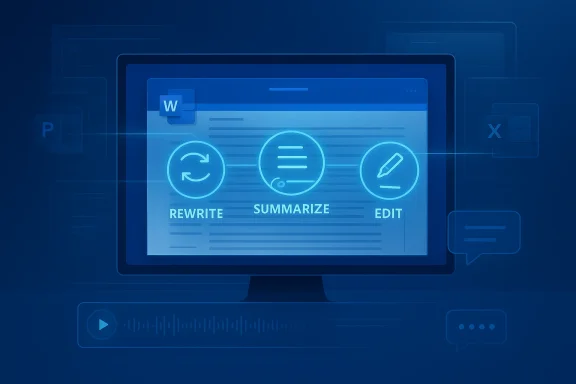
Microsoft Word is no longer just a place to type documents. With Copilot now embedded more deeply into the writing experience, Word is shifting toward an AI-powered workflow hub that can draft, rewrite, summarize, and even help execute document-related tasks across Microsoft 365. The latest wave of capabilities shows Microsoft pushing beyond basic assistance and into a more agentic model of productivity, where the software is increasingly expected to understand intent and act on it. That is a meaningful change for both individual users and enterprises, because it changes Word from a static editor into a collaborative system for getting work done.
For years, Word’s value came from formatting, compatibility, and familiarity. Then Microsoft began layering Copilot into the app as part of the broader Microsoft 365 productivity stack, allowing users to create text, ask questions about documents, and generate drafts from existing content. Microsoft’s own overview now describes Word as a Copilot-enabled app that helps users create, understand, and edit documents in context, not just write them one paragraph at a time. (learn.microsoft.com)
That evolution matters because document work is often the hidden bottleneck in knowledge work. People do not simply “write” in Word; they research, outline, revise, collaborate, summarize, and distribute. The latest Copilot features are designed to collapse those steps into a tighter loop, reducing the friction between an idea and a finished document. Microsoft has been moving in this direction for several release cycles, but the pace has accelerated sharply in 2025 and 2026.
The change is not just about convenience. It is about control. When Copilot can directly edit a document, generate a summary, or produce an audio overview, it becomes part of the authoring pipeline itself. That is why Microsoft’s wording has shifted from “assistant” to experiences that sound closer to a co-author, an editor, or even a workflow engine. The distinction is important because it signals a product philosophy that is broader than Word alone.
There is also a business backdrop. Microsoft is clearly trying to make Microsoft 365 Copilot the default interface for knowledge work, and Word is one of the most obvious proving grounds. If users can draft a memo in Word, pull context from Microsoft 365, summarize it, transform it into a presentation, and share it across apps without leaving the ecosystem, then Word stops being a document endpoint and becomes a command center. That is a strategic shift with implications for competitors like Google Workspace and for enterprise software vendors that depend on document-centric workflows.
That matters because the blank page problem has always been one of the biggest sources of friction in writing. A user can now prompt Copilot to generate a memo, expand bullet points into a structured document, or rewrite content in a different tone. Microsoft’s recent releases also show the company making the experience more immediate: in Word, Copilot can now edit documents by default, and on a blank page it can automatically switch into an edit-first experience.
This is more than a UX tweak. It changes the psychological model of writing. Instead of thinking “I need to produce the first draft,” the user can think “I need to define the outcome,” and let the AI handle more of the assembly work. That shift will feel liberating to some users and uncomfortable to others, especially those who prefer to build a document from the ground up. The technology is not simply helping people write faster; it is reshaping the act of writing itself.
The practical payoff is easy to see:
That sounds small, but it is a major shift in interface philosophy. Instead of asking the user to choose between writing and asking questions, Word increasingly assumes that writing is a live conversation. This is a big deal because most productivity software still separates composition, revision, and formatting into distinct stages. Word with Copilot starts to blur those boundaries.
The idea of a co-author experience is not just marketing language. When Copilot can refine structure, adjust formatting, and offer in-document suggestions, it behaves less like a chatbot in a sidebar and more like an always-available editor. That can dramatically shorten the time from rough idea to polished output. It also changes the locus of creativity, since users may spend more time steering and less time mechanically composing.
The feature also improves usability for non-technical users. Many people are willing to ask a bot to “make this more concise” but do not want to learn a separate workflow for generating a revision. Direct editing lowers the barrier to entry and makes AI assistance feel more like a standard part of Office. That feels subtle, but it may be one of the most important adoption drivers in the entire Copilot stack.
This is a smart move because the modern workplace is overloaded with text. Reports, policies, proposals, contracts, and meeting notes all compete for attention, and most of them need a summary before anyone can act. Copilot’s summary capabilities make Word more usable for the people who must review documents more often than they create them. That is an important distinction, because in many organizations readers outnumber writers.
The audio overview capability pushes the concept further. Instead of just condensing a document into bullet points, Copilot can generate a conversational audio experience that users can listen to while multitasking. Microsoft says the audio overview can be created from a Word file in Copilot chat or from the summary view, and the output can be saved to OneDrive. (support.microsoft.com)
The enterprise angle is especially strong. A lawyer reviewing a long briefing, a manager scanning a policy update, or a project lead catching up on a dense status document all benefit from quicker comprehension. The feature is also a reminder that document intelligence is no longer limited to text output. In Microsoft’s world, the document is becoming a multimedia asset.
This matters because document work rarely ends in Word. A memo may become a slide deck, a report may need data from Excel, and a draft may need to be circulated through Outlook. Microsoft is trying to eliminate the handoff pain between those steps by making Copilot an orchestration layer. That is exactly where AI becomes more than a writing aid and starts functioning as a productivity platform.
Microsoft’s 2026 product updates also reinforce that direction with broader agent and connector capabilities. While not all of those features are Word-specific, they show the company investing in a world where Copilot can draw from approved sources, coordinate tasks, and support richer workflows. (techcommunity.microsoft.com)
That integration also creates a moat. Once organizations build habits around Microsoft 365 Copilot, they are less likely to switch to a fragmented set of point tools. In that sense, Word becomes both an application and a retention mechanism. The more Copilot can do inside the Microsoft ecosystem, the more difficult it becomes for rivals to match the same level of context and continuity.
That is a big conceptual leap. Traditional assistants are reactive: they answer questions, clean up text, or offer summaries when asked. Agents are more proactive. They can act on goals, coordinate steps, and maintain context over a longer workflow. In a Word setting, that might mean handling revisions, formatting, document assembly, or conversion tasks with fewer prompts from the user.
Microsoft’s September 2025 “vibe working” announcement framed this direction explicitly, saying Agent Mode in Word turns document creation into a more conversational experience. That language is important because it suggests a future where the user and AI collaborate in a continuous loop rather than operating in discrete commands. (microsoft.com)
Still, the shift has limits. Organizations will need strong governance over what agents can do, where they can pull data from, and how they document their actions. That is why Microsoft’s recent emphasis on admin controls, connector management, and readiness tools is so important. The company is not just shipping autonomy; it is trying to make autonomy manageable. (techcommunity.microsoft.com)
At the same time, enterprise adoption raises governance questions. Microsoft has been adding readiness pages, connector usage reports, and admin controls because organizations need visibility into how AI is being used. The February 2026 update even added a business-justification step for license requests, signaling that Copilot deployment is now being treated as an operational and policy issue, not just a software purchase. (techcommunity.microsoft.com)
The biggest benefit for enterprise users is consistency. If Copilot can help produce drafts, summarize material, and standardize edits, then companies can lower the variation caused by different writing styles and document habits. That does not eliminate the need for human review, but it can reduce the amount of low-value formatting and rewriting that occupies highly paid employees.
That is especially useful for users who do not write professionally. Drafting a report, a class paper, a proposal, or a cover letter can be stressful when the blank page looms large. Copilot reduces that pressure by offering a conversational starting point and a way to refine content without needing advanced writing expertise. In that sense, Word becomes more accessible, not less.
Audio summaries also fit consumer behavior well. Not everyone wants to read every document, and not everyone processes information best through text. The ability to generate an overview, listen to it, and revisit it later gives users a more flexible relationship with their files. That is a subtle but real quality-of-life improvement.
That is strategically powerful because it leverages distribution. Microsoft already has a massive installed base of Word users, and Copilot gives the company a way to monetize and deepen that relationship. If the AI experience becomes indispensable, Microsoft can expand its role from software vendor to workflow platform owner. That is exactly the kind of lock-in rivals will struggle to match.
Google can certainly compete on collaboration and cloud-native simplicity, and smaller AI tools may still be better at specialized writing tasks. But Microsoft’s advantage is context. It has the document, the email, the meeting notes, the spreadsheet, the calendar, and the admin layer all inside one ecosystem. The more Copilot can exploit that context, the harder it becomes for competitors to offer an equally coherent experience.
The opportunity is even larger when viewed across Microsoft 365. If Word becomes the place where drafting, summarizing, editing, and handoff all happen, Microsoft can create a seamless loop that stretches into PowerPoint, Outlook, Excel, and beyond. That is where the platform effect becomes meaningful.
There is also the risk of over-automation. If AI handles too much of the formatting, revising, and summarizing, users may lose some of the engagement that helps them understand the material deeply. That is a subtle but important point: convenience can erode authorship if people stop paying attention.
The most important thing to watch is whether Microsoft can keep that experience coherent. If Copilot remains smooth, transparent, and tightly integrated, then Word could become the flagship example of practical office AI. If the experience feels fragmented or overly dependent on licensing tiers, adoption could stall outside the most enthusiastic early users.
Microsoft has spent decades making Word the default place to write. Now it is trying to make Word the default place to collaborate with AI, and that is a much bigger bet than a new toolbar or a smarter sidebar. It is a wager that the future of productivity will belong to the apps that can think, act, and adapt inside the workflow, not just sit beside it.
Source: thewincentral.com Copilot in Word: New AI Capabilities Transform Document Workflows - WinCentral
 Overview
For years, Word’s value came from formatting, compatibility, and familiarity. Then Microsoft began layering Copilot into the app as part of the broader Microsoft 365 productivity stack, allowing users to create text, ask questions about documents, and generate drafts from existing content. Microsoft’s own overview now describes Word as a Copilot-enabled app that helps users create, understand, and edit documents in context, not just write them one paragraph at a time. (learn.microsoft.com)That evolution matters because document work is often the hidden bottleneck in knowledge work. People do not simply “write” in Word; they research, outline, revise, collaborate, summarize, and distribute. The latest Copilot features are designed to collapse those steps into a tighter loop, reducing the friction between an idea and a finished document. Microsoft has been moving in this direction for several release cycles, but the pace has accelerated sharply in 2025 and 2026.
The change is not just about convenience. It is about control. When Copilot can directly edit a document, generate a summary, or produce an audio overview, it becomes part of the authoring pipeline itself. That is why Microsoft’s wording has shifted from “assistant” to experiences that sound closer to a co-author, an editor, or even a workflow engine. The distinction is important because it signals a product philosophy that is broader than Word alone.
There is also a business backdrop. Microsoft is clearly trying to make Microsoft 365 Copilot the default interface for knowledge work, and Word is one of the most obvious proving grounds. If users can draft a memo in Word, pull context from Microsoft 365, summarize it, transform it into a presentation, and share it across apps without leaving the ecosystem, then Word stops being a document endpoint and becomes a command center. That is a strategic shift with implications for competitors like Google Workspace and for enterprise software vendors that depend on document-centric workflows.
From Drafting Tool to AI Workbench
The biggest story here is not that Copilot can write text. It is that document creation is becoming conversational, iterative, and much less dependent on starting from a blank page. Microsoft has described Word’s Copilot experience as supporting drafting in new or existing documents, including text with and without formatting, and it now emphasizes direct editing as part of the default experience. (learn.microsoft.com)That matters because the blank page problem has always been one of the biggest sources of friction in writing. A user can now prompt Copilot to generate a memo, expand bullet points into a structured document, or rewrite content in a different tone. Microsoft’s recent releases also show the company making the experience more immediate: in Word, Copilot can now edit documents by default, and on a blank page it can automatically switch into an edit-first experience.
This is more than a UX tweak. It changes the psychological model of writing. Instead of thinking “I need to produce the first draft,” the user can think “I need to define the outcome,” and let the AI handle more of the assembly work. That shift will feel liberating to some users and uncomfortable to others, especially those who prefer to build a document from the ground up. The technology is not simply helping people write faster; it is reshaping the act of writing itself.
What changed in practice
Microsoft’s latest Copilot updates point to a few concrete behaviors. Word can draft from prompts, summarize content, and directly modify the body of a document. It can also bring in broader Microsoft 365 context when users ask it to create content from other files or work data already available to them. (learn.microsoft.com)The practical payoff is easy to see:
- Faster first drafts
- Less time spent formatting from scratch
- More consistent tone across documents
- Reduced friction when repurposing existing notes
- Better continuity between ideation and editing
Edit with Copilot Becomes the Default
One of the most consequential changes in Word is the move toward Edit with Copilot as a default behavior. Microsoft’s February 2026 update says the default Copilot chat experience in Word now allows Copilot to directly edit documents, with all changes reviewable and reversible. It also says that starting from a blank document now automatically turns on the Edit with Copilot flow.That sounds small, but it is a major shift in interface philosophy. Instead of asking the user to choose between writing and asking questions, Word increasingly assumes that writing is a live conversation. This is a big deal because most productivity software still separates composition, revision, and formatting into distinct stages. Word with Copilot starts to blur those boundaries.
The idea of a co-author experience is not just marketing language. When Copilot can refine structure, adjust formatting, and offer in-document suggestions, it behaves less like a chatbot in a sidebar and more like an always-available editor. That can dramatically shorten the time from rough idea to polished output. It also changes the locus of creativity, since users may spend more time steering and less time mechanically composing.
Why direct editing matters
Direct editing is valuable because it reduces context switching. If users have to copy text into a chat window, wait for a response, and paste results back into the document, the workflow is clunky. Microsoft is trying to remove those seams so the AI feels native to Word rather than bolted on to it.The feature also improves usability for non-technical users. Many people are willing to ask a bot to “make this more concise” but do not want to learn a separate workflow for generating a revision. Direct editing lowers the barrier to entry and makes AI assistance feel more like a standard part of Office. That feels subtle, but it may be one of the most important adoption drivers in the entire Copilot stack.
Summaries, Audio Overviews, and Document Comprehension
A second major theme is comprehension. Word is not only helping people write; it is helping them read, digest, and extract meaning from longer documents. Microsoft Support now documents audio overviews for Word documents, while Microsoft 365 Copilot can also summarize documents and answer questions about them. (support.microsoft.com)This is a smart move because the modern workplace is overloaded with text. Reports, policies, proposals, contracts, and meeting notes all compete for attention, and most of them need a summary before anyone can act. Copilot’s summary capabilities make Word more usable for the people who must review documents more often than they create them. That is an important distinction, because in many organizations readers outnumber writers.
The audio overview capability pushes the concept further. Instead of just condensing a document into bullet points, Copilot can generate a conversational audio experience that users can listen to while multitasking. Microsoft says the audio overview can be created from a Word file in Copilot chat or from the summary view, and the output can be saved to OneDrive. (support.microsoft.com)
The value of audio in document workflows
Audio summaries may sound like a novelty, but they solve a real problem: attention scarcity. Some users process information more effectively by listening, while others simply need a way to absorb material during commutes or between meetings. Microsoft is betting that audio will become a useful complement to written summaries, not a replacement for them. (support.microsoft.com)The enterprise angle is especially strong. A lawyer reviewing a long briefing, a manager scanning a policy update, or a project lead catching up on a dense status document all benefit from quicker comprehension. The feature is also a reminder that document intelligence is no longer limited to text output. In Microsoft’s world, the document is becoming a multimedia asset.
Workflow Automation Across Microsoft 365
The most ambitious part of the story is that Word is no longer being developed in isolation. Microsoft is connecting Copilot in Word to broader workflows across Microsoft 365, including PowerPoint, Outlook, Excel, and shared context from the user’s work environment. Microsoft’s official overview already frames Copilot as a cross-app productivity layer, while recent updates have emphasized more direct workflow creation and app-to-app continuity. (learn.microsoft.com)This matters because document work rarely ends in Word. A memo may become a slide deck, a report may need data from Excel, and a draft may need to be circulated through Outlook. Microsoft is trying to eliminate the handoff pain between those steps by making Copilot an orchestration layer. That is exactly where AI becomes more than a writing aid and starts functioning as a productivity platform.
Microsoft’s 2026 product updates also reinforce that direction with broader agent and connector capabilities. While not all of those features are Word-specific, they show the company investing in a world where Copilot can draw from approved sources, coordinate tasks, and support richer workflows. (techcommunity.microsoft.com)
Why workflow integration is the real prize
The real power of Copilot in Word is not isolated text generation. It is the ability to turn a document into a node in a larger system of work. If a user can ask for a draft in Word, convert it into a presentation, and pull in supporting data or references from other M365 assets, the productivity gain is much larger than a faster paragraph generator. (learn.microsoft.com)That integration also creates a moat. Once organizations build habits around Microsoft 365 Copilot, they are less likely to switch to a fragmented set of point tools. In that sense, Word becomes both an application and a retention mechanism. The more Copilot can do inside the Microsoft ecosystem, the more difficult it becomes for rivals to match the same level of context and continuity.
Agents and the Move Toward Active Task Execution
The emergence of AI agents inside Microsoft 365 is the clearest sign that the company wants to move beyond suggestion and into action. Microsoft’s newer Copilot messaging describes agent-to-agent collaboration, workflow building, and task execution as part of the platform’s direction. In Word, that implies a future where Copilot does not just suggest edits but manages sequences of document work on behalf of the user. (techcommunity.microsoft.com)That is a big conceptual leap. Traditional assistants are reactive: they answer questions, clean up text, or offer summaries when asked. Agents are more proactive. They can act on goals, coordinate steps, and maintain context over a longer workflow. In a Word setting, that might mean handling revisions, formatting, document assembly, or conversion tasks with fewer prompts from the user.
Microsoft’s September 2025 “vibe working” announcement framed this direction explicitly, saying Agent Mode in Word turns document creation into a more conversational experience. That language is important because it suggests a future where the user and AI collaborate in a continuous loop rather than operating in discrete commands. (microsoft.com)
From assistant to coworker
There is a reason Microsoft keeps leaning on “co-worker” metaphors. It is trying to normalize the idea that software can participate in work, not merely support it. In Word, that means AI can become a persistent partner in drafting, revising, and structuring content. The more this model succeeds, the more users will expect the software to remember context and take initiative.Still, the shift has limits. Organizations will need strong governance over what agents can do, where they can pull data from, and how they document their actions. That is why Microsoft’s recent emphasis on admin controls, connector management, and readiness tools is so important. The company is not just shipping autonomy; it is trying to make autonomy manageable. (techcommunity.microsoft.com)
Enterprise Impact: Governance, Productivity, and Control
For enterprise buyers, the appeal of Copilot in Word is easy to understand. It can speed up drafting, improve document comprehension, and reduce repetitive manual work. Microsoft’s own enterprise framing emphasizes that Copilot works in the context of existing Microsoft 365 data and respects organizational security and compliance boundaries. That makes it much more attractive than consumer-grade AI tools that live outside corporate control. (learn.microsoft.com)At the same time, enterprise adoption raises governance questions. Microsoft has been adding readiness pages, connector usage reports, and admin controls because organizations need visibility into how AI is being used. The February 2026 update even added a business-justification step for license requests, signaling that Copilot deployment is now being treated as an operational and policy issue, not just a software purchase. (techcommunity.microsoft.com)
The biggest benefit for enterprise users is consistency. If Copilot can help produce drafts, summarize material, and standardize edits, then companies can lower the variation caused by different writing styles and document habits. That does not eliminate the need for human review, but it can reduce the amount of low-value formatting and rewriting that occupies highly paid employees.
Enterprise priorities
In practice, businesses will care about a few core outcomes:- Faster document turnaround
- Better compliance with formatting and style norms
- Less manual searching for supporting content
- More predictable review cycles
- Improved onboarding for new employees
- Stronger visibility into how AI is being used
Consumer Impact: Simpler Writing, Faster Learning
For consumers, students, freelancers, and small-business users, the value proposition is slightly different. The question is not compliance or enterprise governance; it is speed and confidence. Copilot in Word can help people finish tasks they might otherwise postpone because the work feels too time-consuming or intimidating. (learn.microsoft.com)That is especially useful for users who do not write professionally. Drafting a report, a class paper, a proposal, or a cover letter can be stressful when the blank page looms large. Copilot reduces that pressure by offering a conversational starting point and a way to refine content without needing advanced writing expertise. In that sense, Word becomes more accessible, not less.
Audio summaries also fit consumer behavior well. Not everyone wants to read every document, and not everyone processes information best through text. The ability to generate an overview, listen to it, and revisit it later gives users a more flexible relationship with their files. That is a subtle but real quality-of-life improvement.
Consumer takeaways
The consumer-facing benefits are straightforward:- Faster first drafts
- Easier rewriting and tone changes
- Better document comprehension
- More ways to consume content
- Less time spent on formatting chores
Competitive Implications for Microsoft and Rivals
Microsoft is not adding Copilot capabilities to Word in a vacuum. It is competing against a broader market that includes Google Workspace, standalone AI writing tools, and emerging agent platforms. By embedding Copilot deeply into Word and linking it to the rest of Microsoft 365, Microsoft is making a case that the best AI writing experience is the one already embedded in the productivity suite people use every day.That is strategically powerful because it leverages distribution. Microsoft already has a massive installed base of Word users, and Copilot gives the company a way to monetize and deepen that relationship. If the AI experience becomes indispensable, Microsoft can expand its role from software vendor to workflow platform owner. That is exactly the kind of lock-in rivals will struggle to match.
Google can certainly compete on collaboration and cloud-native simplicity, and smaller AI tools may still be better at specialized writing tasks. But Microsoft’s advantage is context. It has the document, the email, the meeting notes, the spreadsheet, the calendar, and the admin layer all inside one ecosystem. The more Copilot can exploit that context, the harder it becomes for competitors to offer an equally coherent experience.
The strategic takeaway
The competition is no longer just about who writes better text. It is about who owns the workflow. Microsoft’s move suggests that Word will increasingly serve as a front door for AI-assisted work across the company’s entire productivity stack. That is a much bigger ambition than “AI in a word processor,” and it should be read that way.Strengths and Opportunities
The strongest thing Microsoft is doing here is making AI feel like part of the document experience rather than a separate destination. That lowers friction, improves adoption, and creates a more natural flow from idea to execution. It also gives Microsoft a credible story for why Copilot belongs inside Word instead of in a standalone chat window.The opportunity is even larger when viewed across Microsoft 365. If Word becomes the place where drafting, summarizing, editing, and handoff all happen, Microsoft can create a seamless loop that stretches into PowerPoint, Outlook, Excel, and beyond. That is where the platform effect becomes meaningful.
- Faster drafting for memos, reports, and proposals
- Better summaries for long documents and dense files
- Audio overviews for multitasking and accessibility
- Direct edits that reduce app switching
- Cross-app continuity across Microsoft 365
- Enterprise governance through admin controls and readiness tools
- Lower onboarding friction for new or non-expert users
Risks and Concerns
The biggest concern is accuracy. Generative AI can draft convincing text that still needs careful review, especially in professional or regulated settings. Word can speed up the writing process, but it cannot replace editorial judgment, and users may be tempted to accept output too quickly because it looks polished.There is also the risk of over-automation. If AI handles too much of the formatting, revising, and summarizing, users may lose some of the engagement that helps them understand the material deeply. That is a subtle but important point: convenience can erode authorship if people stop paying attention.
- Hallucinated details or subtle inaccuracies
- Overreliance on AI-generated drafts
- Quality drift if users skip manual review
- Governance complexity for enterprises
- Privacy and data-boundary concerns in shared workspaces
- Feature fragmentation as rollout varies by license and platform
- User confusion when capabilities differ between web, desktop, and mobile
Looking Ahead
What happens next will likely depend on how quickly users trust the new workflow and how consistently Microsoft can deliver it across platforms. The trajectory is clear: Word is being shaped into a place where AI does more than answer questions. It helps create, refine, summarize, and orchestrate document work with growing independence.The most important thing to watch is whether Microsoft can keep that experience coherent. If Copilot remains smooth, transparent, and tightly integrated, then Word could become the flagship example of practical office AI. If the experience feels fragmented or overly dependent on licensing tiers, adoption could stall outside the most enthusiastic early users.
- Wider rollout of direct editing and agent-style features
- More citations and transparency inside Copilot-assisted drafts
- Deeper integration with PowerPoint, Outlook, and Excel
- Broader support across desktop, web, and mobile
- Stronger governance tools for IT and compliance teams
Microsoft has spent decades making Word the default place to write. Now it is trying to make Word the default place to collaborate with AI, and that is a much bigger bet than a new toolbar or a smarter sidebar. It is a wager that the future of productivity will belong to the apps that can think, act, and adapt inside the workflow, not just sit beside it.
Source: thewincentral.com Copilot in Word: New AI Capabilities Transform Document Workflows - WinCentral
