

Microsoft’s AI push across Windows has reached a critical inflection point — one where bold technical ambition collides with real user expectations, privacy anxieties, and the hard economics of enterprise adoption. The company’s drive to make AI a first‑class part of the operating system — from Copilot suggestions sprinkled through the UI to the agentic ambitions behind features like Recall and the new Copilot+ hardware tier — promises productivity gains but has also catalyzed a fierce backlash over privacy, security, and trust. The debate is no longer theoretical: Microsoft paused and retooled controversial features, executives publicly defended the strategy, and industry observers are now asking whether an “agentic OS” can coexist with the level of transparency and control users demand.
Why Recall highlights the deeper problem:
The Recall controversy crystallizes the dilemma. Technically, a local, encrypted desktop timeline is implementable; operationally, it raises friction that will only be resolved through exceptional UX, airtight isolation, and visible user control. Similarly, the economic signals around enterprise adoption and sales targets show the market will not accept half‑baked agentic promises; customers want reliability, predictable returns, and governance.
If Microsoft couples its engineering ambition with demonstrable privacy defaults, independent verification, and clearer communication, the company can turn skepticism into acceptance. If not, agentic Windows risks becoming an instructive cautionary tale about how rapid feature proliferation — even when technically feasible — can erode the trust that underpins platform leadership.
Source: WebProNews Microsoft’s AI Push in Windows Raises Privacy and Trust Concerns
 Background
The shape of Microsoft’s AI push
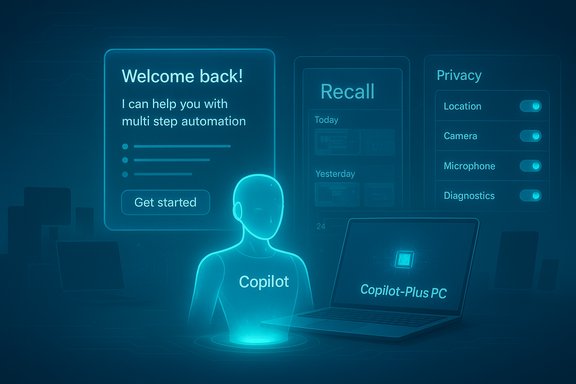
Over the last 18 months Microsoft has systematically embedded AI into Windows, Office, and enterprise services. The company promotes two complementary approaches: cloud‑backed agents that access powerful server models, and on‑device AI accelerated by Neural Processing Units (NPUs) on a new class of certified hardware called Copilot+ PCs. These moves are supported by developer primitives — the Model Context Protocol (MCP), the Windows AI Foundry, and an Agent Workspace model — that allow AI agents to hold context, call tools, and act on behalf of users. Microsoft frames this as the next productivity layer for Windows, enabling multi‑step automation, multimodal assistance, and lower-latency experiences when inference runs locally.Why it matters now
Windows runs on hundreds of millions of machines in consumer and enterprise environments. Introducing agentic capabilities — where software acts instead of merely suggesting — changes the OS threat model, telemetry patterns, and the way users expect privacy to be handled. That has led to intense scrutiny from privacy advocates, security teams, and customers who worry that convenience could come at the expense of control. The controversy crystallized around a handful of features and announcements that have become shorthand for those concerns.What users are worried about
Recall: a case study in privacy friction
One of the most polarizing features is Recall, which indexes screenshots of a user’s desktop to enable natural‑language searching of past activity. Microsoft’s documentation states Recall captures snapshots “every few seconds and when the content of the active window changes,” keeps the data on‑device, and secures access with Windows Hello. The company also frames Recall as opt‑in and claims encryption and local indexing protect privacy. Those technical facts are verifiable in Microsoft’s support and product pages. Despite those reassurances, Recall triggered intense backlash because continuous screenshotting dramatically expands the local attack surface (sensitive data captured in images, passwords, two‑factor codes, private chats) and because defaults and UX matter: early messaging and rollout details made many users feel the feature had been designed with insufficient opt‑in clarity. Microsoft paused, retooled the rollout for Insider channels, and emphasized opt‑in, exclusions, local storage, and encryption — but the reputational damage remains.Why Recall highlights the deeper problem:
- Continuous captures multiply sensitive artifacts that can be exposed by local compromise.
- Even encrypted local indices raise concerns about theft, loss, or malware extraction.
- The feature’s promise (time‑travel search) is compelling, but the trade‑offs are nuanced and easily misunderstood.
Perception of AI everywhere
Long‑time Windows users report AI features are appearing in almost every surface — taskbar, File Explorer, Edge, Paint, Office — often with prominent placement and nudges toward subscription services. That creates a sense that AI is being “pushed into Windows,” rather than offered as a measured, user‑first enhancement. This pattern inspires resentment when the underlying OS still shows unresolved bugs or UX regressions.Telemetry, monetization and trust
Users and admins also fear that pervasive AI will increase telemetry and monetization pressure (upsells to Copilot or Microsoft 365 tiers). Whether or not that’s the company’s primary intent, the optics are harmful: when companies integrate features that rely on rich context, customers ask who owns the data, how it’s used, and whether opting out is practical. The debate over whether Microsoft uses Microsoft 365 data to train its large language models became a flashpoint; Microsoft publicly denied using customer data from M365 apps to train LLMs, clarifying that “optional connected experiences” enable online features but do not feed customer documents into model training. That corporate reassurance helped calm some concerns, though skepticism remains in parts of the community.The technology stack — verified details
Copilot+ PCs and the 40+ TOPS NPU spec
Microsoft’s Copilot+ PC definition is concrete: to qualify, a system must include an NPU capable of 40+ TOPS (trillions of operations per second), along with baseline RAM and storage requirements. Official Microsoft developer documentation and the Copilot+ PC FAQ reiterate the 40+ TOPS guidance, list qualifying OEM devices, and highlight which AI experiences are targeted for on‑device acceleration (including Recall in preview). Independent press coverage corroborates this spec and explains why Microsoft ties some features to certified hardware. These are platform‑level facts that have been publicly documented.How Recall actually behaves (technical confirmation)
Microsoft Support explicitly describes Recall’s behavior: it asks for permission, captures snapshots every few seconds or when an active window changes, and stores them locally with Windows Hello protection. Independent hands‑on reports confirm snapshots can accumulate quickly — generating many image files and gigabytes of index data in a day — which explains both the power and the risk of the feature. The frequency and storage implications have been replicated by reporters and testers.Agent primitives, MCP, and the new threat model
Microsoft’s platform work — MCP, Agent Workspace, per‑agent accounts and scoped connectors — is intended to give structure to agents that act across apps and services. Microsoft’s own security blog acknowledges new attack vectors such as cross‑prompt injection (XPIA), the risk of credential leakage, and the need for tamper‑evident logs and strict isolation. In short: Microsoft is building technical mitigations, but the company also admits the threat model changes when code‑authorized agents can click, open files, or chain actions across apps. These are not speculative claims; they are part of Microsoft’s published guidance for secure agent development.Strengths of Microsoft’s approach
- End‑to‑end control: Microsoft owns OS, productivity apps, cloud, and hardware partnerships — enabling scenarios competitors can’t easily match when done correctly. This vertical stack can deliver seamless workflows if privacy and reliability are prioritized.
- On‑device options: With Copilot+ NPUs, Microsoft can reduce cloud round trips for sensitive tasks and improve latency/privacy for many local routines. When models and indices run locally, data exposure to cloud endpoints is limited in principle.
- Developer productivity gains: For software developers, tools like GitHub Copilot and integrated AI in Visual Studio demonstrably speed routine work and reduce toil. Surveys and company studies report high satisfaction and frequent use; many developers say they would miss these tools. Those productivity signals explain why businesses are experimenting with AI for developer tooling.
Real and emerging risks
Privacy risk concentration
Even when stored locally and encrypted, a searchable visual history creates a concentrated trove of sensitive artifacts. Local compromise, physical theft, or poorly isolated apps could expose more than before. Recall magnifies this risk because images capture what text logs do not. Security posture must include fine‑grained app exclusions, robust encryption and practically usable opt‑out flows.Novel attack surfaces
Agentic behavior changes the longstanding assumption that “the human is the final arbiter.” Attackers can weaponize content as commands (XPIA), poison connectors, or trick agents into escalating privileges. Microsoft’s own guidance warns these are high‑severity threats that deserve rigorous mitigation engineering and independent verification.Reliability and hallucinations
Generative models can hallucinate or misinterpret multimodal inputs. An agent that performs file operations based on a mistaken understanding could cause data loss, privacy violations, or business disruption. Reports from previews show vision and cross‑document reasoning can fail outside curated demos, eroding trust when expectations are inflated.Fragmentation and hardware inequality
Tying the richest experiences to Copilot+ devices creates a two‑tier Windows: users with older or mainstream hardware will see fewer AI experiences. That can widen the gap between early adopters and the majority, causing confusion and perceived obsolescence in the broader install base.Economic pressure and adoption reality
Journalistic investigations and market reporting show Microsoft is spending heavily on AI infrastructure and hardware partnerships, yet enterprise adoption of new agentic products is uneven. Recent reporting indicates Microsoft adjusted growth expectations for certain AI products after sales targets were missed in some units; Microsoft disputed characterization of an aggregate quota reduction. The economics of running and commercializing AI at scale remain a major operational challenge. These are fast‑moving commercial facts that public reporting has tracked in real time.How Microsoft has responded (and why optics matter)
Microsoft has taken concrete steps: pausing or retooling Recall, emphasizing opt‑in and local encryption, publishing security guidance for MCP and agents, and clarifying policy on using M365 data for model training. Despite that, public perception is shaped by initial rollout choices, executive statements, and the sheer number of places AI now surfaces. The company’s tone and clarity of communication matter as much as the technical fixes: dismissive responses amplify distrust, while transparent, staged rollouts and third‑party verification rebuild it.What enterprises and power users should consider
Immediate practical steps
- Inventory: Map which devices are Copilot+ capable in the fleet and which features are enabled by default.
- Policy: Draft clear policies for agentic features — who can enable them, what connectors are permitted, and what data is off‑limits.
- Controls: Use available exclusions, disable Recall‑like features on shared or high‑sensitivity endpoints, and enforce Windows Hello + encryption for local indices.
- Monitoring & Audit: Deploy tamper‑evident logging and review mechanisms for agent activity; insist on audit trails from Microsoft or OEMs when agents perform automated actions.
- Staged testing: Trial agentic features in tightly controlled environments before broad rollout.
Security guidance to demand
- Verified isolation guarantees for Agent Workspaces and per‑agent accounts.
- Formal threat models for cross‑prompt injection and tool poisoning with independent red team results.
- Clear, discoverable user consent flows — not hidden toggles buried in many settings.
- Transparency about telemetry: what’s sent, how long it’s stored, and how it’s used.
Developer and productivity calculus
AI tooling shows real productivity improvements, particularly in repetitive or boilerplate tasks. Surveys indicate large percentages of developers rely on AI and perceive gains in throughput and satisfaction. But caution is warranted: studies also highlight instances where AI assistance amplifies insecure coding patterns or introduces subtle bugs. For developers and IT managers, the right approach is augmentation with oversight — deploy AI to accelerate workflows while maintaining code review, testing, and security checks.Philosophical and governance tensions
Human‑centric versus agentic ambitions
Some Microsoft leaders emphasize pragmatic, human‑focused AI that increases productivity rather than pursuing sentience‑style hypotheses. That is a defensible stance: focusing on measurable gains reduces speculative harms. At the same time, the “agentic” label implies software that can initiate actions — a philosophical and governance pivot requiring new societal and legal guardrails. Public discomfort is not merely technophobia; it’s a demand for accountability when machines can act autonomously on our behalf.Ethical and regulatory pressure
Recall and similar features will attract regulatory attention because they intersect with data protection frameworks and workplace surveillance laws. Companies that rush agent deployments without robust privacy architecture will face complaints, litigation, and enforcement scrutiny. The safer path is design-by-default, auditable consent, and independent compliance checks.What Microsoft needs to do next (a checklist)
- Make privacy defaults conservative and discoverable.
- Publish independent security audits for Agent Workspaces and MCP implementations.
- Expand granular opt‑outs and simplified privacy UIs so ordinary users can make informed choices.
- Stagger rollouts, prioritize enterprise governance features and admin controls before broad consumer exposure.
- Commit to transparent telemetry disclosures and easy data deletion tools.
- Fund third‑party research on cross‑prompt injection and agent misuse, and adopt proven mitigations.
Final analysis: opportunity tempered by trust
Microsoft is taking an audacious path: make Windows a platform that does for users, not just responds. That vision unlocks real productivity potential — especially when on‑device NPUs speed private computations and when agents can orchestrate multi‑step workflows. Yet this transition amplifies legitimate privacy and security concerns that cannot be papered over with marketing.The Recall controversy crystallizes the dilemma. Technically, a local, encrypted desktop timeline is implementable; operationally, it raises friction that will only be resolved through exceptional UX, airtight isolation, and visible user control. Similarly, the economic signals around enterprise adoption and sales targets show the market will not accept half‑baked agentic promises; customers want reliability, predictable returns, and governance.
If Microsoft couples its engineering ambition with demonstrable privacy defaults, independent verification, and clearer communication, the company can turn skepticism into acceptance. If not, agentic Windows risks becoming an instructive cautionary tale about how rapid feature proliferation — even when technically feasible — can erode the trust that underpins platform leadership.
Conclusion
Microsoft’s AI strategy for Windows sits at the intersection of genuine innovation and deep trust challenges. The company has the technical building blocks — Copilot+, on‑device runtimes, and agent primitives — to improve how people work. The decisive factor will not be raw capability but stewardship: how defaults are chosen, how transparent the controls are, and how thoroughly new threat models are mitigated. For users, admins, and developers, the prudent posture is skeptical curiosity: test the new features, insist on governance and auditability, and demand privacy‑first defaults. If Microsoft honors that bargain, Windows could gain a powerful new productivity layer; if it does not, the backlash will be a long memory that slows adoption for years.Source: WebProNews Microsoft’s AI Push in Windows Raises Privacy and Trust Concerns
