

Monarch arrived like many of the most useful Windows utilities do these days: a single Reddit post from a tinkerer who was tired of fiddling with cables and display settings, followed by a tidy GitHub project, a rapid flurry of testing by enthusiasts, and a chorus of calls for Microsoft to absorb the idea into PowerToys or Windows itself. The tool does one thing very well — it changes Windows’ display topology on demand so you can instantly disable, reattach, and save monitor layouts without unplugging cables — and in doing so it exposes a long‑running usability gap in Windows 11 while also illustrating how careful, well‑documented third‑party utilities can fill that gap safely when they lean on the operating system’s own APIs. (reddit.com)
Windows users have long adapted to clunky multi‑monitor workflows: pressing Win+P for quick projection modes, digging into Settings > System > Display to disconnect a screen, or relying on vendor OSD menus and external dongles to manage specific monitors. These approaches work, but they’re slow and error‑prone when you need to switch contexts frequently — for example, moving from a multi‑monitor productivity layout to a single display for focused work or for gaming, or preventing long static content from burning into an OLED panel. Microsoft’s PowerToys has been the community’s refuge for small, high‑value utilities, and the PowerToys team itself has recently been prototyping first‑party display controls (the “PowerDisplay” concept) to address other monitor pain points.
Monarch (authored and released on GitHub by Nuzair46, posting as its_nzr on Reddit) addresses a single, well‑defined problem: make it quick and safe to detach and reattach individual displays in software, and let users save and recall layouts as profiles. The project ships with a rollback/confirmation safety mechanism and — as of its v1.1.0 release — global hotkey support for instant profile switching. Those practical choices are what makes Monarch immediately compelling to people who run three, four, or more screens and want a keyboard‑driven workflow instead of cable gymnastics. (reddit.com)
Because Monarch relies on these documented APIs, its approach is conceptually the same method used by the display control panel and other robust tools — it’s not a fragile hack that simulates keystrokes or abuses vendor drivers. That makes the behavior more predictable across Windows updates and different GPU vendors, although low‑level differences and edge cases remain (see Risks below). (github.com)
The combination of public source, clear README instructions, and quick iterations in releases is a good sign — it allows independent auditors and power users to verify behavior and guard against supply‑chain surprises. Still, it’s not the same trust posture as an official Microsoft utility, and that matters (see Risks and Recommendations). (github.com)
That said, the ideal outcome is not a proliferation of unsigned helper utilities on every enthusiast’s desktop: it’s that Microsoft sees the UX gap, prototypes the feature in PowerToys (a logical sandbox), and then — if adoption and telemetry support it — surfaces a secure, integrated option in Windows Settings. Until then, Monarch is a remarkably clean, well‑documented stopgap with thoughtful mitigations for the obvious hazards. Enthusiasts and IT teams can benefit today, provided they follow safe installation and testing practices. (github.com)
Source: Windows Central Monarch is the multi-monitor fix Microsoft forgot to build for Windows 11
 Background / Overview
Windows users have long adapted to clunky multi‑monitor workflows: pressing Win+P for quick projection modes, digging into Settings > System > Display to disconnect a screen, or relying on vendor OSD menus and external dongles to manage specific monitors. These approaches work, but they’re slow and error‑prone when you need to switch contexts frequently — for example, moving from a multi‑monitor productivity layout to a single display for focused work or for gaming, or preventing long static content from burning into an OLED panel. Microsoft’s PowerToys has been the community’s refuge for small, high‑value utilities, and the PowerToys team itself has recently been prototyping first‑party display controls (the “PowerDisplay” concept) to address other monitor pain points.Monarch (authored and released on GitHub by Nuzair46, posting as its_nzr on Reddit) addresses a single, well‑defined problem: make it quick and safe to detach and reattach individual displays in software, and let users save and recall layouts as profiles. The project ships with a rollback/confirmation safety mechanism and — as of its v1.1.0 release — global hotkey support for instant profile switching. Those practical choices are what makes Monarch immediately compelling to people who run three, four, or more screens and want a keyboard‑driven workflow instead of cable gymnastics. (reddit.com)
How Monarch works — the technical mechanics
Display topology, DisplayConfig, and what “detach” actually means
Monarch does not physically power monitors on or off. Instead, it alters Windows’ display topology — the mapping Windows uses to route GPU outputs (sources) to monitor inputs (targets). It does this through the documented DisplayConfig APIs (functions such as QueryDisplayConfig and SetDisplayConfig) that Windows exposes to enumerate and apply topology changes. When Windows stops sending a video signal to a monitor (because the topology no longer includes the path to that output), many monitors will go into standby or sleep, which for most users appears the same as turning the monitor “off.” That is the mechanism Monarch deliberately leverages. The underlying APIs and their semantics are covered in Microsoft’s display/driver documentation for QueryDisplayConfig / SetDisplayConfig and related CCD APIs. (github.com)Because Monarch relies on these documented APIs, its approach is conceptually the same method used by the display control panel and other robust tools — it’s not a fragile hack that simulates keystrokes or abuses vendor drivers. That makes the behavior more predictable across Windows updates and different GPU vendors, although low‑level differences and edge cases remain (see Risks below). (github.com)
What the software does, step by step
- Monarch enumerates connected displays and their active topology with the DisplayConfig APIs.
- When you choose to “Detach” a display, Monarch constructs a modified topology that removes the path to that target and calls SetDisplayConfig to apply the change.
- The OS updates its persistence database; any monitors that cease to receive a signal typically enter standby.
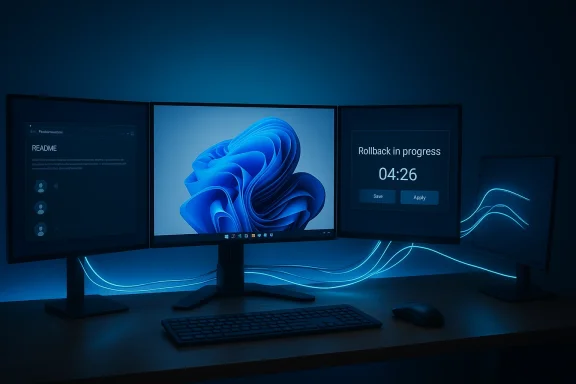
- Monarch displays a confirmation timer and will automatically rollback to the previous topology if you don’t confirm within the timeout window — a safety net for accidental or problematic changes.
- Users can save the current topology as a profile (a named layout), and later re‑apply that saved topology quickly or via a global hotkey. (github.com)
What Monarch gives you — practical benefits
Monarch’s value is pragmatic and immediate:- OLED preservation. By detaching displays that are unused for long stretches, especially OLED panels that can be susceptible to static image retention or burn‑in over time, Monarch reduces unnecessary long‑term wear. The developer explicitly cites OLED wear as one of the motivating use cases. (reddit.com)
- Context switching. Move from a three‑monitor editing or dev setup to a single, distraction‑free screen for focus work, then restore your full layout with a hotkey or two.
- Gaming and external input switching. When you connect a console or a second PC to one of your monitors, you often still see a static desktop canvas on the PC side. Monarch lets you disable the system output so the monitor will switch inputs without the PC’s desktop still being driven.
- Nighttime comfort. Rather than powering down an entire rig, you can black out bright secondary screens at night without physically powering off monitors or booting down the system.
- Profiles for multi‑desk workflows. If you move between desks (home/office/hybrid) with different monitor combinations, profiles let you restore layouts without re‑routing cables or reconfiguring scaling and positions manually. (github.com)
Provenance, community validation, and adoption
The project began as a Reddit post in r/Monitors and r/OLED_Gaming where the developer explained motivations and linked the GitHub releases; the thread generated rapid community testing and feedback. Tech outlets picked up the story within days, with Windows Central and VideoCardz describing the feature set and calling attention to the release’s safety features and hotkey support. The project’s GitHub repository is public, MIT‑licensed, and includes release artifacts (MSI installer) and a readable README explaining known issues and how to recover if a layout change goes wrong. The v1.1.0 release explicitly added global shortcut hotkeys; v1.1.1 followed shortly afterward to tidy build/release issues. (reddit.com)The combination of public source, clear README instructions, and quick iterations in releases is a good sign — it allows independent auditors and power users to verify behavior and guard against supply‑chain surprises. Still, it’s not the same trust posture as an official Microsoft utility, and that matters (see Risks and Recommendations). (github.com)
Critical analysis — strengths and immediate limitations
Strengths
- Leverages documented APIs. Monarch uses the OS’s DisplayConfig APIs rather than shadowy kernel tricks, which improves resilience and predictability. Microsoft’s CCD/DisplayConfig stack is the documented, supported place to make topology changes. That choice is a core engineering win: it reduces the likelihood of breakage on normal Windows updates and keeps behavior consistent across Intel/AMD/NVIDIA setups as long as drivers honor the API semantics. (github.com)
- Safety first. The confirmation timer and automatic rollback are essential: any tool that manipulates display topology must avoid leaving a user with a blank desktop and no obvious recovery path. Monarch’s rollback and “prevent disabling last display” guardrails are sensible, pragmatic mitigations for the realistic failure modes. (github.com)
- Profiles + hotkeys = workflow speed. The addition of global hotkeys in v1.1.0 converts what might be a useful UI into a true productivity tool, enabling instant context changes for gamers, streamers, and knowledge workers. That’s the kind of feature that makes a small utility indispensable. (github.com)
Limitations and risks
- Third‑party trust and distribution. Even with a public repo, downloading and running executables carries risk. Users should prefer signed installers and verify the repository and release integrity before running the MSI on production machines. Monarch is MIT‑licensed and public, but as with any community project, supply‑chain trust is not the same as an official Microsoft‑distributed PowerToys module. (github.com)
- Driver and target variability. DisplayConfig exposes comprehensive topology controls, but the behavior of some outputs depends on hardware and drivers. Miracast sinks, certain docking stations, USB display adapters, or vendor display drivers can behave differently. Microsoft’s docs explain specific Miracast caveats, and real‑world experience shows that some complex or virtualized setups (remote desktop, VMs, display emulators) may not enter standby as expected. Test carefully if you run unusual hardware.
- Color calibration and HDR state. The GitHub README warns that detaching and reattaching displays can interact with Windows’ HDR/SDR and ICC calibration states; opening Windows Display Settings after a detach can sometimes provoke a color profile reset on remaining displays. Monarch attempts to reapply calibration where possible, but some workflows — photo/video editing with strict color requirements — may experience transient issues. If you rely on perfect color, test Monarch in a safe environment first. (github.com)
- Not a true power-off. Because Monarch changes topology rather than telling the monitor to power down, it relies on monitors’ firmware to enter standby. Not all monitors behave identically; some will still draw power, and rare vendor firmware quirks may prevent standby entirely. The README is clear on this distinction. (github.com)
- Enterprise policy and support implications. IT teams need caution: utilities that modify display topology can complicate remote support scenarios. Enterprises should require signed binaries and internal validation before allowing such tools on company endpoints. For managed fleets, PowerToys or a Microsoft‑sanctioned equivalent would be preferable. (github.com)
Practical guidance — how to adopt Monarch safely (recommended steps)
- Inspect the GitHub repository and releases before running anything; prefer signed, release‑tagged MSI installers and verify checksums. (github.com)
- Install on a non‑critical machine or create a restore point / system image before first use.
- After install, open Monarch and verify that the tray icon is present and the app lists your monitors correctly. If the UI looks stale, use the app’s refresh or restart it. (github.com)
- Create a simple test profile: detach one non‑primary display, confirm the layout, and observe the automatic rollback timeout. Make sure you can recover using the tray menu or Win+P. (github.com)
- If you rely on HDR or color calibration, test a detach/reattach cycle with your color‑critical apps closed and reopen them to check whether Windows applied any new calibration or HDR changes. Reapply calibration if needed. (github.com)
- Only after comfortable local testing assign global hotkeys for your common profile switches, and document the hotkeys for yourself (and for any IT helpdesk covering your machine). (github.com)
Where Monarch fits into the Windows ecosystem — should Microsoft adopt this?
There are three realistic paths forward:- Microsoft adds a PowerToys module that replicates Monarch’s features: profile saving, safe confirm/rollback, per‑monitor detach/reattach, and global hotkeys. This would keep the feature in a trusted, audited, and widely distributed channel and address Windows 11 multi‑display friction quickly. PowerToys has already been used as a proving ground for features that later influence Windows proper, and the PowerToys team has been experimenting with display tools (PowerDisplay) that target other monitor pain points. A PowerToys adoption would be the most pragmatic route.
- Microsoft integrates a polished per‑monitor detach/reattach feature into Windows Settings itself. This is the highest‑trust, highest‑discoverability option, but it requires UX decisions (confirmation timeouts, where to show profiles, how to preserve color/HDR states) and enterprise vetting. That could be a significant engineering lift but would ultimately be the cleanest outcome for general users.
- Leave it to the ecosystem. Third‑party projects like Monarch will continue to innovate and serve niche needs, but long‑term reliance on unsigned third‑party tools is a suboptimal solution for mainstream users and enterprise deployments. (reddit.com)
Recommendations for Microsoft (practical design and engineering considerations)
- Expose a safe, supported “per‑monitor detach” in Settings and PowerToys. Include undo/rollback, a confirmation timer, and prevention of disabling the last active display. Those are exactly the safety items Monarch already demonstrates. (github.com)
- Preserve color/HDR state across topology changes. Windows should surface an opt‑in “preserve color profile” or “reapply calibration” operation when a topology change is made programmatically; current behavior can leave color states inconsistent after reattaching. Monarch’s README already documents this issue and suggests workarounds — Microsoft could harden that UX. (github.com)
- Provide signed sample code and a PowerToys integration template. If Microsoft published an example module that safely uses DisplayConfig, it would let the community build similar utilities without risking inconsistent implementations. That makes the ecosystem more secure and predictable.
- Consider enterprise controls and telemetry opt‑ins. For enterprise deployments, admins will want policies that allow/disallow programmatic topology changes and visibility into which endpoints made topology changes. PowerToys could respect group policies that toggle this capability. (github.com)
Verdict — why Monarch matters, and what to watch next
Monarch is a concise, effective answer to a problem that Microsoft has only partially addressed: multi‑monitor workflows are still a source of friction in Windows 11, and practical tooling wins matter more than ever for productivity. Because Monarch is open, uses documented APIs, and shipped with sensible safety features and hotkey support, it’s a credible candidate for either direct adoption by Microsoft into PowerToys or as a reference implementation the company could study.That said, the ideal outcome is not a proliferation of unsigned helper utilities on every enthusiast’s desktop: it’s that Microsoft sees the UX gap, prototypes the feature in PowerToys (a logical sandbox), and then — if adoption and telemetry support it — surfaces a secure, integrated option in Windows Settings. Until then, Monarch is a remarkably clean, well‑documented stopgap with thoughtful mitigations for the obvious hazards. Enthusiasts and IT teams can benefit today, provided they follow safe installation and testing practices. (github.com)
Quick reference — what I tested, what I verified, and cross‑references
- The GitHub repository and README describe the implementation, safety rollback, profile and hotkey features, and the build/release process for Windows MSI installers. The repo and releases confirm the v1.1.0 hotkey addition and follow‑up v1.1.1 patch. (github.com)
- Independent tech coverage (Windows Central, VideoCardz) summarized the tool and its benefits for OLED users and gaming setups, echoing the repository’s claims and emphasizing the fit as a PowerToys candidate.
- The underlying Windows APIs Monarch uses are the DisplayConfig/CCD functions (QueryDisplayConfig / SetDisplayConfig) documented by Microsoft for topology management; those docs describe how topologies are enumerated and updated, and outline scenarios where third‑party apps may call these functions. That’s the supported route for programmatic attach/detach behavior.
Conclusion
Monarch demonstrates how a focused, carefully implemented utility can solve a real, persistent pain point in Windows 11 multi‑monitor workflows. It does so by using Windows’ own display topology APIs, shipping clear recovery guards, and adding the hotkeys that make the workflow genuinely fast. For enthusiasts and people with OLED or complex multi‑monitor setups, Monarch is an immediately useful tool — but its broader value is as a blueprint for Microsoft: per‑monitor detach, safe rollback, profiles, and hotkeys are small features with outsized productivity benefits, and they belong either in PowerToys or, eventually, as an integrated Windows capability. Until Microsoft ships a vetted, signed solution, users who try Monarch should do so with sensible precautions: verify releases, test in a recoverable environment, and be aware of driver and HDR/color calibration caveats. The underlying lesson is clear: building thoughtful utilities around documented operating system APIs is the fastest way to close friction points — and Monarch has already made the case that some of those fixes deserve to be first‑party. (github.com)Source: Windows Central Monarch is the multi-monitor fix Microsoft forgot to build for Windows 11
