

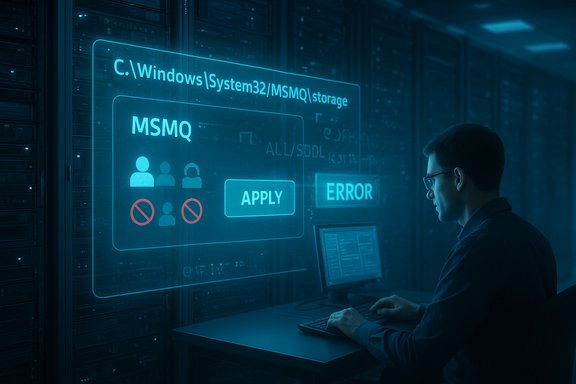
Microsoft pushed an unscheduled out‑of‑band update after December’s Patch Tuesday to remediate a damaging regression in Microsoft Message Queuing (MSMQ) that prevented many applications and IIS‑hosted services from writing messages to disk. The failure was traced to a security hardening that changed NTFS access semantics for C:\Windows\System32\MSMQ\storage and removed effective write access for common non‑administrative service identities; Microsoft acknowledged the issue in its December KB notes and published emergency cumulative packages (catalog‑only at first) to restore expected MSMQ behavior.
MSMQ is a legacy but still widely used Windows component that provides durable, on‑disk queuing for asynchronous application messaging. Because MSMQ persists messages as files under the system tree, its correct operation depends on NTFS permissions and the effective rights of the identities that write the message files (IIS application pools, LocalService/NetworkService, or named service accounts). A security hardening included in the December cumulative updates altered the MSMQ security model and the NTFS ACLs on the MSMQ storage folder, which caused many non‑admin identities to lose write access and led to “insufficient resources” style errors that were in fact access denials. Microsoft documented the symptom set and called it a known issue on the December KB pages. This regression primarily hit enterprise and hosted environments where MSMQ is installed and used; consumer Windows Home/Pro devices are generally unaffected because MSMQ is not commonly present on those editions. Microsoft’s immediate remediation came as out‑of‑band (OOB) cumulative updates for the affected SKUs — packages that include the December fixes plus the MSMQ correction — and were initially published only via the Microsoft Update Catalog.
Conclusion
Microsoft’s out‑of‑band updates restore MSMQ functionality by reversing an unintended permission regression introduced in December’s cumulative updates. Administrators running MSMQ‑dependent workloads should immediately inventory affected hosts, prioritize the vendor OOB package (or follow a well‑controlled rollback/ACL mitigation where necessary), and harden their patch‑testing and emergency deployment processes to reduce the operational risk of low‑level security changes in the future. Prompt, careful remediation will both restore message flow and preserve the security intent behind the December hardening.
Source: igor´sLAB Windows emergency update fixes MSMQ faults after December patchday | igor´sLAB
 Background / Overview
MSMQ is a legacy but still widely used Windows component that provides durable, on‑disk queuing for asynchronous application messaging. Because MSMQ persists messages as files under the system tree, its correct operation depends on NTFS permissions and the effective rights of the identities that write the message files (IIS application pools, LocalService/NetworkService, or named service accounts). A security hardening included in the December cumulative updates altered the MSMQ security model and the NTFS ACLs on the MSMQ storage folder, which caused many non‑admin identities to lose write access and led to “insufficient resources” style errors that were in fact access denials. Microsoft documented the symptom set and called it a known issue on the December KB pages. This regression primarily hit enterprise and hosted environments where MSMQ is installed and used; consumer Windows Home/Pro devices are generally unaffected because MSMQ is not commonly present on those editions. Microsoft’s immediate remediation came as out‑of‑band (OOB) cumulative updates for the affected SKUs — packages that include the December fixes plus the MSMQ correction — and were initially published only via the Microsoft Update Catalog. What went wrong — timeline and scope
Timeline (high level)
- December 9 — Microsoft released the regular December cumulative updates covering multiple SKUs. Administrators began to see MSMQ failures within days.
- December 12 — Microsoft updated December KB articles to add a Message Queuing (MSMQ) known‑issue note describing the problem and its root cause as permission/NTFS changes to C:\Windows\System32\MSMQ\storage.
- December 18 — Microsoft published out‑of‑band cumulative updates (catalog packages) that explicitly fix the MSMQ regression (for example, KB5074976 for Windows 10 ESU builds). These OOB packages were cumulative and included the MSMQ remediation alongside the prior December fixes.
Affected SKUs and KB identifiers
The publicly documented affected packages and remediation KBs include (representative, not exhaustive):- December LCU that introduced the change: KB5071546 and related December rollups depending on SKU.
- Out‑of‑band remediation for Windows 10 ESU: KB5074976 (OS builds raised to 19044.6693 / 19045.6693).
- Companion December LCUs and known‑issue notes exist for Server channels: KB5071544 (Server 2019 family), KB5071543 (Server 2016 family), KB5071505 (Server 2012 family). Microsoft’s KB pages for those SKUs show the same MSMQ known‑issue entry.
Technical analysis — root cause and why diagnostics were misleading
What changed technically
The December updates modified how MSMQ’s storage directory ACL and security descriptor are configured on disk. Specifically, the update regenerated or hardened the folder’s SDDL and changed inheritance flags (Auto‑inherit and related ACE semantics). The result: many non‑administrator identities that previously had effective write access lost that ability, so when those identities attempted to create or append .mq files under C:\Windows\System32\MSMQ\storage the filesystem returned an access denial. MSMQ’s error translation, however, mapped those failures to low‑level resource errors (for example, “Insufficient resources to perform operation” or logs saying “There is insufficient disk space or memory”), which pointed admins toward the wrong root cause and slowed triage.Why the behavior caused outages
- When MSMQ cannot create or append its on‑disk message files, queues become inactive and producers either block or receive exceptions — a direct availability impact for message‑driven apps.
- In high‑throughput or clustered scenarios, simultaneous write failures can cascade into cluster instability and application service outages.
Confirming the diagnosis
Multiple independent threads and Microsoft’s own Q&A confirm the pattern: identical error strings, the same folder path in event logs, and restoration of functionality after uninstalling the December LCU or applying the catalog OOB package. That convergence across vendor documentation and community reproduction makes the root cause attribution (ACL change on MSMQ storage) reliable. Still, specific SDDL differences or exact ACE flags changed can vary by build and environment; administrators should verify via Get‑Acl/Get‑Sddl on an affected host.Symptoms operators will see (practical signs)
- System/Messaging exceptions in application logs: System.Messaging.MessageQueueException with “Insufficient resources to perform operation.”
- Event log entries like: “The message file 'C:\Windows\System32\msmq\storage*.mq' cannot be created.”
- Misleading disk/memory warnings even though storage and memory are fine.
- MSMQ queues showing as inactive, and message throughput stalling or failing to enqueue.
How to triage quickly (runbook)
- Confirm MSMQ is installed and in use:
- Windows clients: Get‑WindowsOptionalFeature -Online | Where‑Object FeatureName -like "MSMQ*"
- Servers: Get‑WindowsFeature MSMQ (or check installed features in Server Manager).
- Check installed updates and builds:
- Use Settings → Update history, wusa /query, or DISM /Online /Get‑Packages to look for KB5071546 / KB5071544 / KB5071543 and note build numbers.
- Reproduce a write test as the application identity:
- Run a minimal test that enqueues a message while impersonating the same app‑pool or service account. If write fails, examine the event log for the msmq storage path error.
- Inspect ACLs on the MSMQ storage folder:
- PowerShell: Get‑Acl -Path 'C:\Windows\System32\MSMQ\storage' | Format‑List
- Compare to a known‑good system (if available) or record the SDDL for analysis. Look for missing Write/Modify rights for the service account or the absence of expected ACEs.
- Decide between remediation options (below) based on risk and speed.
Remediation options — pros, cons, and steps
Microsoft provided a vendor‑sanctioned OOB cumulative update that restores MSMQ behavior; alternatively, admins can temporarily roll back the December LCU or apply a tightly scoped ACL workaround. Each option carries trade‑offs.Option 1 — Install Microsoft’s out‑of‑band (OOB) cumulative update (recommended when available)
- What it is: A cumulative package (catalog‑only initially) that includes the MSMQ fix and preserves the rest of December’s security/quality changes. Example: KB5074976 for Windows 10 ESU builds (OS builds 19044.6693 / 19045.6693).
- How to get it: Download from the Microsoft Update Catalog and import into WSUS / Configuration Manager or install directly with wusa/MSU on isolated hosts. The OOB was initially made available only via the Update Catalog (not via automatic Windows Update).
- Pros: Vendor‑approved fix that restores the intended security posture while correcting compatibility; avoids reintroducing the original vulnerabilities.
- Cons: Manual catalog ingestion is extra operational work; some server SKUs experienced delayed availability initially.
- Verify prerequisites (latest Servicing Stack Update per KB guidance).
- Download the correct OOB package for your SKU from the Microsoft Update Catalog.
- Test in a pilot ring; validate MSMQ writes under load.
- Deploy via centralized management tooling and monitor.
Option 2 — Roll back the December LCU (if OOB cannot be applied immediately)
- What it does: Uninstalls the cumulative update that introduced the MSMQ ACL change, restoring the prior ACL state.
- Pros: Immediate restoration of functionality without modifying filesystem ACLs.
- Cons: Reintroduces the security fixes that were removed by the rollback; uninstalling some combined packages (SSU+LCU) can be complex and may require special steps.
- Identify the package name with DISM /Online /Get‑Packages.
- Remove the package via DISM /Online /Remove‑Package /PackageName:… (follow Microsoft guidance).
- Reboot and validate MSMQ.
- Track re‑installation and schedule OOB deployment to avoid remaining exposed.
Option 3 — Narrow, audited ACL workaround (temporary emergency measure)
- What it is: Grant minimal Write/Modify permissions only to the specific service identity or app‑pool that needs MSMQ write access on C:\Windows\System32\MSMQ\storage. Do this only under change control and reverse immediately after the vendor fix.
- Pros: Fastest path when OOB package is unavailable and rollback is unacceptable.
- Cons: Weakens the hardening that the December update intended to enforce; if misapplied broadly it increases attack surface. Must be tightly scoped and logged.
- Determine the principal (for example, IIS AppPool identity or NetworkService).
- Use ICACLS or PowerShell to add minimal rights. Example (run as admin):
- icacls "C:\Windows\System32\MSMQ\storage" /grant "IIS AppPool\YourAppPool"
 OI)(CI)M /T
 - Or use Add‑AccessControlEntry scripts that modify the SDDL carefully and capture the prior descriptor.
- Test message enqueue/throughput.
- Audit, log, and plan to revert after OOB is installed.
Distribution and operational friction
Microsoft initially published the OOB fixes via the Microsoft Update Catalog rather than through automatic Windows Update or WSUS auto‑approval. That choice means administrators had to discover the catalog package and import it into their update management tooling, adding friction for large fleets and teams that rely on fully automated pipelines. The catalog‑only approach is defensible (it limits mass changes), but it shifts operational burden to IT teams and may produce inconsistent patch states across estates if not coordinated.Risks, trade‑offs and mitigation considerations
- Security vs. Availability: Rolling back the December cumulative update restores MSMQ functionality but temporarily removes security fixes; applying ACL relaxations restores availability while weakening the hardening intent. The least‑bad path is the vendor OOB fix.
- Auditing: Any temporary ACL change must be logged and scheduled for reversal. Keep the prior SDDL snapshot to be able to restore the original state precisely.
- Mixed environments: Catalog‑only distribution can leave fleets in mixed states — some hosts with the original December LCU, some with rollback, some with OOB — complicating troubleshooting and compliance reporting. Document your state and track remediation centrally.
Broader lessons for patch management and legacy components
This incident exposes a recurring tension: OS‑level hardening can break long‑running operational assumptions in enterprise estates that host legacy middleware. The practical lessons:- Expand pre‑deployment tests to include non‑admin service identities and ACL scenarios for critical infrastructure (MSMQ, COM+, legacy drivers).
- Maintain a fast catalog import and pilot ring workflow so catalog‑only fixes can be absorbed quickly.
- Inventory legacy dependencies and create migration plans. If MSMQ is integral to business logic, treat it as a first‑class modernization priority: migrating to actively developed message platforms reduces exposure to unexpected OS‑level regressions.
What administrators should do now — concise checklist
- Inventory: Identify all hosts with MSMQ installed and note which have the December LCUs applied.
- Triage: Confirm symptom presence (MessageQueue exceptions, event log errors for storage*.mq) and inspect ACLs on C:\Windows\System32\MSMQ\storage.
- Remediate: Prefer installing Microsoft’s out‑of‑band OOB KB for your SKU (catalog download → WSUS/ConfigMgr import → test → deploy). If OOB is not available: consider rollback under change control or a tightly scoped ACL workaround with auditing.
- Validate: Run controlled producer tests and monitor queue throughput and application error rates after remediation.
- Document: Capture the pre‑ and post‑change SDDL, the principal(s) modified, and the rollout schedule for compliance and fast reversal if needed.
Caveats and unverifiable claims
Some public posts and forum anecdotes tied sector‑specific business outages (POS printers, healthcare interfaces, etc. to the MSMQ regression. While there are real reports of application outages and service failures, quantifying the number or scale of business impacts is not possible from public threads alone and remains anecdotal unless confirmed by affected vendors or operators. Administrators should prioritize internal impact assessments over third‑party anecdotes when making remediation decisions.Final assessment
The December updates implemented an understandable security hardening to MSMQ that, regrettably, did not include a compatibility shim for environments that relied on implicit ACL behavior. Microsoft acknowledged the regression quickly, documented it publicly in the KB pages, and produced out‑of‑band cumulative updates to fix the problem — a responsible engineering response that nevertheless imposed operational friction because the catalog‑only distribution required manual ingestion by administrators. The correct operational response for affected organizations is to treat the OOB package as high priority: import the catalog package into your management tooling, validate in a controlled pilot, and deploy broadly. Where immediate remediation via the vendor package is not possible, weigh rollback against a minimal, auditable ACL workaround and choose the path consistent with your security posture and risk tolerance. This incident also serves as a timely reminder: maintain robust pre‑release testing that includes least‑privilege service identities and ACL permutations, retain a fast emergency update channel for catalog packages, and accelerate modernization of legacy messaging stacks so OS‑level hardening never forces rushed production workarounds again.Conclusion
Microsoft’s out‑of‑band updates restore MSMQ functionality by reversing an unintended permission regression introduced in December’s cumulative updates. Administrators running MSMQ‑dependent workloads should immediately inventory affected hosts, prioritize the vendor OOB package (or follow a well‑controlled rollback/ACL mitigation where necessary), and harden their patch‑testing and emergency deployment processes to reduce the operational risk of low‑level security changes in the future. Prompt, careful remediation will both restore message flow and preserve the security intent behind the December hardening.
Source: igor´sLAB Windows emergency update fixes MSMQ faults after December patchday | igor´sLAB
