

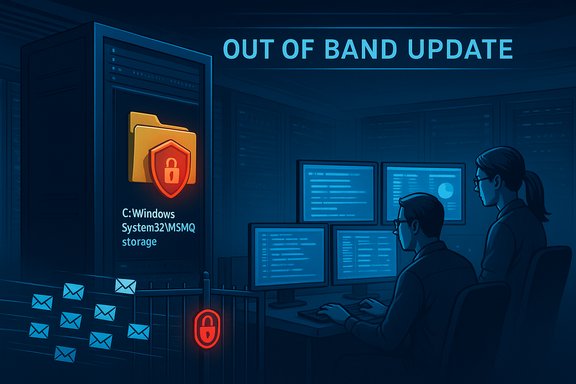
Microsoft has issued emergency, out-of-band updates to repair a disruptive side effect of its December security patches that left Message Queuing (MSMQ) unable to write its storage files on a wide range of Windows client and server releases, a problem that forced immediate mitigation steps in many enterprise environments.
Background
MSMQ is a long-standing Windows component that provides asynchronous, reliable messaging between applications, often used by legacy line-of-business software, point-of-sale systems, and IIS-hosted applications. Because MSMQ relies on writing message files to a protected folder under the system root, its correct operation depends on carefully configured NTFS permissions and the service account privileges granted to the processes that interact with queues.In the December security updates, Microsoft introduced changes to the MSMQ security model and to the NTFS access control list (ACL) for the folder C:\Windows\System32\MSMQ\storage. Those changes hardened the folder permissions in a way that unintentionally removed the write access that non-administrator MSMQ users — including common service accounts used by IIS, LocalService, NetworkService, and application pools — previously relied on. The result was a spate of application failures and misleading resource error messages in production systems shortly after the December cumulative updates were applied.
What happened — timeline and scope
- December 9: Microsoft shipped the December cumulative security updates (the December Patch Tuesday packages) for affected Windows builds.
- Within days, administrators began reporting broken MSMQ behavior: queues became inactive, IIS-hosted applications produced “Insufficient resources to perform operation” errors, and logs recorded misleading “insufficient disk space or memory” messages even when resources were plentiful.
- Microsoft confirmed the problem as a known issue and traced it to the changes in MSMQ’s security model and NTFS ACLs for the storage folder.
- December 18: Microsoft released out-of-band emergency updates (multiple KBs targeted to specific OS builds) intended to restore MSMQ functionality and address the permission regression.
Affected operating systems (as documented by Microsoft) include a broad set of Windows 10 and Windows Server releases, covering both supported and extended-support builds:
- Client: Windows 10 versions 22H2, 21H2, 1809, and 1607 (Extended Servicing or ESU customers)
- Server: Windows Server 2019, Windows Server 2016, Windows Server 2012 R2, and Windows Server 2012
Technical root cause — what the update actually changed
The December cumulative update tightened or regenerated the security descriptor for the MSMQ storage directory. The ACL modification meant the identities that had previously been granted write access — often non-administrative service accounts or IIS process identities — lost the ability to create or append message store files.Key technical details to understand:
- The affected folder is C:\Windows\System32\MSMQ\storage. MSMQ writes transient and persistent message files inside this folder structure.
- The update altered the NTFS security descriptor (ACL) for that folder, changing how access control entries (ACEs) were inherited and applying a stricter descriptor that effectively removed or restricted write privileges for non-administrative accounts.
- The symptom pattern (inactive queues, “cannot create message file” errors, and misleading “insufficient resources” logs) is consistent with an inability to create or extend the files MSMQ requires for queue operations.
- In some clustered or under-load scenarios, the issue manifested more severely, with clustered MSMQ nodes showing queue inactivity or throttling behavior under normal traffic.
Symptoms administrators saw in the wild
- MSMQ queues remaining inactive or failing to accept new messages.
- IIS-hosted applications that rely on MSMQ producing “Insufficient resources to perform operation” exceptions even though CPU, RAM, and disk headroom were normal.
- Error events showing “The message file 'C:\Windows\System32\msmq\storage*.mq' cannot be created” during queue operations.
- Misleading logs that indicate disk or memory exhaustion when the problem is actually ACL/permission denial on the MSMQ storage path.
- In clustered MSMQ deployments or high-throughput systems, message flow interruptions and partial application failures rather than a single server crash.
Microsoft’s mitigation and distribution details
Microsoft deployed out-of-band fixes for the affected OS families and published KB articles that describe the changes and list the updated builds. The emergency updates have KB identifiers specific to each OS variant (for example, the Windows 10 22H2/21H2 package and server packages each have their own KB numbers and updated build numbers).Important operational details for administrators:
- The out-of-band updates are cumulative; they include the earlier December fixes plus the MSMQ remediation.
- Microsoft initially made the OOB packages available via the Microsoft Update Catalog. That means administrators who use WSUS, SCCM, or manual catalog downloads needed to retrieve those packages from the Update Catalog and approve them for distribution.
- Microsoft’s guidance recommends installing the out-of-band update as soon as possible for impacted systems, or applying Microsoft-provided workarounds available through Support for critical environments that cannot immediately consume the OOB updates.
- For organizations that cannot promptly install the OOB fixes, documented mitigations included temporarily rolling back the December cumulative update that introduced the change. Uninstalling the offending December KB restores the previous ACL state and functionality until the OOB patch can be applied.
Practical remediation steps — what administrators should do now
The priority for administrators is to restore message flow safely and to avoid creating new security exposures.1. Confirm whether your environment is affected
- Enumerate hosts that installed the December 9 cumulative updates (check installed hotfixes).
- Check OS versions and build numbers to see if they match the affected list (Windows 10 22H2/21H2/1809/1607 and the listed server releases).
- Check whether MSMQ is installed as a role/feature and whether applications rely on it.
- Verify service status for Message Queuing and dependent services.
- Inspect Windows Event logs for MSMQ-related errors and for file permission/access-denied entries pointing to C:\Windows\System32\MSMQ\storage.
- Look for misleading “insufficient disk space or memory” messages that coincide with queue failures.
- Download the appropriate KB package for your OS from the Microsoft Update Catalog and deploy it via your usual software distribution mechanism (WSUS/SCCM/Intune), or install directly on affected hosts if necessary.
- Ensure the servicing stack update (SSU) prerequisites, if any, are applied per Microsoft’s KB guidance before installing the OOB package.
- As a temporary measure, and only when acceptable in your change-control process, uninstall the December cumulative update that introduced the regression to restore previous ACL behavior. Pause Windows Update or block the specific KB via WSUS/GPO to prevent automatic reinstallation until remediation is in place.
- Contact Microsoft Support for the official workaround script. Microsoft has indicated that some mitigations are available through Support and may be tailored per environment.
- Administrators may be tempted to grant broad write permissions to the storage folder to get message flow back. That approach reduces security and may not fully address the root issue if MSMQ expects specific ACE flags or inheritance properties.
- If you must temporarily modify ACLs for emergency throughput, record the original descriptor, apply changes only to the minimal required identities, and plan to revert immediately after installing the OOB patch and validating behavior.
- After applying the Microsoft OOB update or approved workaround, test MSMQ end-to-end across representative applications, including any clustered nodes, IIS app pools, and service accounts under load.
- Monitor for lingering errors or unexpected behavior; re-check permissions and SDDL if problems persist.
Commands and checks (practical examples)
Use these commands and checks as part of your investigation. Run them in a test environment first if unsure.- List installed hotfixes (PowerShell):
- Get-HotFix | Where-Object {$_.HotFixID -like "KB507*"}
- Check MSMQ service state:
- Get-Service -Name MSMQ
- Inspect ACL on MSMQ storage folder:
- icacls "C:\Windows\System32\MSMQ\storage"
- Export ACL to a file before making changes:
- icacls "C:\Windows\System32\MSMQ\storage" /save msmq_acl.txt /t
- Revert ACL from a saved file (only if you exported earlier and tested):
- icacls "C:\Windows\System32\MSMQ\storage" /restore msmq_acl.txt
Why this incident matters — deeper implications
This outage is a textbook example of the tension between security hardening and operational compatibility. Microsoft’s change tightened permissions to reduce attack surface and make file access more restrictive, a broadly defensible security move. However, the update also changed expected runtime privileges for long-deployed service identities, which caused functional regressions in real-world production environments.Key implications:
- Legacy components and long-lived application architectures (like MSMQ) often rely on historical permission models. Security changes must be balanced with compatibility safeguards, especially when many enterprises still depend on those components.
- Patching pipelines that apply updates automatically can accelerate the exposure of such regressions. This episode reinforces the importance of staging updates through test and pre-production environments that mirror production identity and ACL configurations.
- The incident underlines the need for robust change control and rapid rollback mechanisms, including automated ability to “pause” or block specific KBs at scale through WSUS or group policy when a patch regression is detected.
Risk analysis — strengths and hazards of Microsoft’s response
Strengths:- Microsoft acknowledged the issue promptly and created a documented known-issue entry, offering transparency to administrators.
- The vendor released out-of-band remediation within a week of the initial reports — a fast response for a security-related regression that affects many enterprise systems.
- The fix was distributed as cumulative updates that restore functionality across affected builds, avoiding piecemeal fixes.
- Initial distribution via the Update Catalog only and delayed availability of some server packages created friction for organizations that rely on automatic update pipelines or that cannot manually download and stage Update Catalog packages at scale.
- Distributing some mitigations only through Support rather than publishing a widely usable workaround increased friction for smaller organizations or those without immediate support contracts.
- Alterations to system ACLs without fully documenting compatibility expectations created operational risk; administrators had to make trade-offs between security and availability with limited guidance.
Operational recommendations and long-term considerations
Short-term (next 48–72 hours)- Prioritize remediation for production systems that rely on MSMQ, especially IIS front-ends, POS systems, and clustered MSMQ deployments.
- Apply the Microsoft out-of-band update from the Update Catalog and validate operations. If you cannot apply the OOB update quickly, prepare to roll back the December cumulative update temporarily following your change management process.
- Contact Microsoft Support to request the official workaround if immediate remediation is required and OOB packages aren’t available through your distribution channels.
- Update patch testing procedures to include non-administrative service accounts and real-world ACL scenarios so similar regressions are caught in staging.
- Expand monitoring to include ACL changes in critical system folders, and configure alerts on service-to-folder access denied events.
- Reassess the use of MSMQ in new projects. If your organization is planning modernization, consider migrating message flows to supported and actively developed message brokers (cloud managed services or open-source alternatives) that align with modern security models and provide clearer migration paths.
- Maintain an inventory of legacy components (MSMQ, COM+, older APIs) and identify their owners, usage patterns, and risks.
- Establish a rapid response playbook that includes steps for identifying KB-induced regressions, rolling back updates, and coordinating vendor support.
- Revisit identity and privilege models used by server applications. Move long-term to least-privilege service identities with explicit, documented ACLs that are part of the infrastructure-as-code definitions.
Final assessment
The December security updates introduced a well-intentioned hardening that had unintended consequences for a subset of enterprise systems. Microsoft’s response — acknowledging the problem publicly and delivering out-of-band fixes within a narrow timeframe — prevented a longer period of impaired message-driven application behavior. Nevertheless, the incident is a stark reminder that security changes impacting system ACLs require rigorous compatibility checks across the wide variety of deployment models in enterprise estates.For administrators, the immediate actions are clear: identify affected systems, apply the Microsoft out-of-band update from the Update Catalog (or obtain the official workaround via Support), and avoid ad-hoc blanket ACL relaxations that create new security risks. For IT leadership, this event is a prompt to strengthen pre-deployment testing, improve rollback readiness, and accelerate modernization plans for legacy messaging infrastructure so that future security hardening steps do not lead to preventable outages.
The balance between security and availability will always require trade-offs. When critical infrastructure like MSMQ is involved, the safer path is proactive testing and staged rollouts; when that fails, rapid, coordinated remediation — exactly what administrators should now be executing.
Source: heise online Out-of-band update: Microsoft fixes Message Queuing issues
