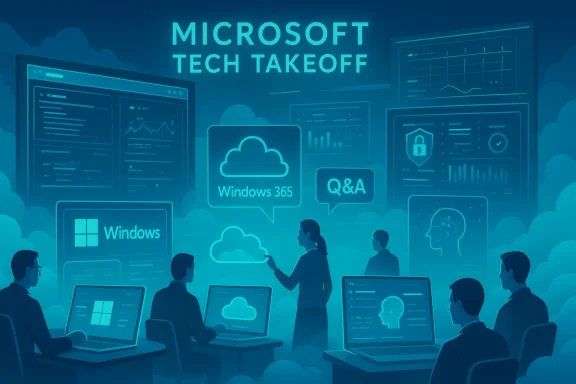
Microsoft’s Technical Takeoff returns in March 2026 with a concentrated, engineering‑led lineup aimed squarely at Windows, Windows‑in‑the‑cloud, and endpoint management teams—and for IT pros who manage Windows 11, Windows 365, Azure Virtual Desktop or Intune, the four Mondays of deep dives are one of the clearest opportunities this year to get direct, actionable guidance from product teams and engineers.
Technical Takeoff 2026 runs across four Mondays—March 2, March 9, March 16, and March 23—and bundles dozens of focused sessions on device management, security, resiliency, update management, recovery, and cloud desktop operations. Each day targets practical scenarios: how to reduce downtime with hotpatching, how to use Windows 365 restore points and Reserve, how to remove legacy authentication exposure like NTLM, how to deploy passkeys and prepare for post‑quantum cryptography, and how to tighten security and least‑privilege with Intune and Endpoint Privilege Management.
What makes this event valuable is not just the slide decks and demos: Microsoft engineering and product leaders staff live chat and Q&A, and sessions are designed to be interactive. Expect demos, live troubleshooting, and the chance to surface real‑world blockers directly to the teams shipping the features.
What to know:
What to know:
What to know:
What to know:
What to know:
What to know:
Before the event:
However, several of the changes on the horizon—NTLM default hardening, PQC planning, hotpatch prerequisites—carry real operational risk if treated as “opt‑in” features. Use Technical Takeoff to build concrete, testable plans: inventory dependencies, validate pilots, update runbooks, and keep stakeholders informed. If you do that, the four Mondays in March can convert from a passive training calendar entry into a measurable improvement in security posture, resilience, and operational tempo.
Technical Takeoff is practical. Make it operational.
Source: Microsoft - Message Center Tune in, skill up: Windows at Tech Takeoff 2026 - Windows IT Pro Blog
 Overview
Technical Takeoff 2026 runs across four Mondays—March 2, March 9, March 16, and March 23—and bundles dozens of focused sessions on device management, security, resiliency, update management, recovery, and cloud desktop operations. Each day targets practical scenarios: how to reduce downtime with hotpatching, how to use Windows 365 restore points and Reserve, how to remove legacy authentication exposure like NTLM, how to deploy passkeys and prepare for post‑quantum cryptography, and how to tighten security and least‑privilege with Intune and Endpoint Privilege Management.What makes this event valuable is not just the slide decks and demos: Microsoft engineering and product leaders staff live chat and Q&A, and sessions are designed to be interactive. Expect demos, live troubleshooting, and the chance to surface real‑world blockers directly to the teams shipping the features.
Background: why Technical Takeoff matters right now
Microsoft’s ecosystem continues to lean into cloud‑first management and higher‑assurance security defaults. Over the last 18 months the company has accelerated change in several areas that materially affect enterprise Windows operations:- The shift toward hotpatch update delivery to reduce reboots and compress update windows.
- New recovery primitives including point‑in‑time restore and faster WinRE tooling for quick machine recovery.
- A multi‑phase plan to deprecate NTLM as a default authentication fallback and harden against relay attacks.
- Expanding Windows 365 capabilities (Reserve, Frontline scenarios, improved reporting and restore mechanics).
- Native platform support for passkeys and guidance for hybrid authentication models.
- Planning and guidance around post‑quantum cryptography (PQC) and crypto agility.
What to expect at the Windows‑focused sessions
Microsoft has organized the Windows sessions into practical blocks across the four Mondays. The agenda targets specific operational problems, and the format emphasizes demos plus live Q&A.Highlights by date
- March 2, 2026
- Let’s talk Windows & Intune (kickoff panel)
- Windows 11 security updates and hotpatching demystified
- Windows 365 Reserve and resiliency topics
- Eliminating NTLM in Windows
- March 9, 2026
- Security for Windows 365 and AVD
- Secure Boot certificate updates
- Report/monitoring for Windows 365
- Least privilege with Endpoint Privilege Management
- Windows 365 point‑in‑time restore explainer
- March 16, 2026
- Intune deep dives and Autopatch readiness reporting
- Windows 365 user experience and migration sessions
- App Control and migration from VDI to Cloud PC
- March 23, 2026
- Hardware security and Zero Trust DNS
- Managing AI/agentic capabilities safely in Windows
- Intune + Windows 365 deployment walkthroughs
- Passkeys on Windows, post‑quantum cryptography, and quick machine recovery
Key technical themes and what they really mean for IT teams
Below I break down the most consequential technical themes in plain language, paired with what you should actually do before, during, and after the event to get the most value.Hotpatching: fewer restarts, but stricter prerequisites
Hotpatching lets eligible Windows devices receive many security fixes without requiring a restart for the remainder of the quarter. For organizations focused on availability, hotpatching reduces scheduled downtime and shrink windows of exposure between patch release and deployment.What to know:
- Hotpatch cycles use quarterly baseline updates with hotpatch months between baselines.
- Eligible devices and SKUs are constrained by licensing, build versions, and platform prerequisites (e.g., certain Windows 11/Server baseline builds, VBS and virtualization features enabled, management via Intune or Windows Autopatch/Azure Update Manager).
- Hotpatch doesn’t eliminate all restarts—OS feature or firmware updates can still require reboots.
- Inventory your Windows 11/Server fleet: identify devices that meet hotpatch prerequisites.
- Validate Intune and Autopatch conditional policies for hotpatch enrollment.
- Test hotpatch behavior on a staged cohort and validate rollback behavior and telemetry.
- Monitor hotpatch calendar when scheduling feature upgrades.
Point‑in‑time restore and quick machine recovery: a modern recovery story
Point‑in‑time restore brings snapshot‑style system recovery to both Cloud PCs and local Windows 11 devices. For Cloud PCs, admins can configure short‑term and long‑term restore points; for local devices, point‑in‑time restore uses VSS snapshots retained for a short window.What to know:
- Cloud PC restore policies provide configurable frequencies and retention (short‑term and weekly long‑term points).
- Local point‑in‑time restore typically retains restore points for a limited period (for example, up to 72 hours with configurable frequency).
- Restores are comprehensive and will roll back apps, settings, and local files—this can cause data loss for any changes made after the restore point.
- Determine recovery SLAs for Cloud PCs and on‑prem devices. If your business needs quick recovery with minimal IT intervention, prioritize enabling Cloud PC restore policies.
- Document end‑user expectations and backup strategies: restore is not a replacement for longer‑term backups or offline snapshots.
- Test restores across typical failure modes (bad drivers, ransomware scenario, configuration drift) and validate BitLocker/key handling, since encrypted volumes and key requirements can block recovery.
NTLM deprecation: phased, but urgent to prepare
Microsoft is moving toward delivering Windows in a secure‑by‑default posture that blocks network NTLM authentication by default in future releases. The change is phased: enhanced auditing and telemetry first, followed by new features (IAKerb, Local KDC) to address legacy scenarios, and then broader default disablement.What to know:
- NTLM remains part of Windows and can be re‑enabled via policy, but the default posture is shifting to prefer Kerberos and modern authentication.
- Microsoft and its security teams have published guidance and tools for auditing NTLM usage and for hardening domain services against NTLM relay and lateral movement attacks.
- Planned enabling of things like Channel Binding, Extended Protection for Authentication (EPA), and other default hardenings are already present in recent server and client releases.
- Run NTLM discovery and auditing now. Identify applications, devices, and service accounts that still depend on NTLM.
- Prioritize remediation by risk and exposure: services that accept external authentication or cross‑domain authentication should be first.
- Test fallback strategies for legacy systems: where update or replacement is not immediately possible, plan mitigations (network segmentation, SMB signing, conditional blocking).
- Join the Technical Takeoff session on eliminating NTLM—collect the engineering Q&A and test any vendor guidance provided live.
Windows 365 Reserve, Frontline, and restore: practical resiliency for Cloud PCs
Windows 365 Reserve lets organizations provide short‑term Cloud PC access in predictable, low‑cost blocks—useful for device failures, ransomware response, temporary contractors, or frontline surge capacity. Point‑in‑time restore for Cloud PCs further reduces recovery windows by letting admins (or permitted users) restore Cloud PCs to a previous state.What to know:
- Windows 365 Reserve is designed as a low‑cost contingency SKU with limited annual access per user; it’s pre‑provisioned with Microsoft 365 apps and policies.
- Cloud PC restore points are configurable by frequency and retention and integrate into Intune management.
- Windows 365 Frontline expansions and reporting improvements are aimed at high‑scale, distributed frontline worker scenarios.
- Model Reserve usage in your operational continuity runbook (ransomware, mass device failures, supply chain delays).
- Configure restore cadence and retention in Intune aligned with recovery SLAs and storage implications.
- Use Cloud PC reporting and monitoring sessions at Technical Takeoff to learn which telemetry to prioritize for scale‑up and diagnostics.
Passkeys and credential modernization: reduce phishing and improve UX
Windows now supports passkeys natively via Windows Hello and platform authenticators, and recent updates extend cross‑device options and cloud sync. Passkeys are a phishing‑resistant alternative to passwords and are increasingly supported by browsers, identity providers, and password managers.What to know:
- Passkeys rely on FIDO2 public/private key cryptography and are unlocked by device biometrics or PIN.
- Windows provides options to store passkeys locally, on a companion device, or synced via browser password managers.
- Enterprises should reconcile passkey storage and Entra/Microsoft Entra ID behavior for device sign‑in and service authentication.
- Pilot passkeys for targeted user groups where phishing risk or password fatigue is high.
- Update identity documentation and conditional access policies to include passkey considerations.
- Train helpdesk and support teams on passkey recovery and companion device flows.
Post‑quantum cryptography (PQC): plan now, act in phases
PQC is not a single product—it's a long‑running transition. Microsoft’s Technical Takeoff includes a session explicitly about transitioning to post‑quantum cryptography, reflecting the need to inventory crypto usage and adopt crypto‑agile architectures.What to know:
- Regulatory and standards organizations recommend starting PQC planning now, with hybrid cryptography (classical + PQ) used during transition.
- PQC introduces interoperability and performance tradeoffs; some algorithms produce larger keys or signatures.
- Agencies in multiple regions are recommending planning milestones through 2026–2030 for completion of core transitions.
- Create a prioritized cryptographic inventory: certificates, TLS endpoints, code‑signing, PKI, and identity tokens.
- Identify long‑lived confidentiality requirements (data that must remain secret for many years) and prioritize those systems.
- Start hybrid PQC pilots for non‑critical services and evaluate performance and interoperability.
- Build crypto‑agility into procurement and architecture so you can swap algorithms without wholesale rework.
Tactical checklist: before, during, and after Tech Takeoff
Use this short checklist to convert the event into operational improvements.Before the event:
- Gather inventories: OS versions, Cloud PC counts, Intune enrollment, Autopatch/Windows Autopatch configuration, and domain authentication telemetry.
- Prepare targeted questions: authentication blockers, hotpatch enrollment failures, restore edge cases, and passkey adoption scenarios.
- Identify a test cohort and decide which teams will be responsible for post‑event validation.
- Post concise, real scenarios in the live Q&A: include error messages, event IDs, and configuration snippets (where appropriate).
- Bookmark session recordings and transcripts for later reference.
- Capture engineering guidance and follow up on ambiguous answers in session comments.
- Triage the guidance you received and map it to your backlog.
- Create small pilots (1–3% of your population) to validate hotpatch, restore policies, and passkey flows.
- Update runbooks and incident recovery playbooks with any new steps or telemetry to monitor.
- Share recordings and operational notes with your team and run a brown‑bag to align the ops floor.
Strengths of this year’s Technical Takeoff—and where to be cautious
What Microsoft gets right this year:- Direct engineering access. Live Q&A with product teams shortens the feedback loop and surfaces practical implementation details that documentation alone often misses.
- Actionable content. Sessions are scenario driven—less conceptual marketing, more config, logs, and troubleshooting.
- Coverage across the stack. From hardware security and secure boot to cloud PC management and PQC, the event maps to modern enterprise concerns.
- Default changes have real impact. Security defaults like NTLM disablement can break legacy applications. Rely on auditing and phased rollout rather than flipping global policies.
- Operational dependencies. Features such as hotpatch require certain platform prerequisites; these can generate unexpected management complexity if not inventoried in advance.
- Recovery vs backup confusion. Point‑in‑time restore is powerful but not a replacement for durable backups. Administrators must understand retention, encryption, and BitLocker interactions.
- PQC is nascent and complex. Early PQC pilots must be treated as experiments. Don’t assume vendor ecosystems will be fully consistent—plan for hybrid approaches and interoperability testing.
Practical recommendations for IT leaders
- Treat March 2026 Technical Takeoff as an operational workshop, not a marketing event. Assign engineers to attend specific sessions with concrete test cases and telemetry ready.
- Prioritize an immediate NTLM discovery campaign. Use the next 60–90 days to identify and remediate NTLM dependencies before default blockers roll out.
- Test hotpatch and point‑in‑time restore on a controlled cohort. Measure recovery time objectives (RTOs) and confirm encryption and credential behavior.
- Bake passkeys into your identity roadmap: pilot with low‑risk groups, update conditional access, and train support staff.
- Start PQC inventory and planning now. Identify high‑value assets and run hybrid cryptography pilots for TLS and key exchange.
- Update incident response and continuity plans to account for cloud desktop recovery, Reserve provisioning, and restore point operations.
- Keep a tight feedback loop: record engineering answers and track recommended changes in your ticketing backlog for verification.
How to extract the most value from session content
- Bring reproducible problems: a short, reproducible failure scenario, the exact event IDs, and configuration snippets will almost always get you more precise engineering guidance than vague descriptions.
- Use session recordings as living documentation: export transcripts, tag timecodes where engineers give configuration commands or show portal steps, and add those to your internal runbooks.
- Follow up in the Tech Community: sessions often continue to be monitored after the live broadcast. Post follow‑ups there for targeted clarification.
- Try before you trust: implement recommended changes in a pilot group and measure user impact, telemetry, and rollback complexity before broad deployment.
Final assessment
Technical Takeoff 2026 is a timely, practical series for any team managing modern Windows estates. The agenda aligns with the most pressing operational trends—reducing downtime through hotpatch, hardening authentication, improving recovery with point‑in‑time restore, and preparing for long‑term cryptographic change. The event’s greatest value is the live access it gives to engineers: when you bring specific, reproducible problems you can get fix‑oriented guidance instead of generic recommendations.However, several of the changes on the horizon—NTLM default hardening, PQC planning, hotpatch prerequisites—carry real operational risk if treated as “opt‑in” features. Use Technical Takeoff to build concrete, testable plans: inventory dependencies, validate pilots, update runbooks, and keep stakeholders informed. If you do that, the four Mondays in March can convert from a passive training calendar entry into a measurable improvement in security posture, resilience, and operational tempo.
Technical Takeoff is practical. Make it operational.
Source: Microsoft - Message Center Tune in, skill up: Windows at Tech Takeoff 2026 - Windows IT Pro Blog