

Microsoft’s decision to fold System Monitor — Sysmon from the Sysinternals suite — into Windows 11 as an optional, inbox feature marks one of the most consequential changes to desktop monitoring in years. The functionality has begun appearing in Windows 11 Insider Preview builds (notably the Dev build 26300.7733 / KB5074178 and companion Beta builds) and delivers the familiar Sysmon event model natively inside the OS: disabled by default, exposed as an Optional Feature, installed via Settings or DISM, and finalized with the same sysmon command-line invocation administrators already use. For defenders, defenders-in-depth becomes easier to deploy at scale; for operators and platform teams, new choices — and a few administrative traps — arrive with it.
Sysmon has for over a decade been a staple of advanced Windows monitoring. Delivered originally as part of Microsoft Sysinternals, Sysmon installs a service and a kernel-mode driver to log detailed system activity — process creation with full command line, network connections, image loads, file-creation hooks and a growing set of event types — into a dedicated Windows Event Log channel. Security operations teams use Sysmon telemetry to detect living-off-the-land attacks, lateral movement, stealthy process injection, and artifact-based indicators that traditional endpoint telemetry often misses.
Until now, organizations had to distribute Sysmon’s binary and configuration XMLs manually or with management tooling to populate SIEMs and EDR pipelines. With the Insider releases rolling out the capability as an inbox optional feature, Microsoft has made the core Sysmon telemetry model an integrated part of the Windows platform — available from Settings, PowerShell, or DISM, and recorded directly into the Windows Event Log so existing log collectors can ingest it without new agents or custom log channel mappings.
The new inbox model is conservative in execution: the feature is disabled by default, requires explicit enablement, and Microsoft warns that any previously installed Sysmon binary must be uninstalled before enabling the built‑in variant. That makes the initial release safe for unmanaged endpoints and cautious enterprises, while still enabling a more seamless rollout path for IT teams.
Security teams should embrace the capability, but do so with a disciplined, phased deployment plan: inventory existing deployments, test driver and EDR compatibility, standardize configurations, and prepare SIEM pipelines for larger volumes. Platform teams should demand clarity from Microsoft on versioning and management controls — and insist on automation helpers that remove the friction of uninstalling the standalone tool.
In short, native Sysmon brings the potential to materially improve detection and diagnosis on Windows, but its success will depend on how carefully organizations treat rollout, tuning, and governance. For defenders, this is a moment to tighten telemetry strategy; for Microsoft, it’s an opportunity to demonstrate that platform-level observability can be shipped with appropriate guardrails and operational clarity.
Source: TechRepublic Microsoft Starts Testing Built-In Sysmon Monitoring in Windows 11
 Background / Overview
Sysmon has for over a decade been a staple of advanced Windows monitoring. Delivered originally as part of Microsoft Sysinternals, Sysmon installs a service and a kernel-mode driver to log detailed system activity — process creation with full command line, network connections, image loads, file-creation hooks and a growing set of event types — into a dedicated Windows Event Log channel. Security operations teams use Sysmon telemetry to detect living-off-the-land attacks, lateral movement, stealthy process injection, and artifact-based indicators that traditional endpoint telemetry often misses.Until now, organizations had to distribute Sysmon’s binary and configuration XMLs manually or with management tooling to populate SIEMs and EDR pipelines. With the Insider releases rolling out the capability as an inbox optional feature, Microsoft has made the core Sysmon telemetry model an integrated part of the Windows platform — available from Settings, PowerShell, or DISM, and recorded directly into the Windows Event Log so existing log collectors can ingest it without new agents or custom log channel mappings.
The new inbox model is conservative in execution: the feature is disabled by default, requires explicit enablement, and Microsoft warns that any previously installed Sysmon binary must be uninstalled before enabling the built‑in variant. That makes the initial release safe for unmanaged endpoints and cautious enterprises, while still enabling a more seamless rollout path for IT teams.
What landed in the Insider build: the facts
What Microsoft shipped, in plain terms
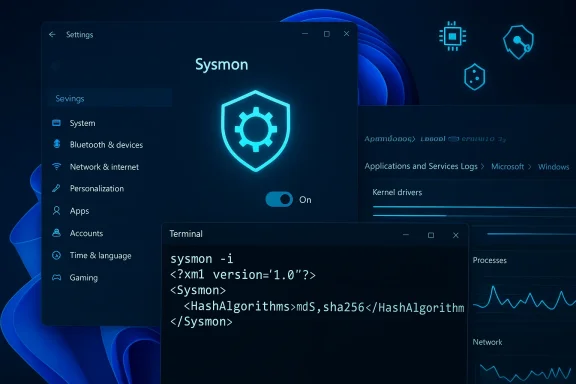
- Built‑in Sysmon: Exposed as a Windows Optional Feature (Settings → System → Optional features → More Windows features) and controllable by DISM / PowerShell. Administrators still need to run the traditional sysmon install command (sysmon -i) to initialize logging and apply configuration files.
- Event location unchanged: Sysmon events are written to the same dedicated Event Log channel teams already expect: Applications and Services Logs → Microsoft → Windows → Sysmon → Operational.
- Disabled by default: No surprises for end users; the feature cannot begin logging until an administrator enables and initializes it.
- Standalone Sysmon compatibility note: If a machine already runs the Sysinternals-distributed Sysmon binary, it must be uninstalled before switching to the built-in feature.
How you enable it (the supported paths)
- GUI: Settings → System → Optional features → More Windows features → check Sysmon.
- Command-line: run DISM to enable the Windows feature:
- Dism /Online /Enable-Feature /FeatureName:Sysmon
- Finalize installation and apply a config:
- sysmon -i (or sysmon -i <config.xml> to apply a ruleset at install time)
Why this matters: operational and strategic implications
Reduced friction for defenders
Making Sysmon a first-class optional feature removes the packaging and distribution concerns that traditionally slowed adoption. Smaller organizations and security teams with minimal agent sprawl can now enable high-fidelity telemetry without adding third-party installers, simplifying:- Compliance and audit onboarding (consistent logging channel)
- SIEM ingestion pipelines (no additional custom channels)
- Baseline telemetry across heterogeneous estates
Better visibility for Microsoft and large estates
For enterprises with deep telemetry stacks, a native Sysmon lowers the bar for broad telemetry coverage. It also gives Microsoft a consistent surface for diagnostics and telemetry that could aid in faster root-cause analysis when platform-level issues surface. In theory, a consistent, supported inbox implementation reduces fragmentation, lowers support overhead, and accelerates incident response.Aligns with Microsoft’s recent emphasis on security and quality
The roll-out comes against a backdrop of renewed organizational focus on security and engineering quality within Microsoft. The company has made visible leadership changes and signaled a prioritization of reliability — embedding an advanced monitoring capability as an optional, supported platform feature is consistent with that direction. Native telemetry can help both customers and Microsoft detect and remediate systemic issues faster.Technical details security teams need to know
Event model and channel
- Sysmon events are recorded to the Windows Event Log location used by the traditional Sysinternals tool: Applications and Services Logs → Microsoft → Windows → Sysmon → Operational.
- Event IDs and schemas remain the same as the community and vendor documentation describe; Sysmon users can continue to rely on the familiar event IDs for ingestion and rule logic.
Installation model and driver implications
- Enabling the inbox feature introduces the Sysmon service and kernel-mode driver into the OS environment; launching sysmon -i installs the driver and starts logging.
- Kernel-mode components require administrator privileges to install and can have system-level impact if buggy or misconfigured, so organizations should treat enablement as a change-control event.
- Microsoft explicitly requires uninstalling previously deployed standalone Sysmon binaries before enabling the built-in variant. Failure to do so may cause installation or operational conflicts.
Configuration
- Sysmon retains its XML configuration model; operators can continue to use widely adopted community templates (e.g., SwiftOnSecurity-style configs) or bespoke rulesets.
- Applying or changing configurations after initial install uses the same commands (sysmon -c <config.xml>) giving admins continuity in config management.
Collection and ingestion
- No change required for most SIEMs: collectors that already harvest custom event channels will pick up Sysmon events where they did before.
- For Windows Event Forwarding or centralized log collection, teams should ensure policies capture the Sysmon channel and adjust filters for event volume.
Strengths: what’s compelling about native Sysmon
- Lower deployment overhead: No more bundling or separate installers — features can be enabled via native Windows tooling, making pilot programs and rapid rollouts simpler.
- Standardized telemetry channel: Keeps Sysmon under the supported Windows Event Log umbrella, easing compatibility with enterprise collectors and audit policies.
- Preserves existing knowledge and tooling: The same sysmon.exe semantics and XML configs are supported, reducing retraining and script rewrites.
- Optional and disabled by default: Minimizes surprise for end users and gives IT explicit control over rollout timing.
- Better visibility for platform engineering: Native install enables faster correlation between OS-level events and Sysmon telemetry during incident response or for Microsoft diagnostics.
Risks, caveats and questions administrators must consider
Performance and telemetry volume
Sysmon is powerful — it can generate very large volumes of events depending on configuration. Without careful tuning, organizations risk:- Increased storage and ingestion costs in SIEMs
- Performance impacts on endpoints, especially older or resource-constrained devices
- Elevated CPU and I/O due to extensive event capture (e.g., full command line capture + network connection logging)
Configuration management complexity
Centralized, consistent configurations are essential. Enterprises will want to standardize XML configuration deployment via Group Policy, MDM solutions, or deployment tooling. A fragmented set of node-level configs increases false positives and complicates cross-machine correlation.Compatibility with endpoint security and EDR
Sysmon installs a kernel driver and runs as a system service. While the tool is widely respected, interactions with EDR, antivirus, and other kernel-level components can be delicate. Organizations should:- Validate driver coexistence in test cohorts
- Coordinate with EDR vendors and support channels before mass rollout
- Monitor for driver signing or unsigned-driver policy issues in tightly locked environments
Migration and versioning
The built-in Sysmon will have its own lifecycle aligned to Windows updates. That raises operational questions:- How will Microsoft handle version parity with Sysinternals-distributed releases?
- If features or bug fixes ship in the standalone Sysmon before they are integrated, how will administrators reconcile differences?
- The explicit requirement to uninstall the standalone Sysmon introduces migration steps that must be managed in change windows.
Governance, privacy and data minimization
With increased telemetry comes increased risk of collecting sensitive data in logs (command lines, file paths, usernames). Security teams should apply data minimization best practices and ensure collection policies comply with regulatory and privacy requirements.The “uninstall first” trap
Microsoft’s note that previously installed Sysmon must be removed before enabling the inbox feature is operationally critical. In large estates, forgetting this step could cause failed installs or inconsistent outcomes. Deployment runbooks must include a careful uninstall-and-verify phase before enabling the inbox feature.Recommended rollout strategy for IT and security teams
- Start small and measure.
- Enable the feature in a controlled pilot group of representative machines and monitor CPU, disk I/O, and event volumes for at least one business week.
- Define and standardize a baseline configuration.
- Use a vetted community or vendor‑hardened XML as a starting point. Apply a conservative rule set and expand coverage iteratively.
- Coordinate with endpoint and EDR vendors.
- Validate driver and service coexistence. Get vendor guidance on exclusions, if any, and recommended tuning.
- Automate install, uninstall, and configuration.
- Use Group Policy, MDM, or automation tooling to remove legacy Sysmon where present, enable the inbox feature, run sysmon -i with a canonical XML, and validate successful logging.
- Plan SIEM capacity and retention changes.
- Anticipate increased ingestion and storage. Modify filters, parsers, and enrichment pipelines to handle new Sysmon event types.
- Apply data governance and redaction as needed.
- Where privacy rules or compliance restrict logging of user or file paths, implement redaction or targeted collection policies.
- Document rollback and support procedures.
- Keep a tested uninstall and rollback procedure ready; ensure helpdesk has scripts and logs to validate whether the inbox or standalone Sysmon is installed.
What this means for defenders, vendors, and Microsoft
- For defenders: the barrier to collecting high-fidelity telemetry on Windows endpoints just dropped. Smaller security teams that previously lacked the resources to deploy Sysmon across thousands of endpoints can now enable a supported OS feature to supply richer telemetry to detection logic and correlation engines.
- For vendors: SIEM and log-management vendors will need to ensure their parsers and normalization rules accommodate the native Sysmon channel; managed service providers should add native Sysmon compatibility to their onboarding checklists.
- For Microsoft: shipping Sysmon as an optional inbox capability helps unify platform telemetry and may improve the company’s ability to detect systemic problems. But it also places responsibility on Microsoft to manage the feature’s lifecycle carefully — versioning, security updates, and interoperability with third-party drivers will be critical.
Unanswered questions and areas to watch
- Version parity and update model: Will inbox Sysmon track Sysinternals releases, or will Microsoft maintain its own cadence? How quickly will new Sysmon features be folded into Windows releases?
- Policy/Group Policy and MDM controls: Microsoft’s Insider notes indicate GUI and DISM paths for enablement, but enterprises will expect documented Group Policy templates, ADMX support, and Microsoft Endpoint Manager controls to orchestrate large-scale rollouts.
- Telemetry opt-in governance: Which telemetry, if any, will Microsoft collect for product improvement if organizations enable inbox Sysmon? Clarifying Microsoft’s telemetry boundaries and opt-out semantics for diagnostic uploads will be important for privacy-conscious customers.
- Conflict resolution between the standalone and inbox binaries: The mandated uninstall step is clear, but tooling to automate safe migration at scale will be essential to avoid human error.
Practical checklist for administrators (quick reference)
- Inventory: Identify endpoints with the standalone Sysmon binary installed.
- Pilot: Select a small, representative pilot group for roll‑out testing.
- Uninstall: Remove the standalone Sysmon from pilot machines before enabling the inbox feature.
- Enable: Turn on “Sysmon” under Optional Features or run DISM /Online /Enable-Feature /FeatureName:Sysmon.
- Initialize: Run sysmon -i (with a configuration file where needed).
- Verify: Confirm events appear in Applications and Services Logs → Microsoft → Windows → Sysmon → Operational.
- Scale: Automate the uninstall/enable/install flow through MDM or scripts using guarded change windows.
- Monitor: Watch for performance impact, event growth, and SIEM ingestion errors for 7–14 days before wider rollout.
Final assessment: Pragmatism with caution
Making Sysmon a built-in optional feature is a pragmatic and welcome step. It lowers adoption barriers, aligns telemetry across environments, and helps teams and Microsoft itself gain better visibility into system behavior. That said, the move is not a plug-and-play boon: it introduces migration operations, lifecycle questions, and the perennial tradeoffs between observability and overhead.Security teams should embrace the capability, but do so with a disciplined, phased deployment plan: inventory existing deployments, test driver and EDR compatibility, standardize configurations, and prepare SIEM pipelines for larger volumes. Platform teams should demand clarity from Microsoft on versioning and management controls — and insist on automation helpers that remove the friction of uninstalling the standalone tool.
In short, native Sysmon brings the potential to materially improve detection and diagnosis on Windows, but its success will depend on how carefully organizations treat rollout, tuning, and governance. For defenders, this is a moment to tighten telemetry strategy; for Microsoft, it’s an opportunity to demonstrate that platform-level observability can be shipped with appropriate guardrails and operational clarity.
Source: TechRepublic Microsoft Starts Testing Built-In Sysmon Monitoring in Windows 11
