

Microsoft’s new Feedback Hub is a bigger deal than a simple app refresh. It is a signal that the company is trying to rebuild trust with Windows 11 users after years of complaints about missing controls, awkward defaults, and features that seemed to arrive before the basics were finished. The timing matters: in 2026, Microsoft is not just polishing an app, it is trying to prove that feedback can actually shape the operating system again. And that is why this update deserves closer scrutiny than a normal Insider build feature.
For a long stretch, Windows 11 users have felt like they were shouting into the void. Microsoft would ask for feedback, Insiders would submit it, and then the same long-running complaints would keep resurfacing in forums, social media, and support channels. The new Feedback Hub is Microsoft’s attempt to fix that relationship at the front door, not just in the back-end engineering process.
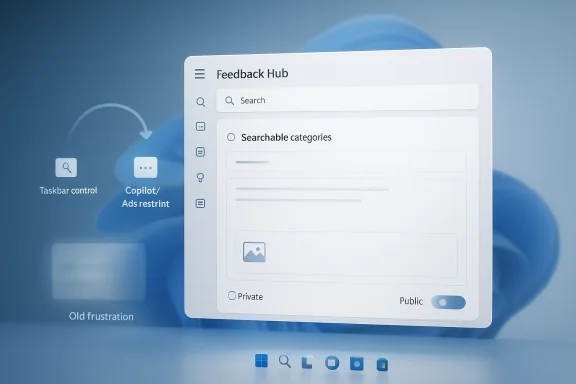
The redesigned app is meant to be faster, simpler, and more approachable. Microsoft says it now uses a single unified submission template, search-backed categories, a modernized form, a more direct navigation structure, a new compliment type, private-or-public submission controls, a focused quick-feedback surface, and improved screenshot capture tools. Those changes sound modest on paper, but together they point to a broader product strategy: make feedback easier to file, easier to classify, and easier to act on.
That matters because Windows 11 has entered a very sensitive phase. Microsoft has spent the past year trying to convince users that it is listening again, especially after widespread criticism around the Taskbar, AI integration, ads, and general interface clutter. The company has also been quietly testing more user-friendly changes in Insider channels, including the long-awaited possibility of moving the Taskbar. In other words, Feedback Hub is not just a support tool anymore; it is a symbol of whether Microsoft intends to keep making good on its promises.
The irony is hard to miss. Microsoft spent years turning Windows into a more opinionated platform, then turned around and asked users for structured feedback on that same experience. Now it appears to be making the feedback pipeline itself less frustrating. That may sound like housekeeping, but in the context of Windows 11, housekeeping is policy.
When Windows 11 launched, it introduced a cleaner visual language but also stripped out a number of controls users had taken for granted. The centered Taskbar, the new context menus, the reduction in Taskbar flexibility, and the heavier push toward Microsoft services all signaled a more curated desktop experience. For many consumers, that tradeoff was acceptable. For power users and enterprise admins, it often felt like a loss of agency.
Microsoft later acknowledged some of the friction. It spoke openly about reducing “pain points,” improving the product based on feedback, and smoothing rough edges in future updates. But rhetoric is cheap in software. The real test is whether Microsoft restores the capabilities people actually asked for, especially the ones that were removed rather than improved.
The Taskbar issue is the clearest example. Users have been asking since Windows 11’s debut for the ability to move the Taskbar to the side or top of the screen, just as they could in prior versions. That request became a kind of shorthand for the larger Windows 11 complaint: if the OS is supposed to be more modern, why does it feel less flexible? Microsoft’s willingness to revisit that decision is therefore bigger than the Taskbar itself. It is a test case for whether the company is prepared to reverse course when enough users say a change went too far.
A stronger feedback tool can change that dynamic in practical ways. Better screenshots, quicker submission, and more obvious category search can reduce friction for users who are willing to report bugs but not willing to wrestle with the interface to do it. That is not glamorous, but it is exactly the sort of operational improvement that can affect product quality over time.
The navigation changes are equally important. My Feedback now sits directly in the navigation pane, while Community feedback replaces the older All feedback label. That may seem cosmetic, but naming matters in software. When a tool feels more direct, users are more likely to use it; when it feels like a maze, they stop caring.
Microsoft has also added a new compliment feedback type. That is a smart move, because feedback systems can become complaint factories if they only reward negative reports. A compliment path helps Microsoft identify features that people appreciate enough to mention, and it gives the company a more balanced view of product sentiment.
There is also a strategic motive here. If Microsoft lowers the friction for filing feedback, it can gather more consistent data across a larger audience. That gives the company a better chance of spotting patterns, especially when issues are subtle, intermittent, or tied to particular hardware configurations.
A movable Taskbar would be seen as an act of respect. It would not transform Windows 11 into a different product, but it would demonstrate that Microsoft can reverse a design decision when enough people reject it. That matters in a world where users increasingly compare Windows against more flexible, less intrusive alternatives.
The broader lesson is that interface control is not a niche demand. It affects productivity, ergonomics, accessibility, and workflow habits. For some users, a bottom Taskbar is fine. For others, side placement is essential, especially on wide displays or multi-monitor setups. When Microsoft removes that choice, it is not just eliminating a preference; it is breaking a long-standing mental model.
There is also a competitive dimension. macOS has long been opinionated, but it also delivers consistency. Windows, by contrast, has historically won loyalty by being adaptable. If Microsoft wants Windows 11 to feel like the natural home for power users, it has to protect some of that adaptability.
Microsoft has also reportedly pulled back on some ideas, including plans to bring Copilot into notifications. That is notable because it suggests the company is capable of listening when a feature crosses a line before release. But users are increasingly asking for consistency, not isolated reversals. If one AI integration is reworked while another arrives anyway, the trust issue remains.
Ads and bloat are part of the same conversation. Windows 11 users do not just object to new features; they object to features that feel imposed, monetized, or difficult to disable. When a platform adds friction in the name of engagement, it often creates a sense that the operating system is serving Microsoft first and the user second.
That is why the Feedback Hub matters beyond bug reporting. It is part of Microsoft’s trust architecture. If users believe feedback leads to visible action, they will keep participating. If they believe it is theater, they will disengage.
Microsoft’s Insider strategy has always been more than a testing pipeline. It is also a reputation-management tool. If people feel that the company is genuinely present, responding, and iterating, they are more likely to forgive unfinished builds and temporary rough edges. That can buy Microsoft time to refine features before they reach the wider audience.
But that only works if the company maintains a clear difference between preview and production. Insiders are willing to test unstable features because they expect experimentation. Mainstream users are much less tolerant. The challenge for Microsoft is to avoid letting the rough-and-ready spirit of Insider feedback bleed into the finished product.
A demo of a movable Taskbar, for example, does not just show a feature. It shows that a once-rejected request is now plausible. That can have a bigger effect on sentiment than a release note ever will.
For enterprises, the stakes are different. IT departments care about reproducibility, documentation, and predictable change management. A better feedback pipeline can help Microsoft isolate defects in specific hardware environments or workflows, especially when a complaint is tied to a screenshot, a policy state, or a version-specific regression. That said, enterprise customers ultimately judge Microsoft on stability and control, not community engagement.
The most interesting part is that both groups benefit from the same underlying thing: fewer arbitrary surprises. Consumers want features that make sense. Enterprises want behavior they can plan around. If Microsoft actually responds to feedback on the Taskbar, AI prompts, and interface clutter, it helps both audiences at once.
That is why the return of a more usable Feedback Hub could matter more than its appearance suggests. Better reports from consumers help identify pain points earlier. Better reports from enterprise testers help Microsoft prioritize fixes before broad deployment.
The Taskbar issue is especially revealing because it is about control. Windows has always been strongest when it feels like a toolbox. When it starts to feel like a product demo, people notice. Competitors do not need to offer the exact same desktop model to benefit from Microsoft’s missteps; they only need to present themselves as less intrusive.
There is also a loyalty angle. Power users often shape opinion far beyond their own numbers. They write guides, influence purchasing decisions, and act as informal advisors for families, small businesses, and employers. If Microsoft wins back some of that audience by listening, it strengthens the Windows brand far beyond the Insider circle.
The company does appear to understand the stakes. Windows 11 does not need to become radically different to regain goodwill. It needs to become more trustworthy, more configurable, and less eager to surprise users who just want a dependable desktop.
Microsoft finally seems to grasp that listening is not just about collecting complaints. It is about proving that the operating system can still evolve in ways that make users feel heard. For Windows 11, that may be the most important update of all.
Source: Windows Central https://www.windowscentral.com/micr...back-hub-but-will-it-actually-fix-windows-11/
 Overview
For a long stretch, Windows 11 users have felt like they were shouting into the void. Microsoft would ask for feedback, Insiders would submit it, and then the same long-running complaints would keep resurfacing in forums, social media, and support channels. The new Feedback Hub is Microsoft’s attempt to fix that relationship at the front door, not just in the back-end engineering process.The redesigned app is meant to be faster, simpler, and more approachable. Microsoft says it now uses a single unified submission template, search-backed categories, a modernized form, a more direct navigation structure, a new compliment type, private-or-public submission controls, a focused quick-feedback surface, and improved screenshot capture tools. Those changes sound modest on paper, but together they point to a broader product strategy: make feedback easier to file, easier to classify, and easier to act on.
That matters because Windows 11 has entered a very sensitive phase. Microsoft has spent the past year trying to convince users that it is listening again, especially after widespread criticism around the Taskbar, AI integration, ads, and general interface clutter. The company has also been quietly testing more user-friendly changes in Insider channels, including the long-awaited possibility of moving the Taskbar. In other words, Feedback Hub is not just a support tool anymore; it is a symbol of whether Microsoft intends to keep making good on its promises.
The irony is hard to miss. Microsoft spent years turning Windows into a more opinionated platform, then turned around and asked users for structured feedback on that same experience. Now it appears to be making the feedback pipeline itself less frustrating. That may sound like housekeeping, but in the context of Windows 11, housekeeping is policy.
Background
Windows has always had a complicated relationship with user feedback. On one hand, Microsoft has long relied on Insider programs, telemetry, and forum input to shape releases. On the other hand, many of the most persistent user requests have historically been met with delay, redesign, or refusal. The current wave of Windows 11 frustration is rooted in that tension.When Windows 11 launched, it introduced a cleaner visual language but also stripped out a number of controls users had taken for granted. The centered Taskbar, the new context menus, the reduction in Taskbar flexibility, and the heavier push toward Microsoft services all signaled a more curated desktop experience. For many consumers, that tradeoff was acceptable. For power users and enterprise admins, it often felt like a loss of agency.
Microsoft later acknowledged some of the friction. It spoke openly about reducing “pain points,” improving the product based on feedback, and smoothing rough edges in future updates. But rhetoric is cheap in software. The real test is whether Microsoft restores the capabilities people actually asked for, especially the ones that were removed rather than improved.
The Taskbar issue is the clearest example. Users have been asking since Windows 11’s debut for the ability to move the Taskbar to the side or top of the screen, just as they could in prior versions. That request became a kind of shorthand for the larger Windows 11 complaint: if the OS is supposed to be more modern, why does it feel less flexible? Microsoft’s willingness to revisit that decision is therefore bigger than the Taskbar itself. It is a test case for whether the company is prepared to reverse course when enough users say a change went too far.
Why Feedback Hub matters now
The upgraded Feedback Hub arrives at a moment when Microsoft needs better signal from its user base, not just more signal. If a feedback channel is clunky, people stop filing high-quality reports and start venting elsewhere. That weakens the data Microsoft gets and makes the whole system less useful.A stronger feedback tool can change that dynamic in practical ways. Better screenshots, quicker submission, and more obvious category search can reduce friction for users who are willing to report bugs but not willing to wrestle with the interface to do it. That is not glamorous, but it is exactly the sort of operational improvement that can affect product quality over time.
- Faster submission means fewer abandoned reports.
- Better category search should reduce misfiled issues.
- A compliment path may help identify what is actually working.
- Private feedback can encourage more candid reporting.
- Better screenshot tooling can improve reproducibility.
What Microsoft Changed
Microsoft’s description of the new Feedback Hub suggests a broad rethink rather than a simple skin change. The app now uses a unified template for submission, which should remove some of the confusion about how to file different kinds of issues. Category search is also a useful addition because users often know what is broken before they know where Microsoft wants them to file it.The navigation changes are equally important. My Feedback now sits directly in the navigation pane, while Community feedback replaces the older All feedback label. That may seem cosmetic, but naming matters in software. When a tool feels more direct, users are more likely to use it; when it feels like a maze, they stop caring.
Microsoft has also added a new compliment feedback type. That is a smart move, because feedback systems can become complaint factories if they only reward negative reports. A compliment path helps Microsoft identify features that people appreciate enough to mention, and it gives the company a more balanced view of product sentiment.
The new submission model
The biggest structural change is the shift to a more unified feedback flow. Instead of forcing users through a more fragmented process, Microsoft is now pushing a simpler template and modernized form. That should help casual Insiders, not just hardcore testers, contribute meaningful reports.There is also a strategic motive here. If Microsoft lowers the friction for filing feedback, it can gather more consistent data across a larger audience. That gives the company a better chance of spotting patterns, especially when issues are subtle, intermittent, or tied to particular hardware configurations.
- One template should reduce user confusion.
- Searchable categories can improve routing.
- A modernized form can support faster iteration.
- Unified flow should make future changes easier.
- Cleaner structure may improve report quality.
Why the Taskbar Still Looms Large
Even though this Feedback Hub update is not itself the Taskbar fix, the two stories are clearly connected. Microsoft’s willingness to re-open the Taskbar conversation shows that it is no longer pretending the issue is marginal. Users have wanted more control over the desktop layout since Windows 11 first shipped, and the company seems to understand that this request is symbolic as much as functional.A movable Taskbar would be seen as an act of respect. It would not transform Windows 11 into a different product, but it would demonstrate that Microsoft can reverse a design decision when enough people reject it. That matters in a world where users increasingly compare Windows against more flexible, less intrusive alternatives.
The broader lesson is that interface control is not a niche demand. It affects productivity, ergonomics, accessibility, and workflow habits. For some users, a bottom Taskbar is fine. For others, side placement is essential, especially on wide displays or multi-monitor setups. When Microsoft removes that choice, it is not just eliminating a preference; it is breaking a long-standing mental model.
A design concession with strategic value
If Microsoft restores Taskbar placement, it will be doing more than appeasing enthusiasts. It will be signaling that Windows 11 is still a configurable desktop, not just a service shell with narrow defaults. That would have real marketing value because it directly answers one of the loudest criticisms of the platform.There is also a competitive dimension. macOS has long been opinionated, but it also delivers consistency. Windows, by contrast, has historically won loyalty by being adaptable. If Microsoft wants Windows 11 to feel like the natural home for power users, it has to protect some of that adaptability.
- Restoring Taskbar placement would improve goodwill.
- It would validate years of user complaints.
- It would strengthen Windows 11’s flexibility story.
- It would help Microsoft sell “listening” as more than a slogan.
- It could reduce frustration among advanced users and IT pros.
Copilot, Ads, and the Trust Problem
The Feedback Hub redesign lands amid ongoing criticism that Windows 11 is becoming too aggressive about pushing Microsoft’s own services. The Copilot experience, in particular, has become a flashpoint. Users have complained about the AI assistant’s prominence, the way Microsoft embeds it into the system, and the occasional sense that the OS is being turned into a vehicle for product promotion.Microsoft has also reportedly pulled back on some ideas, including plans to bring Copilot into notifications. That is notable because it suggests the company is capable of listening when a feature crosses a line before release. But users are increasingly asking for consistency, not isolated reversals. If one AI integration is reworked while another arrives anyway, the trust issue remains.
Ads and bloat are part of the same conversation. Windows 11 users do not just object to new features; they object to features that feel imposed, monetized, or difficult to disable. When a platform adds friction in the name of engagement, it often creates a sense that the operating system is serving Microsoft first and the user second.
Why trust is fragile
Trust in a desktop OS is easy to damage and hard to rebuild. Users tolerate change when they believe the change improves their workflow. They resist it when they suspect the change is driven by corporate goals rather than customer need.That is why the Feedback Hub matters beyond bug reporting. It is part of Microsoft’s trust architecture. If users believe feedback leads to visible action, they will keep participating. If they believe it is theater, they will disengage.
- Copilot criticism has made users more skeptical.
- Ad-like behaviors amplify that skepticism.
- Quiet reversals help, but only if they are consistent.
- Feedback tools must feel meaningfully connected to outcomes.
- Transparency matters as much as feature quality.
Insider Culture and Real-World Listening
One reason this update feels more credible than past statements is that it arrives alongside signs of more direct engagement. Reports from Insider events suggest Microsoft leaders have been speaking with users in person and showing off features that once seemed off-limits. That includes the Taskbar placement discussion, which now appears to be moving from rumor to reality.Microsoft’s Insider strategy has always been more than a testing pipeline. It is also a reputation-management tool. If people feel that the company is genuinely present, responding, and iterating, they are more likely to forgive unfinished builds and temporary rough edges. That can buy Microsoft time to refine features before they reach the wider audience.
But that only works if the company maintains a clear difference between preview and production. Insiders are willing to test unstable features because they expect experimentation. Mainstream users are much less tolerant. The challenge for Microsoft is to avoid letting the rough-and-ready spirit of Insider feedback bleed into the finished product.
The meetup effect
Face-to-face events can create a powerful sense of momentum. They let users see that Microsoft employees are not abstract corporate spokespeople but actual product teams hearing real complaints. That matters because many Windows frustrations are emotional as much as technical.A demo of a movable Taskbar, for example, does not just show a feature. It shows that a once-rejected request is now plausible. That can have a bigger effect on sentiment than a release note ever will.
- Direct conversations can rebuild goodwill.
- Live demos make change feel tangible.
- Insider events can surface unfiltered priorities.
- Public reversals carry symbolic weight.
- User communities respond to visible listening.
Enterprise and Consumer Impact
For consumers, the improved Feedback Hub mostly means less friction and a more believable promise that Windows 11 will improve. Casual users do not want to study Microsoft’s internal issue routing. They want the OS to be easier to use, easier to explain, and less annoying day to day. A cleaner feedback experience helps only indirectly, but that indirect effect can still matter if it leads to faster product fixes.For enterprises, the stakes are different. IT departments care about reproducibility, documentation, and predictable change management. A better feedback pipeline can help Microsoft isolate defects in specific hardware environments or workflows, especially when a complaint is tied to a screenshot, a policy state, or a version-specific regression. That said, enterprise customers ultimately judge Microsoft on stability and control, not community engagement.
The most interesting part is that both groups benefit from the same underlying thing: fewer arbitrary surprises. Consumers want features that make sense. Enterprises want behavior they can plan around. If Microsoft actually responds to feedback on the Taskbar, AI prompts, and interface clutter, it helps both audiences at once.
Different expectations, same frustration
Consumers often talk about annoyance. Enterprises talk about risk. But the source of the problem is often the same: a platform that changes in ways users did not ask for and cannot easily undo.That is why the return of a more usable Feedback Hub could matter more than its appearance suggests. Better reports from consumers help identify pain points earlier. Better reports from enterprise testers help Microsoft prioritize fixes before broad deployment.
- Consumers need convenience and familiarity.
- Enterprises need stability and predictable controls.
- Both want fewer intrusive changes.
- Both benefit from clearer reporting paths.
- Both lose patience when feedback appears ignored.
Competitive Implications
Microsoft’s current strategy has obvious competitive implications. A more flexible Windows 11 helps defend the platform against the broader argument that modern computing is becoming too locked down. That argument does not come only from Apple comparisons; it also comes from users frustrated by cloud-first assumptions, subscription pressure, and AI features being layered onto workflows without enough choice.The Taskbar issue is especially revealing because it is about control. Windows has always been strongest when it feels like a toolbox. When it starts to feel like a product demo, people notice. Competitors do not need to offer the exact same desktop model to benefit from Microsoft’s missteps; they only need to present themselves as less intrusive.
There is also a loyalty angle. Power users often shape opinion far beyond their own numbers. They write guides, influence purchasing decisions, and act as informal advisors for families, small businesses, and employers. If Microsoft wins back some of that audience by listening, it strengthens the Windows brand far beyond the Insider circle.
What rivals learn from this moment
The key lesson for competitors is simple: users reward platforms that respect their workflow. Microsoft appears to be rediscovering that principle, and the market will notice if it keeps going.- Flexibility can be a differentiator.
- User trust compounds over time.
- Small concessions can have big brand value.
- Ignoring enthusiasts can harm broader perception.
- Better feedback systems can improve roadmap quality.
Strengths and Opportunities
The upgraded Feedback Hub gives Microsoft a real chance to improve the quality of input it receives, while also showing users that the company is serious about course correction. If executed well, it can become a quiet but important pillar of Windows 11’s recovery story.- Simpler reporting reduces friction and may increase useful submissions.
- Category search should help users route issues correctly.
- Compliment feedback broadens the picture beyond complaints.
- Private feedback can encourage more candid reporting.
- Improved screenshots make bug reports easier to verify.
- Focused quick feedback supports in-the-moment reporting.
- Taskbar flexibility would reinforce the message that Microsoft is listening.
Risks and Concerns
The biggest risk is that Microsoft improves the front end of feedback without improving the back end of responsiveness. A prettier submission flow means very little if users still feel their reports disappear into a queue. That would make the new hub look like a trust exercise without follow-through.- Perception gap could widen if visible changes are slow.
- AI skepticism may swamp goodwill if Windows keeps pushing unwanted Copilot features.
- Feature fatigue remains a problem if Microsoft adds too much at once.
- Power users may be cynical if only surface-level changes land.
- Enterprise admins may value stability more than cosmetic progress.
- Overpromising could make eventual delays more damaging.
- Fragmentation across Insider channels may confuse expectations.
Looking Ahead
The next phase will tell us whether this is a genuine pivot or just a well-timed refresh. If Microsoft follows the improved Feedback Hub with visible product wins — especially around Taskbar control, AI restraint, and interface cleanup — then this will look like the start of a more user-responsive Windows era. If not, it will be remembered as another polished wrapper around an unchanged process.The company does appear to understand the stakes. Windows 11 does not need to become radically different to regain goodwill. It needs to become more trustworthy, more configurable, and less eager to surprise users who just want a dependable desktop.
- Watch whether the movable Taskbar reaches broader Insider testing.
- Watch whether Copilot integration continues to be refined or pulled back.
- Watch whether Feedback Hub usage increases among Insiders.
- Watch whether Microsoft makes more visible follow-through on top user requests.
- Watch whether the company keeps reducing UI clutter and friction.
Microsoft finally seems to grasp that listening is not just about collecting complaints. It is about proving that the operating system can still evolve in ways that make users feel heard. For Windows 11, that may be the most important update of all.
Source: Windows Central https://www.windowscentral.com/micr...back-hub-but-will-it-actually-fix-windows-11/

