

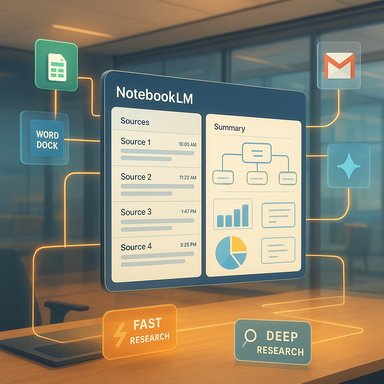
Google’s NotebookLM has moved beyond a simple summarization tool into a full-featured, AI-driven research workbench that promises to change how students, researchers, and knowledge workers collect, verify, and reuse information. The platform’s recent introduction of Deep Research, expanded file support, and tighter links with Google’s Gemini family signal a strategic push toward auditable, multi‑format knowledge management — but those gains arrive with important privacy, governance, and verification tradeoffs that organizations must manage deliberately.
Background / Overview
NotebookLM began as a notebook-style assistant: upload your documents, create a bounded corpus, and ask questions that the assistant answers using only those sources. That provenance-first model was intended to reduce hallucinations and produce auditable outputs such as summaries, quizzes, mind maps, and audio overviews. Over the last year Google has expanded those core capabilities into a more agentic research experience by integrating features from the Gemini stack and adding support for live structured sources such as Google Sheets and Microsoft Word documents. This evolution was formalized with the November 13, 2025 rollout of Deep Research, a background agent that plans multi-step investigations and returns citation-backed reports that can be imported into notebooks. The update also includes practical workflow improvements — direct Drive URL ingestion, .docx support, and Sheets linking — that remove friction for teams that previously had to download, convert, and reupload files just to create a usable corpus. Google’s product notes promise staged availability across regions and tiers, and the company says the new features would reach users within about a week of the November announcement. That rollout cadence has been reflected in press coverage and community previews.What NotebookLM Now Offers
Core capabilities (what users notice first)
- Smart Summaries: Automatically condense long PDFs, articles, and mixed-source notebooks into concise, human-readable summaries for quick comprehension.
- Contextual Insights & Citation Anchoring: Answers and syntheses are tied to explicit sources in the notebook so users can trace claims back to origin documents.
- Interactive Q&A: A chat-style interface that answers questions about uploaded materials and can generate study artifacts such as flashcards and quizzes.
- Multimodal Outputs: Audio Overviews, Video Overviews, Mind Maps, and exportable study guides that can be used for learning and presentation preparation.
- Collaboration & Shared Notebooks: Features to share notebooks with teams or classrooms while maintaining source provenance.
Deep Research: two modes for different needs
NotebookLM’s new research component exposes two operational styles:- Fast Research: Lightweight, quick scans of public web sources and your notebook that return candidate links and short orientation notes you can import immediately.
- Deep Research: An agentic, multi-step mode that presents a research plan, iteratively searches the web (and, when permitted, Workspace assets), collects high-quality sources, and synthesizes a citation-backed report you can import into a notebook for constrained analysis. Deep Research runs in the background so you can keep refining the notebook while it works.
File-Type and Workspace Integrations That Matter
A significant part of the update is practical, not theoretical. NotebookLM now accepts and treats several enterprise-centric source types as first-class citizens:- Google Sheets linking — allowing NotebookLM to compute trends, summarize tables, and answer quantitative questions while preserving a live connection to the sheet.
- Microsoft Word (.docx) ingestion — removes the friction of converting drafts and memos into analysis-ready files.
- Drive URL ingestion and direct PDF imports from Drive — paste links instead of reuploading and preserve Drive metadata.
- Images and scanned notes — enabling the import of photographs of whiteboards or handwritten field notes, with phased rollouts for more advanced image parsing.
How NotebookLM Changes Workflows — Practical Scenarios
The product is positioned to deliver real productivity improvements for common knowledge tasks:- Fast literature scan (10–30 minutes): use Fast Research to gather a vetted list of 6–10 high-quality sources, import them into a notebook, then generate a concise executive summary and bulletized recommendations.
- Deep project brief (hours): ask Deep Research to create a plan on a targeted question, allow it to gather and annotate sources (including authorized Drive/Gmail), then import the report and generate slides, timelines, and audio briefings from the notebook.
- Data-driven analysis: link a shared Google Sheet with KPIs, ask NotebookLM to compute trends and surface anomalies, and export summarized charts for a presentation — all while retaining the link to the authoritative sheet.
Governance, Privacy, and Enterprise Controls — Real Risks and How to Mitigate Them
NotebookLM’s new power is inseparable from governance questions. When Deep Research is allowed to access Gmail, Drive, and Chat, the boundaries between public web evidence and private organizational context become porous. That creates both opportunity and risk.Key governance concerns
- Data access scope: Admins must verify whether Deep Research access is tenant-wide, opt-in per user, or gated by Workspace policies. Unmanaged access to internal mail or chat can surface sensitive IP or personnel data.
- Retention and training policies: Consumer accounts and enterprise contracts have different defaults around telemetry and model training. Organizations should negotiate explicit terms regarding retention, residency, and non-training guarantees for sensitive data.
- DLP and OAuth scope oversight: Ensure DLP rules and OAuth app reviews track which notebooks and agents access protected folders and inboxes to reduce accidental exposure.
- Legal and licensing risk: Summarizing third-party content can raise copyright or licensing issues; NotebookLM outputs are derivative and may not be redistributable without permission.
Practical enterprise checklist (recommended)
- Pilot with non-sensitive projects to measure output quality and verification burden.
- Confirm Workspace admin settings — whether Deep Research requires admin enablement and what OAuth scopes it requests.
- Negotiate contractual safeguards for data residency, telemetry, and non-training guarantees when handling regulated data.
- Implement verification rituals: require at least two independent primary sources for load-bearing claims and preserve original links and timestamps in each notebook.
Accuracy, Hallucination, and the Limits of Grounding
NotebookLM’s source-constrained model reduces hallucinations relative to free-form chat assistants — but it does not eliminate them. Grounding helps: answers that reference explicit notebook sources are easier to verify. Yet if the notebook contains mistakes, omissions, or ambiguous content, the assistant can still produce confident but incorrect statements. The correct approach is to treat NotebookLM as an accelerant to human verification, not a substitute for it.Security-conscious teams should also be wary of over-relying on agentic discovery: Deep Research can be remarkably efficient at assembling evidence, but indiscriminate sweeps of internal mail or chat without strict scoping can produce misleading or overbroad summaries that conflate operational guesses with factual conclusions. Maintain human checkpoints for final synthesis, and use the agent primarily as a curator and preliminary drafter.
NotebookLM in the Competitive Landscape
Google is not alone in offering AI-assisted knowledge work. Microsoft’s Copilot, OpenAI’s products, and specialty research assistants are all carving different niches:- Microsoft Copilot / Copilot+: Deep integration with Office and Windows gives Copilot immediate advantage for users living in the Microsoft ecosystem, with tight in-app behavior and system-level governance features. Copilot tends to be productivity-centric, drafting and exporting documents directly inside Word, Excel, or PowerPoint.
- NotebookLM’s differentiator: a notebook-first, provenance-centric research model that emphasizes auditable synthesis and multimodal study outputs (audio/video overviews, flashcards), combined with Gemini’s agentic search when broader discovery is required. Google’s advantage is Live Sheets linking and Drive-native workflows for Drive-centric teams.
Recent Integration with Gemini and Cross-Tool Flows
Late-December signals and community reports indicate tighter two-way integrations with Gemini: users can now attach NotebookLM notebooks into Gemini chats, letting Gemini answer questions using notebook context, or attach notebooks to Gemini Gems (custom assistants). Early rollouts show the integration is available on the web and being staged across accounts and regions. This handshake between Gemini and NotebookLM turns Notebook content into a first-class context source for Gemini’s conversational reasoning, and conversely allows Gemini’s agentic reasoning to populate notebooks with curated sources. That integration creates useful workflows (e.g., paste a Gemini-drafted primer into a NotebookLM notebook, then convert it into flashcards and audio overviews). It also raises another governance vector: when content moves between assistants and notebooks, it’s essential to track provenance and preserve metadata (original prompt texts, exported .docx versions, timestamps) to maintain an auditable evidence trail.Best Practices for Power Users and Educators
- Curate deliberately: avoid dumping large, mixed-quality corpora into notebooks. A focused set of 4–8 authoritative sources yields higher-quality summaries and less verification work.
- Preserve provenance: store original URLs, timestamps, and any exported drafts or pasted Copilot prompts as notebook metadata so outputs remain auditable.
- Use Sheets links for numeric fidelity: link to live Sheets rather than pasting tables to avoid transcription errors and preserve numerics.
- Teach verification rituals: in academic settings, require students to cross-check any load-bearing claim against at least two primary sources and to cite those sources independently in final deliverables.
- For legal/medical/regulatory work: restrict NotebookLM use to sanitized, non-sensitive test data unless contractual and technical assurances (DLP, non-training guarantees, data residency) are in place.
What’s Next: Roadmap Signals and Unverified Claims
Public signals and community previews suggest a continuing cadence of feature rollouts: larger context windows, improved chat memory, expanded mobile parity, and deeper Gemini attachment flows. Google’s product blogs and news articles document many of these changes, but certain operational details remain variable by region and tenancy:- Exact per-tier quotas and pricing multipliers for NotebookLM Plus / premium tiers are region-dependent and not fully consistent across secondary reports. Treat specific, precise quota multipliers reported in third-party writeups as unverified until confirmed by official account pages.
- Image parsing for handwritten notes and more advanced OCR-like experiences is being staged; availability can lag behind the feature announcement.
Verdict: Strengths, Weaknesses, and a Practical Recommendation
NotebookLM’s recent evolution brings a compelling toolkit for modern knowledge work: fast discovery, auditable synthesis, multimodal outputs, and lower friction for mixed-format research. For teams embedded in Google Workspace, the seamless linking to Sheets and Drive is a practical, day‑one productivity win. The Gemini integration — both for agentic Deep Research and the new Notebook attachment flows — multiplies NotebookLM’s value by automating the discovery and curation steps that historically consumed most of a researcher’s time. At the same time, the platform’s power heightens governance demands. Organizations should approach NotebookLM with a two-track plan: adopt and pilot for non-sensitive projects to capture efficiency gains, and simultaneously formalize admin, DLP, and contractual controls to protect sensitive material. Maintain human verification rituals and require two independent primary sources for any claim used in decision-making or publication.Practical recommendation (concise):
- Pilot NotebookLM on non-sensitive projects.
- Confirm Workspace admin options and negotiate contractual non-training / data residency terms if you plan to ingest regulated data.
- Train power users on provenance discipline and verification rituals.
- Integrate NotebookLM outputs into standard review cycles rather than treating them as final deliverables.
Conclusion
NotebookLM’s transformation from a document-constrained study assistant into an integrated, agent-enabled research workbench is a notable milestone in the maturation of AI productivity tools. It pairs the speed of agentic discovery with a provenance-first notebook model that helps teams preserve auditability and reusability. For Google Workspace users, the additions of Sheets linking, .docx ingestion, Drive URL imports, and Gemini attachment flows materially improve the research lifecycle. Those benefits, however, come with non-trivial governance and verification responsibilities — and teams that adopt NotebookLM at scale should plan accordingly to manage privacy, training, and accuracy risks while capturing tangible productivity gains. The platform is already rolling out across the web and mobile surfaces and will likely continue to expand its integrations and context windows. The best approach for organizations is pragmatic: pilot, measure, govern, and verify — using NotebookLM to accelerate evidence collection while keeping humans firmly in charge of final synthesis and publication.Source: PanAsiaBiz NotebookLM by Google: AI Research Assistant Transforms Note-Taking and Knowledge Management
