

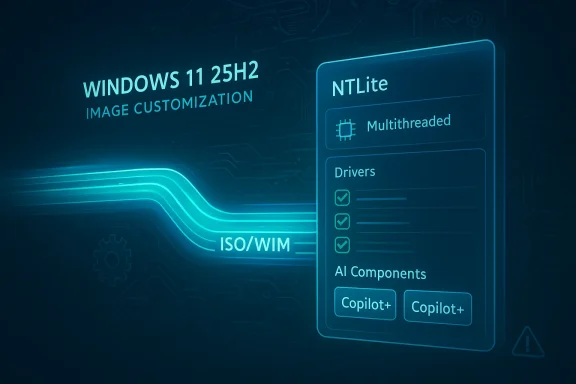
The latest NTLite updates are a reminder that the Windows customization market is increasingly being shaped by two opposing forces: Microsoft’s growing reliance on componentized servicing, and power users’ desire to strip, tune, and streamline Windows installations. According to the current changelog and Microsoft’s own documentation, NTLite’s new builds improve update extraction speed, broaden driver handling, and add support for Microsoft’s newer Windows 11 AI components in 25H2 images. For admins and enthusiasts who build leaner images, that can translate into faster workflows and, in some cases, substantially smaller installs. The catch is that as Windows becomes more modular, the consequences of removing the wrong pieces become more serious, not less.
NTLite has long occupied a peculiar but important niche in the Windows ecosystem. It is not a Microsoft product, and it is not intended for average consumers, yet it solves a real problem for anyone who routinely deploys, images, or customizes Windows at scale. The tool sits at the intersection of imaging, unattended setup, component removal, update integration, and post-install customization, making it useful for labs, IT departments, refurbishers, and deep-dive enthusiasts alike. Its strength has always been that it offers a single place to manipulate ISO, WIM, ESD, and SWM content, while also supporting live-system changes and automation.
That breadth matters because Windows deployment is no longer a one-size-fits-all exercise. Enterprises often want repeatable builds with consistent defaults, controlled app sets, and predictable update behavior. Enthusiasts usually want the same thing for different reasons: less bloat, lower disk usage, faster setup, and fewer background services. NTLite’s appeal is that it gives both groups control over installation media, feature removal, driver selection, and unattended installation in a way the base Windows installer does not.
Microsoft, meanwhile, has been moving Windows in the opposite direction in one critical sense: toward more granular component servicing. Windows 11 25H2 is described by Microsoft as a feature update that includes prior cumulative updates, with many features already present on 24H2 devices and activated through a small enablement package. That means the OS increasingly ships as a bundle of dormant capabilities, feature flags, and separately serviced components rather than a monolithic release. Microsoft also now documents Windows Copilot+ AI components as part of the operating system and says these components are serviced independently through Windows Update.
That architectural shift creates opportunity for tools like NTLite. It also creates risk. When Microsoft separates parts of the OS into independently updated components, image customization becomes more powerful but more brittle. Removing one piece may have wider consequences than it did in older versions of Windows, especially when features are tied to local AI runtimes, on-device models, or detection logic that assumes certain dependencies are still present. In other words, the more modular Windows gets, the more valuable precise customization becomes — and the more dangerous sloppy customization becomes too.
The changelog also shows general file deletion improvements, which may sound minor but matter a great deal in image maintenance. Deleting large directories is a common operation when iterating on builds, and faster cleanup reduces the friction of testing, rebuilding, and reapplying presets. In practical terms, NTLite is trying to make the “edit, test, discard, repeat” cycle less painful.
There are also driver-management refinements. The latest builds improve host import behavior, hardware matching, and architecture detection for INF files, while also reducing duplicate entries and preserving scroll position in the hardware list. That may not sound glamorous, but driver integration is one of the easiest places to break an image if the tooling is sloppy. Cleaner matching means fewer surprises when the image is deployed to real hardware.
For power users, the speed gain has a second-order effect: it makes experimentation more practical. If a workflow takes less time, users are more likely to test variations, compare presets, and refine lean builds rather than settle for one compromise image. That can improve outcomes, but it can also encourage more aggressive stripping because the cost of trying again is lower.
That independent servicing model creates a clean target for image editors. If the components are discrete enough to be recognized and managed separately, NTLite can expose them in a way that helps users decide whether they belong in a slim image. For organizations deploying non-AI workloads, that could reduce footprint. For enthusiasts building compact gaming or workstation installs, it could reduce clutter. For privacy-sensitive users, it may also feel like a way to avoid features they never asked for.
At the same time, AI components are not just another optional app. Microsoft is increasingly tying them into broader Windows experiences, from image features to language assistance and local model execution. Removing them blindly could break capabilities that are now more deeply embedded than users expect. The practical lesson is that modular does not mean disposable.
But savings are not free. The components Microsoft now labels as AI-related may support features that users later discover are woven into search, settings, Photos, or other first-party workflows. Once you remove them from a reference image, rolling them back may be more complicated than toggling a checkbox in Settings. The smaller image can become the harder-to-support image.
The result is a cat-and-mouse dynamic. As Microsoft adds and reorganizes components, third-party tools must keep pace or risk exposing stale or incomplete lists. NTLite’s support for new AI management suggests the tool is still tracking those changes closely. That is good news for admins who need visibility, and also a sign that Windows customization is becoming a moving target rather than a fixed checklist.
The hardware list improvements also matter more than they first appear. If an IT admin is comparing several driver packages, losing scroll position or seeing duplicate context menu actions wastes time and increases the chance of mistakes. These are the sort of refinements that don’t headline a release, but they often determine whether a tool feels professional enough for daily use.
There is also a strategic angle here. As Microsoft continues to ship Windows with more built-in drivers and more tightly integrated platform components, admins still need a way to exert control when dealing with unusual hardware, imaging labs, or offline deployment scenarios. NTLite’s driver workflow remains one of its strongest reasons to exist.
Better driver import logic lowers the chance of image bloat as well. If the tool correctly identifies the latest version of the same driver, users are less likely to pile multiple similar packages into the image just in case. That reduces clutter and improves the odds that the deployed system loads the intended driver first.
The broader significance is that Windows servicing is no longer a simple “install latest patch” story. It involves feature updates, cumulative updates, safe OS phases, WinRE servicing, and component-specific behaviors that can differ by version. NTLite’s recent fixes suggest it is continually adapting to Microsoft’s shifting update formats and edge cases.
Microsoft’s own 25H2 documentation reinforces why this matters. The company says 25H2 on 24H2 devices often arrives via a small enablement package because many files are already present. That means tools working with modern Windows images need to understand dormant state, feature activation, and servicing precedence. The old assumptions about a feature update being a giant one-shot replacement no longer fully apply.
This is why careful image design now matters more than brute-force slimming. It is not enough to ask whether a component can be removed. The real question is whether its absence changes update behavior, feature activation, or post-install recoverability. That is the kind of nuance experienced admins already understand, and casual tinkerers often learn the hard way.
For consumers and enthusiasts, the draw is more personal. The ability to customize Windows 11 25H2 images and remove components that feel unnecessary is appealing to anyone frustrated by bloat, background services, or feature creep. A smaller image can also be useful for dual-boot systems, lab hardware, and low-capacity SSDs.
Still, the distinction matters because enterprises care about manageability more than experimentation, while consumers often care about freedom more than standardization. That means the same feature can be a win in one setting and a liability in another. A stripped image that is perfect for a disposable test machine may be a poor fit for a fleet device that must survive months of updates, compliance checks, and helpdesk calls.
Its competition also includes other deployment and imaging tools, from enterprise suites to homebrew scripts and administrative workflows. What gives NTLite an edge is the combination of breadth and immediacy: it is not just for deployment, and it is not just for experts. It sits in the awkward middle ground where deep functionality meets a usable interface. That combination is hard to replicate.
Microsoft’s move toward componentized AI updates may actually strengthen this category over time. As long as the operating system continues to expose more modifiable parts, there will be demand for tools that help users understand and curate them. The market implication is simple: the more layered Windows becomes, the more useful a high-quality image editor becomes.
If Microsoft keeps splitting features into independently serviced components, third-party image tools may become more, not less, relevant. But they will also need to be more accurate, because the margin for error shrinks as dependencies multiply. This is where NTLite’s latest AI and driver updates signal maturity: the tool is not just removing things anymore; it is trying to keep pace with the evolving architecture of Windows itself.
It will also be worth watching whether more users treat AI component removal as a default step in lean Windows builds. If the answer is yes, the industry may see a new normal where “custom Windows” means not just removing apps and telemetry, but making deliberate decisions about AI runtimes and on-device model support. That would be a significant shift in how admins think about baseline images.
Source: Neowin Unofficial Windows 11 install tool gets faster, can now save you lots of disk space too
 Background
NTLite has long occupied a peculiar but important niche in the Windows ecosystem. It is not a Microsoft product, and it is not intended for average consumers, yet it solves a real problem for anyone who routinely deploys, images, or customizes Windows at scale. The tool sits at the intersection of imaging, unattended setup, component removal, update integration, and post-install customization, making it useful for labs, IT departments, refurbishers, and deep-dive enthusiasts alike. Its strength has always been that it offers a single place to manipulate ISO, WIM, ESD, and SWM content, while also supporting live-system changes and automation.That breadth matters because Windows deployment is no longer a one-size-fits-all exercise. Enterprises often want repeatable builds with consistent defaults, controlled app sets, and predictable update behavior. Enthusiasts usually want the same thing for different reasons: less bloat, lower disk usage, faster setup, and fewer background services. NTLite’s appeal is that it gives both groups control over installation media, feature removal, driver selection, and unattended installation in a way the base Windows installer does not.
Microsoft, meanwhile, has been moving Windows in the opposite direction in one critical sense: toward more granular component servicing. Windows 11 25H2 is described by Microsoft as a feature update that includes prior cumulative updates, with many features already present on 24H2 devices and activated through a small enablement package. That means the OS increasingly ships as a bundle of dormant capabilities, feature flags, and separately serviced components rather than a monolithic release. Microsoft also now documents Windows Copilot+ AI components as part of the operating system and says these components are serviced independently through Windows Update.
That architectural shift creates opportunity for tools like NTLite. It also creates risk. When Microsoft separates parts of the OS into independently updated components, image customization becomes more powerful but more brittle. Removing one piece may have wider consequences than it did in older versions of Windows, especially when features are tied to local AI runtimes, on-device models, or detection logic that assumes certain dependencies are still present. In other words, the more modular Windows gets, the more valuable precise customization becomes — and the more dangerous sloppy customization becomes too.
What Changed in the Latest NTLite Builds
The headline improvement in the newest NTLite builds is straightforward: update extraction is now faster because it uses more threads. That is the sort of change users notice immediately, even if it sounds mundane on paper. When a tool is processing large Windows images or integrated update payloads, multithreading can make the difference between a workflow that feels responsive and one that feels stuck on a single core.The changelog also shows general file deletion improvements, which may sound minor but matter a great deal in image maintenance. Deleting large directories is a common operation when iterating on builds, and faster cleanup reduces the friction of testing, rebuilding, and reapplying presets. In practical terms, NTLite is trying to make the “edit, test, discard, repeat” cycle less painful.
There are also driver-management refinements. The latest builds improve host import behavior, hardware matching, and architecture detection for INF files, while also reducing duplicate entries and preserving scroll position in the hardware list. That may not sound glamorous, but driver integration is one of the easiest places to break an image if the tooling is sloppy. Cleaner matching means fewer surprises when the image is deployed to real hardware.
Why Multithreading Matters
NTLite’s faster update extraction is important because modern Windows images are not tiny. A single ISO may contain multiple layers of servicing data, component manifests, and update payloads, and the more packages you integrate, the more time the tool spends unpacking and recompressing them. Using additional threads makes better use of multi-core CPUs, which are now standard even in mainstream systems.For power users, the speed gain has a second-order effect: it makes experimentation more practical. If a workflow takes less time, users are more likely to test variations, compare presets, and refine lean builds rather than settle for one compromise image. That can improve outcomes, but it can also encourage more aggressive stripping because the cost of trying again is lower.
Small Improvements, Big Workflow Impact
A faster delete operation or a less annoying progress dialog can sound trivial until you work with large images all day. Deployment tools live or die on workflow friction, not marketing headlines. If the latest NTLite release reduces waiting, even in small increments, it likely improves the entire authoring experience.- More threads mean better CPU utilization during image extraction.
- Faster file deletion shortens cleanup cycles between test builds.
- Driver list improvements reduce time spent hunting mismatches.
- Better exit cleanup matters when you are iterating on large presets.
- Minor UI fixes can prevent lost time when sessions end unexpectedly.
AI Components and the 25H2 Opportunity
The most notable feature in the newer NTLite build is support for AI Component Management in Windows 11 25H2 images. That addition is strategically important because Microsoft has been formalizing Windows AI components as separate, serviced parts of the operating system. Microsoft’s documentation says Copilot+ PC AI components include models, runtimes, and execution layers that power on-device AI experiences, and that these components are updated independently through Windows Update.That independent servicing model creates a clean target for image editors. If the components are discrete enough to be recognized and managed separately, NTLite can expose them in a way that helps users decide whether they belong in a slim image. For organizations deploying non-AI workloads, that could reduce footprint. For enthusiasts building compact gaming or workstation installs, it could reduce clutter. For privacy-sensitive users, it may also feel like a way to avoid features they never asked for.
At the same time, AI components are not just another optional app. Microsoft is increasingly tying them into broader Windows experiences, from image features to language assistance and local model execution. Removing them blindly could break capabilities that are now more deeply embedded than users expect. The practical lesson is that modular does not mean disposable.
Disk Space Savings Are Real, But Context Matters
The promise of “saving lots of disk space” is attractive, especially on small SSDs, in virtual machines, and on lab hardware. If an image includes AI-related components, browser-adjacent runtimes, and feature frameworks that a deployment does not need, removing them can shrink both the install footprint and the future servicing burden. That matters in environments where dozens or hundreds of machines multiply every gigabyte.But savings are not free. The components Microsoft now labels as AI-related may support features that users later discover are woven into search, settings, Photos, or other first-party workflows. Once you remove them from a reference image, rolling them back may be more complicated than toggling a checkbox in Settings. The smaller image can become the harder-to-support image.
- Smaller installs can reduce storage pressure on VMs and thin clients.
- Leaner images can simplify golden-image maintenance.
- Removing dormant AI components may reduce unwanted feature exposure.
- Aggressive stripping can create hidden support costs later.
- Some “savings” only matter if the removed component is never needed again.
Microsoft’s New Model Changes the Game
Microsoft’s own support content confirms that Windows 11 24H2 and 25H2 include AI components that are serviced separately. That is a major change in how Windows evolves, because it means the AI layer can be updated or expanded without waiting for a full feature update cycle. For NTLite, that creates a more dynamic component map to track.The result is a cat-and-mouse dynamic. As Microsoft adds and reorganizes components, third-party tools must keep pace or risk exposing stale or incomplete lists. NTLite’s support for new AI management suggests the tool is still tracking those changes closely. That is good news for admins who need visibility, and also a sign that Windows customization is becoming a moving target rather than a fixed checklist.
Drivers, Hardware Matching, and Deployment Stability
Driver handling is one of the least glamorous parts of Windows deployment, yet it is often the difference between a clean rollout and a support nightmare. NTLite’s latest changes to host import behavior and hardware matching indicate that the developer is paying attention to how real-world images are actually built. Better detection of compatible drivers, fewer duplicate imports, and more accurate architecture handling all make deployment less error-prone.The hardware list improvements also matter more than they first appear. If an IT admin is comparing several driver packages, losing scroll position or seeing duplicate context menu actions wastes time and increases the chance of mistakes. These are the sort of refinements that don’t headline a release, but they often determine whether a tool feels professional enough for daily use.
There is also a strategic angle here. As Microsoft continues to ship Windows with more built-in drivers and more tightly integrated platform components, admins still need a way to exert control when dealing with unusual hardware, imaging labs, or offline deployment scenarios. NTLite’s driver workflow remains one of its strongest reasons to exist.
Why Driver Management Still Dominates Real Deployments
In theory, modern Windows is supposed to be easier to deploy than ever. In practice, device diversity still makes driver management one of the hardest parts of imaging. Storage controllers, network adapters, chipset packages, and specialized peripherals can all turn a supposedly finished image into an incomplete one.Better driver import logic lowers the chance of image bloat as well. If the tool correctly identifies the latest version of the same driver, users are less likely to pile multiple similar packages into the image just in case. That reduces clutter and improves the odds that the deployed system loads the intended driver first.
A Cleaner Hardware List Helps More Than You Think
The update that remembers scroll position in the hardware list sounds tiny, but it reflects how detailed deployment work really is. When users inspect dozens or hundreds of devices, every extra bit of navigation friction becomes cumulative. Saving time here may be modest in isolation, yet it helps make the entire workflow feel less adversarial.- Fewer duplicate drivers make presets easier to audit.
- Better architecture detection helps avoid x86/x64 mistakes.
- Improved matching reduces missed compatibility opportunities.
- UI refinements help when comparing large hardware inventories.
- Cleaner imports lower the risk of shipping the wrong package.
Update Integration and Servicing Edge Cases
NTLite’s changelog also highlights fixes around update integration, including MSIX and APPX installation errors on older targets and a regression affecting certain image combinations. Those details matter because update servicing is where image tools often get exposed as either robust or fragile. If a tool can integrate updates reliably across varied base images, it becomes genuinely useful. If not, it becomes a source of support tickets.The broader significance is that Windows servicing is no longer a simple “install latest patch” story. It involves feature updates, cumulative updates, safe OS phases, WinRE servicing, and component-specific behaviors that can differ by version. NTLite’s recent fixes suggest it is continually adapting to Microsoft’s shifting update formats and edge cases.
Microsoft’s own 25H2 documentation reinforces why this matters. The company says 25H2 on 24H2 devices often arrives via a small enablement package because many files are already present. That means tools working with modern Windows images need to understand dormant state, feature activation, and servicing precedence. The old assumptions about a feature update being a giant one-shot replacement no longer fully apply.
The New Reality of Windows Servicing
For IT pros, this is both helpful and confusing. Helpful because Microsoft has made some upgrades smaller and faster. Confusing because the same modularity that improves delivery also makes the servicing stack more sensitive to image state. If a customization tool removes a dependency that the enablement package expects, the update path may fail in surprising ways.This is why careful image design now matters more than brute-force slimming. It is not enough to ask whether a component can be removed. The real question is whether its absence changes update behavior, feature activation, or post-install recoverability. That is the kind of nuance experienced admins already understand, and casual tinkerers often learn the hard way.
Edge Cases Are the Rule, Not the Exception
The changelog entries around MSIX/APPX errors and update regressions show that there is no such thing as a perfectly stable update pipeline. Every new Windows build changes the interaction surface, and tools like NTLite have to react quickly when something breaks.- Image formats evolve.
- Update payloads change structure.
- Servicing stack assumptions shift.
- Component dependencies move around.
- “Works on one build” does not guarantee works on the next.
Enterprise vs Consumer Impact
For enterprises, NTLite’s newest features are most valuable as a control and standardization layer. IT teams can use it to create slimmer images, streamline driver sets, and potentially exclude AI-related components when they are not part of the deployment objective. That can save time, storage, and support effort, especially in controlled environments where every machine should look the same.For consumers and enthusiasts, the draw is more personal. The ability to customize Windows 11 25H2 images and remove components that feel unnecessary is appealing to anyone frustrated by bloat, background services, or feature creep. A smaller image can also be useful for dual-boot systems, lab hardware, and low-capacity SSDs.
Still, the distinction matters because enterprises care about manageability more than experimentation, while consumers often care about freedom more than standardization. That means the same feature can be a win in one setting and a liability in another. A stripped image that is perfect for a disposable test machine may be a poor fit for a fleet device that must survive months of updates, compliance checks, and helpdesk calls.
Where Enterprises Benefit Most
Enterprise users are likely to appreciate the improved driver handling and update extraction speed first. Those features reduce build time and lower the chance of deployment errors. AI component management may also help organizations that want to keep Windows 11 lean on hardware that does not need Copilot+ style functionality.Where Enthusiasts Will Notice the Difference
Consumers and hobbyists will probably focus on the disk-space angle and the sense of control. Removing unneeded components from a personal image is satisfying because it makes the system feel yours rather than Microsoft’s default configuration. For many enthusiasts, that’s the real product: the ability to decide what belongs in the OS.- Enterprises value repeatability and supportability.
- Enthusiasts value customization and footprint reduction.
- Both groups benefit from faster extraction and cleanup.
- AI component visibility helps both privacy and policy goals.
- Driver improvements reduce installation uncertainty for everyone.
Competitive Landscape and Broader Market Implications
NTLite does not compete directly with Microsoft, but it competes with inertia. The default Windows installer is enough for most users, and Microsoft would prefer most customers stay within supported, guided pathways. NTLite’s existence proves there is still a market for deeper control, especially as Windows becomes more feature-rich and more opinionated.Its competition also includes other deployment and imaging tools, from enterprise suites to homebrew scripts and administrative workflows. What gives NTLite an edge is the combination of breadth and immediacy: it is not just for deployment, and it is not just for experts. It sits in the awkward middle ground where deep functionality meets a usable interface. That combination is hard to replicate.
Microsoft’s move toward componentized AI updates may actually strengthen this category over time. As long as the operating system continues to expose more modifiable parts, there will be demand for tools that help users understand and curate them. The market implication is simple: the more layered Windows becomes, the more useful a high-quality image editor becomes.
The Strategic Tension
There is a deeper tension here between platform control and user control. Microsoft wants to move quickly, push AI features, and keep the OS coherent. Power users want to subtract, simplify, and lock down what they do not need. NTLite thrives in that gap.If Microsoft keeps splitting features into independently serviced components, third-party image tools may become more, not less, relevant. But they will also need to be more accurate, because the margin for error shrinks as dependencies multiply. This is where NTLite’s latest AI and driver updates signal maturity: the tool is not just removing things anymore; it is trying to keep pace with the evolving architecture of Windows itself.
Why This Is Bigger Than One Release
This update is not only about speed or disk space. It is about whether Windows customization tools can remain viable in a world where Microsoft increasingly formalizes component-level servicing. If they can, they become essential infrastructure for a certain class of user. If they cannot, they become historical artifacts of a less modular era.- More modular Windows creates more demand for selective management.
- AI components add both complexity and opportunity.
- Better third-party tools reduce friction for admins and enthusiasts.
- The Windows customization ecosystem remains resilient.
- Microsoft’s own direction indirectly validates the need for tooling.
Strengths and Opportunities
NTLite’s newest releases arrive at exactly the right moment for users who want faster builds, smaller images, and more clarity about what Windows 11 25H2 contains. The combination of multithreaded extraction, improved driver handling, and AI component management makes the tool more aligned with current Windows realities than a generic imager would be.- Faster update extraction improves productivity for repeated image work.
- AI component visibility helps users make informed removal decisions.
- Better driver matching reduces deployment mistakes.
- Smaller custom images can save storage in VMs and lab environments.
- More stable cleanup workflows lower the cost of iteration.
- Broader 25H2 support keeps the tool relevant as Windows evolves.
- Unattended setup options remain valuable for repeatable deployments.
Risks and Concerns
The biggest risk is that users will see “disk space savings” and assume every removable component is safe to discard. Microsoft’s own documentation makes clear that AI components and feature updates are increasingly integrated into the Windows servicing model, which means aggressive removal can create hidden compatibility problems later. That is especially true when users are building images they expect to update long after deployment.- Over-removal can break features that depend on dormant components.
- Servicing regressions may appear after future Windows updates.
- Driver mismatches can still cause deployment failures on unusual hardware.
- Support burden rises when custom images are hard to reverse-engineer.
- AI feature dependencies are still evolving and may not be fully documented.
- Consumer enthusiasm can outpace careful testing.
- Third-party tooling lag is always a possibility when Microsoft changes formats.
Looking Ahead
The most important thing to watch is whether NTLite continues to track Microsoft’s component model as Windows 11 25H2 and later releases mature. If Microsoft keeps publishing AI and feature components separately, image tools will need to keep exposing those parts cleanly and accurately. That is not just a convenience issue; it is a compatibility requirement.It will also be worth watching whether more users treat AI component removal as a default step in lean Windows builds. If the answer is yes, the industry may see a new normal where “custom Windows” means not just removing apps and telemetry, but making deliberate decisions about AI runtimes and on-device model support. That would be a significant shift in how admins think about baseline images.
What to Watch
- Additional NTLite support for future Windows 11 servicing changes.
- Whether Microsoft expands AI component granularity further.
- More driver-related refinements for mixed hardware fleets.
- New update-format changes that could affect image integration.
- Community feedback on how much disk space AI component removal actually saves.
- Whether enterprises standardize on leaner 25H2 baselines.
- How future Windows builds affect rollback and repair behavior.
Source: Neowin Unofficial Windows 11 install tool gets faster, can now save you lots of disk space too
Last edited:
