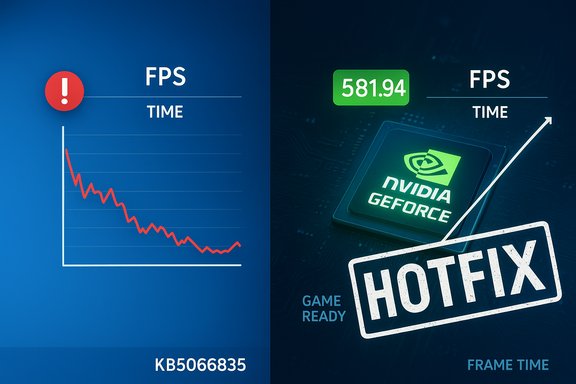
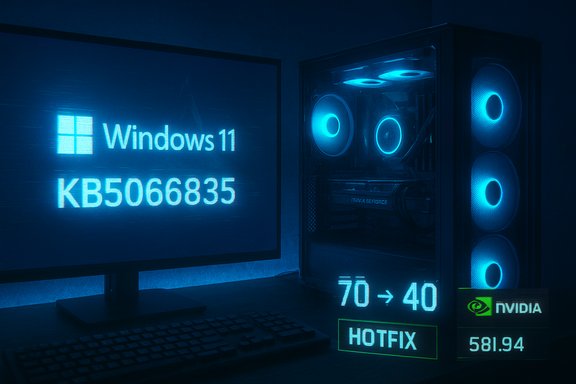
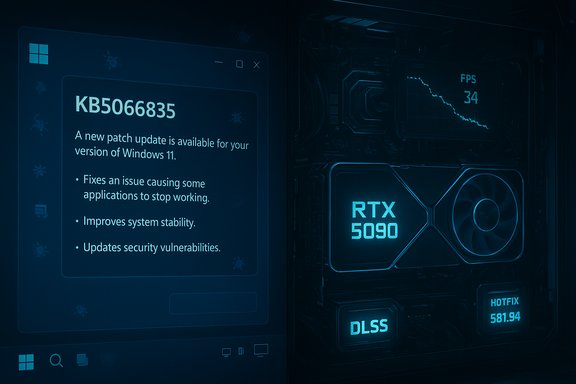
NVIDIA has quietly shipped a rapid-response hotfix — GeForce Hotfix Display Driver 581.94 — to blunt a gaming performance regression that cropped up after Microsoft’s Windows 11 October 2025 Update (KB5066835), a ripple in the ecosystem that underlines the delicate interdependence of OS updates, GPU drivers, and modern game stacks.
The October 2025 cumulative update for Windows 11 introduced a number of features and security fixes, but it also carried several high-profile regressions that became apparent in the weeks after rollout. Among the most visible were problems playing protected content in some Blu-ray/DVD apps, USB mice and keyboards failing inside the Windows Recovery Environment (WinRE), and an IIS/localhost networking regression that broke some local web development setups. Those failures were documented by Microsoft and triggered out‑of‑band fixes for the most severe cases.
Parallel to that, players and community testers began reporting lower average FPS, worse frame pacing, and intermittent stuttering in a variety of titles after installing the October update. The symptom set varied by game, anti‑cheat stack, overlays, and hardware configuration, which made root‑cause analysis difficult. NVIDIA investigated and released a concise hotfix — explicitly built on the November Game Ready branch — to address the Windows update‑linked performance drop.
When Microsoft shipped the October cumulative update, telemetry and community testing revealed that certain code changes in the update — whether scheduling tweaks, API behavior changes, or I/O path adjustments — correlated with degraded performance on some NVIDIA GPU systems in certain games. The result was inconsistent: some users saw big FPS drops, others saw stuttering or worse frame pacing without an obvious FPS change.
That said, hotfixes are quick patches, not panaceas. They carry modest risks because they bypass the complete certification treadmill. For the typical gamer experiencing regression, the upside of applying 581.94 outweighs the risk — provided they follow clean installation steps and validate stability. For everyone else, the safe route is to wait for the next fully QA‑tested driver that incorporates the hotfix changes.
The episode also highlights a larger reality: the modern PC platform is an ecosystem where a single OS update can alter the behavior of performance‑sensitive workloads. The best mitigation for users is cautious adoption, reproducible testing, and using vendor support channels to report regressions. For vendors, faster, clearer communication and more robust multi‑vendor test coverage will reduce the friction of these inevitable cross‑stack interactions.
In short: if the October update robbed your rig of frames, NVIDIA’s 581.94 hotfix is a legitimate fix to try. If you’re not affected, patience and a measured update strategy remain the practical choice.
Source: theregister.com Nvidia hotfix tackles Windows 11 gaming slowdown
 Background / Overview
The October 2025 cumulative update for Windows 11 introduced a number of features and security fixes, but it also carried several high-profile regressions that became apparent in the weeks after rollout. Among the most visible were problems playing protected content in some Blu-ray/DVD apps, USB mice and keyboards failing inside the Windows Recovery Environment (WinRE), and an IIS/localhost networking regression that broke some local web development setups. Those failures were documented by Microsoft and triggered out‑of‑band fixes for the most severe cases.Parallel to that, players and community testers began reporting lower average FPS, worse frame pacing, and intermittent stuttering in a variety of titles after installing the October update. The symptom set varied by game, anti‑cheat stack, overlays, and hardware configuration, which made root‑cause analysis difficult. NVIDIA investigated and released a concise hotfix — explicitly built on the November Game Ready branch — to address the Windows update‑linked performance drop.
- What NVIDIA released: GeForce Hotfix Display Driver 581.94.
- What it’s based on: the recent Game Ready Driver 581.80.
- What it fixes: a single, focused mitigation for “lower performance that may be observed in some games after updating to Windows 11 October 2025 KB5066835.”
- Distribution: NVIDIA published the hotfix through its hotfix/support channels to provide a faster remedy than waiting for the full QA cycle of a standard Game Ready release.
Why this matters: the anatomy of a gaming regression
How an OS update can change game performance
Modern PC gaming is a layered ecosystem: the operating system, kernel scheduler, graphics driver, runtime libraries (DirectX), middleware (anti‑cheat, overlays), and the game itself all interact in complex ways. Small alterations in thread scheduling, system interrupt handling, or power management introduced at the OS level can change how applications consume CPU and coordinate with the GPU.When Microsoft shipped the October cumulative update, telemetry and community testing revealed that certain code changes in the update — whether scheduling tweaks, API behavior changes, or I/O path adjustments — correlated with degraded performance on some NVIDIA GPU systems in certain games. The result was inconsistent: some users saw big FPS drops, others saw stuttering or worse frame pacing without an obvious FPS change.
Why drivers are the logical place for a mitigation
GPU drivers sit between Windows and the hardware and are the most pragmatic place to apply targeted software workarounds. They can:- adjust scheduling of GPU work,
- change how CPU/GPU synchronisation is handled,
- tweak power and clock-management policies,
- or alter interaction between user‑mode components and kernel drivers.
What NVIDIA’s hotfix does (and what it does not)
The official scope
The hotfix release note is intentionally terse: it states that the 581.94 package “addresses: Lower performance may be observed in some games after updating to Windows 11 October 2025 KB5066835.” NVIDIA did not publish a long list of patched titles or affected GPU SKUs in the bulletin. That indicates the company treats this as a general mitigation for an OS-induced regression rather than a title‑specific bug.Practical implications for gamers
- If you installed the October 2025 Windows cumulative (builds 26100.6899 / 26200.6899 or later) and noticed measurable performance regression in games, the hotfix is the fastest route to test whether performance is restored.
- If you are not seeing any gaming issues, the prudent choice is to wait for the next full driver release that folds the hotfix into a standard, fully QA‑tested branch.
- The hotfix should be a drop‑in replacement for the prior 581.80 family; it carries the same base features and game optimizations but adds the narrow mitigation.
Risks and trade‑offs of installing a hotfix
Abbreviated QA creates risk
By design, hotfix drivers undergo an abbreviated quality assurance process. That’s how vendors can ship targeted changes quickly, but it also increases the chance of:- new regressions in other titles or workloads,
- compatibility issues with third‑party overlays, capture tools, or older titles,
- and untested interactions on less common hardware or drivers stacks.
WHQL and enterprise considerations
Hotfixes distributed outside of the standard certified driver channel may not carry WHQL/Windows Certification. That can matter for enterprise environments or for users who rely on certified images. For most consumer gamers the lack of WHQL is not a show‑stopper, but it is an important distinction.Anti‑cheat and overlays
Several community reports indicated the regression varied by anti‑cheat stack and overlay use (Discord, GeForce Experience overlay, Steam overlay). Installing a hotfix may resolve frame‑rate issues but could expose latent incompatibilities with anti‑cheat systems. Users who participate in competitive play should be especially cautious and test the stack in their target titles.How to check whether you're affected
Start with the easy checks:- Check your Windows build:
- Run winver (press Windows key, type winver, press Enter).
- If your build is 26100.6899 (24H2) or 26200.6899 (25H2), or you installed KB5066835 on October 14, 2025 or later, you may be in the at‑risk cohort.
- Check your GPU driver version:
- Open GeForce Experience or Device Manager → Display adapters → NVIDIA driver properties.
- If you’re on 581.80 or an earlier 581.x release and experiencing performance issues, the hotfix targets those symptoms.
- Symptoms that suggest you may benefit:
- Noticeably lower average FPS compared to before the October update.
- New stuttering or uneven frame pacing that didn’t exist previously.
- Specific titles that run smoothly on other similar systems but not yours.
Installing NVIDIA’s hotfix: recommended steps
If you decide to proceed, follow a careful, conservative process:- Back up any important data — installing drivers should be safe, but it’s prudent for any system change.
- Option A — Standard install:
- Download the GeForce Hotfix Display Driver 581.94 package from NVIDIA’s support site.
- Close games and overlays, run the installer, choose Express or Custom as desired, and reboot when prompted.
- Option B — Clean install for highest reliability:
- Use a Display Driver Uninstaller (DDU) in Windows Safe Mode to remove previous drivers.
- Install the 581.94 hotfix, reboot, and test.
- Verify improvements:
- Use a repeatable in‑game benchmark or an automated run (e.g., built‑in benchmarks or FRAPS / CapFrameX) to measure average FPS and frame‑time variance before and after.
- If you encounter new problems, roll back:
- Use Device Manager → Roll Back Driver or reinstall the previous stable driver, then report the issue to NVIDIA via the feedback channels.
Broader context: Windows updates, vendor coordination, and why these regressions happen
Complexity breeds regressions
Large OS updates touch many subsystems. Security hardening, scheduler changes, networking fixes, and even new AI‑enabled features can interact in unexpected ways with third‑party drivers. Game performance depends on a chain of precisely orchestrated steps; a subtle change in one link can ripple down.Vendor coordination is improving but imperfect
Microsoft, NVIDIA, and game developers maintain lines of communication and shared testing pools, but the ecosystem’s diversity (different motherboards, BIOS versions, anti‑cheat stacks, and AIB partner GPU designs) makes exhaustive pre‑release testing impossible. When regressions are detected, hotfixes and out‑of‑band updates are the pragmatic response.The cost of fast fixes versus thorough testing
Hotfixes give fast relief at the cost of abbreviated testing. That’s appropriate for time‑sensitive regressions, but it also highlights the value of staged rollouts, early adopter caution, and maintaining rollback paths for users.Secondary narrative: how this episode ties into NVIDIA’s recent product cycle
NVIDIA’s financial results and PR have leaned heavily on AI and data‑center GPU demand, but the company’s core roots remain in gaming GPUs. The RTX 50 Series launch earlier in 2025 carried enthusiastic performance claims and significant revenue, but it has also attracted scrutiny for a handful of hardware and design issues:- Independent investigations flagged VRM/power‑delivery hotspots on some partner boards, occasionally exceeding safe thresholds for long‑term reliability unless mitigated by improved cooling or thermal pads.
- Early adopter reports included thermal throttling concerns and higher than expected surface temperatures in specific board designs.
- The driver cadence around a major launch — with many patches and hotfixes — can feel rougher to enthusiasts and critics.
Practical advice for gamers and system builders
- If you are affected by the regression, install the hotfix and test before rolling out broadly.
- If you are not affected, wait for the next full Game Ready release (the same mitigations will be included in a standard release) unless you like living on the bleeding edge.
- Use reproducible benchmarks to validate any driver change — subjective feel is important, but numbers help clarify whether a regression is systemic.
- Keep a rollback plan: record the previous driver installer or be ready to use Device Manager’s rollback or DDU for a clean reinstall.
- For competitive or production environments, prefer WHQL or OEM‑validated drivers and coordinate maintenance windows for testing.
- Monitor Known Issue Rollbacks and out‑of‑band updates from Microsoft if you see system-wide problems like USB devices failing in WinRE or IIS/localhost issues.
What vendors should learn from this cycle
- Improve cross‑vendor pre‑release testing matrices for key gaming scenarios that include anti‑cheat stacks and popular overlays.
- Provide clearer, more granular hotfix documentation where feasible — identifying affected game engines or common factors would reduce user uncertainty.
- Encourage accessible rollback tools (OS and drivers) to reduce user downtime during emergent regressions.
- For hardware partners: pay extra attention to VRM cooling and board layout; thermals that leave critical components at sustained high temperatures are a long‑term reliability risk and undermine customer confidence.
Open questions and unverifiable claims
Some commentary in community channels has described NVIDIA’s driver situation as a "disaster" and accused specific RTX 50 partner boards of being inherently defective. Those are subjective characterizations that mix consumer frustration with factual observations. The documented facts are:- NVIDIA published a narrow hotfix (581.94) to address a Windows update‑linked gaming slowdown and built it on the 581.80 Game Ready branch.
- Microsoft’s October 2025 update (KB5066835) did produce several known issues that were publicly acknowledged and partially remediated via out‑of‑band updates.
- Independent hardware testing has shown VRM hotspot concerns on some RTX 50 series partner cards; thermal imaging and third‑party lab tests reveal elevated localized temperatures on some designs.
Final assessment: measured optimism with caution
NVIDIA’s hotfix is the correct operational response to a narrowly scoped, OS‑induced performance regression. It demonstrates responsiveness and gives affected players a path to recovery without waiting for the full driver QA cycle.That said, hotfixes are quick patches, not panaceas. They carry modest risks because they bypass the complete certification treadmill. For the typical gamer experiencing regression, the upside of applying 581.94 outweighs the risk — provided they follow clean installation steps and validate stability. For everyone else, the safe route is to wait for the next fully QA‑tested driver that incorporates the hotfix changes.
The episode also highlights a larger reality: the modern PC platform is an ecosystem where a single OS update can alter the behavior of performance‑sensitive workloads. The best mitigation for users is cautious adoption, reproducible testing, and using vendor support channels to report regressions. For vendors, faster, clearer communication and more robust multi‑vendor test coverage will reduce the friction of these inevitable cross‑stack interactions.
In short: if the October update robbed your rig of frames, NVIDIA’s 581.94 hotfix is a legitimate fix to try. If you’re not affected, patience and a measured update strategy remain the practical choice.
Source: theregister.com Nvidia hotfix tackles Windows 11 gaming slowdown