

Microsoft’s October Patch Tuesday landed like a hammer on an already fraught moment for Windows administrators: the last routine cumulative update that includes Windows 10 coincided with a sweeping security roll-up that patched scores of vulnerabilities, closed multiple zero‑day exploits, and — in a rare but consequential move — removed a legacy kernel driver from the in‑box Windows image rather than attempt a risky in‑place patch.
October’s release is important for two simultaneous reasons. First, Windows 10 reached end of standard support on October 14, 2025, which changes the risk calculus for organizations that still operate large Windows 10 estates and do not enroll in Extended Security Updates (ESU). Microsoft’s lifecycle documentation makes the ESU path and its limitations explicit: ESU is a limited, paid bridge that preserves security-only updates on qualifying Windows 10 22H2 devices for a finite period. Second, the Patch Tuesday bundle itself was unusually heavy: industry trackers and vendor advisories reported a large count of CVEs for the month, multiple zero‑day fixes (some confirmed exploited in the wild), and several high‑impact remote code execution (RCE) and elevation‑of‑privilege (EoP) vulnerabilities that demand prioritized remediation. That confluence — the end of Windows 10 support and a large, urgent set of fixes — made October’s update uniquely painful for IT teams still migrating fleets or maintaining legacy hardware.
The path forward is operational and programmatic: patch rapidly where risk is highest, inventory and isolate where replacement will take time, and treat lifecycle decisions — retire, replace, or remove — as core security controls rather than convenience choices. The lesson for IT leaders is clear: in a world where legacy code remains present inside modern systems, the most secure option is often the one that hurts in the short term but reduces systemic fragility over the long term.
Source: Computer Weekly Patch Tuesday: Windows 10 end of life pain for IT departments | Computer Weekly
 Background
October’s release is important for two simultaneous reasons. First, Windows 10 reached end of standard support on October 14, 2025, which changes the risk calculus for organizations that still operate large Windows 10 estates and do not enroll in Extended Security Updates (ESU). Microsoft’s lifecycle documentation makes the ESU path and its limitations explicit: ESU is a limited, paid bridge that preserves security-only updates on qualifying Windows 10 22H2 devices for a finite period. Second, the Patch Tuesday bundle itself was unusually heavy: industry trackers and vendor advisories reported a large count of CVEs for the month, multiple zero‑day fixes (some confirmed exploited in the wild), and several high‑impact remote code execution (RCE) and elevation‑of‑privilege (EoP) vulnerabilities that demand prioritized remediation. That confluence — the end of Windows 10 support and a large, urgent set of fixes — made October’s update uniquely painful for IT teams still migrating fleets or maintaining legacy hardware.What landed: headline fixes and why they matter
The big, high‑risk items
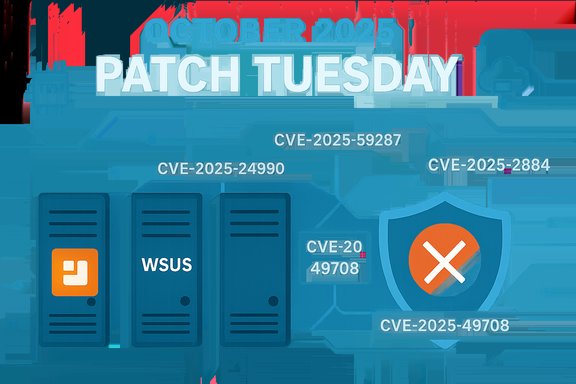
- WSUS remote code execution (CVE‑2025‑59287) — A deserialization flaw in Windows Server Update Services that Microsoft rated Critical with a CVSS near the top of the scale and assessed as “Exploitation More Likely.” Because WSUS is a trusted, widely deployed update distribution channel, a compromise here could let an attacker push arbitrary payloads to managed clients — a true supply‑chain escalation risk. Administrators were advised to prioritize WSUS patching immediately.
- Agere modem driver removal (CVE‑2025‑24990 and related identifiers) — Microsoft removed the legacy Agere soft‑modem driver (ltmdm64.sys) from the Windows image after identifying elevation‑of‑privilege flaws that were observed in active exploitation. The removal hardens the platform but causes real operational impact for systems that still depend on analog fax/modem hardware.
- TPM 2.0 reference implementation (CVE‑2025‑2884) — A CryptHmacSign helper in the TPM 2.0 reference code allows an out‑of‑bounds read that may disclose sensitive TPM or firmware memory; because the TCG reference code informs many downstream OEM implementations, the discovery is a cross‑supply‑chain problem that demands coordinated vendor firmware and platform updates.
- Microsoft Graphics component (CVE‑2025‑49708) — A vulnerability in Microsoft’s Graphics component was scored extremely high and characterized by several analysts as a full virtual machine escape in realistic exploit scenarios; a successful attack would break the primary isolation guarantee of virtualization and allow code from a guest to execute with system privileges on the host. Multiple security teams urged immediate prioritization of this patch where host virtualization is in use.
Deep dive: the Agere driver removal and the tradeoffs of removal vs. patching
What Microsoft did and the technical rationale
Rather than release a vendor‑supplied, in‑place fix for the Agere soft‑modem driver (ltmdm64.sys), Microsoft chose to remove the driver from the Windows image and prevent it from being provisioned via standard cumulatives. That is an unusual but not unprecedented remediation path when a third‑party legacy kernel component is unmaintained and the vendor code cannot be safely modernized. Kernel‑mode drivers operate at the highest privilege level on Windows; defects there let attackers elevate to SYSTEM or corrupt kernel state. Removing an unmaintained kernel component is a sound way to eliminate an attack surface that otherwise remains exploitable for years.Operational consequences
- Immediate hardware compatibility loss for devices that rely exclusively on ltmdm64.sys. Regulated sectors (healthcare, courts, utilities) that still use fax infrastructure are at particular risk.
- A mass‑deployment of the October update without inventorying driver presence will cause unexpected device failures and business impact.
- The removal is defensible from a security perspective — it reduces attack surface — but forces organizations to plan replacements or to secure a vendor‑supplied signed driver if modem functionality is still required.
What IT teams must do
- Inventory: Scan images and endpoints for the presence of ltmdm64.sys and documented soft‑modem devices.
- Communicate: Notify business units that rely on fax/modem capability and schedule remediation work.
- Mitigate: Where modem usage cannot be retired immediately, isolate those hosts or provide dedicated, air‑gapped devices until vendor solutions are available.
- Replace: Migrate analog fax workflows to supported, managed alternatives (digital faxing services, secure email/TLS gateways, or vendor‑maintained USB modem hardware).
Deep dive: WSUS RCE — why this is a top emergency
Why WSUS is different
Windows Server Update Services (WSUS) is not just another server process — it is a trusted distribution mechanism for patches and metadata across often thousands of endpoints in an enterprise. A remote, unauthenticated RCE in WSUS therefore is not a local problem; it is a potential global multiplier for attacker reach, enabling malicious update catalogs, signed payload substitution in poorly monitored environments, or lateral spread of code through system‑trusted channels. Microsoft assigned a high severity to CVE‑2025‑59287 and signalled that exploitation is likely, which is why security teams were told to treat WSUS as an emergency patch priority.Immediate mitigation checklist
- Patch WSUS servers first, before broad client deployments; validate the applied KB and SSU levels.
- If immediate patching is impossible, isolate WSUS from untrusted networks, restrict access to the admin console, and limit inbound traffic to trusted management subnets.
- Validate catalog integrity, signature artifacts, and any unusual package metadata after patching.
- Hunt across EDR telemetry for anomalous package creation, unexpected update catalogs, or suspicious signed payloads.
Deep dive: TPM 2.0 reference implementation (CVE‑2025‑2884)
TPM is foundational to modern platform security: BitLocker key protection, measured boot, credential storage, attestation — all rely on a trustworthy TPM. A vulnerability in the TPM 2.0 reference code that permits an out‑of‑bounds read in CryptHmacSign is a supply‑chain problem: even if Microsoft ships OS mitigations, downstream OEM firmware that reuses the reference code will need vendor firmware updates to fully eliminate the risk. Multiple vendors and platform maintainers responded with advisories or firmware updates; admins must coordinate OS patches and platform firmware updates together. Practical notes:- The vulnerability’s attack vector is typically local, but depending on platform exposure it can be invoked via TPM command interfaces reachable from user mode or from privileged agents.
- Impact ranges from information disclosure (potentially leaking keys or sensitive internal state) to Denial‑of‑Service of TPM functions — both materially weaken features such as BitLocker or Windows Hello.
Deep dive: Microsoft Graphics component and the VM‑escape risk (CVE‑2025‑49708)
Some patched graphics flaws were scored extremely high and described by security engineers as representing a practical VM escape when chained with other conditions in hosted virtualization environments. A VM escape is arguably one of the worst outcomes for multi‑tenant virtualization: it breaks the assumption that a guest cannot affect the host or other guests. Because the Microsoft Graphics component is used in many Windows host and guest scenarios, any exploit that lets a low‑privilege guest affect the host requires immediate attention in environments running virtualization services, VDI, or cloud/hypervisor hosting. Several industry responders urged rapid patch application on hypervisor hosts and the underlying management plane.Prioritised remediation playbook for IT departments
The October roll‑up requires both immediate triage and a medium‑term program. The following is a tested, prioritized sequence to reduce risk under heavy patch pressure.Emergency triage (first 24–72 hours)
- Patch and validate WSUS servers and any update‑distribution roles immediately. WSUS RCE is core risk.
- Patch virtualization hosts, hypervisor management servers, and host OSes for CVE‑2025‑49708 and related Graphics patches if you run VMs on shared physical hosts.
- Apply OS cumulative updates to domain controllers, admin workstations, and internet‑facing servers. Prioritize any CVEs Microsoft or vendors flagged as Exploit‑More‑Likely or Exploited in the Wild.
- Inventory for ltmdm64.sys; do not mass‑deploy the October cumulative until you have confirmed the presence and business impact of that driver on essential systems.
Rapid stabilization (days 3–7)
- Verify update deployments and WSUS catalog integrity.
- Hunt EDR logs for indicators of local privilege escalation (RasMan, CDPSvc, kernel EoPs).
- Coordinate firmware/UEFI/TPM firmware updates with OEMs and schedule maintenance windows.
Medium term (weeks 1–6)
- Replace or virtualize legacy fax/modem hardware. Where replacement isn’t immediately possible, segregate affected hosts and harden local access.
- Harden update pipelines: reduce management plane exposure, enforce least privilege for patch orchestration accounts, and validate signing and package provenance.
- Map CVEs to KB/update IDs and reconcile them in your configuration management database so automated patching targets the correct KBs for each build.
Long term (quarterly and beyond)
- Maintain an inventory of third‑party kernel drivers and their vendor lifecycles; insist on signed, actively maintained drivers in procurement.
- Treat ESU as a tactical bridge: plan and budget migrations to Windows 11 or supported server SKUs.
- Adopt infrastructure‑as‑code and immutable images so removal of vulnerable components (like ltmdm64.sys) can be managed consistently across provisioning and build pipelines.
Risk analysis: strengths and hidden fragilities of Microsoft’s approach
Strengths
- Decisive removal of unmaintained code reduces long‑term attack surface and sends a clear message about lifecycle discipline. Removing a risky driver yields a definitive remediation: the vulnerability is gone from new images.
- Prioritization of platform‑level fixes (WSUS, graphics, TPM) acknowledges where a small number of flaws can produce outsized impact, especially against infrastructure and multi‑tenant systems.
- Microsoft’s public messaging and the Security Update Guide provide authoritative KB→CVE mappings that operations teams can use to tie patch automation to specific builds and updates.
Risks and potential weaknesses
- Operational disruption from removal decisions. Removing a driver is secure but blunt; organizations with legitimate dependency on that driver can experience immediate outages unless they’ve inventoried endpoints first. This creates a short‑term availability vs. security trade‑off.
- Supply‑chain and firmware lag. TPM reference code issues demonstrate how vendor firmware rollout schedules can lag OS mitigations, leaving devices partially protected until OEM updates arrive. Coordinating firmware, OS, and application updates is nontrivial across large estates.
- The migration pressure is real. Microsoft’s pattern of prioritising newer platforms (Windows 11 and later server SKUs) for some mitigations creates practical pressure to upgrade; for organizations with long hardware lifecycles, that can mean accelerated capital expenditure and complex application compatibility projects.
Caveats, disputed points and unverifiable claims
- Several security practitioners characterized CVE‑2025‑49708 as a complete VM escape in real‑world scenarios. While multiple vendor analyses and advisory text support the high impact of the flaw, actual exploitability in production depends on many contextual factors (hypervisor configuration, host hardening, guest visibility of attack surface). Treat VM‑escape claims as high‑impact conditional scenarios that justify rapid patching and host hardening rather than as inevitable production compromise.
- The assertion that threat actors are using the Agere‑driver vulnerability as a second‑stage vector during multi‑stage intrusions is attributed in public reporting to security engineers who studied live attacks; these are operational observations and, like many incident details, vary by telemetry coverage and the organizations that observed them. Label such claims as observed by specific adversary hunting teams rather than globally proven across every environment.
- Public CVE counts for the month (values such as 167, 172, 173 or 175) vary by outlet because of differences in inclusion rules (whether to count cloud‑only advisories, Chromium/Edge items, or third‑party components). Use Microsoft’s Security Update Guide and the KB numbers to reconcile patches against your environment rather than relying on headline CVE totals.
Practical checklist (concise, print‑friendly)
- Inventory presence of ltmdm64.sys and similar legacy drivers across images and endpoints.
- Patch WSUS and validate catalog integrity immediately.
- Patch virtualization hosts and hypervisor management planes for Microsoft Graphics updates.
- Coordinate TPM firmware updates with OEMs and apply OS mitigations in lockstep.
- If Windows 10 remains, confirm ESU eligibility or schedule migration to Windows 11; ESU is a time‑boxed bridge.
Longer‑term takeaways for IT leaders
- Treat software lifecycle management as a first‑class security control. Legacy code in privileged contexts is a repeatable source of systemic risk; deprecation with a transition plan is safer than indefinite in‑place patching of brittle drivers.
- Build and maintain an accurate asset inventory that includes firmware and kernel drivers, not just OS versions. Without that, decisions like driver removal become operational landmines.
- Improve patch orchestration maturity: staged rings, rapid rollback plans, EDR tuning for post‑patch anomalies, and explicit validation of KB→CVE mapping in automation pipelines.
- Use ESU intentionally and briefly: it is a bridge, not a permanent solution. Fund migrations and compatibility testing as programmatic investments rather than emergency projects.
Conclusion
October’s Patch Tuesday was more than a routine maintenance night; it was a decisive inflection point that closed the public update chapter for Windows 10 while forcing administrators to confront a concentrated set of high‑impact platform vulnerabilities and an uncomfortable trade‑off between security and backward compatibility. Microsoft’s removal of the Agere modem driver demonstrates the pragmatic, sometimes blunt engineering choices vendors must make when legacy third‑party kernel code cannot be safely modernized. At the same time, the appearance of a critical WSUS RCE, a cross‑supply‑chain TPM flaw, and a Graphics vulnerability with realistic VM‑escape implications made urgent what is usually strategic: prioritize infrastructure trust anchors, harden the update pipeline, and move unsupported platforms off the estate or onto an ESU bridge while migrations are completed.The path forward is operational and programmatic: patch rapidly where risk is highest, inventory and isolate where replacement will take time, and treat lifecycle decisions — retire, replace, or remove — as core security controls rather than convenience choices. The lesson for IT leaders is clear: in a world where legacy code remains present inside modern systems, the most secure option is often the one that hurts in the short term but reduces systemic fragility over the long term.
Source: Computer Weekly Patch Tuesday: Windows 10 end of life pain for IT departments | Computer Weekly
