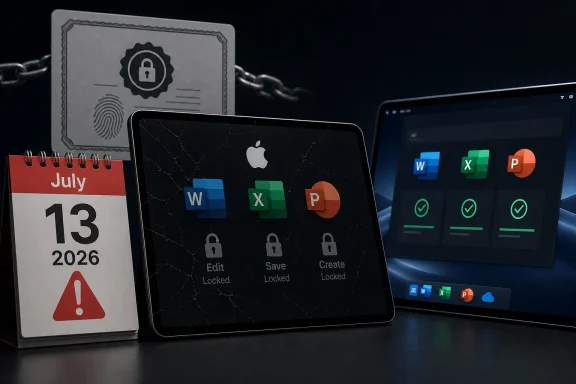
Microsoft says Office 2019 for Mac will enter reduced functionality mode on July 13, 2026, leaving Word, Excel, PowerPoint, Outlook, and OneNote able to open, view, and print files but unable to create, edit, or save documents. The change is not a conventional feature retirement so much as a license-validation failure arriving by calendar. That distinction matters, because Microsoft sold Office 2019 for Mac as a one-time purchase, not as a subscription whose capabilities naturally expire. The result is a small technical event with a much larger trust problem attached.

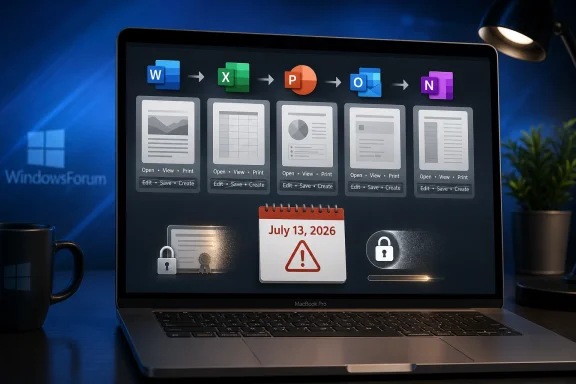
Laptop screen shows Office app conversion icons, a security lock, and a calendar warning dated July 13, 2026.The Perpetual License Meets the Expiring Certificate​

The most generous reading of Microsoft’s position is that this is a support lifecycle story. Office 2019 for Mac reached end of support on October 10, 2023, which means Microsoft no longer ships feature updates, bug fixes, or security fixes for that product. A license-validation certificate used by Office on Apple platforms expires on July 13, 2026. Supported Office products can receive an update with a renewed certificate; unsupported Office 2019 for Mac cannot.
That explanation is technically tidy and politically explosive. Users who bought Office 2019 did not buy an entitlement to future security patches forever, and Microsoft has every right to end engineering support for old software. But most people understand “unsupported” to mean “you are on your own,” not “the editor you paid for becomes a document viewer on a fixed date.”
This is where Microsoft’s language becomes almost as important as its code. “Reduced functionality mode” is a familiar Office phrase, usually associated with activation trouble, expired subscriptions, or unlicensed installations. Applying it to a once-activated, perpetually licensed product that has simply aged out of support changes the emotional contract between buyer and vendor.
The files are not being deleted. The apps are not, strictly speaking, vanishing from the Mac. But the working assumption behind a perpetual productivity suite is that a supported file format and a working local install should remain usable until the operating system or hardware breaks it. Here, the breaking point is neither macOS nor the user’s machine. It is Microsoft’s licensing infrastructure.

Microsoft’s Calendar Is Doing What a Kill Switch Would Do​

It is tempting to call this a “kill switch,” and critics already have. Microsoft would likely object to the phrase, because the company is not pushing a remote command that disables old copies of Office 2019 for Mac. The mechanism appears more mundane: a certificate expires, the app can no longer validate the license path it expects, and Office falls into the constrained state it was designed to use when it cannot establish entitlement.
For users, however, the practical distinction is thin. On July 12, a paid copy of Word 2019 for Mac can edit a document. On July 13, absent a supported update path, it cannot. Whether the cause is an intentional server-side revocation, a dormant certificate dependency, or a neglected maintenance obligation, the user experience is the same: the software becomes less useful because Microsoft’s licensing machinery says so.
That is why this story has landed harder than a routine end-of-support notice. An unsupported app carrying unpatched vulnerabilities is a known risk. An unsupported app refusing to perform its core function because the vendor will not renew a trust component is a sharper reminder of how much modern “local” software still depends on systems outside the user’s control.
The Mac angle makes the issue narrower but not smaller. Windows versions of older Office releases have their own lifecycle problems, compatibility issues, and security implications, but this particular certificate-driven reduction is aimed at Office on macOS and iOS. That makes it easy for Microsoft to frame the problem as Apple-platform plumbing. It does not make the ownership question go away.

Office 2021 Gets a Reprieve Because Support Still Means Something​

Office 2021 for Mac is caught in the same certificate weather system, but not in the same storm. Because Office 2021 remains within its support lifecycle until October 13, 2026, Microsoft can deliver the required update to keep its license validation working. Users of Office 2021 still have to be on sufficiently supported operating systems and install updates, but they are not being told that the fix is structurally unavailable.
That contrast is clarifying. Microsoft is not saying the certificate problem is impossible to solve. It is saying the solution belongs to products still inside the support window. Office 2019 for Mac sits outside that boundary, so the renewed certificate does not arrive there.
From a lifecycle-management perspective, this is internally consistent. From a customer-relations perspective, it feels like a trapdoor. The product did not merely stop receiving improvements; it lost a prerequisite for its existing functionality after the purchase.
The awkward timing makes things worse. Office 2021 for Mac reaches end of support only three months after the July certificate date. If Microsoft’s support boundary is the deciding line, then Office 2021 users survive this particular failure because their product is still alive by a matter of weeks. That is an uncomfortable look for anyone trying to defend the change as a matter of principle rather than policy convenience.

The Old Promise Was “It Will Keep Working”​

The controversy is sharpened by Microsoft’s earlier messaging around Office 2019 for Mac end of support. When support ended in 2023, Microsoft’s guidance reportedly reassured customers that their Office 2019 apps would continue to function after support ended. That was the common-sense message users expected: no new fixes, no new features, no help desk safety net, but the bits on disk would still do what they did yesterday.
Microsoft later revised that guidance, and the newer language emphasizes continued access to data rather than continued full operation of the applications. That is not a trivial edit. “Your data remains accessible” is a much narrower promise than “your apps continue to function,” especially when the missing function is the ability to edit and save the documents Office exists to create.
This is the kind of wording change that makes IT departments suspicious, even when the underlying explanation is real. Enterprises live by lifecycle documentation. Small businesses and home users may not read support pages every month, but administrators do, and they notice when a vendor’s public meaning shifts after the fact.
The generous interpretation is that Microsoft discovered or chose to surface the certificate problem late, then updated the support article to avoid misleading customers. The less generous interpretation is that the company quietly replaced a plain-language assurance with a narrower legal and technical fallback. Either way, the change undermines confidence because it arrives after customers made decisions based on the earlier posture.

The One-Time Purchase Was Already Under Pressure​

Office 2019 belongs to a product era Microsoft has been steadily steering customers away from. The company still sells perpetual Office releases, including Office 2024, but the center of gravity is Microsoft 365: recurring revenue, continuous updates, cloud integration, and a moving support baseline. The subscription version is the product Microsoft wants most users and organizations to standardize on.
That does not make perpetual Office fake. It remains a real license model, and for many users it is attractive precisely because it rejects the rental logic of modern software. A household, a school, a nonprofit, or a small office may buy a copy of Office because they want predictable cost and local continuity. They may not need Copilot, cloud storage upsells, or every interface revision Microsoft ships.
This incident cuts directly into that value proposition. If a one-time purchase can lose core editing rights because an expiring certificate was not renewed after support ended, then “perpetual” starts to mean something closer to “perpetual until the vendor’s supporting infrastructure ages out.” That is a very different bargain from the one many customers thought they were making.
Microsoft can argue that Office 2019 for Mac received its promised support lifecycle and that users have had years to move on. But consumer expectations around perpetual licenses are not built solely from lifecycle tables. They are built from the historical behavior of desktop software. Old apps may become insecure, ugly, or incompatible, but they do not usually decide one morning that the Save button no longer belongs to you.

Security Is the Best Defense and the Weakest Excuse​

There is a legitimate security argument for expiring certificates and modern validation. Certificates should not last forever, and software that validates licenses or communicates entitlement should not depend indefinitely on stale trust anchors. A world in which every certificate is eternal is a world with weaker recovery from compromise, weaker cryptographic hygiene, and more brittle security assumptions.
That argument carries weight with administrators. Long-lived trust material is a real operational risk. Apple’s platforms, in particular, have become stricter about signing, notarization, identity, and validation chains over time. A certificate problem surfacing in Office for Mac is not inherently evidence of bad faith.
But security cannot be a universal solvent that dissolves the customer’s license. If Microsoft can renew the certificate for supported versions, then the technical path exists. The decision not to backport a narrow entitlement-maintenance update to Office 2019 for Mac is a policy choice wrapped around a technical dependency.
That is where Microsoft’s position becomes vulnerable. The company does not need to provide new Excel functions, macOS Tahoe optimizations, or years of vulnerability fixes for Office 2019 to preserve the core promise that a paid perpetual copy can keep editing documents. A narrowly scoped certificate update would not transform Office 2019 into a supported product. It would prevent a licensing component from disabling the product’s central function.

Administrators Now Have a July Problem​

For IT departments, the immediate work is less philosophical. The deadline is July 13, 2026, and affected Macs need an inventory pass. Any organization still running Office 2019 for Mac should assume that users will lose editing, saving, and document-creation capability in the affected apps unless they migrate before then.
That migration may be simple in managed environments already licensed for Microsoft 365 Apps. It may be more painful in organizations that deliberately bought perpetual Office to avoid subscription overhead. It will be especially annoying in mixed fleets where some Macs run Office 2021, some run Office 2019, and some users installed Office apps through the Mac App Store rather than Microsoft’s standalone installer.
The operational risk is not merely that Word stops editing. Outlook is in the affected list, and any productivity disruption involving mail, calendars, attachments, or local workflows can become a help desk fire quickly. One day of confusion around license prompts and read-only behavior can consume more staff time than a planned upgrade would have.
The most sensible move is to treat this as a business-continuity issue, not a desktop preference. Identify Office 2019 for Mac installations. Confirm which Macs can run supported Office builds. Decide whether users move to Office 2024 for Mac, Microsoft 365 Apps, or a non-Microsoft suite. Then communicate the change before the first person discovers it by failing to save a spreadsheet.

Home Users Get the Worst Version of the Message​

The home-user experience is likely to be messier than the enterprise one. A sysadmin may understand certificates, support lifecycles, and product channels. A retired teacher, freelancer, student, or family office manager who bought Office 2019 years ago will see a simpler story: Microsoft took away editing from software they paid for.
That perception matters because Office is not a niche developer tool. Word and Excel are household names. People keep old Office installations around because they are boring, familiar, and good enough. For that audience, “upgrade to Office 2024 or subscribe to Microsoft 365” sounds less like support guidance and more like a demand.
Microsoft’s reassurance that existing data remains accessible is useful but insufficient. Access is not the same as agency. A user who can open a tax worksheet but cannot update it, or view a school document but cannot revise it, still has a broken workflow.
The available alternatives vary by tolerance. Some users will buy Office 2024 and move on. Some will subscribe to Microsoft 365 because the family plan math works for them. Others will shift more work into Apple’s iWork apps, Google Docs, LibreOffice, or web-based Office if their needs are modest. Microsoft may win some upgrades, but it will also remind a segment of users why they wanted a one-time purchase in the first place.

The File Format Trap Is Still the Quiet Power​

This episode also exposes the enduring leverage of Office file formats. If Word documents, Excel workbooks, and PowerPoint decks were not so deeply embedded in work and school life, an expiring Office certificate would be merely irritating. It becomes consequential because Microsoft Office is still the default grammar of business documents.
Compatibility is not binary. LibreOffice can open many Office files. Apple’s productivity apps can import and export common formats. Google Docs is good enough for enormous amounts of everyday work. But anyone who has dealt with complex spreadsheets, tracked changes, macros, mail merge, PowerPoint-heavy organizations, or fussy formatting knows that “can open” and “can preserve workflow perfectly” are not the same thing.
That gives Microsoft enormous room to push users toward supported Office. The files are technically yours, and Microsoft is not blocking you from reading them. But the highest-fidelity editing path remains Microsoft’s own software, and the supported versions now become the clean exit from a problem Microsoft’s licensing stack created.
For WindowsForum readers, this is the familiar lock-in story with a platform twist. The affected product is Office for Mac, but the lesson applies across ecosystems. When your documents, licensing, identity, update channel, and cloud services converge under one vendor, a support policy change can travel farther than the release notes imply.

This Is Not Just a Mac Story​

Windows users may be tempted to shrug. Office 2019 for Mac is not Office 2019 for Windows, and this certificate issue is tied to Apple-platform builds. But the larger pattern is not platform-specific. Microsoft, like most major software vendors, is making the long transition from durable desktop products to services with recurring validation, continuous update expectations, and tighter lifecycle enforcement.
Windows itself has moved in this direction, even though the mechanics differ. Microsoft accounts, Store licensing, cloud backup prompts, subscription add-ons, Defender intelligence, OneDrive integration, and feature-update cadences all create a computing environment where “local” increasingly means “locally installed, remotely shaped.” Office on the Mac is simply a cleaner case study because the consequence is so visible.
The company can credibly say that supported software is safer software. It can also credibly say that old productivity suites cannot be maintained indefinitely. But the industry has often used security and support as a one-way ratchet toward subscription normalization. Users are asked to accept that software must change continuously, while vendors reserve the right to narrow the meaning of past purchases.
That does not mean every lifecycle cutoff is abusive. It does mean trust depends on predictability. If a vendor sells a perpetual product, ends support, and then years later says a license-validation component will remove editing, customers will reasonably ask whether the product was ever as perpetual as advertised.

Microsoft Could Still Choose the Less Hostile Path​

The obvious off-ramp would be a limited certificate-maintenance release for Office 2019 for Mac. Microsoft could say, clearly, that the product remains unsupported, insecure by modern standards, and unsuitable for continued use in managed environments, while still issuing the minimal update required to prevent reduced functionality mode. That would preserve the lifecycle boundary without turning it into a functionality cliff.
There are reasons Microsoft may resist. Backporting even a narrow update to an old codebase carries testing costs. A fix may interact with macOS versions Microsoft no longer wants to validate. The company may worry that issuing any update after end of support muddies its lifecycle commitments and encourages customers to defer upgrades.
Those are real business and engineering concerns. They are not obviously larger than the reputational cost of telling perpetual-license customers their editors are becoming viewers. Microsoft is not a startup with no capacity to manage old code. It is one of the most resource-rich software companies in the world, and Office is one of the most profitable software franchises ever built.
The stricter Microsoft is about lifecycle boundaries, the more precise it must be when selling perpetual software. If a product’s continued operation depends on vendor-renewed certificates, that dependency should be obvious to customers before they buy, not rediscovered years later through a support-page revision.

The Upgrade Advice Is Simple, but the Lesson Is Not​

The practical guidance is straightforward, even if the principle is messy. Users who rely on Office 2019 for Mac should not wait until July 13 to see what happens. If Word, Excel, PowerPoint, Outlook, or OneNote are part of daily work, assume the old suite is no longer safe to depend on.
Office 2024 for Mac is the closest replacement for people who still want a one-time purchase. Microsoft 365 is the better fit for users who want continuous updates, multiple-device rights, cloud integration, and the least friction with Microsoft’s current support model. Organizations should inventory machines, confirm operating-system compatibility, and plan license changes before the deadline becomes a ticket queue.
Users who do not want to pay Microsoft again have time to test alternatives. That testing should involve real files, not sample documents. Open the complicated spreadsheet, the formatted proposal, the presentation with embedded media, and the document with tracked changes. The question is not whether another suite can open a .docx file; it is whether it can preserve the work you actually do.
For anyone staying in the Microsoft ecosystem, the episode is also a reminder to read lifecycle pages as operational risk documents. End of support no longer means only “no more patches.” In a world of activation services, app signing, entitlement checks, and expiring certificates, it can mean a future failure mode that is not obvious from the installer sitting in Applications.
July 13 Turns a Licensing Footnote Into a Buying Decision​

The immediate facts are concrete enough that users can act before the deadline.
  • Office 2019 for Mac is expected to lose editing, saving, and document-creation capability on July 13, 2026, because it will not receive the certificate update required to keep license validation working.
  • Existing documents should remain openable, viewable, and printable, but that is not enough for anyone who depends on Office as a working editor.
  • Office 2021 for Mac is affected by the same certificate timeline but remains eligible for an update because it is still supported until October 13, 2026.
  • Reinstalling Office 2019 for Mac should not be treated as a fix, because the problem is not a damaged local installation.
  • Users who want Microsoft’s full-fidelity editing path need to move to Office 2024 for Mac or Microsoft 365, while users considering alternatives should test their most complex real-world files before switching.
  • IT teams should inventory Office for Mac deployments now, because a predictable July deadline is easier to manage than a wave of read-only Office incidents after the fact.
Microsoft’s Office 2019 for Mac certificate deadline is a narrow product event with a broad warning attached: ownership in modern software is increasingly mediated by support policy, cryptographic plumbing, and vendor-controlled validation paths. The company may be within its lifecycle rights, but it is still teaching customers to distrust the word “perpetual” unless it comes with a plain explanation of what can expire. If Microsoft wants users to choose subscriptions, it can keep making Microsoft 365 better; turning a paid desktop suite into a viewer risks making the future of Office look less inevitable and more coercive.

References​

  1. Primary source: Ubergizmo
    Published: Wed, 10 Jun 2026 15:53:19 GMT
  2. Official source: support.microsoft.com
  3. Related coverage: macrumors.com
  4. Related coverage: techspot.com
  5. Related coverage: windowscentral.com
  6. Related coverage: office-watch.com
  1. Official source: learn.microsoft.com
  2. Related coverage: devdigest.org
  3. Related coverage: macobserver.com
  4. Related coverage: tidbits.com
  5. Related coverage: technobezz.com
  6. Official source: download.microsoft.com
  7. Official source: microsoft.com

 

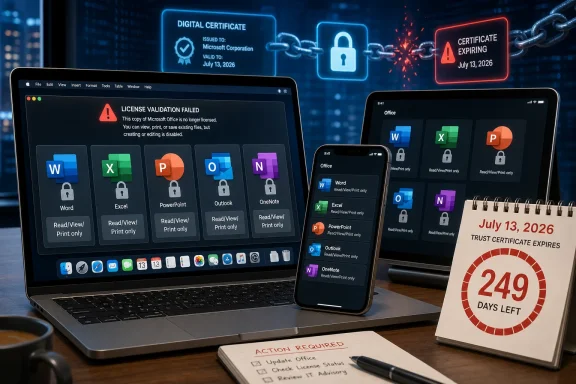
Microsoft says Office apps on macOS, iPhone, and iPad may enter reduced functionality mode on July 13, 2026, with Office 2019 users on Apple devices losing the ability to edit, save, or create files because the product will not receive the certificate update that newer Office builds get. The practical result is blunt: a paid, perpetual Office suite that still opens documents will become a read-and-print tool on Apple hardware. This is not a security breach, not a cloud outage, and not a mysterious Apple platform failure. It is a lifecycle decision colliding with the modern reality that “offline” desktop software is rarely as offline as buyers once believed.
The awkwardness is that Microsoft is technically within the boundaries of its support policy while still creating a result that feels hostile to the people most likely to have bought Office 2019 for exactly the opposite reason. Perpetual Office customers tend to be the users who wanted to avoid subscription churn, feature churn, and the feeling that their productivity suite answers to a vendor dashboard somewhere in Redmond. Now they are being reminded that licensing infrastructure, code-signing expectations, app-store-era trust chains, and support deadlines can turn a one-time purchase into a timed dependency.

Tablets and calendar showing locked Microsoft Word, Excel, and PowerPoint files with security alerts.The Perpetual License Meets the Certificate Clock​

The immediate trigger is a certificate expiration. Microsoft’s support notice says that, starting July 13, some users of Word, Excel, PowerPoint, Outlook, and OneNote on Apple devices may find that the apps can open and print files but cannot edit, save, or create new ones. Microsoft calls that reduced functionality mode, a phrase familiar to anyone who has dealt with unactivated or unlicensed Office installations.
For Microsoft 365 and Office 2021 users, the company’s remedy is straightforward: update the device and update Office. The renewed certificate arrives through the normal update channel, and the apps continue working. That is the easy case, and it is the case Microsoft would prefer everyone focus on.
Office 2019 is the hard case because it is already outside mainstream support on the Mac. Microsoft stopped supporting Office 2019 for Mac on October 10, 2023, which means the product is not scheduled to receive the update needed to keep full functionality alive after the certificate change. The company is not saying your documents disappear, and it is not saying the apps stop launching. It is saying the editing path is no longer available.
That distinction matters legally and technically. It may not matter emotionally. To a user who bought Office 2019 to write a novel, manage household finances, keep a small business invoicing system alive, or avoid a monthly Microsoft 365 bill, “you can still print” is not a satisfying definition of continued access.

Microsoft’s Explanation Is Plausible, but It Is Not Exculpatory​

There is a temptation to treat this as a simple villain story: Microsoft flicks a switch and pushes perpetual-license users into a subscription. That reading is too clean. Apple platforms are stricter than they used to be, Office licensing is more interconnected than it used to be, and certificate-based trust is a normal part of modern software distribution.
But plausible engineering explanations do not erase product responsibility. If a license-verification mechanism can cause a locally installed productivity suite to lose editing capability years after purchase, that mechanism is part of the product’s real lifecycle. It is not merely plumbing. It is a dependency that customers were effectively buying into whether or not the box, invoice, or download page made that dependence obvious.
Microsoft’s position is that unsupported software does not receive the update. That is ordinary lifecycle management. The uncomfortable part is the consequence: unsupported does not merely mean “no new features” or “no security fixes.” In this case it means a core capability that existed yesterday may stop working tomorrow because the trust material embedded in, or required by, the application has aged out.
That is the line users will argue over. Is this an unavoidable expiration of a security and licensing mechanism? Or is it an avoidable decision not to provide a narrow compatibility update for a product Microsoft no longer wants to maintain? The most honest answer is that it can be both. Microsoft can be following its support calendar and still be choosing not to make a customer-friendly exception.

Office 2019 Was Already Living on Borrowed Time​

Office 2019 for Mac was never going to be a forever product, even if the phrase “one-time purchase” encouraged some users to think in those terms. Microsoft’s perpetual Office releases have fixed support windows, and the company has been steadily narrowing the practical distinction between standalone Office and Microsoft 365. The standalone versions still exist, but they increasingly live downstream from the same servicing assumptions that shape the subscription product.
That is a major shift from the old desktop-software era. A copy of Office 2003 or Office 2007 could become unsafe, obsolete, and awkward, but it often remained stubbornly usable long after Microsoft wanted anyone to touch it. Files opened. Toolbars appeared. The software might complain, but it generally did not wake up one day and decide editing was no longer permitted because a licensing certificate had crossed a date boundary.
The Mac version of Office has always had a more complicated relationship with platform churn. Apple changes operating-system requirements aggressively, deprecates old frameworks, and pushes developers toward newer signing, notarization, and distribution practices. Microsoft, for its part, has to maintain Office across Windows, macOS, iOS, iPadOS, the web, and cloud services. That complexity makes support windows more meaningful than they were in the boxed-software era.
Still, Office 2019 is not ancient in the way many users understand the word. It is a 2018-era product, bought by people who may reasonably expect a word processor and spreadsheet app to remain useful for longer than a phone upgrade cycle. The gap between vendor lifecycle logic and customer intuition is where the anger is coming from.

Apple Devices Take the Hit, Not Windows PCs​

One of the stranger parts of this story is its platform specificity. Microsoft’s notice concerns Office and Microsoft 365 apps on macOS and iOS. According to the reporting and Microsoft’s own support framing, the reduced-functionality problem tied to this certificate expiration applies to Apple devices, not Windows installations of Office 2019.
That will make the episode feel even more arbitrary to mixed-platform households and businesses. A user may have the same generation of Office on a Windows PC and a Mac, only to see the Mac installation become view-only while the Windows copy continues to function. From a technical standpoint, different platforms can have different licensing implementations and certificate dependencies. From a customer standpoint, it looks like the same product behaving by different rules.
For IT administrators, that difference is both a relief and a headache. It limits the blast radius, but it also means inventory matters. The relevant question is not simply “Do we still have Office 2019?” It is “Do we still have Office 2019 on Macs, iPads, or iPhones used for actual editing?”
That is a harder question in many environments than it should be. Small businesses often have unmanaged Macs running old perpetual Office licenses. Schools and nonprofits may have a patchwork of donated hardware, legacy installs, and users who quietly depend on local Office rather than the web apps. The machines most likely to be affected are not always the ones neatly represented in a modern endpoint-management console.

The Subscription Argument Gets a Gift It Did Not Earn​

Microsoft 365 looks good in this story because it gets the fix. That does not mean Microsoft 365 is inherently virtuous; it means the subscription model aligns with continuous servicing. If you are paying for software that is expected to update constantly, a certificate refresh is just another Tuesday.
This is the central advantage Microsoft has been selling for years. The subscription suite is not frozen in amber. It gets security updates, compatibility work, cloud integration, and licensing maintenance. When a trust-chain issue appears, Microsoft can push a supported update and move on.
But the Office 2019 cutoff also hands Microsoft’s critics an easy talking point. Every time a perpetual product loses practical functionality while the subscription product sails through, users hear the same message: pay monthly or accept degradation. That may not be the intent of every engineering decision, but it is the market signal.
The irony is that Microsoft does still sell non-subscription Office. Office 2024 exists for customers who want a one-time purchase, and Office 2021 users are covered for this particular update. Yet the arc is unmistakable. The safest place to be in Microsoft’s ecosystem is inside the continuously serviced subscription channel, and everything outside that channel carries more operational friction each year.

The Real Cost Is Trust in “Bought” Software​

The debate over Office 2019 will not be limited to people who still run Office 2019. It touches a broader anxiety about software ownership. Users have grown accustomed to streaming libraries changing, smart-home devices losing cloud backends, and games depending on authentication servers. Productivity software used to feel different because documents are personal, local, and often economically important.
When a word processor loses editing capability, the trust violation feels intimate. The user is not merely losing access to a feature. They are losing confidence that the tools around their own files will behave predictably over time.
Microsoft can fairly say that Office 2019 is unsupported. It can fairly say that users should move to a supported product. It can fairly say that old operating systems and old applications create security and compatibility risks. All of that is true, and none of it fully answers the customer who says: I paid once because I wanted this tool to keep working without becoming a service relationship.
That expectation may be increasingly unrealistic, but vendors helped create it. “Perpetual” has always meant the right to use a version, not the right to receive indefinite maintenance. But most buyers do not parse licensing language like procurement lawyers. They understand perpetual as not rented. When the software becomes functionally dependent on a renewable certificate, the distinction between owned and rented becomes harder to defend in plain English.

Reduced Functionality Is a Polite Phrase for a Serious Break​

Microsoft’s term “reduced functionality mode” softens the impact. It sounds like a degraded state, not a lockout. Technically, that is accurate: users can still open, view, and print files. In some narrow cases, that may be enough.
For most real Office usage, it is not enough. Word without editing is a viewer. Excel without editing is a report reader. PowerPoint without creation or modification is a presentation archive. Outlook and OneNote become especially awkward because their value depends on ongoing interaction, not static file viewing.
The phrase also obscures timing. This is not a gradual feature deprecation where users notice one integration after another fading away. It is a date-driven cliff. On July 12, the affected installation may still be part of someone’s daily workflow. On July 13, it may no longer perform the task that justified its existence.
That is why the next month matters. The people most exposed are not enthusiasts reading Microsoft support notes; they are users who discover the problem only when a document refuses to save. For them, the certificate story will arrive as an explanation after the disruption, not as a warning before it.

The Upgrade Path Is Simple Only If Your Hardware Is Simple​

For Office 2021 and Microsoft 365 users, Microsoft’s fix sounds tidy: update macOS or iOS, then update Office. The minimum platform details matter because not every Apple device in the field can run the required newer operating systems. A user with a supported Office license but an older Mac, iPad, or iPhone may still face a hardware problem masquerading as a software update.
That is where enterprise and education environments will feel the squeeze. Managed fleets can push Office updates, but they cannot magically make old hardware eligible for current Apple operating systems. A certificate update can therefore become a hardware-refresh trigger, particularly in organizations that stretched device lifespans for budget reasons.
For Office 2019 users, the official path is more severe. They can move to Microsoft 365, buy a newer perpetual Office release, use the web apps where appropriate, or switch to another suite. None of those options is the same as preserving the product they already bought.
There are practical mitigations, of course. Users can export critical files, test alternatives, and confirm whether any Windows machines remain available for legacy Office editing. But those are workarounds around a vendor boundary. The core fact remains: Office 2019 on Apple devices is not getting the certificate update needed to preserve editing.

IT Departments Should Treat This as an Asset-Discovery Drill​

For administrators, the Office 2019 certificate cutoff is less a technical mystery than an inventory test. Any organization with Macs should identify Office versions, operating-system versions, update channels, and ownership models before mid-July. Waiting for tickets on July 13 is the expensive way to learn which users still depend on standalone Office.
The most obvious targets are executive assistants, finance staff, legal teams, researchers, and anyone who works with complex Word or Excel files outside browser-based workflows. These are the users most likely to have local Office muscle memory and the least patience for discovering that a document can be opened but not saved.
There is also a communications job here. The message should not be framed as “Microsoft is bricking Office,” because that invites a political argument before the operational facts are handled. It should be framed as: old Office builds on Apple devices have a certificate-related deadline, supported versions need updates, and Office 2019 for Mac will not retain editing after that date.
That language is less satisfying than outrage, but it is more useful. The goal for administrators is not to adjudicate Microsoft’s product philosophy. It is to keep users from losing working time and to make sure any forced purchase or migration is deliberate rather than panicked.

The Small Print Was Always Part of the Product​

This episode also exposes a weakness in how software lifecycles are sold. Support dates are usually published somewhere, but they are rarely experienced as part of the buying decision. A customer purchasing a perpetual Office license sees a feature set, a price, and maybe a vague promise of compatibility. The operational meaning of “support ends October 10, 2023” becomes clear only when something breaks after that date.
Vendors like Microsoft would argue that this is exactly why support pages, lifecycle policies, and update requirements exist. That is true in the formal sense. But the consumer and small-business market does not operate like a procurement office with lifecycle calendars and migration budgets.
There is a transparency gap between “this product no longer receives updates” and “this product may lose the ability to edit files on a supported platform because a certificate cannot be refreshed.” The second statement is much more consequential. It is also the kind of consequence that should be visible before customers are forced into a decision.
Microsoft is not alone here. The industry has normalized dependencies that remain invisible until they expire. Certificates, activation servers, API endpoints, identity providers, app-store requirements, cloud sync engines, and telemetry-gated feature flags all sit beneath the surface of software that users still think of as local. The Office 2019 case is simply a particularly vivid example because the affected action is so basic: edit the document in front of you.

The Alternatives Are Real, but Compatibility Still Rules​

Some users will use this as the moment to leave Microsoft Office. Apple’s Pages, Numbers, and Keynote are good enough for many home users. LibreOffice remains the most obvious open-source alternative for people who want local productivity software without a subscription. Google Workspace and Microsoft’s own web apps cover plenty of lightweight editing scenarios.
The problem is that Office compatibility is not an abstract preference. It is a business requirement for many workflows. Word documents with tracked changes, Excel models with complex formatting or macros, PowerPoint decks tuned for corporate templates, and Outlook-heavy mail environments can make “just switch suites” an oversimplification.
That is why the anger around Office 2019 will not automatically translate into mass abandonment. Many users will grumble and buy Office 2024 or subscribe to Microsoft 365 because the cost of leaving is higher than the cost of staying. Microsoft knows this, and so do its customers.
The more interesting question is whether each episode like this nudges a few more people toward browser-first workflows, open formats, or lighter tools. Not everyone can leave Office. But more users may decide that a local perpetual Office license no longer provides the independence they thought they were buying.

The July Deadline Turns Office 2019 Into a Planning Problem​

The concrete advice is not complicated, which is partly why the situation is so frustrating. Users have a date, a platform boundary, and a product boundary. The mistake would be treating this as a vague future annoyance rather than a near-term cutoff.
  • Office 2019 users on macOS, iPad, and iPhone should assume that editing, saving, and creating files will stop working in those apps after July 13, 2026.
  • Office 2021 and Microsoft 365 users on Apple devices should update both the operating system and the Office apps before the deadline.
  • Organizations should inventory Macs and iPads for Office version, OS version, and whether users actually edit Office files locally.
  • Users with older Apple hardware should verify that the device can run the operating-system versions needed for supported Office updates.
  • Anyone depending on Office 2019 for critical documents should test a migration path now rather than waiting for reduced functionality mode to appear.
This is the rare software lifecycle story with a clear calendar and an unclear moral. Microsoft can defend the policy, users can resent the outcome, and administrators still have to make the problem disappear before it lands on a Monday morning help desk queue.
Microsoft’s Office 2019 cutoff on Apple devices is not the death of perpetual software, but it is another reminder that perpetual no longer means simple, isolated, or immune from vendor infrastructure. The industry has spent years turning applications into continuously validated, continuously serviced endpoints, and now one of the world’s most familiar desktop suites is showing users what that bargain looks like when support runs out. The next fight will not be about whether updates are necessary; it will be about whether vendors owe customers a softer landing when the machinery underneath a “one-time purchase” reaches its expiration date.

References​

  1. Primary source: XDA
    Published: Thu, 11 Jun 2026 03:26:00 GMT
  2. Official source: support.microsoft.com
  3. Official source: learn.microsoft.com
  4. Related coverage: techspot.com
  5. Related coverage: windowscentral.com
  6. Related coverage: macrumors.com
  1. Related coverage: devdigest.org
  2. Official source: cdn-dynmedia-1.microsoft.com
  3. Official source: microsoft.com
 

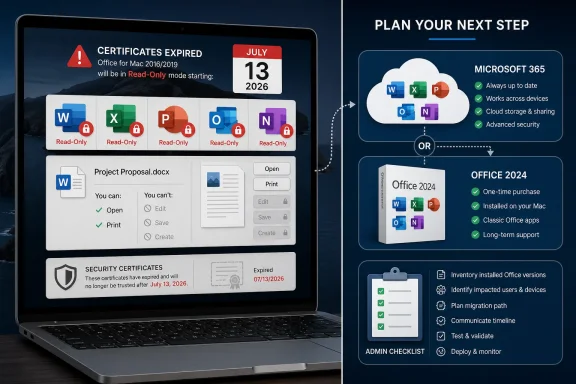
Microsoft says Office 2019 for Mac will enter reduced functionality mode on July 13, 2026, leaving affected Word, Excel, PowerPoint, Outlook, and OneNote users able to open and print files but unable to edit, save, or create them. The company frames the disruption as a certificate-expiration problem; the practical effect is that a paid, perpetual Office suite becomes a read-only viewer. For WindowsForum readers, the story is not merely another end-of-support footnote. It is a case study in how modern licensing, app signing, cloud-era validation, and platform-specific maintenance can quietly redefine what “owning software” means.

Split-screen graphic shows expiring Microsoft Office certificates and a plan to upgrade to Microsoft 365 or Office 2024.Microsoft’s Perpetual License Meets a Perishable Certificate​

Office 2019 for Mac was never going to be maintained forever. Microsoft ended support for it in October 2023, and that usually means no new features, no security updates, and no compatibility guarantees. Users who stayed put accepted that bargain, often because the software still did the job: Word opened documents, Excel handled spreadsheets, PowerPoint made decks, and Outlook connected to mail.
The July 13 cutoff changes the character of that bargain. This is not just an unsupported app becoming riskier over time. It is an unsupported app losing core productivity functions because a certificate used in the licensing or validation chain is expiring and the fix arrives only through software updates Office 2019 for Mac no longer receives.
That distinction matters. A user who bought Office 2019 as a one-time purchase could reasonably expect the product to age badly, not to have editing disabled years later by a dependency outside ordinary document editing. Microsoft’s response is technically coherent: supported versions get updated certificates, unsupported versions do not. But the outcome feels less like decay and more like a switch flipping.
The affected apps are also not marginal utilities. Word, Excel, PowerPoint, Outlook, and OneNote are the daily machinery of schools, nonprofits, small businesses, local governments, and households that deliberately avoided a Microsoft 365 subscription. Turning them into viewers does not delete the software, but it does remove the reason most people installed it.

The End of Support Was the Warning, Not the Explanation​

Microsoft can point to the calendar and say Office 2019 for Mac has been out of support for nearly three years. That is a real defense, and IT professionals should not wave it away. Unsupported productivity software is a security and compatibility liability, especially when documents arrive from external parties and email clients are involved.
But end of support is not a magic phrase that answers every question. There is a difference between “we will not patch vulnerabilities” and “the application will stop saving your work because an internal certificate expired.” One is the industry’s familiar maintenance boundary. The other is a dependency designed into the product’s operating model.
For administrators, the uncomfortable lesson is that unsupported no longer means merely frozen. It can mean structurally fragile. If an app depends on certificate validation, activation services, identity tokens, or platform trust chains, then support status determines not only whether bugs get fixed but whether the product can continue passing its own checks.
That is why this story lands harder than the usual lifecycle notice. Office 2019 for Mac users were not promised eternal support, but many believed they had a static tool. Microsoft’s certificate problem reveals that the tool was less static than it appeared.

Apple Platforms Draw the Short Straw​

The limitation applies to Office and Microsoft 365 apps on macOS and iOS, not to Windows or Android. That platform split is important because it keeps the story from being a universal Office 2019 shutdown. Windows users running older Office builds face their own lifecycle and security problems, but this particular certificate-driven reduction is an Apple-platform issue.
That does not let Microsoft off the hook. Office for Mac is Microsoft’s product, Microsoft’s licensing design, and Microsoft’s maintenance policy. Still, Apple’s platform security model and Microsoft’s app validation approach interact here in a way that appears to make certificate freshness more consequential on macOS and iOS than on Windows.
For mixed-platform shops, that means the same product family can have sharply different failure modes. An Office lifecycle spreadsheet that simply lists versions and support dates is no longer enough. Administrators need to know whether a given build has a built-in dependency that will expire even if the user never asks for new features.
The iPhone and iPad angle broadens the issue. Some users may encounter reduced functionality not because they are clinging to an old Mac, but because their Office apps on Apple mobile devices are not updated to a certificate-renewed version. For Microsoft 365 and supported Office versions, the fix is straightforward: update the operating system where needed, then update Office. For Office 2019 for Mac, the road ends.

Microsoft 365 Users Get a Patch; Office 2019 Users Get a Lesson​

Microsoft’s preferred migration path is obvious. Update if you are on Microsoft 365 or Office 2021, buy Office 2024 if you still want a perpetual license, or use the web apps if your needs are modest. From Redmond’s perspective, this is a clean lifecycle funnel: supported products remain functional, unsupported products do not receive remediation.
That framing will satisfy many enterprise IT departments. They already plan around lifecycle deadlines and generally prefer supported, patched builds. The certificate update becomes another compliance item, not a philosophical crisis.
But home users and small organizations do not always live inside that model. A local charity running Office 2019 on a few Macs may not have a software asset management process. A retired user may have bought Office once precisely to avoid another monthly bill. A student or family member may discover the problem only when a document refuses to save.
The result is an upgrade nudge with unusual force. Microsoft is not merely withholding new features or declining to fix bugs. It is allowing a licensing dependency to push an older perpetual product into read-only mode. Whether one calls that responsible lifecycle enforcement or planned obsolescence depends largely on where one sits.

Reduced Functionality Is a Polite Name for a Productivity Cliff​

“Reduced functionality mode” has long been part of Office licensing language. In that state, Office apps typically allow viewing and printing while blocking editing, saving, creating new documents, and access to full features. It is meant to preserve access to existing files while preventing continued full use when licensing or activation is not in order.
For Office 2019 for Mac owners, the phrase is doing a lot of work. A word processor that cannot edit is not a word processor in the way most users understand it. A spreadsheet app that cannot save changes is not a spreadsheet app; it is a viewer with a familiar icon.
Microsoft will reasonably argue that files remain accessible. That is better than bricking the app entirely, and it reduces the risk of users being locked out of documents. But the practical disruption is still severe because productivity software is defined by modification, not display.
This is especially true for Outlook and OneNote. Documents are one thing; mail and notes are workflows. Losing full functionality in those apps can interrupt habits built over years, and the replacement path may involve account changes, cloud sync decisions, or data migration rather than a simple installer swap.

The Perpetual Office Promise Gets Narrower Every Year​

Perpetual Office is not dead. Microsoft still sells Office 2024 as a one-time purchase, and that matters for users who cannot or will not subscribe to Microsoft 365. But the Office 2019 certificate episode makes perpetual licensing feel narrower, more conditional, and more dependent on update eligibility than many customers assumed.
A perpetual license means the right to use a particular version under the license terms. It does not mean perpetual updates. It does not mean perpetual compatibility with future operating systems. It does not necessarily mean perpetual access to every supporting service, certificate chain, or validation mechanism involved in the software’s operation.
That legal and technical reality is not new. What is new is how visible it has become. When boxed software lived mostly on local code and local files, old apps could often limp along for decades. In the subscription era, even “offline” desktop software may rely on activation infrastructure, app certificates, and service-side policy.
Microsoft wants customers on Microsoft 365 because subscriptions smooth revenue, simplify update distribution, and keep the installed base closer to current security standards. Users who choose perpetual Office are not escaping that ecosystem entirely. They are buying a longer interval between forced decisions, not immunity from them.

Enterprise IT Will See a Small Fire Drill and a Large Precedent​

In managed environments, this should be solvable if discovered early. Microsoft 365 apps and Office 2021 for Mac can be updated ahead of July 13, 2026. Admins responsible for Macs and iOS devices should verify app versions, operating system minimums, update channels, and whether users have local admin rights or rely on mobile device management.
The bigger issue is inventory. Many organizations have far more Windows management maturity than Mac management maturity. A fleet may have Jamf, Intune, Kandji, Mosyle, or another tool in place, but licensing records for old Office installs can still be messy. The danger is not the known Microsoft 365 tenant; it is the forgotten Mac in finance, the lab machine, the executive assistant’s older iMac, or the nonprofit’s donated hardware.
For sysadmins, the immediate work is mundane but necessary. Find Office 2019 for Mac. Decide whether those users move to Microsoft 365, Office 2024, LibreOffice, Apple iWork, Google Workspace, or web-based Office. Communicate before the deadline, because “your Office apps will become read-only” is the sort of sentence that sounds unbelievable until it happens.
The precedent is less mundane. IT departments increasingly have to treat certificates and activation chains as lifecycle dependencies, not invisible plumbing. If software cannot validate itself after a certain date without an update, then the real end-of-life date may be the earlier of the published support deadline and the next unpatched trust failure.

The Security Argument Is Real, but It Does Not Settle the Ownership Argument​

Microsoft has a credible security rationale for pushing users away from old Office builds. Office documents remain a major attack surface. Email clients are exposed to hostile content. Mac users are not magically immune from malicious documents, credential theft, or exploit chains just because the platform has a different threat profile than Windows.
From that perspective, letting Office 2019 for Mac continue indefinitely without updates is not ideal. The company would rather users move to a maintained build that receives security fixes and compatibility work. Enterprises would rather defend one current branch than a museum of unsupported versions.
Yet the ownership argument survives that security case. Users can accept risk knowingly. Organizations can isolate old systems. A one-time purchaser may believe that if the software runs on their machine, it should keep performing the functions it performed when purchased, even if Microsoft warns against it.
The problem is that modern software often does not leave that choice fully in the user’s hands. The certificate expiration effectively converts a security and support recommendation into a functional deadline. That is efficient for lifecycle hygiene, but corrosive for trust among customers who thought they were buying durability.

The Communication Problem Is Almost as Important as the Certificate​

Microsoft’s support guidance gives the basic facts: July 13, 2026, reduced functionality mode, update paths for supported products, no effect on Windows and Android, and upgrade options for unsupported Office 2019. The information exists. But the way users experience this will depend on whether they see it before the cliff.
Most normal users do not read support pages for software they bought years ago. They will not know what certificate is expiring. They may not distinguish Office 2019 from Office 2021, Microsoft 365, or “the blue W icon.” To them, Microsoft Office will simply stop letting them work.
That is why messaging matters. If Microsoft wants this to be understood as routine lifecycle maintenance, it must communicate in the places users actually see: in-app notices, account dashboards, admin centers, update prompts, and clear consumer-facing warnings. A support page is necessary, but insufficient.
There is also a tone problem. Telling customers to use free web apps, buy Office 2024, or subscribe to Microsoft 365 may be technically helpful, but it will sound like an upsell when paired with a feature cutoff. Microsoft cannot avoid that perception entirely, but it can reduce the damage by being plain about what is happening and why.

Mac Users Should Prepare for Migration, Not Heroics​

There will be attempts to find clever workarounds. Some users will ask whether changing the system date helps. Others will hunt for old installers, block network access, or try to preserve an existing activation state. Those paths are risky, brittle, and unsuitable for anyone who depends on Office for real work.
The practical answer is to migrate before July 13. If a user needs full fidelity with complex Word documents, Excel macros, PowerPoint decks, or Outlook workflows, Microsoft 365 or Office 2024 will be the least disruptive route. If the workload is lighter, browser-based Microsoft 365 apps may be enough.
Alternatives deserve a fair look. Apple’s Pages, Numbers, and Keynote are capable for many personal and school tasks, though not drop-in replacements for advanced Office workflows. LibreOffice remains useful for users who value local productivity software without a subscription, though compatibility can still be uneven with complicated Office documents.
The key is testing with real files. A migration plan based on opening one simple document is not a plan. Users should test templates, spreadsheets with formulas, tracked changes, embedded media, mail accounts, shared documents, and anything involving automation before deciding the old Office install can be retired.

The Calendar Now Belongs in the Asset Register​

The concrete advice is simple, but the broader habit is more important. Software inventories need dates that go beyond purchase and support end. They need certificate expirations, activation dependencies, minimum operating system versions, and update-channel realities.
That sounds excessive until a working app becomes read-only on a Monday morning. The Office 2019 for Mac case is exactly the sort of incident that slips between consumer assumptions and enterprise process. It is not a zero-day. It is not a surprise outage. It is a predictable dependency reaching a predictable date, and that makes failure to prepare harder to excuse.
For WindowsForum’s sysadmin audience, this is a reminder to look sideways. The headline says Mac, but the lesson applies to Windows estates as well. Any product that depends on identity, licensing, signing, or cloud validation can have a hidden operational deadline.
The old model of “install it, image it, forget it” is gone. Even perpetual software now needs lifecycle observation. That does not mean every user must subscribe to everything. It means the cost of refusing subscriptions is partly paid in inventory discipline, migration planning, and acceptance of eventual hard stops.

July 13 Is the Day Office 2019 for Mac Stops Being Boring​

The immediate story can be reduced to a few operational facts, but the industry lesson is larger: Microsoft is showing that an unsupported perpetual app can remain installed while losing the very functions that made it useful.
  • Office 2019 for Mac is expected to enter reduced functionality mode on July 13, 2026, blocking editing, saving, and creating files while still allowing opening and printing.
  • The affected Microsoft apps include Word, Excel, PowerPoint, Outlook, and OneNote on Apple platforms.
  • Microsoft 365 and Office 2021 users should be able to avoid disruption by updating to versions that contain the renewed certificate.
  • Office 2019 for Mac is out of support, so Microsoft is not offering the certificate-renewal fix for that suite.
  • Windows and Android Office users are not affected by this specific certificate-expiration issue.
  • Users who still rely on Office 2019 for Mac should choose and test a replacement before the deadline, not after documents start opening as read-only.
The fight over Office 2019 for Mac will be argued in familiar language: subscriptions versus ownership, security versus autonomy, lifecycle discipline versus customer trust. Microsoft has the stronger technical position and the weaker emotional one. The company can say, accurately, that unsupported software cannot be maintained indefinitely; users can say, just as accurately, that a paid Office suite becoming read-only feels like ownership shrinking after the sale. The next phase of desktop software will be shaped by that tension, and July 13, 2026, is one more date proving that the cloud era reaches even the apps we still think of as local.

References​

  1. Primary source: The Tech Outlook
    Published: 2026-06-11T07:58:07.693842
  2. Independent coverage: The Eastleigh Voice
    Published: 2026-06-11T05:12:07.691028
  3. Official source: support.microsoft.com
  4. Related coverage: macrumors.com
  5. Related coverage: techspot.com
  6. Related coverage: windowscentral.com
  1. Related coverage: office-watch.com
  2. Related coverage: devdigest.org
  3. Official source: learn.microsoft.com
  4. Related coverage: tidbits.com
  5. Related coverage: macobserver.com
  6. Related coverage: macgadget.de
  7. Related coverage: talk.tidbits.com
 

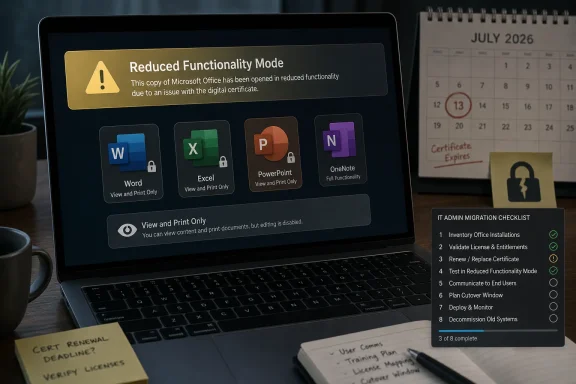
Microsoft says Office 2019 for Mac will enter reduced functionality mode on July 13, 2026, because an expiring license-validation certificate cannot be refreshed in that unsupported release, leaving users able to open and print files but unable to edit, save, or create them. The company frames this as a certificate-maintenance problem, not a security incident or data-risk event. But for anyone who bought a perpetual copy expecting local software to keep behaving like local software, the distinction is unlikely to soothe much anger.
This is not the familiar story of cloud features disappearing from an old app, or a new file format nudging users toward an upgrade. It is more awkward than that: a paid productivity suite will keep launching, keep seeing documents, and then refuse the work users bought it to do. The result is a small but revealing crisis in what “perpetual” now means when desktop software depends on a vendor’s continuing validation machinery.

Laptop screen shows Microsoft Office “Reduced Functionality Mode” warning due to a digital certificate issue.Microsoft’s Mac Certificate Problem Is Really a Trust Problem​

The technical outline is simple enough. Microsoft 365 and Office apps on macOS and iOS use a digital certificate as part of license validation, and the certificate currently in use expires on July 13, 2026. Apps that have been updated to versions containing the renewed certificate should continue normally. Apps that cannot be updated will fall back into reduced functionality mode.
For Microsoft 365 subscribers, this is mostly an operations problem. Devices need to be on supported operating systems, and apps need to be updated. Microsoft’s guidance points administrators toward macOS 12 Monterey or later with Office version 16.83 or later, and iOS or iPadOS 17 or later with app version 2.93 or later.
For Office 2021 for Mac users, the situation is more irritating but still theoretically manageable. Office 2021 remains in support until October 13, 2026, so users can update the apps and dodge the July certificate deadline. That is not a long runway, but it is at least a runway.
Office 2019 for Mac is where the story hardens into a consumer-rights argument. Microsoft ended support for Office 2019 for Mac on October 10, 2023, and says the product cannot be updated to the required version. Reinstalling the suite will not solve the issue. Updating macOS will not solve the issue. The certificate failure is not a warning light the user can clear; it is a gate the old application can no longer pass.
That leaves a choice that is technically tidy and commercially ugly: upgrade to a supported Office release, move to Microsoft 365, use the web apps, or leave Microsoft’s productivity stack. For users who have been happily running Office 2019 on a Mac for years, the practical message is not “your product is unsupported.” It is “your product is being made less useful on a specific date.”

Perpetual Office Was Already Living on Borrowed Time​

Microsoft has spent more than a decade turning Office from a boxed-product franchise into a subscription and services platform. That transition has been commercially successful and technically rational. Microsoft 365 gives the company recurring revenue, faster feature delivery, cloud storage tie-ins, identity integration, admin controls, and a cleaner support model.
But perpetual Office never fully disappeared. Many home users, small businesses, schools, charities, and lightly managed offices still prefer one-time purchases because they dislike recurring fees or do not need a constant drip of new features. Office 2019 served that audience: familiar Word, Excel, PowerPoint, Outlook, and OneNote applications, sold as a durable product rather than a monthly relationship.
The certificate deadline exposes the compromise hidden inside that model. A perpetual license may grant long-term rights to use a product, but the product itself may still rely on components that age, expire, or require vendor renewal. That is normal in modern software, especially where activation, code signing, identity, and app-store distribution are involved. The problem is not that certificates expire. The problem is that the failure mode here turns document editing into collateral damage.
Microsoft can reasonably argue that Office 2019 for Mac is past its support lifecycle. Vendors cannot be expected to maintain every version forever, particularly across Apple’s fast-moving platform requirements. macOS changes, security expectations change, signing requirements change, and keeping old productivity suites alive costs engineering time.
Yet there is a difference between refusing to add features to unsupported software and allowing an expiring validation chain to disable core functionality. Users understand that old software may stop receiving patches. They are less likely to accept that an old, paid-for copy of Word will become a viewer because the vendor will not ship a narrow fix for a license certificate.

The Apple Platform Makes the Expiration Feel Sharper​

This issue is specific to macOS and iOS. Windows and Android are not affected, according to Microsoft’s guidance, because license validation is handled differently on those platforms. That distinction matters because it makes the outage feel less like an unavoidable global Office event and more like a platform-specific maintenance decision.
Mac Office has always lived in a slightly different world from Windows Office. It has its own update cadence, its own deployment tooling, and its own relationship with Apple’s operating-system policies. Enterprises managing Macs already know that Microsoft 365 Apps for Mac track only the three most recent major macOS releases, which makes older hardware a recurring support headache.
For managed environments, the certificate deadline is now another inventory exercise. Admins need to identify Macs and iPhones running outdated Office builds, verify operating-system eligibility, push updates through Microsoft AutoUpdate, Intune, Jamf, or another management stack, and decide what to do with devices too old to move forward. None of that is conceptually difficult, but it is exactly the kind of deadline-driven cleanup that turns a quiet certificate rotation into help-desk volume.
The more frustrating group is unmanaged users. A retiree with a 2017 iMac and Office 2019 does not think in terms of app build numbers and license-validation certificates. A small business owner who bought Office once and never subscribed to Microsoft 365 may not have followed Microsoft lifecycle tables. On July 13, the failure will look like a product breaking, not a lifecycle policy being enforced.
Apple’s own platform decisions contribute to this squeeze, too. Microsoft’s fix requires operating-system versions that some older devices may not run comfortably, or at all. That does not absolve Microsoft, but it does show how perpetual desktop software is increasingly boxed in by platform security models, certificate chains, and vendor support windows. The app may be local, but its continued usefulness is not purely local anymore.

Reduced Functionality Mode Is a Polite Name for a Harsh Outcome​

“Reduced functionality mode” is Microsoft’s longstanding term for Office when activation or licensing fails. In that state, users can generally open and print documents, but they cannot create, edit, or save them. It is a licensing quarantine: useful enough to recover or view files, but not enough to continue work.
In subscription scenarios, reduced functionality mode makes intuitive sense. If a Microsoft 365 subscription expires, the apps do not simply erase user data; they fall back to a limited state. Users can retrieve documents and resubscribe if they want editing back. That is a defensible model for leased software.
The same behavior lands very differently when it applies to a one-time-purchase product. Office 2019 for Mac buyers did not subscribe to a temporary editing entitlement in the ordinary sense. They bought an application suite whose support lifecycle was limited, but whose basic local function many users expected to continue as long as the software and operating system remained compatible.
Microsoft’s legal and lifecycle language may well protect it. Support ended years ago. The company can say the fix requires an update, and unsupported products do not receive updates. But journalism is not contract law, and user trust is not measured only by what a license agreement permits. The optics are brutal: a certificate expires, and Microsoft’s answer to owners of an old perpetual product is to buy something else.
This is why the story has resonated beyond the number of affected users. It compresses years of anxiety about software ownership into one deadline. People who already suspect that subscriptions are less about better software than about guaranteed payment see confirmation. People who already distrust cloud licensing see a desktop example that behaves like cloud dependency.

The Security Argument Only Goes So Far​

Microsoft is right to maintain strict validation systems. License infrastructure is part of the security and integrity of commercial software. Certificates should expire. Applications should not blindly trust stale credentials forever. A world where digital certificates never aged out would be worse for everyone.
But the security framing has limits because Microsoft itself says this is not a security vulnerability and no customer data is at risk. The certificate is used for license validation. The problem is not that Office 2019 suddenly became dangerous on July 13, 2026. The problem is that the validation mechanism used by Office 2019 for Mac cannot be brought forward within the product’s unsupported branch.
That nuance matters. If this were an unpatchable remote-code-execution flaw, the calculus would be different. Vendors sometimes have to let old software die because keeping it alive creates unacceptable risk. Here, the effect is not the removal of unsafe network behavior; it is the loss of editing and saving in a local productivity suite.
Microsoft may have engineering reasons not to touch the Office 2019 for Mac codebase. The necessary certificate update may not be as trivial as outsiders assume. Old build systems, signing requirements, QA obligations, and regression risk are real constraints. But those constraints are invisible to customers staring at an app that will soon stop doing its main job.
The company also risks blurring the boundary between “unsupported” and “deliberately degraded.” Unsupported software usually means no fixes if the world changes around it. This case feels different because the world-changing event is predictable, dated, and tied to Microsoft’s own licensing chain. That is why the backlash has bite.

IT Departments Get a Deadline, Home Users Get a Bill​

For enterprise administrators, the right response is boring and urgent. Inventory the Mac and iOS fleet, confirm Office app versions, verify OS eligibility, push updates, and communicate before users discover the problem inside a deadline-sensitive spreadsheet. The earlier this happens, the less dramatic July 13 becomes.
The harder part is deciding what to do with perpetual-license islands. Some organizations still have Office 2019 for Mac deployed in corners of the estate: labs, shared machines, nonprofits, contractor devices, or acquired-company remnants. Those installs may not appear in the same reporting dashboards as Microsoft 365 Apps. They may also belong to users who are not budgeted for a subscription migration.
For home users and small offices, the choices are narrower. Office 2024, Office LTSC-style licensing, Microsoft 365 Personal or Family, Microsoft 365 for the web, Apple iWork, LibreOffice, Google Docs, and other alternatives all exist. But “you have options” is not the same as “your purchase was respected.”
The document-format trap also matters. Many users stay with Office not because Word is beloved, but because .docx, .xlsx, and .pptx are the lingua franca of work, school, accountants, lawyers, clients, and government forms. Switching providers is easier than it used to be, but compatibility still has edge cases. Macros, complex Excel workbooks, tracked changes, templates, and Outlook workflows are all places where alternatives can become expensive in time rather than money.
That is the quiet leverage behind this story. Microsoft does not need to force every Office 2019 for Mac user into Microsoft 365. It only needs enough friction around leaving to make upgrading feel like the least risky path. The product may be old, but the ecosystem remains sticky.

The Office 2021 Reprieve Is Not Much of a Reprieve​

Office 2021 for Mac users are not in the same dead end as Office 2019 users, but they should not mistake the certificate update for a long-term guarantee. Microsoft says Office 2021 can be updated to avoid the July 13 certificate cliff. Its support still ends on October 13, 2026.
That creates an odd three-month reprieve. Office 2021 users can stay functional after July, but the product’s own lifecycle clock expires in October. After that, they face the usual unsupported-software tradeoff: keep using it without updates, move to a newer perpetual version where available, or subscribe.
The awkwardness is that Office 2021 buyers may look at Office 2019 and see their future. Microsoft is not saying Office 2021 will suffer the same certificate fate immediately after support ends. But the precedent is uncomfortable. If a licensing component can age out after support, then “perpetual” increasingly means “usable until some dependency expires and the vendor declines to renew it.”
That concern is not limited to Microsoft. The entire software industry has moved toward entitlements, tokens, app-store receipts, cloud identity, and remote feature control. Even software sold as a one-time purchase often depends on online activation or update infrastructure. The difference is that Office is too important and too ubiquitous for this to pass as a niche annoyance.
Microsoft could reduce the reputational damage by offering a limited bridge: a no-new-features certificate patch for Office 2019 for Mac, a discounted upgrade, a temporary license, or a clearer migration path for affected customers. It may decide the affected population is too small to justify that. But the cost of doing nothing is not only measured in support tickets. It is measured in the next customer who hesitates before trusting the word “perpetual.”

The Real Migration Is From Ownership to Permission​

The Office 2019 for Mac situation is part of a broader pattern: software increasingly behaves less like a purchased tool and more like an ongoing permission grant. That is not automatically bad. Cloud-connected software can be more secure, easier to update, and more useful across devices. Subscriptions can fund continuous development instead of forcing vendors into artificial major-version upgrade cycles.
But the bargain works only when customers believe the vendor’s control is being used responsibly. When a certificate expiration disables editing in an old perpetual Office release, the control layer becomes visible in the worst possible way. It reminds users that their files may be local, their apps may be installed, and their license may be paid, but the final permission to work still runs through a mechanism they do not control.
This is especially sensitive for productivity software because documents are not entertainment purchases. A word processor is infrastructure for school applications, tax records, business proposals, invoices, grant forms, legal correspondence, and family archives. People do not merely consume Office; they depend on it to act on their own information.
Microsoft’s position is understandable from inside the product lifecycle machine. Office 2019 for Mac is unsupported. The company has newer versions. The update path exists for supported apps. Customers have been warned before the deadline. From a product-management perspective, the policy is coherent.
From the outside, coherence is not the same as fairness. The average buyer does not parse Office’s certificate architecture. They remember buying software, installing it, and using it. If it becomes view-only because Microsoft will not refresh a licensing component, they will see a forced upgrade regardless of the engineering explanation.

Windows Users Should Still Pay Attention​

The immediate issue does not affect Windows. That should not make Windows users complacent. The lesson here is not “Mac Office is fragile.” The lesson is that modern productivity software, including traditional desktop software, is increasingly tied to lifecycle infrastructure that can outlive or undercut user expectations.
Windows administrators already live with this reality in other forms. Activation services, Microsoft 365 Apps update channels, Entra ID sign-ins, conditional access policies, OneDrive integration, Defender controls, and Windows servicing deadlines all shape whether software remains useful. The operating system may be local, but the management plane is not.
For enthusiasts who prefer older versions of Office on Windows, the Mac incident is a warning about assumptions. Just because a product launches today does not mean every dependency needed for full functionality will remain valid indefinitely. File compatibility, activation, add-ins, macros, cloud services, and security protocols can all become failure points.
For Microsoft, this is a reputational issue across platforms even if the technical blast radius is Apple-only. Office is one of the company’s trust anchors. If users begin to believe that perpetual Office is merely subscription Office with a delayed expiration surprise, Microsoft will have trained them to evaluate competitors more seriously.
That does not mean LibreOffice or Apple Pages will suddenly conquer the enterprise. But it does mean the emotional math changes. A user who feels burned by Office 2019 for Mac may still pay Microsoft this year because deadlines matter. Next time, they may ask whether the default choice is still worth the dependency.

July 13 Turns a Certificate Rotation Into a Product Philosophy​

The most generous reading is that Microsoft is enforcing a support boundary it already published. Office 2019 for Mac is dead by lifecycle standards, and old software sometimes stops working when the surrounding platform and security assumptions move on. That argument is not frivolous.
The less generous reading is that Microsoft is allowing a preventable expiration to do what a sales team could not: push remaining perpetual-license users toward newer Office products or subscriptions. That argument is not baseless either, because the practical outcome is exactly that. Customers who want to keep editing in Microsoft Office on a Mac will need supported software.
The truth may be more mundane and more damning. Large software companies often make decisions by support matrix, not moral symbolism. Office 2019 for Mac may simply fall outside the box where an engineering fix is allowed to exist. Nobody needs to plot obsolescence for bureaucracy to produce it.
But users experience outcomes, not org charts. A paid app becoming mostly read-only because of an expired license certificate is a bad outcome. It may be legally permitted, technically explainable, and operationally convenient, but it is still bad for the customer who thought a one-time purchase meant more than this.
That is why Microsoft should treat the backlash as more than noise. The company has spent years asking customers to trust cloud services, subscriptions, identity layers, and automated update channels. Trust is not preserved by saying, accurately, that an old product is out of support. It is preserved by avoiding avoidable moments where customers feel the software they bought has been remotely redefined.

The Practical Lesson Is to Audit Before the Deadline Hits​

The July deadline is close enough that affected users and administrators should stop treating this as an abstract licensing debate. If Office on a Mac or iOS device matters to daily work, verify the version now. If the install is Office 2019 for Mac, assume there is no supported patch path and plan accordingly.
  • Microsoft 365 users on macOS and iOS should update to supported operating systems and app versions before July 13, 2026.
  • Office 2021 for Mac users should update promptly, while remembering that support for Office 2021 ends on October 13, 2026.
  • Office 2019 for Mac users should plan for replacement, migration, or an alternative productivity suite because Microsoft says updating or reinstalling Office 2019 will not resolve the certificate issue.
  • Administrators should inventory unmanaged and lightly managed Macs, since old perpetual installs are often missing from the cleanest Microsoft 365 reporting views.
  • Users who rely on complex Office documents should test alternatives before the deadline rather than discovering conversion problems during a crisis.
  • Anyone buying “perpetual” software should now ask what activation, certificate, and online-validation dependencies could affect it after support ends.
The immediate story is about Office 2019 for Mac, but the longer story is about the shrinking distance between owning software and merely being allowed to keep using it. Microsoft can argue that unsupported products eventually stop fitting into supported ecosystems, and sometimes that is true. Yet July 13, 2026 will still be remembered by affected Mac users as the day a familiar tool became a viewer, and that memory will follow Microsoft into every future pitch for subscriptions, cloud convenience, and trust-based computing.

References​

  1. Primary source: The Register
    Published: Thu, 11 Jun 2026 14:32:57 GMT
  2. Official source: support.microsoft.com
  3. Related coverage: techspot.com
  4. Related coverage: windowscentral.com
  5. Related coverage: macrumors.com
  6. Related coverage: devdigest.org
  1. Related coverage: office-watch.com
  2. Related coverage: techedt.com
  3. Related coverage: macobserver.com
  4. Related coverage: tech.slashdot.org
  5. Official source: cdn-dynmedia-1.microsoft.com
  6. Related coverage: bpb-us-e1.wpmucdn.com
 

Microsoft will put Office 2019 for Mac into reduced functionality mode on July 13, 2026, leaving Word, Excel, PowerPoint, Outlook and OneNote able to open, view, and print files but unable to create, edit, or save documents on affected Apple devices. The trigger is not a spectacular cloud outage or a hostile uninstall, but a licensing certificate expiring inside software many people thought they had bought for keeps. That makes the episode more revealing, not less: modern desktop software can be technically installed, locally paid for, and still dependent on a vendor-controlled trust chain. Office 2019 for Mac is not merely reaching old age; it is demonstrating what “perpetual” now means when the activation machinery has an expiration date.

Laptop and phone display Microsoft license validation failed and certificate expiring, with “249 days left” notice.The Perpetual License Meets the Expiring Certificate​

Office 2019 for Mac was always living on borrowed support time. Microsoft ended support for it on October 10, 2023, which meant no new features, no bug fixes, and no security updates. For most users, that bargain was legible enough: keep using the old apps if they still work, but do not expect Microsoft to patch them forever.
The July 2026 change alters that understanding. Reduced functionality mode is not the same as unsupported software becoming risky or gradually incompatible with a future operating system. It is the suite’s core value proposition — writing, editing, saving — being withdrawn because the software can no longer validate the license state through a certificate path Microsoft has moved on from.
Microsoft’s explanation is technically plausible and commercially brutal. The company has renewed the certificate for supported products, but Office 2019 for Mac is out of support, so the fix is not being delivered to that branch. Users are therefore caught in a loop that sounds absurd until one remembers how much licensing, identity, and platform security now sit beneath ordinary productivity apps.
That is why this story has landed so badly. A user who bought Office 2019 for Mac did not buy five years of document editing in the way they might buy five years of antivirus updates. They bought a version of Office, and Microsoft’s earlier end-of-support messaging helped reinforce the idea that the apps would continue to function, albeit without updates. The company’s current wording is more careful, emphasizing data access through supported products rather than promising continued usability of the old suite.

This Is Not a Mac Curiosity, Even Though Mac Users Take the Hit​

The immediate blast radius is Apple-specific. Microsoft says the certificate expiration affects Office and Microsoft 365 apps on macOS and iOS, not Windows or Android. On paper, that limits the drama: this is not a universal Office shutdown, and it does not mean Office 2019 for Windows suddenly becomes a viewer next month.
But the platform boundary should not let Microsoft off the hook. The affected apps include the ordinary Office workhorses — Word, Excel, PowerPoint, Outlook, and OneNote — and the affected devices include Macs, iPhones, and iPads that cannot move to the required software baseline. For users on older Apple hardware, the instruction to “update” can be less a remedy than a polite dead end.
Microsoft’s recommended escape routes are predictable. Microsoft 365 subscribers can update the operating system and the apps if their hardware supports the required versions. Office 2021 for Mac users can also resolve the issue through updates, at least until that product’s own support clock runs out in October 2026. Office 2019 for Mac users, however, are effectively being told to move to Microsoft 365, buy Office 2024, or use the free web versions of Word, Excel, and PowerPoint.
That last option matters but should not be overstated. Office on the web is capable enough for many lightweight tasks, and it is a useful pressure valve for stranded users who need to open a document in a pinch. It is not a clean substitute for a local desktop suite in every workflow, especially where offline access, complex formatting, macros, add-ins, local file handling, or institutional habits are involved.

Microsoft Did Not Brick the Files, But It Did Break the Assumption​

There is an important distinction here: Microsoft is not deleting anyone’s documents. Files remain accessible, and the apps should still open, view, and print. Users can move their documents into supported Office versions, rival suites, or browser-based editors.
That distinction will matter to lawyers, licensing specialists, and anyone trying to avoid overheated language. It will matter less to a home user who opens Word on July 14 and discovers that the paid app sitting in the Applications folder has become a glorified preview pane. The data may be safe, but the workflow is broken.
The uncomfortable lesson is that “your files are safe” has become the minimum promise, not the meaningful one. Productivity software is valuable because it lets users do work, not because it preserves a museum-quality copy of a document. A spreadsheet that cannot be edited is not a spreadsheet in the practical sense; it is evidence of a spreadsheet.
This is where Microsoft’s framing risks sounding lawyerly. The company can say, accurately, that Office 2019 for Mac is unsupported and that supported versions have update paths. Users can say, accurately, that a perpetual license losing basic editing because of a certificate feels like a retroactive change to the deal.

The Calendar Has Become a Product Feature​

The deeper story is not that old software eventually dies. Old software has always died. It fails to install on new operating systems, loses compatibility with file formats, stops receiving security patches, or becomes unsafe to run on connected machines.
What feels different here is the precision of the failure. July 13, 2026 is not an emergent compatibility cliff discovered by unlucky users after a macOS upgrade. It is a known date tied to Microsoft’s licensing infrastructure, and Microsoft has chosen to carry supported products across it while leaving Office 2019 for Mac behind.
That transforms the support lifecycle from a maintenance promise into an operational dependency. Support does not merely mean “we will fix bugs if they appear.” It can mean “we will keep the certificate chain alive so the software continues to recognize itself as licensed.” When that work stops, the unsupported product does not merely become stale; it can become partially inert.
For administrators, this is a useful but grim reminder. Asset inventories that treat perpetual Office as a static install are increasingly incomplete. The relevant question is not only “what version is installed?” but also “what external validation, certificate, identity, update channel, or service dependency must continue for this install to remain useful?”
This is the same logic that has reshaped Windows servicing, browser lifecycles, mobile app stores, and enterprise identity platforms. The desktop has not disappeared; it has been wired into a network of expiring assurances. Office 2019 for Mac is simply one of the clearer examples because the break lands on the most basic action a productivity suite performs.

The Real Audience Is Not Just Home Users With Old Macs​

It is easy to imagine the stereotypical victim: someone with an older iMac, a one-time Office license, and no interest in Microsoft 365. That user exists, and Microsoft has not given them a graceful path if the Mac cannot run the required OS or the supported Office versions. But the more interesting audience is institutional.
Small businesses, schools, nonprofits, labs, churches, and local government offices often run software long after vendors would prefer they move on. They do not always do this out of negligence. Sometimes the software is tied to old templates, old hardware, old procurement rules, or a simple judgment that “it still works” is good enough for a machine that writes letters and edits spreadsheets.
For those environments, this change converts a future migration into an operational deadline. It is not enough to know that Office 2019 for Mac is unsupported in the abstract. Someone needs to identify where it is installed, whether the machine can move to macOS 12 Monterey or later where relevant, whether the user is entitled to Microsoft 365 apps, and whether Office 2024 or a non-Microsoft suite makes more sense.
The timing is also awkward. Office 2021’s support ends on October 13, 2026, only three months after the July certificate event. That does not mean Office 2021 for Mac falls into the same reduced functionality problem immediately, but it does mean organizations treating Office 2021 as a long-term refuge are buying a very short runway.
Microsoft would much rather have these users on Microsoft 365, and that preference is not hidden. Subscriptions are easier to service, easier to secure, easier to monetize, and easier to align with cloud features. But when a perpetual product’s practical sunset is enforced by a certificate failure rather than by ordinary obsolescence, the migration pitch starts to look less like modernization and more like compulsion.

Apple’s Platform Is the Stage, Not the Villain​

Because this problem is limited to macOS and iOS, some will be tempted to blame Apple’s certificate and platform security model. There is a kernel of truth in the platform angle: Apple’s software ecosystem is more aggressive about signing, trust, and update expectations than the old Windows desktop world. macOS and iOS have steadily tightened the assumptions around what software is allowed to do and how it proves legitimacy.
But the decisive issue here is Microsoft’s licensing certificate and Microsoft’s product support boundary. Microsoft has renewed the certificate for versions it still supports. Office 2019 for Mac is outside that boundary, so it does not get the renewal through an update. The fact that Windows and Android are unaffected makes the incident platform-specific, not platform-caused in any simple moral sense.
This distinction matters because it avoids the wrong debate. The lesson is not that Apple platforms are hostile to old software and Windows is a paradise of backward compatibility. The lesson is that every modern platform has become dependent on layers of trust that users rarely see until they fail.
Windows users should resist the urge to laugh from across the aisle. Microsoft’s own ecosystem is full of lifecycle cliffs, online activation dependencies, Microsoft account nudges, cloud-tied features, and servicing deadlines. The Mac gets the visible wound this time, but the disease is industry-wide.

Unsupported Should Not Mean Ambushed​

Microsoft has a defensible position: Office 2019 for Mac is out of support, and unsupported software cannot expect indefinite engineering intervention. If a security flaw appeared tomorrow, Microsoft would not be obligated to patch it. If a future macOS update broke the interface, users would have little standing to demand a fix.
Yet this certificate issue is not a random incompatibility introduced by a future operating system. It is a known internal deadline in Microsoft’s own licensing system. The company did not have to promise new features or long-term security fixes to provide a narrow certificate renewal that preserved the basic function of a paid perpetual product.
That is the source of the anger. Users are not asking Microsoft to make Office 2019 for Mac modern. They are asking why the company cannot keep the old product from deliberately distrusting its own license. There is a difference between refusing to renovate a house and changing the locks after the maintenance contract expires.
Microsoft’s revised language around Office 2019 for Mac makes the situation feel worse, not better. Earlier support language that reassured users the apps would continue to function created an expectation that unsupported meant static. The newer emphasis on being able to access data in a supported product may be more legally durable, but it reads like a retreat from the plain-language promise users heard.
A company as large as Microsoft lives and dies by these nuances. The firm is asking customers to accept subscriptions, cloud identity, AI features, and continuous servicing as the safer, more reliable future. That argument becomes harder when a one-time license loses basic editing through a behind-the-scenes dependency most users never knew existed.

The Subscription Argument Gets Stronger and More Suspicious at the Same Time​

From Microsoft’s perspective, this episode is an advertisement for Microsoft 365. Supported apps get certificate updates. Supported operating systems remain inside the tested matrix. Users who stay current avoid sudden productivity cliffs. That is the tidy enterprise story.
It is also not wrong. For many businesses, Microsoft 365 is the rational choice because it bundles Office apps, cloud storage, collaboration, identity integration, device management hooks, and continuous updates. The old model of buying Office every several years and ignoring it until the next hardware refresh no longer fits how Microsoft wants Office to evolve.
But the same event that strengthens the practical case for Microsoft 365 also strengthens suspicion of Microsoft’s incentives. If the solution to a broken perpetual product is to subscribe, users will naturally ask whether the break was unavoidable, neglected, or convenient. Microsoft does not need to engineer a conspiracy for the optics to be terrible.
The Office 2024 option exists for people who still want a one-time purchase. That matters, and it prevents the story from being a pure subscription-or-nothing tale. Still, buyers of Office 2024 should read this episode carefully: a one-time license is not the same as a guarantee that every hidden dependency will be maintained beyond the published support window.
The most honest reading is that perpetual Office has become a narrower product than many customers think. It buys a supported version for a defined lifecycle, not an indefinite right to functional stasis. The code may remain on disk, but the surrounding machinery has an expiration policy.

The Practical Advice Is Boring Because the Problem Is Not​

For affected users, the immediate checklist is straightforward. If you rely on Office 2019 for Mac, assume July 13 is a real operational deadline. Do not wait until the first document fails to save before deciding whether you are moving to Microsoft 365, Office 2024, Office on the web, LibreOffice, Apple’s iWork apps, or something else.
Export and test before the deadline. Open your most important Word documents, Excel workbooks, PowerPoint decks, Outlook data, templates, and any files with complicated formatting in the replacement environment you plan to use. Compatibility problems are much easier to solve while the old Office install can still edit and save.
For businesses, the right move is discovery first. Find every Office 2019 for Mac install, then sort by business criticality. A single old Mac used for newsletters is annoying; an old Mac maintaining financial spreadsheets, legal templates, or a shared mailbox workflow is a risk.
For Microsoft 365 admins managing Apple fleets, the problem is narrower but still real. Devices need to be on supported macOS or iOS versions, and the Office apps need to be updated before the certificate deadline. Managed environments should not assume users will click through updates in time, especially if older hardware is pinned to an unsupported OS.

The July Deadline Leaves Users With Only a Few Clean Moves​

The concrete facts are simple enough, but their implications are larger than the support note that revealed them. This is the moment to treat Office 2019 for Mac not as old but usable software, but as software entering its final month as a real editor.
  • Office 2019 for Mac is scheduled to lose create, edit, and save functionality on July 13, 2026, while retaining the ability to open, view, and print files.
  • The affected desktop apps are Word, Excel, PowerPoint, Outlook, and OneNote on Apple platforms, with related impact on iPhone and iPad apps that cannot be updated.
  • Windows and Android versions are not affected by this specific certificate expiration issue.
  • Reinstalling Office 2019 for Mac will not solve the problem because the product is out of support and will not receive the certificate update.
  • The realistic migration paths are Microsoft 365, Office 2024, Office on the web, or a non-Microsoft productivity suite, with device compatibility checked before the deadline.
  • Office 2021 for Mac can be updated for this certificate issue, but its support lifecycle ends on October 13, 2026, making it a short-term refuge rather than a long-term strategy.
The lesson for WindowsForum readers is not simply that Mac users should have upgraded sooner. It is that software ownership now depends on maintenance channels, certificates, activation systems, and lifecycle policies that are easy to ignore until they become the product. Office 2019 for Mac’s July 2026 downgrade may be a contained incident, but it points toward a future in which “unsupported” increasingly means more than “no patches” — and where the safest time to plan an exit is before the vendor’s calendar becomes your outage.

References​

  1. Primary source: Trusted Reviews
    Published: 2026-06-12T21:12:10.959539
  2. Related coverage: techspot.com
  3. Related coverage: macrumors.com
  4. Official source: support.microsoft.com
  5. Related coverage: windowscentral.com
  6. Related coverage: office-watch.com
  1. Related coverage: techedt.com
  2. Related coverage: devdigest.org
  3. Official source: learn.microsoft.com
  4. Related coverage: technobezz.com
  5. Related coverage: tidbits.com
  6. Related coverage: macobserver.com
  7. Official source: download.microsoft.com
  8. Official source: microsoft.com
  9. Related coverage: bpb-us-e1.wpmucdn.com
  10. Related coverage: talkingmoose.net
  11. Related coverage: windowslatest.com
  12. Related coverage: heise.de
  13. Official source: cdn-dynmedia-1.microsoft.com
 

Microsoft says Office 2019 for Mac, iPhone, and iPad will enter reduced functionality mode on July 13, 2026, leaving affected Word, Excel, PowerPoint, Outlook, and OneNote users able to open and print files but not edit, save, or create them. The company frames the change as a certificate and support-lifecycle problem, not a deliberate shutdown. That distinction may be technically important, but it will not matter much to people who bought a perpetual Office license expecting the apps to keep working locally. The real story is not one expiring certificate; it is the shrinking practical meaning of “owning” productivity software in an update-gated world.

Laptop and phones show document editing with a “View & Print Only” badge, calendar date July 13 2026, and a security lock.A Perpetual License Meets a Calendar It Cannot Survive​

The anger around Office 2019 for Mac is easy to caricature as another round of anti-subscription grumbling, but that misses why this one lands differently. Microsoft is not merely ending updates, retiring cloud features, or warning users that unsupported software may become risky over time. It is telling some customers that core local editing features in paid-for apps will stop functioning because the license-validation machinery inside the product can no longer be refreshed.
That is a more uncomfortable proposition than normal end of support. Users generally understand that an old app will not get new features forever. They may even accept that security fixes eventually stop. What they do not expect is for a word processor installed on a Mac to turn into a viewer because a certificate chain reached its expiry date.
Microsoft’s explanation is that Office 2019 for Mac is out of support, having reached that point in October 2023, and therefore has no update path for the renewed certificate. In the company’s telling, the software is not being newly crippled so much as failing to clear a future license-validation requirement that newer, supported Office builds can satisfy. The distinction is real, but it is not exculpatory.
If a product’s ability to edit a local document depends on a certificate that expires after the support window, then that expiry is part of the product’s design. Customers were not buying a loose collection of static binaries; they were buying a licensed application whose continued usefulness depended on Microsoft’s infrastructure and maintenance decisions. The fact that the failure arrives through plumbing rather than policy does not make it less consequential.

Microsoft’s Support Lifecycle Now Has a User-Visible Cliff​

End-of-support notices used to be dull administrative milestones. They told IT departments when patches would stop and when compliance paperwork would need updating. For home users, small offices, and labs with older Macs, the message was usually simpler: you can keep running the software, but you are on your own.
Office 2019 for Mac now shows how that bargain has changed. The end of support is no longer just the end of help; it can become the beginning of functional degradation. That is a much sharper cliff, especially for software whose value is rooted in durable file access and long-term workflows.
Microsoft’s own support language matters here because expectations matter. Earlier messaging around Office 2019 for Mac’s end of support reportedly reassured users that the apps would continue to function, while current guidance points people toward supported Microsoft 365 or Office products to access their data. Even if Microsoft can argue that the old statement was made before this certificate issue became visible to customers, the practical reversal is obvious.
For a WindowsForum audience, the asymmetry is especially striking. Office 2019 on Windows is not affected by this particular Mac and iOS certificate path in the same way. That does not make Windows immune from lifecycle pressure, but it does underline how platform-specific implementation details can decide whether “unsupported” means “less safe” or “partly unusable.”
The industry has spent years telling users to accept continuous servicing because it improves security and reliability. That argument is often true. But the same servicing model also gives vendors more leverage over old software, and Office 2019 for Mac is a reminder that the boundary between maintenance and control can be thin.

The Certificate Is the Mechanism, Not the Moral Defense​

Digital certificates are not exotic. They sit beneath code signing, identity verification, encryption, update delivery, and software activation. When they expire, things break. Any sysadmin who has watched an internal TLS certificate lapse on a Friday afternoon knows that the failure mode can be brutally disproportionate to the tiny file that caused it.
But Office 2019 for Mac is not a forgotten intranet appliance. It is a Microsoft productivity suite sold to consumers and organizations as a one-time purchase. The certificate’s expiration date was not unknowable. If the renewed certificate can be delivered to supported Office apps, the question users are asking is why Microsoft cannot—or will not—deliver a narrowly scoped fix to Office 2019 for Mac.
Microsoft’s answer is that no update path exists for an out-of-support product. That is a defensible lifecycle position in the narrowest engineering sense. Reopening a dead branch creates testing obligations, compatibility questions, and support expectations. Once a vendor starts shipping exceptions, every expired product gains a constituency demanding the same treatment.
Still, this is not the same as asking Microsoft to backport Copilot, redesign Outlook, or certify Office 2019 against every modern macOS release. A certificate-refresh update sounds, to many users, like the kind of surgical maintenance that preserves the basic utility of a product already sold. Microsoft may see a slippery slope; customers see a locked door and a vendor holding the key.
That is why the word “appalling” resonates in user reactions. The outrage is not that software ages. The outrage is that the aging process appears to be enforced by a licensing dependency rather than by ordinary incompatibility.

The Mac Version Exposes a Bigger Ownership Problem​

There is a long history of Mac Office users living with a different Microsoft rhythm than Windows users. The Mac version has often had its own feature gaps, UI decisions, update cadence, and compatibility constraints. That history makes this episode easier for critics to frame as second-class treatment for Apple customers.
But reducing the issue to platform rivalry would be too easy. The deeper problem is that modern perpetual software often behaves less like a durable tool and more like a subscription product with a longer fuse. You may pay once, but the application’s useful life is still constrained by activation systems, certificates, online services, operating-system rules, and vendor-controlled update channels.
Apple’s platforms intensify this dynamic because macOS and iOS place heavy emphasis on code signing, notarization, sandboxing, entitlement checks, and managed trust. That ecosystem has security benefits, but it also means old software can fail for reasons that have little to do with the user’s files or the app’s local editing engine. When a trust relationship expires, the app can become collateral damage.
Microsoft is hardly alone here. The entire software industry has moved away from the old assumption that a boxed application, once installed, remains a mostly self-contained object. Even games, creative suites, password managers, accounting tools, and device utilities increasingly depend on remote validation and update infrastructure. Office 2019 for Mac is simply a particularly visible case because Word and Excel are so culturally associated with mundane permanence.
That permanence is the point. A spreadsheet from 2019 is not nostalgia. It may be a household budget, a grant report, a lab data sheet, a club roster, a legal template, or a small business invoice archive. Users are not asking Office 2019 to be modern; they are asking it to continue doing the thing it already did yesterday.

Microsoft 365 Is the Product Microsoft Wants You to Choose​

The commercial backdrop is impossible to ignore. Microsoft would rather users move to Microsoft 365, where Office is continually updated, licensed through a subscription, and bound into OneDrive, Teams, Exchange, Copilot, and the broader cloud productivity stack. From Microsoft’s perspective, this is simpler to secure, easier to support, and vastly more valuable as a recurring business.
That does not mean Microsoft engineered this certificate event as a cartoonish forced-migration scheme. Large software systems accumulate dependencies, and certificate rotation can collide with support policy in ways that are genuinely awkward. But the outcome still points users toward Microsoft’s preferred future: subscribe, upgrade, or use the web apps.
For some customers, that is not unreasonable. Microsoft 365 delivers current Office apps across devices, cloud storage, collaboration features, ongoing security fixes, and a smoother path through platform changes. In managed environments, the subscription model can be less painful than tracking scattered perpetual installs across aging Macs and iPads.
For other customers, it is exactly the relationship they were trying to avoid. A user running Office 2019 locally on an old MacBook for basic writing or spreadsheet work may have no interest in cloud-connected features. They may not need AI assistance, real-time collaboration, or cross-device syncing. Their software requirement is modest: open the app, edit the document, save the file.
That user is not a backward crank. They are the person perpetual licenses were supposed to serve.

Office 2024 Is an Escape Hatch With an Asterisk​

Microsoft’s other obvious path is Office 2024, the current one-time purchase version. For people who want a supported desktop Office suite without a subscription, it is the cleanest official replacement. It keeps the familiar apps, avoids the monthly bill, and gives users a newer support runway.
But Office 2024 does not erase the trust problem created by Office 2019. A one-time purchase now comes with a more vivid mental footnote: this product may be perpetual only within the vendor’s support architecture. The software may not demand a monthly payment, but it can still depend on update mechanisms that stop being available.
That matters for buyers evaluating whether to pay again. The usual upgrade argument is that newer software is faster, safer, more compatible, and better integrated with current operating systems. The less appealing argument is that the old thing you bought may lose core capabilities because Microsoft will not ship a small maintenance update after support ends.
A one-time Office license remains useful for many users. It is still preferable to a subscription in classrooms, home offices, offline setups, and situations where predictable capital spending matters. But Microsoft has made the psychological sale harder. If “perpetual” feels contingent, the word loses force.
The irony is that this may push some users not toward Microsoft 365 but away from Microsoft entirely. When trust in the license model erodes, a free alternative does not have to be perfect. It only has to feel less like a trap.

Apple’s iWork Suddenly Looks Less Like a Toy​

Apple’s Pages, Numbers, and Keynote have long lived in Office’s shadow. They are attractive, free, and deeply integrated with Apple devices, but in many workplaces they are not serious Office replacements. Excel compatibility alone can be enough to keep Microsoft entrenched, especially where complex workbooks, macros, templates, and formatting fidelity matter.
For personal and academic users, the calculation is different. If the job is writing letters, maintaining simple spreadsheets, making presentations, or collaborating with family members and classmates, iWork may be more than enough. It is available across Mac, iPhone, iPad, and iCloud, and its price is hard to argue with.
The Office 2019 certificate issue gives Apple an opening it did not have to earn. Microsoft is effectively telling a subset of Apple users that the supported path forward requires another purchase, a subscription, or browser-based Office. Apple can counter with a native suite already sitting in the ecosystem, free of charge, good enough for many day-to-day tasks.
The catch is that “good enough” has boundaries. Anyone with heavy Excel dependencies should test carefully before migrating. Numbers is not Excel with a different icon, and Pages can still produce formatting surprises when round-tripping complex Word documents. Keynote is excellent in its own right, but PowerPoint remains the lingua franca of many corporate and academic settings.
Still, the strategic point stands. Microsoft’s greatest advantage in productivity software is habit reinforced by compatibility. Incidents like this weaken the habit. Once users are forced to reconsider their setup, alternatives get a hearing.

Web Apps Are Convenient Until They Become the Compromise​

Microsoft’s free web-based Office apps are another route for users who do not want to pay. They solve the certificate problem by moving the application into the browser and Microsoft’s continuously updated service environment. For light document editing, that may be a perfectly practical answer.
But the web-app pitch lands awkwardly when the complaint is about losing local capability. Browser-based Office assumes an internet connection, a Microsoft account, and comfort with cloud-centric workflows. It also changes the feel of ownership. The user is no longer running the app they bought; they are accessing a service Microsoft currently offers on terms Microsoft can change.
For some WindowsForum readers, that tradeoff is routine. Many administrators already live inside Microsoft 365 tenants all day and would rather manage cloud apps than nurse old local installs. For others, especially those maintaining older Macs for offline writing, travel, archival access, or family use, the browser is not a replacement for a native application.
The web version also does not address every workflow. Advanced features, automation, add-ins, offline use, and complex file behavior can differ from desktop Office. The gap has narrowed over the years, but it has not disappeared.
So while Microsoft can reasonably point users to the web as a no-cost option, it should not pretend the option is equivalent. It is a workaround, not a restoration.

Enterprise IT Will See a Warning Label, Not a Surprise​

For enterprise administrators, the Office 2019 for Mac story is less shocking but still useful. Unsupported software is a risk, and Microsoft has been telling organizations to move away from old Office builds for years. If a fleet still depends on Office 2019 for Mac in mid-2026, this deadline should force an inventory and remediation plan immediately.
The practical impact will depend on how many Macs and iOS devices remain on old Office versions, whether they are personally owned or managed, and whether users can update their operating systems and Office apps. Microsoft’s guidance for many affected users is to update the OS first and then update Office to a supported build. That is straightforward only if the hardware supports the required OS and the organization has licensing in place.
The harder cases are exactly the ones that tend to live in the corners of IT: older Macs tied to lab equipment, reception desks, classrooms, nonprofits, field offices, shared family businesses, or creative workflows frozen around a known-good configuration. These machines often survive because they do a narrow job reliably. A license-validation failure can turn that quiet stability into an urgent migration project.
Admins should also treat this as a documentation problem. Users need to know that reinstalling Office 2019 for Mac will not solve the certificate issue. Help desks should expect tickets from people who assume the app is corrupted, the account is broken, or a local preference file needs deleting. The fix is not a magic command; it is moving to a supported Office build, a newer purchase, a subscription, a web workflow, or a non-Microsoft suite.
The bigger lesson is architectural. If an organization depends on “perpetual” software, it must now ask what hidden expirations are embedded in activation, signing, certificates, add-ins, identity providers, and platform trust stores. Support lifecycle spreadsheets are not enough. The question is whether the application can still perform its core function when the vendor stops touching it.

Consumers Are Being Trained to Rent Certainty​

The consumer version of this story is more emotional because it is less abstract. Someone bought Office 2019 for Mac, installed it, and used it for years. They may have ignored Microsoft 365 prompts precisely because they wanted to avoid a subscription. Now they are told that the old apps will remain installed but lose the ability to create, edit, and save.
That is why “reduced functionality mode” sounds like a euphemism. For a word processor, losing editing is not a reduction around the edges. It is the removal of the central act. For a spreadsheet, losing save capability is not a missing luxury. It is the difference between a tool and a file viewer.
Microsoft’s defenders will point out that Office 2019 for Mac has been out of support since 2023 and that running unsupported software indefinitely is a bad idea. They are not wrong. But consumer expectations do not map neatly onto enterprise lifecycle policy. When a nontechnical user hears “no more updates,” they think “no new improvements,” not “the app may stop letting me edit documents in 2026.”
This mismatch is now one of the central tensions in consumer software. Vendors think in lifecycles, support branches, certificates, and risk. Customers think in purchases, habits, and work they need to finish. When those mental models collide, the vendor may win the technical argument and lose the trust argument.
Microsoft is not uniquely guilty of this shift, but Office makes the shift visible. Productivity software is intimate infrastructure. Users notice when it stops behaving like a dependable appliance and starts behaving like a contract negotiation.

The Windows Angle Is Comforting Only Until It Isn’t​

Windows users may be tempted to treat this as a Mac problem. In the narrow sense, that is fair. The reported certificate issue affects Office apps on Apple platforms, while Windows and Android versions are not affected in the same way. A Windows installation of Office 2019 is not suddenly facing the same July 13, 2026 reduced-functionality event for this reason.
But Windows users should not look away too quickly. Microsoft’s broader direction is the same across platforms: cloud-connected identity, subscription-first productivity, continuous updates, AI services, and tighter security enforcement. Windows itself is increasingly bound to hardware requirements, account experiences, servicing channels, and feature delivery mechanisms that make old assumptions about software permanence less reliable.
That does not mean every old Windows app is about to be remotely neutered. It does mean the culture of software ownership has changed. The question is no longer merely whether an application’s executable can launch. It is whether the chain of activation, trust, online validation, service integration, and operating-system compatibility remains intact.
For enthusiasts, this is a familiar anxiety. It sits behind debates over local accounts, TPM requirements, cloud saves, app stores, driver signing, Windows Recall, and the future of offline computing. Office 2019 for Mac belongs to that larger argument because it shows how a single trust dependency can determine whether paid software remains practically usable.
The lesson for Windows users is not schadenfreude. It is preparation. If a workflow matters, know what licenses it uses, what activation it requires, what dates govern its support, and what alternatives exist if the vendor’s lifecycle decision arrives before your replacement plan.

Microsoft’s Best Argument Is Also Its Weakest​

Microsoft’s best defense is that unsupported products cannot be maintained forever. Every engineer knows the cost of reopening old code. Every security team knows that special-case patches can create confusion. Every product manager knows that long tails consume resources that could be spent improving current versions.
That argument is strong in principle. It is weaker in this specific case because the failure affects the core utility of a paid productivity suite and appears tied to a predictable certificate expiration. Users are not demanding eternal innovation. They are asking why Microsoft cannot preserve the basic editing function of a product it sold as a perpetual license.
There may be technical complications outsiders cannot see. The certificate may be entangled with build systems, app-store rules, OS version constraints, licensing services, or security assumptions that make a clean patch harder than critics believe. If so, Microsoft should explain that plainly. “No update path exists” is concise, but it does not satisfy users who believe the update path is a business decision.
Transparency would not make everyone happy, but it would at least clarify the tradeoff. Microsoft could say whether the issue affects all Office 2019 for Mac users or only particular OS and app combinations. It could explain why a certificate update cannot be delivered separately. It could distinguish between technical impossibility, unsupported engineering cost, and lifecycle policy.
Instead, the story has been filled by inference. Critics see forced obsolescence. Defenders see predictable end-of-life consequences. Ordinary users see an app they paid for preparing to stop doing the one thing they bought it to do.

The Real Cost Is Paid in Trust, Not Upgrade Fees​

The financial cost of moving on from Office 2019 may be manageable for many users. Some will subscribe to Microsoft 365. Some will buy Office 2024. Some will use the web apps. Some will move to Apple iWork, LibreOffice, Google Docs, or another alternative. The market will absorb the disruption.
The trust cost is harder to measure. Once users believe a perpetual license can become read-only because a vendor declines to refresh a dependency, every future one-time purchase becomes suspect. That suspicion does not need to be perfectly fair to be commercially meaningful. It only needs to be remembered at checkout.
Microsoft has spent decades making Office the default format of work. That dominance depends on more than file compatibility. It depends on confidence that a document created today can be opened and edited tomorrow, and that the tools around it will not turn hostile because a calendar date passed.
This is also why the phrase “your data can be accessed in a supported product” feels chilly. Access is not the same as continuity. If users must buy a new product or accept a new service model to keep editing their own files, the data may be safe, but the relationship has changed.
For a company pushing deeper into AI-assisted productivity, that relationship matters. Microsoft wants users to trust it not just with documents, but with the context, prompts, meetings, emails, and workflows surrounding those documents. A bruising fight over old Office licenses may seem small against that strategic horizon, but trust is cumulative. People remember the moments when the machine told them no.

The July Deadline Turns a Niche Mac Issue Into a Broader Software Lesson​

The immediate advice is simple enough: if you use Office 2019 on a Mac, iPhone, or iPad, do not wait until July 13, 2026 to find out which side of the reduced-functionality line you are on. Open the apps, check versions, confirm operating-system support, and decide whether your path is Microsoft 365, Office 2024, the web apps, iWork, LibreOffice, or another workflow. If you support other users, communicate the change before it appears as a mysterious editing failure.
  • Office 2019 for Mac is already out of support, and Microsoft says affected Apple-platform apps can enter reduced functionality mode on July 13, 2026.
  • Reduced functionality mode means users can open, view, and print files, but cannot create, edit, save, or use the apps normally.
  • Reinstalling Office 2019 for Mac is not a fix because the issue is tied to license validation and a certificate that the unsupported product cannot receive through an update path.
  • Windows and Android versions are not affected by this particular certificate issue, but the broader lesson about lifecycle-dependent software applies well beyond Apple devices.
  • Users who want to remain in Microsoft’s ecosystem must choose between a supported Microsoft 365 subscription, a newer one-time Office purchase, or the more limited web apps.
  • Users who mainly need basic documents, spreadsheets, and presentations should test Apple iWork or other alternatives now, rather than during a deadline-driven scramble.
Microsoft can describe this as a support-bound certificate problem, and in a technical sense that may be accurate. But users will experience it as something simpler and more damaging: a paid desktop suite losing its editing function because the vendor’s maintenance window closed before the software’s usefulness did. The next phase of productivity computing will be sold on AI, collaboration, and seamless cloud continuity, but this episode points in the opposite direction—toward a future where the most valuable feature may be knowing exactly how long your tools will keep working when the vendor stops paying attention.

References​

  1. Primary source: GB News
    Published: 2026-06-13T06:12:10.961410
  2. Official source: support.microsoft.com
  3. Related coverage: windowscentral.com
  4. Related coverage: techspot.com
  5. Related coverage: macrumors.com
  6. Related coverage: office-watch.com
  1. Related coverage: devdigest.org
  2. Official source: learn.microsoft.com
  3. Related coverage: techedt.com
  4. Related coverage: macobserver.com
  5. Related coverage: tidbits.com
  6. Official source: microsoft.com
 

Back
Top