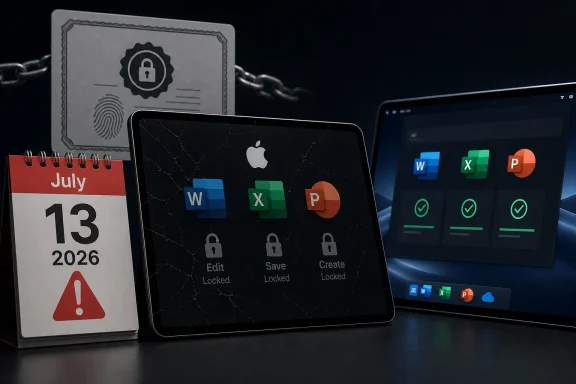
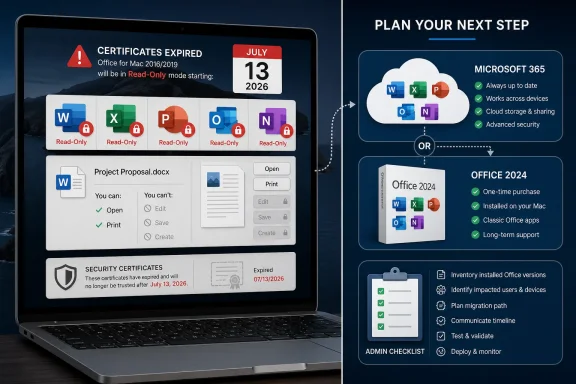
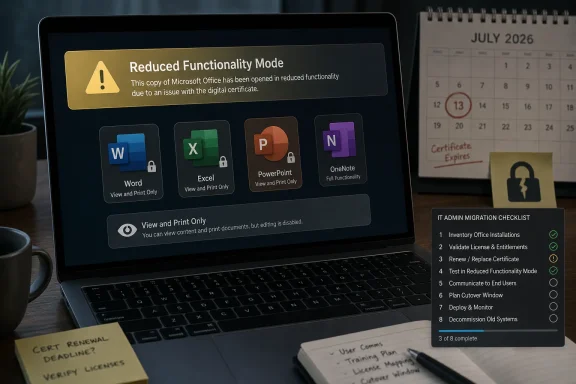
Microsoft says Office 2019 for Mac will enter reduced functionality mode on July 13, 2026, leaving Word, Excel, PowerPoint, Outlook, and OneNote able to open, view, and print files but unable to create, edit, or save documents. The change is not a conventional feature retirement so much as a license-validation failure arriving by calendar. That distinction matters, because Microsoft sold Office 2019 for Mac as a one-time purchase, not as a subscription whose capabilities naturally expire. The result is a small technical event with a much larger trust problem attached.
The most generous reading of Microsoft’s position is that this is a support lifecycle story. Office 2019 for Mac reached end of support on October 10, 2023, which means Microsoft no longer ships feature updates, bug fixes, or security fixes for that product. A license-validation certificate used by Office on Apple platforms expires on July 13, 2026. Supported Office products can receive an update with a renewed certificate; unsupported Office 2019 for Mac cannot.
That explanation is technically tidy and politically explosive. Users who bought Office 2019 did not buy an entitlement to future security patches forever, and Microsoft has every right to end engineering support for old software. But most people understand “unsupported” to mean “you are on your own,” not “the editor you paid for becomes a document viewer on a fixed date.”
This is where Microsoft’s language becomes almost as important as its code. “Reduced functionality mode” is a familiar Office phrase, usually associated with activation trouble, expired subscriptions, or unlicensed installations. Applying it to a once-activated, perpetually licensed product that has simply aged out of support changes the emotional contract between buyer and vendor.
The files are not being deleted. The apps are not, strictly speaking, vanishing from the Mac. But the working assumption behind a perpetual productivity suite is that a supported file format and a working local install should remain usable until the operating system or hardware breaks it. Here, the breaking point is neither macOS nor the user’s machine. It is Microsoft’s licensing infrastructure.
For users, however, the practical distinction is thin. On July 12, a paid copy of Word 2019 for Mac can edit a document. On July 13, absent a supported update path, it cannot. Whether the cause is an intentional server-side revocation, a dormant certificate dependency, or a neglected maintenance obligation, the user experience is the same: the software becomes less useful because Microsoft’s licensing machinery says so.
That is why this story has landed harder than a routine end-of-support notice. An unsupported app carrying unpatched vulnerabilities is a known risk. An unsupported app refusing to perform its core function because the vendor will not renew a trust component is a sharper reminder of how much modern “local” software still depends on systems outside the user’s control.
The Mac angle makes the issue narrower but not smaller. Windows versions of older Office releases have their own lifecycle problems, compatibility issues, and security implications, but this particular certificate-driven reduction is aimed at Office on macOS and iOS. That makes it easy for Microsoft to frame the problem as Apple-platform plumbing. It does not make the ownership question go away.
That contrast is clarifying. Microsoft is not saying the certificate problem is impossible to solve. It is saying the solution belongs to products still inside the support window. Office 2019 for Mac sits outside that boundary, so the renewed certificate does not arrive there.
From a lifecycle-management perspective, this is internally consistent. From a customer-relations perspective, it feels like a trapdoor. The product did not merely stop receiving improvements; it lost a prerequisite for its existing functionality after the purchase.
The awkward timing makes things worse. Office 2021 for Mac reaches end of support only three months after the July certificate date. If Microsoft’s support boundary is the deciding line, then Office 2021 users survive this particular failure because their product is still alive by a matter of weeks. That is an uncomfortable look for anyone trying to defend the change as a matter of principle rather than policy convenience.
Microsoft later revised that guidance, and the newer language emphasizes continued access to data rather than continued full operation of the applications. That is not a trivial edit. “Your data remains accessible” is a much narrower promise than “your apps continue to function,” especially when the missing function is the ability to edit and save the documents Office exists to create.
This is the kind of wording change that makes IT departments suspicious, even when the underlying explanation is real. Enterprises live by lifecycle documentation. Small businesses and home users may not read support pages every month, but administrators do, and they notice when a vendor’s public meaning shifts after the fact.
The generous interpretation is that Microsoft discovered or chose to surface the certificate problem late, then updated the support article to avoid misleading customers. The less generous interpretation is that the company quietly replaced a plain-language assurance with a narrower legal and technical fallback. Either way, the change undermines confidence because it arrives after customers made decisions based on the earlier posture.
That does not make perpetual Office fake. It remains a real license model, and for many users it is attractive precisely because it rejects the rental logic of modern software. A household, a school, a nonprofit, or a small office may buy a copy of Office because they want predictable cost and local continuity. They may not need Copilot, cloud storage upsells, or every interface revision Microsoft ships.
This incident cuts directly into that value proposition. If a one-time purchase can lose core editing rights because an expiring certificate was not renewed after support ended, then “perpetual” starts to mean something closer to “perpetual until the vendor’s supporting infrastructure ages out.” That is a very different bargain from the one many customers thought they were making.
Microsoft can argue that Office 2019 for Mac received its promised support lifecycle and that users have had years to move on. But consumer expectations around perpetual licenses are not built solely from lifecycle tables. They are built from the historical behavior of desktop software. Old apps may become insecure, ugly, or incompatible, but they do not usually decide one morning that the Save button no longer belongs to you.
That argument carries weight with administrators. Long-lived trust material is a real operational risk. Apple’s platforms, in particular, have become stricter about signing, notarization, identity, and validation chains over time. A certificate problem surfacing in Office for Mac is not inherently evidence of bad faith.
But security cannot be a universal solvent that dissolves the customer’s license. If Microsoft can renew the certificate for supported versions, then the technical path exists. The decision not to backport a narrow entitlement-maintenance update to Office 2019 for Mac is a policy choice wrapped around a technical dependency.
That is where Microsoft’s position becomes vulnerable. The company does not need to provide new Excel functions, macOS Tahoe optimizations, or years of vulnerability fixes for Office 2019 to preserve the core promise that a paid perpetual copy can keep editing documents. A narrowly scoped certificate update would not transform Office 2019 into a supported product. It would prevent a licensing component from disabling the product’s central function.
That migration may be simple in managed environments already licensed for Microsoft 365 Apps. It may be more painful in organizations that deliberately bought perpetual Office to avoid subscription overhead. It will be especially annoying in mixed fleets where some Macs run Office 2021, some run Office 2019, and some users installed Office apps through the Mac App Store rather than Microsoft’s standalone installer.
The operational risk is not merely that Word stops editing. Outlook is in the affected list, and any productivity disruption involving mail, calendars, attachments, or local workflows can become a help desk fire quickly. One day of confusion around license prompts and read-only behavior can consume more staff time than a planned upgrade would have.
The most sensible move is to treat this as a business-continuity issue, not a desktop preference. Identify Office 2019 for Mac installations. Confirm which Macs can run supported Office builds. Decide whether users move to Office 2024 for Mac, Microsoft 365 Apps, or a non-Microsoft suite. Then communicate the change before the first person discovers it by failing to save a spreadsheet.
That perception matters because Office is not a niche developer tool. Word and Excel are household names. People keep old Office installations around because they are boring, familiar, and good enough. For that audience, “upgrade to Office 2024 or subscribe to Microsoft 365” sounds less like support guidance and more like a demand.
Microsoft’s reassurance that existing data remains accessible is useful but insufficient. Access is not the same as agency. A user who can open a tax worksheet but cannot update it, or view a school document but cannot revise it, still has a broken workflow.
The available alternatives vary by tolerance. Some users will buy Office 2024 and move on. Some will subscribe to Microsoft 365 because the family plan math works for them. Others will shift more work into Apple’s iWork apps, Google Docs, LibreOffice, or web-based Office if their needs are modest. Microsoft may win some upgrades, but it will also remind a segment of users why they wanted a one-time purchase in the first place.
Compatibility is not binary. LibreOffice can open many Office files. Apple’s productivity apps can import and export common formats. Google Docs is good enough for enormous amounts of everyday work. But anyone who has dealt with complex spreadsheets, tracked changes, macros, mail merge, PowerPoint-heavy organizations, or fussy formatting knows that “can open” and “can preserve workflow perfectly” are not the same thing.
That gives Microsoft enormous room to push users toward supported Office. The files are technically yours, and Microsoft is not blocking you from reading them. But the highest-fidelity editing path remains Microsoft’s own software, and the supported versions now become the clean exit from a problem Microsoft’s licensing stack created.
For WindowsForum readers, this is the familiar lock-in story with a platform twist. The affected product is Office for Mac, but the lesson applies across ecosystems. When your documents, licensing, identity, update channel, and cloud services converge under one vendor, a support policy change can travel farther than the release notes imply.
Windows itself has moved in this direction, even though the mechanics differ. Microsoft accounts, Store licensing, cloud backup prompts, subscription add-ons, Defender intelligence, OneDrive integration, and feature-update cadences all create a computing environment where “local” increasingly means “locally installed, remotely shaped.” Office on the Mac is simply a cleaner case study because the consequence is so visible.
The company can credibly say that supported software is safer software. It can also credibly say that old productivity suites cannot be maintained indefinitely. But the industry has often used security and support as a one-way ratchet toward subscription normalization. Users are asked to accept that software must change continuously, while vendors reserve the right to narrow the meaning of past purchases.
That does not mean every lifecycle cutoff is abusive. It does mean trust depends on predictability. If a vendor sells a perpetual product, ends support, and then years later says a license-validation component will remove editing, customers will reasonably ask whether the product was ever as perpetual as advertised.
There are reasons Microsoft may resist. Backporting even a narrow update to an old codebase carries testing costs. A fix may interact with macOS versions Microsoft no longer wants to validate. The company may worry that issuing any update after end of support muddies its lifecycle commitments and encourages customers to defer upgrades.
Those are real business and engineering concerns. They are not obviously larger than the reputational cost of telling perpetual-license customers their editors are becoming viewers. Microsoft is not a startup with no capacity to manage old code. It is one of the most resource-rich software companies in the world, and Office is one of the most profitable software franchises ever built.
The stricter Microsoft is about lifecycle boundaries, the more precise it must be when selling perpetual software. If a product’s continued operation depends on vendor-renewed certificates, that dependency should be obvious to customers before they buy, not rediscovered years later through a support-page revision.
Office 2024 for Mac is the closest replacement for people who still want a one-time purchase. Microsoft 365 is the better fit for users who want continuous updates, multiple-device rights, cloud integration, and the least friction with Microsoft’s current support model. Organizations should inventory machines, confirm operating-system compatibility, and plan license changes before the deadline becomes a ticket queue.
Users who do not want to pay Microsoft again have time to test alternatives. That testing should involve real files, not sample documents. Open the complicated spreadsheet, the formatted proposal, the presentation with embedded media, and the document with tracked changes. The question is not whether another suite can open a .docx file; it is whether it can preserve the work you actually do.
For anyone staying in the Microsoft ecosystem, the episode is also a reminder to read lifecycle pages as operational risk documents. End of support no longer means only “no more patches.” In a world of activation services, app signing, entitlement checks, and expiring certificates, it can mean a future failure mode that is not obvious from the installer sitting in Applications.
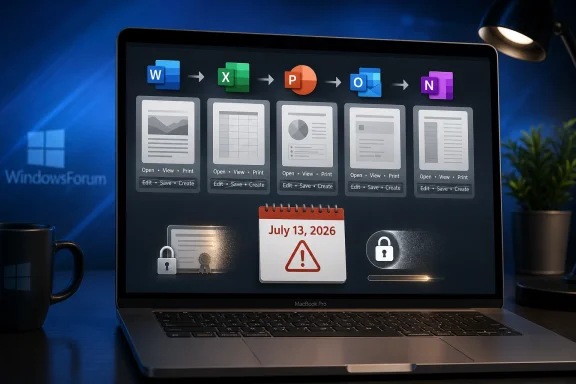 The Perpetual License Meets the Expiring Certificate
The most generous reading of Microsoft’s position is that this is a support lifecycle story. Office 2019 for Mac reached end of support on October 10, 2023, which means Microsoft no longer ships feature updates, bug fixes, or security fixes for that product. A license-validation certificate used by Office on Apple platforms expires on July 13, 2026. Supported Office products can receive an update with a renewed certificate; unsupported Office 2019 for Mac cannot.That explanation is technically tidy and politically explosive. Users who bought Office 2019 did not buy an entitlement to future security patches forever, and Microsoft has every right to end engineering support for old software. But most people understand “unsupported” to mean “you are on your own,” not “the editor you paid for becomes a document viewer on a fixed date.”
This is where Microsoft’s language becomes almost as important as its code. “Reduced functionality mode” is a familiar Office phrase, usually associated with activation trouble, expired subscriptions, or unlicensed installations. Applying it to a once-activated, perpetually licensed product that has simply aged out of support changes the emotional contract between buyer and vendor.
The files are not being deleted. The apps are not, strictly speaking, vanishing from the Mac. But the working assumption behind a perpetual productivity suite is that a supported file format and a working local install should remain usable until the operating system or hardware breaks it. Here, the breaking point is neither macOS nor the user’s machine. It is Microsoft’s licensing infrastructure.
Microsoft’s Calendar Is Doing What a Kill Switch Would Do
It is tempting to call this a “kill switch,” and critics already have. Microsoft would likely object to the phrase, because the company is not pushing a remote command that disables old copies of Office 2019 for Mac. The mechanism appears more mundane: a certificate expires, the app can no longer validate the license path it expects, and Office falls into the constrained state it was designed to use when it cannot establish entitlement.For users, however, the practical distinction is thin. On July 12, a paid copy of Word 2019 for Mac can edit a document. On July 13, absent a supported update path, it cannot. Whether the cause is an intentional server-side revocation, a dormant certificate dependency, or a neglected maintenance obligation, the user experience is the same: the software becomes less useful because Microsoft’s licensing machinery says so.
That is why this story has landed harder than a routine end-of-support notice. An unsupported app carrying unpatched vulnerabilities is a known risk. An unsupported app refusing to perform its core function because the vendor will not renew a trust component is a sharper reminder of how much modern “local” software still depends on systems outside the user’s control.
The Mac angle makes the issue narrower but not smaller. Windows versions of older Office releases have their own lifecycle problems, compatibility issues, and security implications, but this particular certificate-driven reduction is aimed at Office on macOS and iOS. That makes it easy for Microsoft to frame the problem as Apple-platform plumbing. It does not make the ownership question go away.
Office 2021 Gets a Reprieve Because Support Still Means Something
Office 2021 for Mac is caught in the same certificate weather system, but not in the same storm. Because Office 2021 remains within its support lifecycle until October 13, 2026, Microsoft can deliver the required update to keep its license validation working. Users of Office 2021 still have to be on sufficiently supported operating systems and install updates, but they are not being told that the fix is structurally unavailable.That contrast is clarifying. Microsoft is not saying the certificate problem is impossible to solve. It is saying the solution belongs to products still inside the support window. Office 2019 for Mac sits outside that boundary, so the renewed certificate does not arrive there.
From a lifecycle-management perspective, this is internally consistent. From a customer-relations perspective, it feels like a trapdoor. The product did not merely stop receiving improvements; it lost a prerequisite for its existing functionality after the purchase.
The awkward timing makes things worse. Office 2021 for Mac reaches end of support only three months after the July certificate date. If Microsoft’s support boundary is the deciding line, then Office 2021 users survive this particular failure because their product is still alive by a matter of weeks. That is an uncomfortable look for anyone trying to defend the change as a matter of principle rather than policy convenience.
The Old Promise Was “It Will Keep Working”
The controversy is sharpened by Microsoft’s earlier messaging around Office 2019 for Mac end of support. When support ended in 2023, Microsoft’s guidance reportedly reassured customers that their Office 2019 apps would continue to function after support ended. That was the common-sense message users expected: no new fixes, no new features, no help desk safety net, but the bits on disk would still do what they did yesterday.Microsoft later revised that guidance, and the newer language emphasizes continued access to data rather than continued full operation of the applications. That is not a trivial edit. “Your data remains accessible” is a much narrower promise than “your apps continue to function,” especially when the missing function is the ability to edit and save the documents Office exists to create.
This is the kind of wording change that makes IT departments suspicious, even when the underlying explanation is real. Enterprises live by lifecycle documentation. Small businesses and home users may not read support pages every month, but administrators do, and they notice when a vendor’s public meaning shifts after the fact.
The generous interpretation is that Microsoft discovered or chose to surface the certificate problem late, then updated the support article to avoid misleading customers. The less generous interpretation is that the company quietly replaced a plain-language assurance with a narrower legal and technical fallback. Either way, the change undermines confidence because it arrives after customers made decisions based on the earlier posture.
The One-Time Purchase Was Already Under Pressure
Office 2019 belongs to a product era Microsoft has been steadily steering customers away from. The company still sells perpetual Office releases, including Office 2024, but the center of gravity is Microsoft 365: recurring revenue, continuous updates, cloud integration, and a moving support baseline. The subscription version is the product Microsoft wants most users and organizations to standardize on.That does not make perpetual Office fake. It remains a real license model, and for many users it is attractive precisely because it rejects the rental logic of modern software. A household, a school, a nonprofit, or a small office may buy a copy of Office because they want predictable cost and local continuity. They may not need Copilot, cloud storage upsells, or every interface revision Microsoft ships.
This incident cuts directly into that value proposition. If a one-time purchase can lose core editing rights because an expiring certificate was not renewed after support ended, then “perpetual” starts to mean something closer to “perpetual until the vendor’s supporting infrastructure ages out.” That is a very different bargain from the one many customers thought they were making.
Microsoft can argue that Office 2019 for Mac received its promised support lifecycle and that users have had years to move on. But consumer expectations around perpetual licenses are not built solely from lifecycle tables. They are built from the historical behavior of desktop software. Old apps may become insecure, ugly, or incompatible, but they do not usually decide one morning that the Save button no longer belongs to you.
Security Is the Best Defense and the Weakest Excuse
There is a legitimate security argument for expiring certificates and modern validation. Certificates should not last forever, and software that validates licenses or communicates entitlement should not depend indefinitely on stale trust anchors. A world in which every certificate is eternal is a world with weaker recovery from compromise, weaker cryptographic hygiene, and more brittle security assumptions.That argument carries weight with administrators. Long-lived trust material is a real operational risk. Apple’s platforms, in particular, have become stricter about signing, notarization, identity, and validation chains over time. A certificate problem surfacing in Office for Mac is not inherently evidence of bad faith.
But security cannot be a universal solvent that dissolves the customer’s license. If Microsoft can renew the certificate for supported versions, then the technical path exists. The decision not to backport a narrow entitlement-maintenance update to Office 2019 for Mac is a policy choice wrapped around a technical dependency.
That is where Microsoft’s position becomes vulnerable. The company does not need to provide new Excel functions, macOS Tahoe optimizations, or years of vulnerability fixes for Office 2019 to preserve the core promise that a paid perpetual copy can keep editing documents. A narrowly scoped certificate update would not transform Office 2019 into a supported product. It would prevent a licensing component from disabling the product’s central function.
Administrators Now Have a July Problem
For IT departments, the immediate work is less philosophical. The deadline is July 13, 2026, and affected Macs need an inventory pass. Any organization still running Office 2019 for Mac should assume that users will lose editing, saving, and document-creation capability in the affected apps unless they migrate before then.That migration may be simple in managed environments already licensed for Microsoft 365 Apps. It may be more painful in organizations that deliberately bought perpetual Office to avoid subscription overhead. It will be especially annoying in mixed fleets where some Macs run Office 2021, some run Office 2019, and some users installed Office apps through the Mac App Store rather than Microsoft’s standalone installer.
The operational risk is not merely that Word stops editing. Outlook is in the affected list, and any productivity disruption involving mail, calendars, attachments, or local workflows can become a help desk fire quickly. One day of confusion around license prompts and read-only behavior can consume more staff time than a planned upgrade would have.
The most sensible move is to treat this as a business-continuity issue, not a desktop preference. Identify Office 2019 for Mac installations. Confirm which Macs can run supported Office builds. Decide whether users move to Office 2024 for Mac, Microsoft 365 Apps, or a non-Microsoft suite. Then communicate the change before the first person discovers it by failing to save a spreadsheet.
Home Users Get the Worst Version of the Message
The home-user experience is likely to be messier than the enterprise one. A sysadmin may understand certificates, support lifecycles, and product channels. A retired teacher, freelancer, student, or family office manager who bought Office 2019 years ago will see a simpler story: Microsoft took away editing from software they paid for.That perception matters because Office is not a niche developer tool. Word and Excel are household names. People keep old Office installations around because they are boring, familiar, and good enough. For that audience, “upgrade to Office 2024 or subscribe to Microsoft 365” sounds less like support guidance and more like a demand.
Microsoft’s reassurance that existing data remains accessible is useful but insufficient. Access is not the same as agency. A user who can open a tax worksheet but cannot update it, or view a school document but cannot revise it, still has a broken workflow.
The available alternatives vary by tolerance. Some users will buy Office 2024 and move on. Some will subscribe to Microsoft 365 because the family plan math works for them. Others will shift more work into Apple’s iWork apps, Google Docs, LibreOffice, or web-based Office if their needs are modest. Microsoft may win some upgrades, but it will also remind a segment of users why they wanted a one-time purchase in the first place.
The File Format Trap Is Still the Quiet Power
This episode also exposes the enduring leverage of Office file formats. If Word documents, Excel workbooks, and PowerPoint decks were not so deeply embedded in work and school life, an expiring Office certificate would be merely irritating. It becomes consequential because Microsoft Office is still the default grammar of business documents.Compatibility is not binary. LibreOffice can open many Office files. Apple’s productivity apps can import and export common formats. Google Docs is good enough for enormous amounts of everyday work. But anyone who has dealt with complex spreadsheets, tracked changes, macros, mail merge, PowerPoint-heavy organizations, or fussy formatting knows that “can open” and “can preserve workflow perfectly” are not the same thing.
That gives Microsoft enormous room to push users toward supported Office. The files are technically yours, and Microsoft is not blocking you from reading them. But the highest-fidelity editing path remains Microsoft’s own software, and the supported versions now become the clean exit from a problem Microsoft’s licensing stack created.
For WindowsForum readers, this is the familiar lock-in story with a platform twist. The affected product is Office for Mac, but the lesson applies across ecosystems. When your documents, licensing, identity, update channel, and cloud services converge under one vendor, a support policy change can travel farther than the release notes imply.
This Is Not Just a Mac Story
Windows users may be tempted to shrug. Office 2019 for Mac is not Office 2019 for Windows, and this certificate issue is tied to Apple-platform builds. But the larger pattern is not platform-specific. Microsoft, like most major software vendors, is making the long transition from durable desktop products to services with recurring validation, continuous update expectations, and tighter lifecycle enforcement.Windows itself has moved in this direction, even though the mechanics differ. Microsoft accounts, Store licensing, cloud backup prompts, subscription add-ons, Defender intelligence, OneDrive integration, and feature-update cadences all create a computing environment where “local” increasingly means “locally installed, remotely shaped.” Office on the Mac is simply a cleaner case study because the consequence is so visible.
The company can credibly say that supported software is safer software. It can also credibly say that old productivity suites cannot be maintained indefinitely. But the industry has often used security and support as a one-way ratchet toward subscription normalization. Users are asked to accept that software must change continuously, while vendors reserve the right to narrow the meaning of past purchases.
That does not mean every lifecycle cutoff is abusive. It does mean trust depends on predictability. If a vendor sells a perpetual product, ends support, and then years later says a license-validation component will remove editing, customers will reasonably ask whether the product was ever as perpetual as advertised.
Microsoft Could Still Choose the Less Hostile Path
The obvious off-ramp would be a limited certificate-maintenance release for Office 2019 for Mac. Microsoft could say, clearly, that the product remains unsupported, insecure by modern standards, and unsuitable for continued use in managed environments, while still issuing the minimal update required to prevent reduced functionality mode. That would preserve the lifecycle boundary without turning it into a functionality cliff.There are reasons Microsoft may resist. Backporting even a narrow update to an old codebase carries testing costs. A fix may interact with macOS versions Microsoft no longer wants to validate. The company may worry that issuing any update after end of support muddies its lifecycle commitments and encourages customers to defer upgrades.
Those are real business and engineering concerns. They are not obviously larger than the reputational cost of telling perpetual-license customers their editors are becoming viewers. Microsoft is not a startup with no capacity to manage old code. It is one of the most resource-rich software companies in the world, and Office is one of the most profitable software franchises ever built.
The stricter Microsoft is about lifecycle boundaries, the more precise it must be when selling perpetual software. If a product’s continued operation depends on vendor-renewed certificates, that dependency should be obvious to customers before they buy, not rediscovered years later through a support-page revision.
The Upgrade Advice Is Simple, but the Lesson Is Not
The practical guidance is straightforward, even if the principle is messy. Users who rely on Office 2019 for Mac should not wait until July 13 to see what happens. If Word, Excel, PowerPoint, Outlook, or OneNote are part of daily work, assume the old suite is no longer safe to depend on.Office 2024 for Mac is the closest replacement for people who still want a one-time purchase. Microsoft 365 is the better fit for users who want continuous updates, multiple-device rights, cloud integration, and the least friction with Microsoft’s current support model. Organizations should inventory machines, confirm operating-system compatibility, and plan license changes before the deadline becomes a ticket queue.
Users who do not want to pay Microsoft again have time to test alternatives. That testing should involve real files, not sample documents. Open the complicated spreadsheet, the formatted proposal, the presentation with embedded media, and the document with tracked changes. The question is not whether another suite can open a .docx file; it is whether it can preserve the work you actually do.
For anyone staying in the Microsoft ecosystem, the episode is also a reminder to read lifecycle pages as operational risk documents. End of support no longer means only “no more patches.” In a world of activation services, app signing, entitlement checks, and expiring certificates, it can mean a future failure mode that is not obvious from the installer sitting in Applications.
July 13 Turns a Licensing Footnote Into a Buying Decision
The immediate facts are concrete enough that users can act before the deadline.- Office 2019 for Mac is expected to lose editing, saving, and document-creation capability on July 13, 2026, because it will not receive the certificate update required to keep license validation working.
- Existing documents should remain openable, viewable, and printable, but that is not enough for anyone who depends on Office as a working editor.
- Office 2021 for Mac is affected by the same certificate timeline but remains eligible for an update because it is still supported until October 13, 2026.
- Reinstalling Office 2019 for Mac should not be treated as a fix, because the problem is not a damaged local installation.
- Users who want Microsoft’s full-fidelity editing path need to move to Office 2024 for Mac or Microsoft 365, while users considering alternatives should test their most complex real-world files before switching.
- IT teams should inventory Office for Mac deployments now, because a predictable July deadline is easier to manage than a wave of read-only Office incidents after the fact.
References
- Primary source: Ubergizmo
Published: Wed, 10 Jun 2026 15:53:19 GMT
Microsoft Office 2019 For Mac Is About To Lose Key Features: What Users Need to Know
Microsoft is preparing a significant change that will affect users of Office 2019 for Mac, despite the software being sold as a one-time purchase.... www.ubergizmo.com
- Official source: support.microsoft.com
Update Microsoft 365 or Office on your macOS or iOS device - Microsoft Support
 support.microsoft.com
- Related coverage: macrumors.com
Microsoft Office 2019 for Mac Will Soon Stop Letting You Edit Documents
Microsoft will prevent Office 2019 for Mac owners from editing their documents from July 13, a restriction the company is attributing to the productivity suite's expiring digital certificate. The Office 2019 apps affected include Word, Excel, PowerPoint, Outlook, and OneNote. Once the...www.macrumors.com - Related coverage: techspot.com
Microsoft Office 2019 for Mac will no longer edit documents after July 13 | TechSpot
Microsoft recently warned Office users on Apple devices that older versions of the company's productivity apps running on outdated operating systems will lose the ability to edit...www.techspot.com - Related coverage: windowscentral.com
“You can’t edit Office 2019 for Mac after July 13.” Microsoft blames certificates, but critics call it obsolescence | Windows Central
Office 2019 for Mac will stop letting you edit documents in apps like Microsoft Word and Excel.www.windowscentral.com - Related coverage: office-watch.com
Microsoft Kills Office 2019 for Mac: Apps Stop Working July 13, 2026
If you bought Office 2019 for Mac outright, circle July 13, 2026 on your calendar. On that date Microsoft flips your paid apps into "reduced functionality mode,office-watch.com
- Official source: learn.microsoft.com
Certificate update for Microsoft 365 apps on managed macOS and iOS devices - Microsoft 365 Apps | Microsoft Learn
A licensing update for Microsoft 365 apps on macOS and iOSlearn.microsoft.com - Related coverage: devdigest.org
Microsoft Office 2019 for Mac Forced to View-Only July 2026 | Devdigest
Microsoft will remotely degrade perpetually-licensed Office 2019 for Mac and iOS to view-only mode on July 13, 2026, due to an expiring license-validation certidevdigest.org - Related coverage: macobserver.com
Microsoft Says These Office Apps Will Soon Lose Editing Support
Microsoft will block editing and saving in Office 2019 for Mac on July 13, leaving users with limited functionality.www.macobserver.com - Related coverage: tidbits.com
Office 2019 for Mac Goes Read-Only on 13 July 2026 - TidBITS
On 13 July 2026, an expiring security certificate will force Office 2019 for Mac into read-only mode. Microsoft has shown no interest in releasing a fix, leaving users to upgrade or switch to alternatives. tidbits.com
- Related coverage: technobezz.com
Microsoft Office 2019 for Mac Will Stop Editing Documents After July 13 | Technobezz
Microsoft Office 2019 for Mac will lose editing capabilities on July 13 due to an expiring certificate, with no patch available.www.technobezz.com - Official source: download.microsoft.com
- Official source: microsoft.com