

Microsoft says some Office for Mac and iOS installations will lose the ability to create, edit, or save files after July 13, 2026, unless the apps are updated to versions carrying a renewed licensing certificate. The practical casualty is Office 2019 for Mac, a one-time-purchase suite that left support in October 2023 and will not receive the update Microsoft says is required. For customers who bought “perpetual” Office expecting old-fashioned software permanence, the episode lands as more than a maintenance notice. It is a reminder that modern desktop software can be sold like a product, governed like a service, and retired by infrastructure the user never sees.
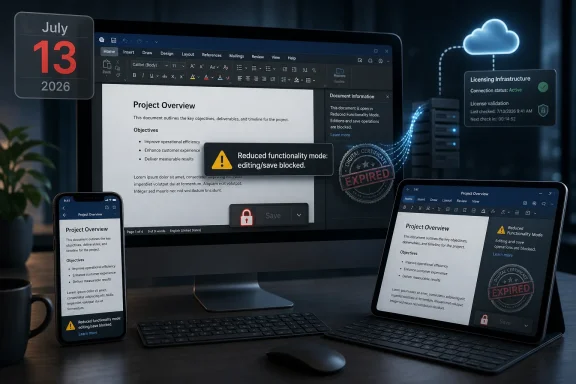
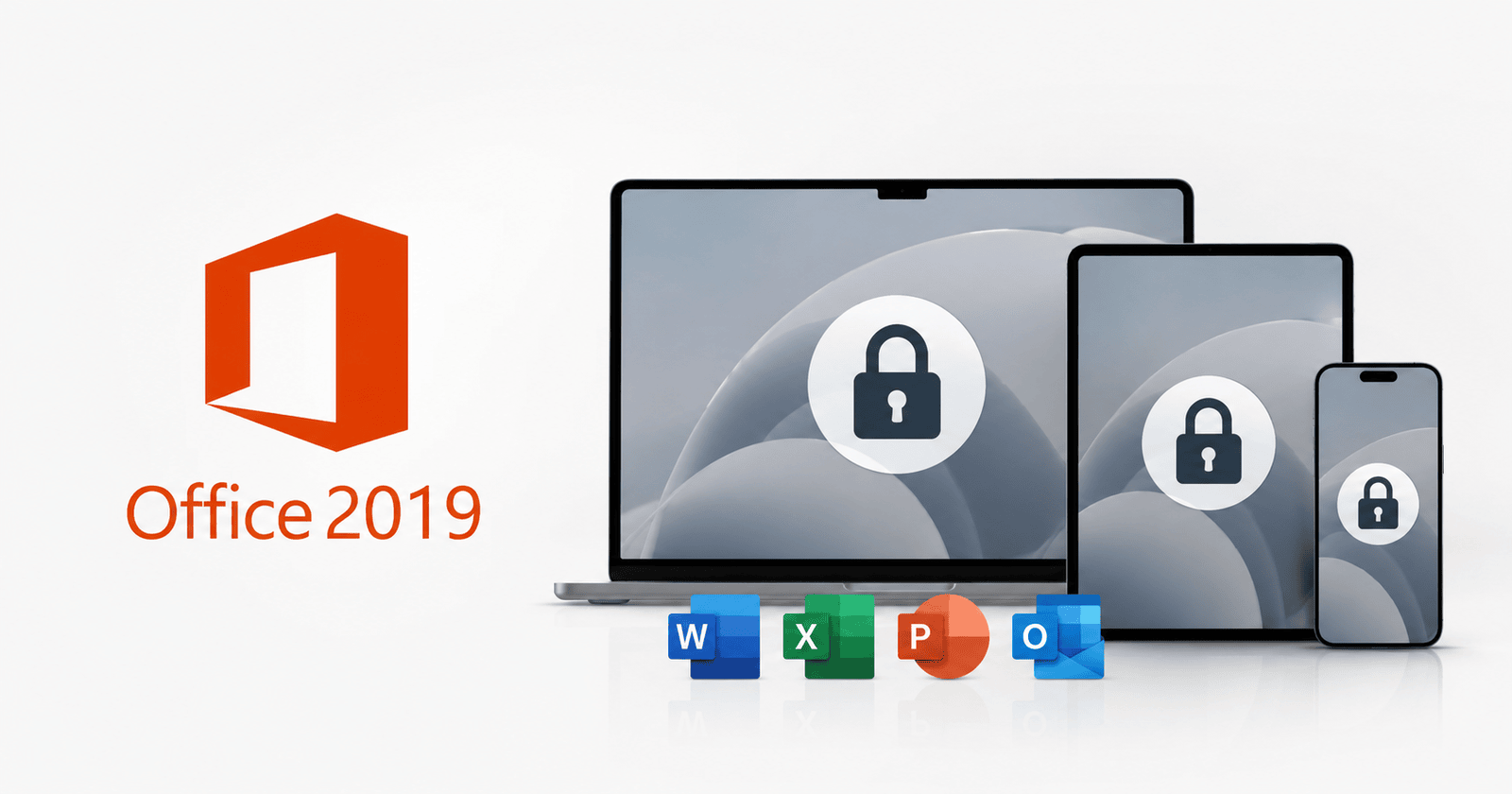
The core fact is simple enough: a certificate used by Microsoft’s Office apps on macOS and iOS is expiring. If the apps cannot validate properly after the July 13, 2026 deadline, Microsoft says they may enter reduced functionality mode, meaning users can open and print existing documents but cannot create new files, edit existing ones, or save changes.
That phrase sounds bureaucratic, but for a productivity suite it describes a near-total loss of purpose. Word without editing is a document viewer. Excel without saving is a museum case for spreadsheets. PowerPoint without creation is a rehearsal room with the door locked.
Microsoft’s guidance is also simple in the way vendor guidance often is: update your operating system, update your Office apps, and move on. On supported Microsoft 365 installations, and on Office versions still eligible for updates, that is likely to be the end of the story. The certificate renewal arrives through an app update, the licensing machinery keeps working, and most users never learn why a date in July mattered.
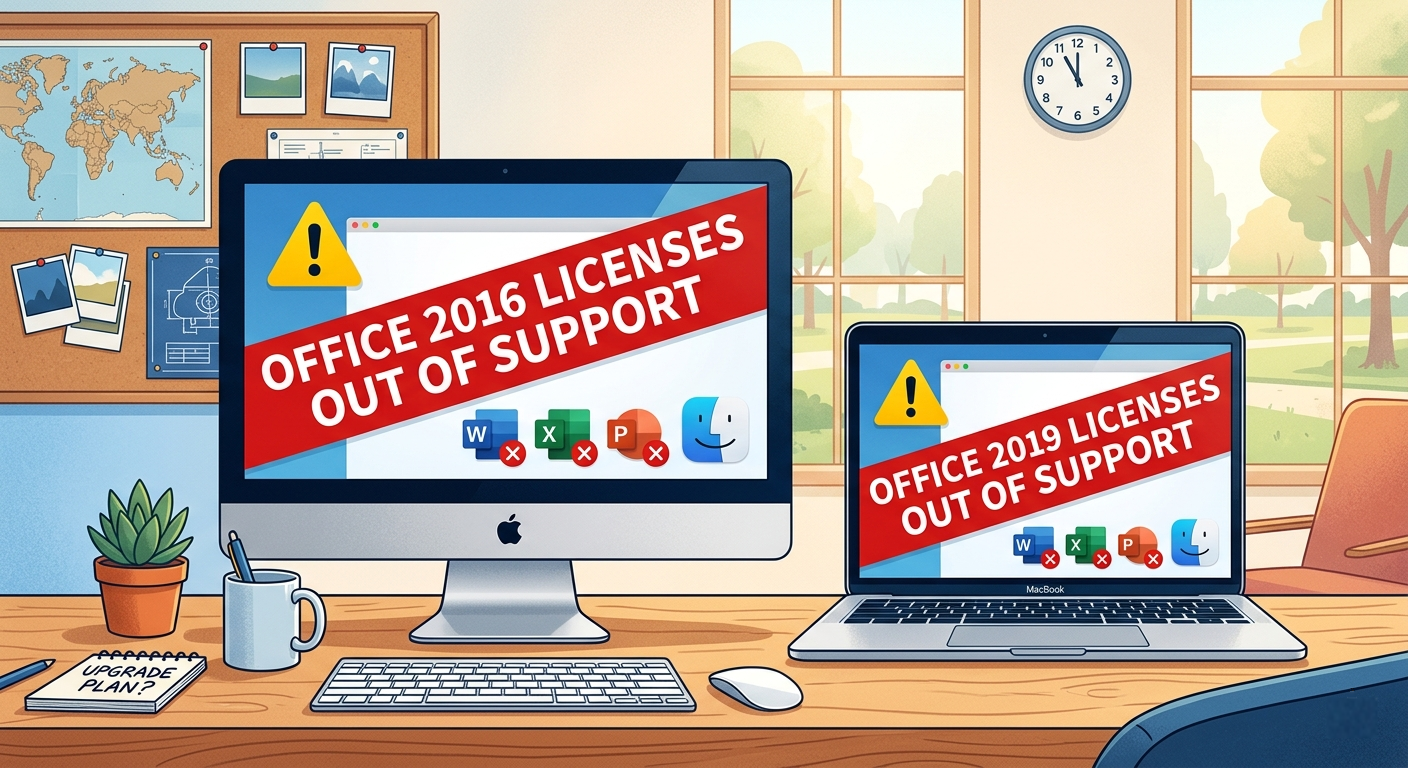
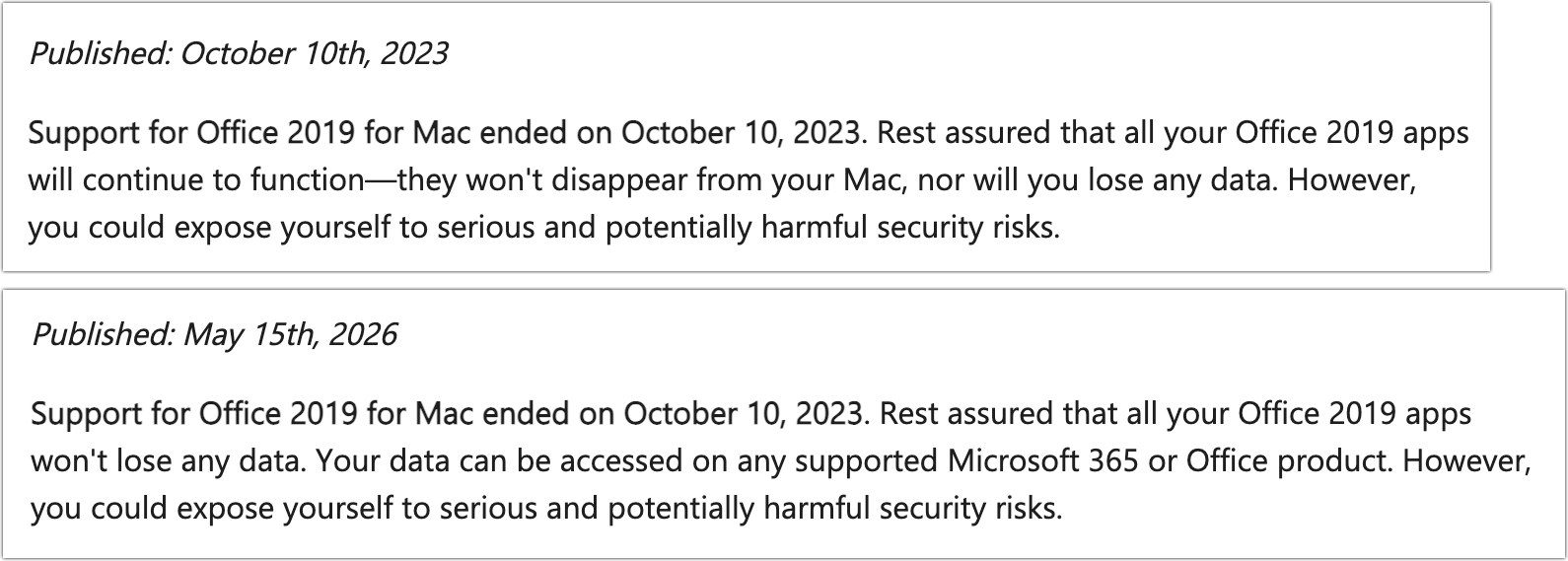
Office 2019 for Mac is where the machinery becomes visible. That product reached end of support on October 10, 2023. Because Microsoft no longer ships updates for it, the renewed certificate will not be delivered to those installations. The software can be locally installed, fully paid for, and still pushed into read-only behavior because a trust component outside the customer’s control ages out.
That is why the outrage has stuck. This is not a case where an online-only service is shutting down, or where a cloud feature no longer works because the server side changed. It is a desktop app suite, bought under the familiar mental model of permanent use, losing core local functionality because the modern licensing stack has a timer embedded in it.
But the customer expectation around perpetual software was never “Microsoft will support this forever.” It was closer to “the version I bought will keep doing the things it did, on the machine where it already works, until something external breaks it.” That bargain was always messier than nostalgia suggests, especially on macOS, where OS changes can break old binaries. Still, there is a meaningful difference between an app aging into incompatibility and an app being functionally limited because its own licensing certificate expires.
That distinction is the heart of the dispute. Microsoft can argue that support ended in 2023 and users had years of notice. Customers can argue that “end of support” traditionally meant “you are on your own,” not “a future licensing event will take away editing.” Both statements can be true, and the friction between them is exactly where the modern software economy lives.
This is also why the word “perpetual” has become so slippery. A perpetual license does not necessarily mean perpetual support, perpetual compatibility, or perpetual activation infrastructure. It may mean only that the customer has the right to use a particular version subject to license terms, technical dependencies, and whatever validation mechanisms the product requires.
That may satisfy lawyers. It does not satisfy users who bought a local productivity suite rather than a subscription precisely to avoid being dependent on Microsoft’s service cadence.
But certificates are also governance tools. They decide what software is trusted, what licenses are valid, what components can talk to one another, and what a user is allowed to do. When those tools sit between a person and their documents, an expiration date becomes a product policy.
The especially uncomfortable point for Microsoft is that the fix exists. The renewed certificate is included in newer Office builds. Users on supported versions can receive it. The barrier for Office 2019 is not that the problem is technically unknowable, but that the product is outside the company’s servicing boundary.
From an engineering organization’s perspective, that boundary matters. Supporting every old release indefinitely creates cost, complexity, and security exposure. Shipping updates to unsupported products can also create expectations that end-of-support dates are negotiable. Vendors draw lines because, without them, old software becomes permanent infrastructure.
From the customer’s perspective, however, the line looks selectively rigid. Microsoft is willing to sell Office 2024, sell Microsoft 365 subscriptions, and provide web apps. It is not willing to deliver a narrow certificate update to a suite many customers still use because it remains good enough. The result is an event that feels less like entropy and more like leverage.
Windows itself has been moving in that direction for years. Microsoft 365 Apps are serviced continuously. Entra ID, OneDrive, Defender, Intune, and Windows Update for Business all assume an environment where devices and users are constantly evaluated. Even standalone Office on Windows is not culturally separate from that universe anymore; it is the shrinking island beside a subscription continent.
For sysadmins, the lesson is not “never buy Microsoft.” Microsoft Office remains the default productivity layer in much of the enterprise because file fidelity, macros, Exchange integration, identity integration, and user training all matter. The lesson is that procurement language must catch up to operational reality.
A one-time purchase no longer means what it meant in the Office 2003 era. It may reduce recurring licensing spend, but it does not remove dependency on Microsoft’s servicing choices. It may avoid feature churn, but it does not guarantee that activation, signing, or security plumbing will remain viable past a support date.
That should make IT departments more precise when they evaluate “perpetual” software. The relevant question is not merely when support ends. It is whether the software contains time-bound components that can disable core workflows, whether those components can be renewed without a full-version upgrade, and what happens when the vendor stops issuing updates.
The sharper pain lands elsewhere. Small businesses that bought Office 2019 for a handful of Macs may not have a dedicated admin watching certificate bulletins. Families may have an old iMac that still handles school forms, tax spreadsheets, or community newsletters. Nonprofits and local organizations often stretch software purchases as long as possible because budgets reward frugality, not lifecycle hygiene.
For those users, the failure mode will be brutal because it will look like a licensing malfunction. A document opens. The content is visible. The software may appear intact. Then the user discovers that saving or editing is blocked, and the explanation is not “your file is corrupted” but “your Office version cannot satisfy Microsoft’s current validation requirements.”
That kind of failure creates distrust because it violates the ordinary user’s sense of ownership. People understand that old apps may stop launching on new operating systems. They understand that new features require new versions. They are less prepared for an app they already own, on a device where it already runs, to remain present while its essential verbs are removed.
Microsoft will point users toward Microsoft 365, Office 2024, and web-based Microsoft 365 apps. Those are practical answers, and for many people they will be the easiest path forward. But practical is not the same as satisfying. When a vendor’s solution to a paid product becoming read-only is “buy the newer paid product or subscribe,” the optics do not need embellishment.
But Office 2021’s own support deadline is close enough to make the broader pattern hard to ignore. After October 2026, Office 2021 exits support. Microsoft says those apps should continue working, but this Office 2019 episode gives users a concrete reason to ask what “continue working” means when licensing certificates, OS requirements, and app updates all interact.
That does not mean Office 2021 will inevitably suffer the same fate on the same timeline. The correct conclusion is narrower and more useful: one-time-purchase Office is no longer a “buy it and forget it” product in any responsible IT plan. It is a fixed-lifecycle product with dependencies that may outlive the support promise only if nothing important changes.
This is particularly relevant for organizations that bought Office 2021 as a hedge against subscription cost. That hedge may still make sense in some environments, especially disconnected or tightly controlled systems. But the financial analysis has to include migration labor, compatibility testing, security exposure after support ends, and the possibility that a future trust-chain event forces action earlier than planned.
The old desktop-software bargain was predictable in a rough-and-ready way. You bought a version, skipped the next one, maybe skipped another, and upgraded when file formats, hardware, or operating systems forced your hand. The new bargain is more formal, more secure, and less forgiving. Calendars matter now.
Microsoft’s support note places the remedy in a matrix of supported operating systems and app versions. On macOS, users need sufficiently recent Office builds, and those builds have minimum OS requirements. On iPhone and iPad, the Office mobile apps similarly need versions that can carry the updated certificate. The result is not only an Office upgrade question, but an operating system and device support question.
That matters for older Macs that cannot move beyond a certain macOS release. A user may be willing to buy Office 2024 or subscribe to Microsoft 365, only to discover that the device itself is outside the supported path. In that case, a certificate deadline becomes a hardware lifecycle event.
Apple users are familiar with this pattern from the operating system side. Old Macs drop off the newest macOS release. Security updates narrow. Apps gradually require newer frameworks. But Microsoft’s Office deadline adds a sharper twist because the affected functionality is not some advanced cloud feature; it is editing documents.
That is why the story has traveled quickly through Mac communities. It is not just about Office. It is about the growing sense that purchased software is becoming conditional in ways that were poorly understood at the time of purchase.
But anyone who tells businesses to “just switch” is skipping the expensive part. Office is not merely a bundle of apps. It is a file format ecosystem, a macro environment, a collaboration workflow, an email and calendar client, and a set of habits embedded across decades. Excel, in particular, is less an application than a shadow business platform.
That does not mean alternatives are irrelevant. For users with straightforward documents, basic spreadsheets, and no dependence on complex formatting or Visual Basic for Applications, this is a rational moment to test them. If Office 2019 was attractive because it avoided subscription lock-in, then LibreOffice deserves a serious look precisely because its governance model is different.
Apple’s iWork suite is also more capable than its reputation in Windows-heavy offices suggests. Pages and Keynote are elegant for many consumer and creative workflows, and Numbers has its fans. The problem is not whether they can create documents. The problem is whether they can survive contact with the Office files, templates, macros, and collaborators that dominate mixed environments.
The most honest advice is therefore segmented. Casual users should consider whether they need Microsoft Office at all. Small organizations should inventory their document workflows before reflexively subscribing. Enterprises should treat this as one more data point in a larger lifecycle and identity-management strategy.
When Microsoft says a product is “perpetual,” users will ask what hidden dependencies govern that permanence. When Microsoft says unsupported software will continue to function, users will ask whether “function” includes the ability to save work. When Microsoft recommends Microsoft 365 as the safer path, users will hear both a practical recommendation and a commercial incentive.
That is a hard knot for Microsoft to untangle because all of those interpretations contain some truth. Subscription software does give Microsoft a cleaner way to keep certificates, security fixes, and compatibility updates flowing. It also gives Microsoft recurring revenue and more control over the customer relationship. The same mechanism that improves maintainability also increases vendor power.
The answer cannot simply be better messaging, though Microsoft could certainly use clearer language around what perpetual Office does and does not guarantee after support ends. The answer is product design that distinguishes between unsupported risk and deliberate functional disablement. If a local app can safely continue editing local documents after its support window, customers will expect it to do so.
Where that is not possible, vendors should say so plainly at purchase time and at end-of-support time. Not in license prose, not in lifecycle tables, but in human language: after this date, a required certificate may expire, and editing may stop unless you upgrade. That kind of candor would not eliminate anger, but it would make the bargain visible.
The same applies to consultants and managed service providers supporting small businesses. This is the kind of deadline that hides in plain sight until a client’s payroll spreadsheet, grant proposal, or legal document suddenly becomes uneditable. The fix may be easy, but only if it is planned.
Administrators should also be careful in how they communicate the issue. Calling it “Microsoft bricking Office” will resonate emotionally but may obscure the support lifecycle reality. Calling it “just an unsupported app” will sound dismissive to users who paid for the software and still rely on it. The useful framing is narrower: old Office builds need a certificate update; supported builds can receive it; Office 2019 for Mac cannot because it is out of support.
That framing leaves room for user frustration without sacrificing accuracy. It also helps organizations make decisions instead of arguing about motives. Some will upgrade to Microsoft 365. Some will buy Office 2024. Some will move light users to web apps or alternative suites. Some will retire old Macs. The bad outcome is pretending nothing changed.
 A Perpetual License Meets a Service-World Kill Switch
The core fact is simple enough: a certificate used by Microsoft’s Office apps on macOS and iOS is expiring. If the apps cannot validate properly after the July 13, 2026 deadline, Microsoft says they may enter reduced functionality mode, meaning users can open and print existing documents but cannot create new files, edit existing ones, or save changes.That phrase sounds bureaucratic, but for a productivity suite it describes a near-total loss of purpose. Word without editing is a document viewer. Excel without saving is a museum case for spreadsheets. PowerPoint without creation is a rehearsal room with the door locked.
Microsoft’s guidance is also simple in the way vendor guidance often is: update your operating system, update your Office apps, and move on. On supported Microsoft 365 installations, and on Office versions still eligible for updates, that is likely to be the end of the story. The certificate renewal arrives through an app update, the licensing machinery keeps working, and most users never learn why a date in July mattered.
Office 2019 for Mac is where the machinery becomes visible. That product reached end of support on October 10, 2023. Because Microsoft no longer ships updates for it, the renewed certificate will not be delivered to those installations. The software can be locally installed, fully paid for, and still pushed into read-only behavior because a trust component outside the customer’s control ages out.
That is why the outrage has stuck. This is not a case where an online-only service is shutting down, or where a cloud feature no longer works because the server side changed. It is a desktop app suite, bought under the familiar mental model of permanent use, losing core local functionality because the modern licensing stack has a timer embedded in it.
Microsoft’s Legal Answer Is Not the Same as the Customer’s Expectation
Microsoft is on firmer procedural ground than angry customers may want to admit. Office 2019 for Mac is out of support. End of support has a meaning: no new feature updates, no security fixes, and no engineering work to maintain compatibility with changing operating systems, services, or underlying trust infrastructure. If a certificate renewal requires an application update, an unsupported app is, by definition, outside the update stream.But the customer expectation around perpetual software was never “Microsoft will support this forever.” It was closer to “the version I bought will keep doing the things it did, on the machine where it already works, until something external breaks it.” That bargain was always messier than nostalgia suggests, especially on macOS, where OS changes can break old binaries. Still, there is a meaningful difference between an app aging into incompatibility and an app being functionally limited because its own licensing certificate expires.
That distinction is the heart of the dispute. Microsoft can argue that support ended in 2023 and users had years of notice. Customers can argue that “end of support” traditionally meant “you are on your own,” not “a future licensing event will take away editing.” Both statements can be true, and the friction between them is exactly where the modern software economy lives.
This is also why the word “perpetual” has become so slippery. A perpetual license does not necessarily mean perpetual support, perpetual compatibility, or perpetual activation infrastructure. It may mean only that the customer has the right to use a particular version subject to license terms, technical dependencies, and whatever validation mechanisms the product requires.
That may satisfy lawyers. It does not satisfy users who bought a local productivity suite rather than a subscription precisely to avoid being dependent on Microsoft’s service cadence.
The Certificate Is the Messenger, Not the Whole Story
It is tempting to reduce the episode to a single expired certificate, because certificates sound technical, neutral, and boring. Certificates expire all the time. Responsible software vendors rotate them. Unsupported software, by its nature, eventually misses those rotations.But certificates are also governance tools. They decide what software is trusted, what licenses are valid, what components can talk to one another, and what a user is allowed to do. When those tools sit between a person and their documents, an expiration date becomes a product policy.
The especially uncomfortable point for Microsoft is that the fix exists. The renewed certificate is included in newer Office builds. Users on supported versions can receive it. The barrier for Office 2019 is not that the problem is technically unknowable, but that the product is outside the company’s servicing boundary.
From an engineering organization’s perspective, that boundary matters. Supporting every old release indefinitely creates cost, complexity, and security exposure. Shipping updates to unsupported products can also create expectations that end-of-support dates are negotiable. Vendors draw lines because, without them, old software becomes permanent infrastructure.
From the customer’s perspective, however, the line looks selectively rigid. Microsoft is willing to sell Office 2024, sell Microsoft 365 subscriptions, and provide web apps. It is not willing to deliver a narrow certificate update to a suite many customers still use because it remains good enough. The result is an event that feels less like entropy and more like leverage.
Mac Users Are Seeing the Future Windows Users Already Know
WindowsForum readers should resist the temptation to treat this as a Mac-only drama. The affected product is Office for Mac, and the immediate platform details involve macOS and iOS. But the governing model is familiar to anyone managing Windows endpoints in 2026: local software increasingly depends on cloud identity, signed components, account state, licensing services, and vendor-controlled update channels.Windows itself has been moving in that direction for years. Microsoft 365 Apps are serviced continuously. Entra ID, OneDrive, Defender, Intune, and Windows Update for Business all assume an environment where devices and users are constantly evaluated. Even standalone Office on Windows is not culturally separate from that universe anymore; it is the shrinking island beside a subscription continent.
For sysadmins, the lesson is not “never buy Microsoft.” Microsoft Office remains the default productivity layer in much of the enterprise because file fidelity, macros, Exchange integration, identity integration, and user training all matter. The lesson is that procurement language must catch up to operational reality.
A one-time purchase no longer means what it meant in the Office 2003 era. It may reduce recurring licensing spend, but it does not remove dependency on Microsoft’s servicing choices. It may avoid feature churn, but it does not guarantee that activation, signing, or security plumbing will remain viable past a support date.
That should make IT departments more precise when they evaluate “perpetual” software. The relevant question is not merely when support ends. It is whether the software contains time-bound components that can disable core workflows, whether those components can be renewed without a full-version upgrade, and what happens when the vendor stops issuing updates.
The Real Pain Is in Small Offices, Home Users, and Forgotten Macs
Large enterprises are less likely to be blindsided. They tend to run Microsoft 365 Apps, maintain device management, and track support matrices because auditors and cyber insurers force the issue. Their pain is real but procedural: identify stale Office builds, push updates, retire unsupported macOS versions, and communicate the deadline.The sharper pain lands elsewhere. Small businesses that bought Office 2019 for a handful of Macs may not have a dedicated admin watching certificate bulletins. Families may have an old iMac that still handles school forms, tax spreadsheets, or community newsletters. Nonprofits and local organizations often stretch software purchases as long as possible because budgets reward frugality, not lifecycle hygiene.
For those users, the failure mode will be brutal because it will look like a licensing malfunction. A document opens. The content is visible. The software may appear intact. Then the user discovers that saving or editing is blocked, and the explanation is not “your file is corrupted” but “your Office version cannot satisfy Microsoft’s current validation requirements.”
That kind of failure creates distrust because it violates the ordinary user’s sense of ownership. People understand that old apps may stop launching on new operating systems. They understand that new features require new versions. They are less prepared for an app they already own, on a device where it already runs, to remain present while its essential verbs are removed.
Microsoft will point users toward Microsoft 365, Office 2024, and web-based Microsoft 365 apps. Those are practical answers, and for many people they will be the easiest path forward. But practical is not the same as satisfying. When a vendor’s solution to a paid product becoming read-only is “buy the newer paid product or subscribe,” the optics do not need embellishment.
Office 2021 Owners Should Read This as a Warning, Not a Footnote
Office 2021 for Mac is in a different position today because it remains within its support window until October 13, 2026. Supported users who update to the necessary build should avoid the July certificate cliff. That distinction matters, because not every one-time-purchase Office user is in the same immediate boat.But Office 2021’s own support deadline is close enough to make the broader pattern hard to ignore. After October 2026, Office 2021 exits support. Microsoft says those apps should continue working, but this Office 2019 episode gives users a concrete reason to ask what “continue working” means when licensing certificates, OS requirements, and app updates all interact.
That does not mean Office 2021 will inevitably suffer the same fate on the same timeline. The correct conclusion is narrower and more useful: one-time-purchase Office is no longer a “buy it and forget it” product in any responsible IT plan. It is a fixed-lifecycle product with dependencies that may outlive the support promise only if nothing important changes.
This is particularly relevant for organizations that bought Office 2021 as a hedge against subscription cost. That hedge may still make sense in some environments, especially disconnected or tightly controlled systems. But the financial analysis has to include migration labor, compatibility testing, security exposure after support ends, and the possibility that a future trust-chain event forces action earlier than planned.
The old desktop-software bargain was predictable in a rough-and-ready way. You bought a version, skipped the next one, maybe skipped another, and upgraded when file formats, hardware, or operating systems forced your hand. The new bargain is more formal, more secure, and less forgiving. Calendars matter now.
Apple’s Platform Makes the Break More Visible
There is also a macOS-specific dimension here. Apple’s platform security model depends heavily on certificates, signing, notarization, and OS-level trust decisions. That model improves security, but it also means old software ages in public. When an app’s trust assumptions fall behind the platform, the user sees the break.Microsoft’s support note places the remedy in a matrix of supported operating systems and app versions. On macOS, users need sufficiently recent Office builds, and those builds have minimum OS requirements. On iPhone and iPad, the Office mobile apps similarly need versions that can carry the updated certificate. The result is not only an Office upgrade question, but an operating system and device support question.
That matters for older Macs that cannot move beyond a certain macOS release. A user may be willing to buy Office 2024 or subscribe to Microsoft 365, only to discover that the device itself is outside the supported path. In that case, a certificate deadline becomes a hardware lifecycle event.
Apple users are familiar with this pattern from the operating system side. Old Macs drop off the newest macOS release. Security updates narrow. Apps gradually require newer frameworks. But Microsoft’s Office deadline adds a sharper twist because the affected functionality is not some advanced cloud feature; it is editing documents.
That is why the story has traveled quickly through Mac communities. It is not just about Office. It is about the growing sense that purchased software is becoming conditional in ways that were poorly understood at the time of purchase.
Alternatives Exist, but Switching Is Not Free
Every time Microsoft angers Office users, alternatives get a fresh marketing opportunity. Apple’s Pages, Numbers, and Keynote are free for Mac users and good enough for many household and school tasks. LibreOffice remains a serious open-source suite with broad format support and the crucial virtue of not being tied to a Microsoft subscription.But anyone who tells businesses to “just switch” is skipping the expensive part. Office is not merely a bundle of apps. It is a file format ecosystem, a macro environment, a collaboration workflow, an email and calendar client, and a set of habits embedded across decades. Excel, in particular, is less an application than a shadow business platform.
That does not mean alternatives are irrelevant. For users with straightforward documents, basic spreadsheets, and no dependence on complex formatting or Visual Basic for Applications, this is a rational moment to test them. If Office 2019 was attractive because it avoided subscription lock-in, then LibreOffice deserves a serious look precisely because its governance model is different.
Apple’s iWork suite is also more capable than its reputation in Windows-heavy offices suggests. Pages and Keynote are elegant for many consumer and creative workflows, and Numbers has its fans. The problem is not whether they can create documents. The problem is whether they can survive contact with the Office files, templates, macros, and collaborators that dominate mixed environments.
The most honest advice is therefore segmented. Casual users should consider whether they need Microsoft Office at all. Small organizations should inventory their document workflows before reflexively subscribing. Enterprises should treat this as one more data point in a larger lifecycle and identity-management strategy.
Trust Is Now a Lifecycle Feature
The most damaging part of this episode for Microsoft is not the number of affected users. Office 2019 for Mac is old by Microsoft’s support calendar, and the company can reasonably expect many customers to have moved on. The deeper issue is that trust, once weakened, changes how customers interpret every future lifecycle notice.When Microsoft says a product is “perpetual,” users will ask what hidden dependencies govern that permanence. When Microsoft says unsupported software will continue to function, users will ask whether “function” includes the ability to save work. When Microsoft recommends Microsoft 365 as the safer path, users will hear both a practical recommendation and a commercial incentive.
That is a hard knot for Microsoft to untangle because all of those interpretations contain some truth. Subscription software does give Microsoft a cleaner way to keep certificates, security fixes, and compatibility updates flowing. It also gives Microsoft recurring revenue and more control over the customer relationship. The same mechanism that improves maintainability also increases vendor power.
The answer cannot simply be better messaging, though Microsoft could certainly use clearer language around what perpetual Office does and does not guarantee after support ends. The answer is product design that distinguishes between unsupported risk and deliberate functional disablement. If a local app can safely continue editing local documents after its support window, customers will expect it to do so.
Where that is not possible, vendors should say so plainly at purchase time and at end-of-support time. Not in license prose, not in lifecycle tables, but in human language: after this date, a required certificate may expire, and editing may stop unless you upgrade. That kind of candor would not eliminate anger, but it would make the bargain visible.
The July Deadline Turns Office Licensing Into an Admin Problem
For WindowsForum’s IT audience, the immediate task is less philosophical. If your environment includes Macs, iPhones, or iPads running Office, you need to know which versions are installed, which operating systems they run on, and whether they can update before July 13, 2026. Waiting until users report read-only documents is the most expensive way to learn your inventory.The same applies to consultants and managed service providers supporting small businesses. This is the kind of deadline that hides in plain sight until a client’s payroll spreadsheet, grant proposal, or legal document suddenly becomes uneditable. The fix may be easy, but only if it is planned.
Administrators should also be careful in how they communicate the issue. Calling it “Microsoft bricking Office” will resonate emotionally but may obscure the support lifecycle reality. Calling it “just an unsupported app” will sound dismissive to users who paid for the software and still rely on it. The useful framing is narrower: old Office builds need a certificate update; supported builds can receive it; Office 2019 for Mac cannot because it is out of support.
That framing leaves room for user frustration without sacrificing accuracy. It also helps organizations make decisions instead of arguing about motives. Some will upgrade to Microsoft 365. Some will buy Office 2024. Some will move light users to web apps or alternative suites. Some will retire old Macs. The bad outcome is pretending nothing changed.
The Calendar, Not the Installer, Now Owns the Suite
The practical takeaways are less about one Mac suite than about the new terms of ownership for productivity software. Microsoft’s July deadline shows how support policy, certificate infrastructure, and subscription strategy can converge on a user’s ability to save a document.- Office 2019 for Mac users should assume the suite will become effectively read-only after July 13, 2026, unless Microsoft changes course.
- Microsoft 365 and supported Office users on macOS and iOS should update their apps and operating systems before the deadline rather than waiting for reduced functionality mode to appear.
- Office 2021 for Mac users are not in the same immediate position as Office 2019 users, but their October 13, 2026 support deadline now deserves serious planning.
- Small businesses and home users should inventory old Macs and Office versions because the most disruptive failures will happen on machines nobody actively manages.
- Alternatives such as LibreOffice and Apple’s iWork are credible for simple workflows, but organizations dependent on Excel macros, Outlook, or strict Office formatting need migration testing before switching.
References
- Primary source: MacTrast
Published: 2026-06-02T18:12:13.332692
- Independent coverage: applemust.com
Published: Tue, 02 Jun 2026 15:11:17 GMT
How to alienate customers the Microsoft way – Apple Must
 www.applemust.com
- Independent coverage: MacRumors
Published: Tue, 02 Jun 2026 13:31:46 GMT

Microsoft Office 2019 for Mac Will Soon Stop Letting You Edit Documents
Microsoft will prevent Office 2019 for Mac owners from editing their documents from July 13, a restriction the company is attributing to the productivity suite's expiring digital certificate. The Office 2019 apps affected include Word, Excel, PowerPoint, Outlook, and OneNote. Once the... www.macrumors.com
- Official source: support.microsoft.com
End of support for Office 2019 for Mac - Microsoft Support
Support for Office 2019 for Mac ended on October 10, 2023. Your Office 2019 apps will continue to function but we recommend you upgrade to Microsoft 365 to stay secure. support.microsoft.com
- Official source: learn.microsoft.com

Certificate update for Microsoft 365 apps on managed macOS and iOS devices - Microsoft 365 Apps
A licensing update for Microsoft 365 apps on macOS and iOSlearn.microsoft.com - Related coverage: macuser.org.uk
Office licenses 2016 and 2019 out of support - Mac user
Microsoft Office is a staple for productivity, but like all software, its versions eventually reach end of support (EOS). For Mac users, Office 2016 and Office 2019 are either already out of support or nearing the end of their lifecycle. This means no more security updates, bug fixes, or... macuser.org.uk
- Related coverage: tidbits.com
Office 2019 for Mac Goes Read-Only on 13 July 2026 - TidBITS
On 13 July 2026, an expiring security certificate will force Office 2019 for Mac into read-only mode. Microsoft has shown no interest in releasing a fix, leaving users to upgrade or switch to alternatives. tidbits.com
- Related coverage: gearbriefly.com

Your Office For Mac May Go View-Only On July 13. Here Is Who Has To Act
Office for Mac goes view-only July 13, 2026 as a licensing certificate expires. Office 2021 and Microsoft 365 update for free; Office 2019 for Mac has no fix.gearbriefly.com
- Related coverage: blog-en.topedia.com

Microsoft 365 Apps certificate for Mac and iOS devices expiring in July 2026 | Topedia Blog
A certificate used to validate licensing for Microsoft 365 Apps on Mac and iOS devices is set to expire in July 2026. Administrators should review their versions to avoid disruptions. blog-en.topedia.com
- Related coverage: piunikaweb.com
Microsoft Office apps on older Macs and iPhones will become read-only on July 13
Older versions of Microsoft apps will enter read-only mode, and people on unsupported macOS/iOS versions are affected. piunikaweb.com
- Official source: microsoft.com
- Related coverage: licensingschool.co.uk
