

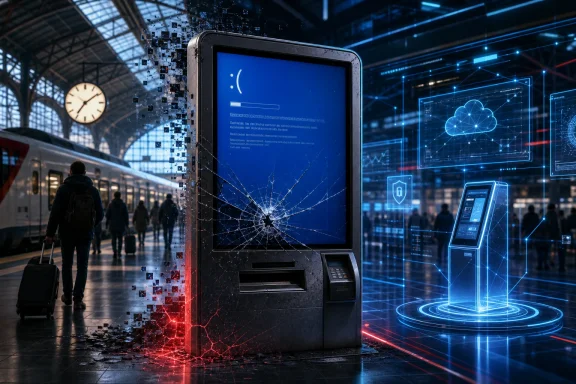
 Old Windows Kiosks Are Still Crashing in Public. The SBB/Rossmann Fight Shows Why It Matters
A Swiss train-station screen, a Windows memory error, and a YouTuber’s joke turned into a surprisingly useful case study in legacy IT. The question is no longer whether one railway display crashed. It is why public-facing kiosks still fail in ways ordinary passengers can see.Quick take
A malfunctioning Swiss Federal Railways display at Zurich’s main station became internet drama after right-to-repair advocate Louis Rossmann posted a sarcastic video joking that “Swiss mass transit” had been “destroyed” by Windows. A Swiss article, as read and translated by Rossmann in his follow-up video, treated the joke as a serious technical claim and described the premise as “technical ignorance” paired with a clickbait title. Rossmann responded with a much sharper technical rebuttal, arguing that the issue was not just a Firefox crash but a badly configured or outdated Windows-based kiosk system.The deeper story is bigger than Rossmann, Watson.ch, Bluewin, or even SBB. Public kiosks and digital signs are everywhere: train stations, airports, hospitals, ATMs, retail stores, parking lots, museums, schools, government offices, and corporate lobbies. When these systems are old, unsupported, or configured like normal desktop PCs, the cost shows up as downtime, security exposure, emergency support, poor customer experience, and viral embarrassment.
And in this case, Rossmann’s core point deserves to be taken seriously: a public information display should not fail open to a Windows desktop, a recycle bin, or a generic memory error.
What happened at SBB?
The public incident started with a familiar sight to anyone who has worked in IT: a screen that should have shown useful information instead exposed an operating-system error. According to Bluewin/blue News, SBB screens in stations and trains had repeatedly shown Windows messages instead of expected stop, platform, or departure information. The report specifically described a Windows warning that the computer did not have enough memory and said the issue likely involved the Windows “Desktopheap,” a resource area that can cause errors when too many screens or windows are connected. SBB told Bluewin that departure monitors receive information from a Windows computer and that system messages can therefore appear briefly. (bluewin.ch)Rossmann’s first video was, by his own description, a joke. In the transcript of his follow-up, he says he often films unexpected public Windows errors with funny titles and that he was not literally claiming an entire country’s railway system was destroyed by one crash.
That distinction matters. A throwaway YouTube joke is not the same thing as a forensic root-cause report. But once a news article frames the person making the joke as technically ignorant, the technical details become fair game.
The three issues hiding inside one crashed screen
The SBB screen controversy mixes together three different questions that are often confused:- Security: Is an old Windows system exposed to attackers?
- Reliability: Can the display run for weeks or months without showing errors to the public?
- Kiosk design: Is the system configured so users never see the underlying desktop, browser, shell, or crash dialogs?
That is why the most important part of the dispute is not whether the SBB machine was definitely Windows 7, Windows Embedded, Windows 10, or something else. The visible failure suggests that a public-facing display was not sufficiently hardened as a kiosk.
Was it really Windows 7?
Rossmann argues in his follow-up that the displayed system was Windows 7 and therefore unsupported. In the transcript, he objects to the phrase “supposedly outdated,” insisting that the interface was Windows 7 and “no longer supported.”On support lifecycle, the general point is correct: Microsoft ended support for Windows 7 on January 14, 2020. Microsoft says unsupported Windows versions no longer receive software updates, security updates, or fixes, and that devices can continue to work while becoming more vulnerable over time. ([Microsoft Support][2])
There is a nuance, though. Some embedded Windows 7 variants, such as Windows Embedded POSReady 7, lived longer through Extended Security Updates. Microsoft’s lifecycle documentation lists Windows Embedded POSReady 7 ESU Year 3 ending on October 8, 2024. That does not prove SBB was using that edition. It does mean that visually identifying a Windows 7-style interface is not enough, by itself, to know the exact servicing status of the device at the time of the incident. ([Microsoft Learn][3])
By June 2026, however, the bigger concern remains: any Windows 7-family kiosk still in ordinary service would need a very specific, documented support arrangement to avoid being considered legacy risk.
The Firefox explanation: plausible, but incomplete
The article Rossmann responds to, as he reads it in his video, reportedly attributed the crash to Firefox running in kiosk mode. The explanation was that Firefox continuously loaded live railway data such as delays and track changes, failed to release memory properly, consumed available RAM, and was terminated by Windows, exposing the desktop.That is not an absurd explanation. Browser-based kiosks often run dynamic web apps for days or weeks. Memory leaks in browser processes, JavaScript-heavy pages, media players, graphics drivers, extensions, or poorly refreshed web sessions can absolutely cause long-running kiosk failures.
But as a complete defense of the deployment, it misses the key operational point: a properly designed kiosk should assume that the foreground app can crash. The operating system, shell, account permissions, watchdog service, device-management policy, and app restart behavior should prevent the public from seeing the desktop.
Microsoft’s own Assigned Access documentation describes kiosk and restricted-user experiences where a device can run a single app, including Microsoft Edge in full screen, and automatically restart the app if it closes. Microsoft lists Assigned Access support across Windows Pro, Enterprise, Education, and IoT Enterprise editions. ([Microsoft Learn][4])
So Rossmann is right to push back on the idea that “Firefox crashed” is the end of the story. In kiosk engineering, the app crashing is not the failure. The failure is letting the crash become the customer’s problem.
The desktop heap argument: Rossmann had a real technical point
Rossmann’s strongest technical claim concerns Windows desktop heap exhaustion. He points to Microsoft KB947246 and argues that the “out of memory” message may not mean the PC simply lacked physical RAM. Microsoft’s documentation supports that distinction.Microsoft describes desktop heap allocation failures as capable of causing graphical glitches, out-of-memory errors, and unexpected behavior. It also states that physical RAM does not affect the desktop heap size and that adding RAM does not solve the problem. The relevant resource is tied to Windows desktop and window-management limits, not merely installed memory. ([Microsoft Learn][5])
Bluewin’s earlier report aligns with that explanation. It said the likely cause was a too-small “Desktopheap” and described the problem as connected to too many screens and windows being linked to one Windows computer. (bluewin.ch)
That does not conclusively prove desktop heap was the exact root cause of the specific Rossmann-filmed display. But it makes the “technical ignorance” label look weak. Rossmann’s follow-up cites a real Windows resource limit that is directly relevant to public display systems using many windows, sessions, or connected displays.
Windows desktop is not the same as a kiosk platform
One of Rossmann’s most important criticisms is that a browser in full-screen mode is not the same as an operating-system-level kiosk. He argues that Microsoft sells Windows IoT Enterprise for fixed-purpose systems such as digital signs and kiosks, and that kiosk devices should be configured so the public never sees the wallpaper, recycle bin, or crash dialogs.Microsoft’s documentation backs the broad point. Windows IoT Enterprise is positioned for fixed-purpose devices and examples include ATMs, point-of-sale terminals, industrial automation, medical devices, digital signage, and kiosks. Microsoft says the Long-Term Servicing Channel is designed for fixed-purpose devices that need a static feature set and long support windows. ([Microsoft Learn][6])
That matters because public kiosks are not normal PCs. A normal desktop prioritizes interactive flexibility. A kiosk prioritizes predictability, lockdown, automatic recovery, and remote management.
A railway display should not behave like an unattended office PC with a browser open. It should behave like infrastructure.
Where the Swiss article had a point
Rossmann’s frustration is understandable, but the article he criticizes was not wrong about everything.First, his original title was deliberately sensational. He admits it was a joke and that the claim was not meant literally. A journalist seeing a viral title about Swiss mass transit being “destroyed” could reasonably explain to a general audience that the railway system was not actually down.
Second, network isolation does matter. If SBB’s display systems are segmented into isolated VLANs without direct internet access, that would reduce some remote attack paths. Rossmann is right that isolation does not solve reliability, but it is still relevant to security risk. A segmented, monitored, least-privilege kiosk network is safer than a public-facing unmanaged PC.
Third, a browser memory leak remains a plausible trigger. Rossmann is too categorical when he says the issue is “not Firefox.” The visible symptom may involve Windows desktop heap, but the operational chain could include a browser, a web app, a display controller, a graphics driver, a window-management limit, or all of the above. Without logs from the SBB machine, nobody outside SBB can responsibly claim certainty.
Where the Swiss article appears to have missed the mark
The problem is the leap from “the YouTube title was exaggerated” to “the premise is technical ignorance.” Based on the transcript and the available technical evidence, that framing looks overstated.Rossmann’s broad technical objections are reasonable:
- An unsupported or near-end-of-support Windows platform in public infrastructure is a legitimate concern.
- A visible Windows desktop on a public information screen is a kiosk-hardening failure.
- “Out of memory” can refer to Windows resource exhaustion, not just a lack of RAM.
- Desktop heap is a known Windows issue and had already been raised in Swiss coverage of SBB screens.
- Network isolation can reduce security exposure but does not explain why a public screen showed a desktop error.
Security through obscurity: what SBB should and should not disclose
Rossmann also criticizes the reported SBB response that the railway could not say which Windows operating system was used or how long it would receive security updates “for security reasons.”There is a defensible version of that position. Infrastructure operators do not need to publish every detail of their architecture, patch level, network topology, administrative tooling, or endpoint configuration.
But refusing to say whether public-facing systems are on supported platforms can become counterproductive. Mature security is not built on secrecy alone. It is built on patching, segmentation, least privilege, monitoring, asset inventory, incident response, and lifecycle management.
For a public railway, a better answer would be something like:
That tells the public the operator has a lifecycle strategy without giving attackers a configuration map.“We do not disclose detailed system architecture, but our public display systems are segmented, centrally monitored, patched under a supported vendor lifecycle, and being modernized under a defined replacement plan.”
The real cost of old Windows kiosks
Legacy kiosks often remain in place because they appear cheap. The screen turns on. The app still loads. The train times still appear most days. The replacement project can wait.That is the trap.
The cost of outdated public kiosks is usually hidden until something breaks. Then it appears all at once as emergency support, passenger confusion, missed information, security exceptions, audit findings, downtime, and reputation damage.
1. Support cost
Old kiosk fleets require special handling. Teams may need outdated images, legacy drivers, spare parts, custom scripts, unsupported browsers, and technicians who remember how the original system was built. Every manual reboot or field visit adds cost.2. Extended support cost
Microsoft describes Extended Security Updates as a paid “last resort” bridge for legacy products, not a permanent operating model. ESUs do not include new features or general technical support and are meant to buy time for migration. ([Microsoft Learn][3])3. Security cost
Unsupported Windows systems can continue running, but Microsoft warns they no longer receive security updates or fixes and are more vulnerable to malware and viruses. ([Microsoft Support][2])For businesses, the tail risk can be enormous. IBM’s 2025 Cost of a Data Breach Report put the global average breach cost at $4.4 million. That number is not kiosk-specific, but it illustrates why unsupported endpoints in critical workflows attract attention from auditors, insurers, and boards. ([IBM][7])
4. Browser and web compatibility cost
Even if the Windows layer still runs, the browser layer may become a problem. Mozilla says Firefox 115 is the last supported Firefox version for Windows 7, Windows 8, and Windows 8.1, with updates through August 2026. Mozilla also notes that maintaining Firefox on unsupported operating systems is costly and risky without official OS support. ([Mozilla Support][8])That means legacy kiosks eventually hit a web compatibility wall: TLS changes, certificate changes, JavaScript framework changes, video codec changes, authentication changes, and browser support limits.
5. Reputational cost
A crashed internal server is bad. A crashed public screen is brand damage. The image can be filmed, posted, mocked, and turned into a news story. That is what happened here.The public does not care whether the root cause is Firefox, desktop heap, GPU drivers, display grouping, or a Windows shell crash. They see a transportation operator failing at the one job the screen exists to do: show information.
Where old Windows kiosks still live
There is no single public registry of every Windows 7 or Windows Embedded kiosk still operating. Many are hidden behind custom shells, browser front ends, signage software, or vendor-managed appliances. You usually discover them through procurement records, support contracts, leaked screenshots, crash dialogs, or end-of-life migration projects.The most common places include:
| Sector | Examples | Why legacy systems linger |
|---|---|---|
| Transportation | Train departure boards, ticket machines, airport information displays, parking payment terminals | Long hardware lifecycles, vendor contracts, certification, 24/7 uptime requirements |
| Retail | POS terminals, price checkers, self-checkout, digital signage | Thin margins, franchise variability, peripheral compatibility |
| Banking | ATMs, branch kiosks, queue systems | Certification, hardware security modules, vendor dependency |
| Healthcare | Check-in kiosks, wayfinding, medical carts, lab terminals | Regulatory validation, app compatibility, downtime sensitivity |
| Government | DMV kiosks, permit terminals, public records stations | Budget cycles, procurement delays, legacy web apps |
| Industrial | Factory HMIs, warehouse scanners, control-room displays | Specialized hardware, long equipment lifecycles, operational risk |
What a modern kiosk should do differently
A reliable kiosk is not just “Windows plus a browser in full screen.” It is a managed endpoint with a narrow job.A modern Windows-based public kiosk should typically include:
- A supported Windows edition with a clear lifecycle plan.
- Windows IoT Enterprise LTSC or another fixed-purpose edition where appropriate.
- Assigned Access or equivalent kiosk lockdown.
- Automatic app restart if the browser or kiosk app exits.
- Shell restrictions so Explorer, the desktop, taskbar, recycle bin, and system dialogs are not exposed.
- Device-management tooling for patching, reboot scheduling, remote logs, and health checks.
- Browser session recycling to prevent long-running memory growth.
- Watchdog services that restart failed apps before customers notice.
- Network segmentation without relying on secrecy as the main defense.
- Monitoring for memory, desktop heap, GPU, display-driver, and process failures.
- A visible fallback mode that shows a clean “temporarily unavailable” message instead of a Windows error.
What SBB should disclose now
SBB does not need to publish sensitive architecture diagrams. But if the goal is public trust, a few lifecycle answers would help:- Are the affected display systems running a supported operating system?
- Are they Windows desktop, Windows Embedded, Windows IoT, or another platform?
- Is there a modernization roadmap?
- Are display failures monitored centrally?
- What prevents a crashed app from exposing the desktop?
- Has the desktop heap issue described by Bluewin been remediated?
- Are browser sessions recycled or watchdog-managed?
- What is the fallback behavior when a screen cannot display live data?
Verdict: Rossmann was abrasive, but not technically ignorant
Rossmann’s response was combative, personal, and full of language WindowsForum would not use in a newsroom article. He also overstates some points. Without SBB logs, nobody outside the organization can say with certainty that the root cause was not Firefox. A browser memory leak and a Windows desktop heap issue can coexist in the same failure chain.But the central technical critique stands.
A public railway screen should not reveal an old-looking Windows desktop. A memory error on a public display is not just a funny screenshot; it is evidence that the kiosk stack did not recover gracefully. Microsoft provides operating-system-level tools and fixed-purpose Windows editions for kiosk-like deployments. Microsoft also documents desktop heap limitations that can produce out-of-memory behavior unrelated to physical RAM. ([Microsoft Learn][6])
The fairest conclusion is this:
Rossmann’s original video was clickbait comedy. His follow-up technical complaint was substantially stronger than the criticism aimed at him. The Swiss coverage was right to deflate the exaggerated title, but wrong to treat the visible kiosk failure as if it were merely a misunderstood browser crash.
For IT teams, the lesson is simple: if your kiosk can show the desktop, it is not finished.
FAQ
Is Windows 7 still safe to use on kiosks?
Only under narrow, carefully managed circumstances. Standard Windows 7 support ended in January 2020, and Microsoft says unsupported Windows versions no longer receive security updates or fixes. Some embedded editions had extended timelines, but those were temporary bridges, not a long-term strategy. ([Microsoft Support][2])Can a kiosk be secure if it is isolated from the internet?
Isolation helps, but it is not enough. A kiosk also needs patching, least privilege, monitoring, physical security, app lockdown, and recovery behavior. Isolation may reduce remote attack paths, but it does not solve reliability failures or public desktop exposure.Was the SBB problem definitely Firefox?
Not from the public evidence alone. Firefox or a web app could have been a trigger, but Bluewin’s reporting and Microsoft’s documentation make Windows desktop heap exhaustion a plausible technical factor. (bluewin.ch)What is Windows desktop heap?
Desktop heap is a Windows resource used for desktop objects and window-management operations. When it is exhausted, systems can show graphical glitches, unexpected behavior, and generic out-of-memory errors. Microsoft says adding physical RAM does not fix desktop heap limits. ([Microsoft Learn][5])What should replace old Windows kiosks?
For Windows shops, Windows IoT Enterprise LTSC with proper kiosk lockdown, Assigned Access, app restart behavior, and centralized management is a strong option. Linux-based kiosks can also work well when built for read-only, auto-recovering, single-purpose operation. The key is not the logo on the OS. The key is lifecycle support and kiosk-grade configuration. ([Microsoft Learn][6])Reporting note
WindowsForum reviewed the user-supplied Rossmann transcript, Bluewin/blue News reporting on SBB Windows display errors, Microsoft lifecycle and kiosk documentation, Mozilla’s Firefox support guidance for Windows 7/8/8.1, and Microsoft’s desktop heap documentation. Claims about the Watson.ch article’s wording are attributed to Rossmann’s on-video reading and translation because a current public copy of that specific Watson article was not independently located during preparation.[2]: What does it mean if Windows isn't supported? - Microsoft Support "What does it mean if Windows isn't supported? - Microsoft Support"
[3]: Product Lifecycle FAQ - Extended Security Updates | Microsoft Learn "Product Lifecycle FAQ - Extended Security Updates | Microsoft Learn"
[4]: Assigned Access Overview | Microsoft Learn "Assigned Access Overview | Microsoft Learn"
[5]: Fix Desktop Heap Limitation and Out of Memory Errors - Windows Server | Microsoft Learn "Fix Desktop Heap Limitation and Out of Memory Errors - Windows Server | Microsoft Learn"
[6]: What is Windows IoT Enterprise? | Microsoft Learn "What is Windows IoT Enterprise? | Microsoft Learn"
[7]: Cost of a data breach 2025 | IBM "Cost of a data breach 2025 | IBM"
[8]: Firefox support for Windows 7, 8 and 8.1 | Firefox Help "
Firefox support for Windows 7, 8 and 8.1 | Firefox Help
"
