

Microsoft's official Windows 11 CPU compatibility page has quietly shifted from an itemized catalog of supported chips to a higher-level summary by processor series, and the change is already creating confusion, wasted hours, and an avoidable support headache for users trying to determine whether their PC can — or should — be upgraded to Windows 11.
When Windows 11 launched, Microsoft published strict minimum hardware requirements that shaped adoption: a TPM 2.0 chip, Secure Boot capability, and a relatively recent CPU generation were all required to receive official support. For years that followed, Microsoft maintained a public list of supported processors so end users and IT teams could look up a CPU by model number and confirm compatibility.
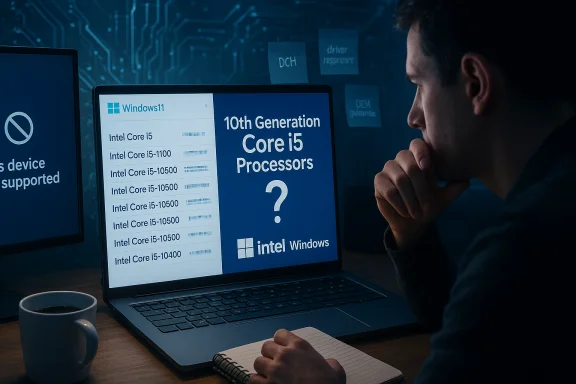
Over the past year Microsoft revised how it presents Intel processor support on its documentation. Rather than listing every individual Intel model that meets Windows 11’s minimums, Microsoft now publishes a list organized by processor series — for example, 10th Generation Core i5 Processors or Celeron 3000 Series — and points readers to the CPU vendor for model details. That may sound like a convenience, but in practice it has introduced ambiguity that can lead users to incorrect conclusions about their specific CPU’s eligibility for an official Windows 11 upgrade.
This article breaks down what changed, why it matters, the real-world inconsistencies it creates, and practical steps owners and IT pros can take to verify compatibility and avoid upgrade pitfalls.
This format was long, sometimes cumbersome, but it was precise. If a model was listed, it was understood to be officially supported; if not, the model was not officially supported (even if a chip family was present).
Microsoft’s stated intent is to make the guidance easier for OEMs and to reduce the maintenance burden of enumerating every SKU as new chips arrive. The company’s pages also include editorial notes about updates and exceptions, and in some cases maintain separate, more granular pages where Microsoft enumerates specific models (typically for OEM and servicing audiences).
Because Intel’s family pages are inclusive of many low-power variants, and Microsoft’s list has shifted to “series = yes,” some Celeron models that appear on Intel’s site will not, in practice, be eligible for a supported Windows 11 install. That means an end user who sees both “Celeron 3000 Series” on Microsoft’s table and their exact Celeron model on Intel’s marketing page can be misled into thinking the CPU is supported for an official upgrade.
The selective exception illustrates two points. First, Microsoft’s intention to make narrow exceptions for specific real-world devices is legitimate, but those exceptions are not easily discovered when a user is skimming a series-level table. Second, the existence of a named SKU in a footnote proves that there are still SKU-level special cases; grouping everything by series hides them.
The fix is straightforward: preserve the maintainable series-level view for OEM audiences, but simultaneously publish and prominently link to SKU-level, searchable compatibility data for consumers and IT teams. Until that happens, owners and administrators should verify compatibility using both the exact CPU model and the OEM’s device support statements before moving from Windows 10 to Windows 11.
Source: gHacks Technology News You may not find your processor anymore on Windows 11's supported list of CPUs - gHacks Tech News
 Background
When Windows 11 launched, Microsoft published strict minimum hardware requirements that shaped adoption: a TPM 2.0 chip, Secure Boot capability, and a relatively recent CPU generation were all required to receive official support. For years that followed, Microsoft maintained a public list of supported processors so end users and IT teams could look up a CPU by model number and confirm compatibility.Over the past year Microsoft revised how it presents Intel processor support on its documentation. Rather than listing every individual Intel model that meets Windows 11’s minimums, Microsoft now publishes a list organized by processor series — for example, 10th Generation Core i5 Processors or Celeron 3000 Series — and points readers to the CPU vendor for model details. That may sound like a convenience, but in practice it has introduced ambiguity that can lead users to incorrect conclusions about their specific CPU’s eligibility for an official Windows 11 upgrade.
This article breaks down what changed, why it matters, the real-world inconsistencies it creates, and practical steps owners and IT pros can take to verify compatibility and avoid upgrade pitfalls.
What changed: from part numbers to processor families
The old model: explicit model lists
Previously Microsoft’s “supported processors” pages listed a large set of individual CPU model numbers that the company had validated for Windows 11. That made it possible for a user to open Settings → System → About, copy the exact processor name (for example, Intel Core i5-10400), and find a direct match on Microsoft’s list.This format was long, sometimes cumbersome, but it was precise. If a model was listed, it was understood to be officially supported; if not, the model was not officially supported (even if a chip family was present).
The new approach: series-level listings for Intel
Microsoft’s newer documentation for Intel now publishes supported entries grouped by series or generation rather than listing every SKU. That means the listing shows a row like “10th Generation Core i5 Processors” instead of enumerating every Core i5-10xxx SKU. The documentation explicitly notes that the listing represents processor models that meet the minimum floor for supported processor generations and up through the latest processors at the time of publication.Microsoft’s stated intent is to make the guidance easier for OEMs and to reduce the maintenance burden of enumerating every SKU as new chips arrive. The company’s pages also include editorial notes about updates and exceptions, and in some cases maintain separate, more granular pages where Microsoft enumerates specific models (typically for OEM and servicing audiences).
Why the change matters: specificity vs. simplicity
Moving from explicit model lists to series-level guidance trades precision for readability. That trade-off introduces several practical problems:- False positives for consumers. When a series is listed as supported, many users will reasonably assume every processor in that family is eligible. In reality, some SKUs in a series may lack features Microsoft requires (such as specific virtualization or platform security capabilities) or lack vendor-supplied modern drivers, and therefore will not qualify for an official upgrade path.
- Support edge cases and footnotes. Microsoft has used footnotes and device-specific exceptions in multiple patches to the list (for example, enabling support for particular SKUs when those chips ship in Microsoft’s own hardware). These exceptions can be easily missed when consumers are scanning a series-level table.
- Confusion between OEM guidance and consumer compatibility. Microsoft’s newer series-oriented list is explicitly framed for OEMs and ODMs — i.e., guidance about which chips OEMs may use for new Windows 11 devices. That distinction is not obvious to many consumers, who expect the page to be a consumer-facing compatibility matrix.
- Inconsistent vendor references. Microsoft’s pages link to the CPU vendor (Intel) for further details. Those vendor pages typically list every SKU in a family for sales and marketing purposes — not to identify Windows 11 eligibility. That makes it difficult to map Microsoft’s broad “series-level yes” to individual SKU-level compatibility on the vendor site.
Real examples that illustrate the problem
Celeron 3000 Series: a case study in ambiguity
A series-level entry for Celeron 3000 Series appears on Microsoft’s Intel support table. However, the Intel product pages list many Celeron 3000 SKUs across desktop, mobile, and low-power segments — and not all of them include the security or platform features Microsoft requires for official Windows 11 support.Because Intel’s family pages are inclusive of many low-power variants, and Microsoft’s list has shifted to “series = yes,” some Celeron models that appear on Intel’s site will not, in practice, be eligible for a supported Windows 11 install. That means an end user who sees both “Celeron 3000 Series” on Microsoft’s table and their exact Celeron model on Intel’s marketing page can be misled into thinking the CPU is supported for an official upgrade.
Kaby Lake and the i7-7820HQ exception
Kaby Lake (Intel 7th generation) has been the source of persistent confusion since early Windows 11 compatibility debates. Most 7th-generation Core CPUs were initially excluded from Windows 11’s minimums, but Microsoft later made targeted exceptions — notably around the Intel Core i7-7820HQ found in certain Microsoft Surface Studio 2 configurations. That single SKU was grandfathered in under a footnote condition: systems with the i7-7820HQ must ship with modern, DCH-style drivers and meet other OEM support criteria.The selective exception illustrates two points. First, Microsoft’s intention to make narrow exceptions for specific real-world devices is legitimate, but those exceptions are not easily discovered when a user is skimming a series-level table. Second, the existence of a named SKU in a footnote proves that there are still SKU-level special cases; grouping everything by series hides them.
Mainstream chips like Core i5-10400
A consumer with an Intel Core i5-10400 (10th-generation) will see “10th Generation Core i5 Processors” on Microsoft’s series table and be justified in thinking their CPU is supported. In most practical cases, mainstream 8th-generation and newer Intel Core desktop/mobile chips do meet Windows 11 requirements. But the core problem remains: series-level confirmation requires the user to understand the generation and family naming scheme — something that is not always straightforward when Windows reports a human-readable name but not the generation number explicitly.How Microsoft’s documentation actually reads now (clarity and conflict)
Microsoft’s hardware documentation has multiple pages and audiences:- OEM-oriented series guidance: A condensed table that lists processor families and series that OEMs may use in new Windows 11 devices. This is the page that highlights series like “10th Generation Core i5 Processors” and is updated at milestones such as Windows 11 general availability or major enablement releases.
- Per-version or per-release model pages: For some Windows 11 releases Microsoft maintains more granular lists that enumerate specific supported models. These pages can contain specific model numbers or additional clarifying notes and tend to be targeted at hardware partners and service teams.
- Support footnotes and device-specific exceptions: Microsoft has used footnotes to state exceptions (for example, “only select devices that shipped with modern DCH drivers are supported”), and occasionally points to device-specific compatibility lists.
The user impact: wasted time, risk, and security implications
Friction and wasted hours
A reader who believes their CPU is supported because its series is listed might spend hours trying to upgrade, troubleshooting blocked upgrades, installing driver updates, or searching forums. When upgrade tools report “this device isn’t supported,” the user is left to sort through multiple documentation pages and cryptic installer messages. That’s the precise problem the series-level approach introduces.Unsupported installs and security risk
Microsoft’s policy around unsupported Windows 11 installations is explicit: devices that do not meet system requirements are not guaranteed to receive updates, including security updates. Installing Windows 11 on unsupported hardware can yield a working system for a time, but Microsoft warns there’s no guarantee of continued servicing or security patches. That risk is non-trivial, particularly since many users must maintain systems with sensitive data or rely on machines for work.Warranty and manufacturer support
Manufacturer drivers and firmware updates are a key part of platform stability. If an OEM does not intend to support a given SKU on Windows 11, the manufacturer may not provide updates or assistance. In some documented cases, Microsoft’s documentation limits support to devices that shipped with modern DCH drivers — making the device’s original vendor support stance a gating factor.Why Microsoft may have moved to series listings (and the logic)
There are defensible reasons Microsoft made the change:- Maintainability. Enumerating every single SKU is a maintenance burden. CPU vendors and OEMs release frequent iterations and branded SKUs; a series-level approach is easier to keep current.
- OEM usage guidance. The series table is useful for OEMs planning new Windows 11 devices, allowing them to see which families meet Microsoft’s design principles around security and reliability.
- Avoiding constant churn. For mainstream families, the functional floor for Windows 11 is consistent across many SKUs in a generation. Grouping reduces repetitive updates for every tiny SKU refresh.
How to verify your CPU reliably (practical, step-by-step)
To avoid wasted effort and unsupported upgrades, follow these steps:- Determine the exact CPU model on your PC.
- Open Settings → System → About, or run “wmic cpu get name” from an elevated command prompt.
- Copy the full CPU model string (e.g., “Intel(R) Core(TM) i5-10400 CPU @ 2.90GHz”).
- Confirm generation and family.
- Translate the model number into generation information (for Intel, the first digit after the dash in many models indicates generation for 8th Gen and later, but naming rules change and marketing SKUs can be confusing). When in doubt, use the CPU manufacturer’s product specification search to confirm the exact family and SKU.
- Consult Microsoft’s model-level documentation (if available) for your Windows 11 release.
- Check Microsoft’s per-release or per-version hardware support pages for explicit model lists or footnotes that cover exceptions, driver requirements, or device-specific support clauses.
- Check the OEM’s support documentation for your device model.
- If you have a branded laptop or prebuilt system, search the vendor’s support site for official Windows 11 upgrade instructions for your device SKU. OEM support is often the deciding factor.
- If Microsoft’s pages show only series-level guidance, look for footnotes and editorial notes.
- Footnotes may identify special-case models, driver requirements (e.g., “must ship with DCH drivers”), or details about systems the vendor has agreed to support.
- If the guidance is still ambiguous and the machine is critical, delay upgrading until the vendor publishes a clear support statement or until Microsoft updates its documentation with SKU-level clarity.
Recommendations for Microsoft and OEMs (what would reduce confusion)
- Dual presentation: Display processor series for OEMs but also provide a clear, searchable SKU-level list for consumers and IT pros. The dual approach preserves maintainability while restoring precision.
- Prominent context labels: Make the page’s target audience explicit. If a table is OEM guidance, it should prominently say so at the top and link to a consumer-facing compatibility page.
- Filterable, downloadable SKU lists: Offer a machine-readable CSV or JSON for IT pros that lists every supported SKU and the rationale (TPM/VBS requirements, driver requirements, DCH notes).
- Clear footnotes as first-class items: Exceptions (e.g., single-SKU additions like the i7-7820HQ) should be surfaced as discrete lines in the table with an explanation rather than buried in a tiny footnote.
- Link to vendor-verified compatibility: When pointing to Intel/AMD, indicate whether the vendor page is a marketing SKU list or a curated compatibility matrix, so the user knows what to expect.
A pragmatic guide for users approaching the upgrade decision
- If your PC is newer (8th Gen Intel or Ryzen 2000 series onward), start with the assumption that the hardware is likely to be supported, but verify OEM support for your specific device model.
- If your PC is older (6th or 7th Gen Intel, early Ryzen), treat Microsoft’s series-level “yes” with caution; dig into model-level lists and OEM statements before attempting an upgrade.
- Always back up all data and create a full system image before attempting an upgrade. Unsupported installs can lead to driver incompatibilities or stability problems that require a rollback.
- Consider staying on a supported Windows 10 build until you can confirm a supported upgrade path if the machine is critical to your workflow. Microsoft offers extended servicing for certain channels beyond the mainstream cutover periods.
- If you proceed with an unsupported install, understand you may not receive guaranteed updates and that using unsupported hardware for critical workloads is a security risk.
Strengths and weaknesses of Microsoft’s new documentation approach
Strengths
- Easier to maintain as new SKUs arrive.
- Cleaner, more compact presentation for hardware planners and OEMs.
- Reduces churn on pages that otherwise needed frequent updates for every micro-variant.
Weaknesses
- User confusion: consumers interpret series-level “supported” as SKU-level support.
- Risk of unsupported installs: users might accept installers or attempts that leave them in an unguaranteed state for updates.
- Lack of clear OEM vs. consumer context, leaving end users unsure where to find definitive verification.
What to watch next
- Whether Microsoft implements a more consumer-friendly SKU lookup or provides a downloadable SKU list will be the corrective action observers want to see.
- OEMs and device vendors should publish explicit Windows 11 upgrade guides for device SKUs; those vendor statements are often the definitive piece of evidence for whether the hardware will be serviced.
- Watch for updates to Microsoft’s documentation cadence and editorial notes; Microsoft has revised these lists in the past and has shown it will add narrow exceptions when appropriate.
Conclusion
Microsoft’s move to present Intel CPU compatibility for Windows 11 at the series level solves a maintenance problem but creates a clarity problem. For OEMs and device planners, a series-level table is useful; for the average consumer trying to decide whether their PC can — or should — run Windows 11, it is a source of ambiguity. That ambiguity leads directly to wasted time, potential unsupported installations, and real security concerns if users misinterpret the guidance and attempt upgrades on hardware without guaranteed servicing.The fix is straightforward: preserve the maintainable series-level view for OEM audiences, but simultaneously publish and prominently link to SKU-level, searchable compatibility data for consumers and IT teams. Until that happens, owners and administrators should verify compatibility using both the exact CPU model and the OEM’s device support statements before moving from Windows 10 to Windows 11.
Source: gHacks Technology News You may not find your processor anymore on Windows 11's supported list of CPUs - gHacks Tech News
