

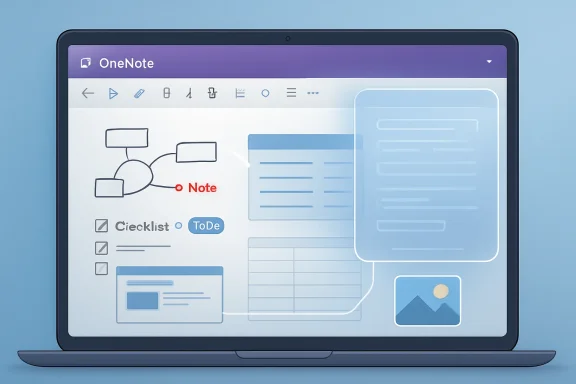
On April 29, 2026, Microsoft began rolling out a OneNote Copilot upgrade that lets the assistant reason over richer page content, including note tags, images, tables, and inked notes, on supported Windows, Mac, and iOS builds. That sounds like a minor feature note, the kind of incremental Microsoft 365 change that usually disappears into admin-message-center fog. It is not minor. It is Microsoft acknowledging that the real notebook was never a stream of tidy text, and that AI in productivity software will live or die by how well it understands the messy artifacts people actually save.
Microsoft has spent the past three years placing Copilot buttons in almost every corner of Microsoft 365. Word got drafting. Excel got analysis. Outlook got summaries. Teams got the meeting memory machine that managers either love or quietly fear.
OneNote was always a stranger case. A notebook is not a document in the traditional Office sense. It is a container for fragments: typed notes, pasted screenshots, handwritten diagrams, checkboxes, meeting agendas, tables, web clippings, photos of whiteboards, half-finished plans, and the stray “remember to ask finance” line that becomes the most important sentence on the page two weeks later.
That made Copilot in OneNote feel both obvious and incomplete. If any app should benefit from an assistant that can summarize, connect, and explain, it is the one where people dump raw thinking before it becomes polished work. But if that assistant mostly understands plaintext, then it is reading the neatest part of the mess while missing the reason the mess was useful in the first place.
The new upgrade changes that premise. Copilot can now use more of the OneNote page as context without the user having to translate the page into AI-friendly prose. That distinction matters because the best note-taking systems are not written for machines; they are written at the speed of human memory.
A OneNote page about a trip might include a table of flights, a checklist of packing items, screenshots of bookings, and a few tagged follow-up tasks. A project page might include a photo of a whiteboard, a pasted roadmap table, handwritten notes from a meeting, and a set of action-item tags. A support notebook might contain copied error messages, screenshots, rough diagnostics, and a table of affected devices.
Previously, users often had to make the implicit explicit. If the meaningful information lived inside a screenshot, table, ink note, or tag, the user had to restate it, extract it, or phrase a prompt carefully enough to point Copilot at the right context. The new version promises a more natural interaction: ask about the page, and Copilot considers more of what is on the page.
That sounds simple only if you ignore what OneNote is. Unlike Word, OneNote does not impose a linear structure. It lets users place things freely, mix formats, and build pages that feel closer to a workbench than a report. For AI, that freedom is hard.
The upgrade is Microsoft’s answer to that hard problem: not a new UI, not a new prompt language, but broader page comprehension. The bet is that Copilot becomes useful not when users learn how to talk to it, but when it gets better at dealing with how users already work.
That is the modern Microsoft 365 bargain in miniature. Features arrive through a combination of app version, license state, cloud-side enablement, and rollout timing. The button may already be there; the behavior behind it may change tomorrow; the documentation may say “rolling out”; the user may wonder why a colleague sees better results on the same page.
The licensing detail matters too. Microsoft says the enhancement is rolling out for users with Microsoft 365 Copilot Basic or Premium. In Microsoft’s newer Copilot taxonomy, those labels are increasingly important because “Copilot” no longer means one thing. There is consumer Copilot, Microsoft 365 Copilot Chat, app-integrated Copilot, premium work features, and a growing set of experiences that depend on tenant configuration and subscription tier.
For IT admins, the practical takeaway is straightforward: this is not just an app update to deploy and forget. It is another example of Microsoft shipping productivity behavior as a cloud-controlled service. That can be good for velocity and security patching, but it also complicates change management, user training, and support desk scripts.
The more interesting use cases are less tidy. A sysadmin could keep a OneNote page for a recurring incident, with screenshots of event logs, tables of affected hosts, tagged follow-ups, and handwritten notes from a war-room call. A consultant could use a client notebook that includes photos from site visits, decisions captured as tags, and copied pricing tables. A student could mix lecture slides, handwritten equations, and typed summaries.
In each case, the value is not that Copilot produces a generic summary. Generic summaries are cheap now. The value is that it can work across the page’s heterogeneity — the combination of formats that made the notebook useful before AI entered the room.
This is where AI assistants in productivity apps have often disappointed. They perform well when the source material resembles the training-demo world: clean documents, clear headings, tidy tables, obvious questions. Real work is not like that. Real work has screenshots because the export function was broken, tables pasted from three systems, ink because the meeting happened away from a keyboard, and tags because the user needed a lightweight workflow without building a database.
If Copilot can reason over that mix, OneNote moves from being a place where AI can summarize notes to a place where AI can inspect a working memory.
OneNote tags are not glamorous. They are small markers for to-dos, questions, important items, contacts, definitions, and custom workflows. Power users have long used them as a lightweight task and knowledge-management layer. They are not as formal as Planner tasks or as visible as Outlook flags, but they often carry the intent of a page.
If Copilot can understand tags, it can start to distinguish between text that merely exists and text that the user marked as meaningful. A checked-off item is not the same as an open one. A question tag signals uncertainty. An important tag changes priority. A custom tag may encode a team’s own shorthand.
This matters because generative AI often struggles with salience. It can summarize everything while missing what mattered. Tags are a human-authored signal of importance, and OneNote has accumulated years of those signals in notebooks that were never designed as AI datasets.
Microsoft’s move here is subtle but strategic. Rather than forcing users to move their work into a new AI-native canvas, it is teaching Copilot to interpret the organizational layer that already exists. That is much more likely to survive contact with real users than another blank-page productivity product.
A table in OneNote might list vendors, deadlines, device names, budgets, travel reservations, release milestones, or meeting attendees. If Copilot treats that table as plain text, it may understand the words but miss the relationships between rows and columns. If it understands the table as a table, it can answer more grounded questions: what is overdue, what is missing, which reservation lacks a confirmation number, which machine appears in multiple issue reports.
This is not about turning OneNote into Excel. It is about recognizing that users put structured information wherever they happen to be working. Microsoft’s own suite has long encouraged this kind of cross-format behavior. Paste a table into an email. Drop a spreadsheet screenshot into Teams. Copy meeting notes into OneNote. Add a checklist beside a photo.
Copilot’s job, increasingly, is to chase the context across those boundaries. The OneNote upgrade is part of that larger Microsoft 365 strategy: the assistant should not care whether the important detail is in a formal file, a casual note, or an image embedded on a page.
That strategy is powerful, but it also raises expectations. Once users see Copilot correctly interpret a table in OneNote, they will expect it to do the same with every half-structured artifact in Microsoft 365. Every success makes the next failure more visible.
OneNote pages often contain screenshots of things that were not meant to become durable data sources. Error dialogs. Customer records. Whiteboards. Receipts. Credentials that should have been redacted. A photo snapped during a meeting. A screen capture from a browser tab that includes more than the user noticed at the time.
When Copilot can reason over images, those images become active context. That is useful if the screenshot contains a reservation number or a diagram. It is risky if the screenshot contains confidential details the user forgot were there.
Microsoft’s broader Copilot security model is built around existing Microsoft 365 permissions, tenant boundaries, encryption, compliance controls, and the principle that Copilot should only surface information the user is already allowed to access. That is the right foundation, but it does not eliminate the more ordinary governance problem: users often have access to things they should not casually reuse.
AI does not create oversharing, but it accelerates the consequences of oversharing. A buried screenshot that once required manual inspection can become part of a fluent answer. A table that sat harmlessly inside a notebook can become a decision summary. A tagged note that was meant as a private reminder can become context for a generated plan.
That does not make the feature bad. It makes it real enterprise software.
OneNote is one of the most personal apps in Microsoft 365. Even in work accounts, notebooks often blur personal productivity and organizational memory. Users keep notes in their own style, with their own shorthand, and with varying assumptions about who might read them later. Copilot makes that content feel more searchable, more summarizable, and more operational.
That is a governance shift. Not because Copilot bypasses permissions, but because it lowers the effort required to extract meaning from permitted content. The barrier was never only access; it was time, attention, and patience. AI reduces all three.
Organizations rolling this out should treat OneNote as part of their Copilot readiness work, not as a side feature. Sensitivity labels, retention policies, sharing reviews, and user education all matter more when informal notes become easier to query. The same applies to training: users need to understand that Copilot responses are generated outputs, not authoritative records.
There is also a support implication. Users will not always know whether a bad answer came from a model limitation, an unsupported content type, a version mismatch, a license boundary, a sync issue, or a page layout that confused the system. Help desks will need language for that ambiguity. “Copilot is wrong” is not a ticket category; it is the beginning of a diagnostic tree.
It can also feel unsettling. The moment an assistant correctly infers something from a screenshot or a tagged item, users get a new appreciation for how much context they have been storing casually. The notebook did not become more revealing overnight; the software became better at reading it.
Microsoft’s challenge is to make that power feel controlled rather than uncanny. The company has learned, sometimes painfully, that users do not evaluate AI features only by capability. They evaluate them by whether the feature behaves predictably, explains its limits, and fits into a workflow without demanding constant second-guessing.
OneNote has an advantage here because the interaction is page-bound and familiar. Users ask questions about the material in front of them. That is less abstract than an omnipresent assistant roaming across a tenant. It makes the feature easier to trust, provided the answers are accurate enough and the boundaries are clear enough.
The risk is overpromising. If Copilot misses a detail in an image, misreads a table, or treats a completed task as pending, the user may lose confidence quickly. In note-taking, context is everything. A small misunderstanding can produce a polished but wrong recommendation.
That is why Copilot in Word is different from Copilot in Excel, which is different from Copilot in Teams, which is different from Copilot in OneNote. The long-term product is not merely a chatbot. It is a layer of reasoning attached to the work surface.
OneNote is an especially revealing work surface because it contains pre-document thinking. Word often holds the final draft. PowerPoint holds the narrative the organization wants to present. Excel holds the model someone built. OneNote holds the messy path that led there.
If Microsoft can make Copilot useful in OneNote, it strengthens the case for Copilot as a practical assistant rather than a novelty. The assistant becomes less about generating paragraphs on command and more about helping users navigate the rough material from which work is made.
That is also why this rollout matters beyond OneNote. Rich-content understanding is not a OneNote niche. It is the condition for making AI useful inside modern productivity suites. People do not work in plaintext; they work in fragments.
Microsoft has used Copilot to describe experiences in Windows, Edge, GitHub, Security, Dynamics, Microsoft 365, and standalone consumer chat. Within Microsoft 365, the company now distinguishes between Basic and Premium experiences, app-specific chat, work and school accounts, consumer subscriptions, and tenant-managed capabilities. Even experienced users can struggle to explain what they have actually bought.
That naming debt matters because AI features are not just features; they are expectations. If a user pays for Microsoft 365 and sees Copilot in one app but not another, or sees it summarize text but not images, the distinction between product tiers becomes a support problem. If an admin reads that a capability is “rolling out” but cannot reproduce it across devices, trust erodes.
Microsoft is hardly alone in this. Every major software vendor is trying to package AI in a way that satisfies consumers, enterprises, investors, and regulators at the same time. But Microsoft’s challenge is sharper because its productivity suite is so deeply embedded in business operations. Confusion at this layer becomes organizational friction.
The OneNote update is a good feature trapped inside a complicated product story. Microsoft would do itself a favor by making the availability path as legible as the capability itself.
A more subtle failure mode is confidence. AI assistants are often most dangerous when they are nearly right. A summary that misses one unchecked task, a travel recommendation that overlooks a reservation screenshot, or an incident recap that misreads a table can waste time because the output arrives in confident prose.
The third failure mode is layout. OneNote pages are not always orderly. Users place objects wherever they fit, sometimes in columns, sometimes floating beside each other, sometimes layered through years of edits. Human readers use visual intuition to make sense of those pages. Copilot has to convert that spatial mess into usable context.
Then there is sync. OneNote’s cross-device story is usually strong, but anyone who has used shared notebooks long enough knows that sync timing, offline edits, and version conflicts exist. If Copilot reasons over a page that a user believes is current but the service sees differently, the assistant may answer from stale or partial context.
None of these problems are reasons to dismiss the upgrade. They are reasons to treat it as an assistant rather than an authority. The best version of Copilot in OneNote is not a machine that replaces review; it is a machine that makes review faster.
A startup can build an elegant AI notebook from scratch. Google can lean on Docs, Keep, Gemini, and Workspace. Notion can turn databases and pages into AI-readable workspaces. Obsidian and other knowledge tools can appeal to users who want local control or markdown-first systems. The market is crowded with products that promise AI-assisted memory.
Microsoft’s argument is different: you already have the memory. It is in OneNote, Word, Outlook, Teams, SharePoint, Excel, and OneDrive. The assistant does not need you to migrate your life into a new container; it needs to understand the containers you already use.
That is a powerful argument for enterprises, where migration cost is often the deciding factor. It is also powerful for individuals who have years of notebooks they are not going to reorganize just because a cleaner AI app appeared.
But the advantage cuts both ways. Legacy content is messy. Permissions are complicated. Users have old habits. OneNote notebooks may contain years of inconsistent structure. Microsoft’s task is harder than building a pristine AI notebook; it is teaching AI to cope with the accumulated reality of Office users.
That shift has several concrete consequences for WindowsForum readers watching the Microsoft 365 roadmap:
Source: Neowin Copilot in OneNote just became a lot more useful
 OneNote’s AI Problem Was Never the Chat Box
Microsoft has spent the past three years placing Copilot buttons in almost every corner of Microsoft 365. Word got drafting. Excel got analysis. Outlook got summaries. Teams got the meeting memory machine that managers either love or quietly fear.OneNote was always a stranger case. A notebook is not a document in the traditional Office sense. It is a container for fragments: typed notes, pasted screenshots, handwritten diagrams, checkboxes, meeting agendas, tables, web clippings, photos of whiteboards, half-finished plans, and the stray “remember to ask finance” line that becomes the most important sentence on the page two weeks later.
That made Copilot in OneNote feel both obvious and incomplete. If any app should benefit from an assistant that can summarize, connect, and explain, it is the one where people dump raw thinking before it becomes polished work. But if that assistant mostly understands plaintext, then it is reading the neatest part of the mess while missing the reason the mess was useful in the first place.
The new upgrade changes that premise. Copilot can now use more of the OneNote page as context without the user having to translate the page into AI-friendly prose. That distinction matters because the best note-taking systems are not written for machines; they are written at the speed of human memory.
Microsoft Finally Admits the Notebook Is a Multimedia Object
The most important part of this rollout is not that Copilot can “see images” or “understand tables” as isolated capabilities. The important part is that Microsoft is trying to collapse the distance between the way users collect information and the way Copilot reasons about it.A OneNote page about a trip might include a table of flights, a checklist of packing items, screenshots of bookings, and a few tagged follow-up tasks. A project page might include a photo of a whiteboard, a pasted roadmap table, handwritten notes from a meeting, and a set of action-item tags. A support notebook might contain copied error messages, screenshots, rough diagnostics, and a table of affected devices.
Previously, users often had to make the implicit explicit. If the meaningful information lived inside a screenshot, table, ink note, or tag, the user had to restate it, extract it, or phrase a prompt carefully enough to point Copilot at the right context. The new version promises a more natural interaction: ask about the page, and Copilot considers more of what is on the page.
That sounds simple only if you ignore what OneNote is. Unlike Word, OneNote does not impose a linear structure. It lets users place things freely, mix formats, and build pages that feel closer to a workbench than a report. For AI, that freedom is hard.
The upgrade is Microsoft’s answer to that hard problem: not a new UI, not a new prompt language, but broader page comprehension. The bet is that Copilot becomes useful not when users learn how to talk to it, but when it gets better at dealing with how users already work.
The Server-Side Rollout Is Classic Microsoft 365: Invisible Until It Isn’t
Microsoft says users do not need to do anything special to trigger the improvement. The capability is rolling out as a server-side change for supported versions of OneNote. On Windows, that means Version 2601, Build 19628.20128 or later. On Mac and iOS, it means Version 16.106, Build 26020821 or later.That is the modern Microsoft 365 bargain in miniature. Features arrive through a combination of app version, license state, cloud-side enablement, and rollout timing. The button may already be there; the behavior behind it may change tomorrow; the documentation may say “rolling out”; the user may wonder why a colleague sees better results on the same page.
The licensing detail matters too. Microsoft says the enhancement is rolling out for users with Microsoft 365 Copilot Basic or Premium. In Microsoft’s newer Copilot taxonomy, those labels are increasingly important because “Copilot” no longer means one thing. There is consumer Copilot, Microsoft 365 Copilot Chat, app-integrated Copilot, premium work features, and a growing set of experiences that depend on tenant configuration and subscription tier.
For IT admins, the practical takeaway is straightforward: this is not just an app update to deploy and forget. It is another example of Microsoft shipping productivity behavior as a cloud-controlled service. That can be good for velocity and security patching, but it also complicates change management, user training, and support desk scripts.
The Feature Looks Small Because the Demo Is Too Polite
Microsoft’s example scenario is a trip-planning page. Ask Copilot whether anything is missing from an itinerary that includes tables, checklists, and images. That is a friendly demo because it is easy to understand and unlikely to alarm anyone.The more interesting use cases are less tidy. A sysadmin could keep a OneNote page for a recurring incident, with screenshots of event logs, tables of affected hosts, tagged follow-ups, and handwritten notes from a war-room call. A consultant could use a client notebook that includes photos from site visits, decisions captured as tags, and copied pricing tables. A student could mix lecture slides, handwritten equations, and typed summaries.
In each case, the value is not that Copilot produces a generic summary. Generic summaries are cheap now. The value is that it can work across the page’s heterogeneity — the combination of formats that made the notebook useful before AI entered the room.
This is where AI assistants in productivity apps have often disappointed. They perform well when the source material resembles the training-demo world: clean documents, clear headings, tidy tables, obvious questions. Real work is not like that. Real work has screenshots because the export function was broken, tables pasted from three systems, ink because the meeting happened away from a keyboard, and tags because the user needed a lightweight workflow without building a database.
If Copilot can reason over that mix, OneNote moves from being a place where AI can summarize notes to a place where AI can inspect a working memory.
Tags Are the Sleeper Feature for People Who Actually Organize Work
Images will get the attention because image understanding sounds more futuristic. Tables will get attention because structured data is easy to demonstrate. But note tags may be the most quietly important part of the update.OneNote tags are not glamorous. They are small markers for to-dos, questions, important items, contacts, definitions, and custom workflows. Power users have long used them as a lightweight task and knowledge-management layer. They are not as formal as Planner tasks or as visible as Outlook flags, but they often carry the intent of a page.
If Copilot can understand tags, it can start to distinguish between text that merely exists and text that the user marked as meaningful. A checked-off item is not the same as an open one. A question tag signals uncertainty. An important tag changes priority. A custom tag may encode a team’s own shorthand.
This matters because generative AI often struggles with salience. It can summarize everything while missing what mattered. Tags are a human-authored signal of importance, and OneNote has accumulated years of those signals in notebooks that were never designed as AI datasets.
Microsoft’s move here is subtle but strategic. Rather than forcing users to move their work into a new AI-native canvas, it is teaching Copilot to interpret the organizational layer that already exists. That is much more likely to survive contact with real users than another blank-page productivity product.
Tables Push OneNote Closer to the Edge of Excel’s Territory
OneNote tables are not Excel tables. They are simpler, looser, and often used for layout as much as data. But they still carry structure, and structure is exactly what an assistant needs to answer better questions.A table in OneNote might list vendors, deadlines, device names, budgets, travel reservations, release milestones, or meeting attendees. If Copilot treats that table as plain text, it may understand the words but miss the relationships between rows and columns. If it understands the table as a table, it can answer more grounded questions: what is overdue, what is missing, which reservation lacks a confirmation number, which machine appears in multiple issue reports.
This is not about turning OneNote into Excel. It is about recognizing that users put structured information wherever they happen to be working. Microsoft’s own suite has long encouraged this kind of cross-format behavior. Paste a table into an email. Drop a spreadsheet screenshot into Teams. Copy meeting notes into OneNote. Add a checklist beside a photo.
Copilot’s job, increasingly, is to chase the context across those boundaries. The OneNote upgrade is part of that larger Microsoft 365 strategy: the assistant should not care whether the important detail is in a formal file, a casual note, or an image embedded on a page.
That strategy is powerful, but it also raises expectations. Once users see Copilot correctly interpret a table in OneNote, they will expect it to do the same with every half-structured artifact in Microsoft 365. Every success makes the next failure more visible.
Image Understanding Makes OneNote More Useful and More Sensitive
Image comprehension is the feature that most obviously expands what Copilot can do. It is also the feature that most obviously expands what users and admins need to think about.OneNote pages often contain screenshots of things that were not meant to become durable data sources. Error dialogs. Customer records. Whiteboards. Receipts. Credentials that should have been redacted. A photo snapped during a meeting. A screen capture from a browser tab that includes more than the user noticed at the time.
When Copilot can reason over images, those images become active context. That is useful if the screenshot contains a reservation number or a diagram. It is risky if the screenshot contains confidential details the user forgot were there.
Microsoft’s broader Copilot security model is built around existing Microsoft 365 permissions, tenant boundaries, encryption, compliance controls, and the principle that Copilot should only surface information the user is already allowed to access. That is the right foundation, but it does not eliminate the more ordinary governance problem: users often have access to things they should not casually reuse.
AI does not create oversharing, but it accelerates the consequences of oversharing. A buried screenshot that once required manual inspection can become part of a fluent answer. A table that sat harmlessly inside a notebook can become a decision summary. A tagged note that was meant as a private reminder can become context for a generated plan.
That does not make the feature bad. It makes it real enterprise software.
The Admin Story Is About Permissions, Training, and Surprise
For administrators, the first question is not whether Copilot can parse a table. It is whether the organization is ready for users to ask natural-language questions over informal repositories of information.OneNote is one of the most personal apps in Microsoft 365. Even in work accounts, notebooks often blur personal productivity and organizational memory. Users keep notes in their own style, with their own shorthand, and with varying assumptions about who might read them later. Copilot makes that content feel more searchable, more summarizable, and more operational.
That is a governance shift. Not because Copilot bypasses permissions, but because it lowers the effort required to extract meaning from permitted content. The barrier was never only access; it was time, attention, and patience. AI reduces all three.
Organizations rolling this out should treat OneNote as part of their Copilot readiness work, not as a side feature. Sensitivity labels, retention policies, sharing reviews, and user education all matter more when informal notes become easier to query. The same applies to training: users need to understand that Copilot responses are generated outputs, not authoritative records.
There is also a support implication. Users will not always know whether a bad answer came from a model limitation, an unsupported content type, a version mismatch, a license boundary, a sync issue, or a page layout that confused the system. Help desks will need language for that ambiguity. “Copilot is wrong” is not a ticket category; it is the beginning of a diagnostic tree.
The Consumer Version of This Story Is Trust
For individual Microsoft 365 subscribers, the calculus is simpler but no less important. OneNote is often where people keep school notes, home projects, travel plans, recipes, medical reminders, financial fragments, and scanned documents. A Copilot that understands more of that page can be genuinely helpful.It can also feel unsettling. The moment an assistant correctly infers something from a screenshot or a tagged item, users get a new appreciation for how much context they have been storing casually. The notebook did not become more revealing overnight; the software became better at reading it.
Microsoft’s challenge is to make that power feel controlled rather than uncanny. The company has learned, sometimes painfully, that users do not evaluate AI features only by capability. They evaluate them by whether the feature behaves predictably, explains its limits, and fits into a workflow without demanding constant second-guessing.
OneNote has an advantage here because the interaction is page-bound and familiar. Users ask questions about the material in front of them. That is less abstract than an omnipresent assistant roaming across a tenant. It makes the feature easier to trust, provided the answers are accurate enough and the boundaries are clear enough.
The risk is overpromising. If Copilot misses a detail in an image, misreads a table, or treats a completed task as pending, the user may lose confidence quickly. In note-taking, context is everything. A small misunderstanding can produce a polished but wrong recommendation.
Microsoft’s Larger Bet Is That Context Beats Chat
This OneNote update fits into a broader pattern across Microsoft 365: Microsoft is trying to move Copilot away from generic chat and toward context-specific assistance. The assistant is more valuable when it is grounded in the artifact a user is already working on.That is why Copilot in Word is different from Copilot in Excel, which is different from Copilot in Teams, which is different from Copilot in OneNote. The long-term product is not merely a chatbot. It is a layer of reasoning attached to the work surface.
OneNote is an especially revealing work surface because it contains pre-document thinking. Word often holds the final draft. PowerPoint holds the narrative the organization wants to present. Excel holds the model someone built. OneNote holds the messy path that led there.
If Microsoft can make Copilot useful in OneNote, it strengthens the case for Copilot as a practical assistant rather than a novelty. The assistant becomes less about generating paragraphs on command and more about helping users navigate the rough material from which work is made.
That is also why this rollout matters beyond OneNote. Rich-content understanding is not a OneNote niche. It is the condition for making AI useful inside modern productivity suites. People do not work in plaintext; they work in fragments.
The Upgrade Also Reveals Microsoft’s Copilot Naming Debt
The announcement includes a small but telling licensing phrase: Microsoft 365 Copilot Basic or Premium. That may be technically accurate, but it lands in a marketplace already crowded with Copilot names.Microsoft has used Copilot to describe experiences in Windows, Edge, GitHub, Security, Dynamics, Microsoft 365, and standalone consumer chat. Within Microsoft 365, the company now distinguishes between Basic and Premium experiences, app-specific chat, work and school accounts, consumer subscriptions, and tenant-managed capabilities. Even experienced users can struggle to explain what they have actually bought.
That naming debt matters because AI features are not just features; they are expectations. If a user pays for Microsoft 365 and sees Copilot in one app but not another, or sees it summarize text but not images, the distinction between product tiers becomes a support problem. If an admin reads that a capability is “rolling out” but cannot reproduce it across devices, trust erodes.
Microsoft is hardly alone in this. Every major software vendor is trying to package AI in a way that satisfies consumers, enterprises, investors, and regulators at the same time. But Microsoft’s challenge is sharper because its productivity suite is so deeply embedded in business operations. Confusion at this layer becomes organizational friction.
The OneNote update is a good feature trapped inside a complicated product story. Microsoft would do itself a favor by making the availability path as legible as the capability itself.
Where the Feature Will Break First
The obvious failure mode is accuracy. Copilot may misunderstand an image, infer too much from a tag, flatten a table incorrectly, or miss the relationship between objects on a freeform page. OneNote’s flexibility is precisely what makes this hard.A more subtle failure mode is confidence. AI assistants are often most dangerous when they are nearly right. A summary that misses one unchecked task, a travel recommendation that overlooks a reservation screenshot, or an incident recap that misreads a table can waste time because the output arrives in confident prose.
The third failure mode is layout. OneNote pages are not always orderly. Users place objects wherever they fit, sometimes in columns, sometimes floating beside each other, sometimes layered through years of edits. Human readers use visual intuition to make sense of those pages. Copilot has to convert that spatial mess into usable context.
Then there is sync. OneNote’s cross-device story is usually strong, but anyone who has used shared notebooks long enough knows that sync timing, offline edits, and version conflicts exist. If Copilot reasons over a page that a user believes is current but the service sees differently, the assistant may answer from stale or partial context.
None of these problems are reasons to dismiss the upgrade. They are reasons to treat it as an assistant rather than an authority. The best version of Copilot in OneNote is not a machine that replaces review; it is a machine that makes review faster.
The Real Competition Is the Blank AI Workspace
Microsoft’s biggest strategic advantage is not that Copilot is the smartest model on the market. It is that Microsoft owns the places where work already lives. OneNote is a perfect example.A startup can build an elegant AI notebook from scratch. Google can lean on Docs, Keep, Gemini, and Workspace. Notion can turn databases and pages into AI-readable workspaces. Obsidian and other knowledge tools can appeal to users who want local control or markdown-first systems. The market is crowded with products that promise AI-assisted memory.
Microsoft’s argument is different: you already have the memory. It is in OneNote, Word, Outlook, Teams, SharePoint, Excel, and OneDrive. The assistant does not need you to migrate your life into a new container; it needs to understand the containers you already use.
That is a powerful argument for enterprises, where migration cost is often the deciding factor. It is also powerful for individuals who have years of notebooks they are not going to reorganize just because a cleaner AI app appeared.
But the advantage cuts both ways. Legacy content is messy. Permissions are complicated. Users have old habits. OneNote notebooks may contain years of inconsistent structure. Microsoft’s task is harder than building a pristine AI notebook; it is teaching AI to cope with the accumulated reality of Office users.
The OneNote Page Just Became a More Serious Source of Truth
This update is not the arrival of a fully autonomous knowledge worker inside OneNote. It is narrower, more practical, and probably more important than that. Microsoft is making the page itself a richer source of AI context.That shift has several concrete consequences for WindowsForum readers watching the Microsoft 365 roadmap:
- OneNote Copilot can now use more than typed text, including images, tables, note tags, and previously supported inked notes, when answering questions about a page.
- The rollout requires supported OneNote versions: Version 2601 Build 19628.20128 or later on Windows, and Version 16.106 Build 26020821 or later on Mac and iOS.
- The feature is delivered server-side, so availability may not appear uniformly even when the app version and license appear correct.
- Microsoft 365 Copilot Basic and Premium users are the target audience for this enhancement, making license clarity an important support issue.
- Organizations should revisit OneNote sharing, retention, and sensitivity practices because informal notebook content is becoming easier to interpret and reuse.
- Users should treat Copilot’s richer page understanding as a review accelerator, not as a substitute for checking the underlying notes.
Source: Neowin Copilot in OneNote just became a lot more useful
