

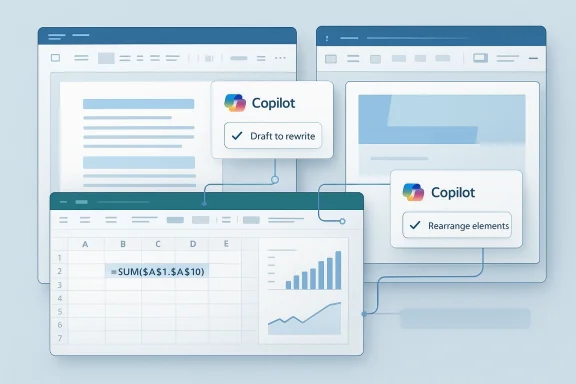
Today’s general availability milestone for Copilot’s agentic capabilities in Word, Excel, and PowerPoint marks one of the clearest signs yet that Microsoft is moving from a chatbot era of workplace AI to an execution era. Rather than merely drafting text or suggesting formulas, Copilot can now take multi-step, app-native actions directly inside the Office canvas, with Microsoft framing the release as a default experience for Microsoft 365 Copilot, Microsoft 365 Premium, and even Microsoft 365 Personal and Family users. The company says the shift is already boosting engagement, retention, and satisfaction, and that the next phase will focus on deeper editing, more transparency, and a more seamless cross-app experience.
Microsoft has spent the better part of two years trying to turn Copilot from a helpful assistant into something closer to a working partner. The first generation of Copilot could summarize, draft, and answer questions, but it was still fundamentally a conversational layer sitting beside Word, Excel, and PowerPoint rather than operating inside them. That limitation mattered because office productivity is not a text-only exercise; it is a chain of edits, formatting decisions, calculations, slide logic, and document structure. Microsoft’s own explanation of the new release makes that arc explicit, saying the models initially were not strong enough to command the applications directly.
The new release reflects a broader shift in the AI market: the best systems are increasingly judged not just by how well they talk, but by how reliably they can act. Microsoft now describes agentic capability as the ability to perform work like a human would, across documents, worksheets, and presentations. In practical terms, that means restructuring a draft, refining a spreadsheet, or updating a deck while preserving context and user intent. This is not merely a product tweak; it is a change in the operating model of productivity software.
The timing also matters. Microsoft’s recent 2025 and 2026 Copilot roadmap has increasingly emphasized agents, reasoning models, and multi-model orchestration as the future of Microsoft 365. Earlier releases introduced dedicated Word, Excel, and PowerPoint agents in Copilot Chat, with documentation explaining that these agents can create files from prompts and incorporate organization data from sources like SharePoint, Teams, and email. The April 22, 2026 general availability announcement is the point where that direction stops looking experimental and starts looking like the product Microsoft wants customers to use by default.
That matters for enterprise customers because Microsoft 365 is not a side product. It is the center of many corporate workflows, and the Office apps still define how work gets written, analyzed, and presented. A better Copilot in Office is therefore not just a quality-of-life feature; it is a leverage point for Microsoft’s broader AI strategy. If Copilot can own more of the doing, not just the thinking, it becomes far more defensible as a subscription value proposition.
At the same time, Microsoft is being careful to frame the change as controlled and reviewable. The company repeatedly emphasizes that users stay in control, can preview changes, and can refine outcomes without losing their place. That is a notable positioning choice, because the biggest fear around agentic AI in enterprise software is not just that it might be wrong, but that it might be wrong quietly and at scale. Microsoft is clearly aware of that tension.
Under the hood, this is a broader promise than the phrase “AI assistant” usually implies. In Word, the system can draft, rewrite, restructure, and apply tone. In Excel, it can explore data, build analysis, and make changes directly in the workbook. In PowerPoint, it can update and create presentations using current talking points and data while respecting templates. That is a material change from a copilot that merely suggests next steps.
The company also says early customer feedback points to stronger engagement and satisfaction, and it includes a month-over-month snapshot claiming meaningful gains in tries per user, new-user retention, and thumbs-up rates. Microsoft says Word saw a 52% engagement increase and a 21% satisfaction gain, Excel saw a 67% engagement increase and a 65% satisfaction gain, and PowerPoint saw more modest but still positive movement. Those figures are Microsoft’s own data, so they should be read as directional rather than independent proof, but they do suggest real momentum.
A few elements stand out immediately:
It also strengthens Microsoft’s subscription logic. Microsoft 365 Copilot has always needed to justify itself against a familiar objection: why pay for an extra AI layer when the base apps already exist? Agentic editing is a better answer because it creates a visibly different experience. The value is no longer limited to chat responses; it is embedded in the mechanics of output generation.
At the enterprise level, that broader reach can be a double-edged sword. On one hand, it lowers barriers to experimentation and creates a larger install base for feedback. On the other hand, it raises the chance that organizations will have to manage different policy expectations across licenses, regions, and data boundaries. The more deeply Copilot can act, the more carefully administrators will need to govern it.
Microsoft is also signaling that this is not a one-off feature but a platform pattern. Its official documentation around Word, Excel, and PowerPoint agents shows an ecosystem that includes model selection, tenant settings, and access control. In other words, the company is laying infrastructure, not just shipping UI polish. That is a much stronger competitive posture.
The significance is not just speed. Word documents often carry tone, hierarchy, and audience expectations that are easy for an AI to flatten. Microsoft’s emphasis on preserving intent matters because the wrong rewrite can strip out nuance or make a document sound generically polished rather than professionally specific. That is why preview and control are central themes across the rollout.
Microsoft’s own support and Learn content for Word agent mode emphasizes that Work IQ is the intelligence layer behind these experiences and that the system can preview suggested changes in chat before applying them. That is an important safeguard because it allows users to inspect modifications before they touch the document. In enterprise environments, that review step is not optional; it is the difference between a useful assistant and an unsafe one.
The strongest use cases in Word are likely to be the least glamorous ones:
That trust is meaningful because Excel users are often not asking for creative help; they are asking for correct help. A system that can explore data and explain analysis is useful, but a system that can also modify workbook elements is entering a much higher-stakes environment. That is exactly why Microsoft keeps pointing to “complex, high-stakes work like finance spreadsheets” as an area where reliability must continue improving.
The support documentation for Excel agent mode adds another important detail: Copilot updates workbooks using Excel’s built-in features, so content stays editable and synced. That matters because it means the system is not generating disposable output; it is working with the actual workbook model. Microsoft also says users remain in control of what is modified, and that tasks which do not require changing the workbook may be better handled through chat alone.
Still, Excel is where the risks are most obvious. A wrong formula, an inappropriate table conversion, or a mislabeled chart can mislead a team very quickly. For that reason, the most credible enterprise adoption path is likely to be assisted drafting first, then gradual trust expansion as teams validate correctness in their own workflows.
The deeper significance is that PowerPoint is not just about content generation; it is about narrative control. Good decks depend on sequencing, visual emphasis, and the relationship between the message and the brand template. If Copilot can handle those layers while preserving organizational standards, it becomes much more than a slide generator. It becomes a presentation operations layer.
That said, PowerPoint has a lot of tacit craft built into it. Slide spacing, image balance, font weight, and animation timing all affect perception. Microsoft says the system understands “the use of animations in PowerPoint,” which suggests the company knows this app is not just about text replacement. It is about preserving presentation quality as content shifts.
The practical upside is clear:
That is a meaningful strategic shift. It means Microsoft is not betting on a single model identity as the whole answer; it is building a system that can route tasks to the most appropriate engine. In the current AI market, that is a smart hedge, because model capability, cost, and latency remain moving targets. A multi-model approach gives Microsoft more flexibility and less vendor dependence.
The company also now documents Anthropic support in Microsoft 365 apps, alongside the continued use of other models in the broader Copilot ecosystem. That gives Microsoft a more complex but also more resilient model stack. It also signals that customers may increasingly experience model choice as part of the product rather than as an invisible backend detail.
This is important because the market is moving toward a world where the best assistant is not the one with the most famous model, but the one that can reliably complete the task. Microsoft seems to be betting that customers care less about model brand than about outcome quality, especially when the assistant is embedded in the tools they already use every day. That may prove to be a strong assumption.
For consumers, the story is easier to understand but potentially less urgent. Personal and Family subscribers get a more capable Copilot inside familiar apps, which could raise everyday usefulness for students, freelancers, and home-office users. The consumer benefit is convenience and time savings; the enterprise benefit is scale, repeatability, and less manual labor in core workflows.
That is why Microsoft’s own next-step roadmap centers on transparency and control. The company says it wants easier previews, clearer explanations of what changed and why, and more seamless in-app workflows. Those are not cosmetic improvements; they are the features that will decide whether the system is trusted for serious work.
In effect, Microsoft is trying to satisfy two very different markets with one architecture. That is a hard balancing act, but it is also the only way to make Copilot broadly relevant inside the Office ecosystem. If the company gets it right, the same core capability can feel frictionless to a consumer and governable to an enterprise. That is the prize.
The competitive message is also clear. Microsoft is no longer trying to win by merely offering AI inside Office; it is trying to make Office itself the best place to use AI. That is a subtle but powerful distinction. If users can complete multi-step edits without leaving the app, rival tools must offer not only intelligence, but better integration, better governance, and better reliability.
This also increases pressure on competitors that rely on standalone chat or thin integrations. If Word can draft, Excel can compute and edit, and PowerPoint can refresh narratives in place, then the value of an external assistant declines unless it can offer a meaningfully better workflow. In other words, Microsoft is turning the office suite into the battleground for agentic AI.
The broader market implication is that “AI productivity” is becoming less about general-purpose prompting and more about domain-native execution. That will likely force competitors to prove they understand files, formats, permissions, and review workflows as deeply as Microsoft does. For a long time, that was a software-integration problem, not an AI problem. Now it is both.
The broader question is how quickly users will stop thinking of Copilot as a helper and start thinking of it as part of the workflow. If Microsoft can get there without sacrificing control or correctness, the Office suite may become the most successful large-scale example yet of agentic AI in everyday business software. If it cannot, the feature will still be useful—but it will remain a promising assistant rather than a true collaborator.
What to watch next:
Source: Microsoft Copilot's agentic capabilities in Word, Excel, and PowerPoint are generally available | Microsoft 365 Blog
 Background
Microsoft has spent the better part of two years trying to turn Copilot from a helpful assistant into something closer to a working partner. The first generation of Copilot could summarize, draft, and answer questions, but it was still fundamentally a conversational layer sitting beside Word, Excel, and PowerPoint rather than operating inside them. That limitation mattered because office productivity is not a text-only exercise; it is a chain of edits, formatting decisions, calculations, slide logic, and document structure. Microsoft’s own explanation of the new release makes that arc explicit, saying the models initially were not strong enough to command the applications directly.The new release reflects a broader shift in the AI market: the best systems are increasingly judged not just by how well they talk, but by how reliably they can act. Microsoft now describes agentic capability as the ability to perform work like a human would, across documents, worksheets, and presentations. In practical terms, that means restructuring a draft, refining a spreadsheet, or updating a deck while preserving context and user intent. This is not merely a product tweak; it is a change in the operating model of productivity software.
The timing also matters. Microsoft’s recent 2025 and 2026 Copilot roadmap has increasingly emphasized agents, reasoning models, and multi-model orchestration as the future of Microsoft 365. Earlier releases introduced dedicated Word, Excel, and PowerPoint agents in Copilot Chat, with documentation explaining that these agents can create files from prompts and incorporate organization data from sources like SharePoint, Teams, and email. The April 22, 2026 general availability announcement is the point where that direction stops looking experimental and starts looking like the product Microsoft wants customers to use by default.
That matters for enterprise customers because Microsoft 365 is not a side product. It is the center of many corporate workflows, and the Office apps still define how work gets written, analyzed, and presented. A better Copilot in Office is therefore not just a quality-of-life feature; it is a leverage point for Microsoft’s broader AI strategy. If Copilot can own more of the doing, not just the thinking, it becomes far more defensible as a subscription value proposition.
At the same time, Microsoft is being careful to frame the change as controlled and reviewable. The company repeatedly emphasizes that users stay in control, can preview changes, and can refine outcomes without losing their place. That is a notable positioning choice, because the biggest fear around agentic AI in enterprise software is not just that it might be wrong, but that it might be wrong quietly and at scale. Microsoft is clearly aware of that tension.
What Microsoft Announced
The announcement is straightforward on the surface: agentic capabilities in Word, Excel, and PowerPoint are now generally available. Microsoft says Copilot can take multi-step actions inside the apps, helping users move from first draft to final output faster. The company also says these features are the default experience for Microsoft 365 Copilot and Microsoft 365 Premium subscribers, while also extending to Microsoft 365 Personal and Family plans.Under the hood, this is a broader promise than the phrase “AI assistant” usually implies. In Word, the system can draft, rewrite, restructure, and apply tone. In Excel, it can explore data, build analysis, and make changes directly in the workbook. In PowerPoint, it can update and create presentations using current talking points and data while respecting templates. That is a material change from a copilot that merely suggests next steps.
The practical meaning of “agentic”
Microsoft’s phrasing is worth unpacking. Agentic does not mean autonomous in the sci-fi sense; it means capable of carrying out sequences of actions on the user’s behalf within the app’s rules. The company is trying to preserve the boundary between automation and authorship, which is why preview, confirmation, and editability remain central. That balance is what will determine whether users trust the feature in real work.The company also says early customer feedback points to stronger engagement and satisfaction, and it includes a month-over-month snapshot claiming meaningful gains in tries per user, new-user retention, and thumbs-up rates. Microsoft says Word saw a 52% engagement increase and a 21% satisfaction gain, Excel saw a 67% engagement increase and a 65% satisfaction gain, and PowerPoint saw more modest but still positive movement. Those figures are Microsoft’s own data, so they should be read as directional rather than independent proof, but they do suggest real momentum.
A few elements stand out immediately:
- The features are app-native, not just chat-based overlays.
- Control remains part of the design, not an afterthought.
- The rollout is broad, reaching consumer plans as well as business subscriptions.
- Microsoft is positioning the change as default behavior, which makes adoption easier but also increases the stakes.
Why This Matters for Microsoft 365
This release is important because it turns Microsoft 365 from a productivity suite with AI attached into a productivity suite that is increasingly AI-native. That distinction matters for how people work inside the apps. If AI can act directly on the canvas, then the most common workflow becomes “ask, review, adjust” instead of “ask, copy, paste, fix.” That is a more compressed and more valuable loop.It also strengthens Microsoft’s subscription logic. Microsoft 365 Copilot has always needed to justify itself against a familiar objection: why pay for an extra AI layer when the base apps already exist? Agentic editing is a better answer because it creates a visibly different experience. The value is no longer limited to chat responses; it is embedded in the mechanics of output generation.
Subscription tiers and reach
Microsoft says the latest capabilities are generally available for Microsoft 365 Copilot and Microsoft 365 Premium subscribers, and also available to Microsoft 365 Personal and Family users. That is a telling distribution choice because it expands the halo effect beyond enterprise procurement and into consumer familiarity. If users get accustomed to agentic workflows at home, they may be more receptive to them at work.At the enterprise level, that broader reach can be a double-edged sword. On one hand, it lowers barriers to experimentation and creates a larger install base for feedback. On the other hand, it raises the chance that organizations will have to manage different policy expectations across licenses, regions, and data boundaries. The more deeply Copilot can act, the more carefully administrators will need to govern it.
Microsoft is also signaling that this is not a one-off feature but a platform pattern. Its official documentation around Word, Excel, and PowerPoint agents shows an ecosystem that includes model selection, tenant settings, and access control. In other words, the company is laying infrastructure, not just shipping UI polish. That is a much stronger competitive posture.
Word: From Blank Page to Managed Draft
Word is where agentic productivity may feel the most immediately intuitive. A document often begins as a vague prompt, a pile of notes, or a rough draft that needs structure. Microsoft says Copilot in Word can now help users draft, rewrite, restructure, and apply the right tone for the audience, which makes the assistant more useful at the hardest part of writing: getting from fragments to coherence.The significance is not just speed. Word documents often carry tone, hierarchy, and audience expectations that are easy for an AI to flatten. Microsoft’s emphasis on preserving intent matters because the wrong rewrite can strip out nuance or make a document sound generically polished rather than professionally specific. That is why preview and control are central themes across the rollout.
Editing with context
One of the biggest practical advantages of agentic Word is context preservation. Instead of having to describe a change, extract text, ask for revisions, and manually reinsert output, the user can keep the work inside the document itself. This should reduce friction for recurring tasks like executive summaries, policy updates, and structured reports.Microsoft’s own support and Learn content for Word agent mode emphasizes that Work IQ is the intelligence layer behind these experiences and that the system can preview suggested changes in chat before applying them. That is an important safeguard because it allows users to inspect modifications before they touch the document. In enterprise environments, that review step is not optional; it is the difference between a useful assistant and an unsafe one.
The strongest use cases in Word are likely to be the least glamorous ones:
- turning meeting notes into polished prose,
- restructuring long drafts for clarity,
- adjusting tone for leadership or customer-facing audiences,
- and maintaining consistent formatting across a document set.
Excel: The Hardest Test Case
Excel is arguably the most impressive and the most dangerous place for agentic AI. It is impressive because Excel contains structured data, repeatable logic, and visual outputs that can benefit enormously from automation. It is dangerous because small mistakes in formulas, ranges, or assumptions can cascade into very large business errors. Microsoft’s announcement specifically calls out formulas, tables, and visuals as editable targets, which means Copilot is being trusted with the mechanical heart of spreadsheet work.That trust is meaningful because Excel users are often not asking for creative help; they are asking for correct help. A system that can explore data and explain analysis is useful, but a system that can also modify workbook elements is entering a much higher-stakes environment. That is exactly why Microsoft keeps pointing to “complex, high-stakes work like finance spreadsheets” as an area where reliability must continue improving.
Why Excel changes the game
Excel is where agentic capability may deliver the clearest business case. Analysts spend a lot of time on repetitive transformations, exploratory analysis, chart updates, and explanation writing. If Copilot can reliably carry out those steps inside the workbook, it can reduce the amount of context switching that usually slows down analysis.The support documentation for Excel agent mode adds another important detail: Copilot updates workbooks using Excel’s built-in features, so content stays editable and synced. That matters because it means the system is not generating disposable output; it is working with the actual workbook model. Microsoft also says users remain in control of what is modified, and that tasks which do not require changing the workbook may be better handled through chat alone.
Still, Excel is where the risks are most obvious. A wrong formula, an inappropriate table conversion, or a mislabeled chart can mislead a team very quickly. For that reason, the most credible enterprise adoption path is likely to be assisted drafting first, then gradual trust expansion as teams validate correctness in their own workflows.
PowerPoint: Narrative, Not Just Slides
PowerPoint is a natural fit for agentic systems because presentations are already an exercise in transformation: turn a story, a memo, or a dataset into a visual argument. Microsoft says Copilot can update existing decks with current talking points and data while respecting company templates, which is exactly the kind of work people routinely dread doing manually.The deeper significance is that PowerPoint is not just about content generation; it is about narrative control. Good decks depend on sequencing, visual emphasis, and the relationship between the message and the brand template. If Copilot can handle those layers while preserving organizational standards, it becomes much more than a slide generator. It becomes a presentation operations layer.
Updating decks in real time
One of the most useful scenarios is iterative deck maintenance. Teams often reuse presentations with updated numbers, revised strategy language, or new leadership feedback. Copilot’s ability to update existing decks instead of forcing users to start from scratch could save significant time, especially in sales, finance, and executive communications.That said, PowerPoint has a lot of tacit craft built into it. Slide spacing, image balance, font weight, and animation timing all affect perception. Microsoft says the system understands “the use of animations in PowerPoint,” which suggests the company knows this app is not just about text replacement. It is about preserving presentation quality as content shifts.
The practical upside is clear:
- faster updates to quarterly business reviews,
- easier alignment to brand templates,
- less manual slide housekeeping,
- and better adaptation of a narrative when source data changes.
Under the Hood: Models, Work IQ, and Multi-Model Strategy
Microsoft’s explanation of the release reveals a lot about its product philosophy. The company says Work IQ grounds Copilot in work signals so it can understand intent faster and produce higher quality content and analysis. It also says multi-model matters, which is Microsoft’s way of acknowledging that different model families are better at different jobs.That is a meaningful strategic shift. It means Microsoft is not betting on a single model identity as the whole answer; it is building a system that can route tasks to the most appropriate engine. In the current AI market, that is a smart hedge, because model capability, cost, and latency remain moving targets. A multi-model approach gives Microsoft more flexibility and less vendor dependence.
The architecture question
Microsoft’s documentation around Copilot in Microsoft 365 apps confirms that Copilot uses large language models and Microsoft Graph content to personalize responses, while also respecting permissions. For enterprises, that is a crucial safeguard because the value of the assistant depends on being work-aware without becoming overexposed. Security and permissions are not side features here; they are the foundation of the product’s credibility.The company also now documents Anthropic support in Microsoft 365 apps, alongside the continued use of other models in the broader Copilot ecosystem. That gives Microsoft a more complex but also more resilient model stack. It also signals that customers may increasingly experience model choice as part of the product rather than as an invisible backend detail.
This is important because the market is moving toward a world where the best assistant is not the one with the most famous model, but the one that can reliably complete the task. Microsoft seems to be betting that customers care less about model brand than about outcome quality, especially when the assistant is embedded in the tools they already use every day. That may prove to be a strong assumption.
Enterprise Impact Versus Consumer Impact
For enterprises, the story is about productivity, governance, and standardization. A department that can automate more of its document, spreadsheet, and presentation work inside the apps it already uses will likely see faster turnaround and less process friction. But enterprise adoption will depend on whether admins can control model access, data boundaries, and change-review workflows.For consumers, the story is easier to understand but potentially less urgent. Personal and Family subscribers get a more capable Copilot inside familiar apps, which could raise everyday usefulness for students, freelancers, and home-office users. The consumer benefit is convenience and time savings; the enterprise benefit is scale, repeatability, and less manual labor in core workflows.
Different expectations, different controls
Business users will expect a lot more rigor from an agentic tool than a consumer will. A consumer may be happy if a presentation looks better and a worksheet is easier to read. A finance team or legal department, by contrast, will care about traceability, reviewability, and whether the assistant made a change for the right reason.That is why Microsoft’s own next-step roadmap centers on transparency and control. The company says it wants easier previews, clearer explanations of what changed and why, and more seamless in-app workflows. Those are not cosmetic improvements; they are the features that will decide whether the system is trusted for serious work.
In effect, Microsoft is trying to satisfy two very different markets with one architecture. That is a hard balancing act, but it is also the only way to make Copilot broadly relevant inside the Office ecosystem. If the company gets it right, the same core capability can feel frictionless to a consumer and governable to an enterprise. That is the prize.
Competitive Implications
This release puts Microsoft in a stronger position against both AI-native productivity startups and rival platform vendors. The biggest advantage Microsoft has is distribution: Word, Excel, and PowerPoint remain entrenched in business workflows, so any meaningful AI enhancement reaches a huge installed base immediately. That scale makes Copilot less of a novelty and more of a default behavior layer.The competitive message is also clear. Microsoft is no longer trying to win by merely offering AI inside Office; it is trying to make Office itself the best place to use AI. That is a subtle but powerful distinction. If users can complete multi-step edits without leaving the app, rival tools must offer not only intelligence, but better integration, better governance, and better reliability.
The moat is workflow, not novelty
A lot of AI products impress in demos and struggle in daily work. Microsoft’s advantage is that it can embed capability directly into the places where work already happens. That means the bar is less about wow factor and more about habit formation, and habit is one of the hardest moats in software.This also increases pressure on competitors that rely on standalone chat or thin integrations. If Word can draft, Excel can compute and edit, and PowerPoint can refresh narratives in place, then the value of an external assistant declines unless it can offer a meaningfully better workflow. In other words, Microsoft is turning the office suite into the battleground for agentic AI.
The broader market implication is that “AI productivity” is becoming less about general-purpose prompting and more about domain-native execution. That will likely force competitors to prove they understand files, formats, permissions, and review workflows as deeply as Microsoft does. For a long time, that was a software-integration problem, not an AI problem. Now it is both.
Strengths and Opportunities
Microsoft’s release has several obvious strengths. It is anchored in the apps people already use, it improves practical task completion instead of just conversation quality, and it arrives with control and preview mechanisms that should reduce anxiety. If Microsoft keeps improving reliability, this could become one of the most compelling enterprise AI features in the market.- Direct app-native action reduces copy-paste friction and speeds up work.
- Stronger context through Work IQ should improve relevance and output quality.
- Default availability lowers adoption friction for existing customers.
- Cross-app consistency helps users build trust as they move between Word, Excel, and PowerPoint.
- Consumer-plan access broadens awareness and normalizes agentic workflows.
- Multi-model flexibility may let Microsoft optimize for task type and cost over time.
- Editable outputs preserve the value of the original Office file format rather than replacing it.
Risks and Concerns
The biggest concern is reliability. Once an AI is allowed to edit actual work products, small errors become business problems, and business problems become trust problems. Microsoft knows this, which is why its own next steps emphasize deeper editing for complex workflows, greater transparency, and more control.- Spreadsheet errors could have outsized consequences in finance and operations.
- Document rewrites may alter nuance or tone in ways users do not intend.
- Template or brand drift could create inconsistency across decks and reports.
- Permission and data governance complexity will increase as model choice and tenant controls expand.
- User overtrust remains a real hazard when the system appears confident.
- Regional and model-policy variation may complicate global rollouts.
- A default-on experience can create surprise if users are not prepared for AI-assisted edits.
Looking Ahead
The next phase of this product will be judged less by the fact that it works and more by how gracefully it fails when it does not. Microsoft’s stated roadmap—better transparency, deeper editing, and a more seamless system—suggests the company understands that agentic AI has to become dependable before it can become invisible. That is a good sign, because the future of productivity AI is unlikely to be won by flash; it will be won by consistency.The broader question is how quickly users will stop thinking of Copilot as a helper and start thinking of it as part of the workflow. If Microsoft can get there without sacrificing control or correctness, the Office suite may become the most successful large-scale example yet of agentic AI in everyday business software. If it cannot, the feature will still be useful—but it will remain a promising assistant rather than a true collaborator.
What to watch next:
- New admin controls for model access, editing scope, and governance.
- Expanded reliability updates for legal, financial, and other high-stakes use cases.
- More visible preview and explanation layers inside the apps.
- Broader model support and clearer guidance on when each model is used.
- Adoption metrics from real enterprise deployments rather than Microsoft’s internal engagement data.
Source: Microsoft Copilot's agentic capabilities in Word, Excel, and PowerPoint are generally available | Microsoft 365 Blog
