

These three browser-based, open-source whiteboards—Excalidraw, tldraw, and WBO—let you start sketching, brainstorming, or wireframing in seconds with zero installs, no sign-ups, and minimal friction, and each one balances usability, openness, and trade-offs in distinct ways. teboards have moved from sticky notes and physical markers to digital canvases that support remote teams, fast prototyping, and visual thinking. Over the last few years a cluster of browser-first tools has emerged that prioritize instant access: open a URL, draw, share — repeat. That trend matters because it reduces setup friction for ad‑hoc collaboration, improves portability across Windows and other platforms, and gives privacy-minded users a path to self-host or run entirely client-side. The MakeUseOf roundup that prompted this piece highlights three accessible projects that require virtually zero setup: Excalidraw, tldraw, and WBO (Whiteboard Online).
In what follows I summarize what eacmportant claims against project documentation and source repositories, and provide a critical analysis of strengths, practical risks, and recommended workflows for both single users and teams. Where a claim is time-sensitive or licensing-sensitive I cross‑reference the project documentation so readers can verify details themselves.
The MakeUseOf piece accurately reflects Excalidraw’s strengths: it’s excellent for brainstorming article outlines, architecture sketches, and informal tech diagrams because the visuals are intentionally approachable rather than sterile. That combination—fast ideation plus readable exports—makes Excalidraw an ideal tool for wrengineers who want to communicate structure without wrestling with perfect pixels.
MakeUseOf correctly positions tldraw as “polished” but notes a key licensing caveat: although the source is public and the SDK is available, the tldraw SDK uses a custom “tldraw” license rather than a standard permissive open‑source license; the SDK’s production use expects license keys and—unless you accept the watermark—you need a business license to remove it. That characterization is confirmed in tldraw’s own documentation.
These three browser whiteboards prove that you can often replace a heavier native app with a fast, shareable web tool—just pick the one whose licensing, export formats, and collaboration model match your real needs. If you value strict open‑source licensing and local‑first behavior, Excalidraw and WBO are the safer bets; if you value polish and experimental AI features and can manage commercial licensing, tldraw is a compelling option.
Source: MakeUseOf These 3 open-source whiteboards run in your browser and require zero setup
In what follows I summarize what eacmportant claims against project documentation and source repositories, and provide a critical analysis of strengths, practical risks, and recommended workflows for both single users and teams. Where a claim is time-sensitive or licensing-sensitive I cross‑reference the project documentation so readers can verify details themselves.
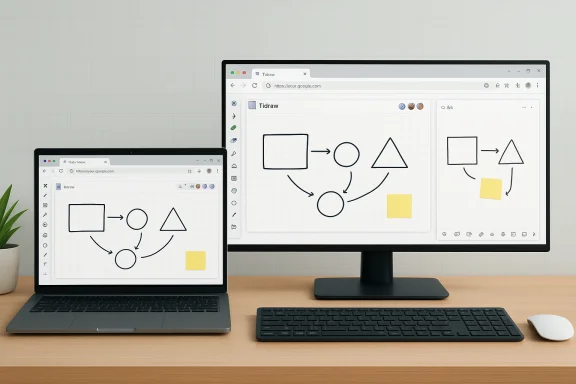 Overview: what to expect from browser whiteboards
- Instant access through a URL or hosted demo page — no installer required.
- An infinite canvas or very large canvas that supports pan/zoom.
- Real‑time collaboration for many sessions, often with ephemeral sharing links.
- Lightweight drawing primitives: shapes, arrows, freehand, text, and simple exports (PNG/SVG/JSON).
- Options for self‑hosting (common with WBO) or cloud+paid features (Excalidraw+ and tldraw licensing).
Excalidraw — hand‑drawn diagrams with surprising depth
What it is and why it stands out
Excalidraw is a browser-first, open‑source whiteboard that intentionally gives diagrams a hand‑drawn appearance. Its UI is minimal but polished: shapes, arrows with binding, text, freehand pen, and an adjustable “sloppiness” control for tuning the sketch aesthetic. Excalidraw saves scenes in an open JSON format and supports PNG/SVG exports. The hosted app is PWA‑capable, supports offline use, and includes secure collaboration features.The MakeUseOf piece accurately reflects Excalidraw’s strengths: it’s excellent for brainstorming article outlines, architecture sketches, and informal tech diagrams because the visuals are intentionally approachable rather than sterile. That combination—fast ideation plus readable exports—makes Excalidraw an ideal tool for wrengineers who want to communicate structure without wrestling with perfect pixels.
Key features (verified)
- Hand‑drawn aesthetic with controllable sloppiness. ([github.com](https://github.com/excalidraw/excalidraw?utmArrow binding that keeps connectors attached when nodes move; frames for grouping and exporting slide‑like sections.
- Exports: PNG, SVG, and editable .excalidraw JSON.
- PWA support and offline/local-first storage for scenes.
- Collaboration and optional end‑to‑end encryption in hosted sessions.
Strengths
- Fast, low friction: no learning curve for basic tasks and instant sharing by link.
- Readable, human‑centric aesthetics that reduce “design polish” anxiety in early ideation.
- Local‑first autosave and offline PWA behavior make it resilient for spotty connections and privacy‑sensitive work.
Limitations and caveats
- Not intended to replace heavy diagramming tools (Visio, enterprise network‑diagram suites) where specialized stencils, import/export fidelity, or complex layout algorithms are needed. /github.com/excalidraw/excalidraw)
- Layering and progressive reveal features are more limited than some specialized design tools; Excalidraw’s presentation flow relies on frames rather than layer animations. The article’s observation about the lack of traditional layers is accurate and should inform presentation use cases.
When to pick Excalidraw
- Quick architecture sketches for documentation.
- Teaching diagrams and visual notes where a human, approachable look helps comprehension.
- Users who want an open-source, privacy-respecting hosted option or to self-host a fork.
WBO (Whiteboard Online) — the minimal, self‑hostable sketchpad
What it is
WBO is intentionally minimal: a pared‑down canvas, basic drawing tools (pen, line, rectangle, ellipse, text, eraser), color/stroke controls, and a shareable URL. It was designed for quick sketching in meetings or classes without account friction. The family of WBO projects (whitebophir/wbo and forks) is available under the AGPL‑3.0 license and is easy to deploy as a Docker container or Node app for private hosting. ([github.com](GitHub - lovasoa/whitebophir: Online collaborative Whiteboard that is simple, free, easy to use and to deploy summary captures the spirit of WBO: no bells, no whistles, just a canvas you can share. The three board types described—public, random private link, and named private board—are consistent with how common WBO deployments present sharing options (anonymous boards and named boards). The GitHub project documentation also notes an SVG preview/export endpoint.Key features (verified)
- Minimal toolset: Pen, shapes, text, eraser; color and stroke settings.
- Board sharing modes: anonymous/public boards and link‑based private boards; configurable when self‑hosting.
- Easy to self‑host (Docker image exists) and AGPL‑3.0 license for server code.
- SVG preview/download endpoint; primary exports tend to be SVG or raw board state rather than polished PNG slides.
Strengths
- Extremely low friction for quicketings.
- Self‑hosting option gives orgs a privacy‑first path: deploy behind your firewall, control storage and retention, and manage authentication via JWT support in configurations.
- Small attack surface relative to complex web apps.
Limitations and caveats
- Basic export and editing history: undo granularity and advanced export formats are more limited than Excalidraw or tldraw. The MakeUseOf claim that WBO’s exports are primarily SVG is supported by the project documentation; if you rely on high‑quality PNG or presentation exports, you may find it lacking.
- Visual polish: drawings look functional but intentionally rudimentary; WBO is not optimized for clean wireframe exports.
- For institutional use, AGPL’s copyleft requirements mean you should review compliance implications if you integrate or modify server code.
When to pick WBO
- Quick sketches during remote calls where you don’t want to ask participants to install anything.
- Educators or classrooms who want a self‑hosted whiteboard with simple controls and per‑session links.
- Teams that need an auditable on‑premises solution without cloud dependency.
tldraw — a polished canvas with a licensing wrinkle
What it is and how it differs
tldraw sits between Excalidraw and WBO on the complexity/polish spectrum. It offers an infinite, zoomable canvas, refined snapping/alignment, sticky notes, multi‑page support, and an interface that borrows cues from tools like Figma. The SDK and hosted demos are compelling for design-oriented workflows, and tldraw’s real‑time collaboratiable. The project also experiments with AI: the “Make Real” feature converts sketches into working HTML/CSS/JS by calling vision‑enabled LLMs (OpenAI’s GPT‑4V and others), allowing rapid sketch→prototype cycles.MakeUseOf correctly positions tldraw as “polished” but notes a key licensing caveat: although the source is public and the SDK is available, the tldraw SDK uses a custom “tldraw” license rather than a standard permissive open‑source license; the SDK’s production use expects license keys and—unless you accept the watermark—you need a business license to remove it. That characterization is confirmed in tldraw’s own documentation.
Key features (verified)
- Infinite zoomable canvas with snapping and multi‑page support.
- Real‑time collaboration without signup (session links).
- Make Real: AI-driven sketch→HTML/CSS generator (requires user API keys for model providers in many cases). The feature is experimental and yields drafts that usually require manual cleanup.
- SDK licensing: the tldraw SDK is source‑available and enforces watermark rules by license type (hobby vs commercial), with license keys controlling production behavior.
Licensing — the important wrinkle
tldraw’s code is available on GitHub, but the project moved to a source‑available licensing model for the SDK: production use is gated by license keys, and non‑commercial/hobby projects may retain the “Made with tldraw” watermark unless a business license is purchased. The project explicitly warns that the SDK is not Open Source by standard definitions and that downstream projects embedding the SDK in production require a license. This is a major difference from Excalidraw and WBO, both of which use standard open source licenses. If strict open‑source licensing is a formal requirement for your project, tldraw’s model may disqualify it.Strengths
- Beautiful, modern UI and solid polishing that make it feel like a lightweight design tool rather than a throwaway whiteboard.
- Advanced collaboration primitives and a strong SDK for embedding the editor into other apps.
- Innovative AI features (Make Real) that can dramatically speed early web prototyping when you accept that outputs are drafts and require developer cleanup.
Limitations and caveats
- Licensing: the “Keep watermark for hobby/non-commercial use” rule and the need for license keys for production deployments are real constraints. Read the tldraw licensing pages carefully before bundling the SDK in a commercial product.
- AI features depend on external models and API keys (OpenAI/Anthropic/etc.), which raises privacy and cost considerations: generated HTML/CSS is often good as an initial draft but needs manual cleanup and security review before deployment.
When to pick tldraw
- Teams that want Figma‑like polish for diagramming and light UI design without the overhead of a full design system.
- Developers embedding an infinite‑canvas editor in an internal tool and who are prepared to comply with tldraw’s license model (trial/hobby/commercial keys).
- Prototypers who want to experiment with AI-assisted mockup→code workflows and can accept manual cleanup and API costs.
Side‑by‑side comparison and practical recommendations
Quick comparison (headlines)
- Best for free, open‑source, hand‑sketch look: Excalidraw (open license + PWA + E2EE).
- Best minimal, self‑hostable quick sketchpad: WBO (AGPL server, simple boards, Docker support).
- Best polished editing + experimental AI: tldraw (excellent UX and SDK, but note license caveats).
Practical picks by use case
- Solo writer/teacher who wants fast diagrams and offline capability: Excalidraw. The built‑in frames, local autosave, and simple exports make it excellent for content creation and slide prep.
- Educator or classroom needing a self‑hosted whiteboard: WBO. Deploy a Docker instance on a local server and control retention and access via configuration.
- Small product/design team that wants a polished canvas and wants to prototype UI quickly: tldraw — but budget for licensing if you plan to remove watermarks or use the SDK in production. Use Make Real for experiments, not production code.
Security, privacy, and governance checklist
- Licensing compliance: confirm the license (Excalidraw is permissively open-source plus Plus subscription; WBO/whitebophir is AGPL; tldraw’s SDK is source‑available with production license requirements). Put license checks into procurement and engineering review.
- Self‑hosting considerations: deploy behind HTTPS, add authentication (WBO supports JWT configs), and monitor board persistence/backups if you rely on ephemeral sharing links.
- AI features: treat AI‑generated outputs as drafts. If you use Make Real (tldraw), remember it may require an external model API key and you should review model provider terms — particularly for IP and data residency.
- Data retention and export: Excalidraw offers editable JSON exports; WBO saves boards server-side when self‑hosted; tldraw supports SDK license keys and varied export forention policy and exports align with compliance needs.
Integration tips for Windows workflows
- Use separate browser profiles for collaboration tools to avoid cross‑site cookie/extension leakage. This reduces accidental session contamination and keeps a clean environment for PWAs and real‑time tools.
- Pin common boards as PWAs or add them to your taskbar for one‑click access: Excalidraw supports PWA installs out of the box, which makes it behave like a lightweight native app on Windows.
- For teams with compliance needs, prefer self‑hosted WBO or a self‑hosted Excalidraw deployment rather than the hosted cloud when you need guaranteed data residency. Excalidraw’s open sources and community forks make self‑host plausible; WBO explicitly documents Docker and self‑host deployment.
- When exporting diagrams for documentation, export both a pixel image (PNG) and the editable JSON (Excalidraw) so you keep an editable source and a shareable image.
Critical analysis: strengths, trade‑offs, and things to watch
These web whiteboards deliver enormous value by lowering friction and offering instant collaboration, but they are not the universal solution for every scenario.- Strength: Instant collaboration without accounts. This reduces administrative overhead and is ideal for rapid ideation. The MakeUseOf piece captures this core benefit well.
- Trade‑off: Browser limits and export fidelity. Browser memory constraints and the absence of advanced enterprise features (e.g., complex stencil sets, Visio import/export) mean these tools shine for creative, not archival or enterprise diagramming.
- Governance risk: Licensing nuance (notably tldraw) and server license terms (AGPL for WBO) can create compliance headaches if you embed these tools in commercial products or internal platforms without proper review. Always check the LICENSE and terms pages before integrating.
- AI caution: Tools like tldraw’s Make Real are genuinely exciting, but they depend on LLMs and API keys; their outputs are uction code. Expect iterative human cleanup and security review if you use generated HTML/CSS.
Final verdict and practical recommendations
- If you want a zero‑friction, open‑source whiteboard for fast diagrams and content creation: start with Excalidraw. It’s open, polished for sketchy diagrams, and supports PWA/offline usage and secure collaboration when needed.
- If you need the least possible friction and want full control behind your firewall: WBO is the pragmatic choice—deployable via Docker, simple to run, and tuned for ephemeral classroom or meeting use.
- If you want an elegant, Figma‑style canvas and are curious about AI prototyping: evaluate tldraw, but do not gloss over the license terms and watermark rules if you plan production use. Use Make Real for experiments and accept that produced code needs developer review.
Quick start checklist (three steps, per tool)
- Excalidraw
- Open the hosted editor or clone the repo if you want self‑host. Test PWA install to pin the app to your Windows taskbar.
- Draw a few frames and export PNG + JSON to verify editable recovery.
- If you need cloud features, evaluate Excalidraw+ pricing and team features.
- WBO
- Try the public demo to confirm the minimal UI fits your needs.
- For privacy or class use, deploy the Docker image, configure WBO_HISTORY_DIR, and enable JWT auth if required.
- Test SVG preview/export and confirm you can persist boards according to your retention policy.
- tldraw
- Try the public demo and experiment with Make Real for low‑risk prototyping (use non‑sensitive inputs and a disposable model key).
- Audit the license pages: hobby vs trial vs commercial keys and watermark implications for your use.
- If embedding the SDK, request a license key for production use and validate allowed hosts and license duration in the key metadata.
These three browser whiteboards prove that you can often replace a heavier native app with a fast, shareable web tool—just pick the one whose licensing, export formats, and collaboration model match your real needs. If you value strict open‑source licensing and local‑first behavior, Excalidraw and WBO are the safer bets; if you value polish and experimental AI features and can manage commercial licensing, tldraw is a compelling option.
Source: MakeUseOf These 3 open-source whiteboards run in your browser and require zero setup
