

METZ CONNECT’s EWIO2 family — widely used Ethernet I/O and energy‑controlling modules — contains multiple, high‑severity web‑interface vulnerabilities that allow unauthenticated takeover and remote code execution in firmware releases prior to 2.2.0; the vendor has released firmware 2.2.0 to remediate the issues, but operators must act immediately to inventory, isolate, and update affected units.
METZ CONNECT’s EWIO2 product line (models EWIO2‑M, EWIO2‑M‑BM and EWIO2‑BM) provides Ethernet I/O and energy‑controlling functions for industrial and building automation environments. A coordinated disclosure identified a set of related weaknesses in the product’s web configuration interface and file‑handling logic that together enable a full administrative takeover and remote code execution (RCE) from the network if the device remains unpatched.
The vulnerability set has been assigned multiple CVE identifiers covering distinct but related issues: an authentication bypass in the commissioning/config API, remote PHP file execution and insecure file‑upload handling, path‑traversal that allows overwriting Python scripts, and an information‑disclosure misconfiguration that exposes PHP source. Several trackers and vulnerability databases published entries referencing the vendor/advisory material; independent listings summarize the high severity and the presence of fixes in firmware 2.2.0.
Source: CISA METZ CONNECT EWIO2 | CISA
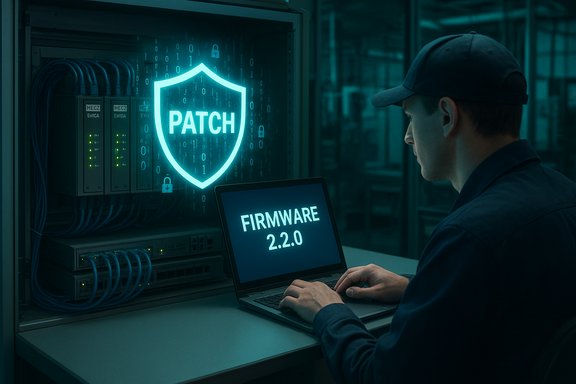 Background / Overview
METZ CONNECT’s EWIO2 product line (models EWIO2‑M, EWIO2‑M‑BM and EWIO2‑BM) provides Ethernet I/O and energy‑controlling functions for industrial and building automation environments. A coordinated disclosure identified a set of related weaknesses in the product’s web configuration interface and file‑handling logic that together enable a full administrative takeover and remote code execution (RCE) from the network if the device remains unpatched.The vulnerability set has been assigned multiple CVE identifiers covering distinct but related issues: an authentication bypass in the commissioning/config API, remote PHP file execution and insecure file‑upload handling, path‑traversal that allows overwriting Python scripts, and an information‑disclosure misconfiguration that exposes PHP source. Several trackers and vulnerability databases published entries referencing the vendor/advisory material; independent listings summarize the high severity and the presence of fixes in firmware 2.2.0.
Executive summary of the technical risk
- What’s wrong: The commissioning/config API fails to validate whether a device is already initialized and accepts unauthenticated POST requests that can set root credentials. In addition, file‑handling flaws permit remote PHP execution, unrestricted upload of dangerous files, path traversal when saving uploaded files, and directory access that exposes server‑side source code.
- Impact: Attackers can bypass authentication, upload and execute arbitrary code, overwrite scripts on the filesystem (including Python scripts used by device services), and read server‑side PHP source — resulting in full device compromise, persistent backdoors, data exfiltration and pivoting opportunities into adjacent OT/IT assets.
- Severity: CVSS v3.1 vectors published for several of the CVEs are in the high/critical range (example: 9.8 for two of the findings), and CVSS v4 recalculations placed scores in the high 8–9 range. Many issues are network‑exploitable with no authentication required and low attack complexity.
- Fixes: METZ CONNECT released firmware 2.2.0 that the vendor lists as the fixed release for the range of CVEs; operators should plan to install 2.2.0 or later as the primary remediation.
Affected products and scope
Affected devices (per vendor advisory)
- EWIO2‑M (Energy‑Controlling EWIO2‑M) — all versions running firmware older than 2.2.0
- EWIO2‑M‑BM (Energy‑Controlling EWIO2‑M‑BM) — all versions running firmware older than 2.2.0
- EWIO2‑BM (Ethernet‑IO EWIO2‑BM) — all versions running firmware older than 2.2.0
Technical breakdown — the vulnerabilities explained
CVE: Authentication bypass via commissioning/config API
- Root cause: The commissioning wizard/config API does not verify whether initialization has already occurred and accepts unauthenticated POST requests that set or overwrite root credentials.
- Practical effect: An unauthenticated remote actor can set a new root password, granting immediate administrative access to the device without prior credentials.
- Why this’s bad: This is a classic first‑boot/configuration logic error. Once an attacker sets admin credentials, they can access protected functions (firmware upload, configuration export, runtime controls) and persist changes. The attack requires only network reachability and crafted POSTs, making discovery and mass exploitation straightforward.
CVE: PHP file include / remote file execution (Remote File Inclusion)
- Root cause: Improper control of filenames in include/require operations permits remote injection or execution of attacker‑controlled PHP files.
- Practical effect: An attacker who can cause the server to include a crafted remote or local file can execute arbitrary PHP code in the context of the web server.
- Attack chain: Combine the file upload weakness or path‑traversal with an include vulnerability and an attacker can upload a PHP webshell and then trigger its execution.
CVE: Unrestricted upload of dangerous file types
- Root cause: Missing server‑side validation of uploaded file types and insufficient sanitization of upload functionality.
- Practical effect: Low‑privileged or unauthenticated users can upload executable artifacts (PHP, Python, shell scripts) to web‑accessible locations, creating a direct RCE vector.
- Note: Many embedded web stacks rely on extension checks or client‑side filtering; a robust server check is required to prevent bypass.
CVE: Path traversal — overwrite of existing scripts
- Root cause: The upload path handling accepts sequences like "../" (or the pattern '.../...//') allowing traversal out of the intended directory.
- Practical effect: An attacker can specify a filename that places uploaded content into arbitrary filesystem locations — including locations used by device daemons to load Python scripts — enabling code overwrite and execution with the service’s privileges.
CVE: Improper access control / source exposure (webserver misconfiguration)
- Root cause: The webserver was misconfigured such that PHP source files can be retrieved as plaintext (for example, via misrouted requests that return source rather than executing it).
- Practical effect: Attackers can read server‑side scripts and configuration (including hardcoded credentials, API keys, paths, and logic), dramatically lowering the difficulty of creating reliable exploits.
Why this matters to Windows, IT, and OT teams
- EWIO2 devices are often deployed at the boundary between OT and enterprise networks; compromised units can be used to:
- Harvest credentials and secrets for pivoting to Windows engineering workstations and servers.
- Reconfigure network rules, disabling logging or opening routes for lateral movement.
- Inject malicious telemetry or control data that influences industrial processes and billing.
- A full device compromise can be used as a foothold inside an OT management VLAN or to exfiltrate sensitive operational data.
- Because these vulnerabilities are network‑accessible and low complexity, automated scanners and commodity exploit tooling can discover and weaponize vulnerable units quickly.
Vendor response and mitigation status — practical appraisal
- Vendor fix: METZ CONNECT released firmware 2.2.0 addressing the identified CVEs. Installing 2.2.0 or later is the definitive remediation path the vendor provides.
- Workarounds: The vendor and coordinating CERT guidance emphasize that no workaround offers equivalent protection to the firmware update; network compensations (segmentation, firewalling, VPNs) are recommended where immediate patching isn’t possible.
- Timeliness: The vendor’s release of a consolidated firmware update is the correct operational response. However, patch availability alone is insufficient: operational constraints in OT environments (maintenance windows, certification/regression testing) can delay deployment — leaving devices at risk in the interim.
- Recommendation quality: The vendor + CERT guidance aligns with standard ICS best practice: patch, inventory, isolate, and restrict access. That said, the advisory also underscores that some organizations will need compensating controls (isolation, access lists, jump hosts) when long maintenance windows prevent rapid rollout.
- Strength: Firmware 2.2.0 provides an authoritative, vendor‑supported remediation for the full vulnerability set.
- Weakness: OT operational realities may slow uptake; the advisory’s repeated note that “no workaround equals the patch” means many organizations must accept some residual risk until upgrades are completed.
Detection, incident response and hardening checklist (for immediate use)
The following provides prioritized steps for defenders responsible for both Windows/IT assets and OT control networks. Adopt a disciplined, documented approach and coordinate maintenance windows with operations.Immediate actions (within 24–72 hours)
- Inventory all EWIO2 devices (models and firmware versions). Record management IPs, serials, and whether they are reachable from enterprise or internet‑facing networks.
- Block external access: ensure EWIO2 management web ports are not reachable from the Internet. Apply perimeter firewall rules to deny direct inbound access.
- Isolate vulnerable units: move units into hardened management VLANs accessible only from jump hosts and known engineering IPs.
- Temporarily disable any web‑exposed upload endpoints if the product’s configuration allows it without impairing safety functions.
- Check logs for suspicious POST activity, unexpected file uploads, or new admin account creation events — preserve logs offline for forensics.
Short‑term actions (within 7–14 days)
- Schedule and test firmware 2.2.0 in a lab or staging environment; confirm device behavior and rollback procedures.
- Deploy the firmware in a staged manner during maintenance windows; validate configuration and service continuity after updates.
- Rotate any secrets, API keys, or credentials that may have been exposed on an affected device or stored in related management systems.
- Hardening:
- Enforce HTTPS/TLS for management interfaces (no cleartext HTTP).
- Disable unused services and restrict management access via ACLs.
- Require strong passwords for local accounts and, where supported, enable client‑certificate or multifactor authentication.
Detection & monitoring recommendations
- Add IDS/IPS signatures to watch for:
- POST requests to commissioning endpoints with parameters that set root credentials.
- Upload requests with filename patterns containing "../" or suspicious long filenames.
- Requests that retrieve files with .php extensions from unexpected admin endpoints (possible source‑read attempts).
- Monitor: failed and successful admin logins, unexpected firmware uploads, creation of new files in device storage, and changes to scheduled tasks or python script timestamps.
- For Windows jump hosts and engineering workstations: enable process whitelisting, restrict which hosts can connect to device management ports, and monitor for connections originating from unexpected IPs.
Incident response — if compromise is suspected
- Assume full compromise. Immediately isolate the device and follow incident playbook for OT: snapshot config, preserve volatile logs, and shut down services that may further spread compromise if it won’t endanger critical processes.
- If rollback is required, maintain forensic copies of the pre‑update state and consult vendor guidance before reimaging.
- Notify stakeholders and coordinate with vendor support and national CERT if intrusions are confirmed.
Practical detection signatures and hunt queries (examples)
- Network hunt: search for HTTP(S) POSTs to /commissioning or /config endpoints that include fields for root/user creation.
- Webserver logs: grep for requests with filename parameters containing "../" or multiple sequential dot‑slash patterns.
- File integrity: compare checksums of Python script directories against known good images; alert on unexpected modification times.
- Windows SIEM queries: map asset management IPs and alert on any engineering workstation that communicates with an EWIO2 outside the allowed maintenance window.
Validation, verification and caveats
- Cross‑verification: multiple vulnerability trackers and database entries reference the METZ EWIO2 CVEs and note firmware 2.2.0 as the fixed release; Tenable’s CVE page lists CVE‑2025‑41736 with VDE advisory references and shows the published date aligned with the advisory window.
- Time sensitivity: statements such as “no known public exploitation” are valid only at the time of the advisory’s publication and can change rapidly. Confirm current exploitation status with vendor CERT channels or national CERT feeds before concluding no active campaigns exist.
- Unverifiable claims: where the original advisory or CSAF omitted implementation details (exact endpoint paths, parameter names, or the internal architecture), those gaps must be treated cautiously. Defenders should request explicit IOCs, request‑/response samples, and reproduction steps from the vendor or the coordinating CERT if available.
- Recommended evidence collection: if you suspect compromise, preserve webserver logs, archived uploads, and the device filesystem image. Vendor‑sanctioned debugging steps can make forensics more reliable — coordinate with METZ CONNECT support where possible.
Operational guidance for Windows administrators and enterprise security teams
- Treat EWIO2 endpoints like any other network asset: identify them in your CMDB, place them behind firewalls, maintain a strict list of allowed management hosts, and monitor Windows jump hosts that connect to them.
- Harden engineering workstations:
- Keep engineering Windows systems fully patched and isolated.
- Use dedicated jump hosts with MFA, endpoint protection, and strict outbound access controls to access OT devices.
- Log and record administrative sessions that interact with EWIO2 devices to preserve audit trails.
- Privilege separation: never use a general‑purpose admin account that’s shared across devices. Prefer per‑device credentials (rotated regularly) and consider using vaults to manage secrets.
Longer term: supply chain and lifecycle considerations
- Inventory and retire: if devices cannot be updated in a timely manner due to vendor constraints, consider replacing high‑risk units, especially if they are internet‑exposed or manage safety‑critical functions.
- SBOM and component tracking: embedded devices often contain third‑party web stacks and libraries. Maintain a basic SBOM where possible and perform targeted scans to identify vulnerable components.
- Secure product selection: for future procurements emphasize secure default configuration (enforced first‑boot password, disabled remote management by default) and a firm vendor SL/patch support policy.
Conclusion — immediate priorities
- Treat any EWIO2 device running firmware older than 2.2.0 as compromised‑at‑risk until updated.
- Patch to firmware 2.2.0 as soon as it can be safely deployed; where immediate patching isn’t possible, isolate devices, block external access, and restrict management to hardened jump hosts.
- Hunt for indicators of compromise (unexpected POSTs, uploaded files, modified scripts) and collect logs for forensic analysis if suspicious activity is found.
- Coordinate updates with operations, validate vendor images and checksums, and rotate any credentials that may have been exposed.
Source: CISA METZ CONNECT EWIO2 | CISA
