

Microsoft’s deadline for Windows 10 support and a wave of opportunistic attacks have combined into a blunt — and expensive — message for users: patch or pay, upgrade or expose your data. A recent promotional push offering heavily discounted Windows 11 Pro keys (reported in multiple deal outlets) has landed alongside repeated security warnings and a short-term Extended Security Updates (ESU) option from Microsoft. The result is a frantic upgrade market aimed at protecting aging PCs, but also an ecosystem full of pitfalls: gray‑market keys, non‑transferable OEM licenses, and hardware compatibility hurdles that can make a "cheap" Windows 11 Pro key a false economy.
Microsoft ended mainstream support for Windows 10 on October 14, 2025. That date is the most important single fact shaping everything that follows: after it, routine security patches and vendor support stop for un‑enrolled systems, making unpatched machines significantly more attractive targets to attackers. Microsoft’s official guidance marks this date as the cutover point and lays out options for users, including upgrading to Windows 11 or enrolling eligible devices in the consumer ESU program. At the same time, agencies and industry telemetry have repeatedly warned that unsupported and unpatched systems are a common initial vector for high‑impact intrusions. The CISA advisory and government vulnerability catalogs emphasize that legacy or unsupported software increases attack surface and often appears in known exploited campaigns. Those security signals have collided with a real consumer footprint: throughout 2024 and into 2025 a large portion of the world’s desktop population still ran Windows 10, creating a deep well of potential victims and a huge addressable market for upgrades. Public market trackers show Windows 10 maintaining a substantial share of Windows installations through 2024, even as Windows 11 adoption accelerated in 2025. Finally, FBI data and the IC3 annual reports illustrate the real monetary consequences when attackers succeed: reported internet‑crime losses reached into the tens of billions in recent annual reports, demonstrating that opportunistic fraud and ransomware inflict measurable financial harm on households and organizations alike.
The market will continue to produce both legitimate promotions and questionable bargains. The responsible path for individuals and small organizations is to verify compatibility and license provenance, favor authorized channels, and treat ESU as a bridge to a supported configuration — not a permanent escape hatch. The security calculus is simple: continuing to run an unpatched OS increases both technical exposure and measurable financial risk; upgrading to a supported environment on legitimate licenses reduces that risk materially.
Source: findarticles.com Windows 10 Users Are Being Targeted With New Upgrade Offer
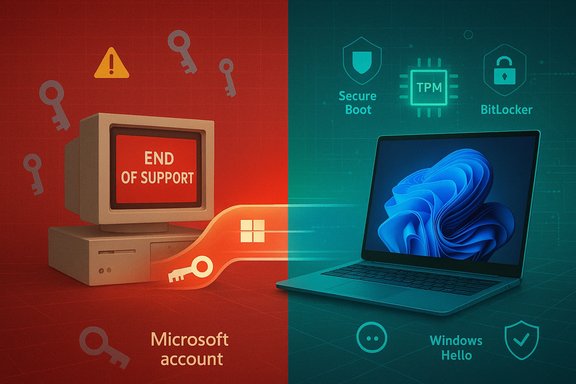 Background / Overview
Microsoft ended mainstream support for Windows 10 on October 14, 2025. That date is the most important single fact shaping everything that follows: after it, routine security patches and vendor support stop for un‑enrolled systems, making unpatched machines significantly more attractive targets to attackers. Microsoft’s official guidance marks this date as the cutover point and lays out options for users, including upgrading to Windows 11 or enrolling eligible devices in the consumer ESU program. At the same time, agencies and industry telemetry have repeatedly warned that unsupported and unpatched systems are a common initial vector for high‑impact intrusions. The CISA advisory and government vulnerability catalogs emphasize that legacy or unsupported software increases attack surface and often appears in known exploited campaigns. Those security signals have collided with a real consumer footprint: throughout 2024 and into 2025 a large portion of the world’s desktop population still ran Windows 10, creating a deep well of potential victims and a huge addressable market for upgrades. Public market trackers show Windows 10 maintaining a substantial share of Windows installations through 2024, even as Windows 11 adoption accelerated in 2025. Finally, FBI data and the IC3 annual reports illustrate the real monetary consequences when attackers succeed: reported internet‑crime losses reached into the tens of billions in recent annual reports, demonstrating that opportunistic fraud and ransomware inflict measurable financial harm on households and organizations alike. Why Windows 10 Is a More Attractive Target Now
End of vendor patching = expanding attack surface
When vendor fixes stop, every newly discovered OS‑level vulnerability remains unpatched on those machines forever (unless they’re enrolled in ESU). That’s the simple math attackers use: unpatched systems are easier and cheaper to exploit. Security advisories and vulnerability catalogs from national cybersecurity bodies repeatedly call out unpatched, end‑of‑life systems as high‑risk assets. CISA’s guidance specifically lists unsupported OS/application use as a high finding in sector risk assessments and recommends replacement or additional isolation where patching is impossible.Large installed base means more reward, lower cost
Windows 10’s continued ubiquity in 2024–2025 meant attackers had a big, familiar pool to scan and exploit. Market trackers show Windows 10 retained a large share well into the migration window; that sheer volume raises the expected return on automated exploitation campaigns and targeted intrusions. Attackers rarely need zero‑days: they exploit known bugs against unpatched machines.Real economic impact when attacks succeed
FBI Internet Crime Complaint Center reports for recent years documented billions in reported losses—investment frauds, business email compromise, and scams dominate, but ransomware and extortion remain costly and disruptive. Those numbers are not theoretical; they reflect real payouts and recovery costs borne by victims. That makes the decision to continue running an unsupported OS a financial risk as well as a technical one.What Windows 11 Pro Actually Adds — The Security Case
Windows 11 was designed with a security‑by‑default model that leans on modern hardware and virtualization primitives. The security changes aren’t marketing fluff; they are architectural.- Virtualization‑Based Security (VBS) and HVCI (Memory Integrity) create an isolated runtime environment that prevents many classes of kernel tampering and driver‑based attacks. Microsoft documentation explains how these features harden the kernel and make privilege escalation significantly harder. On compatible hardware, VBS/HVCI are enabled by default for better protection.
- TPM 2.0 and Secure Boot enforce a hardware‑rooted trust chain that protects the boot process and cryptographic key storage. Devices that meet these hardware baselines can take advantage of stronger authentication and anti‑tampering guarantees.
- Credential Guard and Windows Hello (Enhanced Sign‑in Security) isolate and protect authentication secrets and biometric data using VBS and the TPM, reducing the value of credential theft and replay attacks. Microsoft documents show this increases the cost for attackers to harvest and reuse credentials.
- BitLocker (device encryption) protects local data at rest, and Smart App Control (on clean installs) uses Microsoft app intelligence to block untrusted or tampered binaries. Both reduce the impact of data theft and the ability of malware dropped on a machine to persist or exfiltrate.
- Operational features such as Windows Sandbox and Hyper‑V provide safer testing and isolation for risky software, while Copilot and other UX improvements are productivity features that, while not directly security improvements, are part of the broader migration argument. Microsoft’s security literature makes the point that hardware‑backed protections plus virtualization make Windows 11 substantially harder to exploit at the kernel and firmware levels than an unpatched Windows 10 installation.
The Current “Deal” Landscape — What’s Real and What’s Risky
The promotional claims
Deal sites and reseller promotions have advertised Windows 11 Pro licenses for deeply discounted prices — sometimes down into the double digits or under $10 during flash sales. Coverage of these deals has been widespread on tech deal outlets and reseller partners. These offers are real in the sense that resellers do list and sell cheap keys.Why to be cautious
- License type matters. Microsoft sells multiple channels of Windows licenses: Retail, OEM, and Volume/Enterprise. Retail licenses are transfer‑capable and generally eligible for Microsoft support and account linking. OEM and many gray‑market keys may be tied to a specific device or channel and are often non‑transferable. Cheap keys under ~$20 are disproportionately likely to be OEM or otherwise restricted. Microsoft activation checks and support eligibility depend on license type.
- Gray market, stolen or mis‑assigned keys. Some resellers source keys from excess OEM stock, region‑locked channels, MSDN/test subscriptions, or worse—credit‑card fraud. Keys that appear to activate today can be revoked later. Industry reporting and experts warn that "too good to be true" pricing often correlates with license risk.
- Activation, support, and legal risk. Even if a key works, a non‑authorized purchase might leave you without proof of legitimate purchase that Microsoft or retailers require for activation disputes or support. Using illicit keys can expose you to being unable to validate entitlements in the future.
The legitimate pricing baseline
Microsoft’s posted retail price for a standalone Windows 11 Pro license has long been ~$199. That figure is a useful baseline to compare promotions and to identify deals that are either legitimate promotions or potential gray‑market offerings. Many reputable retailers sell at or near that MSRP; authorized promotions occasionally reduce that price but rarely to negligible amounts without being clear about license type and seller authorization.How to Evaluate a “Good Deal” (Checklist)
- Who is the seller? Stick to Microsoft, large authorized retailers, or reseller marketplaces that explicitly state they are Microsoft partners and provide an invoice.
- What channel is the key? Seek “Retail” channel keys or a Microsoft digital license tied to your Microsoft account. Avoid listings that obscure the license type.
- Is support and transfer documented? Confirm whether the license can be transferred and whether Microsoft activation systems accept it without manual support.
- Price variance and plausibility: If the price is under $10, ask why — that deeply undercuts retail economics and should raise immediate suspicion.
- Check for reviews, return policy, and contact details. Reputable resellers publish clear refund policies and customer support.
How to Upgrade Safely — Practical Steps
Pre‑upgrade checklist
- Run Microsoft’s PC Health Check or the OEM compatibility guidance to confirm your device meets Windows 11 minimum requirements (TPM 2.0, Secure Boot, supported CPU, 4 GB+ RAM, 64 GB storage).
- Verify whether your Windows 10 license is a Retail license you can transfer, or an OEM one tied to your device (use slmgr.vbs /dli or Activation details in Settings). If it’s retail and you're eligible, you may not need to buy a new key at all.
Backup and plan
- Back up everything you care about to an external disk or cloud service. For a clean install, create boot media and export important keys, credentials, and browser data.
- If you prefer minimal disruption and your machine is healthy and eligible, attempt an in‑place upgrade via Windows Update for the least friction. If you want a clean slate (best for older, cluttered systems), perform a clean install.
Post‑upgrade hardening
- Turn on BitLocker encryption and safeguard recovery keys in your Microsoft account or a secure vault.
- Enable Memory Integrity (HVCI) and confirm VBS is active on supported hardware.
- Set up Windows Hello (biometrics) and enforce multifactor options for important accounts.
- Activate Smart App Control if you did a clean install and it’s available.
- Link your digital license to your Microsoft account to ease future re‑activations.
If Your PC Can’t Run Windows 11 — Viable Alternatives
- Extended Security Updates (ESU): Microsoft offers a consumer ESU option for one year (with multiple enrollment options including a low‑cost paid choice), and commercial ESU plans for enterprises up to three years at escalating annual prices. ESU buys time, not a permanent fix. Use ESU only as a planned bridge while you replace hardware or migrate workloads.
- Replace hardware with a Windows 11–capable device if you need native hardware‑backed protections and long‑term security. Newer devices with TPM 2.0 and VBS support are significantly better protected by default.
- Virtual machines or cloud PCs: Run Windows 11 in an isolated VM on a capable host or use Windows 365 Cloud PC to isolate sensitive workloads without a full hardware refresh.
- Alternatives OS: For some users, a well‑supported Linux distribution or ChromeOS Flex may be a practicable option if Windows‑only applications aren’t required.
Cost Comparison: ESU vs Windows 11 Upgrade
- Consumer ESU: Microsoft’s consumer ESU program offers limited, time‑boxed security updates (usually one year through Oct 2026) and several enrollment routes including a low‑cost option. For many households, ESU is a short window to plan a transition rather than a long‑term strategy.
- Windows 11 Pro license: Official MSRP (~$199) or an authorized retail purchase is a one‑time investment that pivots you to the supported OS, plus the hardware compatibility considerations. For some users, buying a legitimate retail license or upgrading an existing retail Windows 10 key (if transferable) will be more cost‑efficient than repeatedly buying short ESU windows for multiple machines.
- The break‑even point depends on the number of devices, the price of hardware refreshes, and how long you would otherwise rely on ESU. For businesses, the rising per‑device ESU costs over three years often favor accelerated hardware refresh cycles and Windows 11 migrations.
The Bottom Line — What Every Windows 10 User Should Know
- The technical reality is unavoidable: unsupported Windows 10 devices will no longer receive routine OS security patches after October 14, 2025, making them progressively riskier to use on public networks.
- The security case for Windows 11 Pro is substantial on modern hardware: TPM 2.0, Secure Boot, VBS/HVCI, Credential Guard, BitLocker, and Smart App Control materially raise the cost for attackers and close many legacy exploit paths. But those benefits depend on compatible hardware and legitimate licenses.
- The deal market is noisy: steep discounts appear frequently, but buyers must verify seller legitimacy, license channel, and transfer rights. Deals below the common reseller price range often carry disproportionate risk of non‑transferable or revoked keys.
- The operational path: if your device can run Windows 11 and you value long‑term security, perform a measured upgrade — check compatibility, back up your data, link licenses to your Microsoft account, and harden post‑install settings. If your device can’t run Windows 11, ESU or temporary isolation (VM/cloud) can buy time, but they’re interim measures, not permanent solutions.
- Finally, be pragmatic: a low‑price sticker alone is not a justification to buy. The real protection is not the OS sticker on your desk but the combination of timely updates, hardware‑backed security, accountable licensing, and operational hygiene: backups, multifactor auth, and layered defenses.
The market will continue to produce both legitimate promotions and questionable bargains. The responsible path for individuals and small organizations is to verify compatibility and license provenance, favor authorized channels, and treat ESU as a bridge to a supported configuration — not a permanent escape hatch. The security calculus is simple: continuing to run an unpatched OS increases both technical exposure and measurable financial risk; upgrading to a supported environment on legitimate licenses reduces that risk materially.
Source: findarticles.com Windows 10 Users Are Being Targeted With New Upgrade Offer
