

When Windows PCs fail right after Patch Tuesday, the obvious culprit is often the update itself. Microsoft engineer Raymond Chen is pushing back on that reflex, arguing that many “Windows Update broke my machine” stories are really reboot stories in disguise. The timing can be misleading: the restart does not usually create the fault, it reveals one that was already lurking. That distinction matters for IT teams, because it changes how they diagnose outages, stabilize fleets, and decide whether the problem belongs to Microsoft or to the system they’ve been building around Windows.
The debate over whether Windows Update is the source of a failure is as old as enterprise patching itself. In large environments, administrators often see a device run fine for days or weeks, receive an update, reboot, and then suddenly refuse to boot or exhibit strange behavior. The sequence is emotionally persuasive, which is why the update gets blamed first.
That pattern is especially common in organizations that stretch uptime as far as possible. A workstation, kiosk, or server may survive through countless software changes without a restart, so latent problems stay hidden until maintenance forces a full reboot. In that sense, Windows Update becomes the messenger, not the author of the bad news.
Chen’s explanation reflects a long-standing engineering truth: the last event in the chain is not always the cause. Systems accumulate risk over time through driver changes, registry edits, policy changes, application installs, and configuration drift. A reboot can flush those issues into the open all at once.
This is also why the distinction between consumer and enterprise Windows matters. Home users tend to reboot more often and change less centrally managed software, while enterprises often postpone restarts to preserve productivity. The latter environment can make it look as though a patch triggered a problem that was already waiting for a moment to surface.
Microsoft’s own update cadence has also evolved to reduce disruption. Hotpatching, for example, is designed to apply some updates without requiring a reboot, which can reduce both downtime and the perception that updates are what “break” systems. Microsoft documents that hotpatch updates are installed without restart and that enrolled devices may see fewer restart prompts, underscoring the company’s larger effort to separate servicing from disruption.
Recent update issues make the conversation feel more urgent. Microsoft acknowledged that the March 26, 2026 preview update KB5079391 could fail on some Windows 11 24H2 and 25H2 devices, and it followed with the out-of-band KB5086672 on March 31, 2026 to fix the installation problem. That is a real update fault, and it shows why Chen’s point is not “updates never fail,” but rather don’t assume every post-restart disaster came from the update itself.
That instinct is understandable, but it is not always technically sound. Many Windows issues remain dormant until initialization order matters, and a clean boot exposes them because the machine can no longer rely on whatever happened to already be running in memory. The restart becomes the test bench, not the root cause.
This is why seasoned admins tend to think in change windows, not single events. A driver install, an application upgrade, a policy refresh, or a registry tweak can all interact in ways that only become visible later. The update gets blamed because it is the most recent visible action.
That hidden state explains why failures often appear “random” after servicing. They are not random so much as deferred. The reboot is the moment when deferred technical debt is collected.
In enterprise troubleshooting, this matters because misattribution wastes time. If teams assume the latest patch is the culprit, they may roll back safe security fixes, overlook a bad driver, or miss a software deployment that actually introduced the breakage. The result is more risk and slower recovery.
That does not absolve Microsoft when an update is genuinely buggy. But it does mean incident responders should treat the reboot as a diagnostic checkpoint, not a verdict. The difference can change the entire remediation path.
The smarter response is to look backward through the change history. The machine may have received a driver update from a vendor package, a policy rollout from management tooling, or a registry adjustment made by a script. Those changes may be the real problem, even if they remained invisible until reboot.
Administrators also have incentive to pin blame on the latest patch because it is the easiest thing to rollback or escalate. But that can turn into a dangerous habit, especially when security teams are under pressure to keep systems current. The result can be a patch-averse culture that leaves organizations exposed longer than necessary.
This is why reboot-related outages are often misread as patch defects. The system was effectively running on borrowed time, and the update simply ended the borrowing period. That distinction is critical in postmortems.
Microsoft’s recent hotpatch efforts are partly aimed at reducing that cycle by shrinking the need for disruptive restarts. According to Microsoft’s own documentation, hotpatch updates can take effect without a reboot on eligible devices, and the company says they focus on security updates while reducing restart prompts. That can help separate servicing from reboot-induced breakage, at least on supported configurations.
This is where the story becomes more personal. Many users assume that if Windows ran fine before restart, the restart must have broken it. In reality, the restart may have simply exposed a fragile modification that had been living in the background for a while.
That is why “it only broke after the update” is not enough evidence. If a system has been heavily customized, the update may have changed the timing, but not the underlying weakness. The reboot merely gave the weakness a stage.
The important takeaway is balance. Users should not reflexively blame every crash on Windows Update, but they also should not assume Microsoft is always innocent. The correct answer lives in the evidence, not the chronology alone.
Microsoft says hotpatch updates are available for eligible Windows 11 and Windows Server configurations, and that they can install without requiring a restart. The company also notes that hotpatching follows a cadence with baseline cumulative updates in specific months, which keeps the model predictable rather than ad hoc.
It also improves morale. People tend to accept updates more readily when they do not immediately interrupt work. In that sense, hotpatching is both a technical and a psychological improvement.
There is also a perception risk. If fewer updates require restarts, people may forget that the underlying system can still be unstable for unrelated reasons. Hotpatching changes the timing of visibility, but it does not remove the need for disciplined troubleshooting.
That context matters because it keeps the conversation honest. Microsoft is not claiming all update complaints are imaginary. Rather, it is trying to separate an update that actually fails from a system that only seems to fail because the restart exposed a deeper issue.
The better approach is to use the update as a clue, not a conclusion. If multiple devices with the same patch fail in the same way, the update becomes a stronger suspect. If only one device breaks after a restart, the odds shift toward local configuration problems.
That trust is important because patching only works when organizations actually install the fixes. If administrators start treating every reboot failure as proof that updates are dangerous, the entire security posture weakens.
That matters in a market where platform reputation affects procurement, endpoint strategy, and even cloud attachment. Windows competes not only with other desktop ecosystems, but with the operational simplicity promised by managed devices and cloud-first environments. Reliability at reboot is part of that competition.
This has knock-on effects for security adoption as well. Enterprises are more willing to accept aggressive patching when they believe failure analysis is clear and downtime is limited. That can make Windows a more comfortable default in regulated or high-availability environments.
That said, the branding advantage is only real if the execution is solid. Users do not remember the architecture as much as they remember the reboot that ruined their afternoon. Perception, in this space, is operational reality.
The broader opportunity is cultural as much as technical. If organizations learn to separate reboot-triggered failures from true update regressions, they can improve uptime, security posture, and user confidence at the same time.
There is also a communications risk. Simplified messaging can get flattened into absolutes, and absolutes are dangerous in systems work. The truth is nuanced: some failures are caused by updates, others are merely exposed by them, and many involve a mix of both.
It will also be worth watching how support guidance evolves. If Microsoft and enterprise tooling continue emphasizing change correlation, baseline comparisons, and reboot-aware diagnostics, IT teams may become better at separating actual patch failures from latent system problems. That would be a real win, because it improves both reliability and security.
Source: windowsreport.com https://windowsreport.com/windows-updates-arent-always-the-problem-microsoft-engineer-explains/
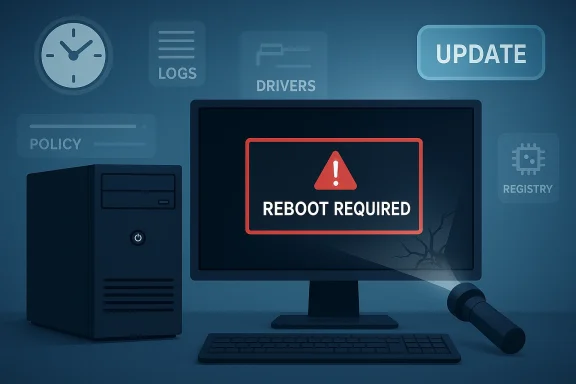 Background
The debate over whether Windows Update is the source of a failure is as old as enterprise patching itself. In large environments, administrators often see a device run fine for days or weeks, receive an update, reboot, and then suddenly refuse to boot or exhibit strange behavior. The sequence is emotionally persuasive, which is why the update gets blamed first.That pattern is especially common in organizations that stretch uptime as far as possible. A workstation, kiosk, or server may survive through countless software changes without a restart, so latent problems stay hidden until maintenance forces a full reboot. In that sense, Windows Update becomes the messenger, not the author of the bad news.
Chen’s explanation reflects a long-standing engineering truth: the last event in the chain is not always the cause. Systems accumulate risk over time through driver changes, registry edits, policy changes, application installs, and configuration drift. A reboot can flush those issues into the open all at once.
This is also why the distinction between consumer and enterprise Windows matters. Home users tend to reboot more often and change less centrally managed software, while enterprises often postpone restarts to preserve productivity. The latter environment can make it look as though a patch triggered a problem that was already waiting for a moment to surface.
Microsoft’s own update cadence has also evolved to reduce disruption. Hotpatching, for example, is designed to apply some updates without requiring a reboot, which can reduce both downtime and the perception that updates are what “break” systems. Microsoft documents that hotpatch updates are installed without restart and that enrolled devices may see fewer restart prompts, underscoring the company’s larger effort to separate servicing from disruption.
Recent update issues make the conversation feel more urgent. Microsoft acknowledged that the March 26, 2026 preview update KB5079391 could fail on some Windows 11 24H2 and 25H2 devices, and it followed with the out-of-band KB5086672 on March 31, 2026 to fix the installation problem. That is a real update fault, and it shows why Chen’s point is not “updates never fail,” but rather don’t assume every post-restart disaster came from the update itself.
Why Reboots Get Blamed
A reboot is a dramatic event. It interrupts work, clears temporary state, and forces every service, driver, and startup dependency to negotiate for survival at the same time. When something fails at that moment, it feels like the thing that just changed must be the problem.That instinct is understandable, but it is not always technically sound. Many Windows issues remain dormant until initialization order matters, and a clean boot exposes them because the machine can no longer rely on whatever happened to already be running in memory. The restart becomes the test bench, not the root cause.
Correlation Is Not Causation
The trap is simple: an update happens, then a reboot happens, then the machine breaks. That sequence creates a powerful mental shortcut, but it hides the fact that the failure may have been introduced days or weeks earlier. In practice, the reboot is often the first time the system is forced to confront the accumulated damage.This is why seasoned admins tend to think in change windows, not single events. A driver install, an application upgrade, a policy refresh, or a registry tweak can all interact in ways that only become visible later. The update gets blamed because it is the most recent visible action.
The Hidden State Problem
Windows systems are full of state that does not announce itself until restart time. Services may hold stale assumptions, drivers may have been layered over older versions, and applications may depend on launch order or filesystem behavior that changes after a reboot. If a machine has been running for a long time, state drift can become substantial.That hidden state explains why failures often appear “random” after servicing. They are not random so much as deferred. The reboot is the moment when deferred technical debt is collected.
- Updates can be the last visible step, not the first bad one.
- Long uptime can mask instability for weeks or months.
- A restart is often the first true integration test after many changes.
- Legacy drivers and service dependencies can fail only at boot.
- Configuration drift can make root-cause analysis misleading.
What Chen Is Really Arguing
Chen’s point is less about defending Windows Update and more about improving diagnosis. He is reminding readers that symptoms often arrive at reboot time even when the underlying damage came from somewhere else. That is a practical distinction, not an academic one.In enterprise troubleshooting, this matters because misattribution wastes time. If teams assume the latest patch is the culprit, they may roll back safe security fixes, overlook a bad driver, or miss a software deployment that actually introduced the breakage. The result is more risk and slower recovery.
Update as Trigger, Not Root Cause
The phrase that matters here is trigger versus root cause. A trigger is what caused the failure to manifest; a root cause is what made the system vulnerable in the first place. Chen’s argument is that Windows Update often serves as the trigger because it forces a restart, while the vulnerability has been building elsewhere.That does not absolve Microsoft when an update is genuinely buggy. But it does mean incident responders should treat the reboot as a diagnostic checkpoint, not a verdict. The difference can change the entire remediation path.
Why This Matters to IT Teams
For admins, false attribution can become expensive very quickly. If a helpdesk assumes the update caused the outage, it may suspend patching, delay mitigation, or launch a broad rollback that creates a larger exposure window. That is especially dangerous when the update included a security fix that the organization actually needs.The smarter response is to look backward through the change history. The machine may have received a driver update from a vendor package, a policy rollout from management tooling, or a registry adjustment made by a script. Those changes may be the real problem, even if they remained invisible until reboot.
- Check the full change timeline, not just the patch date.
- Review driver and firmware updates before blaming Windows Update.
- Examine startup services, scheduled tasks, and policy changes.
- Preserve patching discipline even when one failure looks update-related.
- Distinguish between installation failures and reboot-triggered failures.
The Enterprise Angle
Enterprise environments are where Chen’s explanation lands hardest. Corporate devices often stay up for long periods, run layered management tools, and receive software changes through multiple channels. That makes them far more likely to accumulate invisible instability.Administrators also have incentive to pin blame on the latest patch because it is the easiest thing to rollback or escalate. But that can turn into a dangerous habit, especially when security teams are under pressure to keep systems current. The result can be a patch-averse culture that leaves organizations exposed longer than necessary.
Long Uptime Masks Fragility
A workstation or server can look healthy while carrying a fragile stack underneath. It may have an outdated filter driver, conflicting endpoint protection, or a registry modification from a previous project. These issues can sit quietly until a restart forces everything to initialize from scratch.This is why reboot-related outages are often misread as patch defects. The system was effectively running on borrowed time, and the update simply ended the borrowing period. That distinction is critical in postmortems.
Patch Management and the Blame Cycle
When a failure happens after Patch Tuesday, the organizational default is often to blame the patching process itself. That reaction can create a bad cycle: patches get delayed, the update window gets compressed, and troubleshooting gets less systematic. Ironically, that makes future failures harder to analyze.Microsoft’s recent hotpatch efforts are partly aimed at reducing that cycle by shrinking the need for disruptive restarts. According to Microsoft’s own documentation, hotpatch updates can take effect without a reboot on eligible devices, and the company says they focus on security updates while reducing restart prompts. That can help separate servicing from reboot-induced breakage, at least on supported configurations.
Sequential Steps for Better Triage
- Confirm whether the failure is an installation problem or a reboot problem.
- Review the most recent non-Windows changes first, including drivers and policy.
- Check whether the device had long uptime before the update.
- Compare the affected machine to unaffected peers with the same patch level.
- Only then decide whether the update itself is the primary suspect.
- Treat reboot failures as integration failures.
- Use ring-based deployment data to isolate variables.
- Reproduce the issue on a controlled reference device if possible.
- Capture logs before rolling back anything.
- Separate operational pain from actual update regressions.
The Consumer Angle
Home users may not manage fleets, but they can still fall into the same trap. A PC that has been “fixed” with optimization tools, unofficial tweaks, registry cleaners, or third-party driver utilities may appear stable until the next reboot. Then the machine refuses to start cleanly, and the most recent Windows update gets blamed.This is where the story becomes more personal. Many users assume that if Windows ran fine before restart, the restart must have broken it. In reality, the restart may have simply exposed a fragile modification that had been living in the background for a while.
DIY Tweaks Can Backfire
The Windows ecosystem has always attracted tinkering. Some of that customization is harmless, but some of it alters services, autostart behavior, power management, or driver behavior in ways that are difficult to reverse. Those modifications can survive for a while and then collapse during a normal reboot.That is why “it only broke after the update” is not enough evidence. If a system has been heavily customized, the update may have changed the timing, but not the underlying weakness. The reboot merely gave the weakness a stage.
When the Update Really Is at Fault
None of this means consumers should ignore actual update bugs. Microsoft does ship problematic updates sometimes, and KB5079391 is a recent reminder of that reality. Microsoft’s March 31, 2026 out-of-band KB5086672 exists because some devices hit installation errors during the earlier preview update, which is exactly the kind of genuine servicing issue users expect Microsoft to fix.The important takeaway is balance. Users should not reflexively blame every crash on Windows Update, but they also should not assume Microsoft is always innocent. The correct answer lives in the evidence, not the chronology alone.
- Avoid aggressive registry “tuning” unless you understand the impact.
- Keep third-party driver tools to a minimum.
- Document changes before applying them.
- Distinguish between failed installs and failed restarts.
- Keep backups so a bad reboot does not become a data-loss event.
Hotpatching and the Restart Problem
Hotpatching is the most interesting countermeasure in this debate because it changes the user experience around updates. Instead of making the restart the visible moment of transition, hotpatching applies certain fixes in memory without a full reboot. That reduces disruption and may reduce the false impression that the update itself caused a break.Microsoft says hotpatch updates are available for eligible Windows 11 and Windows Server configurations, and that they can install without requiring a restart. The company also notes that hotpatching follows a cadence with baseline cumulative updates in specific months, which keeps the model predictable rather than ad hoc.
Why Restartless Updates Change Perception
If there is no immediate reboot, the causal chain becomes less confusing. A machine can receive a patch and continue running, which makes it easier to separate the act of updating from the act of restarting. That helps both users and administrators identify whether a later failure was caused by the update, by unrelated state, or by some other change.It also improves morale. People tend to accept updates more readily when they do not immediately interrupt work. In that sense, hotpatching is both a technical and a psychological improvement.
The Limits of Hotpatching
Hotpatching is not magic. It does not eliminate every reboot, and it does not cover every scenario. Microsoft’s documentation makes clear that baseline updates still exist in the cadence, and certain environments have specific eligibility requirements. That means the broader reboot problem remains, even if hotpatching trims the edge off it.There is also a perception risk. If fewer updates require restarts, people may forget that the underlying system can still be unstable for unrelated reasons. Hotpatching changes the timing of visibility, but it does not remove the need for disciplined troubleshooting.
- Hotpatching reduces restart-driven disruption.
- It can make causality easier to interpret.
- It does not eliminate all reboots.
- It is limited to eligible devices and supported cadences.
- It is best seen as a servicing improvement, not a universal fix.
Microsoft’s Own Update Reality
Chen’s comments land in a year when Microsoft has had to correct real servicing issues. The company’s out-of-band KB5086672 update, published March 31, 2026, was specifically issued to address installation problems with KB5079391. That is an example of a genuine update defect, not a philosophical argument about blame.That context matters because it keeps the conversation honest. Microsoft is not claiming all update complaints are imaginary. Rather, it is trying to separate an update that actually fails from a system that only seems to fail because the restart exposed a deeper issue.
Reading the Signal Correctly
There is a temptation in support workflows to treat every incident as a patch regression until proven otherwise. That is understandable because patches are visible, date-stamped, and easy to correlate with outages. But in complex environments, visibility is not the same as causality.The better approach is to use the update as a clue, not a conclusion. If multiple devices with the same patch fail in the same way, the update becomes a stronger suspect. If only one device breaks after a restart, the odds shift toward local configuration problems.
How Microsoft Benefits from the Distinction
Microsoft has a clear interest in making this distinction more widely understood. Better diagnostic habits reduce unnecessary rollback, improve update adoption, and lower the volume of misattributed support cases. They also help the company preserve trust in Windows servicing when genuine update defects do occur.That trust is important because patching only works when organizations actually install the fixes. If administrators start treating every reboot failure as proof that updates are dangerous, the entire security posture weakens.
- Real update defects still happen.
- Not every reboot failure is an update defect.
- Better diagnosis supports safer patch adoption.
- Stronger trust in servicing helps security outcomes.
- The evidence should drive the blame, not the calendar.
Competitive and Market Implications
This is not just a support story; it is also a platform story. If Microsoft can reduce restart-driven confusion through hotpatching and more resilient servicing, it strengthens Windows’ enterprise value proposition. Fewer disruptive updates mean less operational friction and more confidence in rolling patches out broadly.That matters in a market where platform reputation affects procurement, endpoint strategy, and even cloud attachment. Windows competes not only with other desktop ecosystems, but with the operational simplicity promised by managed devices and cloud-first environments. Reliability at reboot is part of that competition.
Enterprise Buyers Care About Predictability
Corporate IT teams do not only buy operating systems; they buy predictability. The more often updates create uncertainty, the more attractive alternative management models become. If Microsoft can make restart-related incidents rarer or easier to explain, it reduces one of the oldest complaints about Windows administration.This has knock-on effects for security adoption as well. Enterprises are more willing to accept aggressive patching when they believe failure analysis is clear and downtime is limited. That can make Windows a more comfortable default in regulated or high-availability environments.
What Rivals Can Learn
Rivals in the broader endpoint space have long marketed less disruptive update models, whether through staged rollouts, live patching, or tighter vertical integration. Microsoft’s hotpatching push is a sign that it understands those expectations. The company is trying to show that a mature desktop OS can still evolve toward lower-friction servicing.That said, the branding advantage is only real if the execution is solid. Users do not remember the architecture as much as they remember the reboot that ruined their afternoon. Perception, in this space, is operational reality.
- Predictable patching improves platform trust.
- Lower restart disruption supports enterprise adoption.
- Better servicing reduces the appeal of alternate endpoint models.
- Live-patching features are now a competitive expectation.
- Reliability is as much a market asset as a technical one.
Strengths and Opportunities
Chen’s clarification is useful because it teaches better debugging discipline while reinforcing Microsoft’s modern servicing direction. It encourages admins to think like investigators rather than reactionaries. It also helps explain why newer update technologies matter beyond convenience.The broader opportunity is cultural as much as technical. If organizations learn to separate reboot-triggered failures from true update regressions, they can improve uptime, security posture, and user confidence at the same time.
- Better root-cause analysis across enterprise fleets.
- Less premature blame on Windows Update after a reboot.
- Improved trust in security patching when updates are not automatically scapegoated.
- Hotpatching adoption can reduce operational disruption.
- More accurate postmortems lead to better remediation.
- Lower support overhead when teams follow the actual change trail.
- Stronger patch hygiene because teams stop associating every restart with failure.
Risks and Concerns
The biggest risk is complacency on both sides. If users hear “reboots reveal problems,” they may ignore genuine update defects and underreport actual servicing bugs. If administrators hear it as “the patch is never to blame,” they may miss real regressions and leave faulty packages in circulation.There is also a communications risk. Simplified messaging can get flattened into absolutes, and absolutes are dangerous in systems work. The truth is nuanced: some failures are caused by updates, others are merely exposed by them, and many involve a mix of both.
- Misdiagnosis can lead to bad rollback decisions.
- Patch hesitation may leave security fixes uninstalled longer than necessary.
- Hidden driver issues can continue to fester if updates get all the blame.
- User confusion may deepen if hotpatching is seen as a cure-all.
- Vendor finger-pointing can delay real remediation.
- Incomplete logging makes it hard to distinguish trigger from root cause.
- Overconfidence in “stable” systems can mask deep configuration drift.
Looking Ahead
The most important thing to watch is whether Microsoft keeps expanding restartless servicing in ways that are practical for real-world fleets. Hotpatching already changes the conversation for eligible devices, but it is not yet a universal answer. The closer Microsoft gets to reducing mandatory reboots, the less often users will conflate restart timing with update blame.It will also be worth watching how support guidance evolves. If Microsoft and enterprise tooling continue emphasizing change correlation, baseline comparisons, and reboot-aware diagnostics, IT teams may become better at separating actual patch failures from latent system problems. That would be a real win, because it improves both reliability and security.
What to Watch
- Expansion of hotpatch support to more device classes and scenarios.
- Further out-of-band updates when genuine servicing defects appear.
- Better telemetry and diagnostics for reboot-related failures.
- More explicit enterprise guidance on change correlation and root cause analysis.
- Whether Windows Update perceptions improve as restartless servicing becomes more common.
Source: windowsreport.com https://windowsreport.com/windows-updates-arent-always-the-problem-microsoft-engineer-explains/
