

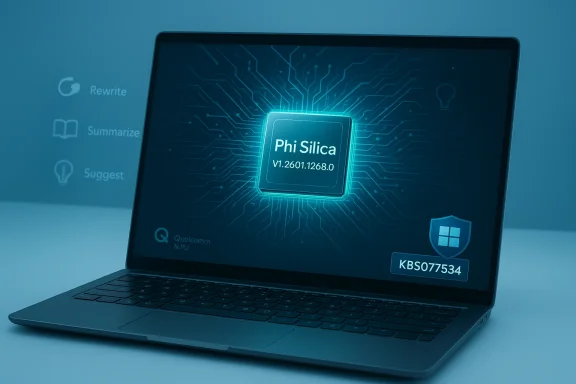
Microsoft has quietly pushed a targeted component update for Phi Silica — the NPU‑tuned, on‑device language model that powers many Copilot experiences — delivering Phi Silica version 1.2601.1268.0 to qualifying Qualcomm‑powered Copilot+ systems via Windows Update (KB5077534). m]
Background / Overview
Phi Silica is Microsoft’s Transformer‑based local language model designed to run on Copilot+ PCs that include a capable Neural Processing Unit (NPU). It is part of Microsoft’s strategy to move latency‑sensitive, privacy‑sensitive micro‑workflows (text rewrites, short summarization, reply suggestions, Click‑to‑Do micro‑tasks) to the endpoint while retaining cloud fallback for heavier reasoning tasks. The Windows App SDK and Windows AI APIs expose Phi Silica to apps, and Microsoft documents that the model is optimized specifically for NPU offload techniques such as speculative decoding.Independent reporting and Microsoft developer posts describe Phi Silica as a compact model designed for on‑device efficiency; numerous public sources peg it in the multi‑billion parameter class (widely reported as ~3.3 billion parameters), balancing capability with on‑device footprint and NPU efficiency. Performance claims published by Microsoft (first‑token latencies measured in hundreds of tokens/sec on NPU hardware and low single‑watt power draw for key modes) are echoed in technical coverage and developer messaging. These performance numbers vary substantially by device, driver, and workload in real deployments.
What KB5077534 nce)
- Applies to: Windows 11, version 24H2 and Windows 11, version 25H2 on supported Copilot+ Qualcomm systems.
- Component version installed: Phi Silica v1.2601.1268.0 (delivered as a Phi Silica component update).
- Delivery method: Automatic through Windows Update to eligible devices that meet the OS cumulative prerequisite. IT-managed channels (WSUS, Intune, Configuration Manager) may require additional catalog presence
- Prerequisite: The device must have the latest cumulative update (LCU) for the applicable Windows 11 branch; Microsoft gates component delivery on that servicing baseline.
- How to confirm installation: Settings → Windows Update → **Update e Phi Silica entry for your processor family after the update installs. KB entries include the KB ID and the Phi Silica version string to aid inventory.
Why processor‑specific KBs exist (technical context)
Microsoft packages Phi Silica releases per silicon family because each NPU architecture exposes different acceleration features, instruction sets, and memory/quantization tradeoffs. A Qualcomm‑targeted build will include operator kernels, quantization parameters, and runtime hooks optimized for Snapdragon/Qualcomm NPUs that differ from AMD/Intel variants. That reduces runtime inefficiency and avoids one‑size‑fits‑all regressions, but it also means multiple KBs (Intel, AMD, Qualcomm) are issued as Microsoft tunes the model per vendor. Expect separate KB IDs and version strings for each family as Microsoft iterates.What this update likely changes — realistic expectations
Because Microsoft’s KB notes say only “improvements to the Phi Silica AI component,” the practical expectations are:- **Performance and stabilitenization latency, fewer stalls/OOMs, reduced NPU runtime errors under load.
- Compatibility adjustments: changes to interplay between Phi Silica, the Windows AI runtidriver stacks to avoid hangs or driver-level conflicts.
- Subtle behavior adjustments: small changes in suggestion heuristics, moderation thresholds, or text‑intent mapping that affect Copilot micro‑features. These are unlikely to be major UX changes — server‑siments still control many features.
Verification of key technical claims
I verified the major technical claims across Microsoft documentation and independent reporting:- Claim: Phi Silica is Microsoft’s NPU‑tuned local language model used on Copilot+ PCs. Confirmed by Microsoft Learn/Windows AI documentation and the Windows developer blog, which describe Phi Silica as the most powerful NPU‑tuned SLM for Copilot+ devices.
- Claim: Phi Silica is in the ~3.3B parameter class. Multiple developer and press reports have referenced a 3.3B parameter size for the Silica variant intended for Copilot+ endpoints; Microsoft public materials describe Phi Silica as a compact but capable SLM. Treat that parameter count as consistent public reporting rather than a KB item.
- Claim: Component updates install via Windows Update and require the latest cumulative update baseline. Confirmed by Microsoft release guidance and by the platform’s AI component release notes. Administrators should ensure the servicing baseline is met for a device to receive the component.
Practical impact and recommendations for end users
For most consumer Copilot+ users with qualifying Qualcomm hardware, Microsoft’s intent is that this updaficial*: it should arrive automatically and quietly, and its goals are to improve local AI responsiveness and reliability for Copilot micro‑workfle user:- Let Windows Update install the component automatically; reboot when prompted.
- Confirm in Settings → Windows Update → Update history that the Phi Silica entry lists version 1.2601.1268.0 and the KB ID KB5077534.
- Test the Copilot micro‑features you use most (text suggestions, rewriting, short summarization) and note any perceptible changes.
- Note that local inference reduces cloud exposure for many short prompts, but many Copilot features remain hybrid and may escalate to cloud services for heavier tasks or Microsoft 365 integrations. The KB does not change Microsoft’s broader telemetry or product privacy posture; consult enterprise privacy docs for entitlements and telemetry specifics.
Practical impact and recommendations for IT admins and power users
This is a component update, not a full OS cumulative — but it matters operationally because it alters the model runtime used by platform features. Folloployment approach:- Inventory: Identify Copilot+ devices with Qualcomm NPUs that will be in scope. *Do not assume identical behavior across OEMs even if hardware looks sirerequisites: Ensure each target device has the latest cumulative Windows update for 24H2/25H2; Microsoft gates component delivery on the servicing baseline.
- Pilot ring: Deploy KB5077534 to a small, representative pilot group (includingnt OEM firmware revisions and driver levels). Collect telemetry before and after the update (CPU/NPU utilization, latency, error rates).
- Drivers and firmware: Coordinate with OEM and silicon vendors to instalchipset drivers and firmware; mismatched drivers produce the majority of regressions seen in on‑device AI rollouts.
- Rollout policy: For managed fleets using WSUS/ConfigMgr/Intune, verify whether the component appears in yorosoft stages component rollouts by hardware ID and region, so expect staggered availability.
- Logging and diagnostics: If applications change behavior, capture winver, Update history (Phi Silica version), NPU driver versions, and app logs.-Packages or other inventory scripts to cross‑check package identities.
Step‑by‑step: how to confirm KB5077534 is installed
- Open Settings → Windows Update.
- Choose Update history.
- Look for an entry that reads something like: “Phi Silica version 1.2601.1268.0 for Qualcomm‑powered systems (KB5077534).” This is the caethod Microsoft documents for component installs.
- For scripted verification on many devices, run:
- dism /online /get-packages | findstr /i "Phi Silica"
2.CM inventory for KB5077534.
- dism /online /get-packages | findstr /i "Phi Silica"
Troubleshooting common issues (what community experience shows)
Community and prior rollout experiences for Phi Silica packages identify recurring friction points:- Installation errors on a minority of devices (component store/DISM errors). Remedies: run the Windows Update Troubleshooter; run DISM /Online /Cleanup‑Image and sfc /scannow; apply the offline MSU from the Update Catalog when availt appearing after install: server‑side gating and account entitlements often delay UI exposure. Confirm the Phi Silica package is present in Update history before assuming absence of functionality is an install failure.
- Mixed‑fleecal OS builds can show different behavior due to regional gating or OEM firmware differences. Maintain a documented test matrix and record driver/firmware versions alongside Phi Silica version.
Security, privacy and governance implications
- Strength: On‑device inference reduces the need to send short prompts to cloud endpoints, lowering exposure for many micro‑workflows and giving teams stronger local privacy options.
- Caveat: Hybrid flows remain common. Some Copilot features still call clour reasoning or tenant‑aware operations; installing Phi Silica does not automatically change data residency or telemetry policies. Enterprises should consult Microsoft’s privacy and compliance docs to confirm what flows remain cloud‑bound.
- Operational risk: Treat model components like trusted platform software. Verify update provenancrotections, and consider whether logs or telemetry produced by the local model contain sensitive content that must be controlled by DLP policies.
Strengths, limitations and long‑term implications
Strengths:- Lower latency and improved responsiveness for manpported Qualcomm hardware.
- Improved privacy posture for short, local inference cases.
- Faster iteration cadence: Microsoft can push model and runtime tweaks independent of OS cumulative windows servicing.
- Microsoft’s KBs intentionally avoid exhaustive technical disclosure; fine‑grained behavior changes and exact performance deltas are not published in the KB and require empirical testing to confirm. Flag those claims as unverifiable from the KB alone.
- Hardware and driver fragmentation mean real‑world results vPU driver, thermal and power management settings. Expect differences across the fleet.
- Component updates are not security fixes — they change model behavior and runtimeherefore expand the surface area that operations and security teams must monitor.
Quick checklist (actionable takeaways)
- For consumers: Let Windows Update install KB5077534; conrsion appears in Update history after reboot.
- For IT admins: Pilot on a small, representative set of Qualcomm Copilot+ devices; ensure NPU/GPU/chipset drivers and OEM firmect pre/post telemetry.
- For privacy/compliance teams: Review which Copilot features remain hybrid and validate telemetry/DLP exposure for your tenant.
- For developers:t updates may change on‑device model behavior; rely on Windows AI APIs and limited access feature (LAF) guidance for production intesoft.com]
Final verdict — what Windows power users and admins should know
KB5077534 (Phi Silica v1.2601.1268.0 for Qualcomm systems) is a targeted, processor‑specific component update aimed at improving on‑device AI performance and reliability for Copilot micro‑workflows on qualifying Qualcomm Copilot+ PCs. It’s delivered via Windows Update and requires the servicing baseline LCU for Windows 11 24H2/25H2. The public KB intentionally focuses on deployment metadata rather than deep model internals — which is both practical for broad audiences and a reason for administrators to validate behavior in their environment before broad rollout.If you manage Copilot+ devices, the pragmatic path is unchanged: pilot, measure, update drivers/firmware, and roll out in stages. For privacy‑sensitive deployments, confirm exactly which Copilot flows remain local and which call cloud services. And if you see regressions, gather winver, update history, NPU driver versions, and logs before escalating to OEM or Microsoft support — component updates are small in package size but can have outsized operational effects when device drivers or firmware are out of sync.
In short: KB5077534 continues Microsoft’s cadence of incremental Phi Silica updates that make on‑device AI more practical on Copilot+ hardware. It’s a focused release — not a headline UI change — but it matters for responsiveness, privacy posture, and operational planning. Treat the component like any other runtime dependency: test before wide deployment, track versions in your inventory, and keep OEM drivers and firmware aligned to minimize surprises.
Source: Microsoft Support KB5077534: Phi Silica AI component update (version 1.2601.1268.0) for Qualcomm-powered systems - Microsoft Support
