

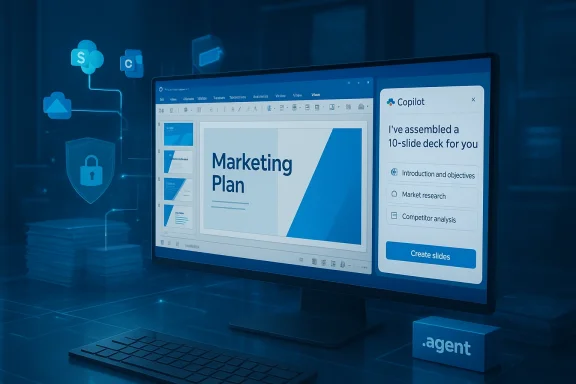
Microsoft’s Copilot push entered a new, more automated phase this month as the company confirmed a staged rollout of PowerPoint Agent Mode, a feature that can autonomously build presentations by pulling content from SharePoint, OneDrive, email, and Teams conversations—part of a wider wave of Copilot expansions due between February and June 2026 that deepen tenant grounding, add agentic multi-file workflows, and extend Copilot into government and in‑app scenarios. .com](https://support.microsoft.com/en-us...8e5f-4cda-ba6c-0588000bdad7?utm_source=openai))
Background
Microsoft’s Copilot strategy has evolved from single‑shot, prompt‑response assistance toward what the company now calls agentic productivity: AI that plans, acts, validates and iterates across multiple files and services inside the Microsoft 365 ecosystem. This shift is visible in three interlocking moves: embedding Copilot chat panes directly into Office apps, introducing reusable agents that maintain project context, and adding tenant groundi over internal corporate content rather than only public web sources.Those changes are not hypothetical. Microsoft’s message center and support documentation detail concrete rollout windows and usage patterns: Agent Mode for PowerPoint is scheduled as a staged release in the first half of 2026; Copilot Chat panes are being embedded across Word, Excel, PowerPoint and Outlook; and OneDrive now supports .agent bundles that let Copilot reason acrs at once.
What PowerPoint Agent Mode actually does
A single‑command pipeline from documents to deck
PowerPoint Agent Mode is designed to reduce the friction of creating presentations from a scattered set of business artifacts. Instead of manually searching for slides, copying snippets from reports, or pasting images from email threads, the agent can be given a brief (for example, “Create a 10‑slide executive deck summarizing Q4 results and recommended next Search and synthesize content from SharePoint libraries and OneDrive folders tied to the tenant.- Pull context from Teams meeting notes and chats as well as relevant email threads.
- Extract images, tables, and slideable content, then assemble a draft deck with layout, speaker notes, and suggested transitions.
- Preserve branding, template styles and enterprise assets where available, producing native PowerPoint objects (not opaque image blobs) so the result remains editable and auditable.
Sources, grounding, and context — why tenant data matters
What sets PowerPoint Agent Mode apart from generic “AI slide builder” services is its access to tenant‑scoped content. By tapping SharePoint and OneDrive libraries, the agent onical project artifacts maintained inside an organization. That makes outputs more contextually relevant and reduces the risk of hallucinated claims based on public web scraping—so long as tenant grounding is correctly configured and g.This is the same design principle Microsoft has built into other agent features: agents can be constrained to tenant data and to scoped, approved public sources, and they produce native Office formats for human review and compliance.
Scope and limits: not a full replacement for designers or sensitive edits
Agent Mode is powerful but intentionally scoped. Microsoft’s documentation and the early rollout notes stress limitations:- The agent does not support every PowerPoint feature and complex, highly customized slide enginre manual work.
- Outputs are designed to be near‑finished drafts, not certified final artifacts—human review and editing remain necessary, especially for regulatory or external communications.
- Tenant admins retain control: availability is gated by licensing and tenant settings, and admins can review or disable agent capabilities per compliance needs.
Timeline and availability
Microsoft’s rollout calendar is rch and other in‑app enhancements were scheduled to begin rolling out in February 2026, bringing richer people‑search and disambiguation UIs to web users.- Agent Mode for PowerPoint is scheduled for a broader rollout between April and June 2026, with some web previews and message‑center notes indicating earlier mid‑February to mid‑March availability for web previews in eligible tenants.
- Government deployments (GCC, GCC‑High and Department of Defense) were specifically called out for March 2026, signaling Microsoft has completed or is completing security and compliance certifications that allow Copilot to operate in classified or heavily regulated environments.
Copilot beyond PowerPoint: the broader product wave
PowerPoint Agent Mode is one piece of a much larger product expansion that reshapes where and how Copilot lives inside Microsoft 365.In‑app Copilot Chat panes
Copilot Chat is moving from ance into right‑hand panes inside Word, Excel, PowerPoint and Outlook. This reduces context switching, letting the assistant reason about the open artifact and make edits directly, a change that should increase habitual use by lowering friction.OneDrive .agent bundles and cross‑fileow supports agent bundles—compound .agent files that encapsulate up to 20 documents. These bundles provide a persistent project context that the agent can keep reasoning over as files change, enabling tasks like executive brief generation, cross‑document summarization, and multi‑file extraction of owners and deadlines. This “project view” is aimed at turning ephemeral prompt requests into auditable, reusable automation units for teams.
Copilot Pages and export flows
Copilot Pages create a persistent canvas for ideation that can be exported into PowerPoint or Word. That smooths the ideation → presentable asset pipeline and keeps generated content inside Office formats for governance and editing.Government and compliance workstreams
Microsoft’s announcements and message center posts make a point of the government readiness of Copilot: GCC‑High and DoD customers are receiving tailored Copilot Chat experiences that can reason over inbox and calendar data while meeting compliance requirements—an important milestone for public sector adoption.Business reality: adoption, pricing, and the economics of Copilot
The headline numbers
Microsoft disclosed that Microsoft 365 Copilot has roughly 15 million paid seats as of Q2 FY26, a figure the company said reflects strong year‑over‑year growth yet also highlights a large addressable base of non‑paying users—Microsoft reports more than 450 million Microsoft 365 commercial seats, making the paid Copilot penetration roughly 3.33%. Those numbers were reiterated across financial filings and independent reporting after the earnings call. (directionsonmicrosoft.comAt the same time Microsoft disclosed $37.5 billion in capital expenditures for Q2 FY26—a 66% year‑over‑year increase—with roughly two‑thirds of that spend directed at short‑lived compute assets (GPUs and CPUs) to meet Azure and AI infrastructure needs. The company’s commercial backlog ballooned to about $625 billion, with management attributing roughly 45% of that backlog to OpenAI‑related commitments, underscoring the scale and concentration of AI compute demand.
Pricing friction and the conversion challenge
Copilot’s headline list price—commonly reported at around $30 per user per month for enterprise licenses—remains a substantial premium on top of existing Microsoft 365 subscriptions. Microsoft has experimented with discounts and introduced a lower‑cost business SKU for smaller organizations, but the economics are still a sticking point. Analysts and industry observers point to the low conversion rate as evidence that many organizations are unconvinced the incremental productivity gains justify the per‑user surcharge.Practical buyer hesitations include:
- Difficulty quantifying productivity gains across diverse roles.
- Come concerns about exposing tenant data to generative models.
- The administrative overhead of piloting and training users on new workflows.
- Budgetary friction in translating per‑seat pilots into organization‑wide purchases.
Massive infrastructure spend raises investor scrutiny
Microsoft’s pivot to AI has required extraordinary capital investment. The quarter’s $37.5 billion in capex and the rapid growth of the cloud backlog have produced investor questions about when those investments will produce durable, profitablhat a large slice of the backlog is concentrated in a few AI customers—most prominently OpenAI—complicates the narrative and amplifies the risk profile.That tension helps explain several design choices we now see in Copilot’s product strategy:
- Microsoft is doubling down on tenant grounding and governance (so it can address compliance objections).
- It is embedding Copilot directly into apps (to accelerate habitual usage and justify per‑seat spending).
- It is offering lower‑cost SKUs for SMBs to widen the top of the funnel.
Strengths: why this could work
- Deep tenant grounding: By allowing agents to reason over SharePoint, OneDrive and Teams artifacts, Copilot can produce outputs with enterprise accuracy and context that standalone consumer tools can’t match. That’s a material advantage for knowledge workers who rely on internal documents and project history.
- Native Office artifacts: Agents produce editable, auditable PowerPoint slides and native Word/Excel objects rather than locked blobs, which preserves downstream workflowt mitigates one big adoption concern for IT: generated content must be manageable with existing tools and policies.
- Platform economics and lock‑in: Microsoft can surface Copilot across the full productivity stack—Word, Excel, PowerPoint, Outlook, Teams—making the assistant compelling for multi‑tool workflows. If Copilot genuinely reduces time‑to‑deliver across those surfaces, it’s easier to justify the incremental licensing cost.
- Government availability: The march into GCC, GCC‑High and DoD environments opens a large, high‑trust market that competitors may find harder to penetrate quickly. That could be a long‑term commercial moat for regulated sectors.
Risks and unresolved questions
- Conversion gap remains large. Fifteen million paid seats are significant growth, but they representicrosoft’s commercial seat base. If Microsoft cannot show repeatable ROI stories that justify the per‑user cost, adoption may plateau. ([directionsonmicrosoft.com](https://www.directionsonmicrosoft.c...n-paid-m365-copilot-seats/?utm_sourcetructure concentration risk.** The cloud backlog’s concentration (~45% tied to OpenAI) and the huge capex swing raise strategic and financial risk: heavy infrastructure costs can depress margins if monetization lags. The company’s reliance on a small group of largch of its booked revenue should be watched closely.
- **Governance and data exfnant grounding reduces hallucination risk but introduces governance complexity. Organizations must validate that agents respect data classifications, retention policies, and export controls—requirements that are particularly acute for regulated or classified workloads. Microsoft’s messaging centers and admin controls help, but effective governance still requires disciplined internal rollout.
- User trust and quality control. Agents that edit files programmatically must be transparent in their changes. Microsoft’s plan‑and‑review UI mitigates this, but real‑world deployments often surface edge cases where agents misinterpret context or apply inappropriate wording or metrics. Human review is mandatory for mission‑critical outputs.
- Pricing and procurement friction. Large orgamed to multiyear licensing deals and cost predictability. Floating per‑seat AI add‑ons create procurement headaches unless Microsoft offers clear migration and value plans for different user personas.
Practical guidance for IT leaders
- Start with high‑value pilots, not blanket enablement.
- Choose teams that produce frequent presentations or recurring reporting (sales enablement, investor relations, product marketing) and measure time saved and quality impacts. Use those quantified wins to build a business case.
- Create a governance playbook before broad rollouts.
- Define approved data sources, establish review gates for generated content, and integrate agents into existing DLP and Purview policies. Test scenarios where agent edits could introduce compliance risk.
- Use OneDrive .agent bundles as canonical project snapshots.
- Rather than allowing ad‑hoc agent runs, curate .agent bundles that contain the canonical artifacts for a project. That produces repeatable, auditable context and rutcomes.
- Measure hard outcomes, not just clicks.
- Track time saved per deck, reduction in review loops, and faster cycle times for recurring reports. Tie these micro‑metrics to broader productivity KPIs and cost offsets.
- Pilot government deployments carefully with security teams.
- If you operate in public sector clouds (GCC/GCC‑High/Dcompliance and legal teams to validate the specific Copilot configurations and attestations Microsoft offers.
Bottom line
PowerPoint Agent Mode and the broader Copilot agent framework represent a decisive step in Microsoft’s plan to convert AI from an experimental add‑on into a baked‑in layer of workplace software. The product logic is compelling: enable agents to reason over tenant‑scoped knowledge, produce native Office artifacts, and embed the assistant where people already work. Those capabilities can create measurable user‑level gains—especially for recurring content creation and cross‑document summarization.But the company’s broader financial picture tempers the enthusiasm. Massive capital investments, a heavily concentrated cloud backlog, and a still‑low paid conversion rate for Copilot licenses pose material questions about when and how the investments will translate into durable, predictable software revenue. Microsoft has built an infrastructure backbone and a feature set that could justify a re‑rated productivity story, but execution will hinge on convincing the next wave of customers that Copilot’s premium delivers quantifiable impact.
For IT leaders, the practical path forward is clear: pilot strategically, govern tightly, measure relentlessly, and only scale when you can demonstrate real cost or time‑to‑value improvements. Microsoft’s roadmap gives the tools needed to do this at scale—PowerPoint Agent Mode is another useful instrument in that toolkit—but the value will accrue only when features move from novelty into reliable, auditable workstreams.
Microsoft’s Copilot roadmap has added another powerful lane to the productivity highway; whether it becomes the dominant route depends on the company’s ability to translate powerful features into broadly measurable outcomes—and on organizations’ willingness to trust AI with the documents, data, and decisions that matter most.
Source: WinBuzzer Microsoft 365 Copilot Gains PowerPoint Agent Mode
