

Microsoft released PowerToys 0.99.0 on April 28, 2026, followed by 0.99.1 on April 29, adding Grab And Move, Power Display, and Command Palette Dock refinements to Windows 10 and Windows 11, with the most conspicuous change bringing Linux-style Alt-drag window movement to Microsoft's desktop. The easy headline is that Windows has borrowed another idea from Linux. The more interesting story is that PowerToys has become Microsoft’s semi-official laboratory for admitting what Windows still makes too hard. In 2026, the most useful Windows innovations are not always grand platform bets; sometimes they are the tiny frictions Linux users solved years ago.
PowerToys has always had a strange place in the Windows ecosystem. It is Microsoft-made, open source, distributed through familiar channels, and yet still treated as an optional kit for people who know enough to go looking for it. That ambiguity is precisely what makes it useful.
The April 2026 update makes the pattern hard to ignore. Grab And Move lets users hold a modifier key and drag or resize a window from almost anywhere, rather than hunting for a title bar or a microscopic border. Power Display puts monitor controls in a tray flyout, turning external-display chores into something closer to a system feature than a scavenger hunt through hardware buttons and on-screen display menus.
These are not flashy features in the Copilot-era sense. Nobody is going to keynote a global developer conference around “you can now move a window without aiming.” But for people who spend eight hours a day inside Windows, this is the category of improvement that matters most: the operating system gets out of the way one irritation at a time.
The joke practically writes itself: Linux had this years ago. The lesson is less flattering but more useful. Microsoft is increasingly willing to borrow desktop ergonomics from wherever users have already proven them, then ship them first through PowerToys before deciding whether they belong in Windows proper.
Linux desktops long ago normalized a different idea: the window itself is the handle. On many Linux environments, holding a modifier key and dragging anywhere inside a window moves it; holding the modifier and using another mouse button resizes it. Once learned, the gesture feels obvious in the same way middle-click paste or virtual desktops eventually feel obvious. The computer should know what you mean without demanding pixel-perfect targeting.
PowerToys 0.99 brings that sensibility to Windows. Alt plus left-click moves a window; Alt plus right-click resizes it. Microsoft also allows the Windows key to be used as the modifier for people whose workflows already rely on Alt. That configurability matters because this is exactly the sort of feature that becomes muscle memory, and muscle memory is where operating systems become personal.
The feature is listed as preview, and the quick 0.99.1 patch shows why. Microsoft fixed issues involving Alt-key propagation, draggable Start menu or OS surfaces, and an interaction where the G key or Game Bar could misbehave when the Windows key was used as the modifier. That is the cost of inserting a global gesture into a mature desktop shell: the idea is simple, but the operating system is full of edge cases.
Still, the direction is right. Windows has spent years adding window-management concepts like Snap Layouts, FancyZones, virtual desktops, and better multi-monitor behavior. Grab And Move is smaller than those projects, but in daily use it may be more intimate. It changes not where windows can go, but how directly the user can touch them.
Power Display attacks that problem from the Windows side. It creates a tray-accessible flyout that detects connected displays and, where supported, exposes controls such as brightness, contrast, volume, color profile, input source, and power state. It also supports profiles, allowing users to switch display setups with a click.
That sounds mundane until you consider the modern desk. A single Windows machine may be connected to a laptop panel, a USB-C dock, an ultrawide monitor, a portrait side display, and a KVM-adjacent mess of shared inputs. The monitor is no longer a passive rectangle. It is part of the workstation state.
Power Display’s profile support is especially telling. Microsoft is not just adding sliders; it is acknowledging that display configuration is contextual. A daytime writing setup is not the same as a late-night gaming setup. A presentation profile is not the same as a color-sensitive editing profile. A feature that lets those states be named and recalled belongs closer to the operating system than to a monitor’s rubbery underside button.
The 0.99.1 patch is also a caution sign. Microsoft changed default behavior so potentially disruptive controls such as input source, color temperature, and power state are off by default, and added confirmation before applying them. That is the correct instinct. Turning off a display or switching an input source from a tray menu is powerful; doing it accidentally is a help-desk ticket waiting to happen.
PowerToys 0.99 improves that Dock with a compact mode, always-on-top behavior, better pinning controls, and more reliable extension behavior. Pinned commands can be placed more deliberately, titles and subtitles can be shown or hidden, and the Dock can occupy less vertical space when placed at the top or bottom of the screen. These are not merely cosmetic tweaks. They are the signs of a feature learning how to live on a desktop all day.
There is a familiar operating-system tension here. Windows already has a taskbar, Start menu, system tray, Widgets board, notification center, search box, and a growing stack of Copilot-adjacent entry points. Adding another dock could sound like clutter. But the Command Palette Dock is different because it is closer to a user-built command surface than a Microsoft-curated billboard.
That distinction matters. Users do not need another place where the operating system suggests things. They need a place where their own commands, applets, utilities, and workflows can sit within reach. If Microsoft is careful, the Dock could become a power-user strip that Windows has never quite had: less rigid than the taskbar, less modal than Start, less noisy than Widgets.
The risk is that PowerToys becomes a parallel shell rather than a proving ground. If the best parts of Windows live in an add-on, Microsoft creates two Windows experiences: the default one most people tolerate, and the tuned one enthusiasts quietly install after every setup. PowerToys can incubate ideas, but incubation should not become exile.
But “stolen from Linux” undersells what is happening. Linux desktop environments have long competed on ergonomics because they had to win over users without controlling the hardware ecosystem or the application mainstream. That competition produced a culture of configurable window managers, hot corners, tiling layouts, modifier-based movement, virtual desktops, panels, launchers, and user-scriptable glue.
Windows historically competed differently. Its strength was compatibility, OEM reach, enterprise manageability, and application gravity. That made it dominant, but also conservative. When the entire world depends on your desktop behaving predictably, even obvious improvements can take years to arrive.
PowerToys gives Microsoft a release valve. It can ship features for people who want them without forcing every user, every enterprise image, and every accessibility workflow to absorb the change at once. That is why Linux-like ideas fit naturally here. They are powerful, sometimes opinionated, and best introduced as opt-in tools before they are considered as defaults.
The real question is not whether Microsoft copied Linux. It is whether Microsoft is finally willing to let Windows learn from the desktop cultures it once ignored. On that score, PowerToys 0.99 is a small but meaningful yes.
Microsoft appears aware of this. Grab And Move integrates with Group Policy support and the existing PowerToys settings model. That is not just a checkbox for administrators; it is the difference between a clever utility and something that can be responsibly allowed in managed environments. If a global input feature causes problems with a line-of-business application, IT needs a way to disable it predictably.
Power Display raises similar issues. Display controls may depend on hardware support, monitor firmware behavior, connection type, docks, drivers, and corporate display setups. A brightness slider that works on one monitor may do nothing on another. An input-source control that behaves perfectly at home could be unwelcome in a shared conference-room environment.
This is where PowerToys’ charm becomes its limitation. Enthusiasts accept rough edges because the payoff is immediate. Enterprises tend to prefer boring consistency. The 0.99.1 patch arriving one day after 0.99.0 is reassuring in one sense, because Microsoft is responding quickly, but it also reinforces that these tools need cautious rollout.
The right enterprise stance is not “ban PowerToys.” It is to treat it like any other productivity layer with global hooks and user-level configuration. Pilot it, lock down what needs locking down, document the supported modules, and avoid pretending preview means production-stable just because the publisher is Microsoft.
Microsoft would argue, reasonably, that not every user needs these features. Most people will never remap a key, build a display profile, or pin command applets to a dock. Windows serves hundreds of millions of users, and restraint in the default interface is not cowardice. It is part of the job.
But restraint should not mean burying seriousness. Windows has long struggled to distinguish between simplicity and underpowered defaults. A feature can be optional without being obscure. A power-user mode can exist without turning the desktop into a cockpit. Settings can expose advanced capabilities without frightening normal users, especially if Microsoft already ships those capabilities under its own banner.
The deeper issue is trust. Enthusiasts often feel that Microsoft’s energy goes toward monetizable surfaces, cloud tie-ins, and AI entry points before it goes toward friction removal. PowerToys pushes against that narrative because it delivers the kind of improvements users ask for in forums, issue trackers, and comment threads. It is Microsoft at its most practical.
That is why the April update lands well. It does not ask users to change how they think about computing. It simply removes some needless awkwardness from the computing they already do.
The update’s pieces point in a coherent direction. Grab And Move makes windows feel more physically manipulable. Power Display makes external hardware feel more integrated. Command Palette Dock makes commands feel more ambient. Keyboard Manager improvements make input feel less constrained by the physical keyboard in front of you.
That is the desktop as a configurable workspace, not a static launcher for applications. It is a vision Linux users will recognize and macOS power users have built through third-party utilities for years. Microsoft’s version is inevitably more cautious, but it is moving.
There is also a symbolic threshold approaching. Version 0.99 is, numerically at least, one step from 1.0. PowerToys has lived for years with the aura of an enthusiast toolkit that is both official and not quite official. A 1.0 release would force Microsoft to say more clearly what PowerToys is: a permanent adjunct to Windows, a staging ground for future Windows features, or the power-user edition of Windows hiding in plain sight.
The answer may be all three. That would be messy, but Windows has always been messy. The important thing is whether Microsoft can keep the practical spirit intact as PowerToys becomes more central.
Source: TechPowerUp Microsoft PowerToys April Update Steals Yet Another Feature from Linux
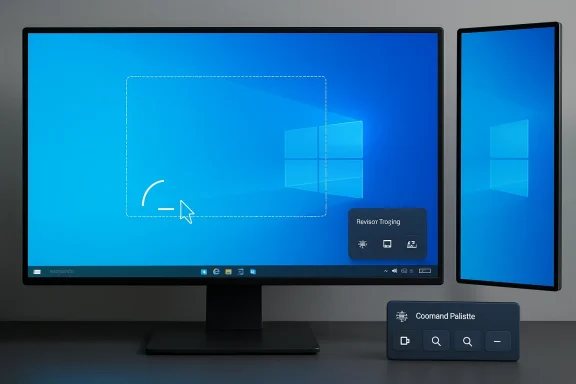 Microsoft’s Best Windows Features Are Arriving Through the Side Door
PowerToys has always had a strange place in the Windows ecosystem. It is Microsoft-made, open source, distributed through familiar channels, and yet still treated as an optional kit for people who know enough to go looking for it. That ambiguity is precisely what makes it useful.The April 2026 update makes the pattern hard to ignore. Grab And Move lets users hold a modifier key and drag or resize a window from almost anywhere, rather than hunting for a title bar or a microscopic border. Power Display puts monitor controls in a tray flyout, turning external-display chores into something closer to a system feature than a scavenger hunt through hardware buttons and on-screen display menus.
These are not flashy features in the Copilot-era sense. Nobody is going to keynote a global developer conference around “you can now move a window without aiming.” But for people who spend eight hours a day inside Windows, this is the category of improvement that matters most: the operating system gets out of the way one irritation at a time.
The joke practically writes itself: Linux had this years ago. The lesson is less flattering but more useful. Microsoft is increasingly willing to borrow desktop ergonomics from wherever users have already proven them, then ship them first through PowerToys before deciding whether they belong in Windows proper.
Alt-Drag Is Not a Gimmick, It Is a Philosophy
Grab And Move sounds trivial until you use a large display, a high-DPI panel, a multi-monitor layout, or a window that has wandered halfway off-screen. Traditional Windows window management assumes that the title bar and edges are the natural handles for manipulation. That assumption made sense when monitors were smaller, window chrome was thicker, and users were less likely to have three panels arranged in a lopsided geometry.Linux desktops long ago normalized a different idea: the window itself is the handle. On many Linux environments, holding a modifier key and dragging anywhere inside a window moves it; holding the modifier and using another mouse button resizes it. Once learned, the gesture feels obvious in the same way middle-click paste or virtual desktops eventually feel obvious. The computer should know what you mean without demanding pixel-perfect targeting.
PowerToys 0.99 brings that sensibility to Windows. Alt plus left-click moves a window; Alt plus right-click resizes it. Microsoft also allows the Windows key to be used as the modifier for people whose workflows already rely on Alt. That configurability matters because this is exactly the sort of feature that becomes muscle memory, and muscle memory is where operating systems become personal.
The feature is listed as preview, and the quick 0.99.1 patch shows why. Microsoft fixed issues involving Alt-key propagation, draggable Start menu or OS surfaces, and an interaction where the G key or Game Bar could misbehave when the Windows key was used as the modifier. That is the cost of inserting a global gesture into a mature desktop shell: the idea is simple, but the operating system is full of edge cases.
Still, the direction is right. Windows has spent years adding window-management concepts like Snap Layouts, FancyZones, virtual desktops, and better multi-monitor behavior. Grab And Move is smaller than those projects, but in daily use it may be more intimate. It changes not where windows can go, but how directly the user can touch them.
Power Display Admits That Monitor Buttons Are a Failed Interface
If Grab And Move is the Linux headline, Power Display is the sysadmin-and-multi-monitor sleeper hit. External monitor controls remain one of the least civilized parts of the PC experience. Brightness, contrast, input source, power state, color profile, and volume are often buried behind physical buttons that feel designed by someone who never had to use them in the dark.Power Display attacks that problem from the Windows side. It creates a tray-accessible flyout that detects connected displays and, where supported, exposes controls such as brightness, contrast, volume, color profile, input source, and power state. It also supports profiles, allowing users to switch display setups with a click.
That sounds mundane until you consider the modern desk. A single Windows machine may be connected to a laptop panel, a USB-C dock, an ultrawide monitor, a portrait side display, and a KVM-adjacent mess of shared inputs. The monitor is no longer a passive rectangle. It is part of the workstation state.
Power Display’s profile support is especially telling. Microsoft is not just adding sliders; it is acknowledging that display configuration is contextual. A daytime writing setup is not the same as a late-night gaming setup. A presentation profile is not the same as a color-sensitive editing profile. A feature that lets those states be named and recalled belongs closer to the operating system than to a monitor’s rubbery underside button.
The 0.99.1 patch is also a caution sign. Microsoft changed default behavior so potentially disruptive controls such as input source, color temperature, and power state are off by default, and added confirmation before applying them. That is the correct instinct. Turning off a display or switching an input source from a tray menu is powerful; doing it accidentally is a help-desk ticket waiting to happen.
The Dock Keeps Turning Command Palette Into a Windows Shell Experiment
Command Palette began as another entry in the long lineage of launchers: Spotlight, KRunner, Alfred, Raycast, PowerToys Run, and all the keyboard-first tools that assume the fastest UI is often a text box. But the Dock changes the equation. It moves Command Palette from transient overlay toward persistent shell accessory.PowerToys 0.99 improves that Dock with a compact mode, always-on-top behavior, better pinning controls, and more reliable extension behavior. Pinned commands can be placed more deliberately, titles and subtitles can be shown or hidden, and the Dock can occupy less vertical space when placed at the top or bottom of the screen. These are not merely cosmetic tweaks. They are the signs of a feature learning how to live on a desktop all day.
There is a familiar operating-system tension here. Windows already has a taskbar, Start menu, system tray, Widgets board, notification center, search box, and a growing stack of Copilot-adjacent entry points. Adding another dock could sound like clutter. But the Command Palette Dock is different because it is closer to a user-built command surface than a Microsoft-curated billboard.
That distinction matters. Users do not need another place where the operating system suggests things. They need a place where their own commands, applets, utilities, and workflows can sit within reach. If Microsoft is careful, the Dock could become a power-user strip that Windows has never quite had: less rigid than the taskbar, less modal than Start, less noisy than Widgets.
The risk is that PowerToys becomes a parallel shell rather than a proving ground. If the best parts of Windows live in an add-on, Microsoft creates two Windows experiences: the default one most people tolerate, and the tuned one enthusiasts quietly install after every setup. PowerToys can incubate ideas, but incubation should not become exile.
The Linux Comparison Is Fair, but Too Small
TechPowerUp’s framing that Microsoft has “stolen” another feature from Linux is funny because it is recognizably true. The desktop computing world has always borrowed aggressively. macOS popularized some patterns, Linux desktops perfected others, Windows absorbed and reinterpreted many of them, and power users pretended their preferred platform invented whatever they personally discovered first.But “stolen from Linux” undersells what is happening. Linux desktop environments have long competed on ergonomics because they had to win over users without controlling the hardware ecosystem or the application mainstream. That competition produced a culture of configurable window managers, hot corners, tiling layouts, modifier-based movement, virtual desktops, panels, launchers, and user-scriptable glue.
Windows historically competed differently. Its strength was compatibility, OEM reach, enterprise manageability, and application gravity. That made it dominant, but also conservative. When the entire world depends on your desktop behaving predictably, even obvious improvements can take years to arrive.
PowerToys gives Microsoft a release valve. It can ship features for people who want them without forcing every user, every enterprise image, and every accessibility workflow to absorb the change at once. That is why Linux-like ideas fit naturally here. They are powerful, sometimes opinionated, and best introduced as opt-in tools before they are considered as defaults.
The real question is not whether Microsoft copied Linux. It is whether Microsoft is finally willing to let Windows learn from the desktop cultures it once ignored. On that score, PowerToys 0.99 is a small but meaningful yes.
Preview Features Carry Enterprise Baggage
For home users, PowerToys is a download-and-try proposition. For IT departments, it is a governance question. Preview utilities that hook window movement, modifier keys, display state, and shell-adjacent surfaces are exactly the kind of helpful tools that can also create support ambiguity.Microsoft appears aware of this. Grab And Move integrates with Group Policy support and the existing PowerToys settings model. That is not just a checkbox for administrators; it is the difference between a clever utility and something that can be responsibly allowed in managed environments. If a global input feature causes problems with a line-of-business application, IT needs a way to disable it predictably.
Power Display raises similar issues. Display controls may depend on hardware support, monitor firmware behavior, connection type, docks, drivers, and corporate display setups. A brightness slider that works on one monitor may do nothing on another. An input-source control that behaves perfectly at home could be unwelcome in a shared conference-room environment.
This is where PowerToys’ charm becomes its limitation. Enthusiasts accept rough edges because the payoff is immediate. Enterprises tend to prefer boring consistency. The 0.99.1 patch arriving one day after 0.99.0 is reassuring in one sense, because Microsoft is responding quickly, but it also reinforces that these tools need cautious rollout.
The right enterprise stance is not “ban PowerToys.” It is to treat it like any other productivity layer with global hooks and user-level configuration. Pilot it, lock down what needs locking down, document the supported modules, and avoid pretending preview means production-stable just because the publisher is Microsoft.
Windows 11 Still Needs a More Honest Power-User Story
PowerToys’ success creates an uncomfortable question for Windows 11: why are so many quality-of-life features still optional extras? FancyZones, PowerRename, Keyboard Manager, Mouse Without Borders, Text Extractor, Awake, Peek, hosts-file editing, and now Grab And Move and Power Display all address real workflow gaps. Many feel less like toys than missing preferences.Microsoft would argue, reasonably, that not every user needs these features. Most people will never remap a key, build a display profile, or pin command applets to a dock. Windows serves hundreds of millions of users, and restraint in the default interface is not cowardice. It is part of the job.
But restraint should not mean burying seriousness. Windows has long struggled to distinguish between simplicity and underpowered defaults. A feature can be optional without being obscure. A power-user mode can exist without turning the desktop into a cockpit. Settings can expose advanced capabilities without frightening normal users, especially if Microsoft already ships those capabilities under its own banner.
The deeper issue is trust. Enthusiasts often feel that Microsoft’s energy goes toward monetizable surfaces, cloud tie-ins, and AI entry points before it goes toward friction removal. PowerToys pushes against that narrative because it delivers the kind of improvements users ask for in forums, issue trackers, and comment threads. It is Microsoft at its most practical.
That is why the April update lands well. It does not ask users to change how they think about computing. It simply removes some needless awkwardness from the computing they already do.
The April Build Shows Where Windows Is Quietly Heading
PowerToys 0.99 is not a revolution, and that is precisely why it matters. Revolutions in desktop operating systems are usually exhausting. What Windows needs now is a long campaign of thoughtful, opt-in, user-respecting refinement.The update’s pieces point in a coherent direction. Grab And Move makes windows feel more physically manipulable. Power Display makes external hardware feel more integrated. Command Palette Dock makes commands feel more ambient. Keyboard Manager improvements make input feel less constrained by the physical keyboard in front of you.
That is the desktop as a configurable workspace, not a static launcher for applications. It is a vision Linux users will recognize and macOS power users have built through third-party utilities for years. Microsoft’s version is inevitably more cautious, but it is moving.
There is also a symbolic threshold approaching. Version 0.99 is, numerically at least, one step from 1.0. PowerToys has lived for years with the aura of an enthusiast toolkit that is both official and not quite official. A 1.0 release would force Microsoft to say more clearly what PowerToys is: a permanent adjunct to Windows, a staging ground for future Windows features, or the power-user edition of Windows hiding in plain sight.
The answer may be all three. That would be messy, but Windows has always been messy. The important thing is whether Microsoft can keep the practical spirit intact as PowerToys becomes more central.
The Useful Windows Is Being Built One Irritation at a Time
PowerToys 0.99 is worth installing not because every user needs every feature, but because it shows Microsoft paying attention to the actual texture of desktop work. The concrete lessons are refreshingly specific.- Grab And Move brings modifier-based window movement and resizing to Windows, making large monitors, awkward window positions, and off-screen recovery less frustrating.
- Power Display gives supported external monitors a tray-based control surface for settings such as brightness, contrast, profiles, power state, and input source.
- Command Palette Dock is evolving from a launcher accessory into a persistent, customizable command strip for power users.
- The fast 0.99.1 patch fixed early problems in Grab And Move, Power Display, and Command Palette, which is welcome but also a reminder that preview utilities deserve caution.
- The update reinforces PowerToys’ role as Microsoft’s most credible desktop experimentation channel, especially for features too advanced or too opinionated for default Windows.
Source: TechPowerUp Microsoft PowerToys April Update Steals Yet Another Feature from Linux
