Microsoft’s PowerToys just leveled up: version 0.97 delivers a focused, user‑facing rethink of the Command Palette, adds a clever new mouse utility called CursorWrap, expands command‑line control across several modules, and folds more UI personalization and extension power into an already versatile toolkit. The release mixes cosmetic freedom (background images, tinting, theme controls) with real productivity wins (fallback ranking, Peek previews, and a built‑in PowerToys extension for the Command Palette), while raising familiar governance and compatibility questions that IT pros and power users should evaluate before broad deployment.
PowerToys has grown from a grab‑bag of experimental utilities into a de facto productivity platform for power users on Windows 10 and Windows 11. The project ships monthly to GitHub and the Microsoft Store, publishing detailed changelogs that make the engineering intent and feature set easy to verify. Recent cycles have emphasized Command Palette performance and extensibility, Advanced Paste AI integrations, and tighter CLI tooling — an evolution that positions PowerToys as both an everyday utility suitable for ideas that could influence Windows itself. This article examines the substantive changes in 0.97, explains how they affect workflows, verifies key technical claims against official release notes, and offers practical guidance and risk analysis for everyday and enterprise users.
For power users: install, test, and adopt the new palette features immediately — they are high value for keyboard workflows. For administrators: pilot the release in a controlled setting, verify installer hashes, assess Advanced Paste provider policies, and confirm there are no EDR flags before rolling wide. The release notes are explicit and complete; use them to verify artifacts and to script safe deployments. PowerToys has once again shown that Microsoft can iterate rapidly in public: v0.97 demonstrates thoughtful feature design that respects both aesthetics and utility, but it also underscores the perennial need for testing and governance when a desktop tool grows into a platform.
If you plan to roll out v0.97 across multiple endpoints, follow the checklist above and schedule a short pilot with representative hardware (especially laptop + external display combos). PowerToys remains a low‑friction, high‑return toolkit for Windows users — and v0.97 keeps the momentum going while delivering sensible controls for real daily productivity.
Source: Windows Central I’ve seen the future of Windows productivity, and it’s PowerToys v0.97.
 Background
PowerToys has grown from a grab‑bag of experimental utilities into a de facto productivity platform for power users on Windows 10 and Windows 11. The project ships monthly to GitHub and the Microsoft Store, publishing detailed changelogs that make the engineering intent and feature set easy to verify. Recent cycles have emphasized Command Palette performance and extensibility, Advanced Paste AI integrations, and tighter CLI tooling — an evolution that positions PowerToys as both an everyday utility suitable for ideas that could influence Windows itself. This article examines the substantive changes in 0.97, explains how they affect workflows, verifies key technical claims against official release notes, and offers practical guidance and risk analysis for everyday and enterprise users.What arrived in PowerToys v0.97 — the headlines
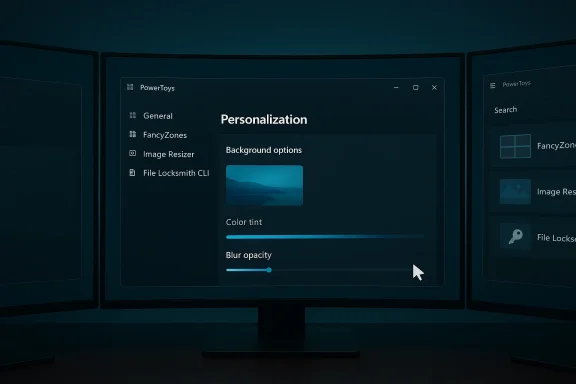
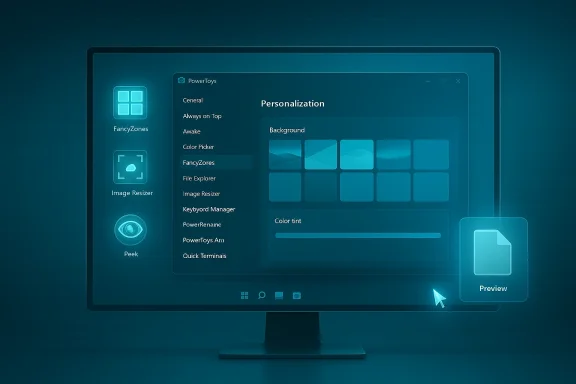
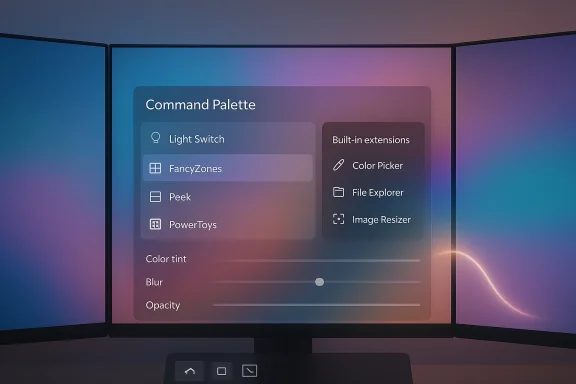
- Command Palette: personalization + deeper control. A new Personalization page allows background images, color tinting, blur/opacity adjustments, and theme behavior; the Command Palette now supports * results and adds an integrated PowerToys extension to toggle utilities (Light Switch, FancyZones layouts, etc. directly from the palette. Peek previews are now available inside the palette.
- CursorWrap: a new mouse utility that wraps the cursor across monitor edges, reducing cross‑screen travel on multimonitor setups. The initial behavior wraps at top/bottom and left/right edges of the active monitor.
- More CLI support: FancyZones, Image Resizer, and File Locksmith gained command‑line control; Peek had previous CLI additions expanded. This broadens automation and scripting capability across the suite.
- Quick Access and system tray polish: Quick Access flyout was moved out of the main settings process for faster launch time, and the tray icon can now be monochrome.
- Installer artifacts and hashes: the release includes per‑user and machine‑wide installers for x64 and ARM64, with published SHA‑256 hashes for verification. This supports secure distribution and scripted installs.
Deep dive: Command Palette becomes personal, powerful, and more native
What changed — feature breakdown
- Personalization page (UI customization): Users can pick a background (solid color, blurred/translucent layer, or full image), apply color tinting, and adjust blur/opacity to improve contrast or aesthetics. This shifts the palette from a generic overlay to a configurable component that can match system themes or corporate style.
- Fallback ranking: A new fallback ranking control gives you influence over which commands are prioritized when the palette can't determine an obvious single match. Extension settings include a “Manage fallback order” UI so you can drag commands to reorder priority. This is a small feature with outsized impact for repeatable workflows and keyboard-driven users.
- Control PowerToys from Command Palette: A built‑in PowerToys extension lets you toggle utilities (for example, turn Light Switch on/off, switch FancyZones layouts, choose colors) without leaving the palette. That reduces context switching from palette → settings → enable/modify → close. Make sure the utilities you want to control are enabled in PowerToys settings first.
- Peek integration (preview in‑place): Peek, the file‑preview utility, can be invoked from Command Palette to preview files and folders inline — a productivity shortcut for fast inspections without launching heavier viewers.
- Localization and input improvements: Pinyin support was added for Chinese input (dependent on OS language variant). There’s also a Remote Desktop extension and a custom search engine option for the Web Search extension, plus drag‑and‑drop support for file indexer and clipboard items.
Why it matters in practice
- Fewer context switches. Power users who rely on a quick launcher will feel immediate benefit: theme matching and background tweaks reduce visual friction while integrated PowerToys commands let you complete more tasks without leaving the keyboard.
- Better discoverability and control for admins. Fallback ranking and extension controls make predictable behavior more attainable, which matters when you script or document workflows for others.
- Extensibility and ecosystem growth. Drag‑and‑drop support and improved extension APIs make it easier for third‑party developers to add meaningful integrations (for example, drag an image from the palette into a chat app).
Practical caveats and verification
- The personalization settings are cosmetic but require careful defaults for accessibility (contrast, low‑motion preferences). The release notes and early reporting confirm the feature exists, but some UI labels and defaults could change in minor updates as the team refines accessibility behavior. This is an actively iterated area; expect small UX changes in follow‑up releases.
CursorWrap: near‑brilliant ergonomics with first‑release tradeoffs
What CursorWrap does
- When enabled, CursorWrap makes the cursor appear on the opposite edge of the active monitor when you move it past any edge (top, bottom, left, right). For large displays or multi‑monitor setups, this lets you move the pointer between distant zones with a flick of the wrist instead of a long physical movement. to a real problem.
Practical benefits
- Reduces hand/wrist travel and mouse fatigue on ultrawide or multi‑monitor desks.
- Faster navigational motion for power users who frequently move across wide canvas spaces (designers, traders, content creators).
- Simple enable/disable toggle; like other PowerToys modules, CursorWrap runs only when enabled.
Limitations and reported issues
- Edge behaviors can interfere with some workflows. Users who rely on fine control at the top or bottom edge (e.g., grabbing browser tabs, clicking the taskbar or Start menu) may find wrapping introduces extra precision friction. That’s an expected tradeoff: wrap accelerates gross movement but can impede precise edge interactions. Community feedback and early reviews have requested the ability to limit wrapping to left/right edges only; that option is not present in the initial release. The request is reasonable and may appear in a future update.
- Hardware detection edge cases. An anecdotal issue reported in early coverage describes CursorWrap incorrectly detecting monitors after closing a laptop lid while an external monitor is attached. That behavior appears to be a user‑reported bug rather than an official, broadly confirmed defect. There was no authoritative issue tracker entry at the time of writing to fully reproduce or confirm the scale of this problem; treat it as a cautionary, user‑reported edge case and test for it before mass deployment. Flagged as unverified / user observation.
Recommendation
- Try CursorWrap in a controlled session and confirm any hot corners, taskbar interactions, or game/creative app behaviors you rely on. If you use a mixed laptop+external monitor setup, test suspend/close/resume scenarios to detect any state misreads before rolling the feature into a managed imaging or baseline.
Expanded CLI coverage: automation and scripting gains
PowerToys has steadily expanded command‑line control — and v0.97 raises the bar by adding or improving CLI options for several utilities:- FancyZones CLI: switch layouts or manage zoning via command line for scripted workspace changes.
- **Image Reh image resizing from scripts without opening GUI dialogs.
- File Locksmith CLI: query or free file locks programmatically. Useful for headless automation or deployment scripts.
- Peek CLI: previously added; continued to be hardened for broader usage.
Security, privacy and enterprise considerations
PowerToys is modular and powerful, but that surface area increases responsibility. The 0.97 release makes no exception.- Advanced Paste & AI models: recent releases (0.96 onward) expanded Advanced Paste to support multiple cloud and local AI providers (Azure OpenAI, Google Gemini, Mistral, Foundry Local, Ollama). This approach is flexible but requires admin oversight: cloud endpoints transmit clipboard data off‑device unless local providers are explicitly selected, and API keys must be managed securely. Enterprise teams should control which providers are permitted and prefer on‑device models for sensitive data.
- Global hooks and EDR sensitivity: PowerToys uses system hooks (global hotkeys, shell integrations) that can be flagged by endpoint detection tools. Validate any EDR/AV interactions in a test environment prior to broad rollout and coordinate with security teams. This has been an ongoing concern for IT prrToys in managed estates.
- Installer integrity: Always verify installer hashes (SHA‑256) before automated installs. The v0.97 artifacts include hashes in the release notes; use them to confirm binary integrity when deploying via scripts or package managers.
- Extension trust model: Command Palette extensions can add significant capability but also risk. Only enabls from trusted sources in managed environments. The extension model is flexible, but admins should treat third‑party extensions as third‑party software: audit, sign, or whitelist as appropriate.
Performance, accessibility, and usability notes
- Performance: The project continues to prioritize performance — previous cycles introduced Ahead‑of‑Time (AOT) compilation for first‑party extensions, reduced startup memory use, and faster load times for Command Palette. v0.97 continues the optimization trend while expanding feature surface. For users on low‑spec or resource‑constrained devices, it’s still prudent to enable only the modules you use.
- Accessibility: Personalization (background blur/tint) must be balanced against readability and low‑motion preferences. PowerToys has options to reduce motion and adjust contrast, but admins and users should manually verify that chosen thty requirements in their environments. The team has signaled attention to accessibility, but this remains an area where user testing matters.
How to get v0.97 safely — recommended steps for power users and IT admins
- Download from a trusted channel (GitHub releases, Microsoft Store, or winget).
- Verify the installer SHA‑256 hash against the release notes before running any automated install.
- Install to a test workstation firs you intend to use.
- For managed deployment, use the machine‑wide installer and include settings export/import in your imaging process. Confirm there are no EDR flags in a lab environment.
- If enabling Advanced Paste for teams, map approved AI providers and require secure API key storage; prefer local providers for sensitive data.
- Open elevated PowerShell or Command Prompt.
- Run:
1. winget install --id Microsoft.PowerToys --source winget - After install, optionally apply a settings file to preconfigure which modules are enabled and set company defaults.
Critical analysis — strengths, risks, and what to watch next
Strengths
- Practical productivity gains. Command Palette improvements meaningfully reduce friction in keyboard‑centric workflows; fallback ranking and embedded PowerToys control are small changes that amplify daily speed.
- Polish without bloat. Personalization is implemented as an optional layer rather than default visual noise, preserving the palette’s speed ethos while giving poontrol.
- Scriptability and automation. Expanded CLI support makes PowerToys friendlier to automation engineers and IT ops teams.
ns
- Edge cases in CursorWrap and other new utilities. First releases tend to expose hardware/state edge cases (suspend/resume, lid close scenarios). Test thoroughly on representative hardware. Anecdotal laptop lid detection issues reported; unverified at release scale.
- Governance for AI features. Advanced Paste’s multi‑provider model is powerful but requires governance to avoid unintended exfiltration of sensitive clipboard contents. Enterprises should predefine allowed providers and prefer local models where possible.
- Security posture and EDR/AV interaction. PowerToys’ low‑level hooks can be noisy to endpoint protection products; validate in lab environments before enterprise rollout.
What to watch next
- Feature flags for CursorWrap granularity. The community has requested selective edge wrapping (left/right only) — this would solve many practical complaints without losing CursorWrap’s value. If the team adds this, CursorWrap will be broadly friendlier to mixed workflows.
- Further Command Palette integration. The trend is toward making the palette a central control surface; expect more first‑party extension controls (for Windows features) and deeper telemetry to inform UX defaults.
Final verdict
PowerToys v0.97 is a carefully balanced release: it blends visual personalization with real productivity improvements and sensible automation extensions. The Command Palette changes are the most visible and arguably the most consequential — they make the launcher feel more native, flexible, and integrated into daily workflows. CursorWrap is an inspired addition that will help many multi‑monitor users, though it should be treated as an experimental ergonomics tool until small edge‑case behaviors are ironed out.For power users: install, test, and adopt the new palette features immediately — they are high value for keyboard workflows. For administrators: pilot the release in a controlled setting, verify installer hashes, assess Advanced Paste provider policies, and confirm there are no EDR flags before rolling wide. The release notes are explicit and complete; use them to verify artifacts and to script safe deployments. PowerToys has once again shown that Microsoft can iterate rapidly in public: v0.97 demonstrates thoughtful feature design that respects both aesthetics and utility, but it also underscores the perennial need for testing and governance when a desktop tool grows into a platform.
If you plan to roll out v0.97 across multiple endpoints, follow the checklist above and schedule a short pilot with representative hardware (especially laptop + external display combos). PowerToys remains a low‑friction, high‑return toolkit for Windows users — and v0.97 keeps the momentum going while delivering sensible controls for real daily productivity.
Source: Windows Central I’ve seen the future of Windows productivity, and it’s PowerToys v0.97.